
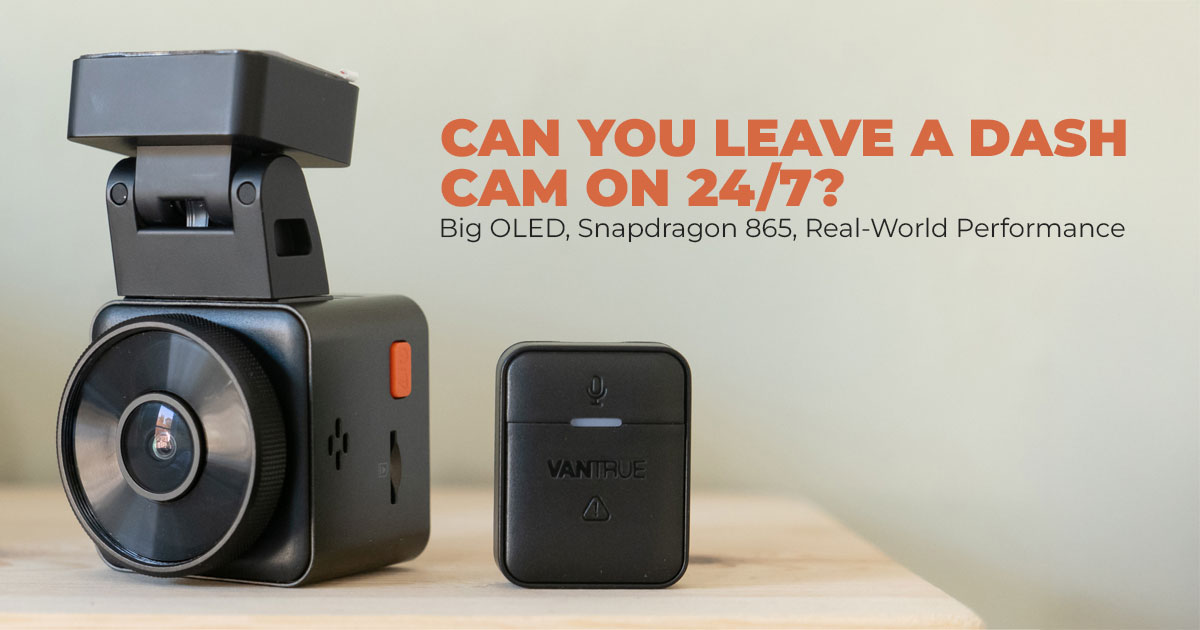
If you want 24/7 dash cam recording and dependable parking mode, power matters more than the camera itself. USB power is fine for driving, but dash cam hardwire kits provide safer, constant power, protect your car battery, and work better for long-term vehicle security.
Buy from Official Vantrue Store
Buy on Worldwide | Buy on India
1. Introduction
You park your car in a tight spot, run a quick errand, and come back to a fresh scratch on the door. No note. No clue. That moment—more than anything else—is why people keep asking the same question online: can a dash cam run 24/7?
Most drivers want a constant power dash cam setup that keeps watch even when the engine is off. Not for fancy features, but for peace of mind. The catch is power. Leave it wrong, and you risk dash cam battery drain. Set it up right, and you get reliable coverage without stressing your car.
If you’re already looking into safe power options or offfcial hardwire kits, you can click here to explore more for the US | India and see compatible options before diving deeper.
This guide explains how to power a dash cam safely, in plain language, without overcomplicating things. We’ll walk through real dash cam power options, what actually works for parking mode, and why dash cam hardwiring is usually the smarter choice for long-term use. And that’s why it matters.
With over 20 years of hands-on experience in hardware and application research, we focus on what actually works—not just specs or marketing claims. Each setup is judged on real-world performance, durability, and long-term value.
This guide is written for everyday drivers, families, and small business owners who want clear answers backed by research, real use cases, and practical testing—not guesswork.
We’ll also explain why user reviews matter so much here. On paper, many power solutions look fine. In real life, reviews reveal issues like hidden battery drain, unstable voltage, or setups that stop working after a few months. This post cuts through that noise and shows what actually holds up when a dash cam is left on for hours—or days.
Here’s the new perspective: keeping a Vantrue dash cam running all the time isn’t risky by default. The risk comes from using the wrong power source. Fix that one decision, and everything else falls into place.
2. Technical Specifications at a Glance
To sort out dash cam power supply choices, check this quick table. It lays out the main differences to help you pick what’s right.
| Feature | USB/Cigarette Lighter Power | Dash Cam Hardwiring |
|
Power Source |
Vehicle’s accessory outlet (turns off with ignition) | Direct connection to the car’s
fuse box or battery (constant supply) |
| Continuous Operation | Limited to when the engine is running | Enables 24/7 functionality |
| Battery Drain Risk | Low, since it shuts off automatically | Managed with low-voltage cutoff features |
| Installation Complexity | Plug-and-play, no tools needed | Requires basic wiring, tools like fuse taps |
| Cost Range | Included with most dash cams | $20–$50 for kits |
| Best For | Casual driving footage | Dash cam parking mode and surveillance |
3. Why This Review Is Essential
With more folks worried about car break-ins or hit-and-runs in parking lots, a dash cam that only records while you’re driving doesn’t cut it. Queries for dash cam constant power are up because people see the limits of basic setups. This guide tackles that by sharing solid advice on hardwire dash cam safely, pulling from user stories and expert checks to avoid problems like unreliable footage. It’s designed to be trustworthy, with depth that helps you make smart choices, unlike quick tips that skip the details.
4. What You Will Learn from This Review
You’ll get a clear picture of dash cam wiring options, step-by-step instructions on setting up a dash cam hardwire kit, and how to choose accessories that match your setup. We’ll touch on risks, perks for different users, and answers to things like does a dash cam drain a car battery. Plus, we’ll add insights on stuff like seasonal effects on power, which many guides overlook, to give you a fuller view.
5. What Powers a Dash Cam? USB Power vs Car Battery Power
A dash cam needs steady electricity to keep recording. Most people start with whatever comes in the box, but power choice decides whether the camera protects your car only while driving—or all the time.
5.1 How Dash Cams Usually Get Power (USB Dash Cam Power)
Most dash cams plug into the USB port or cigarette lighter socket. These outlets draw power from the car’s accessory line, which turns on with the ignition.
This setup works well for daily driving:
- No installation
- No tools
- Plug in and forget
But there’s a limit. Once the engine shuts off, the outlet goes dead. That answers a common question many drivers search for: what powers a dash cam when the car is off?
With USB power, the answer is simple—nothing.
5.2 Why USB Power Isn’t Enough for 24/7 Dash Cam Recording
If you want dash cam parking mode power, USB falls short. The camera shuts down when you park, creating blind spots during:
- Door dings
- Low-speed hits
- Vandalism
- Hit-and-run incidents
Some drivers try leaving the USB connected overnight. That leads to confusion and, in some cases, dash cam battery drain, especially in hot or cold weather.
Summary
- USB dash cam power works for driving
- It fails for constant power dash cam setups Key Takeaways
- Good for simple use
- Limits advanced features
- Upgrade needed for full vehicle protection
6. Can You Leave a Dash Cam On 24/7?
This is one of the most searched dash cam questions—and the answer depends on power, not the camera.
6.1 The Short Answer: Yes, With Constant Power
You can leave a dash cam on all the time if it has a constant power source. That means connecting it to the car’s electrical system instead of relying on USB outlets.
With the right setup, a dash cam connected to constant power can run for hours or even days without interruption.
6.2 What Happens Without Constant Dash Cam Power
Without steady power, the camera shuts off when parked.
That disables dash cam parking mode, which depends on continuous energy to:
- Detect motion
- Sense impact
- Start recording automatically
Drivers often realize this too late—after an incident with no footage. For families, that means unanswered damage. For rideshare or fleet drivers, it can mean lost claims.
Key Takeaways
- Prevents gaps in recording
- Adds value for street and apartment parking
- Supports real-world vehicle protection
Note on Runtime
How long can a dash cam stay on? With proper power management and heat control, it can stay active for long periods. Summer heat shortens runtime, which makes power regulation even more important.
7. Why Dash Cam Hardwiring Is the Safer Power Solution
Hardwiring solves the core problem: unstable power.
7.1 What Is Dash Cam Hardwiring
Dash cam hardwiring connects the camera directly to the fuse box or car battery, bypassing accessory outlets. This creates a stable dash cam electrical connection that works whether the engine is on or off.
7.2 Benefits of Hardwired Dash Cam Power
- True 24/7 Operation
Ideal for a parking surveillance dash cam - Dash Cam Parking Mode Support
Enables motion detection while parked and impact alerts - Clean Installation
No hanging cables or blocked sockets - Battery Protection Features
Built-in dash cam low voltage protection and dash cam voltage cutoff prevent battery damage
For rideshare drivers, families, and business vehicles, hardwiring reduces worry and improves reliability. Controlled power draw often protects the battery better than constant USB connections.
7.3 Difference Between USB and Hardwire Dash Cam
- USB: simple, limited
- Hardwire: full features, stable power
Is hardwiring worth it for a dash cam?
If you want the best way to power a dash cam for parking mode, the answer is yes.
Buy from Official Vantrue Store
Buy on Worldwide | Buy on India
8. Common Dash Cam Hardwire Kit Options
Choosing the right dash cam hardwire kit depends on port type, vehicle layout, and battery protection needs.
| Hardwire Kit Type | Connection | Key Features | Best For |
| Standard Hardwire Kit | ACC | Constant power | Entry-level setups |
| Universal ACC Kit | ACC | Broad compatibility | Most dash cams |
| Voltage Display
Kit |
USB / ACC | Real-time voltage,
adjustable cutoff |
Battery-conscious users |
| USB-C Hardwire
Kit |
USB-C | Modern port support | Newer dash cams |
| Mini USB Hardwire Kit | Mini USB | Compact design | Older models |
| OBD / OBD2 to
USB-C Kit |
OBD Port | Plug-in install, LED
display |
Avoid fuse box work |
Click here to explore more for the US | India
These kits cover most dash cam hardwire kits for cars.
In a dash cam hardwire kit vs USB comparison, hardwire wins for endurance and reliability.
If you’re unsure which hardwire kit fits your car or dash cam model, checking official kits first can save time and avoid compatibility issues—especially for parking mode setups.
9. How Dash Cam Hardwiring Works (Simple Overview)
Hardwiring sounds technical, but the process is straightforward.
9.1 How to Hardwire a Dash Cam Safely
- Locate the fuse box under the dash or hood
- Find a fuse with power when the car is off
- Attach the hardwire kit fuse tap
- Secure the ground wire to bare metal
- Route the cable cleanly to the camera
This fuse box connection delivers steady power to the dash cam without cutting any factory wiring.
9.2 Safety and Battery Protection Tips
- Check the vehicle manual before choosing a fuse
- Use kits with voltage cutoff protection
- Professional installation is an option
Is it safe to leave a dash cam on overnight?
Yes, when hardwired correctly.
Does hardwiring a dash cam damage the battery?
No. Proper kits stop power draw before battery levels drop too low.
Summary
- Install time: 30–60 minutes
- Safe when done correctly
- Best choice for dash cam power management and long-term use
10. Clearing Common Doubts About Dash Cam Hardwiring and Constant Power
Before choosing a power setup, most drivers want clear answers—not guesses. These are the exact questions people search for when deciding between USB dash cam power and a dash cam hardwire kit. The answers below focus on real-world use, battery safety, and long-term reliability, so you can decide what works for your car and driving habits.
Q. How does hardwiring prevent dash cam battery drain?
- A quality hardwire kit for dash cams includes built-in low-voltage protection. When the car battery drops to a safe limit—often around 11.6V—the system cuts power automatically. This stops excessive draw and protects your battery from going flat overnight.
Q. What is the difference between a 2-wire and 3-wire dash cam hardwire kit?
- A 2-wire hardwire kit supplies constant power only. A 3-wire hardwire kit adds an ignition- sensing line, allowing the dash cam to switch between driving mode and dash cam parking mode automatically. For most users, a 3-wire setup offers better control and smarter power management.
Q. Can you hardwire a dash cam in an electric car?
- Yes, dash cam hardwiring in electric vehicles is possible. The key is checking the vehicle’s wiring layout and warranty terms. Many EV owners use hardwire kits safely, but it’s smart to confirm approved fuse points or consult a professional installer.
Q. How long can a hardwired dash cam run on a car battery?
- In most cases, a hardwired dash cam can stay active for 24 to 48 hours in parking mode. Actual runtime depends on motion activity, camera settings, battery health, and weather conditions. Lower activity means longer recording time.
Q. Should I hardwire my dash cam?
- If parking coverage, overnight protection, or hit-and-run recording matters to you, hardwiring is the better choice. It delivers constant power, supports advanced features, and reduces gaps in footage compared to USB setups.
Q. Is USB power enough for the dash cam parking mode?
- No. USB dash cam power shuts off when the engine is off. That means dash cam parking mode won’t work reliably. For parked vehicle protection, a dash cam constant power setup is required.
Quick Takeaway
If your goal is simply to drive footage, a USB works. If you want 24/7 dash cam recording, battery safety, and dependable parking surveillance, a dash cam hardwire kit is the solution most drivers end up choosing.
11. Frequently Asked Questions (FAQ) About Dash Cam Hardwiring and Power
These are quick, straight answers to the most searched questions around dash cam power, hardwiring, and parking mode. If you’re skimming, this section covers the essentials without fluff.
Q. Will dash cam hardwiring drain my car battery?
- No, not when you use a proper dash cam hardwire kit with low voltage protection. These kits shut off power automatically once the battery drops to a safe level, helping prevent battery drain.
Q. Do all dash cams need hardwiring?
- No. USB dash cam power works for basic driving recordings. But if you want a reliable dash cam parking mode, hardwiring is the better option because it provides constant power when the car is off.
Q. Is dash cam hardwiring hard to install?
- Not really. With basic tools and patience, most people can install a dash cam hardwire kit in under an hour. If you’re unsure, a professional installer can handle it quickly.
Q. What’s the best hardwire kit for dash cam beginners?
- Beginner-friendly options include OBD or OBD2 hardwire kits. They plug directly into the diagnostic port, avoiding fuse box work while still delivering steady power.
Q. What is the best power source for a dash cam?
- For full features and reliability, hardwiring to the vehicle’s electrical system is the best power source. It supports 24/7 recording, parking mode, and stable performance.
Q. What is the best dash cam wiring solution overall?
- A vehicle fuse box connection using a hardwire kit offers the cleanest, most stable setup. It avoids loose cables and ensures consistent power delivery.
Q. What is the best hardwire kit for parking mode?
- The best choice is a hardwire kit with voltage monitoring and adjustable cutoff. These features protect the battery while keeping parking surveillance active for longer periods.
12. Wrap-Up: Keep Your Dash Cam Running 24/7 Safely
So, here’s the clear takeaway. Yes, you can leave a dash cam on 24/7—but only if it’s powered the right way. Relying on USB works for short drives, but it falls apart the moment you park. That’s where dash cam hardwiring makes the difference.
A proper dash cam constant power solution keeps your camera running when the engine is off, unlocks dash cam parking mode, and avoids messy cables. More importantly, a quality hardwire kit includes dash cam low-voltage protection, so your car battery stays safe even during overnight or long-term parking.
This setup makes sense for anyone who parks in busy streets, apartment complexes, office lots, or public garages. It’s also a smart upgrade for families, rideshare drivers, and business vehicles that need dependable 24/7 dash cam recording without guesswork.
If you’re ready to set it up, the safest choice is to buy directly from the official Vantrue store US | India, where you’ll find Vantrue hardwire kits, USB-C hardwire kits, ACC hardwire kits, and options with voltage monitoring designed specifically for Vantrue dash cams. Buying from the official site ensures compatibility, warranty support, and the right battery protection features.
Buy from Official Vantrue Store
Buy on Worldwide | Buy on India
Once you’ve installed it, you’ll notice the difference right away—clean wiring, steady power, and no gaps in coverage. If you have questions about installation, power settings, or choosing the best hardwire kit for parking mode, share your experience. Real-world setups help everyone make better decisions.
***Disclaimer***
This blog post contains unique insights and personal opinions. As such, it should not be interpreted as the official stance of any companies, manufacturers, or other entities we mention or with whom we are affiliated. While we strive for accuracy, information is subject to change. Always verify details independently before making decisions based on our content.
Comments reflect the opinions of their respective authors and not those of our team. We are not liable for any consequences resulting from the use of the information provided. Please seek professional advice where necessary.
Note: All product names, logos, and brands mentioned are the property of their respective owners. Any company, product, or service names used in our articles are for identification and educational purposes only. The use of these names, logos, and brands does not imply endorsement.
