
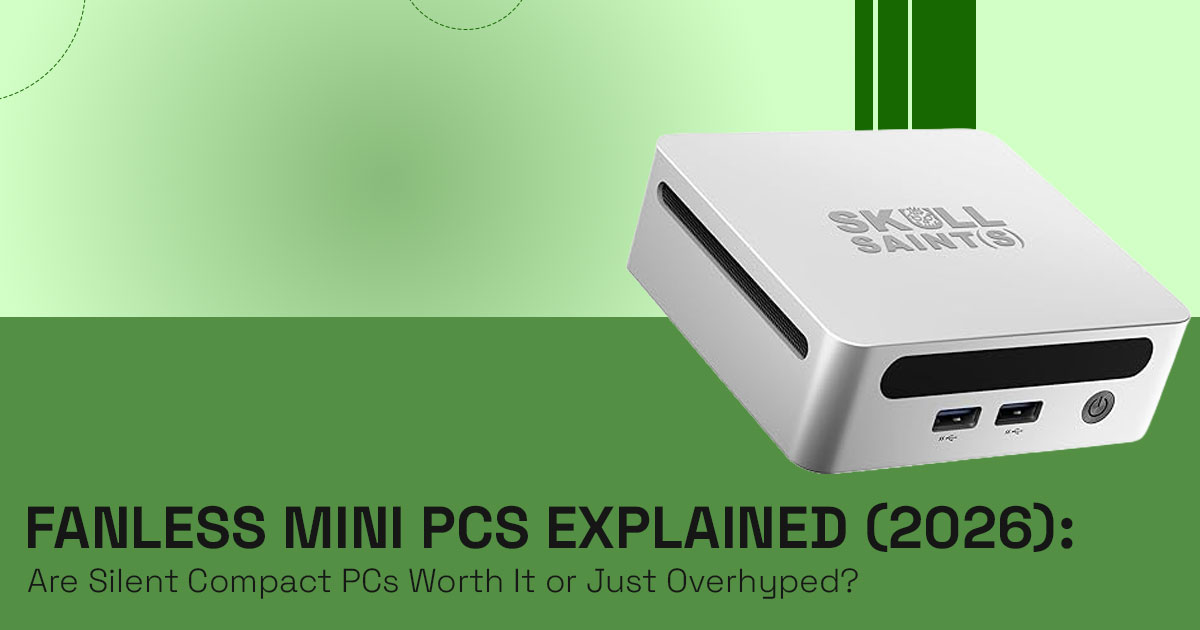
Fanless mini PCs are built for one clear purpose—silent computing with minimal maintenance. If you’re searching for a silent mini PC, a compact desktop computer, or a low power mini PC for 24/7 usage, this is exactly the category you’re looking at.
They stay completely quiet, resist dust, and last longer because there are no moving parts. But there’s a tradeoff. During long, heavy tasks, heat builds up inside the sealed body, and the system slows itself down—this is called thermal throttling in fanless mini PCs.
–− Choose one if you want silence, reliability, and a clean setup.
–− Avoid it if you need consistent high performance for demanding workloads.
1. Introduction
If you’re searching for a fanless mini PC, you’re likely trying to solve a specific problem—noise, dust, or long-term reliability. Traditional desktops and even small PCs rely on fans, and over time those fans collect dust, create noise, and become a point of failure.
A fanless mini PC removes that problem entirely. It’s a compact desktop computer that uses its outer metal body to release heat instead of spinning fans. This passive cooling PC design keeps the system silent and reduces maintenance, which is why it’s popular for quiet workspaces and demanding environments.
For many users, the appeal is simple—a silent mini PC that doesn’t interrupt calls, focus time, or late-night use. Others look at it from a durability angle, choosing an industrial mini PC that can handle dust, heat, or continuous operation without frequent servicing.
With newer low TDP processors and efficient chip designs, today’s ultra-slim fanless mini PCs are more capable than older models. They can handle everyday work, light server tasks, and even some advanced setups. But performance in a sealed system behaves differently over time, especially over longer periods.
As technology experts with over 20 years of experience in hardware and application research and development, we deeply analyze each product based on real-world performance, durability, and value for money. Our goal is to help you find the best product in every category—budget, performance, reliability, and long-term usage. Whether you’re a home user, developer, office professional, or someone setting up a home server or edge computing system, our recommendations are based on extensive research, component analysis, real-world usability, and industry expertise.
Most product pages focus on specs—cores, DDR5 memory, storage, and ports—but don’t explain how those specs translate into daily use. That’s where real user experience matters. Reviews help uncover how a fanless mini PC performs over time, not just at peak performance.
This guide is built to answer the real questions—how these systems behave under load, where they make sense, and where they don’t—so you can make a decision that actually fits your needs.
1.1 What you will learn from this review
- How passive cooling systems work in real-life usage
- Where a fanless mini PC performs well—and where it struggles
- How to choose the right system without getting lost in specs
- How these systems fit into modern setups like edge computing and home servers
1.2 Why This Review Is Essential
Most listings highlight specs—CPU cores, DDR5 memory, and storage—but miss what actually affects performance in a sealed design.
The real difference shows up in sustained workloads. In a fanless mini PC vs normal mini PC performance difference, heat becomes the deciding factor. As temperature rises, performance drops to protect the system—this is thermal throttling in fanless mini PCs.
This review explains those real-world limits, clears up common confusion, and helps you understand who should choose a fanless system—and who shouldn’t. If you want a quiet, reliable setup without surprises later, this will give you the clarity you need.
2. What Is a Fanless Mini PC (Passive Cooling PC Explained)
What is a fanless mini PC?
A fanless mini PC is a small form factor PC that runs without any internal fans. Instead, it uses its metal body to release heat. This is called a passive cooling PC design.
The system relies on low TDP processors like Intel U-series CPU, which produce less heat from the start. That makes it possible to run without active airflow.
How does passive cooling work?
Heat from the CPU moves through heat pipes or directly into the chassis. The outer surface— often with fins—spreads that heat into the surrounding air. No fans, no moving parts, no noise.
Why do people and industries choose it?
An industrial fanless mini PC works well in places where dust, vibration, or constant use would damage regular systems. Factories, warehouses, and medical setups depend on them for stability.
At home, users pick a silent mini PC for office use or bedrooms where even low fan noise feels distracting.
- Quick Answer – Why pick a fanless mini PC?
Total silence, strong dust resistance, and longer lifespan with fewer failure points.
3. Fanless Mini PC Performance vs Thermal Throttling (Reality Check)
On paper, a fanless mini PC can look powerful—multi-core CPUs, DDR5 memory, fast storage. But real performance depends on heat over time.
The Thermal Truth Model (Simple Breakdown)
- Peak Performance
Short bursts like opening apps or quick tasks run at full speed. - Sustained Performance
Long sessions—streaming, compiling, or server workloads—start to build heat. - Thermal Collapse Point
Once heat builds up, the system reduces speed to stay safe. This is thermal throttling in fanless mini PCs.
In most cases, under continuous load (15–30 minutes), performance can drop 20–40% depending on workload and cooling design. This is common in tasks like video encoding or running multiple virtual machines.
A fanless mini PC vs normal mini PC performance difference becomes clear here:
- Fanless → strong in short tasks
- Fan-cooled → better for long heavy workloads
4. Fanless Mini PC Use Cases (Where It Actually Works Best)
A fanless mini PC fits specific needs where silence, reliability, and efficiency matter more than raw power.
Industrial & Edge Computing (24/7 Reliability)
Industrial fanless mini PC use cases include factory automation, sensor monitoring, and retail edge systems.
- Handles dust-heavy environments
- Built for low power mini PC for 24/7 usage
- Often includes a mini PC with dual Ethernet for stable networking
Home Lab / Server Setup (Always-On Systems)
A mini PC with dual LAN for a home server setup works well for:
- Plex or Jellyfin (light streaming)
- NAS storage
- Docker containers
- Network tools like ad blockers
Low power draw keeps it efficient for continuous use.
Silent Office / Productivity Setup
For writers, developers, and remote workers, the best fanless mini PC for a silent office setup removes all noise.
- No fan sound during calls
- Clean desk setup
- Supports multiple displays
Digital Signage & Kiosk Systems
A VESA mount mini PC fits behind displays in shops or public spaces.
- Silent operation
- Minimal maintenance
- Reliable long-term use
5. Fanless Mini PC Limitations (Where It Struggles)
A fanless mini PC is not built for everything.
- Heavy multitasking with many apps
- 4K video editing timelines
- 3D rendering workloads
- Gaming beyond basic levels
Even with Intel Iris Xe mini PC performance, graphics stay limited to light tasks.
AI workloads without dedicated hardware also push the system into early thermal throttling.
- Quick Answer – Can a fanless mini PC replace a desktop?
Yes for everyday work. No for heavy creative, gaming, or long high-load tasks.
6. Fanless Mini PC vs Fan-Cooled Mini PC (Performance Comparison)
| Feature | Fanless Mini PC | Fan-Cooled Mini PC |
| Noise | Dead silent | Low noise under load |
| Sustained Performance | Limited by heat | Holds speed longer |
| Reliability | Higher (no moving parts) | Fans wear over time |
| Thermal Headroom | Lower | Higher |
| Dust Resistance | Strong (no intake) | Needs cleaning |
| Power Efficiency | Lower idle power | Slightly higher |
- Note: Choose based on use case, not specs.
7. Fanless Mini PC Hardware Explained (Real Meaning of Specs)
A modern ultra-slim fanless mini PC with Intel CPU includes:
- 10-core processor → handles office work, browsing, light coding
- DDR5 mini PC (up to 96GB DDR5 RAM) → useful for virtualization and multitasking
- Intel Iris Xe graphics → supports 4K playback and multiple displays
- Mini PC with dual Ethernet (2.5G LAN) → strong networking for servers or routing
These specs support stable daily tasks, but not workstation-level loads.
- Is 96GB RAM useful in a fanless mini PC setup?
Useful for virtual machines and containers. Overkill for normal use.
8. How to Choose a Fanless Mini PC (Fit-First Buying Model)
Use this simple fflter before buying:
Workload Type
- Light or burst tasks → good fit
- Heavy continuous tasks → avoid
Environment
- Dusty or harsh conditions → ideal
- Clean office → optional
Noise Sensitivity
- Need silence → fanless mini PC wins
- Okay with slight noise → fan-cooled gives more power
9. Hidden Advantages of Fanless Mini PCs
- No dust buildup inside
- Less maintenance over time
- Stable for long-term deployments
- Lower failure risk in always-on systems
These benefits matter more in long-term use than raw specs.
10. Common Fanless Mini PC Buying Mistakes
- Choosing based only on CPU or RAM
- Ignoring thermal throttling limits
- Expecting desktop-level sustained performance
- Using it for gaming or heavy editing
- Overloading beyond passive cooling system limits
11. Advanced Fanless Mini PC Performance Considerations
- Thermal throttling appears after 10–30 minutes under full load
- Undervolting can reduce heat by 5–10°C
- Linux setups often run cooler than Windows
- Virtualization works for light workloads, not heavy clusters
- Limited expansion (usually 1–2 PCIe Gen4 SSD slots)
12. Fanless Mini PC for Edge Computing and AI (Future Use Case)
The rise of edge computing increases demand for fanless mini PCs.
They work well for:
- Local AI tasks (object detection, automation)
- Retail analytics
- Sensor-based systems
They don’t rely on dedicated GPUs but can handle lightweight AI models.
Future setups may combine them with external accelerators through USB4, keeping the system sealed while expanding capability.
- This makes them a strong choice for the best fanless mini PC for edge computing and automation.
13. Fanless Mini PC FAQ (Common Questions Answered Clearly)
If you’re still unsure whether a fanless mini PC fits your needs, these quick answers cover the most common concerns—performance, reliability, and real-world use. This section is built to match what people actually search before buying a silent mini PC or setting up a low power mini PC for 24/7 usage.
Q. Are fanless mini PCs good for daily use?
- Yes, a fanless mini PC for daily use handles browsing, office work, and light media smoothly while staying completely silent.
Q. Do fanless mini PCs overheat?
- No, they don’t overheat if designed well. They use passive cooling systems and reduce speed through thermal throttling to stay safe.
Q. Can a fanless mini PC replace a desktop?
- A fanless mini PC can replace a desktop for moderate tasks, but not for heavy editing, gaming, or long high-load work.
Q. Is passive cooling better than fan cooling in PCs?
- Passive cooling PC designs win in silence and dust resistance, while fan-cooled systems perform better under sustained heavy workloads.
Q. What are fanless mini PCs used for?
- Common fanless mini PC use cases include home servers, edge computing, industrial control systems, silent offices, and digital signage.
Q. How powerful is a fanless mini PC?
- A fanless mini PC performance level is strong for everyday and moderate workloads but drops during long, intensive tasks.
Q. Are fanless mini PCs reliable for 24/7 operation?
- Yes, a low power mini PC for 24/7 usage is often more reliable since there are no fans to fail or pull in dust.
Q. Can a mini PC run without a dedicated GPU?
- Yes, most use integrated graphics like Intel Iris Xe, which handle basic tasks, media playback, and light workloads well.
14. Final Verdict: Should You Buy a Fanless Mini PC?
If your goal is simple—a silent mini PC that runs clean and steady—a fanless mini PC makes a lot of sense. It fits well in quiet offices, home labs, and setups that run all day without attention. It also shines in tougher environments where dust or constant use would wear out a normal system.
But it’s not built for everything. If your work involves long video renders, heavy multitasking, or gaming, a fan-cooled system will hold performance better over time. That’s the tradeoff—silence and durability vs sustained power.
In 2026, these systems are getting more capable with efficient chips and improved thermal design. Still, the key is choosing based on how you actually use your system, not just the specs.
What About the MSI MS-C936 Fanless Mini PC?
The MSI MS-C936 mini PC has officially debuted, and its full specifications are now public as of March 2026. It’s an ultra-slim, fanless industrial box PC built for edge computing and digital signage, not typical home setups.
One important detail—this isn’t a consumer product. MSI hasn’t shared pricing or a clear retail launch timeline yet. And since it belongs to their industrial (IPC) lineup, you won’t find it on regular shopping sites.
How people actually buy it:
- You send a direct inquiry through MSI’s industrial product page
- Or go through distributors like Mouser or Digi-Key (US)
- In India, it usually goes through industrial suppliers or enterprise partners
So, if you’re a regular buyer looking for something today, this model isn’t the easiest path.
Consumer Alternatives You Can Buy Right Now
If you want a fanless mini PC without dealing with industrial sourcing, these are easier options:
- Amazon Worldwide – ZOTAC ZBOX CI669 Nano → strong performance with silent operation
- Amazon Worldwide – ASUS NUC 13 Rugged → built for 24/7 usage and tougher environments
- Amazon India – ASUS PN42 Mini PC → budget-friendly fanless mini PC for everyday use These are available through regular retail channels and fit most home or office needs.
Final Take
A fanless mini PC is the right choice when you value quiet operation, low maintenance, and long-term reliability. It’s not about pushing maximum performance—it’s about running smoothly without noise or hassle.
If that matches what you need, you’ll appreciate it every day. If not, a traditional mini PC will give you more headroom.
Before you buy, match your workload with the right system. That one decision will save you from upgrading sooner than expected.
And if you’re still unsure, share what you plan to run—happy to help you ffgure it out.
***Disclaimer***
This blog post reflects our own research, testing, and personal opinions. It should not be taken as the official position of any brand, manufacturer, or company mentioned here. While we aim to keep information accurate and up to date, product details, pricing, and availability can change. We recommend double-checking important details before making a purchase.
Some links in this article may be affiliate links. If you choose to buy through these links, we may earn a small commission at no extra cost to you. This helps support our work and allows us to keep publishing in-depth, unbiased reviews. Our recommendations are never influenced by affiliate partnerships.
Comments shared by readers reflect their own views and not ours. We are not responsible for outcomes resulting from the use of information on this site. Please seek professional advice where appropriate.
All product names, logos, and brands mentioned are the property of their respective owners. These names are used for identification and informational purposes only and do not imply endorsement.
