
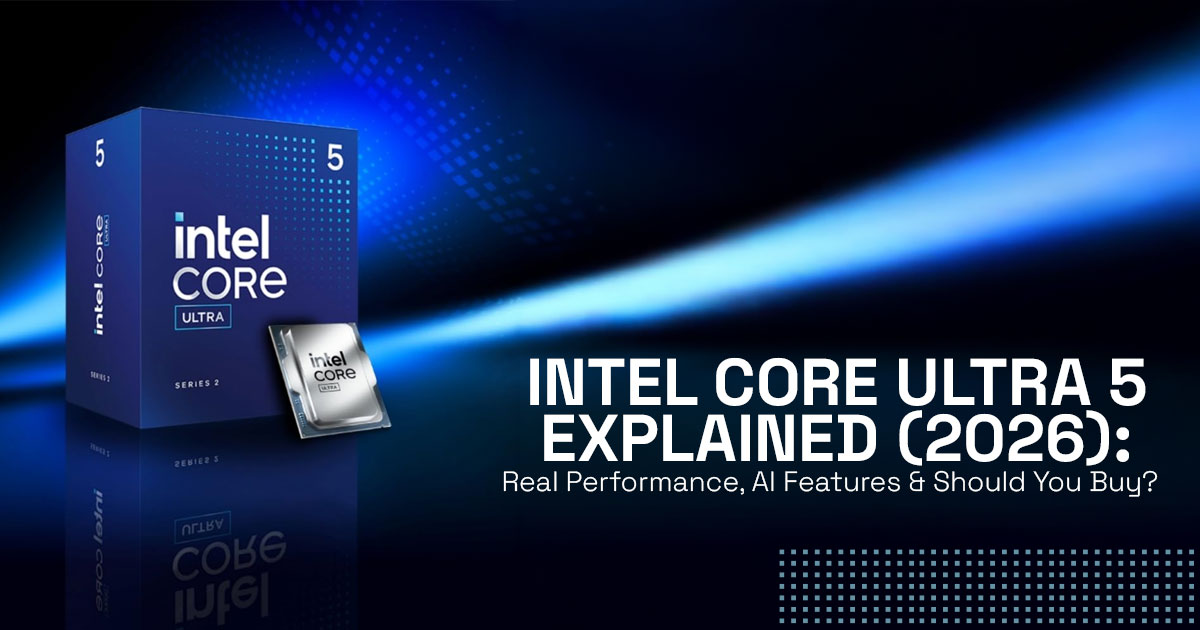
Thinking about buying a laptop with Intel Core Ultra 5 and wondering if it’s actually worth it? Here’s the short answer: it can be, but only if you use what it offers. The Intel Core Ultra 5 adds a neural processing unit for on-device AI processing, along with strong CPU and GPU performance. You get better battery optimization, quieter operation, and smoother handling of Windows AI features like Microsoft Copilot. Creators and professionals see the biggest gains in daily workflows, while students and office users benefit from longer battery life and responsive multitasking performance. But if your work is basic, a simpler chip can still do the job and save money.
1. Introduction
If you’re searching for Intel Core Ultra 5, you’re likely trying to answer one simple question—is this actually better for my daily use, or just another upgrade on paper? That’s why queries like “Intel Core Ultra 5 laptop buying guide” and “is Intel Core Ultra 5 worth buying in 2026” are growing. People don’t want specs. They want clarity before they spend.
The Intel Core Ultra 5 is part of a new class of AI laptop processors built on a hybrid CPU architecture. It combines CPU, GPU, and a neural processing unit to handle both regular tasks and AI acceleration more efficiently. But here’s the catch—performance varies across laptops. Two systems with the same Intel Core Ultra 5 processor can behave very differently depending on cooling, memory, and storage setup.
This is where most buyers get confused. You expect smoother performance, better battery optimization, and stable multitasking performance, but real-world usage doesn’t always match those expectations. That’s why real-world usage matters more than specs. It shows what happens after weeks of use—how well thermal management holds up, whether on-device AI processing actually improves your workflow, and if the laptop delivers consistent performance under daily load.
This guide is based on real-world usage and hardware analysis. The goal is simple—help you pick the right laptop for your budget, work, and long-term use. For creators, professionals, students, and everyday users looking for dependable laptops, our recommendations are based on extensive research, component analysis, real-world usability, and industry expertise.
Here’s what you’ll get from this guide. Clear answers to whether the Intel Core Ultra 5 laptop CPU improves your daily experience, where it actually performs better than older chips, and where it might not justify the price.
If you’re still comparing options, you can also check our Intel Core Ultra 5 vs Intel Core i5 guide to see how they differ in real use.
We’ll focus on real usage—so you know exactly what to expect before you buy.
2. Why This Review Is Essential
Right now, Windows AI features like live captions, background blur, and noise reduction are becoming part of everyday use. These features run constantly in the background. Older processors handle this through the main cores, which leads to higher power use and more heat.
The Intel Core Ultra 5 changes that by using a dedicated neural processing unit. This improves power efficiency, keeps temperatures under control with better thermal management, and allows smoother multitasking without slowing down your main work.
If this isn’t considered while choosing an Intel Core Ultra 5 laptop, you might end up with a system that doesn’t fully use its hardware. That can mean shorter battery life, uneven performance, and limited support for future machine learning tasks. Most reviews don’t explain how this hybrid CPU architecture behaves in real use or how it prepares your system for upcoming software changes.
This review focuses on that gap. It connects real-world usage with what the hardware actually delivers, so you can make a clear and confident decision.
3. What You Will Learn From This Review
- How the CPU, GPU, and neural processing unit work together inside the Intel Core Ultra 5 processor
- Real-world insights on battery optimization, speed, and everyday responsiveness
- A clear comparison of Intel Core Ultra 5 vs Core 5 and Intel Core Ultra 5 vs i5
- Who benefits the most from this chip—and who can skip it without missing much
- A simple checklist to match the Intel Core Ultra 5 laptop CPU to your budget, usage, and expectations
This is designed to help you decide with confidence, not just understand the specs.
4. Technical Specifications of Intel Core Ultra 5 (At a Glance)
| Feature | Intel Core Ultra 5 Details | What It Means for You |
| Cores | 12 (Performance + Efficiency mix) | Handles heavy multitasking without slowing down |
| Integrated Intel Arc graphics | Up to 10 Xe-cores | Faster photo edits and smoother video previews |
| Neural Processing Unit (NPU) | Up to ~40–47 TOPS (depending on the specific model) | Runs AI tasks locally without draining battery |
| Memory Support | Up to 96GB LPDDR5x | Keeps large apps and files responsive |
| Power Range | 25–65W | Cooler, quieter laptops during long use |
These specs shape how the laptop behaves over hours of use—steady performance, less heat, and fewer slowdowns when switching between tasks.
5. Why Intel Core Ultra 5 Exists: Shift to AI-Ready Laptop CPUs
From Raw Speed to Real-World Efficiency
A few years ago, laptops had a simple job. Open a few apps, run a browser, maybe edit a document. In that world, more speed meant better performance. So chip makers kept pushing higher clock speeds and more raw power.
That approach starts to break when everything runs at once.
Today, a typical workfiow looks messy:
- 20+ Chrome tabs open
- A video call running in the background
- Notes, spreadsheets, or code on screen
- AI features quietly working—noise cancellation, live captions, auto summaries
If one part of the chip tries to handle all of this, it heats up, drains battery faster, and slows down under pressure.
That’s exactly the problem Intel Core Ultra 5 is trying to fix.
Instead of relying on a single “do everything” core, it splits work across specialized engines:
- The CPU handles general tasks
- The GPU takes care of visual and creative workloads
- The NPU handles AI-specific jobs
Here’s where it actually matters:
When you’re on a video call with background blur turned on, older chips push that AI task through the CPU or GPU. That increases load, spins up the fan, and drains the battery.
With Intel Core Ultra 5, the NPU takes that job.
So your call runs smoother, your system stays cooler, and your battery lasts longer.
Same thing with AI photo edits, voice cleanup, or real-time transcription. These don’t interrupt what you’re doing anymore—they run alongside it.
That’s where things actually change.
It’s not about making one part faster.
It’s about making the whole system smarter in how it handles work. So when Intel uses the word “Ultra,” it’s pointing to this change:
A laptop that can handle modern, mixed workloads without feeling like it’s struggling in the background.
6. Intel Core Ultra 5 Architecture Explained: The 3-Engine System
How CPU, GPU, and NPU Work Together
The chip runs like a small team:
- CPU handles everyday tasks like documents, coding, and browsing
- GPU (Intel Arc graphics) takes care of visuals—editing, rendering, previews
- NPU handles AI workloads without slowing everything else Each part focuses on its job instead of competing for resources. That’s why the system stays smooth even under load.
6.1 What Is the NPU in Intel Core Ultra 5?
The Neural Processing Unit (NPU) is built for AI tasks.
It processes things locally instead of relying on the cloud or loading the CPU.
What that means in real use:
- Cleaner video calls with background blur
- Faster AI features in apps
- Better battery life during AI tasks
If you’re asking, “Can Intel Core Ultra 5 run AI applications?”—yes, and it does it without stressing the system.
7. Intel Core Ultra 5 Specs Explained: What Actually Matters
You don’t need every detail. These are the parts that change your experience:
- The hybrid core design keeps light tasks quiet and heavy tasks fast
- Intel Arc graphics improve editing and preview speed
- The NPU keeps AI tasks separate from your main workload
- Faster memory support keeps the system responsive over time
In simple terms, it feels like a laptop that keeps up without getting in your way.
8. What AI Means in Intel Core Ultra 5 (Real Use Cases)
AI here shows up in small but useful ways:
- Eye contact correction in video calls
- Live captions and translations
- Voice isolation in meetings
- Faster edits in creative tools
- Quicker summaries through Copilot
You don’t notice it as a feature—you notice fewer delays and smoother flow.
9. Intel Core Ultra 5 Performance: Real-World Usage
Everyday Use and Multitasking Performance
This is where you feel the difference without trying to measure it.
You open your laptop in the morning, start with a few tabs… then it turns into 15, then 25. A YouTube lecture is playing, WhatsApp Web is open, maybe a spreadsheet sits in the background. Then a meeting starts.
On older systems, this is where things begin to fall apart—tabs reload, the fan kicks in, small delays creep in.
With Intel Core Ultra 5, it holds steady.
- Switching between apps feels instant
- Tabs stay loaded instead of refreshing
- The laptop doesn’t heat up as quickly
- Fan noise stays low most of the time
It’s not about being “fast” in bursts. It’s about staying smooth for hours without that slow buildup of lag.
That’s what makes it feel reliable day to day.
Creator and Video Editing Performance
Now step into something slightly heavier—editing photos or working on a video.
Say you’re in Lightroom:
- Importing a batch of photos feels quicker
- Applying presets updates almost instantly
- Exporting doesn’t drag on as long
Move to video editing:
- A 1080p timeline runs clean, even with a few effects
- Scrubbing through clips feels responsive
- Preview playback doesn’t stutter
For 4K editing, it handles things well as long as you’re not stacking heavy effects everywhere. Cuts, color tweaks, basic transitions—it stays usable.
Where it quietly helps is with AI tools inside these apps:
- Auto subject selection
- Background removal
- Noise reduction
These finish faster, so you spend less time waiting and more time actually editing.
AI Workloads in Real Life
This part is easy to miss because it runs in the background.
Imagine this happening at the same time:
- You’re on a Zoom or Teams call
- Background blur is active
- Your mic is filtering out noise
- You’re taking notes or editing something on the side
On older chips, all of this piles onto the CPU or GPU. That’s when things stutter. With Intel Core Ultra 5, the NPU handles those AI tasks separately.
So what you notice is simple:
- Your call stays smooth
- Your voice stays clear
- Your laptop doesn’t struggle when you multitask
Even small things feel better:
- Live captions appear faster
- AI summaries don’t freeze your system
- Background processes don’t interrupt your work This is where the architecture shows its value.
Not in benchmarks, but in those moments where everything is running at once—and nothing feels like it’s breaking.
10. Intel Core Ultra 5 vs Intel Core i5: Clear Buying Decision
| Factor | Intel Core Ultra 5 | Older Core i5 |
| Battery Life | 20–30% longer | Standard |
| AI Features | Dedicated NPU | CPU handles AI |
| Graphics | Strong Arc GPU | Basic integrated |
| Raw Speed | Close | Slight edge in short bursts |
| Price | Slightly higher | More affordable |
Buying Insight
- Choose Intel Core Ultra 5 for better battery life, AI features, and long-term use
- Choose Core i5 if your needs are basic and budget matters more
11. Intel Core Ultra 5 Battery Life & Efficiency
The design focuses on using less power during lighter tasks.
In real use:
- Up to 10–18 hours depending on the laptop design and usage
- Less heat during long sessions
- More stable performance on the battery
The processor allows laptops to run longer without frequent charging.
12. Biggest Myth About Intel Core Ultra 5
“Newer Means Better for Everyone”
That’s not always true.
If your work is limited to browsing, streaming, and email, the difference is small.
You only benefft when you use:
- AI features
- Creative tools
- Heavy multitasking
13. Is Intel Core Ultra 5 Worth Buying in 2026? (Price vs Reality)
Laptops with this chip sit in the mid to upper-mid range.
It makes sense if:
- You plan to use your laptop for several years
- You want built-in AI capabilities
- You regularly run multiple apps
For basic use, older options still hold up well.
14. Who Should Buy Intel Core Ultra 5 (And Who Should Skip It)
Best for
- Creators working with photos or light video
- Professionals using AI tools
- Students handling multiple tasks
- Long-term laptop users
Not the best fft for
- Basic users on tight budgets
- Gamers needing dedicated graphics
15. Contrarian Take on Intel Core Ultra 5
The hardware is slightly ahead of most current software.
It’s ready for what’s coming, but not everything today fully uses it. If you want a system that stays relevant longer, it makes sense.
If your needs are simple, you can spend less and still get a good experience.
16. Frequently Asked Questions (FAQ) About Intel Core Ultra 5
If you’re still deciding, these quick answers cover the most searched questions around Intel Core Ultra 5 performance, gaming, AI features, and real-world use. This section is built to give clear, direct answers so you can quickly figure out if this processor fits your needs.
Q. Is Intel Core Ultra 5 good for gaming?
- It handles casual and light games well with integrated Intel Arc graphics, but modern AAA gaming still needs a dedicated GPU.
Q. How does Intel Core Ultra 5 thermal performance feel in daily use?
- Most laptops stay cool and quiet due to efficient power management, even during long work sessions.
Q. Can Intel Core Ultra 5 handle programming and multitasking?
- Yes, the hybrid core design and high memory support keep coding tools and multiple apps running smoothly.
Q. What is Intel Core Ultra 5 processor?
- It’s a modern laptop CPU with CPU, GPU, and NPU (AI engine) built together for better efficiency and performance.
Q. Is Intel Core Ultra 5 better than Intel Core i5?
- It usually wins in battery life, AI performance, and graphics, while some older i5 chips can match raw speed in short bursts.
Q. Does Intel Core Ultra 5 support AI features?
- Yes, built-in NPU acceleration improves background blur, voice isolation, live captions, and AI editing tools.
Q. Is Intel Core Ultra 5 good for video editing?
- It’s a strong choice for 1080p and light 4K editing, especially with AI features speeding up common tasks.
Q. Should I buy an Intel Core Ultra 5 laptop in 2026?
- Buy it if you want better battery life and AI-ready performance; skip it if your use is basic and budget is tight.
Q. Is Intel Core Ultra 5 future-proof for long-term use?
- For most users, it should stay relevant for 4–5 years, especially as more apps start using the NPU.
17. Conclusion
The Intel Core Ultra 5 is not about chasing higher numbers. It’s about removing friction.
Things open when you need them. Tasks run without stepping on each other. AI features don’t interrupt your work—they fit into it.
That shift—from raw speed to smooth, consistent use—is what actually makes a difference over time.
If your day involves juggling apps, calls, and a bit of creative work, this is where the upgrade starts to feel worth it.
Ready to Find the Right Intel Core Ultra 5 Laptop?
If your work looks anything like this, these laptops are worth a closer look.
- ASUS Zenbook 14 OLED (Intel Core Ultra 5, Intel Arc graphics) – [ Amazon Worldwide | India]
- Lenovo Yoga 7i (Intel Core Ultra 5, Balanced Performance Laptop) – [ Amazon Worldwide | India]
- Dell XPS 13 (Intel Core Ultra 5, Compact Flagship Design) – [Amazon India]
If you’re already using an Intel Core Ultra 5 laptop, has it changed how your day feels?
If you’re still deciding, drop your use case—happy to help you narrow it down to the right pick.
***Disclaimer***
This blog post reflects our own research, testing, and personal opinions. It should not be taken as the official position of any brand, manufacturer, or company mentioned here. While we aim to keep information accurate and up to date, product details, pricing, and availability can change. We recommend double-checking important details before making a purchase.
Some links in this article may be affiliate links. If you choose to buy through these links, we may earn a small commission at no extra cost to you. This helps support our work and allows us to keep publishing in-depth, unbiased reviews. Our recommendations are never influenced by affiliate partnerships.
Comments shared by readers reflect their own views and not ours. We are not responsible for outcomes resulting from the use of information on this site. Please seek professional advice where appropriate.
All product names, logos, and brands mentioned are the property of their respective owners. These names are used for identification and informational purposes only and do not imply endorsement.
