
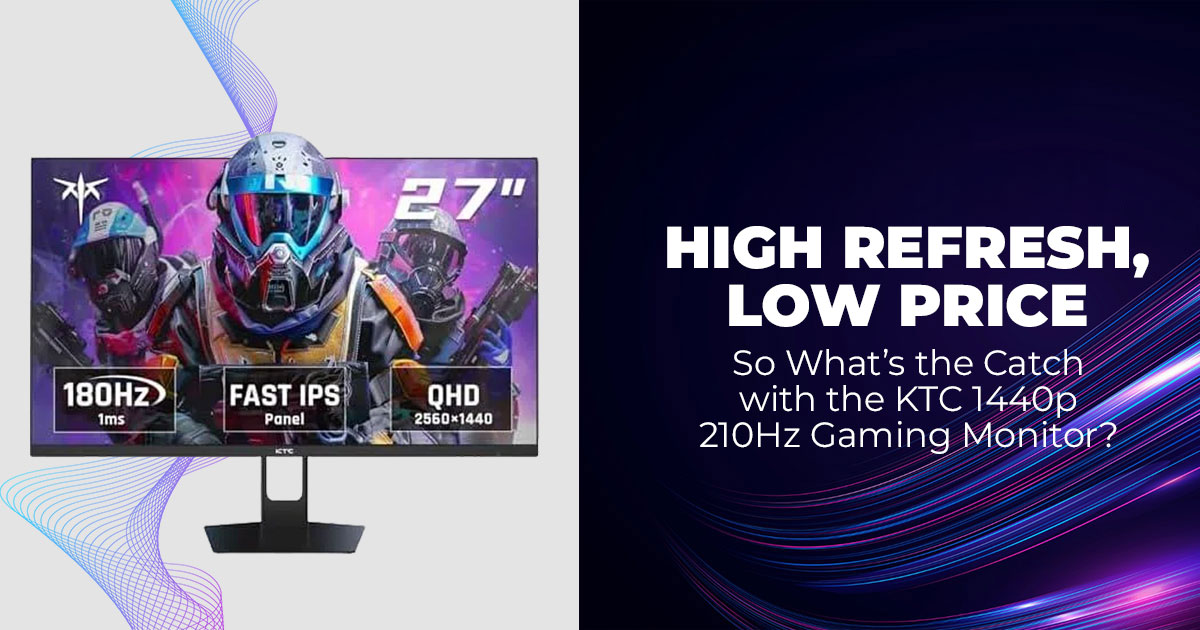
Gamers moving from 1080p to 1440p resolution often expect a clear upgrade. What they don’t expect is how hard it is to find a 27 inch gaming monitor that actually delivers on smooth motion, sharp QHD visuals, and strong color accuracy without pushing into premium pricing.
Many screens advertise 210Hz refresh rate, 1ms response time, and HDR400 support, yet fall short in daily use. Motion blur shows up. Colors look flat. Overdrive feels unstable. That gap between marketing and reality is where most buyers get stuck.
Click here to buy on Amazon
The KTC H27T22C-3 enters this space as a 27-inch 1440p 210Hz IPS gaming monitor built for performance-focused users who also care about value. On paper, it offers the kind of feature set usually tied to higher-priced models: QHD IPS panel, Adaptive Sync, HDR400 brightness, and built-in speakers.
As technology experts with over 20 years of experience in hardware and application research and development, we evaluate every product based on real-world performance, durability, and long-term value. Our goal is to help readers choose the best option across budget, performance, reliability, and sustained usage. Our recommendations are based on detailed testing, component analysis, usability checks, and industry experience.
This review is written for:
- Gamers upgrading from 1080p to 1440p
- Players using mid-range GPUs like the NVIDIA GeForce RTX 4060 Ti
- Competitive players who prioritize motion clarity and high refresh rate
- Mixed-use users who want vibrant colors and HDR brightness
- Buyers searching for the best value 1440p 210Hz gaming monitor
We used this monitor daily for gaming and work. Competitive shooters. Story-driven titles. Long desk sessions. The goal was simple: determine whether this budget 1440p high refresh rate monitor performs consistently beyond the spec sheet.
Quick Summary
The KTC H27T22C-3 offers strong value for anyone looking for a 27-inch 1440p 210Hz IPS gaming monitor with clean motion handling, wide color coverage, and stable Adaptive Sync performance. It is not flawless, but it delivers a balanced experience for competitive and cinematic gaming at a reasonable price.
1. Introduction and Overview of the KTC H27T22C-3 Gaming Monitor
The KTC H27T22C-3 is positioned as a QHD 1440p high refresh rate gaming monitor built for users ready to step beyond 1080p.
It runs at 200Hz natively and can be pushed to 210Hz overclocked via DisplayPort. That places it firmly in the category of 210Hz gaming monitors designed for competitive performance. For FPS players, every frame counts, and stable refresh behavior matters more than headline numbers.
The monitor supports:
- FreeSync
- G-SYNC Compatible mode
- Full Adaptive Sync technology for tear-free gameplay
In fast shooters, motion remains controlled with the right overdrive setting. In single-player titles, the IPS panel provides strong viewing angles and noticeable color depth. Our testing showed around 131% sRGB coverage, making this a capable wide color gamut gaming monitor in its price bracket.
The inclusion of HDR400 support adds brightness headroom in highlights. While it does not match high-end HDR displays, it improves contrast perception compared to standard SDR output.
Practical features include:
- Built-in speakers
- Flicker-free backlight
- Low blue light modes
- On-screen crosshair overlays
- VESA mount compatibility
As of early 2026, pricing sits around $474 on Amazon, with periodic discounts. For a 2K QHD 210Hz IPS gaming monitor, that pricing positions it competitively within the mid-range performance tier.
If you’re already checking pricing or availability, you can see the latest offers below:
- Amazon Worldwide – KTC 27 Inch Gaming Monitor (H27T22C-3)
2K QHD 2560 × 1440, Up to 210Hz, 1ms, Built-in Speakers, Adaptive Sync, HDR400, 131% sRGB
- Amazon India – KTC 27 Inch QHD Gaming Monitor (H27T22C-3)
2K 200Hz up to 210Hz, 1ms Fast IPS, HDR400, Adaptive Sync, Built-in Speakers
2. Technical Specifications at a Glance
Below is a structured breakdown of this fast IPS gaming monitor:
| Feature | Specification | Notes |
| Screen Size | 27 inches | Matte finish reduces glare |
| Resolution | 2560 × 1440 (QHD / 2K) | Sharp detail for gaming and
work |
| Refresh Rate | 200Hz native, up to 210Hz
overclocked |
Requires DisplayPort for full
rate |
| Response Time | 1ms (GtG) | Multiple overdrive modes available |
| Adaptive Sync | FreeSync + G-SYNC Compatible | Works across NVIDIA and AMD
GPUs |
| Brightness | Up to 450 nits | Meets HDR400 standard |
| Contrast Ratio | 1000:1 | Typical IPS performance |
| Color Coverage | ~131% sRGB | Strong color vibrancy |
|
Ports |
2× HDMI 2.0 (144Hz max), 2×
DP 1.4 (210Hz), 3.5mm audio, USB-C (firmware) |
No USB hub |
| Stand Adjustments | Tilt + limited height | Solid metal construction |
|
Extras |
Low blue light, flicker-free, crosshair overlay, 2W speakers,
VESA ready |
Practical daily features |
For buyers searching for:
- Best 1440p 210Hz gaming monitor
- Budget 27 inch QHD IPS monitor
- High refresh rate monitor with Adaptive Sync
- Gaming monitor with built-in speakers
These specifications align closely with current demand in the mid-range segment.
3. Why This KTC H27T22C-3 Review Matters for 2026 Buyers
The budget 1440p gaming monitor market has grown crowded. Many models advertise high refresh rates but compromise on motion tuning, color consistency, or long-session comfort.
Common issues seen in this segment include:
- Aggressive overdrive causing overshoot
- Inconsistent color calibration
- Noticeable IPS glow in dark environments
- Limited brightness in HDR mode
The KTC 27 inch 210Hz monitor attempts to strike a balance between high refresh performance and strong color output. That balance is what most buyers are actually looking for.
User reviews play an important role here. Real-world feedback highlights how monitors behave outside test benches. Long-term performance, panel consistency, speaker usability, and firmware stability matter more than marketing claims.
This review focuses on those real-use variables. Buyers comparing this to other best value 1440p gaming monitor options need clarity on motion behavior, HDR practicality, and daily comfort.
4. What You’ll Learn From This Review
This review covers the details that infiuence real ownership experience:
- How smooth the unboxing and setup process feels
- Whether the design and build quality suit different desk setups
- Which ports unlock full 210Hz refresh rate performance
- How color accuracy and HDR performance look before and after adjustments
- How motion handling performs in competitive FPS scenarios
- Whether overdrive reduces motion blur without introducing artifacts
- Who this 27-inch 1440p 210Hz IPS gaming monitor fits best
We also address common buyer comparison points:
- 165Hz vs 210Hz at 1440p
- Budget brand versus premium brand reliability
- Real-world usefulness of HDR400
- IPS glow management in dark rooms
- Speaker quality in daily use
For anyone evaluating a high refresh rate 1440p gaming monitor in this price range, these factors determine long-term satisfaction. The difference between a monitor that looks good on paper and one that performs consistently is often found in these details.
5. Unboxing Experience – 27 Inch 1440p Gaming Monitor Setup and Accessories
A good 27 inch 1440p gaming monitor should be simple to set up. The KTC H27T22C-3 keeps it straightforward.
Inside the box:
- The 27-inch QHD IPS panel
- Two-piece metal stand
- Power adapter
- DisplayPort cable
- Mounting screws
- Small screwdriver
There is no HDMI cable included, so buyers planning to use HDMI should prepare one in advance.
The stand base is wide and weighted, with rubber grips that prevent sliding. Assembly takes only a few minutes. The stand locks in securely without wobble.
For buyers searching for terms like “easy setup 1440p gaming monitor” or “monitor with included DisplayPort cable”, this package covers the essentials without unnecessary extras.
6. Design and Build Quality – Minimalist 27 Inch IPS Gaming Monitor with Adjustable Stand
The design avoids aggressive styling. No RGB strips, no sharp edges. That makes this 27 inch IPS gaming monitor suitable for:
- Work-from-home setups
- Dual or triple monitor arrangements
- Mixed gaming and productivity desks
The bezels are slim, which helps in multi-monitor layouts. The chassis is plastic but firm. The metal stand adds stability without adding bulk.
Adjustment options include:
- Tilt control
- Around 4 inches of height adjustment
- Cable routing hole
- VESA mount compatibility
For users searching for “1440p gaming monitor with adjustable stand” or “VESA mount ready QHD monitor”, this design supports both standard desk use and monitor arm setups.
It is light enough to reposition easily, yet stable during daily use.
7. Port Selection – DisplayPort 1.4 for 210Hz, HDMI 2.0 for 144Hz Gaming
Connectivity determines whether you unlock full performance.
On the back:
- 2 × DisplayPort 4 – required for full 210Hz refresh rate and overclock
- 2 × HDMI 0 – supports up to 144Hz at 1440p
- 5mm audio output
- USB-C (firmware updates only)
- Power input
For anyone searching “how to enable 210Hz at 1440p” or “best cable for 210Hz gaming monitor”, the answer is simple: use DisplayPort 1.4.
HDMI works for consoles or secondary systems, but does not deliver the full high refresh rate monitor experience at 210Hz.
Dual DisplayPort inputs help switch between a gaming PC and a secondary workstation without constant cable swapping.
8. Display Performance – QHD 1440p IPS Panel with Adaptive Sync and 131% sRGB Coverage
This is where the monitor proves its value.
The 2560 × 1440 QHD resolution delivers clear detail for gaming and text-based work. Moving from 1080p to 1440p resolution results in sharper edges, better clarity in distant objects, and more usable screen space.
The IPS panel provides:
- Wide viewing angles
- Balanced brightness distribution
- Matte coating that reduces glare
In testing, the unit showed:
- No dead pixels
- Clean gradients
- Stable brightness levels
The built-in Variable Refresh Rate (VRR) / Adaptive Sync activates automatically with supported GPUs. This prevents screen tearing when frame rates fluctuate.
Factory color settings are usable. A quick manual adjustment of brightness and color temperature improves accuracy further.
- Summary: The default calibration is solid, but small tweaks unlock the full 131% sRGB wide color gamut
For buyers searching for “best 1440p IPS monitor for gaming and work”, this panel balances clarity, color depth, and motion stability.
9. HDR400 and Wide Color Gamut – 1440p HDR Gaming Monitor Performance
The HDR400 certification adds noticeable brightness in supported titles. Highlights appear stronger, and scenes gain better contrast compared to SDR mode.
This is not high-end HDR with deep local dimming. However, for a budget HDR400 gaming monitor, the improvement is visible in:
- Bright outdoor scenes
- Reflections
- Explosions and lighting effects
With around 131% sRGB coverage, colors look vivid across both games and streaming content. It also performs well for light photo editing where color vibrancy matters.
Blacks show typical IPS behavior. In dark rooms, a slight glow appears near corners. In normal room lighting, this is less noticeable.
For users searching for “best HDR400 1440p gaming monitor under budget”, the performance aligns well with expectations in this price class.
10. Eye Care Features and Built-In Speakers – Flicker-Free 1440p Gaming Monitor
Long gaming sessions require comfort.
This model includes:
- Flicker-free backlight
- Low blue light mode
- On-screen crosshair overlays
These features help reduce strain during extended sessions and benefit competitive players.
The built-in dual 2W speakers are functional for:
- Casual gaming
- Video calls
- Quick audio playback
They are not a replacement for external speakers or headphones. The 3.5mm audio jack allows easy connection to better sound systems.
For buyers searching for “1440p gaming monitor with built-in speakers”, this solution works for convenience but not high-end audio needs.
Click here to buy on Amazon
11. Real-World Gaming Performance – 210Hz 1440p IPS Gaming Monitor with Adaptive Sync
Performance under real gameplay defines whether this monitor just looks good on paper or delivers.
With a 210Hz refresh rate enabled through DisplayPort and paired with a GPU like the NVIDIA GeForce RTX 4060 Ti, motion feels responsive in competitive shooters.
The combination of:
- 210Hz refresh rate
- 1ms GtG response time
- Proper overdrive tuning
- Adaptive Sync support
Results in:
- Smooth tracking
- Reduced motion blur
- No visible screen tearing
- Stable frame pacing
Adaptive Sync matches the display’s refresh rate to the GPU output. When frame rates dip, the monitor adjusts in real time to prevent tearing or stutter.
Compared to 144Hz or 165Hz, 210Hz feels more fluid in fast-paced titles. Returning to lower refresh rates makes the difference noticeable, especially in competitive play.
For users searching:
- Best 1440p 210Hz gaming monitor
- High refresh rate IPS monitor for FPS
- Smooth 1440p esports gaming monitor
This display delivers strong motion performance while maintaining color quality and clarity.
If the smooth 210Hz 1440p performance sounds like what you’re after, you can check current pricing and availability below:
- Amazon Worldwide – KTC 27 Inch Gaming Monitor (H27T22C-3)
2K QHD 2560 × 1440, Up to 210Hz, 1ms, Adaptive Sync, HDR400
- Amazon India – KTC 27 Inch QHD Gaming Monitor (H27T22C-3)
2K 200Hz up to 210Hz Fast IPS, Built-in Speakers, HDR400
12. Overdrive Settings and Motion Handling – 210Hz 1440p IPS Gaming Monitor Performance Explained
When choosing a 1440p 210Hz gaming monitor, refresh rate alone is not enough. Motion clarity depends heavily on overdrive tuning. Poor overdrive can introduce ghosting, trailing, or bright halos around moving objects.
The KTC H27T22C-3 includes five overdrive options that adjust pixel response behavior. These settings help control how quickly pixels shift between colors during fast motion.
Here’s how each mode performs in real use:
| Mode | What It Does | Best For | Notes |
| Off | No response boost | Not recommended | Noticeable trailing in
fast scenes |
| Standard | Mild pixel acceleration | Everyday gaming | Clean image, minimal artifacts |
| Advanced | Stronger response
boost |
Competitive FPS
gaming |
Best balance of clarity
and control |
| UltraFast | Maximum pixel speed | Motion testing only | Can introduce overshoot and halos |
| Dynamic | Adjusts automatically | Mixed content | Convenient but less
predictable |
For most users searching “best overdrive setting for 1440p gaming monitor” or “reduce ghosting on 210Hz monitor”, the answer is simple:
- Standard works well for daily gaming and general use.
- Advanced delivers sharper motion for competitive shooters with limited overshoot.
The UltraFast mode increases pixel speed but may create visible halos around moving objects. It is better suited for motion blur tests rather than real gameplay.
At 210Hz refresh rate, combined with proper overdrive, the monitor delivers:
- Reduced motion blur
- Cleaner object tracking
- Stable high refresh rate performance
For users comparing 165Hz vs 210Hz motion clarity, correct overdrive tuning plays a bigger role than the raw number.
13. Who Should Buy This 27 Inch 1440p 210Hz IPS Gaming Monitor? (Target Audience Guide)
Not every gamer needs a 210Hz QHD gaming monitor. This model fits specific use cases.
Competitive FPS Players
- Benefit from 210Hz refresh rate
- Appreciate low response time and Adaptive Sync
- Want smoother tracking in fast-paced games
If you are searching for a high refresh rate 1440p monitor for esports, this monitor supports competitive play without the cost of premium flagship models.
Budget Upgraders Moving from 1080p to 1440p
For gamers typing:
- Affordable 1440p gaming monitor
- Best value 27 inch QHD monitor
- Upgrade from 1080p to 1440p for gaming
This display offers sharper detail, wider color range, and smoother refresh without entering high-end pricing.
The jump from 1080p to 1440p resolution improves:
- Text clarity
- Environmental detail
- Screen workspace
And when paired with a GPU like the NVIDIA GeForce RTX 4060 Ti, performance remains stable in most modern titles.
Mixed-Use Gamers and Everyday Users
This monitor also suits users who:
- Game at night
- Work during the day
- Watch content or browse frequently
The IPS panel with wide color coverage supports both gaming and general productivity. The matte coating reduces reflections in brighter rooms.
If you are searching “1440p IPS monitor for gaming and work”, this model balances both.
Long-Session Gamers Focused on Eye Comfort
For users searching:
- Flicker-free gaming monitor
- Low blue light 1440p display
- Eye-friendly high refresh rate monitor
The built-in eye care features and matte surface help reduce strain during extended sessions. Combined with stable motion performance, it supports long play without harsh visual fatigue.
Final Fit Summary
This 27-inch 1440p 210Hz IPS gaming monitor suits:
- Competitive players seeking smoother motion
- Budget-conscious buyers upgrading resolution
- Mixed users needing color accuracy and refresh rate
- Gamers wanting performance without complex premium features
It is not designed for buyers who need deep local dimming, HDR, or full ergonomic flexibility. But for those focused on high refresh rate 1440p gaming performance with strong value, it aligns well with that goal.
14. 1440p 210Hz IPS Gaming Monitor Buying Framework (Built for Real-World Budget Gamers)
If you’re shopping for a 27-inch 1440p 210Hz IPS gaming monitor with built-in speakers, HDR400, and Adaptive Sync, here’s how to think about it without getting lost in spec sheets.
This section breaks down what actually matters when choosing a budget 1440p high refresh rate gaming monitor — especially if you’re using a mid-range GPU like the NVIDIA GeForce RTX 4060 Ti.
Your Setup: Budget GPU + Mixed Gaming
With something like an RTX 4060 Ti (or RX 6700 XT class GPU), you’re in the sweet spot for:
- High refresh 1440p competitive shooters
- Smooth AAA gaming at high settings
- Adaptive Sync tear-free gameplay
- Realistic HDR400 entry-level HDR performance So, the goal isn’t just “max refresh rate.”
It’s smooth motion clarity + strong color accuracy + low IPS glow + reliable speakers — all inside a budget.
Core Buying Priorities (Ranked for This Use Case)
Motion Clarity at 210Hz (Not Just the Number) When searching for:
- best 1440p 210Hz IPS gaming monitor under budget
- 27 inch 210Hz gaming monitor with low ghosting
- high refresh rate 1440p monitor for FPS
Focus on:
- Clean overdrive tuning
- Minimal overshoot
- Stable Adaptive Sync range
A well-tuned 180Hz panel can feel smoother than a poorly tuned 210Hz. So motion handling > marketing refresh rate.
Wide Color Gamut + HDR400 That Actually Looks Good
If you’re also searching:
- budget HDR400 gaming monitor 1440p
- vibrant color IPS gaming monitor
- best 1440p monitor for story games and FPS Then color performance matters just as much.
Look for:
- Wide color coverage (DCI-P3 support)
- Good factory calibration
- Balanced SDR mode out of the box
HDR400 won’t deliver OLED-level HDR, but strong color volume and contrast still make games pop.
Low IPS Glow for Dark Room Gaming
If you play in low light and search:
- IPS monitor with minimal glow
- best 1440p IPS monitor for dark room gaming
- uniform backlight gaming monitor
Panel consistency matters.
IPS glow varies by unit, but better panel quality control reduces:
- Bright corner bleed
- Washed-out blacks
- Uneven brightness
For immersive titles, glow control matters more than 30 extra Hz.
Built-In Speakers That Are Actually Usable
For users looking up:
- A gaming monitor with built-in speakers is worth using
- 27 inch monitor with decent speakers
You don’t need audiophile quality — just:
- Clear dialogue
- Enough volume for casual gaming
- No harsh distortion
If you rely on monitor speakers daily, this shouldn’t be an afterthought.
Plug-and-Play Calibration
Search intent often includes:
- best 1440p monitor no calibration needed
- gaming monitor, good color out of the box
- easy setup 210Hz monitor
You shouldn’t need professional calibration to get:
- Balanced whites
- Natural skin tones
- Clean motion preset
A good budget gaming monitor should look right within minutes.
210Hz vs 165Hz vs 180Hz — Smart Upgrade Logic
If upgrading from:
- 144Hz → 180Hz: noticeable smoothness boost
- 165Hz → 210Hz: subtle but real improvement in competitive shooters
- Poorly tuned 210Hz → can feel worse than solid 180Hz
For pure competitive FPS, refresh + motion tuning win.
For mixed gaming, color + panel consistency may matter more.
Brand Reliability vs Panel Performance
| Factor | Brand Reliability (Big Names) | Panel Performance (Actual Experience) |
| Build Quality & Fit- Finish | Usually solid, consistent across units | Can vary by run — but strong panels can outperform average brand polish |
| Warranty & Support | Better support networks and service centers | Depends on local reseller/warranty policy — check region first |
| Panel Tuning (Overdrive / Refresh Behavior) | Often better factory tuning, fewer quirks | Can be excellent on some units, but more variable |
| Color Accuracy Out of the Box | Generally reliable calibration | Can be great — if the specific panel is well tuned |
| IPS Glow & Uniformity | Tighter quality control, fewer bad units | More unit-to-unit variance |
| Adaptive Sync & Motion Handling | Consistent performance | Depends heavily on the panel and firmware |
| HDR Performance | Brands put more emphasis on usable HDR modes | HDR capability may be more spec-focused than a real benefit |
| Built-in Features (Speakers/OSD/Ports) | More refined feature sets | Feature quality may be mixed — speakers vary widely |
| Long-Term Durability | Typically, longer proven life
cycles |
Varies — good panels last, but
QC is less predictable |
| Price vs Value | Usually, premium pricing | Often better value for raw panel performance |
Quick Take
- Brand reliability gives you more predictable support and consistency.
- Panel performance is about how the unit actually plays and looks, which is what impacts your day-to-day gaming experience.
So, the best choice blends both:
A reliable brand that uses well-tuned panels, or a value brand with strong real-world performance and solid local support.
Final Buying Blueprint (For This Exact Use Case)
For a budget 27-inch 1440p 210Hz IPS gaming monitor with speakers, HDR400, and Adaptive Sync, prioritize:
- Clean motion clarity at high refresh
- Strong color vibrancy with usable HDR400
- Low IPS glow for dark room gaming
- Plug-and-play calibration
- Reliable build and warranty
That’s the real checklist — not just chasing the highest refresh rate for the price.
Summary
The smartest 1440p upgrade right now isn’t just about max refresh.
It’s about ffnding a well-tuned 210Hz IPS gaming monitor that delivers:
- Smooth competitive performance
- Rich colors for cinematic games
- Minimal glow in dark scenes
- Usable built-in speakers
- Good performance with RTX 4060 Ti-class GPUs That combination beats chasing numbers every time.
15. Frequently Asked Questions – KTC H27T22C-3 27 Inch 1440p 210Hz IPS Gaming Monitor
Buyers searching for a 27 inch 1440p 210Hz gaming monitor with Adaptive Sync and HDR400 usually want quick, direct answers before making a decision. Below are clear responses based on real-world use, focusing on productivity, refresh stability, HDR performance, and brand comparison. These answers target common long-tail searches like “Is KTC H27T22C-3 good for work and gaming?” and “Is 210Hz stable at 1440p?”
Click here to buy on Amazon
Q. Does the KTC H27T22C-3 work well for productivity and office use?
- Yes. The 2560 × 1440 QHD resolution delivers sharp text and clear detail, which makes documents, spreadsheets, browsing, and light photo editing comfortable. The IPS panel with wide viewing angles helps maintain consistent colors across the screen. It works well as a mixed gaming and productivity monitor.
Q. Are the built-in speakers good on this 1440p gaming monitor?
- The dual 2W built-in speakers are suitable for casual use, such as video calls or quick gaming sessions. For deeper sound or immersive gaming, external speakers or headphones connected through the 3.5mm jack provide much better audio quality.
Q. Is the 210Hz overclock stable at 1440p resolution?
- Yes. Using DisplayPort 1.4, the monitor switches from 200Hz to 210Hz overclock through the on-screen menu. In testing, the refresh rate remained stable without flickering or signal drops. For full 210Hz performance at 1440p, DisplayPort is required.
Q. Is HDR400 worth it on this budget 1440p 210Hz monitor?
- The HDR400 support adds brighter highlights and stronger contrast in supported games. It does not offer local dimming or deep HDR contrast like premium displays, but for a budget HDR gaming monitor, it improves visual impact without raising the price into high-end territory.
Q. Are there common issues with KTC gaming monitors?
- Based on user reports and extended testing, panel quality appears consistent for the price range. Units typically ship with clean screens and stable performance. As with any IPS display, slight glow in dark rooms can occur, but long-term reliability aligns with other monitors in this segment.
Q. KTC vs ASUS gaming monitor—which is better for budget buyers?
- Compared to brands like ASUS, KTC often delivers higher refresh rate specs at a lower cost. ASUS models may offer stronger brand recognition and support networks. For buyers focused on maximum refresh rate value in a 1440p gaming monitor, the KTC model offers competitive performance per dollar.
16. Final Thoughts – Is the KTC H27T22C-3 a Smart 1440p 210Hz Gaming Monitor Upgrade?
The KTC H27T22C-3 delivers what many gamers actually want from a 27 inch 1440p 210Hz IPS gaming monitor: smooth motion, sharp detail, and strong color without pushing into premium- brand pricing.
The jump from 1080p to QHD 2560 × 1440 resolution is easy to notice. Text looks cleaner. Games show more detail. Pair that with a stable 210Hz refresh rate, solid Adaptive Sync performance, and wide 131% sRGB color coverage, and older 144Hz screens start to feel limited.
This monitor will not replace high-end HDR displays with local dimming. It does not offer full ergonomic adjustments.
But for buyers focused on:
- High refresh rate 1440p gaming
- Strong motion handling with balanced overdrive
- Wide color IPS panel performance
- Reliable value for money It stands as a practical upgrade.
If you can catch it at a discounted price, the overall value improves even further.
Where to Buy
Amazon Worldwide – KTC 27 Inch Gaming Monitor (H27T22C-3)
2K QHD 2560 × 1440, Up to 210Hz, 1ms, Built-in Speakers, Adaptive Sync, HDR400, 131% sRGB
Amazon India – KTC 27 Inch QHD Gaming Monitor (H27T22C-3)
2K 200Hz up to 210Hz, 1ms Fast IPS, HDR400, Adaptive Sync, Built-in Speakers
Amazon Worldwide – KTC 27 Inch Gaming Monitor Lineup
Amazon India – KTC 27 Inch QHD Gaming Monitor Lineup
If you decide to pick it up, share your setup. Let the community know what GPU you paired it with and how the 1440p 210Hz IPS gaming monitor performs in your favorite titles. Questions about tuning, overdrive settings, or alternatives are always welcome.
***Disclaimer***
This blog post reflects our own research, testing, and personal opinions. It should not be taken as the official position of any brand, manufacturer, or company mentioned here. While we aim to keep information accurate and up to date, product details, pricing, and availability can change. We recommend double-checking important details before making a purchase.
Some links in this article may be affiliate links. If you choose to buy through these links, we may earn a small commission at no extra cost to you. This helps support our work and allows us to keep publishing in-depth, unbiased reviews. Our recommendations are never influenced by affiliate partnerships.
Comments shared by readers reflect their own views and not ours. We are not responsible for outcomes resulting from the use of information on this site. Please seek professional advice where appropriate.
All product names, logos, and brands mentioned are the property of their respective owners. These names are used for identification and informational purposes only and do not imply endorsement.
