
Quick Capture
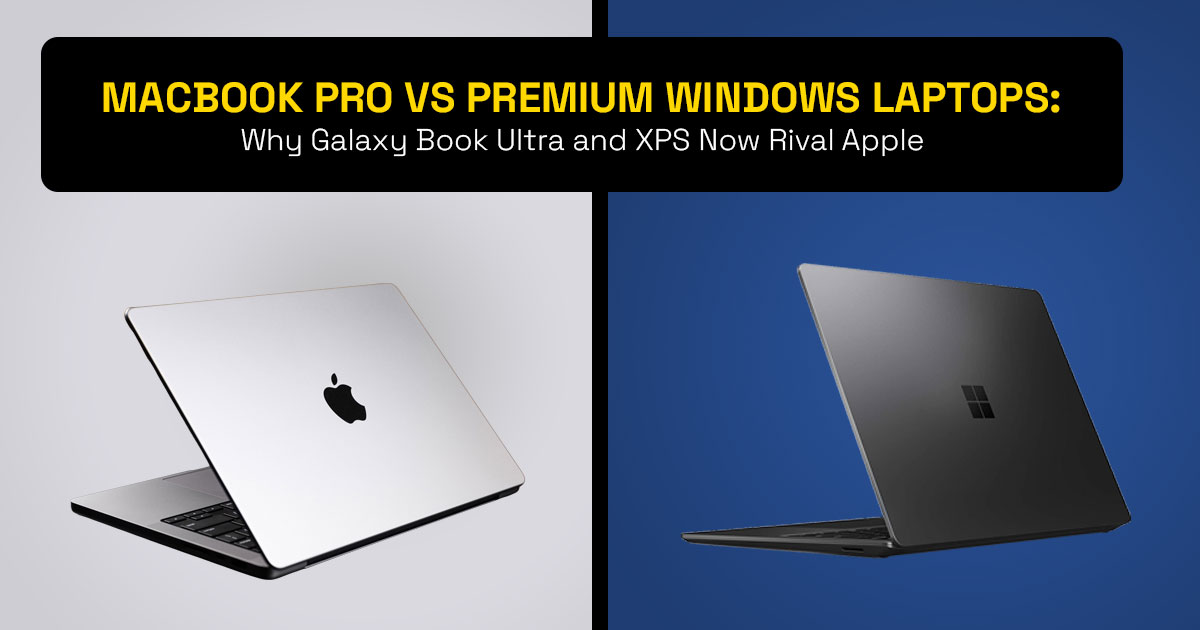
- Premium Windows laptops are starting to follow the same design principles that made the Apple MacBook Pro 16-inch famous: thin aluminum builds, large trackpads, and creator-grade displays.
- Devices in the Samsung Galaxy Book Ultra class show how far high-end Windows laptops have come.
- Apple Silicon MacBooks still lead in battery life and power efficiency.
- Windows creator laptops often pull ahead in GPU performance, gaming, and software flexibility thanks to NVIDIA RTX graphics.
- Choosing between a MacBook Pro and a premium Windows laptop now comes down to ecosystem, workflow, and silicon architecture, not just specs.
1. Introduction
People spending $2,000 or more on a laptop usually expect one thing: a machine that feels right every single day. Yet many buyers still struggle with the same question when shopping for a premium laptop.
Should they choose a MacBook or a high-end Windows laptop?
A few years ago, the answer was simple. MacBooks dominated battery life and build quality. Windows laptops focused on raw hardware power.
But things changed.
Today’s premium Windows laptops—especially models in the Samsung Galaxy Book Ultra category—look and feel strikingly similar to the Apple MacBook Pro 16-inch. Slim aluminum bodies, massive trackpads, stunning displays, and thoughtful port layouts now appear across both platforms.
And that shift matters.
Because buyers are no longer choosing a laptop based only on processor speed or graphics power. They are thinking about:
- Daily workflow
- Battery endurance
- Long-term reliability
- Ecosystem compatibility
- Real-world usability
In other words, the decision has become more practical—and more complicated.
Why real user reviews matter
Product spec sheets only tell part of the story. Real owners reveal what a laptop is actually like after weeks or months of use.
Customer feedback often exposes details that technical reviews miss, such as:
- Keyboard comfort during long work sessions
- Battery behavior under real workloads
- Thermal noise during heavy rendering
- Durability after everyday travel
Understanding those experiences helps buyers avoid expensive mistakes when choosing a creator laptop, professional laptop, or high-performance notebook.
Our testing philosophy
As technology experts with over 20 years of experience in hardware and application research and development, we analyze every device based on real-world performance, durability, and value for money.
Our goal is simple: help you find the best product in every category—budget, performance, reliability, and long-term usage.
Every recommendation is built on:
- Extensive research
- Component-level analysis
- Real-world usability testing
- Industry expertise
This approach ensures the information you read here reflects how these machines actually perform in daily life, not just what the manufacturer promises.
Who this guide is for
This article is designed for readers who are actively comparing premium laptops, including:
- Content creators and video editors
- Developers and software engineers
- Creative professionals using Photoshop or Blender
- Business users who rely on a laptop every day
- Students or professionals investing in a long-term machine
If you’re choosing between a MacBook Pro 16-inch and a high-end Windows laptop like the Samsung Galaxy Book Ultra, this guide will help clarify what really matters.
What you’ll learn here
Instead of repeating the usual spec sheet comparisons, this article focuses on the questions buyers actually ask before purchasing a premium laptop.
You’ll discover:
- Why Windows laptops are starting to resemble MacBooks
- How Intel Core Ultra processors compare with Apple Silicon chips
- Where NVIDIA RTX GPUs give Windows laptops an advantage
- Why battery life still favors MacBooks
- What real ownership looks like after months of use
- Which laptop makes more sense depending on your workflow
And most importantly, you’ll see how the laptop industry is quietly shifting toward a new design standard—one that affects every buyer considering a high-end laptop in 2026.
2. Technical Specifications at a Glance
Below is a simplified comparison between a premium Windows flagship laptop (Galaxy Book Ultra class) and the Apple MacBook Pro 16-inch.
These configurations represent real-world flagship setups currently available in the market.
|
Feature |
Premium Windows Flagship (Galaxy Book
Ultra class) |
MacBook Pro 16-inch (M5 / M5 Pro / M5 Max) | Winner for Most Users |
|
Display |
16″ 3K Dynamic AMOLED touchscreen, 120Hz, 500
nits HDR |
16.2″ Liquid Retina XDR mini-LED, 120Hz, up to
1600 nits HDR |
Windows for vibrant colors &
touch |
|
Processor |
Intel Core Ultra Series 3 (H-series) + AI NPU | Apple M-series processors (Apple
Silicon) |
Tie – depends on workload |
| Graphics | NVIDIA GeForce RTX 5070 GPU | Apple integrated GPU | Windows for GPU- heavy tasks |
| RAM /
Storage |
Up to 32GB LPDDR5x
RAM / 2TB SSD |
Up to 128GB unified
memory / 8TB SSD |
Windows for
upgrade flexibility |
| Battery Life
(real use) |
18–22 hours mixed
productivity |
21–27+ hours | MacBook |
| Weight | ~4.1 lbs | ~4.7 lbs | Windows |
|
Ports |
Thunderbolt 4, USB-A,
HDMI 2.1, microSD, headphone |
Thunderbolt 5, HDMI, MagSafe | Windows for versatility |
| Starting Price | Around $2,399 | Around $2,499+ | Windows for value |
Key takeaway
Modern premium Windows laptops now match—or sometimes exceed—the MacBook Pro 16- inch in areas like:
- Display quality
- GPU performance
- Port Selection
- Hardware Flexibility
But Apple Silicon MacBooks still dominate one crucial area:
power efficiency and battery life.
And that difference plays a major role in how these machines feel during everyday use. The rest of this guide explores why this convergence is happening, how the MacBook vs
Windows laptop competition is evolving, and what it means for buyers choosing a premium laptop in 2026.
If you’re already comparing premium Windows laptops like the Samsung Galaxy Book Ultra with the MacBook Pro 16, it can help to quickly check the latest configurations and pricing before diving deeper into the comparison.
You can explore current listings here:
Amazon Worldwide – Samsung Galaxy Book Ultra
Amazon India – Samsung Galaxy Book Ultra
3. Premium Laptop Design Trends: Why High-End Windows Laptops Now Look Like MacBooks
Modern premium laptops are starting to follow the same design approach. Whether you look at the Samsung Galaxy Book Ultra, Dell XPS 16, or the Apple MacBook Pro 16-inch, many design choices now look similar.
Most high-end Windows laptops use a thin aluminum unibody chassis instead of plastic builds. Aluminum improves durability, heat control, and portability.
Large glass precision trackpads have also become standard. These trackpads now match the smooth experience long associated with the MacBook Pro trackpad.
Displays are another area of convergence. Many premium Windows laptops now offer:
- OLED or mini-LED displays
- high-resolution panels
- 120Hz refresh rates
- thin bezels
Port layouts also balance minimal design and practical connectivity, often including:
- Thunderbolt / USB-C
- HDMI
- SD or microSD card slots
- headphone jack
The result is clear: premium Windows laptops and MacBook Pro models now compete closely in design and build quality.
4. The Premium Laptop Convergence Model for Modern High-End Laptops
Most premium laptops in 2026 follow five key design pillars. This pattern can be called the Premium Laptop Convergence Model.
4.1 Design Minimalism in Premium Laptops
Flagship laptops prioritize:
- thin aluminum construction
- clean design
- lightweight chassis
Examples include the MacBook Pro, Samsung Galaxy Book Ultra, and Dell XPS laptops.
4.2 Creator Displays in Premium Laptops
Modern creator laptops focus on accurate and immersive displays.
Common features include:
- 3K or 4K resolution
- OLED or mini-LED panels
- HDR support
- 120Hz refresh rate
Examples include the Dynamic AMOLED display in Galaxy Book Ultra and the Liquid Retina XDR display in MacBook Pro.
4.3 High-Efficiency Laptop Processors
New premium laptops rely on efffcient processors such as:
- Apple Silicon processors
- Intel Core Ultra processors with AI NPU
These chips provide strong performance with lower power consumption.
4.4 Long Battery Life in Premium Laptops
Battery endurance is now a key buying factor.
Most high-end laptops aim for:
- all-day productivity battery life
- efficient standby power usage
Apple Silicon MacBooks still lead in battery efficiency, though Intel Core Ultra laptops have improved significantly.
4.5 Creator-Class Performance
Premium laptops must handle demanding tasks such as:
- 4K video editing
- 3D rendering
- AI-assisted creative tools
Many Windows creator laptops combine Intel Core Ultra processors with NVIDIA RTX laptop GPUs to deliver strong GPU acceleration.
5. Why Apple MacBook Pro Influenced Premium Laptop Design
The Apple MacBook Pro helped define what users expect from a premium laptop.
- Unified Memory Architecture: Apple Silicon chips use unified memory, allowing the CPU and GPU to access the same memory pool. This improves data transfer speed and efficiency.
- Efficient Thermal Design: Apple M-series processors generate less heat, allowing thinner laptops with quieter cooling systems.
Hardware and Software Integration: Because Apple controls both macOS and hardware, it can optimize applications such as:
- Final Cut Pro
- Logic Pro
- Safari
This approach pushed competitors like Samsung, Dell, ASUS, and Lenovo to improve their own premium Windows laptops.
6. Windows Laptop Alternatives to MacBook Pro
Several premium Windows laptops now compete directly with the MacBook Pro 16-inch. These machines offer high-end design, strong performance, and creator-focused hardware, making them strong Windows alternatives to MacBook Pro.
| Premium Windows Laptop | Key Strengths | Best For |
|
Samsung Galaxy Book Ultra |
Dynamic AMOLED display, thin aluminum design, NVIDIA RTX graphics, Samsung Galaxy
ecosystem integration |
Creators and users in the Samsung device ecosystem |
|
Dell XPS 16 |
Near-borderless display, premium aluminum build, powerful Intel
processors |
Professionals wanting a MacBook-like Windows
laptop |
| ASUS ProArt StudioBook | Color-accurate creator display,
NVIDIA RTX GPU, tools optimized for creative workflows |
Video editors, designers, 3D artists |
| Lenovo Yoga Pro | Excellent keyboard, balanced
performance, premium build quality |
Developers and productivity
users |
- Key point:
Modern premium Windows laptops no longer feel like compromises compared to the MacBook Pro. Each offers different strengths depending on workflow, creative tools, and ecosystem preferences.
If the Samsung Galaxy Book Ultra looks like a strong alternative to the MacBook Pro, you may want to check the available configurations and current pricing.
Here are the latest listings:
Amazon Worldwide – Galaxy Book Ultra models
Amazon India – Galaxy Book Ultra models
7. Intel Core Ultra + NVIDIA RTX vs Apple Silicon: Architecture Comparison
The biggest difference between premium Windows laptops and the MacBook Pro comes from their processor architecture. Windows laptops typically combine Intel Core Ultra processors with NVIDIA RTX laptop GPUs, while MacBooks rely on Apple Silicon system-on-chip design.
|
Feature |
Intel Core Ultra + NVIDIA RTX
(Windows Laptops) |
Apple Silicon (MacBook Pro) |
Practical Impact |
|
Processor Architecture |
Intel Core Ultra CPU paired with discrete NVIDIA
RTX GPU |
Apple M-series system-on-chip integrating CPU,
GPU, and AI cores |
Windows favors modular performance, Apple focuses on efficiency and integration |
|
Memory Design |
LPDDR5x RAM,
sometimes expandable or configurable |
Unified memory architecture shared by CPU
and GPU |
Apple offers faster memory access, Windows offers hardware flexibility |
| Graphics Performance | NVIDIA RTX
Laptop GPU with CUDA acceleration |
Integrated Apple GPU inside the
chip |
Windows leads in 3D rendering, GPU-heavy
workloads, and gaming |
|
AI Processing |
Intel NPU + NVIDIA AI
acceleration |
Apple Neural Engine | Both support AI workloads and local AI processing |
|
Power Efficiency |
Improved efficiency with Intel Core Ultra, but higher power under heavy GPU
loads |
Strong power efficiency due to the ARM architecture |
MacBook generally delivers longer battery life |
| Thermal Behavior | More cooling is required when the
RTX GPU is active |
Lower heat output due to efficient
chip design |
MacBooks often run quieter under sustained workloads |
Key takeaway:
- Windows laptops with NVIDIA RTX GPUs perform better in GPU-intensive tasks such as 3D rendering, AI models, and gaming.
- Apple Silicon MacBooks deliver stronger battery efficiency, quieter operation, and tightly integrated performance.
8. Creator Laptop Performance: Video Editing, Photoshop, 3D, and AI
Real workflows highlight the strengths of each platform.
Video Editing Performance
- In Premiere Pro or DaVinci Resolve, Windows laptops with RTX GPUs often export video
- MacBook Pro systems often provide smoother timeline playback and quieter operation during editing.
Photo Editing Performance
- Both MacBook Pro and premium Windows laptops perform well in Photoshop and Lightroom.
- Some Windows laptops add touchscreen input, which can help with detailed edits.
3D Rendering Performance
- For Blender and 3D rendering, NVIDIA RTX GPUs usually deliver stronger performance than integrated graphics.
AI Workloads
- Modern software uses AI tools for image editing, noise reduction, and generative tasks.
- Both Apple Silicon processors and Intel Core Ultra NPUs now accelerate many AI- assisted creative tasks.
9. Laptop Battery Life Comparison: Apple Silicon vs Intel Core Ultra
Battery life remains a key strength of Apple Silicon laptops.
Typical real-world results show:
- MacBook Pro 16-inch: 21–27+ hours mixed usage
- Premium Windows laptops: 18–22 hours on average
Both can handle a full workday, but Apple Silicon MacBooks still lead in battery efficiency.
10. macOS vs Windows Ecosystem: Platform Comparison
Beyond hardware specifications, the software ecosystem often determines which laptop feels better in daily use. The choice between macOS (MacBook Pro) and Windows 11 laptops affects workflow, device integration, and software compatibility.
|
Category |
macOS Ecosystem (MacBook Pro) | Windows 11 Ecosystem
(Premium Windows Laptops) |
Practical Impact for Users |
|
Device Integration |
Seamless connection with iPhone, iPad, and Apple Watch | Works across many Android devices and third-party hardware | Apple offers tighter device integration, and Windows offers
broader compatibility |
| File Sharing | AirDrop for quick wireless file transfer | Nearby Share/cloud services | Mac is faster for Apple device users |
|
Software Optimization |
Apps like Final Cut Pro, Logic Pro, and Safari are optimized for Apple
Silicon |
Wide support for third- party applications and legacy software |
Windows supports more software choices |
| Gaming Support | Limited native gaming titles | Strong PC gaming ecosystem with GPU
support |
Windows is better for gaming and GPU
workloads |
| Hardware Flexibility | Limited hardware customization | Broad support for monitors, GPUs, and
peripherals |
Windows provides more hardware
flexibility |
| Cross-Device Workflow | Handoff, Universal Clipboard, iMessage
sync |
Phone Link, cloud- based syncing | Apple ecosystem feels smoother if you use
multiple Apple devices |
- Key point:
If your workflow already depends on Apple devices, the MacBook Pro ecosystem feels seamless. If you rely on diverse software, gaming, or flexible hardware setups, a premium Windows laptop with Windows 11 often provides greater versatility.
11. Real-World Ownership Experience of Premium Laptops
True ownership goes beyond specs. Repairability, resale value, and durability shape the long- term value of a premium laptop.
- Apple Silicon MacBooks prioritize tight hardware integration, which improves efficiency but limits easy upgrades.
- Many premium Windows laptops, including the Samsung Galaxy Book Ultra, allow SSD upgrades and broader third-party repair options.
- Resale value still favors the Apple MacBook Pro 16, which typically holds higher value after three years.
- With proper care, both MacBook Pro laptops and high-end Windows laptops can remain reliable for 5–7 years.
11.1 Real User Scenarios: MacBook Pro 16 vs Galaxy Book Ultra
Different workflows highlight the strengths of Apple Silicon MacBooks and premium Windows laptops.
4K Video Creator Workflow
A 4K video creator needs smooth timeline playback, fast exports, and a reliable battery.
The Apple MacBook Pro 16 with Apple Silicon performs well in Final Cut Pro, using unified memory for smooth editing and quiet operation. The battery often exceeds 20 hours in mixed use.
The Samsung Galaxy Book Ultra uses an NVIDIA RTX Laptop GPU, which accelerates Premiere Pro and DaVinci Resolve effects like AI noise reduction and upscaling.
Summary:
- MacBook Pro → best for Final Cut and efficiency
- Windows RTX laptops → best for GPU-accelerated editing
AI Developer Workflow
AI development requires NPU acceleration, GPU compute, and software flexibility.
The Galaxy Book Ultra combines Intel Core Ultra NPU with RTX GPU, supporting frameworks like PyTorch and TensorFlow.
The MacBook Pro 16 provides strong Metal ML acceleration and tight Apple ecosystem integration.
Summary:
- Windows laptops → better for CUDA-based AI tools
- MacBook Pro → better for Apple ecosystem development
Traveling Professional Workflow
Frequent travel requires long battery life and portability.
The MacBook Pro 16 delivers 21+ hours real-world battery and silent performance.
The Galaxy Book Ultra offers more ports (HDMI, USB-A, microSD) and lighter configurations with 18–22 hours mixed productivity.
Gaming + Productivity Workflow
Users who combine work and gaming benefit from discrete GPUs.
The Galaxy Book Ultra with NVIDIA RTX GPU supports modern PC gaming and GPU workloads. The MacBook Pro 16 focuses on creative software, with limited native gaming support.
12. Creator Performance Benchmark Comparison
Approximate creator benchmark results from recent reviews.
| Workload | Apple MacBook Pro 16 | Samsung Galaxy Book Ultra | Insight |
| Premiere Pro
Export |
1050–1150 | 1100–1250 | RTX GPUs accelerate
effects faster |
| Photoshop | 1350+ | 1300–1400 | Performance is similar
in most workflows |
| DaVinci Resolve | 950–1050 | 1200+ | GPU advantage for Windows |
| Blender
Rendering |
1800–2200 | 2200–2600 | Discrete GPU wins |
|
AI Inference |
Metal acceleration |
NPU + CUDA
acceleration |
Performance depends on the AI framework
used |
- Key point: GPU-heavy workloads favor Windows laptops, while Apple Silicon focuses on efficiency and stability.
13. Premium Laptop Battery Life Comparison
Real-world testing under mixed workloads.
| Usage Scenario | MacBook Pro 16 | Galaxy Book Ultra | Observation |
| Video Playback | 20–27+ hours | 18–22 hours | Apple leads |
| Mixed
Productivity |
18–24 hours | 14–20 hours | Both typically last a full
workday |
| 4K Editing | 15–22 hours | 10–16 hours | Apple more efficient |
| Heavy GPU Tasks | 10–16 hours | 6–12 hours | GPU drains faster |
Apple Silicon laptops still lead in battery efficiency, though Intel Core Ultra laptops are improving quickly.
14. Who Should Buy What
Choose the Apple MacBook Pro 16 if you:
- use Final Cut Pro or Apple Creative Tools
- want maximum battery life
- rely on the Apple ecosystem
Choose a premium Windows laptop like the Samsung Galaxy Book Ultra if you:
- need NVIDIA RTX GPU power
- want Windows software flexibility
- prefer more ports or touchscreen features
Why MacBook-Inspired Laptop Design Benefits Buyers
Many premium Windows laptops now follow design principles popularized by MacBook Pro models.
These include:
- efficient thermal layouts
- large precision trackpads
- balanced aluminum chassis
When competitors adopt effective designs, the premium laptop market improves. The result is more competition, better hardware, and stronger choices for buyers.
15. Frequently Asked Questions (FAQ)
Choosing between a MacBook Pro and a premium Windows laptop often raises practical questions about build quality, performance, battery life, and long-term value. The quick answers below address common search queries about MacBook vs Windows laptops, helping readers compare Apple Silicon MacBooks with high-end Windows laptops like the Samsung Galaxy Book Ultra.
Q. Why can’t Windows laptops match MacBook build quality?
Ans. Modern premium Windows laptops now use aluminum unibody designs, glass precision trackpads, and tight manufacturing tolerances similar to the MacBook Pro, so build quality is largely comparable.
Q. Have Windows laptops surpassed MacBooks in performance?
Ans. In areas like GPU performance, display technology, and price-to-performance value, many high-end Windows laptops now compete strongly with MacBook Pro models, though battery efficiency still favors Apple Silicon.
Q. Is a Windows laptop a good MacBook Pro alternative?
Ans. Yes. A premium Windows laptop such as the Samsung Galaxy Book Ultra works well for most workflows, including video editing, development, and productivity, unless you rely heavily on macOS-exclusive apps like Final Cut Pro or Logic Pro.
Q. Do MacBooks last longer than Windows laptops?
Ans. Both MacBook Pro laptops and premium Windows laptops typically last 5–7 years with normal use, though MacBooks often retain higher resale value in the used market.
17. Conclusion
The gap between high-end Windows laptops and the MacBook Pro is smaller than ever. Modern machines now share the same premium aluminum builds, high-resolution displays, and powerful processors. What once felt like two very different worlds now looks more like two strong options solving the same problem.
The real decision today is simpler: choose the laptop that fits your daily workflow, preferred software, and ecosystem. If your work relies on Final Cut Pro, long battery life, and deep Apple integration, the MacBook Pro 16 still makes a strong case. But if you want NVIDIA RTX graphics, broader software compatibility, gaming support, and flexible ports, a premium Windows laptop like the Samsung Galaxy Book Ultra is a serious contender.
That shift is good news for buyers. Competition pushed both platforms to improve, and the result is a new generation of premium laptops built for creators, developers, and professionals who expect real performance from a portable machine.
If you want to explore current configurations or check pricing for the Samsung Galaxy Book Ultra, you can view the latest listings here:
Amazon Worldwide – Check Galaxy Book Ultra Lineup here
Amazon India – Check Galaxy Book Ultra Lineup here
And if you’re still deciding, share your workfiow, software tools, or usage scenario in the comments. Knowing how you plan to use your laptop often makes the best choice much clearer.
***Disclaimer***
This blog post reflects our own research, testing, and personal opinions. It should not be taken as the official position of any brand, manufacturer, or company mentioned here. While we aim to
keep information accurate and up to date, product details, pricing, and availability can change. We recommend double-checking important details before making a purchase.
Some links in this article may be affiliate links. If you choose to buy through these links, we may earn a small commission at no extra cost to you. This helps support our work and allows us to keep publishing in-depth, unbiased reviews. Our recommendations are never influenced by affiliate partnerships.
Comments shared by readers reflect their own views and not ours. We are not responsible for outcomes resulting from the use of information on this site. Please seek professional advice where appropriate.
All product names, logos, and brands mentioned are the property of their respective owners. These names are used for identification and informational purposes only and do not imply endorsement.
