
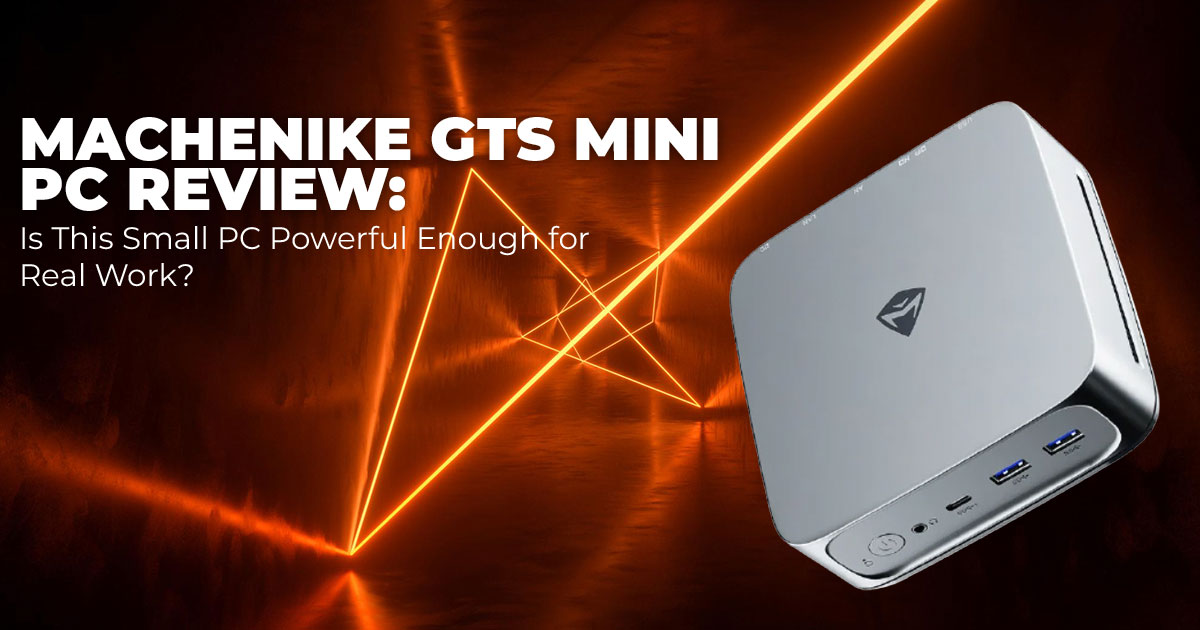
Small computers have come a long way. Today, a high-performance mini PC can sit quietly on your desk and still handle work that once needed a large, noisy tower. The Machenike GTS Mini PC stands out with its flip-up system display, robust cooling, and one of Intel’s newest processors designed for AI-focused workloads.
It’s built for people who need real computing power but don’t have room for a full-size setup. That includes developers running models locally, video editors working in compact spaces, and professionals who want a clean desk without sacrificing speed or stability.
Click here to buy on Amazon
1. Introduction: Why Compact PCs Are Changing Workstations
More users are replacing bulky desktops with smaller systems—not because they want less performance, but because they want smarter use of space. A well-built compact workstation PC reduces desk clutter, simplifies cable management, and still delivers the power required for demanding tasks.
The Machenike GTS Mini PC stands out by combining strong hardware with practical design choices. Features like the flip-up real-time monitoring display add everyday usefulness, while the internal hardware delivers serious performance. This Intel Core Ultra processor mini PC uses Arrow Lake-H chips with Intel Arc Graphics 140T and a dedicated AI NPU, making it suitable for multitasking, creative software, and local AI processing.
- Key takeaway: A modern small form factor desktop PC can comfortably replace a traditional tower for most professional workflows, while being easier to live with day to
2. Technical Specifications at a Glance
| Component | Details |
| Processor | Intel Core Ultra 9 285H (16 cores, up to 5.4 GHz), with Ultra 7
and Ultra 5 variants |
| Graphics | Integrated Intel Arc Graphics 140T |
| AI Performance | Up to 99 TOPS AI performance (combined CPU, GPU, and NPU) |
| Memory | Up to 128 GB DDR5-5600, dual SODIMM slots |
| Storage | Dual M.2 PCIe 4.0 SSD slots, supports up to 8 TB total |
| Display Feature | 2.33-inch flip-up TFT real-time system monitoring display |
| Cooling System | Quad-fan cooling with vapor chamber design |
| Connectivity | USB4 (40 Gbps), multiple USB-A ports, HDMI 2.1, DisplayPort, Wi-Fi 6E, Bluetooth 5.3, dual 2.5 Gigabit Ethernet |
| Dimensions | Approximately 2.5 liters (147 × 147 × 61 mm) |
| Operating System | Windows 11 (pre-installed on configured models) |
- Summary: This is a future-ready mini PC with strong connectivity, upgrade flexibility, and built-in AI hardware designed for modern applications.
3. Why This Review Is Essential Right Now
The mini PC market is crowded, and processors with built-in NPUs are appearing quickly. Many reviews focus on benchmark charts but overlook practical concerns that matter after purchase.
Does the mini PC noise level stay reasonable during long workloads? Can the cooling system handle sustained performance?
Are RAM and storage upgrades straightforward in real use?
This review addresses those questions. It also explains how the 99 TOPS AI rating translates into actual performance for current AI tools, and whether the built-in display adds real value or is mainly a visual feature.
4. What You’ll Learn From This Review
- How the Machenike GTS Mini PC fits into real desks and daily work environments
- Real-world performance for multitasking, mini PC for video editing, and creative workflows
- A clear look at local AI processing PC capabilities and current limitations
- Honest comparisons with other Intel mini PC and AMD mini PC options
- Practical guidance on Machenike GTS Mini PC price, availability, and buying considerations
Summary
The Machenike GTS Mini PC shows how capable modern compact PCs have become. It combines strong performance, AI acceleration, thoughtful design, and upgrade flexibility in a very small footprint. For developers, creators, and professionals who want desktop-level power without a large tower, it’s a serious option worth considering.
5. Mini PC Design with Smart Display and Compact Desktop Build
Design matters when a computer sits on your desk every day. The Machenike GTS Mini PC focuses on practical design, not just appearance. Everything here is built to make daily use easier.
5.1 Compact and Sturdy Mini PC Chassis
- The chassis is compact, but it doesn’t feel fragile
- Rounded edges and a clean finish give it a premium desktop PC look
- Fits easily into home offices, studios, and professional workspaces
- Doesn’t look bulky or out of place next to monitors and peripherals
This is a small form factor desktop PC that feels intentional, not cramped.
5.2 Mini PC with Smart Display for Real-Time Monitoring
- Flip-up display shows CPU and GPU temperatures
- Live readouts for clock speeds, fan activity, and power usage
- No need to keep system monitoring software open
- Useful during long workloads or performance tuning
The mini PC with smart display saves time and keeps critical system info visible without interruptions.
5.3 Customizable RGB Lighting Without Visual Clutter
- Subtle RGB lighting mini PC accents around vents and base
- Lighting can be customized or turned off completely
- Works for both minimal setups and RGB-friendly desks This keeps the design flexible for different workspace styles.
5.4 Desk-Friendly Size and Placement
- Small footprint leaves room for keyboards, tablets, and audio gear
- Works well with multi-monitor setups
- Doesn’t dominate the desk or block airflow
Ideal for users who want a compact desktop PC without sacrificing workspace comfort.
5.5 Why the Design Matters in Daily Use
- Faster access to system health information
- Fewer background apps running
- Cleaner desk layout
- Better long-term ownership experience
Key takeaway: The customizable display mini PC design isn’t about looks. It improves awareness, reduces distractions, and makes the system easier to live with—especially for users who care about stability and performance.
6. Performance
With the Intel Core Ultra 9 285H mini PC configuration, performance stays consistently fast and predictable. Everyday workloads—heavy web browsing, large spreadsheets, IDEs, and background services—run without slowdown. App launches are quick, and switching between tasks feels immediate, even during long sessions.
For creative work, 4K video editing timelines play smoothly in tools like Premiere Pro and DaVinci Resolve. Scrubbing, color grading, and effect previews remain responsive, and export times benefit from both CPU strength and built-in AI acceleration. This makes the system well- suited for sustained creative work in a compact setup.
The Intel Arc Graphics 140T performance handles light gaming at 1080p and performs especially well in GPU-accelerated creative tasks. It isn’t built for heavy ray tracing or high-end gaming, but it’s more than capable for most mini PC for content creation needs.
- Key takeaway: This is one of the best mini PC for multitasking and professional applications in a small, quiet form factor.
6.1 Real-World Workload Breakdown
For Developers
The Machenike GTS Mini PC works well as a local development machine.
- Multiple code editors and terminals run smoothly
- Virtual machines and containers perform reliably
- Local AI testing benefits from the built-in NPU
- Long compile sessions stay stable without thermal throttling
Best suited for: software development, backend services, local AI experimentation, and test environments.
For Creators
This system is designed with creators in mind.
- Smooth 4K video editing and timeline playback
- Strong performance in photo editing and design tools
- Reliable GPU acceleration for rendering and previews
- Quiet operation during long creative sessions
Best suited for: video editors, designers, photographers, and content creators working in a limited space.
For Office and Professional Use
As a compact workstation, it handles daily professional workloads easily.
- Heavy multitasking with dozens of browser tabs
- Video conferencing while running productivity apps
- Multi-monitor setups supported without performance drops
- Low noise makes it ideal for home offices
Best suited for: analysts, consultants, remote workers, and productivity-focused users.
Performance Summary
- CPU performance: Fast, stable, and suitable for sustained workloads
- Graphics performance: Strong for creative tasks and light gaming
- AI capability: Useful today, more valuable over time as software support grows
- Overall experience: Desktop-level performance in a compact, quiet system
Bottom line: The Machenike GTS Mini PC delivers reliable real-world performance across development, creative, and office workloads, making it a strong desktop replacement for users who value power without bulk.
7. The AI Angle: What 99 TOPS Actually Means Today (With Real Use Cases)
AI performance numbers are easy to quote and hard to understand. So here’s the simple version of what 99 TOPS means and why it matters on a daily basis.
TOPS, or trillions of operations per second, measures how much AI-related math a system can handle. The Machenike GTS Mini PC reaches up to 99 TOPS AI performance by combining its CPU, GPU, and a dedicated NPU. For an AI-enabled mini PC, that’s a meaningful amount of local processing power.
What matters more is how that power shows up in real work.
- As a local AI processing PC, it can run image generation tools like Stable Diffusion or Flux without relying on cloud services
- Developers using this as a mini PC for AI development can test 7B to 13B parameter models locally with tools such as Ollama or LM Studio
- For creators, AI features in Photoshop, Premiere, and Topaz Video AI respond faster and feel less intrusive
- Transcription tools like Whisper handle voice-to-text quickly, which helps during meetings and interviews
- Researchers and hobbyists working with small to mid-size models benefit from lower power use and offline operation
There’s also a privacy advantage. Everything runs locally. Files stay on the machine. No subscriptions. No data sent elsewhere.
Larger models still need cloud resources or careful optimization. Software support for NPUs is improving, which means these benefits are likely to expand with time.
- Key takeaway: The built-in AI hardware already delivers clear benefits for creative and development workflows, making this a strong AI computing mini PC for users who want practical gains now, not just future promises.
Click here to buy on Amazon
8. Noise, Heat, and Power: What Daily Use Feels Like
Performance only matters if the system stays comfortable to use. The Machenike GTS Mini PC relies on a vapor chamber cooling system and four internal fans to manage heat during long workloads.
In everyday use, the system stays unobtrusive.
- At idle, noise sits around 25–30 dB, which blends into a quiet room
- Under sustained load, it rises to 40–45 dB, similar to a calm conversation
- Fan behavior stays steady without sudden ramp-ups
Power use also stays reasonable.
- Under 15 watts at idle
- Around 40–70 watts during demanding tasks
Compared to many traditional desktops, this power-efficient mini PC keeps both heat and electricity use under control.
- Key takeaway: As a quiet mini PC for office and creative work, it remains comfortable during long sessions without overheating or drawing attention to itself.
9. Connectivity Without Compromise for Modern Workspaces
A compact system still needs the right ports to stay practical. The Machenike GTS Mini PC covers most real-world setups without requiring extra adapters.
Connectivity includes:
- USB4 mini PC support with 40 Gbps bandwidth for fast storage, docks, and expansion
- Multiple USB-A and USB Type-C ports for everyday peripherals
- HDMI 1 and DisplayPort support for triple-monitor setups, including up to three 4K displays
- Dual 5 Gigabit Ethernet for stable wired networking
- Wi-Fi 6E and Bluetooth 3 for modern wireless needs
Whether the setup is a mini PC for dual monitor work, a creative desk, or a network-heavy office environment, connections won’t be the limiting factor.
- Key takeaway: Building a flexible, multi-display workspace is straightforward, even in a compact form factor.
10. Upgrades and Long-Term Ownership
A system only holds value if it can adapt. The Machenike GTS Mini PC is built with that in mind.
- Two SODIMM slots support up to 128 GB RAM
- Dual 2 SSD slots make storage expansion simple
- The case opens easily with minimal effort
This makes it an upgradeable mini PC that can keep pace with growing workloads instead of needing early replacement.
- Key takeaway: With expandable memory and storage, this system is designed for long- term use across productivity, creative work, and evolving AI tasks.
11. Machenike GTS Mini PC vs Other High-Performance Mini PCs: What Actually Matters
When people compare a high-performance mini PC, the real question isn’t which one has the longest spec list. It’s which one fits how the system will be used every day.
Here’s how the Machenike GTS Mini PC stacks up against similar compact desktops that buyers usually cross-shop.
| Model | Processor | Max RAM | What Sets It Apart | Typical Price (High Config) | Best Fit |
| Machenike GTS Mini PC | Intel Core Ultra 9 285H |
128 GB |
Flip-up system monitoring display, strong
AI hardware |
$1,600– $1,900 |
AI work, system visibility, premium desk
setup |
| Beelink SER9 | Ryzen AI 9
HX 370 |
96 GB |
Stronger gaming-leaning
iGPU |
$1,400–
$1,600 |
Gaming plus general
productivity |
| Minisforum Venus | Core Ultra 9 185H |
96 GB |
OCuLink support for
external GPU |
$1,500–
$1,700 |
Users planning eGPU upgrades |
| Geekom A8 Max | Ryzen 9 8945HS | 64 GB | Very efficient and quiet | $1,200–
$1,400 |
Balanced daily office use |
Here’s the honest takeaway.
The Machenike GTS Mini PC doesn’t win on price or raw gaming power. Where it pulls ahead is build quality, day-to-day usability, and visibility into system behavior. The flip-up monitoring display is not a gimmick. For long workloads, AI testing, or creative sessions, seeing temperatures and power use at a glance removes guesswork and interruptions.
- Choose this if: system awareness, AI readiness, and a refined desk setup matter more than chasing the lowest price.
- Skip this if: gaming performance per dollar is the top priority.
12. Machenike GTS Mini PC Price, Availability, and What to Watch Before Buying
Pricing helps narrow decisions fast. Fully configured models with Intel Core Ultra 9, 64 GB RAM, and storage usually land between $1,600 and $1,900 through global sellers. Barebones mini PC options cost less and make sense for buyers who already own memory and storage.
Availability is still uneven. Stock shows up first through specialty retailers, with occasional regional listings. This is where many buyers hesitate—and rightly so.
Before committing, we recommend checking:
- Warranty terms, often one to two years
- Return and support policies, especially for cross-border purchases
- Local stock to avoid import delays and extra fees
If local availability exists, that’s usually the better move even if it costs slightly more.
If you want fewer hassles and clearer support, wait for regional stock. If you’re comfortable importing and know what you’re buying, global sellers can work.
13. Who Should Buy the Machenike GTS — and Who Should Not
This is where the decision usually becomes clear.
This Mini PC Is a Strong Fit If You Are:
- Running a mini PC for AI development or local model testing
- A creator who needs the best mini PC for content creation in a small workspace
- A professional who values a best mini PC for productivity with built-in monitoring
- Replacing a tower with a compact desktop PC that still feels powerful
You Should Look Elsewhere If You Are:
- A serious gamer targeting high-frame-rate 4K gaming
- Shopping strictly under $1,000
- Dependent on dedicated GPU power without external add-ons
We’d personally choose the Machenike GTS Mini PC for development, creative work, and AI experimentation where stability, monitoring, and quiet operation matter more than raw graphics muscle. For gaming-first setups, the Beelink SER9 or an eGPU-friendly system makes more sense.
Summary for Deciding
- Choose the Machenike GTS Mini PC if you want a compact system that feels premium, runs quietly, and supports modern AI and creative workflows.
- Skip it if gaming value or budget pricing comes first.
- Still unsure? Start with availability in your region. If local stock exists, this becomes an easy If not, a Ryzen-based alternative may be the smoother path today.
If you want help deciding between the GTS and a specific alternative based on your workflow, share how you plan to use it. We’ll help you make the call with confidence.
14. Clearing Common Doubts About the Machenike GTS Mini PC
Before making a decision, most readers want clear answers to practical questions. This section addresses the most common concerns around AI performance, real-world usability, and whether a high-performance mini PC like the Machenike GTS can truly replace a traditional desktop.
These quick answers are designed to help readers decide faster and with more confidence.
Q. What does 99 TOPS mean for everyday use?
- 99 TOPS AI performance measures how quickly the system can handle AI-related tasks. On the Machenike GTS Mini PC, this translates into faster local image generation, quicker video enhancement, and smoother AI model inference without relying on cloud services.
Q. Is a mini PC good for AI workloads?
- Yes, especially an AI-enabled mini PC with a dedicated NPU like this one. It works well for local AI processing, smaller language models, and creative AI tools. Running tasks locally improves privacy and reduces ongoing cloud costs.
Q. Can a mini PC replace a full desktop for professionals?
- For most users, yes. As a small desktop replacement PC, the Machenike GTS handles coding, content creation, data analysis, and AI tools without feeling limited. Only heavy gaming or advanced GPU workloads still favor larger systems.
Q. Are mini PCs good for video editing or content creation?
- They are, when built properly. The mix of a fast Intel Core Ultra processor, Intel Arc graphics, and built-in AI acceleration makes this a strong mini PC for video editing, including smooth 4K editing workflows.
Q. How loud are high-performance mini PCs under load?
- Most modern designs manage noise well. The Machenike GTS maintains solid thermal performance with controlled fan noise, even during long renders or AI workloads, making it suitable for offices and home studios.
Click here to buy on Amazon
15. Frequently Asked Questions About the Machenike GTS Mini PC
These are the questions readers usually ask right before making a decision. The answers below focus on real use, not specs on paper, so it’s easier to judge whether this high-performance mini PC fits your needs.
Q. Does the flip-up screen use much power?
- No. The flip-up monitoring display uses a low-power TFT panel and has almost no impact on overall power consumption or system efficiency. It’s designed to stay on without becoming a drain.
Q. Can this mini PC run large language models locally?
- Yes. As a local AI processing PC, it handles models up to 13B parameters comfortably. Larger models can run with quantization, though extremely large models still benefit from cloud resources.
Q. Is the RGB lighting customizable?
- Yes. The RGB lighting mini PC setup is fully adjustable through software. It can be tuned to match your workspace or turned off completely for a clean, distraction-free look.
Q. How many monitors does this mini PC support?
- It supports up to three 4K displays or one 8K display, depending on the output configuration. This makes it suitable as a mini PC for dual or triple monitor setups.
Q. Is it easy to upgrade RAM and storage?
- Very easy. The system includes two RAM slots and two M.2 SSD slots, with straightforward access. This makes it a genuinely upgradeable mini PC for long-term use.
Q. Can I multitask in a mini PC for office work?
- Absolutely. For office and professional use, this mini PC for productivity is fast, quiet, and takes up very little desk space. It handles multitasking, video calls, and large workloads without feeling strained.
16. Final Verdict: Serious Capability in a Small Package
The Machenike GTS Mini PC shows how far compact systems have come. This isn’t a small desktop that feels limited or compromised. The flip-up monitoring display, capable AI-focused hardware, and practical layout all feel intentional. It’s designed to be useful every day, not just impressive on paper.
For the right buyer—someone who wants strong performance, a tidy workspace, and the option to experiment with local AI workloads—this mini PC is easy to recommend. It’s not meant to replace a high-end gaming tower, but for development, creative work, and professional use, it delivers more than most people expect from a system this small.
Availability and Purchase Options
Right now, the Machenike GTS Mini PC with Intel Core Ultra 9 285H and flip-up display has limited global availability. Most official listings are on the manufacturer’s website or regional retailers, and it is not currently listed on Amazon.
If you want to check for the exact model on Amazon, search using the full name:
“Machenike GTS Mini PC Intel Core Ultra 9 285H 64GB”
We’ll update this section as soon as a direct Amazon listing for the GTS becomes available.
Amazon Alternatives You Can Buy Now
If you’re looking for a similar compact desktop while the GTS is unavailable, these are solid alternatives:
- Amazon US (Worldwide): Machenike Machcreator Mini2 7940H
AMD Ryzen 9 7940H, AMD Radeon Graphics, 64 GB DDR5 RAM, 4 TB SSD, Wi-Fi 6, Bluetooth, Windows 11 - Amazon India: Machenike Machcreator Mini2 7940H
AMD Ryzen 9 7940H, AMD Radeon Graphics, 16 GB DDR5 RAM, 512 GB SSD, Wi-Fi 6, Bluetooth, Windows 11 - Amazon US (Worldwide): GMKtec M5 Plus Gaming Mini PC
Ryzen-based mini PC suitable for productivity, light gaming, and creative workloads - Amazon India: GMKtec M5 Gaming Mini PC
Compact desktop option for office work and everyday performance
Final Word
If the Machenike GTS Mini PC becomes available in your region, it’s well worth a serious look— especially if desk space, low noise, and modern AI-ready hardware matter to you. Until then, the alternatives above offer similar compact performance and are easier to buy today.
If you’re unsure which option ffts your workflow—development, creative work, or offfce use—share your setup or questions in the comments. We’re happy to help you choose the right system.
***Disclaimer***
This blog post reflects our own research, testing, and personal opinions. It should not be taken as the official position of any brand, manufacturer, or company mentioned here. While we aim to keep information accurate and up to date, product details, pricing, and availability can change. We recommend double-checking important details before making a purchase.
Some links in this article may be affiliate links. If you choose to buy through these links, we may earn a small commission at no extra cost to you. This helps support our work and allows us to keep publishing in-depth, unbiased reviews. Our recommendations are never influenced by affiliate partnerships.
Comments shared by readers reflect their own views and not ours. We are not responsible for outcomes resulting from the use of information on this site. Please seek professional advice where appropriate.
All product names, logos, and brands mentioned are the property of their respective owners. These names are used for identification and informational purposes only and do not imply endorsement.
