
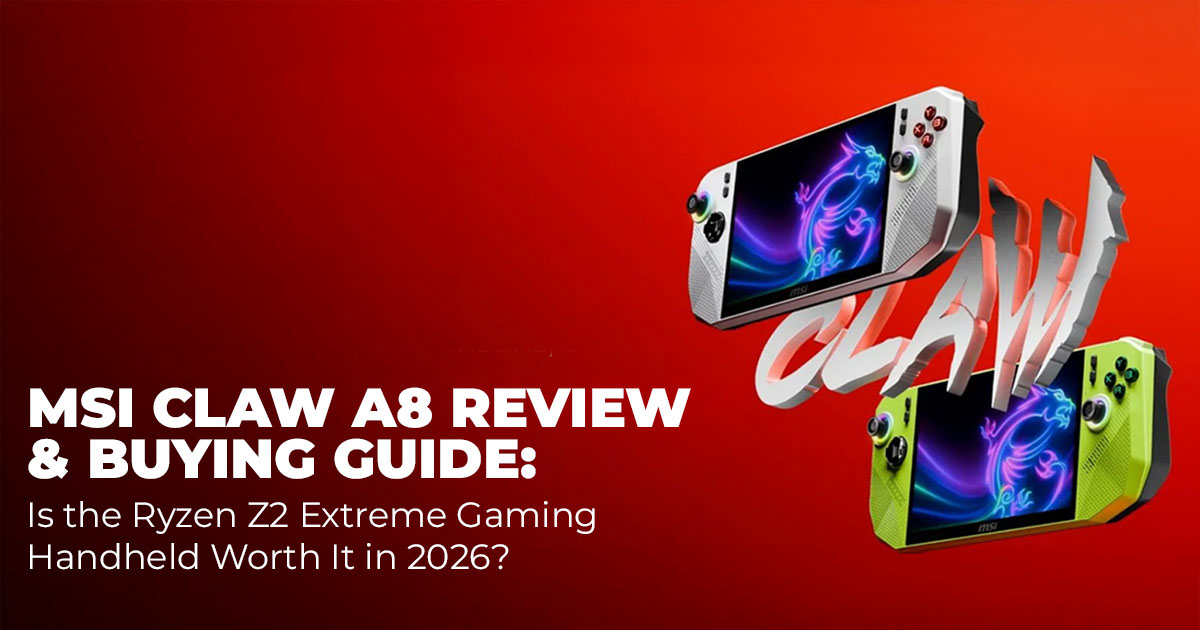
Most people who buy a handheld gaming PC don’t quit a game because it’s boring. They stop because the battery gives up, the screen feels tight, or performance drops once things get demanding. That frustration is common with portable gaming. And it’s exactly what the MSI Claw A8 gaming handheld tries to solve.
The MSI Claw A8 pairs a large 8-inch 120Hz gaming display, the AMD Ryzen Z2 Extreme processor, and one of the biggest batteries in its class. On paper, it looks like a serious answer to the limits of older Windows gaming handhelds. But specs only matter if they hold up during real use. We spent real time gaming on it day after day to see how it performs and whether it makes sense for people shopping for a high-performance portable gaming PC in 2026.
This review focuses on what living with the device feels like, not just what it promises.
If you’re already curious about availability or pricing, you can check current listings for the MSI Claw A8 gaming handheld on Amazon Worldwide or see MSI Claw A8 price options on Amazon India while reading through the details below.
Buy from Amazon now
Buy on Amazon Worldwide | Buy on Amazon India
1. Introduction: What Is the MSI Claw A8?
The MSI Claw A8 is a Windows gaming handheld built to run full PC games without cutting features. It runs on the AMD Ryzen Z2 Extreme processor with AMD Radeon 890M graphics, delivering performance that fits the expectations of a modern handheld gaming PC.
What separates it from many competitors is balance. The 8-inch display, 120Hz refresh rate, variable refresh rate, and large 80 Wh battery are designed to work together. The device launched first in parts of Asia in 2025, followed by MSI Claw A8 USA availability later that year and wider releases into 2026. That timing places it firmly among the best gaming handheld 2026, especially for players who prefer an AMD gaming handheld over Intel-based designs.
2. Why This MSI Claw A8 Review Matters for Handheld Gaming PC Buyers
Most launch coverage around a gaming handheld PC stops at release dates and spec lists. That information looks good on paper, but it rarely answers the questions people actually have before spending real money.
What buyers want to know is simple.
How long does the MSI Claw A8 battery life last when playing real games? Does the device stay comfortable during long sessions?
And does the Ryzen Z2 Extreme performance justify the price? That’s where this review matters.
As technology experts with over 20 years of experience in hardware and application research and development, we evaluate every Windows-based handheld based on real-world performance, durability, and value for money. Our goal is to help readers choose the right product for their needs, whether that priority is budget, gaming performance, reliability, or long- term use.
This review is written for PC gamers, handheld gaming enthusiasts, and Windows users who want clear answers before buying a premium portable gaming PC. Every conclusion comes from hands-on use, component analysis, and practical testing, not spec sheets or marketing claims.
3. What This MSI Claw A8 Review Covers: Performance, Battery Life, and Real Use
By the end of this review, you’ll have a clear understanding of how the MSI Claw A8 gaming handheld performs in everyday use, not just in controlled tests.
You’ll learn:
- How MSI Claw A8 performance and MSI Claw A8 benchmarks compare across modern PC games
- What kind of MSI Claw A8 battery life can you expect during extended gaming sessions
- How the 8-inch 120Hz gaming display and controls feel over time
- What daily Windows 11 handheld gaming use is actually like
- Details on MSI Claw A8 price, MSI Claw A8 USA availability, and storage upgrade options
Most importantly, you’ll know whether the MSI Claw A8 fits how you play, or if another handheld PC makes more sense for your setup and budget.
3.1 Quick Glance: MSI Claw A8 Strengths, Weaknesses, and Verdict
Best For: Long Battery Life, Windows Gaming, Handheld Users
Gamers who want a long battery life gaming handheld, a larger screen for AAA games, full Windows 11 handheld gaming access across multiple launchers, and enough power to play modern titles away from a power outlet.
Major Strengths
- Large 80 Wh battery that supports long gaming sessions
- Clear 8-inch 120Hz display with VRR gaming handheld support
- Hall effect controls that reduce the risk of stick drift
- Easy storage upgrades using standard SSD formats
Key Weaknesses
- Higher price compared to some similarly powered handhelds
- Heavier feel during extended play
- Grips lack deeper curves for long holding comfort
Verdict
If battery endurance and screen size are your top priorities, the MSI Claw A8 gaming handheld is a strong choice. If price or weight matters more, other Windows gaming handheld options may fit better.
4. MSI Claw A8 Technical Specifications and Handheld Gaming Comparison
The table below highlights where the MSI Claw A8 stands against other popular Windows gaming handhelds and why it appeals to users who value VRR gaming, battery capacity, and modern AMD hardware.
| Feature | MSI Claw A8 | Asus ROG Ally X | Lenovo Legion Go 2 | Valve Steam Deck OLED |
| Processor | AMD Ryzen Z2 Extreme | AMD Ryzen Z2 Extreme | AMD Ryzen Z2 Extreme | AMD custom Aerith |
| Graphics | AMD Radeon
890M |
AMD Radeon
890M |
AMD Radeon
890M |
RDNA 2 |
| RAM | 24GB LPDDR5X | 24GB LPDDR5X | 32GB LPDDR5X | 16GB LPDDR5 |
| Storage
(Base) |
1TB PCIe 4.0
SSD |
1TB PCIe 4.0
SSD |
1TB PCIe 4.0
SSD |
512GB / 1TB
NVMe |
| Display | 8″ 1920×1200
IPS, 120Hz VRR |
7″ 1920×1080
IPS, 120Hz VRR |
8.8″ 2560×1600
IPS, 144Hz |
7.4″ 1280×800
OLED, 90Hz |
| Battery | 80 Wh | 80 Wh | 74 Wh | 50 Wh |
| Weight | ~695 g | ~678 g | ~854 g (with controllers) | ~640 g |
| Starting
Price (US, 2026) |
~$1,149 |
~$999 |
~$1,199 |
~$549 (1TB
model) |
| Upgradeable Storage | Yes (2280 M.2) | Yes | Yes | Yes (2230 M.2) |
This comparison shows why the MSI Claw A8 stands out for users looking for a VRR gaming handheld with serious battery capacity and modern AMD Ryzen Z2 Extreme performance, even if it costs more than some alternatives.
4.1 Is the MSI Claw A8 the Right Windows Gaming Handheld for You?
If you’re still reading, you’re probably not browsing anymore. You’re deciding.
The real choice here isn’t between brands. It’s between what kind of handheld gaming experience you want day to day.
The MSI Claw A8 gaming handheld is built for a very specific type of buyer: someone who values long gaming sessions, a large screen, and the freedom of a full Windows-based handheld without constantly hunting for a charger.
Choose the MSI Claw A8 if this sounds like you
- You play AAA PC games and want them to feel stable, not squeezed onto a tiny screen
- You care more about battery life than shaving off a few grams of weight
- You want full Windows 11 handheld gaming with Steam, Xbox Game Pass, Epic, mods, and emulators working like a real PC
- You’d rather pay more once than compromise every time you play
The 80 Wh battery is a quiet advantage here. On paper, it looks like just a number. In real use, it means fewer interruptions and longer sessions without planning around a power outlet. If you’ve owned other handhelds, you already know how rare that feels.
The Ryzen Z2 Extreme and Radeon 890M graphics deliver consistent performance where it matters. Not just high frame rates in benchmarks, but fewer dips and smoother gameplay thanks to the 120Hz VRR display. That matters more than peak numbers once you’re actually playing.
Skip the MSI Claw A8 if this is your situation
- You want the lightest handheld possible for short sessions
- You’re on a strict budget and don’t care about battery size
- You mostly play indie or low-demand games
In those cases, something like the Asus ROG Ally X makes more sense. It costs less and performs similarly, but you give up screen size and some endurance. That’s the trade-off.
What we’d personally choose
If we planned to game for long stretches, travel often, or treat this as our main portable gaming PC, we’d pick the MSI Claw A8. The battery and screen size improve every single session. Those benefits don’t fade after the first week.
If this were a second device for quick play, we’d save money and go lighter.
Decision shortcut
- Choose the MSI Claw A8 if you want fewer compromises and longer sessions
- Choose an alternative if price or weight matters more than endurance
If you’re leaning toward the Claw A8, it may help to see how pricing and availability look right now. Current listings for the MSI Claw A8 gaming handheld on Amazon Worldwide and MSI Claw A8 sellers on Amazon India can give you a clearer picture before moving on to performance details.
Quick Verdict:
Buy the MSI Claw A8 gaming handheld if battery life and screen size shape how you play. Skip it if you want the cheapest or lightest option. If you’re still unsure, compare it directly against the ROG Ally X—that decision usually becomes clear fast.
5. MSI Claw A8 Real-World Performance for AAA Handheld PC Gaming
Performance is where a Windows gaming handheld either earns its price or falls apart. The MSI Claw A8 gaming handheld, powered by the AMD Ryzen Z2 Extreme, handles modern PC games with consistency rather than chasing inflated numbers.
In Cyberpunk 2077, medium settings with upscaling delivered a steady 55–65 fps at higher power levels. Baldur’s Gate 3 ran between 70–80 fps on high settings, while faster-paced titles pushed 90 fps and above without trouble. These results put the Claw A8 on par with other Ryzen Z2 Extreme gaming handhelds, with slightly better efficiency in sustained play.
Thermals stay under control. Fan noise remains reasonable, and surface temperatures never reach a point that distracts from play. Combined with the variable refresh rate display handheld support, gameplay feels smooth even when frame rates shift.
- Key takeaway: This is a strong contender for the best handheld for AAA games, offering stable AAA handheld gaming performance that holds up in real sessions, not just short
6. MSI Claw A8 Battery Life Testing: What Long Sessions Really Look Like
Battery life is where the MSI Claw A8 separates itself from many portable gaming PCs. The 80 Wh battery changes how long you can play without planning around a charger.
Real-world results show:
- Demanding AAA games at max power (around 30W): about 2 hours
- Balanced mode (17W): 3–4 hours in heavy titles, with more time possible through tuning
- Indie and lighter games: 6–8 hours, sometimes longer
- Video streaming and light use: up to 9–10 hours or more
This level of endurance makes the Claw A8 a true long battery life gaming handheld, especially for travel or extended play sessions. Compared to earlier handhelds, the difference shows up quickly in daily use.
Buy from Amazon now
Buy on Amazon Worldwide | Buy on Amazon India
7. Controls and Ergonomic Design of the MSI Claw A8 Gaming Handheld
Controls play a bigger role than specs once sessions stretch beyond an hour. The MSI Claw A8 uses hall effect sticks and triggers, which provide precise input and reduce the risk of stick drift over time.
Buttons feel responsive, and the layout suits most genres. The larger body helps with balance, but the grips remain fairly flat. For sessions lasting a couple of hours, comfort holds up well. During longer play, some users may notice hand fatigue.
At around 695 grams, this isn’t the lightest handheld gaming PC. Many players find it more comfortable when resting it on a surface or using a stand during extended sessions.
8. Display Quality and the 8 Inch 120Hz Gaming Display Experience
The 8-inch 120Hz gaming display is one of the Claw A8’s biggest strengths. The 1920×1200 resolution provides more space than typical 7-inch screens, making open-world, strategy, and exploration games feel less cramped.
The 120Hz refresh rate keeps motion clean, while VRR support reduces tearing and stutter during frame rate changes. Brightness works well for indoor gaming, and colors appear natural without oversaturation.
For a Windows gaming handheld, this screen adds real immersion and improves usability beyond gaming, especially for menus and text-heavy games.
9. Windows 11 Handheld Gaming Experience and Software Features
Running Windows 11 handheld gaming means full access with no platform limits. Steam, Xbox Game Pass, Epic Games Store, mods, and emulators all work as expected.
Built-in system tools allow quick control over power modes, fan behavior, and lighting. Touch input handles basic navigation, while adding a keyboard or mouse simplifies setup and management.
The software experience stays mostly clean and functional, focusing on practical controls rather than unnecessary extras. For PC gamers, this feels familiar and flexible.
10. Storage and Upgrade Options on the MSI Claw A8 Gaming Handheld
Storage upgrades are simple on the MSI Claw A8, thanks to a full-size 2280 M.2 SSD slot. Opening the back panel gives direct access, making drive swaps or upgrades straightforward.
The base 1TB PCIe 4.0 SSD offers plenty of space for modern games, and microSD expansion works well for additional libraries. This flexibility adds long-term value for anyone treating the Claw A8 as a main portable gaming PC rather than a secondary device.
11. MSI Claw A8 vs Alternatives — Clear Verdict for Buyers
At this point, you’ve seen how the MSI Claw A8 gaming handheld performs, how long the battery life lasts, how the 8-inch 120Hz VRR gaming display feels, and what everyday Windows 11 handheld gaming is like. Now it’s time for the decision that matters most: Is this the right handheld for you — or should you pick something else?
We’re comparing the Claw A8 to the most relevant alternatives you’re likely considering right now.
11.1 MSI Claw A8 vs Asus ROG Ally X
Who wins:
- Choose the MSI Claw A8 if longer sessions and a bigger display matter more than cost or weight.
- Choose the ROG Ally X if you want a lighter device with a slightly lower price and you’re okay with shorter playtimes.
Why it matters:
Both use Ryzen Z2 Extreme, so raw performance is similar. The difference shows up in endurance and comfort over long sessions. The Claw A8’s 80Wh battery and larger screen make longer handheld sessions feel easier, while the Ally X is lighter and easier to carry.
11.2 MSI Claw A8 vs Lenovo Legion Go 2
Who wins:
- Choose the MSI Claw A8 if you want more consistent power delivery and a clean Windows 11 handheld gaming experience.
- Choose the Lenovo Legion Go 2 if you want a slightly larger screen and don’t mind controller modules that add size.
Why it matters:
The Legion Go 2’s bigger display and detachable controllers appeal to some users, but the added bulk and mixed ergonomics can feel awkward over long play sessions. The Claw A8’s layout and battery life lean toward pure handheld endurance.
11.3 MSI Claw A8 vs Valve Steam Deck OLED comparison
Who wins:
- Choose the MSI Claw A8 if you want full Windows gaming and better performance in many AAA titles.
- Choose the Steam Deck OLED if you want value, a large game catalog with Proton compatibility, and excellent UI polish.
Why it matters:
The Valve Steam Deck OLED is great at what it does, especially with native Linux support and Steam integration. But it doesn’t match the Claw A8’s raw Ryzen Z2 Extreme gaming performance, battery capacity, or full Windows 11 handheld gaming flexibility.
11.4 Decision Moments: Pick One Quickly
Choose the MSI Claw A8 if all of the following are true:
- You want real battery life that lasts through demanding games
- You prefer a roomier screen for immersion
- You want full Windows handheld gaming freedom without launcher limits
- You’re willing to pay a bit more for endurance and flexibility
Skip the MSI Claw A8 if any of these apply:
- Keeping the lowest possible cost is your top priority
- You want the lightest handheld you can carry everywhere
- Your games are mostly low-demand or indie titles
12. MSI Claw A8 Pros & Cons — At a Glance
| Pros | Cons |
| Excellent MSI Claw A8 battery life thanks to the large 80 Wh battery, allowing longer
gaming sessions without frequent charging |
Higher MSI Claw A8 price in the US
compared to some direct Windows gaming handheld rivals |
| Spacious 8-inch 120Hz display with VRR, making fast-paced and AAA games feel
smoother and more immersive |
Grips could offer more contouring, which may affect comfort during very long play
sessions |
| Hall effect sticks and triggers that improve durability and help prevent stick drift over
time |
Slightly heavier than the lightest handhelds, which can be noticeable in
extended handheld use |
| Strong Ryzen Z2 Extreme performance that handles modern PC games with stable
frame delivery |
|
| Simple storage upgrades with a full-size
2280 M.2 SSD slot and the freedom of full Windows 11 handheld gaming |
Summary:
If battery endurance, screen size, and Windows flexibility matter more than weight or price, the pros clearly outweigh the drawbacks.
If portability and cost sit higher on your priority list, one of the lighter or cheaper alternatives may fit better.
Buy from Amazon now
Buy on Amazon Worldwide | Buy on Amazon India
13. Frequently Asked Questions About the MSI Claw A8 Gaming Handheld
This FAQ section answers the most common questions people search for when deciding whether the MSI Claw A8 gaming handheld is the right fit. These answers focus on real-world use, performance, battery life, pricing, and comparisons, helping readers move from research to a confident buying decision.
Q. What is the MSI Claw A8, and how powerful is it?
- The MSI Claw A8 is a Windows gaming handheld powered by the AMD Ryzen Z2 Extreme processor with Radeon 890M graphics. It can run modern AAA PC games at console-level settings using upscaling, delivering smooth and stable frame rates for a handheld gaming PC.
Q. How long does the MSI Claw A8 battery life last in real use?
- Real-world MSI Claw A8 battery life depends on how demanding the game is. Heavy AAA games at maximum power last around 2 hours. Balanced settings deliver 3 to 4 hours, while lighter games, indie titles, or streaming can last much longer thanks to the large 80 Wh battery.
Q. Is the MSI Claw A8 worth buying compared to the Steam Deck OLED?
- The MSI Claw A8 is worth buying if you want full Windows 11 handheld gaming, better performance in many AAA games, a larger 8-inch display, and longer battery life. The Steam Deck OLED remains a strong option for lower cost and simplicity, but it does not offer the same flexibility or endurance.
Q. Does the MSI Claw A8 run AAA games smoothly?
- Yes. The MSI Claw A8 gaming handheld runs most AAA titles smoothly using medium to high settings with upscaling. The 120Hz VRR display helps maintain a smooth experience even when frame rates change during gameplay.
Q. Can you upgrade storage on the MSI Claw A8?
- Yes. The MSI Claw A8 supports easy storage upgrades through a full-size 2280 M.2 SSD slot. It also supports microSD expansion, making it simple to add more space for games over time.
Q. Is the MSI Claw A8 available in the US, and what is the price?
- Yes. MSI Claw A8 USA availability is wide, with a starting price of around $1,149. Pricing may vary by retailer and storage configuration.
Q. How does MSI Claw A8 performance compare to other Ryzen Z2 Extreme handhelds?
- MSI Claw A8 performance closely matches other Ryzen Z2 Extreme gaming handhelds in benchmarks. Where it stands out is battery efficiency, allowing longer play sessions at similar performance levels.
14. Final Verdict: Should You Buy the MSI Claw A8 Gaming Handheld?
The MSI Claw A8 gaming handheld stands out in 2026 for one simple reason: it makes long gaming sessions easier. The mix of Ryzen Z2 Extreme performance, a smooth 8-inch 120Hz VRR display, and a large 80 Wh battery solves the problems that frustrate most handheld PC gamers—short battery life and cramped screens.
This isn’t the cheapest or the lightest Windows gaming handheld, and it doesn’t try to be. Its strength is balance. You get steady AAA handheld gaming performance in modern games, fewer charging breaks, and full PC freedom without workarounds. Over time, those things matter more than saving a little money upfront.
That said, it’s not the only good option.
If you want something lighter and less expensive, the Asus ROG Ally X is a solid alternative. It delivers similar performance but trades screen size and some battery endurance for portability and price.
If you prefer a bigger display and detachable controllers, the Lenovo Legion Go 2 may appeal more, though it’s bulkier and less comfortable for long handheld sessions.
And if simplicity and value matter most, the Steam Deck OLED remains a great choice, especially for Steam-focused gaming, even if it lacks full Windows flexibility and raw endurance.
Our take:
Choose the MSI Claw A8 if long sessions, a larger screen, and full Windows handheld gaming access shape how you play. Look at the alternatives if weight, price, or a simpler ecosystem matters more to you.
Where to buy:
- Amazon US: Check current pricing and availability for the MSI Claw A8 gaming handheld
- Amazon India: View the latest MSI Claw A8 price in India and seller options
Prices and stock change often, so it’s worth checking current listings before deciding.
If you’ve already used the MSI Claw A8, or you’re choosing between it and one of the alternatives, share your thoughts below. Knowing how others play and what they value helps everyone make a better call.
***Disclaimer***
This blog post reflects our own research, testing, and personal opinions. It should not be taken as the official position of any brand, manufacturer, or company mentioned here. While we aim to keep information accurate and up to date, product details, pricing, and availability can change. We recommend double-checking important details before making a purchase.
Some links in this article may be affiliate links. If you choose to buy through these links, we may earn a small commission at no extra cost to you. This helps support our work and allows us to keep publishing in-depth, unbiased reviews. Our recommendations are never influenced by affiliate partnerships.
Comments shared by readers reflect their own views and not ours. We are not responsible for outcomes resulting from the use of information on this site. Please seek professional advice where appropriate.
All product names, logos, and brands mentioned are the property of their respective owners. These names are used for identification and informational purposes only and do not imply endorsement.
