
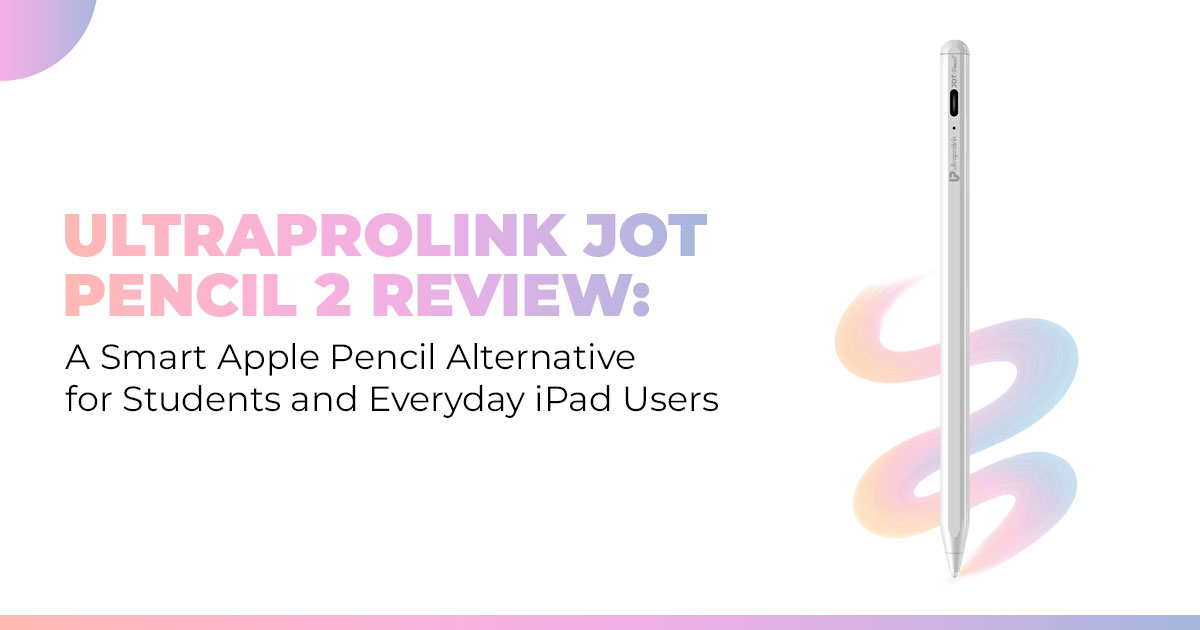
If you want a budget-friendly iPad stylus that handles note-taking, online classes, and everyday writing without the Apple Pencil price, the Ultraprolink Jot Pencil 2 is worth a closer look. This review breaks down real-world performance, who it’s best for, and who should skip it—so you don’t waste money or time.
Buy from Amazon now
Buy on Amazon Worldwide | Buy on Amazon India
1. Introduction
Most iPad users never plan to buy an expensive stylus—until handwriting feels laggy, palm rejection fails, or cheap pens stop working mid-note. That frustration is exactly why products like the Ultraprolink Jot Pencil 2 exist. It’s built for people who want a reliable stylus for iPad without paying premium prices, especially students, office users, and everyday note-takers who just want things to work.
The Ultraprolink Jot Pencil 2 sits in the growing category of Apple Pencil alternatives—styluses designed to handle note-taking, document markup, online classes, and casual sketching without the Apple price tag. On paper, it promises palm rejection, tilt support, magnetic attachment, and solid battery life. But specs alone don’t tell you whether it actually holds up during daily use.
That’s where real user experience matters. Reviews and hands-on testing reveal things spec sheets never mention—how the pen feels after an hour of writing, whether palm rejection stays consistent, and if the stylus fits naturally into everyday iPad use. This Ultraprolink Jot Pencil 2 review focuses on those real-world details, not marketing claims.
With over 20 years of hands-on experience in hardware and application development, we evaluate products based on real-world performance, durability, and value—not just specs. Our reviews focus on what actually matters for students, professionals, and everyday users who want something reliable that fits their needs.
So, if you’re asking ‘what is Ultraprolink Jot Pencil 2’, ‘how Ultraprolink stylus works’, or whether this budget stylus for iPad users is actually worth buying, this review will help you decide— clearly and honestly. And yes, we’ll also cover where it falls short, because that matters just as much.
2. Technical Specifications at a Glance
Here’s a straightforward look at the main specs in a table, so you can quickly check what this
Ultraprolink iPad pencil brings to the table:
| Feature | Details |
|
Compatibility |
iPads from 6th to 10th gen, plus Pro, Air, and Mini models; also works with Android tablets like Samsung Galaxy Tab S9 FE, Xiaomi Pad 7, Lenovo Tab M11; fits most capacitive touchscreen devices but not
Microsoft Surface or electromagnetic screens |
| Tip Size | 1.5mm POM nib with three extras included for swaps |
| Battery Life | Up to 10 hours of steady use; charges fully in 30 minutes via USB-C; turns off automatically after 5 minutes; lasts 90 days on standby |
| Weight and Build | 13.3 grams; made from aluminum alloy with a matte surface |
|
Key Functions |
Palm rejection technology in iPad mode, Ultraprolink pencil tilt support, magnetic charging stylus for sticking to compatible iPads,
and no noticeable lag |
| Modes | Switches between iPad-focused and universal for Android or Windows |
| Price | About $24 (around Rs. 1,999 for Ultraprolink Jot Pencil 2 price in
India) |
| Warranty | 12 months |
These details highlight why it’s seen as one of the better budget stylus options for iPad, especially with its mix of features at that cost.
3. Why This Review Is Essential
A lot of product descriptions just list out features without showing how they hold up in normal life. We dig into that by trying the Ultraprolink Jot Pencil 2 for things like long study times or flipping between tablets. This tackles common issues, like fuzzy details on Ultraprolink stylus compatibility or how comfy it is, which can lead to buyer’s remorse. By sharing straight-up experiences over sales talk, we help build confidence and smarter choices. If you’ve ever asked if the Ultraprolink Pencil is good for iPad, or if the Ultraprolink Jot Pencil 2 is worth buying, this covers those angles with real insights.
4. What You Will Learn from This Review
You’ll get solid info on avoiding mix-ups with device matches, how it feels for tasks like drawing, and if it’s a good deal next to higher-end picks. We’ll cover pros, cons, and tips to get the most out of it, whether you’re into digital note-taking on an iPad or just need something basic. This sets you up to pick a stylus for iPad students or whatever suits your setup best.
Summary:
The Ultraprolink Jot Pencil 2 stands out as an affordable Apple Pencil alternative with decent Ultraprolink stylus battery life and cross-device flexibility. It does well for simple writing and sketching, but doesn’t have fancy extras like pressure sensing. Great for learners or everyday folks watching their wallet; pass if you want top-tier detail. All in all, a solid budget-friendly iPad stylus under $30 when it lines up with your devices.
5. Why People Want an Apple Pencil Alternative (Cost, Flexibility, Real Needs)
The biggest reason people look for an Apple Pencil alternative is simple—price. When an official Apple stylus costs more than some tablets, many users start asking a fair question: Do I really need all that?
That’s where options like the Ultraprolink Jot Pencil 2 come in. Students, office users, and casual note-takers often want a non-Apple stylus for iPad that handles writing, highlighting, and quick sketches without locking them into one ecosystem.
Another factor is flexibility. Many users switch between iPad, Android tablets, and Windows devices, and Apple’s stylus doesn’t play well outside its own setup. The growth of third-party iPad accessories comes from this need—tools that work across devices and still feel reliable.
But not all budget styluses are usable. Some lag, others feel hollow, and many fail at palm rejection. That’s why the best third-party Apple Pencil alternative isn’t about being cheap—it’s about being functional where it counts, especially for a clean iPad handwriting experience.
6. Ultraprolink Jot Pencil 2 features that matter in daily use
This stylus sticks to the basics that most people actually care about—and does them well.
Palm rejection
The standout feature is Ultraprolink pencil palm rejection. You can rest your hand on the screen while writing, just like on paper. Without this, note-taking turns clumsy and tiring fast. With it, writing feels natural and steady.
Tilt support (for emphasis, not art)
Ultraprolink pencil tilt support lets you change line width by angling the tip. It’s useful for underlining, emphasis, and light shading. It’s not meant for detailed illustration, and that’s fine—this pencil isn’t pretending to be a pro art tool.
Magnetic attachment
The Ultraprolink magnetic stylus snaps onto supported iPads, which makes it easier to carry and harder to misplace. It’s a small thing, but it solves a real annoyance.
Low latency, clean response
With low stylus latency and accuracy, writing feels direct. There’s no noticeable lag between hand and screen, which matters more than flashy extras.
Active stylus advantage
Compared to a passive stylus vs active stylus, the difference is obvious. Passive pens only copy finger touch. An active stylus for iPad responds with intention. For beginners and everyday users, that means fewer breaks and less friction.
Buy from Amazon now
Buy on Amazon Worldwide | Buy on Amazon India
7. Ultraprolink Jot Pencil 2 real-world use: writing, drawing, daily tasks
After using the Ultraprolink Jot Pencil 2 for note-taking in meetings and classes, its strengths show up quickly.
- Writing and note-taking
- Writing feels smooth and consistent
- Minimal delay, even during fast notes
- Lists, highlights, and annotations feel natural
This makes it reliable for digital note-taking on iPad, especially in time-sensitive situations like lectures or meetings.
- Drawing and casual sketching
- Works well for diagrams, charts, and simple doodles
- No pressure sensitivity, so line width stays consistent
- Tilt helps slightly, but creative detail is limited
It’s dependable for visual notes, not professional illustration.
- Comfort over time
- Light build reduces hand fatigue
- Balanced grip feels steady during long sessions
- Slight slip in humid conditions, but never uncomfortable
- Everyday reliability
- Device switching may need a quick reset
- Reset takes seconds and doesn’t interrupt workflow
- Great for a stylus for online classes, PDF markup, and quick answers
Overall, these Ultraprolink stylus features explained make it a solid choice for a stylus for handwritten notes on iPad and an everyday stylus for iPad users.
Key takeaways (quick scan)
- Reliable for fast writing and document markup
- Fine for casual sketches, not professional art
- Strong choice for digital note-taking on iPad, office tasks, and beginners
This section is about what actually happens after you start using the pencil—and for everyday work, it holds up where it counts.
8. Ultraprolink Stylus Compatibility: Which iPads and Devices Work Best
Compatibility matters more than features. The Ultraprolink stylus compatibility works best with iPads from the 6th generation onward, including iPad Pro, iPad Air (3rd to 6th gen), and iPad Mini (5th to 7th gen). On these models, palm rejection and magnetic attachment work as expected.
On older iPads, tilt support may be limited. On Android tablets like the OnePlus Pad Go or Realme Pad 2, the stylus works as a basic active pen without iPad-specific features. No Bluetooth pairing is required.
It does not work with electromagnetic screens, so checking your device type avoids frustration. A simple tap test confirms the connection. This wide compatibility makes it the best iPad pencil for students who share devices or use more than one platform.
9. Ultraprolink Jot Pencil 2 vs Apple Pencil vs Logitech Crayon
Ultraprolink Jot Pencil 2 vs Apple Pencil (2nd Gen)
| Feature | Ultraprolink Jot Pencil 2 | Apple Pencil (2nd Gen) |
| Price | Budget-friendly | Premium |
| Compatibility | iPad, Android, Windows | iPad only |
| Precision | Tilt support, no pressure | Pressure, hover |
| Charging | USB-C | Wireless |
| Best For | Everyday users | Creative professionals |
You save money and gain flexibility, but give up creative depth.
Ultraprolink Jot Pencil 2 vs Logitech Crayon
| Feature | Ultraprolink Jot Pencil 2 | Logitech Crayon |
| Price | Lower | Higher |
| Battery Life | Longer | Shorter |
| Platform Support | iPad + Android | iPad only |
| Build | Lightweight | Rugged |
The Ultraprolink Jot Pencil 2 wins on value and versatility, while the Crayon suits classroom durability. For most buyers, this makes Ultraprolink the best budget stylus for iPad.
10. Who Should Buy the Ultraprolink Jot Pencil 2
If you want a budget-friendly iPad stylus, the Ultraprolink Jot Pencil 2 makes sense. This pencil works especially well for students, online classes, and shared devices.
Casual note-takers benefit from quick setup and clean writing. Office users find it practical for reviewing documents and marking PDFs. If you want a budget-friendly iPad stylus for light, daily work, this pencil makes sense.
Long battery life and easy charging make it friendly for stylus for iPad beginners.
11. Who Should Skip the Ultraprolink Jot Pencil 2
This option isn’t built for professional artists. If you rely on advanced creative features, it may feel limited compared to higher-end Apple Pencil alternatives.
The Ultraprolink stylus’s advantages and limitations show it’s built for everyday reliability, not creative depth.
12. Ultraprolink Stylus Battery Life, Charging, and Long-Term Use
The Ultraprolink stylus battery life reduces daily charging. A USB-C top-up delivers hours of use, and auto shut-off prevents drain. Over weeks of use, battery performance stays consistent.
Replaceable tips help extend lifespan, especially for heavy writers. The magnetic charging stylus attachment keeps it accessible without cables. Long term, it fits regular carry and routine use without stress.
13. Clearing Common Doubts About the Ultraprolink Jot Pencil 2
Before buying a budget stylus for iPad, most people want clear answers to practical questions— things that don’t always show up on product pages. This section addresses the most common concerns around daily use, compatibility, and value, helping you decide whether the Ultraprolink Jot Pencil 2 fits your needs.
Q. Does the Ultraprolink Jot Pencil 2 have pressure sensitivity?
- No. The Ultraprolink Jot Pencil 2 does not support pressure sensitivity. Instead, it relies on tilt support to vary line thickness. This works well for note-taking, highlighting, and basic shading, but it’s not designed for detailed artwork or professional illustration. For students and everyday users, this approach keeps things simple and predictable.
Q. Is the Ultraprolink Jot Pencil 2 compatible with screen protectors?
- Yes. The stylus works smoothly with both tempered glass and matte screen protectors. Touch response remains consistent, which is important for a stylus for handwritten notes on an iPad and long study sessions. Matte protectors may slightly change the writing feel, but accuracy stays intact.
Q. How does it compare to cheaper styluses?
- Compared to basic ₹10–$10 styluses, the Ultraprolink Jot Pencil 2 is a budget-friendly Apple Pencil alternative with wider compatibility. While it lacks pressure sensitivity, this stylus still performs well for everyday writing, note-taking, and basic tasks.
Q. Can the Ultraprolink Jot Pencil 2 work on phones?
- Yes. It works on iPhones and Android phones with capacitive touchscreens for basic tasks like tapping, scrolling, and light writing. However, advanced features such as palm rejection and tilt support are optimized for iPads, where the stylus performs best.
14. Frequently Asked Questions (FAQ)
- Does it support pressure sensitivity? No, but tilt support covers shading for most.
- Does it work with screen protectors? Reliably, even thicker types.
- Can it replace the Apple Pencil fully? For light stuff, yeah; not for advanced drawing.
- Is it reliable for exams or long notes? Definitely, with steady performance for timed work.
- How do I switch modes? Just a button press—no apps involved.
- Should I buy Ultraprolink Jot Pencil 2? If you’re after value and basics, go for it.
- Is the Ultraprolink stylus worth the price? At this level, yes, for everyday needs.
Buy from Amazon now
Buy on Amazon Worldwide | Buy on Amazon India
15. Final Verdict: Is the Ultraprolink Jot Pencil 2 Worth the Price?
After using it in real situations, the answer is clear: yes, if you know what you’re buying it for.
The Ultraprolink Jot Pencil 2 delivers where it matters most for everyday users. It handles note- taking, document markup, online classes, and office tasks without the usual frustrations found in cheaper styluses. Palm rejection works, writing feels responsive, and the battery lasts long enough that charging rarely becomes a chore.
This is not a stylus for professional illustrators or designers who rely on pressure sensitivity and deep app integration. But for students, casual note-takers, remote workers, and iPad beginners, the value is strong. You trade a few advanced features for simplicity, reliability, and a much lower price—and for many users, that’s the smarter deal.
If your goal is to find the best Apple Pencil alternative on a budget, the Ultraprolink Jot Pencil 2 earns its spot. It avoids the common low-end problems like lag, missed strokes, and poor build quality, while keeping the experience clean and predictable.
Where to Buy (Offfcial & Trusted Options)
Direct Purchase (Official Brand Store)
If you want to buy directly from the brand with warranty support:
–− Ultraprolink Official Stylus Collection – Click here
Amazon India (Immediate Availability)
For buyers in India who prefer Amazon fulffllment:
–− ULTRAPROLINK Jot Pencil – Amazon India (Official Listing) – Click here
This is the fastest option for Indian customers looking to buy Ultraprolink Jot Pencil 2 online with verified reviews and easy returns.
Note for US & Global Buyers (Important)
The Ultraprolink Jot Pencil 2 is not consistently available on Amazon US at the moment. If you’re shopping from the US or need an immediate Amazon option, consider this trusted alternative:
Amazon US – Recommended Alternative
–− Stylus Pen 2nd Generation (Magnetic, iPad-Compatible) – Click here
This option supports modern iPads, offers magnetic attachment, and fits users who want a
budget-friendly Apple Pencil alternative with fast delivery in the US.
Bottom Line
If you want a reliable, no-nonsense stylus for iPad that keeps costs down and covers everyday needs, the Ultraprolink Jot Pencil 2 is worth buying. Choose the official store or Amazon India if available in your region—and if you’re shopping from the US, the recommended Amazon alternative gets you similar value without waiting.
If you’ve already used it, your experience matters. Share what worked, what didn’t, or ask questions— real user feedback helps others make better buying decisions.
***Disclaimer***
This blog post contains unique insights and personal opinions. As such, it should not be interpreted as the official stance of any companies, manufacturers, or other entities we mention or with whom we are affiliated. While we strive for accuracy, information is subject to change. Always verify details independently before making decisions based on our content.
Comments reflect the opinions of their respective authors and not those of our team. We are not liable for any consequences resulting from the use of the information provided. Please seek professional advice where necessary.
Note: All product names, logos, and brands mentioned are the property of their respective owners. Any company, product, or service names used in our articles are for identification and educational purposes only. The use of these names, logos, and brands does not imply endorsement.
