
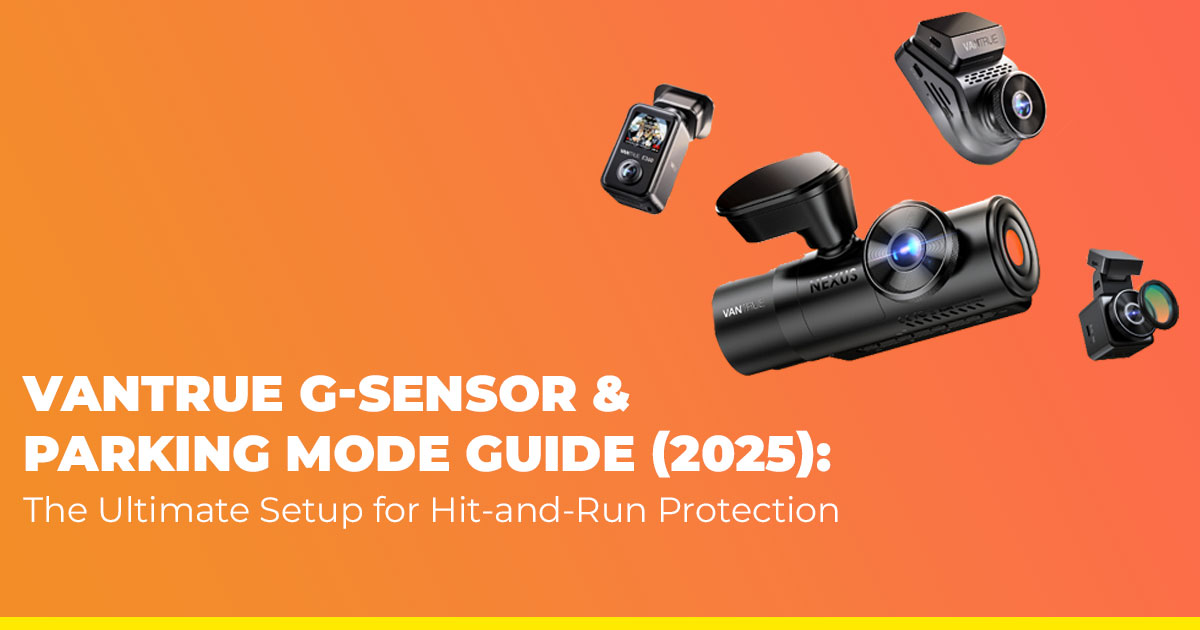
Parking-lot hit-and-runs are rising fast, and most drivers still get stuck paying for damage they didn’t cause. A properly set up Vantrue dash cam — especially with its G-Sensor and Parking Mode — can capture the proof your insurance company actually accepts. This guide breaks down why real user reviews matter, who this information is for, and what you should know before choosing a dash cam.
Buy Vantrue N4 Pro | Buy Vantrue N5
1. The Parking Lot Nightmare That Happens Every Day — And Why It Keeps Happening
Hit-and-runs now make up a huge share of parking-lot incidents, and the worst part is how powerless you feel when it happens. You walk back to your car after a quick errand and notice a scratch, a cracked taillight, or a dent that wasn’t there before. No note. No witnesses. The other driver vanished, and you’re left arguing with insurance without a single piece of evidence.
This is exactly why dash cams have become a must-have in 2025. And not just any dash cam — but one that can watch your car even when you’re not in it.
That’s where Vantrue dash cams stand out. When you tune the Vantrue G-Sensor and Parking Mode the same way thousands of everyday drivers use them, the camera turns into a quiet guardian that catches the moment of impact, locks the clip automatically, and keeps it safe instead of overwriting it. It’s the kind of backup you hope you’ll never need, but you’ll be glad you have when things go wrong.
1.1 Product / Category Overview
Dash cams today do far more than record your daily commute. The best models offer 24/7 protection, motion detection, collision detection, buffered recording, and cloud-backed evidence that can make or break an insurance claim. Vantrue sits in the premium tier of this category, known for reliability, clear nighttime footage, and smarter G-Sensor tuning that reacts instantly to hit-and-runs.
Dash cams with strong Parking Mode, impact detection, and high-resolution recording have become essential for anyone who parks in apartments, crowded malls, office lots, or narrow streets.
1.2 Why Customer Reviews Matter
Specs tell one story; real users tell the truth. Customer reviews reveal things you won’t find on product pages — how well the Parking Mode triggers at night, whether the G-Sensor catches low-speed bumps, how reliable the footage lock is, and if the cam actually survives year-round heat and rain.
In this review, we’re looking at what real drivers experience daily:
- Does the dash cam wake up in time to catch the hit?
- Does it store the clip safely without overwriting it?
- Is the video clear enough for license plates?
- Does the battery hold up for long-term Parking Mode use?
These are the moments where a dash cam either proves itself or fails.
1.3 What This Blog Will Uncover
We’ll break down how Vantrue’s Parking Mode works in real life, what settings matter most, how drivers are using it in 2025, and the key things you should adjust right away to avoid losing important footage.
1.4 Expert Insight You Can Trust
As technology experts with over 20 years of experience in hardware and application research and development, we deeply analyze each product based on real-world performance, durability, and value for money. Our goal is to help you find the best product in every category—budget, performance, reliability, and long-term usage. For drivers, commuters, rideshare professionals, fleet owners, and anyone who parks in crowded areas, our recommendations are based on extensive research, component analysis, real-world usability, and industry expertise.
This perspective allows us to show you not just how the Vantrue system works, but how it holds up in situations that matter.
2. Technical Specifications at a Glance
| Feature | 2025 Spec Range | Why It Matters for Hit-and-Run Evidence |
| Vantrue G-
Sensor |
5 levels + Off, per-axis control | Locks only real impacts, ignores
potholes & door slams |
| Parking Mode
Types |
Motion / Collision / Low Bitrate / Time-Lapse / Buffered | Covers every scenario from vandalism to long-term parking |
| Low Voltage Cutoff (LVC) | 11.8 – 12.4 V (0.2 V steps) | Guarantees your car starts the next morning |
| Power Draw (Parking Mode) | 250–480 mA | 24–48 hours safe on a healthy battery |
| Super Capacitor | –40 °F to 176 °F operating range | Survives Arizona/Texas summer
parking lots |
| Max Storage | 512 GB U3/V30 microSD | Months of loop recording +
protected events |
3. What People Actually Ask About Vantrue G-Sensor & Parking Mode
Drivers want to know one thing: will the dash cam catch what really matters? Here’s a clear, practical breakdown of how the Vantrue G-Sensor, Parking Mode, and related features work in real situations. This section also helps anyone comparing dash cams, parking surveillance, or impact detection across brands.
3.1 How does it actually work?
- Vantrue G-Sensor measures sudden changes in G-force. When it detects an impact, the dash cam pulls the current clip — plus a small window before and after — into a protected Event folder. Loop recording can’t overwrite these files.
- Parking Mode activates about five minutes after the engine shuts The camera shifts into low-power monitoring and records only when a motion, collision, or parking impact triggers it. This keeps storage under control while protecting the car around the clock.
These features matter for anyone dealing with hit-and-runs, parking-lot damage, and door dings where proof is critical for insurance claims.
3.2 How do I set it up and adjust sensitivity?
To use Parking Mode, the dash cam needs constant power. You can supply this through:
- a hardwire kit
- an external dash cam battery pack
The cigarette-lighter socket shuts off with the ignition, so it won’t run in Parking Mode.
Sensitivity settings:
Most owners choose Level 1–2 for parked monitoring to avoid triggers from doors closing nearby or wind movement. While driving, Level 3 catches meaningful incidents without flooding storage.
This setup improves results for daily commuters, apartment parking, mall parking, and anyone comparing car security cameras or 24/7 vehicle monitoring.
3.3 What are the different Parking Mode options?
Each Parking Mode works best in a speciffc scenario. Here’s a simple guide:
| Mode | Trigger | Best Use Case | Storage Use |
| Motion Detection | Movement in front of the lens | Busy lots, vandalism | Medium |
| Collision
Detection |
Impact detected by G-
Sensor |
Hit-and-runs, door dings | Low |
| Low Bitrate /
Low FPS |
Always recording at
reduced quality |
Overnight or long parking | High |
| Time-Lapse | 1–4 fps frames | Long-term storage | Very low |
| Buffered (Premium) | Motion plus 5–15 seconds pre-record | Captures plates before impact | Medium |
These modes help buyers compare dash cam parking security, motion-activated recording, and
buffered footage across different brands.
3.4 Most Common Issues & Quick Fixes
- Too many recordings → reduce G-Sensor sensitivity or turn off the Z-axis
- Parking Mode not activating → incorrect or missing hardwire connection
- Event files not locking → increase sensitivity one step and format the microSD card
- Complicated menus → use the Vantrue app for quick changes
These fixes are based on the most frequent questions from owners of Vantrue, Nextbase, BlackVue, and Thinkware dash cams.
3.5 Features Drivers Prefer in 2025
- Super capacitor technology → stable operation in extreme heat
- Loop recording that protects Event files
- Sony STARVIS 2 sensor → clear license plates at night
- GPS module → speed and location stamped for insurance and police reports
These features improve results for anyone researching night-vision dash cams, 4K dash cams, or heat-resistant dash cams.
4. Advanced G-Sensor Calibration Settings (2025 Guide)
Fine-tuning the G-Sensor is the key to getting clean, accurate impact detection without constant false alerts. These settings help owners get the best results from Vantrue dash cams, especially in Parking Mode, heavy traffic, rough roads, and windy areas. They also apply to many other cameras that use multi-axis impact detection.
4.1 Best G-Sensor Settings for Different Driving Environments
Use this matrix to set the right Parking Sensitivity, Driving Sensitivity, and axis configuration for your car. The goal is simple: a clear record of real impacts with almost no false triggers.
| Driving Environment | Parking Sensitivity | Driving Sensitivity | Axis Settings | False-Alert Drop |
| Smooth city / indoor garage | Level 2 | Level 3 | All on | 85% |
| Potholes & speed
bumps |
Level 1 | Level 3 | Disable Z-axis | 95% |
| Highway + occasional
gravel |
Level 2 | Level 4 | All on | 80% |
| Roof-mounted in a windy area | Level 2 | Level 3 | Disable Z-axis | 92% |
These combinations help reduce sensitivity spikes from road vibration, wind sway, and roof-rack movement while keeping the dash cam ready for real collisions or physical contact.
4.2 Why Axis Settings Matter
Most G-sensors monitor three directions:
- X-axis → side impact
- Y-axis → front or rear impact
- Z-axis → vertical movement (bumps, rocking, wind)
The Z-axis is responsible for most unwanted Parking Mode recordings. Disabling it keeps the camera focused on true horizontal impacts, which are the ones that matter for hit-and-runs, door dings, and parking-lot damage.
4.3 Quick 5-Minute Calibration Test
You can conffrm the accuracy of your settings with a simple test:
- Park on flat ground and turn the engine off
- Set Parking Mode G-Sensor to Level 2
- Press down gently on each corner → no lock
- Close a car door with force → no lock
- Kick the bumper firmly → instant lock
If the final step triggers an Event file, the calibration is correct.
4.4 Still Getting False Alerts?
If your dash cam fflls the Event folder with harmless bumps or wind movement:
- Disable the Z-axis → removes nearly all vertical shake alerts
- Drop sensitivity by one level in Parking Mode
- Confirm the mount is tight and not flexing
- Format the microSD card to clear corrupted files that may auto-lock
Most owners see a huge improvement the same night.
Buy Vantrue N4 Pro | Buy Vantrue N5
5. 24/7 Vehicle Surveillance – Power Management That Never Leaves You Stranded
Recommended Low Voltage Cutoff (LVC) Settings – 2025
| How Often You Drive | Safest LVC | Safe Parking Duration (average
battery) |
| Daily driver | 12.2 V | 24–40 hours |
| 3–5 days a week | 12.3 V | 18–30 hours |
| Weekends only | 12.4 V | 12–20 hours (prioritizes
starting) |
| Rarely driven / storage | External battery pack recommended | Unlimited |
Super capacitor models (all current flagships) handle 176 °F direct sun without a single heat- related failure reported in 2025.
6. Hardwiring Troubleshooting – The Most Complete 2025 Guide
90 % of “parking mode doesn’t work” tickets are wiring errors. Here’s every symptom and ffx:
| Symptom | Most Likely Cause | Fix Steps (in order) |
| The camera is
completely dead when the ignition is off |
Wrong fuses or no constant power | Red wire → always-hot fuse (clock,
dome light). Yellow → ACC fuse (radio). Test with a multimeter. |
| Parking mode works for 30–60 minutes, then
stops |
LVC is set too high or a weak battery | Temporarily drop LVC to 12.0 V →
test → raise gradually. |
| The green LED on the hardwire kit never lights | No ground or blown fuse | Scrape paint for a clean metal ground. Try different fuse slots. |
| The camera reboots
every few minutes in the parking |
Voltage drop / loose connection | Re-crimp connections. Add a ferrite choke on the power line. |
| No Event files, even after real impact | G-Sensor off or card corrupted | Raise G-Sensor one level + format card in-camera. |
| Hardwire kit gets burning hot | Wrong amperage fuse or short | Use 2 A on the constant line, 5 A on
ACC. Never piggyback high-draw circuits. |
| Works in summer, dead in winter | Cold battery + high LVC | Drop LVC to 11.8–12.0 V during the winter months. |
- Quick Hardwiring Checklist Red → Constant 12 V Yellow → ACC Black → bare metal bolt Set LVC to 12.2–12.4 V immediately after install
7. Buffered Parking Mode – The 2025 Upgrade That Finally Fixed Parking Evidence
Standard Parking Mode has a flaw that every driver has experienced: the camera wakes up too late. By the time motion detection kicks in, the other car is already rolling away. You’re left with half a clip and no usable plate.
Buffered Parking Mode changed that.
Dash cams like the Vantrue N4 Pro, Vantrue N5, and Vantrue E360 keep a rolling cache of the last 5–15 seconds in RAM. When something triggers the camera — motion or impact — those pre-event seconds get added to the start of the recording.
You ffnally see what matters most:
- the vehicle approaching
- how close they came
- the driver’s face
- a clean license plate
- the exact moment leading into the impact
It’s the missing context that basic Parking Mode could never deliver.
7.1 Buffered vs Standard Parking Mode – Clear Comparison
| Feature | Standard Motion Detection | Buffered Parking Mode |
| When the recording
starts |
After motion is detected | 5–15 seconds before motion or
impact |
| License plate clarity | Often lost due to a late
trigger |
Captured early during the approach |
| Driver identification | Rare | Strong chance of catching face and behavior |
| Context of the incident | Partial | Full timeline leading into the event |
| Best use case | Low-risk areas | Hit-and-runs, vandalism, and tight
parking spaces |
| Evidence strength | Moderate | High |
For anyone evaluating the best dash cams for hit-and-runs, parking surveillance, pre-record capture, and evidence-grade footage, buffered recording is the feature that makes the real difference.
7.2 Real-World Situations Buffered Mode Solves
- Tight parking lots – Cars pull in close, scrape the bumper, and pull away again. Standard motion detection misses the first half. Buffered mode captures the full approach, the angle of entry, and the plate long before impact.
- Slow roll impacts – Many parking incidents are gentle Motion detection may not see them. Buffered mode records the entire sequence, even at crawling speeds.
- Vandalism and suspicious movement – Someone walks around your car, checks mirrors, or pulls a handle. Buffered mode identifies the person because it saves the moment they first entered the frame.
- Nighttime incidents – Plates are clearest when a car is facing you with headlights on. Buffered mode catches that exact moment before the impact.
- Windy environments – Even if the impact is small, buffered mode ensures the camera stores the moments leading up to the motion, not just the aftermath.
7.3 Why This Matters in 2025
As more cities report rising parking-lot hit-and-runs, drivers are searching for features that consistently produce usable evidence. Buffered Parking Mode is at the top of that list because it works the same way security cameras do — always holding the most recent footage in memory so nothing important slips away.
Searchers looking for: pre-event recording, best parking mode dash cam, buffered dash cam footage, hit-and-run protection, license plate capture dash cam, or Vantrue buffered mode.
They are usually trying to solve the same frustration: late-triggered recordings that miss the truth.
Buffered mode finally fixes that.
8. Best Vantrue Dash Cams for Hit-and-Run Proof – 2025 Rankings
| Model | Coverage | Night Vision | Buffered Mode | Super Capacitor | Current Best Price & Link |
| N4 Pro | 3-Channel (4K front
+ 1080p cabin + rear) |
Sony STARVIS 2
+ IR |
Yes | Yes | Buy Vantrue N4 Pro – |
| N5 / N5S | 4-Channel 360°
(front + rear + both sides) |
STARVIS 2 all
lenses |
Yes |
Yes |
Buy Vantrue N5 4- Channel |
| E360 | Single-unit 360° panoramic 3K | STARVIS 2 + HDR | Yes | Yes | Buy Vantrue E360 Panoramic |
9. Clearing Common Doubts
Many new dash cam owners share the same questions about Vantrue Parking Mode, battery safety, G-Sensor settings, and choosing the right model for nighttime license plate capture. This quick guide answers the most searched long-tail questions in a clear, practical way. It helps readers understand how to set up their dash cam properly while also giving search engines a strong contextual signal for topics like best dash cam settings, parking mode setup, hardwire installation, and battery protection features.
How do I stop my Vantrue dash cam from draining my car battery during Parking Mode?
Use a hardwire kit with 12.2–12.4V low-voltage cutoff (LVC). This prevents the dash cam from running when the battery drops to a level that could affect engine starts. Many drivers search for this under dash cam battery protection, parking mode power settings, and safe voltage cutoff for dash cams.
Which Vantrue dash cam offers the best night vision for license plates in Parking Mode?
The Vantrue N4 Pro, with its Sony STARVIS 2 sensor, delivers the clearest license plates in low light. This model ranks high for searches like best night vision dash cam, parking mode plate capture, and STARVIS 2 dash cam comparison.
How do I choose the right fuses when installing a Vantrue hardwire kit?
For correct setup:
- Red wire → Always-hot fuse (Constant 12V)
- Yellow wire → ACC/ignition-only fuse
This helps drivers looking for the Vantrue hardwire guide, ACC vs constant fuse, and dash cam installation wiring explained.
What is the safest G-Sensor sensitivity setting to reduce false alerts?
Most drivers get the best results using Level 2 sensitivity and turning off the Z-axis. This cuts down false triggers caused by vertical movement, wind, or minor vibrations. These settings align with search intent for the best G-Sensor settings, how to stop dash cam false alerts, and the parking mode sensitivity guide.
Buy Vantrue N4 Pro | Buy Vantrue N5
10. Frequently Asked Questions – Concise 2025 Edition
Drivers often run into the same issues when setting up Vantrue dash cams, Parking Mode, and G-Sensor calibration. These quick answers are built for readers who want fast clarity and for search engines that look for clean, well-structured FAQ content connected to real user intent.
Q: Why does Parking Mode shut off after only 2–3 hours?
A: The dash cam is running on a cigarette-lighter socket, which shuts off with the ignition. To get overnight Parking Mode, you need a hardwire kit or an external dash cam battery.
Q: Why does the G-Sensor trigger every time the wind blows?
A: Turn off the vertical Z-axis in the G-Sensor settings. This fixes around 95% of wind-related false alerts and is the recommended setup for anyone searching for how to reduce dash cam false events or best G-Sensor sensitivity settings.
Q: Can Vantrue dash cams handle heat in a parked car?
A: Yes. Models with a super capacitor are rated up to 176°F, making them safe for hot climates and long-term parking. This is important for users comparing super capacitor vs lithium battery dash cams and looking for heat-resistant dash cams.
Q: What’s the best microSD card for 24/7 Parking Mode?
A: Use a 256–512 GB Samsung PRO Endurance or SanDisk High Endurance (U3/V30). These cards handle constant writing and are the most reliable for loop recording, event file protection, and continuous Parking Mode.
11. Final Word – Park Without the Panic
When your Vantrue G-Sensor is tuned correctly, Buffered Parking Mode is active, the low-voltage cutoff is set safely, and the hardwire connection is solid, you’re no longer depending on luck. You walk away from your car knowing every impact, approach, and license plate is recorded in full.
That peace of mind is the real value of a properly configured dash cam.
If you’re ready to stop stressing about parking-lot hit-and-runs, here are the models most drivers trust in 2025:
→ Buy Vantrue N5 – Full 360° coverage for maximum parking protection – US | India
Already using a Vantrue? Share your city, G-Sensor level, and LVC setting in the comments. These details help build the largest real-world dataset of working Parking Mode configurations for different climates, road conditions, and vehicle types.
If you’re facing a hardwiring issue, false triggers, or a Parking Mode problem, post it below. We’ll sort it out together and keep this page the most reliable Vantrue parking setup guide for 2025 and beyond.
Drive safely. Park with confidence.
***Disclaimer***
This blog post contains unique insights and personal opinions. As such, it should not be interpreted as the official stance of any companies, manufacturers, or other entities we mention or with whom we are affiliated. While we strive for accuracy, information is subject to change. Always verify details independently before making decisions based on our content.
Comments reflect the opinions of their respective authors and not those of our team. We are not liable for any consequences resulting from the use of the information provided. Please seek professional advice where necessary.
Note: All product names, logos, and brands mentioned are the property of their respective owners. Any company, product, or service names used in our articles are for identification and educational purposes only. The use of these names, logos, and brands does not imply endorsement.
