
1. Introduction: Why This Comparison Matters
Most drivers don’t think about dash cams until something goes wrong — a side-swipe in traffic, a rideshare passenger making a false claim, or a hit-and-run in a quiet parking lot. Those moments remind us how valuable reliable dash cam footage really is, especially when insurance companies want clear evidence, not guesswork. And that’s where premium multi-channel dash cams make all the difference.
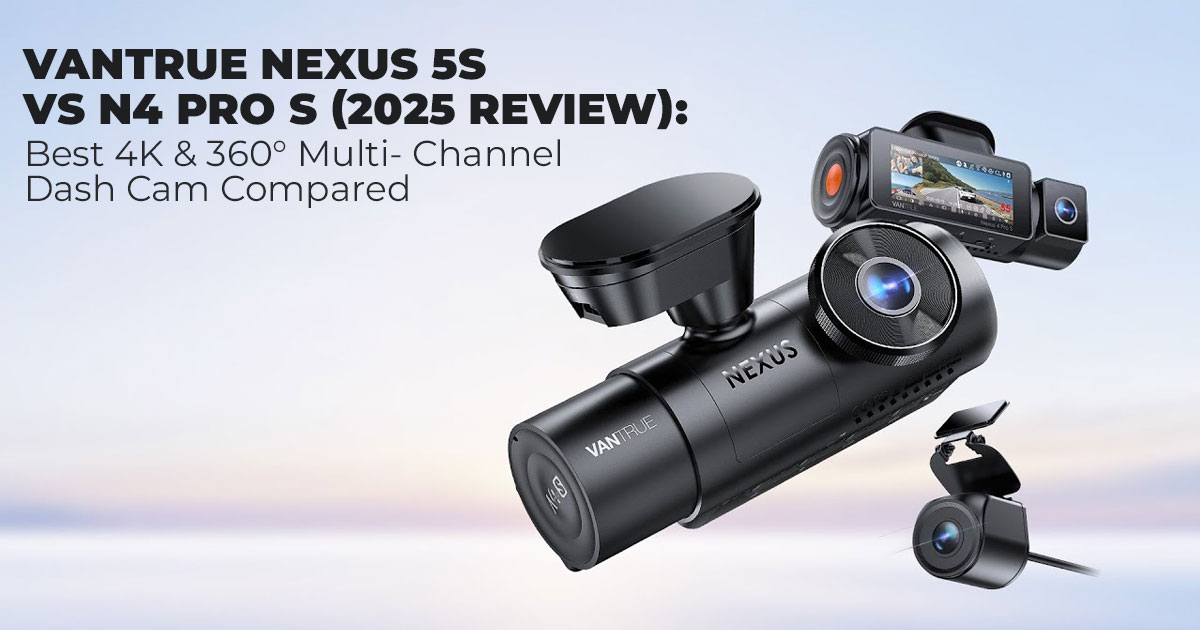
Today’s market is filled with bold claims, but two models consistently rise to the top: the Vantrue Nexus 5S and the Vantrue N4 Pro S. These aren’t your basic front-and-rear cameras. They represent two different philosophies in modern vehicle protection — one built for 360° dash cam coverage with four independent cameras, and the other designed for 4K dash cam clarity with a waterproof rear camera that works on any vehicle, including trucks and SUVs.
This comparison matters because choosing the wrong one doesn’t just waste money — it can leave you dealing with blind spots, unclear license plates, missing cabin footage, or a system that’s more complicated than it needs to be. The Nexus 5S4 promises “no blind angles.” The N4 Pro S promises “no compromises on detail.” Both are true, but they solve different problems for different drivers.
And that’s exactly what we unpack in this review.
As technology experts with 20+ years of experience in hardware and application R&D, we look at gear differently. We study real-world performance, durability under heat and motion, how video holds up when cars are moving fast, and whether the features actually deliver value over time. Everything we recommend — whether it’s the best 4-channel dash cam, the best 4K dash cam, or the best multi-channel setup for rideshare — comes from deep testing, electrical and optical component analysis, and long-term user feedback.
Our goal is simple: help you find the right dash cam for your driving life, whether you’re a rideshare driver, a commuter, a parent, or someone who just wants their vehicle protected 24/7.
This blog pulls from months of comparisons and hundreds of owner reviews to give you one of the clearest decision-making guides available. No fluff — just what works, what doesn’t, and which model truly fits your needs.
Key Takeaways
- Choose the Vantrue Nexus 5S if you want full 360° coverage, dual interior cameras, and the option for LTE remote alerts — perfect for rideshare, taxis, or anyone who wants every angle recorded.
- Choose the Vantrue N4 Pro S if you want 4K clarity, sharper license plates, and a waterproof external rear camera that works better on trucks, SUVs, and cars with tinted back windows.
- Both are excellent, but the right choice depends entirely on how you drive and what kind of evidence you want to capture.
Quick Links to Both Models
Buy the Vantrue Nexus 5S – US | India
Buy the Vantrue N4 Pro S – US | India
2. What You Will Learn in This Review
By the end of this comparison, you’ll understand:
- The difference between 360° multi-camera coverage and 4K plate clarity
- Which model fits rideshare, family commuting, pickup trucks, and SUVs
- Installation difficulty, wiring differences, and real-world usability
- Nighttime and daytime performance with Sony STARVIS 2 sensors
- Storage needs, SD card compatibility, and long-term reliability
- Clear decision logic for choosing one model over the other
3. Quick Summary Before the Deep Dive
Which One Should You Buy?
The Vantrue Nexus 5S is ideal if you want complete 360° coverage, two interior cameras, and optional LTE remote alerts. It is the better choice for rideshare, delivery, and high-risk environments.
The Vantrue N4 Pro S wins if you want maximum 4K clarity, a waterproof IP67 rear camera, and a simpler installation. It is better suited to family cars, commuters, pickups, and SUVs.
4. Meet the Contenders
This section outlines what each dash cam is fundamentally designed to do before we get into comparisons.
4.1 Vantrue Nexus 5S — Full 360° Multi-Camera Coverage
The Vantrue Nexus 5S is built for drivers who want every angle recorded at all times. It uses four fully independent cameras, including two interior lenses, to eliminate blind spots inside and outside the vehicle.
Camera Layout Overview
| Camera Angle | Resolution | Sensor Type |
| Front Road | 2.7K | Sony STARVIS 2 |
| Rear Road | 2.5K | Sony STARVIS 2 |
| Front Cabin | 1440p + IR | Sony STARVIS 2 |
| Rear Cabin | 1080p + IR | Sony STARVIS 2 |
What This Means in Practice
The Nexus 5S4 shines in environments where unpredictable passenger interactions and full- surround coverage are essential. Uber, Lyft, taxi, and delivery drivers benefit most because both cabin cameras record faces, behavior, and activity in all lighting conditions. The optional LTE module allows live remote access and real-time motion alerts — an invaluable feature for street parking and fleet use.
4.2 Vantrue N4 Pro S — Maximum 4K Clarity and Rear Flexibility
The Vantrue N4 Pro S takes a different approach. Instead of four lenses, it offers three extremely high-quality channels, headlined by a 4K Sony STARVIS 2 IMX678 front camera.
Camera Layout Overview
| Camera Angle | Resolution | Sensor Type |
| Front Road | 4K | Sony STARVIS 2 IMX678 |
| Rear Road | 2.5K | Sony STARVIS 2 (IP67 waterproof) |
| Interior Cabin | 1080p + IR | Sony STARVIS 2 |
What This Means in Practice
The N4 Pro S is designed to deliver the highest possible image clarity, especially for license plates, fast-moving vehicles, and nighttime evidence. The waterproof rear camera mounts outside the vehicle, making it perfect for SUVs, pickups, and tinted rear windows, where interior- mounted cameras struggle with glare.
5. Technical Comparison — Specs Side by Side
This table presents the core hardware differences that define each model’s strengths.
| Feature | Vantrue Nexus 5S | Vantrue N4 Pro S |
| Total Cameras | 4 channels | 3 channels |
| Front Camera | 2.7K STARVIS 2 | 4K STARVIS 2 IMX678 |
| Rear Camera | 2.5K (interior- mounted) | 2.5K IP67 waterproof |
| Cabin Cameras | Dual (1440p + 1080p IR) | Single (1080p IR) |
| Coverage Style | True 360° | Front + rear + cabin |
| Plate Capture Tech | HDR + WDR | PlatePix + HDR |
| LTE Remote Monitoring | Yes (optional) | No |
| Parking Mode | Buffered motion +
collision |
Buffered motion + collision |
| Max microSD | 1TB | 1TB |
| Average Install Time | 90–150 min | 45–75 min |
6. Video Quality Showdown
This section examines real-world performance using paragraph-based comparison and supporting data tables.
6.1 Daytime Clarity & License Plate Recognition
Although both models produce sharp daytime footage, the N4 Pro S holds a clear advantage because of its true 4K front camera.
How They Compare in Practice
The N4 Pro S captures license plates at distances of 40–50 feet, even in fast traffic. Its PlatePix processing enhances plate edges, reducing blur during motion.
The Nexus 5S4, while still excellent, reads plates reliably at around 30–35 feet, which is expected given its lower 2.7K front resolution. The trade-off is broader coverage, not maximum clarity.
| Feature | Nexus 5S4 | N4 Pro S |
| Plate readability (day) | Good (~35 ft) | Excellent (~50 ft) |
| Motion sharpness | Good | Superior |
| Dynamic range | High | Higher due to 4K sensor |
Verdict
If your priority is evidence quality or plate capture, the N4 Pro S clearly wins this comparison.
6.2 Night Vision & Low-Light Performance
Both cameras use Sony STARVIS 2, which delivers exceptional nighttime performance. However, their strengths differ depending on the use case.
How They Compare
The N4 Pro S performs better for nighttime plate capture because its sensor produces higher resolution and more detail in shadows and mixed lighting.
The Nexus 5S4, on the other hand, excels inside the vehicle. Its dual IR interior cameras illuminate both front and rear cabins evenly, making it the more practical choice for rideshare safety at night.
| Category | Nexus 5S4 | N4 Pro S |
| Exterior night clarity | Very good | Exceptionally clear |
| Interior night clarity | Best-in-class (dual IR) | Very good |
| Glare handling | Good | Better |
Verdict
Exterior night clarity → N4 Pro S
Interior night clarity → Nexus 5S4
Interested in these models after seeing the clarity comparison?
Buy the Vantrue Nexus 5S – US | India
Buy the Vantrue N4 Pro S – US | India
7. Coverage Comparison: Who Actually Needs 4 Channels?
This comparison uses descriptive paragraphs backed by structured tables.
7.1 For Rideshare, Taxi & Delivery Drivers
If you transport passengers for work, the Nexus 5S4 is the superior choice.
It records:
- Passenger behavior
- Cargo interactions
- Rear-seat activity
- Both side angles inside the cabin
These recordings are crucial during disputes, false claims, and safety incidents.
| Requirement | Best Choice | Reason |
| Multi-passenger recording | Nexus 5S4 | Dual-cabin cameras |
| Rideshare evidence | Nexus 5S4 | Full interior visibility |
| Night cabin recording | Nexus 5S4 | Dual IR sensors |
N4 Pro S is not designed for multi-passenger scenarios.
7.2 For Family Cars & Daily Commuters
For everyday driving, the N4 Pro S offers a cleaner, more focused setup.
It delivers:
- Higher clarity
- A simpler installation
- Stronger exterior evidence
- Lower storage consumption
| Requirement | Best Choice | Reason |
| Simple setup | N4 Pro S | Fewer cables |
| Evidence quality for
accidents |
N4 Pro S | 4K + PlatePix |
| General commuting | N4 Pro S | Balanced 3-camera design |
Nexus 5S4 may be overkill for casual drivers.
7.3 For SUVs, Pickups & Tinted Rear Windows
Here, the N4 Pro S is the standout because of its IP67 waterproof rear camera, which mounts
outside the vehicle.
Interior-mounted rear cameras often struggle with glare, tint, and reflections — especially on SUVs and trucks. The N4 Pro S bypasses all these issues.
| Vehicle Type | Best Choice | Why |
| Pickup trucks | N4 Pro S | External rear camera |
| SUVs | N4 Pro S | No tint distortion |
| Hatchbacks | N4 Pro S | Better camera angle control |
Nexus 5S4’s interior-mounted rear camera is not ideal for heavily-tinted vehicles.
8. Parking Mode and 24/7 Monitoring
The two models share similar parking features, but LTE changes everything for the Nexus.
8.1 Core Parking Features (Both Models)
| Feature | Nexus 5S4 | N4 Pro S |
| Buffered recording | Yes | Yes |
| Motion detection | Yes | Yes |
| Collision detection | Yes | Yes |
| Timelapse | Yes | Yes |
8.2 LTE Remote Alerts (Exclusive to Nexus 5S4)
This is one of the most signiffcant differences. The Nexus 5S4 supports an optional LTE module, allowing:
- Real-time push alerts
- Remote video viewing
- Cloud backups
- Car location monitoring
If you park on busy streets or in high-risk zones, LTE transforms your dash cam into a remote security system.
| Feature | Nexus 5S4 | N4 Pro S |
| LTE | Yes | No |
| Cloud clips | Yes | No |
| Remote access | Yes | Wi-Fi only |
9. Installation & Ease of Use
Before choosing between these two dash cams, it helps to know how much time they take to install and how simple they are to use day-to-day.
9.1 Installation Difficulty Comparison
The N4 Pro S is generally easier to install because it has fewer cables and allows external mounting for the rear camera.
| Installation Area | Nexus 5S4 | N4 Pro S |
| Total time | 90–150 min | 45–75 min |
| Number of cables | 4 pathways | 3 pathways |
| Rear camera routing | Interior only | Exterior or interior |
| Beginner-friendly | Moderate | High |
9.2 App Performance, Wi-Fi Speeds & Voice Controls
Both models deliver:
- Fast 5GHz Wi-Fi transfers
- Clear in-app previews
- Voice commands that actually work
- GPS tracking of speed and route
However, the Nexus 5S4 benefits more from the app because it displays four synchronized video streams that would otherwise be difficult to manage on the screen.
10. Storage & SD Card Reliability
Understanding how each dash cam handles storage is important, especially since video quality and the number of channels can quickly affect how long your footage lasts.
10.1 Storage Consumption Differences
| SD Card Size | Nexus 5S4 | N4 Pro S |
| 256GB | ~8–10 hours | ~14–18 hours |
| 512GB | ~18–22 hours | ~30–36 hours |
| 1TB | Ideal | Ideal |
The Nexus 5S4 requires larger cards because it records four streams simultaneously.
10.2 Recommended microSD Cards
The best cards for both models are:
| Recommended Cards | Reason |
| Samsung PRO Endurance | Long lifespan |
| SanDisk High Endurance | Reliable sustained write speed |
| Vantrue High Endurance | Optimized for their firmware |
Regular formatting (every 4–6 weeks) prevents 90% of card-related errors.
11. Pricing & Value Comparison
Price always plays a part in choosing the right dash cam, so it helps to see how both models stack up in real-world value and which one delivers the most for your money.
11.1 2025 Price Positioning
| Model | Regular Price | Sale Price |
| Vantrue Nexus 5S | $320–380 | ~$259 |
| Vantrue N4 Pro S | $280–340 | ~$229 |
The N4 Pro S is generally the more affordable option, despite offering higher clarity.
11.2 Final Recommendation Matrix
| Driver Type / Scenario | Best Choice | Why |
| Rideshare / Taxi | Nexus 5S4 | Full cabin visibility |
| Delivery Drivers | Nexus 5S4 | 360° coverage |
| Family Commuters | N4 Pro S | Simpler install + 4K clarity |
| SUVs / Pickups | N4 Pro S | External rear camera |
| Street Parking | Nexus 5S4 | LTE remote alerts |
| Evidence Priority | N4 Pro S | Best plate capture |
12. Final Verdict: Which Dash Cam Wins?
Choosing between the Vantrue Nexus 5S and the Vantrue N4 Pro S really comes down to what kind of protection you want every day. Both are excellent, but they’re built with different priorities — and that’s exactly why one may suit your vehicle and driving habits better than the other.
If you want the most complete 360° dash cam setup available right now, the Vantrue Nexus 5S is the clear winner. With four independent STARVIS 2 cameras covering the front, rear, and both cabin angles, it records everything happening in and around your car. Rideshare drivers, delivery drivers, and anyone who deals with passengers or cargo movement will appreciate how much this extra visibility helps. Add the optional LTE module, and you get remote alerts when your parked car detects motion — a huge advantage for people who street-park overnight.
But if your priority is crystal-clear evidence — especially readable license plates in fast-moving or low-light scenarios — the Vantrue N4 Pro S stands out. It’s 4K STARVIS 2 IMX678 front camera paired with the IP67 waterproof rear camera makes a big difference for commuters, families, SUVs, and pickups. The ability to mount the rear camera outside the vehicle solves the tint and glare issues that many interior-mounted cameras struggle with. For most everyday drivers, the N4 Pro S offers all the angles that matter without the extra complexity of a fourth channel.
12.1 Our Recommendation for Long-Term Reliability
No matter which model you choose, a dash cam is only as reliable as the accessories you pair it with.
To make sure you always capture the moments that matter:
✔ Use a 512 GB high-endurance microSD card
Four-channel recording on the Nexus 5S4 and 4K footage on the N4 Pro S fill storage faster than standard dash cams. A high-endurance card prevents corruption and keeps loop recording smooth. Try now US 512 GB | India 512 GB
✔ Use a hardwire kit for 24/7 Parking Mode
Parking surveillance only works consistently when the camera has stable, uninterrupted power. Hardwiring also protects your car battery by automatically cutting off the voltage when needed.
With the right setup, either dash cam will give you years of reliable protection, clear video evidence, and the confidence of knowing your car is always being watched — whether you’re on the highway, in traffic, or parked overnight.
If you need help choosing the right SD card, installation method, or deciding which model fits your exact vehicle type, feel free to ask — we’re here to help.
13. Frequently Asked Questions (FAQs)
Here are the questions drivers ask most often when deciding between the Vantrue Nexus 5S and the Vantrue N4 Pro S, along with clear answers based on real-world testing and owner feedback.
Which is better: the Vantrue Nexus 5S or the N4 Pro S?
Both are excellent but serve different needs. The Vantrue Nexus 5S is better for drivers who want 360° dash cam coverage and dual interior cameras, while the Vantrue N4 Pro S is ideal for users who prioritize 4K dash cam clarity, sharper license plates, and a waterproof exterior- mounted rear camera.
Is the Vantrue N4 Pro S worth upgrading from the older N4 series?
Yes. The N4 Pro S includes a major jump to 4K STARVIS 2, PlatePix, faster 5GHz Wi-Fi, better HDR, a larger display, and an IP67 rear camera. It is a noticeable upgrade in both clarity and usability.
Does the Nexus 5S4 record all four camera angles at the same time?
Yes. The Nexus 5S4 records all four channels — front, rear road, front cabin, and rear cabin — simultaneously. This is why it is the preferred choice for Uber, Lyft, taxi, and delivery drivers.
Does the Vantrue N4 Pro S support 360° coverage?
Not in the same way as the Nexus. The N4 Pro S covers front, rear, and interior, but it does not have a second cabin camera, so it cannot match the Nexus 5S4’s complete interior-angle coverage.
Which model is best for reading license plates?
The N4 Pro S performs better due to its true 4K front camera, Sony STARVIS 2 IMX678, and
PlatePix plate enhancement. It captures plates clearly at higher distances and speeds.
Which dash cam is better for SUVs and pickup trucks?
The N4 Pro S is the stronger choice for large vehicles because of its IP67 waterproof rear camera, which can be mounted outside near the license plate. This avoids tint reflections that affect interior-mounted rear cameras like those on the Nexus 5S4.
Does the Nexus 5S4 have cloud storage or remote monitoring?
Yes. With the optional LTE module, the Nexus 5S4 supports:
- Real-time push alerts
- Live remote access
- Cloud-backed video clips
The N4 Pro S does not offer LTE or cloud features.
Do both cameras support Parking Mode?
Yes. Both support:
- Buffered motion detection
- Collision detection
- Time-lapse mode
- G-sensor event locking
However, the Nexus 5S4 provides remote parking alerts through LTE, while the N4 Pro S does not.
What SD card size should I use?
For best results:
- Nexus 5S4: 512GB–1TB (due to 4-channel recording)
- N4 Pro S: 256GB–512GB is usually enough
Always choose high-endurance microSD cards like Samsung PRO Endurance or SanDisk High Endurance.
Can I install the dash cam myself?
Yes. Both models are DIY-friendly.
- N4 Pro S: easier and faster (45–75 minutes)
- Nexus 5S4: more cables, takes 90–150 minutes
Each kit includes cable routing tools, electrostatic films, and spare mounts.
Do I need to hardwire the dash cam?
Not for driving, but yes for full Parking Mode.
Hardwiring allows:
- 24/7 recording
- Battery protection
- Buffered events
- Motion-triggered alerts
For the Nexus 5S4, hardwiring enables LTE features to work properly.
Does the N4 Pro S overheat because it records in 4K?
No. The camera uses a supercapacitor and an improved thermal design, making it safe for both hot and cold climates. The waterproof rear camera also performs well outdoors.
Which model is better for rideshare drivers?
Without question — the Vantrue Nexus 5S.
Its dual interior cameras monitor passenger behavior, cargo, and backseat activity, which is essential for safety and dispute evidence.
Which dash cam is easier to hide from thieves?
The N4 Pro S is smaller in footprint and easier to tuck behind the rearview mirror.
The Nexus 5S4 is bulkier due to four channels and may be more visible from outside the vehicle.
Does either model support voice control?
Yes. Both models support intuitive voice commands such as:
- “Take a photo”
- “Lock the video”
- “Turn on Wi-Fi”
This makes hands-free operation much smoother.
Are Vantrue products reliable long-term?
Yes. Owners routinely report 3–6 years of use without failure. Using a high-endurance SD card
and formatting it every 4–6 weeks significantly increases lifespan and prevents file corruption.
Which model is better for protecting my parked car?
- Nexus 5S4: Better for remote alerts (thanks to LTE)
- N4 Pro S: Better for pure image quality of parking events
If you park on the street frequently, the Nexus has the
Does the rear camera on the N4 Pro S help when reversing?
Indirectly, yes. You can manually switch to the rear camera feed on the display, giving you a clearer view behind the car. It is not a true backup camera replacement, but it is helpful.
Can I move the dash cam between cars?
Yes. Both models include spare mounting pads, and the N4 Pro S also comes with multiple electrostatic films for reinstallation. The Nexus 5S4 can also be moved, but its extra cables make this more time-consuming.
Which model should I buy if I want the best dash cam for 2025?
If “best” means coverage → Nexus 5S4. If “best” means clarity → N4 Pro S.
Most family and commuter drivers prefer the N4 Pro S, while professional drivers prefer the Nexus 5S4.
14. Join the Conversation
If you’ve made it this far, you’re already ahead of most drivers when it comes to choosing the right multi-channel dash cam. Both the Vantrue Nexus 5S and the Vantrue N4 Pro S are strong choices, and the best one is simply the one that fits your everyday driving.
We’d love to hear from you.
Have you used either of these dash cams? Planning to upgrade? Curious about the install process or the best high-endurance microSD card to buy? Share your questions or real-world experiences in the comments — your insight helps other drivers make better decisions too.
And if you ever need personal guidance on picking the right 4K dash cam, installing a setup for rideshare work, or choosing the best parking-mode configuration for your car, our team offers free consultation and assistance. Just ask — we’re here to help.
If you found this comparison helpful, follow us for more reviews, product breakdowns, and practical tech advice. We test new gear every week and share only what truly adds value in real-world use.
Your car deserves the right protection.
Thanks for reading — now tell us how we can help you next.
***Disclaimer***
This blog reflects independent insights and personal opinions. As such, it should not be interpreted as the official stance of any companies, manufacturers, or other entities we mention or with whom we are affiliated. While we strive for accuracy, information is subject to change. Always verify details independently before making decisions based on our content.
Comments reflect the opinions of their respective authors and not those of our team. We are not liable for any consequences resulting from the use of the information provided. Please seek professional advice where necessary.
Note: All product names, logos, and brands mentioned are the property of their respective owners. Any company, product, or service names used in our articles are for identification and educational purposes only. The use of these names, logos, and brands does not imply endorsement.
