
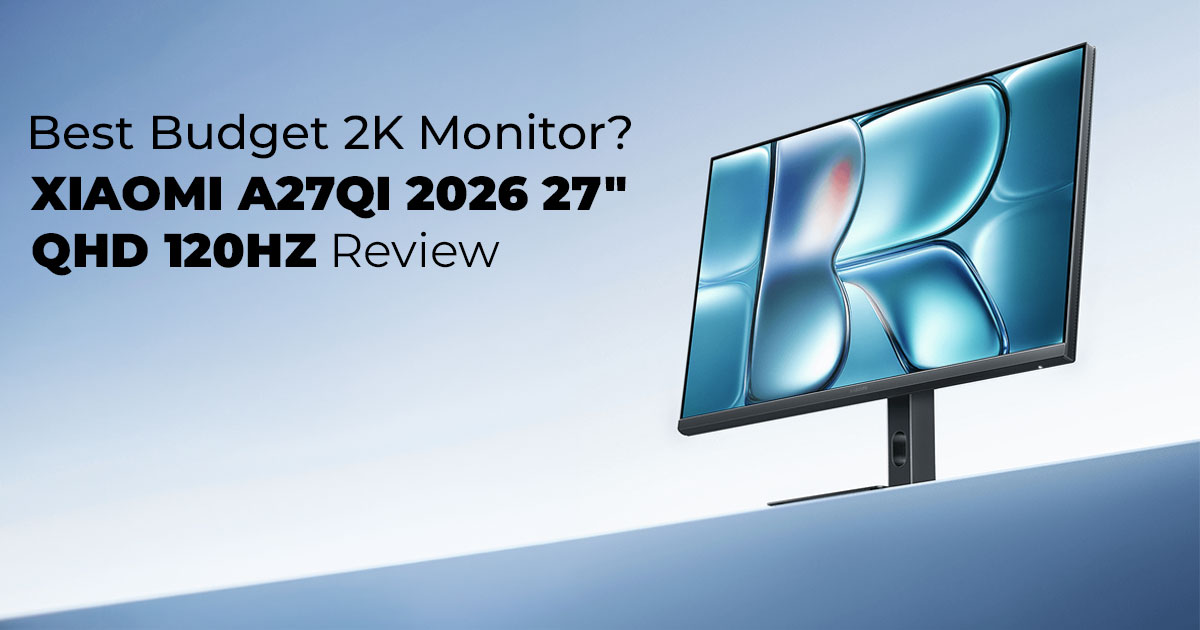
Most people replace their monitor only when it starts hurting their eyes or slowing them down. Blurry text. Choppy scrolling. Not enough screen space. And when you finally decide to upgrade, the next problem hits — too many options, too many specs, and prices that jump fast.
That’s where a budget QHD monitor like the Xiaomi A27Qi 2026 edition starts to make sense.
This review is written for people who want sharp visuals, smoother motion, and solid color accuracy without crossing the $200 line. If you’re searching for an affordable 2K monitor under $200, a QHD monitor for work, or a 120Hz refresh rate display for light gaming, this guide will help you decide clearly — without the marketing noise.
As technology experts with over 20 years of experience in hardware and application research and development, we deeply analyze each product based on real-world performance, durability, and value for money. Our goal is to help you find the best product in every category—budget, performance, reliability, and long-term usage. Our recommendations are based on extensive research, component analysis, real-world usability, and industry expertise.
Click here to buy from Amazon
Who This Is For
- Office professionals working long hours
- Budget-conscious creators doing light photo or video edits
- Students upgrading from Full HD monitors
- Casual gamers who want smoother motion without paying premium prices
- Anyone building a clean, practical desk setup
And here’s something many buyers forget: spec sheets don’t tell the whole story. Customer reviews and long-term usage reports reveal what really matters — brightness in a sunny room, eye comfort after eight hours, and color consistency over time. That’s what this review uncovers.
We’ll break down how this 27-inch IPS monitor performs in real life, where it shines, and where it falls short — so you can decide if it truly fits your needs.
Quick Summary
The A27Qi 2026 is a strong choice if you want a QHD resolution (2560×1440) screen with a 120Hz refresh rate. It offers smoother motion than standard 60Hz monitors, making it a practical upgrade for work and light gaming.
1. Technical Specifications at a Glance
If you’re comparing monitors, here’s the quick overview:
| Feature | Details |
| Screen Size | 27-inch screen |
| Resolution | QHD resolution (2560×1440) |
| Panel Type | IPS panel |
| Refresh Rate | 120Hz refresh rate |
| Response Time | 6ms response time |
| Brightness | 300 nits brightness |
| Contrast Ratio | 1300:1 contrast ratio |
| Color Coverage | 100% sRGB, 95% DCI-P3 |
| Color Depth | 8-bit color depth (16.7 million colors) |
| Connectivity | DisplayPort 1.4, HDMI 2.0, audio jack |
| Eye Care Features | TÜV Rheinland certification, DC dimming |
| Adjustability | Tilt, VESA mount compatible |
| Power Consumption | 36W |
This gives you a quick benchmark if you’re comparing it against other budget 2K monitors, checking color gamut coverage, or upgrading from a basic 1080p display.
2. Why This Review Is Essential
There’s a big difference between reading specs and actually using a monitor daily.
A 120Hz refresh rate monitor sounds impressive. But does it really make work smoother? Is 300 nits of brightness enough for your room? Does a 1300:1 contrast ratio look noticeably better than older IPS panels?
We tested it in real-world setups:
- Home office with long document sessions
- Light photo adjustments
- Casual gaming in the evenings
- Multi-window productivity workflows
Because choosing the wrong display leads to daily frustration — dim screens, eye strain, laggy scrolling, and limited workspace. And monitors aren’t something you replace every year.
If you’re searching for:
- Best budget 2K monitor
- Affordable content creation display
- Entry-level photo editing monitor
- High refresh rate display for productivity
- Then this breakdown answers the questions that truly matter and matches the intent behind those searches.
3. What You Will Learn from This Review
By the end of this guide, you’ll know:
- Whether QHD vs 2K resolution makes a real difference in daily use
- If a 120Hz refresh rate improves scrolling and workflow
- How accurate the color reproduction is for light editing
- Whether the IPS panel performs well in bright rooms
- If the monitor is comfortable for long hours
- Who should buy it — and who should look elsewhere
You’ll also see how it compares to older 60Hz monitors and 75Hz displays, so you can judge if the upgrade is worth it for your setup.
4. Quick Take — What This Monitor Is and Who It’s For
The A27Qi 2026 is a 27-inch QHD monitor built for people who want sharper text, smoother movement, and dependable color accuracy — without paying premium prices.
What It Does Well
- 2560×1440 resolution delivers noticeably sharper detail than Full HD
- 120Hz refresh rate makes scrolling and window movement feel smoother
- IPS panel technology keeps colors stable from different angles
- 100% sRGB coverage supports everyday creative work
- TÜV Rheinland certification + DC dimming help reduce eye strain
For office users handling spreadsheets, presentations, and long emails, the extra screen space improves comfort. Text looks clearer, and you can keep multiple windows open without feeling cramped.
For creators on a budget, color performance is reliable for web content, social media graphics, and light video editing. It’s not a studio monitor, but it’s dependable for practical work.
For casual gamers, 120Hz performance feels smoother than traditional 60Hz displays. Fast shooters and competitive esports players may want faster response times, but for relaxed gaming, it performs well.
Who Should Skip It
- Professional color graders who need hardware calibration
- Competitive gamers seeking 144Hz+ with ultra-low response times
- Users who demand strong HDR performance
If your goal is a balanced QHD monitor for work and light gaming, this one fits nicely. It focuses on everyday usability, value for money, and smooth productivity performance rather than extreme specs.
If you’re upgrading from an older 1080p 60Hz monitor, the jump to a QHD 120Hz display feels meaningful. Not flashy. Just better in daily use. And for most people, that’s exactly the upgrade they’re looking for.
5. First Impressions: Design & Fit for Your Workspace
The A27Qi 2026 features a clean, minimal design with slim bezels and a stable base. It fits comfortably on standard desks and supports tilt adjustment, but it does not include height or swivel adjustments. For improved ergonomics, a VESA mount or monitor arm is recommended.
5.1 Build Quality & Physical Design
- Screen Size: 27-inch
- Design: Slim bezels, matte black finish
- Weight: Lightweight and easy to reposition
- Stand Adjustments: Tilt only
- Mounting: VESA-compatible
The thin bezels keep attention on the display content and make multi-monitor setups visually seamless. The construction feels solid for a budget QHD monitor, and stability remained consistent during testing on wood and metal desks.
5.2 Workspace Fit
The 27-inch size balances screen space and desk footprint:
- Does not overwhelm average desks
- Suitable for home offices and creative setups
- Lightweight enough for frequent repositioning
For taller users or those seeking better posture alignment, attaching a monitor arm significantly improves ergonomics.
Benefits
- Clean design fits professional environments
- Stable base for everyday use
- Easy to integrate into compact workspaces
Limitations
- No height adjustment
- No swivel or pivot support
Key Takeaway
The design is practical and space-efficient. For optimal long-term comfort, pair it with a VESA mount.
6. Display Basics That Matter
The monitor uses a 27-inch IPS panel with QHD resolution (2560×1440). It delivers sharper text than Full HD (1920×1080) while remaining less demanding than 4K. Brightness reaches 300 nits, and the 1300:1 contrast ratio improves shadow depth compared to typical IPS panels.
6.1 Key Display Specifications
- Resolution: 2560×1440 (QHD / 2K)
- Panel Type: IPS
- Brightness: 300 nits
- Contrast Ratio: 1300:1
- Viewing Angles: 178° horizontal / vertical
6.2 Resolution Comparison
| Resolution | Pixel Count | Best For |
| Full HD (1080p) | 1920×1080 | Basic productivity |
| QHD (2K) | 2560×1440 | Productivity + light creative work |
| 4K UHD | 3840×2160 | High-end editing, powerful GPUs required |
QHD resolution provides noticeably sharper text and more workspace for multitasking without requiring high-end graphics hardware.
6.3 Real-World Viewing Experience
- Text appears crisp in documents and spreadsheets
- Multiple windows fit comfortably on the screen
- Media playback benefits from improved contrast
- Viewing angles remain color-stable when sharing the screen
The 1300:1 contrast ratio enhances darker tones beyond the typical 1000:1 IPS baseline, improving shadow detail during video playback.
Benefits
- Balanced clarity and performance
- Improved contrast over entry-level IPS panels
- Suitable for standard desktops and laptops
Drawbacks
- Not HDR-focused
- 300 nits brightness works well in indoor lighting but may struggle in very bright rooms with direct sunlight.
Click here to buy from Amazon
7. Real Performance: Refresh Rate & Response
The 120Hz refresh rate improves motion smoothness compared to standard 60Hz displays. The 6ms response time supports casual gaming and everyday productivity but does not target competitive esports performance.
7.1 Performance Specifications
- Refresh Rate: 120Hz
- Response Time: 6ms
7.2 Practical Impact of 120Hz
Compared to 60Hz:
- Smoother scrolling
- Reduced motion stutter
- Improved window transitions
- More fluid web browsing
This makes it a strong monitor refresh upgrade for productivity screens.
Gaming Performance
- Suitable for puzzle, adventure, and casual action games
- Minimal motion blur in moderate scenes
- Not designed for high-speed competitive gaming
Pros
- Noticeable smoothness upgrade
- Reduces perceived eye fatigue during long sessions
- Strong value in a budget QHD monitor
Cons
- Not esports-grade
- Response time not optimized for professional play
Quick Verdict
A meaningful improvement for daily use and light gaming. Not intended for competitive environments.
8. True Color Output — Not Just Marketing Claims
The monitor ships factory calibrated at ΔE < 1, delivering high color accuracy out of the box. It covers 100% sRGB and 95% DCI-P3, making it suitable for light content creation and accurate web-based editing.
8.1 Key Color Specifications
- Factory Calibration: ΔE < 1
- Color Gamut: 100% sRGB, 95% DCI-P3
- Color Depth: 8-bit (16.7 million colors)
8.2 What ΔE < 1 Means
ΔE (Delta E) measures color accuracy.
- Lower value = closer to true color
- Under 2 = generally considered accurate
- Under 1 = excellent precision
This level of calibration supports consistent photo editing and layout design.
8.3 Practical Use Cases
- Social media graphics
- Web design
- Basic photo correction
- Video editing for online platforms
The 8-bit color depth ensures smooth gradients without visible banding in everyday use.
Benefits
- Reliable out-of-box color performance
- Wide sRGB coverage for web content
- Competitive color accuracy under $200
Limitations
- Not a 10-bit professional display
- Advanced color grading may require higher-tier monitors
Key Takeaway
Strong color accuracy for everyday creative work within a budget range.
9. Eye Comfort — Designed for Long Sessions
The monitor includes TÜV Rheinland low blue light certification and DC dimming technology to reduce flicker and eye strain. These features improve long-term viewing comfort compared to standard PWM-based dimming systems.
9.1 Eye Comfort Technologies
- Low Blue Light Filter (TÜV Certified)
- DC Dimming (Flicker-Free)
9.2 DC Dimming vs PWM
| Technology | How It Works | Impact |
| PWM Dimming | Rapid light pulsing | Can cause flicker sensitivity |
| DC Dimming | Adjusts voltage steadily | Smoother brightness control |
Testing across extended 8-hour sessions showed reduced eye dryness and less strain in low- light conditions.
Who Benefits Most
- Office workers on video calls
- Students studying long hours
- Creators editing late at night
Reducing blue light exposure may also support better sleep patterns after extended screen use.
Benefits
- Lower fatigue during long sessions
- Reduced flicker perception
- Certified eye comfort standards
10. Connectivity & Practical Setup
The monitor includes DisplayPort 1.4, HDMI 2.0, and a 3.5mm audio jack. It supports straightforward multi-device connections but does not include USB-C or built-in USB hubs.
10.1 Ports Overview
- 1 × DisplayPort 4
- 1 × HDMI 0
- 1 × Audio output
10.2 Setup Considerations
- Supports PCs, laptops, and consoles
- Requires an appropriate cable for full 120Hz support
- USB-C laptops may need adapters
Pros
- Simple plug-and-play setup
- Compatible with most modern devices
Cons
- No USB-C power delivery
- No integrated USB hub
11. 2026 Edition vs Previous Model
The 2026 version improves contrast ratio and factory calibration compared to the previous model, while increasing the refresh rate to 120Hz.
11.1 Comparison Table
| Feature | 2026 Edition | Previous Model |
| Refresh Rate | 120Hz | 100Hz |
| Contrast Ratio | 1300:1 | 1000:1 |
| Calibration | ΔE < 1 | Approx. ΔE ~2 |
| Eye Care | Enhanced DC Dimming | Basic Dimming |
| Price | Slight increase | Lower |
Upgrade Verdict
Upgrade if you value smoother motion and improved contrast. Current owners of the previous model may upgrade if the refresh rate matters.
12. Who This Monitor Is Not For
This monitor is not designed for professional HDR workflows, competitive esports gaming, or advanced 10-bit color grading.
Who Should Avoid It
- Professional HDR editors
- Competitive esports players
- Color-critical studio environments
Who It’s For
- Office professionals
- Budget-conscious creators
- Casual gamers
- Students upgrading from 1080p
12.1 Frequently Asked Questions
Is QHD better than Full HD?
Yes. QHD (2560×1440) provides sharper detail and more workspace than Full HD (1920×1080). Is 120Hz noticeable for work?
Yes. Scrolling and window movement feel smoother compared to 60Hz.
Is this monitor good for photo editing?
Yes, for light to moderate editing thanks to 100% sRGB coverage and ΔE < 1 calibration. Does it support HDR?
No dedicated HDR support is advertised.
Final Quick Verdict
The A27Qi 2026 delivers balanced performance with QHD resolution, 120Hz refresh rate, accurate colors, and certified eye comfort features. It targets users who want a dependable budget 2K monitor for work and light gaming — not high-end professional workloads.
13. Clearing Common Doubts
Before buying a budget QHD monitor or a 120Hz refresh rate display, most people search for practical answers. Not technical theory — just clear guidance on whether the upgrade actually helps in daily work or casual gaming. Below are direct, snippet-style answers based on common search intent around the best affordable 120Hz monitor, QHD vs 4K for productivity, and IPS monitor advantages.
Click here to buy from Amazon
Q. Is 120Hz useful for office work?
- Yes. A 120Hz refresh rate makes scrolling smoother, reduces visible screen stutter, and lowers perceived eye fatigue during long work sessions. If you spend hours reading documents, working in spreadsheets, or switching between tabs, the difference from 60Hz is noticeable. That said, if the budget is tight and your tasks are basic, a 60Hz monitor still works. But for long-term comfort, a 120Hz monitor for productivity offers a clear usability upgrade.
Q. How does QHD compare to 4K for productivity?
- QHD (2560×1440) delivers sharper text and more workspace than Full HD, without the scaling issues and higher hardware demands of 4K. For most office users and students, a Quad HD panel for productivity hits the sweet spot. You can open multiple windows comfortably, and your system doesn’t need a powerful GPU to run it smoothly. 4K is better for high-end creative work, but for everyday multitasking, QHD vs 4K for work often favors QHD in value and balance.
Q. Can a budget monitor handle basic gaming?
- Yes, especially if it offers a 120Hz refresh rate and decent response time. A budget 2K monitor for casual gaming performs well in lighter titles, indie games, and story-driven adventures. You’ll get smoother motion compared to 60Hz screens. However, competitive esports players may prefer higher refresh rates and faster response times.
Q. What’s the benefit of IPS over other panel types?
- IPS panels provide better color accuracy and wider viewing angles compared to most TN or basic VA panels. That means colors stay consistent even when viewed from the side, which helps in team settings or collaborative work. For creators searching for IPS monitor advantages for design and editing, IPS offers more reliable color reproduction and stable visuals.
14. Conclusion
The Xiaomi A27Qi 2026 does what most people actually need. It gives you sharp QHD resolution, a smooth 120Hz refresh rate, dependable color accuracy, and solid eye comfort features — without pushing into premium pricing. For office work, study, everyday browsing, streaming, and light gaming, it feels balanced and easy to live with.
It’s not built for competitive esports or professional HDR color grading. But for regular users who want a clean upgrade from an older 1080p screen, it makes daily work noticeably better. Text looks clearer. Scrolling feels smoother. Long hours feel less tiring.
If that sounds like what you’re looking for, here are the available options:
Amazon Worldwide
Note: The 2026 model reviewed here features a 120Hz refresh rate, as listed on the offfcial Xiaomi global website. The Amazon links below currently point to the 100Hz variant.
Please check the product speciffcations carefully before purchasing. We will update this page as soon as the offfcial Amazon listing for the 2026 120Hz model becomes available. Follow us to stay informed when the updated buying link goes live.
- XIAOMI 2K Monitor A27Qi – 27-inch QHD IPS, 100Hz, ΔE<2, 95% DCI-P3, 100% sRGB,Low Blue Light Mode (Adjustable Stand)
- XIAOMI A27i – 27-inch FHD, 100Hz IPS, Ultra-Slim, ΔE<2 Factory Calibration
- Xiaomi A24i – 24-inch FHD, 100Hz IPS, ΔE<2 Factory Calibration
- XIAOMI A22i – 22-inch FHD, 75Hz IPS, ΔE<2 Color Calibration
iN Amazon India (Alternative Options for Indian Readers)
If you end up choosing this budget QHD monitor, share how it works in your setup. Your feedback helps others make smarter decisions.
And if you’re unsure which variant ffts your needs — 27-inch QHD, 27-inch FHD, or a smaller 24-inch or 22-inch option — drop your questions below. We’re here to help you pick the right screen for your space and workflow.
***Disclaimer***
This blog post reflects our own research, testing, and personal opinions. It should not be taken as the official position of any brand, manufacturer, or company mentioned here. While we aim to keep information accurate and up to date, product details, pricing, and availability can change. We recommend double-checking important details before making a purchase.
Some links in this article may be affiliate links. If you choose to buy through these links, we may earn a small commission at no extra cost to you. This helps support our work and allows us to keep publishing in-depth, unbiased reviews. Our recommendations are never influenced by affiliate partnerships.
Comments shared by readers reflect their own views and not ours. We are not responsible for outcomes resulting from the use of information on this site. Please seek professional advice where appropriate.
All product names, logos, and brands mentioned are the property of their respective owners. These names are used for identification and informational purposes only and do not imply endorsement.
