
1. Introduction: Why This Device Matters Right Now
A 100GB 4K video project should take minutes to transfer—not feel like a coffee break that turns into an hour. Yet for many people using an external SSD, that’s still the reality. Slow transfer speeds, lag during editing, and inconsistent performance add up quickly.
That’s the problem this category is trying to fix.
External SSDs have become essential for creators, video editors, and professionals handling large files. But even with modern drives, the connection standard often becomes the weak link. And that’s where USB4 starts to matter. With up to 40Gbps bandwidth, it promises speeds close to internal storage—at least on paper.
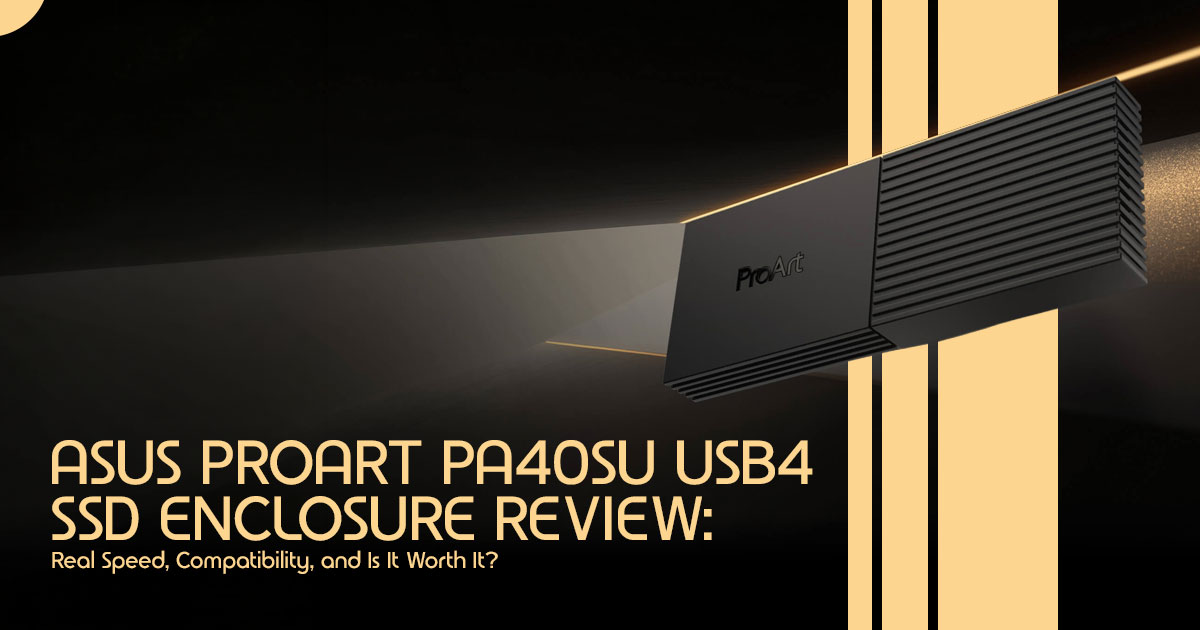
The ASUS ProArt PA40SU is built around that promise. It’s a 40Gbps external SSD enclosure aimed at people who want faster, more stable performance when working with large files, high-resolution media, and demanding workflows. The ProArt lineup is clearly targeting creators, not casual users. And that matters when you’re deciding if it’s worth the price.
But here’s the real question:
Does this actually improve day-to-day work, or is it just another spec-heavy product that looks good on paper?
That’s where user-focused reviews come in. Specs tell you what a product can do. But real- world performance, thermal behavior, and long-term reliability show what it actually does when you’re using it every day. And that’s what most buyers really want to know before spending their money.
As technology experts with over 20 years of experience in hardware and application research and development, we deeply analyze each product based on real-world performance, durability, and value for money. Our goal is to help you find the best product in every category—budget, performance, reliability, and long-term usage. Our recommendations are based on extensive research, component analysis, real-world usability, and industry expertise.
This guide is written for content creators, video editors, photographers, and power users who regularly deal with large data transfers and want to understand if a USB4 SSD enclosure like this will actually make a difference.
Here’s what you’ll get:
- A clear look at real-world performance expectations
- Where USB4 stands against USB 2 and Thunderbolt
- Who should buy this—and who shouldn’t
Summary
- External SSD bottlenecks are still common, especially with large files
- USB4 (40Gbps) aims to fix speed limits—but only if your system supports it
- The ProArt PA40SU is built for creators and professionals, not casual users
- This guide focuses on real-world performance, not just specs, so you can decide if it’s worth it
1.1 Quick Takeaway: Who Should Keep Reading?
If you’re a video editor, content creator, or professional handling massive files and constantly battling slow transfer speeds, this review is for you. We’ll explore how the ProArt PA40SU can dramatically accelerate your workflow, especially if you’re working with 4K/8K footage or large datasets. If you’re a casual user or primarily concerned with budget, we’ll also highlight when this premium solution might be overkill.
2. What the ProArt PA40SU Actually Is
At its core, the ProArt PA40SU USB4 SSD Enclosure is a sophisticated housing designed to turn a standard NVMe M.2 solid-state drive (SSD) into an ultra-fast, portable external storage solution. Think of it as a high-performance shell that unlocks the full potential of your SSD, allowing it to communicate with your computer at speeds previously reserved for internal drives.
2.1 Why USB4 Matters vs. Older Standards
USB4 is the latest iteration of the Universal Serial Bus standard, and it’s a game-changer for external storage. Unlike its predecessors, USB4 is built upon the Thunderbolt protocol, which means speeds can go up to 40Gbps. This means significantly faster read and write speeds compared to older USB 3.2 or even USB 3.1 standards. For context, a typical USB 3.2 Gen 2×2 connection offers 20Gbps, while USB 3.0 (now USB 3.2 Gen 1) is limited to 5Gbps. The jump to 40Gbps with USB4 translates directly into less waiting and more creating.
2.2 What “ProArt” Branding Really Means
The “ProArt” designation isn’t just a fancy label; it signifies that this device is engineered with creative professionals in mind. This isn’t a generic enclosure; it’s designed for demanding tasks like 4K/8K video editing, large asset transfers, and intensive backups where sustained performance and reliability are paramount. The ProArt lineup typically features enhanced cooling, robust build quality, and software tools tailored to optimize creative workflows, setting it apart from more consumer-grade options.
3. Real-World Performance: What Speeds You Can Expect
Marketing numbers often paint a rosy picture, but what does 40Gbps external SSD enclosure performance actually look like in your day-to-day? We’re talking about tangible differences that impact your productivity.
3.1 Breaking It Down in Human Terms
- Moving a 100GB Video Project: Imagine transferring a massive 100GB 4K video project. With a slower external drive, this could take several minutes, interrupting your flow. With the ProArt PA40SU, you’re looking at transfer times significantly faster—often under a minute for large transfers, depending on your SSD and system. This is crucial for editors who frequently move projects between workstations or need to quickly offload footage from cameras.
- Editing Directly from SSD: For many creators, editing directly from an external drive has been a compromise, often leading to stuttering playback or slow render times. The high bandwidth of USB4, facilitated by the ProArt PA40SU, makes this a viable and even preferable workflow. You can seamlessly scrub through timelines, apply effects, and render complex sequences with minimal latency, almost as if the project files were on an internal NVMe drive.
3.2 Difference Between USB 3.2, USB4, and Thunderbolt
Understanding the nuances between these standards is key to making an informed decision. While they all use the familiar USB-C connector, their underlying technologies and performance capabilities vary significantly.
- USB 2 (10Gbps): Basic file transfers
- USB 2 Gen 2×2 (20Gbps): Faster backups, moderate editing
- USB4 (40Gbps): High-speed storage, smooth editing workflows
- Thunderbolt 4 (40Gbps): More consistent performance, pro-level use
3.3 Realistic Expectations, Not Marketing Numbers
On paper, speeds can go very high. In real use, you’ll usually see around 2,800–3,800 MB/s, depending on your setup.
This is still incredibly fast and a significant upgrade over most external storage solutions. The key here is sustained performance, which the PA40SU is engineered to deliver. These numbers are based on current USB4 setups and typical NVMe SSD performance in real use.
4. Thermal Design & Build Quality (Why It Matters More Than Specs)
In the world of high-speed SSDs, heat is the enemy of performance. An SSD might boast incredible peak speeds, but without effective cooling, those speeds will quickly plummet due to thermal throttling. This is where the ProArt PA40SU truly distinguishes itself, prioritizing sustained performance through thoughtful design.
4.1 Heat = Performance Drops
When an NVMe SSD operates under heavy load, it generates heat. If this heat isn’t dissipated efficiently, the SSD’s controller will automatically reduce its speed to prevent damage – a process known as thermal throttling. For creative professionals, this means your transfer might start fast but slow down halfway through a large file.
4.2 The Cooling Approach: Active Cooling for the Win
The ProArt PA40SU tackles this issue head-on with a robust cooling solution. It features a four-level smart cooling fan and a thermal pad. This active cooling design is a significant advantage over many passive enclosures that rely solely on their metal chassis to dissipate heat. The fan ensures consistent airflow, keeping the SSD’s temperature in check even during demanding tasks.
4.3 What Happens During Long Transfers
During extended workloads, such as rendering a complex video project or backing up terabytes of data, the PA40SU’s active cooling prevents heat buildup. In manufacturer’s testing, the enclosure was able to transfer up to 2960GB of data continuously over 30 minutes without experiencing throttling. This translates to an average sustained speed of approximately 1600 MB/s, ensuring that your workflow remains uninterrupted and efficient.
4.4 Why Creators Should Care About Sustained Speed
For creators, sustained speed is far more critical than peak speed. A drive that can maintain a high transfer rate over a long period is essential for tasks like editing directly from the drive or managing massive media libraries. The PA40SU’s focus on thermal management ensures that you get the performance you paid for, consistently and reliably.
5. Compatibility: Will It Work With Your Setup?
One of the most confusing aspects of modern external storage is compatibility. With various USB and Thunderbolt standards, it’s easy to get lost. Let’s clarify how the ProArt PA40SU fits into your existing setup.
5.1 Windows Laptops (USB4 vs. USB-C Confusion)
For Windows users, the landscape can be tricky. While many modern laptops feature USB-C ports, not all of them support USB4. The PA40SU requires a USB4 port to achieve its maximum 40Gbps speeds. If you connect it to a standard USB 3.2 Gen 2 port, it will still work, but you’ll be limited to 10Gbps. It’s crucial to check your laptop’s specifications to ensure it has a dedicated USB4 port to fully leverage this enclosure.
5.2 MacBooks (Thunderbolt Compatibility)
Mac users generally have an easier time. Most modern MacBooks (M1, M2, M3 series) are equipped with Thunderbolt/USB4 ports. The PA40SU is fully compatible with these ports and will deliver excellent performance. However, it’s worth noting that while USB4 and Thunderbolt 4 share the same 40Gbps bandwidth, Thunderbolt 4 guarantees specific PCIe data rates, which can sometimes result in slightly more consistent performance for storage devices.
5.3 Backward Compatibility Explained Simply
The good news is that the ProArt PA40SU is backward compatible. It will work with older USB 3.2 Gen 2, USB 3.2 Gen 1, and even USB 2.0 ports. This means you can use it with older computers or devices, although you won’t experience the blazing-fast speeds of USB4. It’s a versatile solution that can adapt to various environments.
5.4 Common Mistakes Buyers Make
A frequent mistake is assuming that any USB-C cable will deliver 40Gbps speeds. To achieve maximum performance, you must use a certified USB4 or Thunderbolt 4 cable. Using a standard charging cable or an older USB-C cable will severely bottleneck your transfer speeds, often reducing them to USB 2.0 levels (480Mbps). Make sure you’re using the right cable.
6. Best SSDs to Pair With This Enclosure
The enclosure is only half the equation; the SSD you put inside it is equally important. Choosing the right NVMe SSD is crucial for maximizing the PA40SU’s potential.
6.1 What Kind of NVMe SSD Makes Sense
You’ll want an M.2 NVMe PCIe 4.0 SSD. While PCIe 5.0 drives exist, they are currently overkill for a 40Gbps enclosure and generate excessive heat. PCIe 4.0 drives offer the perfect balance of speed and thermal efficiency for this application. The PA40SU supports various sizes, including 2230, 2242, 2260, and the most common 2280 form factor.
6.2 Overkill vs. Balanced Options
- The Overkill Option: Drives like the Crucial T700 (PCIe 5.0) are incredibly fast but unnecessary for this enclosure, as the USB4 interface will bottleneck their performance. They also run hotter, which could challenge even the PA40SU’s active
- The Balanced Options: We recommend high-performance PCIe 4.0 drives like the Samsung 990 Pro or the WD Black SN850X. These drives offer excellent sustained read/write speeds, robust controllers, and manage heat effectively, making them ideal companions for the PA40SU.
6.3 Why Pairing Matters More Than the Enclosure Itself
An enclosure is essentially a bridge; the SSD is the engine. If you pair a premium enclosure like the PA40SU with a budget, DRAM-less SSD, you’ll experience slow sustained speeds and potential stuttering under heavy loads. Investing in a high-quality SSD ensures that you’re not creating a bottleneck within the enclosure itself.
7. USB4 vs. Thunderbolt vs. USB 3.2 — Clear Comparison
Let’s simplify the technical jargon and look at how these standards compare in real-world terms.
7.1 Speed Differences
- USB 2 Gen 2 (10Gbps): Fast enough for general file transfers and basic external storage.
- USB 2 Gen 2×2 (20Gbps): A noticeable step up, good for faster backups and moderate video editing.
- USB4 / Thunderbolt 4 (40Gbps): The top Essential for demanding workflows, 4K/8K video editing, and moving massive datasets quickly.
7.2 Price Differences
Generally, USB 3.2 enclosures are the most affordable. USB4 enclosures, like the PA40SU, command a premium due to their advanced controllers and, in this case, active cooling systems. Thunderbolt 4 enclosures are often the most expensive, reflecting Intel’s strict certification requirements.
7.3 Real-World Impact
If you’re a casual user, the difference between 10Gbps and 40Gbps might not be noticeable for everyday tasks. However, if you’re a professional creator, that difference translates to hours saved over a week, smoother editing experiences, and less frustration.
7.4 Is USB4 Worth Paying Extra?
For creators and professionals handling large files, absolutely. The time saved and the ability to edit directly from the drive justify the investment. For casual users, a more affordable USB
3.2 enclosure might suffice.
8. Who This Is Actually For (And Who Should Skip It)
Let’s be direct about who will benefit most from the ProArt PA40SU.
8.1 Ideal Users:
- Video Editors: The ability to scrub through 4K timelines without stuttering is a game-changer.
- Content Creators: Fast offloading of footage and quick backups streamline the creative process.
- Professionals Handling Large Files: Anyone working with massive datasets, 3D models, or high-resolution photography will appreciate the speed.
8.2 Not Ideal For:
- Casual Users: If you only use external storage for occasional backups or storing documents, this is overkill.
- Budget Buyers: There are much cheaper options available if speed isn’t your primary concern.
- People Without USB4 Ports: If your computer only has older USB ports, you won’t experience the benefits of this enclosure.
9. Is It Worth the Price?
The ProArt PA40SU is a premium product, and its price reflects that. But what are you really paying for?
9.1 What You’re Really Paying For
You’re paying for the ASM2464PD controller (or similar high-end USB4 controller) that enables 40Gbps speeds, the robust active cooling system that ensures sustained performance, and the premium build quality associated with the ProArt brand. You’re also getting the convenience of a tool-free design and the ProArt SSD Dashboard software.
9.2 When It’s Justified
If your livelihood depends on fast, reliable data transfer, the PA40SU is a justified investment. The time saved and the reduction in workflow bottlenecks will quickly offset the initial cost.
9.3 When It’s Unnecessary
If you’re on a tight budget or your workflow doesn’t involve moving massive files regularly, a standard USB 3.2 enclosure will serve you well at a fraction of the cost.
10. Downsides Nobody Talks About
To build trust, we need to be honest about the potential pitfalls.
10.1 USB4 Still Not Widespread
While USB4 is becoming more common, it’s not ubiquitous. Many older or budget-friendly laptops still lack USB4 ports, meaning you might not be able to fully utilize this enclosure on every machine you encounter.
10.2 Expensive Ecosystem
To get the most out of the PA40SU, you need a high-end NVMe SSD and a certified USB4 cable. This entire ecosystem can be expensive, making it a significant investment.
10.3 Diminishing Returns for Average Users
For the average user, the difference between a good USB 3.2 drive and a USB4 drive is often negligible in daily use. The premium price only makes sense if you have a specific need for extreme speed.
11. Better Alternatives (Depending on Your Needs)
If the ProArt PA40SU isn’t the perfect fit, consider these alternatives:
- Budget Option: A standard USB 2 Gen 2 (10Gbps) enclosure. It’s significantly cheaper and still fast enough for many users.
- Best Performance Option: A dedicated Thunderbolt 4 enclosure. While more expensive, it guarantees specific PCIe bandwidth, which can be beneficial for certain professional workflows.
- Best Value Option: A USB 2 Gen 2×2 (20Gbps) enclosure. It offers a good middle ground between speed and price, provided your computer supports this specific standard.
12. FAQ Section
Is USB4 the same as Thunderbolt?
No, but they are closely related. USB4 is based on the Thunderbolt 3 protocol. Both offer 40Gbps bandwidth, but Thunderbolt has stricter minimum requirements, particularly regarding PCIe data transfer rates.
Can I use this on a normal USB-C port?
Yes, the PA40SU is backward compatible. However, if you connect it to a standard USB 3.2 or USB 2.0 port, your transfer speeds will be limited to the maximum speed of that port, not the 40Gbps capability of the enclosure.
Does the SSD affect speed?
Absolutely. The enclosure only provides the connection; the SSD determines the actual read and write speeds. Pairing a slow SSD with a fast enclosure will result in slow performance.
Is it future-proof?
Yes, to a significant extent. With 40Gbps bandwidth and support for high-capacity NVMe SSDs (exact limits can vary depending on firmware and SSD used), the PA40SU is well- equipped to handle demanding workflows for years to come.
13. Final Verdict: Simple, Honest Recommendation
The ASUS ProArt PA40SU isn’t built for everyone—and that’s exactly the point. This is a high-speed storage solution for people who regularly run into storage limits and need something that keeps up without slowing them down.
If your work involves large video files, RAW photo libraries, or heavy project folders, this enclosure can genuinely change how smooth your workflow feels. File transfers stay fast even during long sessions, and you’re not stuck waiting around for data to move.
Here’s the simple breakdown:
- What it does well:
It delivers consistent transfer speeds, even under pressure. That matters more than peak numbers. Long file transfers, editing directly from an SSD—this is where it stands out. - Who should buy it:
Professional creators, video editors, and power users working with large files on systems that support USB4 or Thunderbolt. If your workflow depends on speed, this makes sense. - Who should skip it:
Casual users, budget-conscious buyers, or anyone without USB4/Thunderbolt- compatible devices won’t see enough benefit to justify the price.
Availability Update
Right now, the ProArt PA40SU is available through the official ASUS eShop (US) following its April 21, 2026 launch. Listings on platforms like Amazon US and Amazon India are still limited due to its recent release.
If you’re in India, availability is currently limited. It’s worth checking the ASUS India website or authorized local retailers over the coming weeks as stock rolls out.
Good Alternatives Available Now
If you don’t want to wait, here are some high-speed NVMe enclosure alternatives already available:
- Acasis 40Gbps M.2 NVMe Enclosure
A reliable USB4/Thunderbolt-compatible enclosure known for stable performance across Mac and Windows systems. Ideal for professional workloads and large storage needs. Click here to check latest price on Amazon Worldwideand Amazon India
- ACASIS 40Gbps M.2 NVMe SSD Enclosure
Features tool-free installation, active cooling, and a 40Gbps USB4 interface. Great for heavy data backups and 4K/8K video editing without overheating. Click here to check latest price on Amazon Worldwide and Amazon India
So, Is It Worth It?
If you’re trying to eliminate storage bottlenecks and speed up your workflow, then yes— this is a powerful upgrade. But only if your system can actually use USB4 speeds.
Otherwise, you’re better off choosing a more budget-friendly SSD enclosure that matches your setup.
If you’re already using an external SSD, what’s been your biggest issue—speed, heat, or reliability?
***Disclaimer***
This blog post reflects our own research, testing, and personal opinions. It should not be taken as the official position of any brand, manufacturer, or company mentioned here. While we aim to keep information accurate and up to date, product details, pricing, and availability can change. We recommend double-checking important details before making a purchase.
Some links in this article may be affiliate links. If you choose to buy through these links, we may earn a small commission at no extra cost to you. This helps support our work and allows us to keep publishing in-depth, unbiased reviews. Our recommendations are never influenced by affiliate partnerships.
Comments shared by readers reflect their own views and not ours. We are not responsible for outcomes resulting from the use of information on this site. Please seek professional advice where appropriate.
All product names, logos, and brands mentioned are the property of their respective owners. These names are used for identification and informational purposes only and do not imply endorsement.
