
1. Introduction
In the fast-paced world of PC gaming, the right peripherals can make all the difference. While high-end mechanical keyboards often steal the spotlight, not everyone is looking to drop a significant chunk of change on their setup. This is where the Lenovo Legion MK2 keyboard steps in, aiming to bridge the gap between affordability and a satisfying gaming experience. Gaming keyboards are constantly evolving, with new technologies promising faster response times and enhanced comfort. Lenovo, a major player in the gaming ecosystem with its Legion line, understands that accessories matter, even at the entry level.
Click here to buy from Amazon
This guide is for anyone considering a new keyboard who prioritizes value, gaming performance on a budget, and a human-centric approach to their tech choices. Whether you’re a student on a tight budget, a casual gamer, or someone looking for a reliable daily driver that can pull double duty, we’ll dive deep into what makes the Lenovo Legion MK2 different. We’ll cut through the marketing jargon and give you a real-world perspective on whether this budget-friendly option truly delivers.
2. Quick Answer
2.1 Is Lenovo Legion MK2 worth buying?
For its incredibly low price point, the Lenovo Legion MK2 offers surprising value. It’s a wired gaming keyboard under $20 that provides a tactile typing experience, decent 19-key anti-ghosting, and customizable 10-zone RGB lighting. It’s a solid choice for budget-conscious users who want a gaming aesthetic and functional performance without breaking the bank. However, it’s crucial to understand it’s a membrane keyboard, not a true mechanical one.
2.2 Who should buy it?
This keyboard is ideal for students and casual gamers seeking an affordable RGB keyboard for both study/work and light gaming. It’s also a good fit for those who prefer a quieter typing experience than traditional clicky mechanical switches, or anyone looking for a reliable, full-size keyboard for everyday use with a touch of gaming flair.
2.3 Who should skip it?
Competitive or professional gamers who demand lightning-fast response times, full N-key rollover, and the distinct feel of genuine mechanical switches will likely find the Lenovo Legion MK2 lacking. Enthusiasts who prioritize premium build materials, advanced software customization, or hot-swappable switches should also look elsewhere.
2.4 Best alternative under the same budget
While direct competitors at the exact $14 price point are scarce, the HyperX Alloy Core RGB is a strong alternative in the budget membrane gaming keyboard category, often available for slightly more. For those willing to stretch their budget slightly for a true mechanical experience, entry-level Keychron models (like the C1 or C2) offer a significant upgrade in switch quality and customization, though at a higher price.
2.5 Overall rating
| Category | Score (Out of 5) |
| Value for Money | ⭐⭐⭐⭐☆ 4.5/5 |
| Gaming Performance | ⭐⭐⭐☆☆ 3.0/5 |
| Typing Experience | ⭐⭐⭐☆☆☆ 3.5/5 |
| Build Quality | ⭐⭐⭐☆☆ 3.0/5 |
| Overall Rating | ⭐⭐⭐☆☆☆ 3.5/5 |
3. What Is the Lenovo Legion MK2?
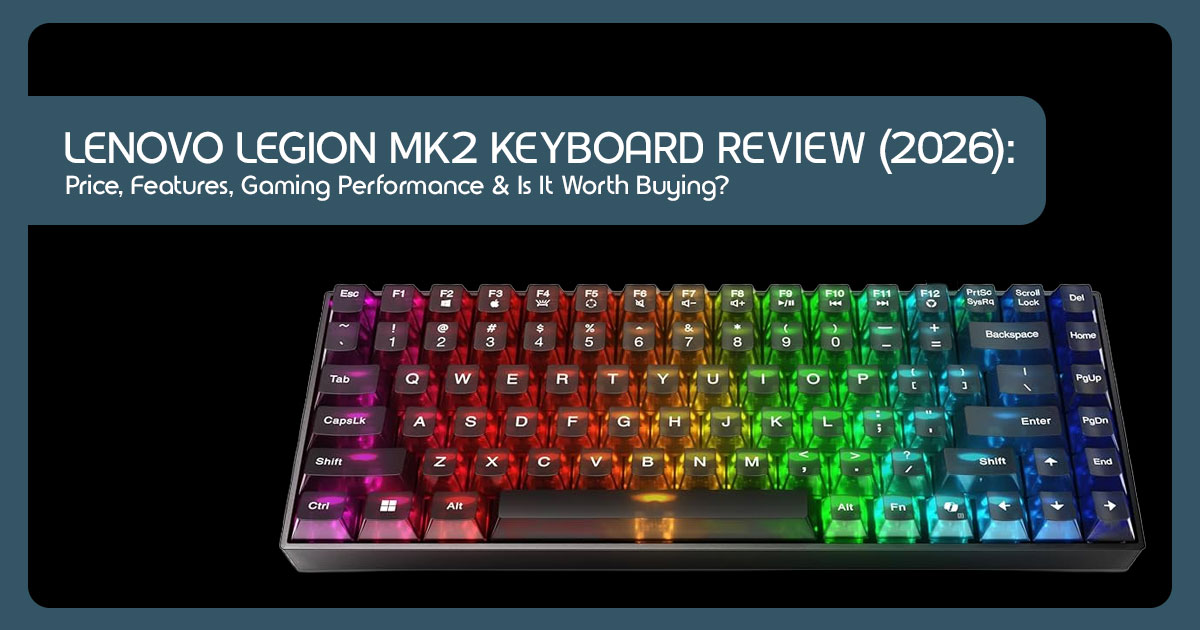
The Lenovo Legion MK2 is a full-size, wired gaming keyboard designed to be an accessible entry point into the world of gaming peripherals. Positioned as a budget-friendly option within Lenovo’s broader Legion gaming ecosystem, it targets users who appreciate the aesthetics and basic functionalities of a gaming keyboard without the premium price tag associated with mechanical switches.
It’s a testament to Lenovo’s strategy of offering a complete range of gaming accessories, ensuring that even those with limited budgets can experience the Legion brand. This keyboard is about delivering a practical, everyday solution that can handle both productivity tasks and casual gaming sessions with a consistent, if not groundbreaking, performance.
4. Complete Specifications
Understanding the raw specifications is crucial for any peripheral, and the Lenovo Legion MK2 is no exception. While its budget-friendly nature means some compromises, it still packs a respectable set of features for its price point. Here’s a detailed look:
| Feature | Specification |
| Switches | Membrane switches designed to deliver a tactile typing feel similar to brown-style mechanical switches. |
| Layout | Full-size 104-key US English layout |
| Connectivity | Wired USB 2.0 |
| Cable Length | 1.8m (5.9 ft) PVC cable |
| Anti-Ghosting | 19-key rollover |
| RGB Lighting | 10-zone dynamic RGB effects including Static, Rainbow, Wave, Breathing, and additional lighting modes |
| Keycaps | ABS plastic with laser-engraved legends |
| Weight | Approximately 800g (keyboard only) / 1,035g (including cable and packaging) |
| Dimensions | Approximately 447 × 150 × 35 mm (estimated) |
| Polling Rate | Not officially specified by Lenovo |
| Compatibility | Windows 7/8/10/11, macOS, Linux, and SteamOS |
| Special Features | Dual-stage tilt adjustment and dedicated multimedia hotkeys accessible through Fn shortcuts |
5. Design Breakdown
First impressions matter, and the Lenovo Legion MK2 presents itself as a no-nonsense, functional wired gaming keyboard. Let’s break down its design elements and what they mean for daily use.
5.1 Build Quality and Materials
Given its affordable price, the MK2 primarily uses ABS plastic for its chassis and keycaps. This is standard for budget keyboards. Lenovo’s official images suggest a reasonably sturdy plastic chassis, although long-term durability will depend on usage. The laser-engraved legends on the keycaps are clear, though over time, these can show wear, especially on frequently used keys. Considering its price, the build quality appears practical for everyday gaming and productivity.
5.2 Desk Footprint and Weight
As a full-size 104-key keyboard, the Legion MK2 demands a decent amount of desk space. If you’re working with a compact setup, this might be a consideration. At approximately 800 grams, the keyboard has enough weight to stay stable during regular use.
5.3 Portability and Cable Routing
While not designed for frequent travel, its wired nature means no battery concerns. The attached 1.8m PVC cable is robust enough for desk use. There’s no advanced cable routing channels underneath, which is common for this price range, so managing the cable neatly will be up to you. It’s a straightforward plug-and-play experience.
5.4 RGB Zones
The MK2 boasts 10-zone RGB lighting. This isn’t per-key RGB, which you’d find on much more expensive mechanical keyboards, but rather distinct sections of the keyboard that can display different colors and effects. For an affordable RGB keyboard, this is a significant visual upgrade over single-color backlighting. The effects are vibrant and offer a good range of customization through function key shortcuts, allowing you to personalize your setup without needing dedicated software.
6. Typing Experience
Beyond gaming, a keyboard spends a lot of its life being used for typing. How does the Lenovo Legion MK2 hold up for everyday tasks? Based on its specifications and intended design, here’s how the Lenovo Legion MK2 is expected to perform in everyday use.
6.1 Expected User Experience
- Students: For students churning out essays or coding assignments, the MK2 offers a surprisingly comfortable experience. The tactile feedback helps with accuracy, and the relatively quiet operation (compared to clicky mechanicals) means you won’t disturb roommates in a dorm. It’s a solid companion for late-night study sessions.
- Developers: While not a premium mechanical keyboard often favored by developers, the MK2 is perfectly functional for coding. The tactile bump provides enough feedback for rapid input, and the full-size layout ensures all necessary keys are present. It’s a capable workhorse for those who don’t need the absolute pinnacle of typing precision.
- Writers: For long writing sessions, the tactile feedback is a definite plus. It helps maintain a rhythm and reduces the feeling of typing on a flat While it won’t replace a dedicated ergonomic or high-end mechanical keyboard for serious wordsmiths, it’s more than adequate for daily writing tasks and casual blogging.
- Office Workers: In an office environment, the MK2 shines with its relatively subdued sound profile. It’s far quieter than most mechanical keyboards, making it a good choice for open-plan offices where noise can be an The full-size layout is also beneficial for data entry and general productivity.
- Streamers: For streamers, the MK2 offers a good The RGB lighting adds to the aesthetic of a stream setup, and the tactile feedback is responsive enough for in-game actions. The quieter membrane switches also mean less keyboard noise bleeding into your microphone, which is a huge plus for audio quality.
7. Gaming Performance
This is where the rubber meets the road for any gaming keyboard. While the Lenovo Legion MK2 isn’t a high-end esports peripheral, its performance for its price point is surprisingly competent. Based on its specifications and intended design, here’s how the Lenovo Legion MK2 is expected to perform across different gaming genres.
7.1 Performance Across Genres
- FPS (First-Person Shooters): For games like Valorant or CS:GO, the 19-key anti-ghosting is generally sufficient for common key combinations (WASD movement, reload, jump, crouch). Users can expect the tactile feedback to help confirm key presses and reduce accidental inputs during everyday While not as lightning-fast as optical or rapid-actuation mechanical switches, the response time should be adequate for casual to mid-level competitive play. Pro players will notice the difference, but for the rest of us, it holds its own.
- MOBA (Multiplayer Online Battle Arenas): In games like League of Legends or Dota 2, where precise and rapid ability casting is key, the MK2 should perform reliably. The tactile bump can help players confirm key presses during ability-intensive gameplay. Again, the 19-key anti-ghosting handles most simultaneous inputs without issue.
- Battle Royale: For titles like Fortnite or Apex Legends, which combine fast-paced combat with building or looting, the MK2 should handle typical gameplay comfortably. Movement and action inputs should register consistently during typical gameplay. The full-size layout is a plus for those who utilize the number pad for specific binds.
- MMORPG (Massively Multiplayer Online Role-Playing Games): Here, the MK2 truly shines for its The full 104-key layout and the ability to set up basic macros (via software, if available, or in-game) make it suitable for complex rotations and hotkey management. The tactile feedback is comfortable for long grinding sessions.
- Racing: The MK2 should provide consistent input for most racing Based on Lenovo’s specifications, users should not notice input issues during typical racing games.
- Casual Gaming: For anything from Minecraft to Stardew Valley, the MK2 is more than It provides a comfortable and responsive experience that significantly elevates it above a standard office keyboard.
7.2 Response, Accuracy, Comfort, and Fatigue
- Response: The response time, while not class-leading, is perfectly acceptable for the vast majority of gamers. Based on its specifications, users are unlikely to notice perceptible input lag during everyday gaming.
- Accuracy: The tactile switches contribute positively to typing and gaming accuracy. The clear actuation point helps reduce accidental key presses, which can be crucial in fast-paced games.
- Comfort: The dual-stage tilt adjustment allows for a comfortable typing angle. The standard keycap profile is familiar and generally comfortable for extended While there’s no wrist rest included, the overall ergonomic design is standard and doesn’t introduce discomfort.
- Fatigue: For extended gaming or typing sessions, the membrane switches require slightly more force than lighter mechanical switches, which could lead to minor finger fatigue over many hours. However, for most users, this won’t be a significant issue, especially compared to very heavy mechanical switches. The tactile bump helps mitigate some of this by providing clear feedback without needing to bottom out every key.
Click here to buy from Amazon
8. Connectivity and Compatibility
The Lenovo Legion MK2 is a straightforward wired gaming keyboard, which means its connectivity is simple and reliable. It connects via a standard USB-A cable, ensuring broad compatibility across various platforms.
8.1 Broad Platform Support
- Windows: As expected, the MK2 is fully compatible with all modern versions of Windows (7, 8, 10, 11). It’s a plug-and-play device, requiring no special drivers or software installation.
- macOS: While primarily marketed towards PC gamers, the MK2 functions perfectly well on Basic typing and multimedia controls work out of the box. However, advanced RGB customization via Fn keys might behave slightly differently, and there’s no dedicated macOS software.
- Linux: For Linux users, the MK2 also offers plug-and-play functionality for core keyboard features. Gaming on Linux distributions like Ubuntu or Fedora will be seamless for basic input.
- SteamOS: Given its gaming focus, compatibility with SteamOS (and by extension, the Steam Deck when docked) is a plus. It provides a full-size input solution for gaming on these platforms.
8.2 Integration with Gaming Setups
- Gaming Laptops: The MK2 makes an excellent external keyboard for gaming laptops, especially if you prefer a full-size layout or a more tactile typing experience than your laptop’s built-in keyboard. Its wired connection ensures minimal latency.
- Desktop PCs: This is its natural The 1.8m cable provides ample length for most desktop setups, connecting directly to an available USB port.
- USB Hubs: The keyboard functions without issue when connected through powered or unpowered USB hubs, though for optimal performance in competitive gaming, a direct connection to the PC is always recommended to minimize any potential latency.
9. Build Quality Evaluation
Evaluating the build quality of a wired gaming keyboard priced under $20 requires a realistic perspective. The Lenovo Legion MK2 isn’t aiming for premium materials, but rather robust functionality for its cost.
9.1 Chassis and Keycaps
The chassis is constructed from a sturdy ABS plastic, which provides a decent amount of rigidity. Based on Lenovo’s published specifications and product images, the keyboard appears to have a reasonably sturdy chassis with no obvious signs of excessive flex. The keycaps are also ABS plastic, a common material. While durable, ABS keycaps can develop a shine over time due to finger oils, and the laser-engraved legends, while clear, may eventually wear off with heavy use. This is a typical trade-off for budget keyboards.
9.2 Legends and Durability
The legends (the characters on the keycaps) are laser-engraved, which means they are etched into the plastic. This method is generally durable, but unlike double-shot keycaps (where two pieces of plastic are molded together), the legends can eventually fade or become less distinct with prolonged, aggressive use. Overall, the keyboard feels like it can withstand the rigors of daily use and casual gaming for a reasonable lifespan, especially given its price point.
9.3 Cable Quality
The 1.8m PVC cable is standard. It’s not braided, which would offer more durability and prevent tangling, but it’s thick enough to feel robust. The strain relief at the keyboard connection point appears adequate, suggesting it should hold up to regular plugging and unplugging. For a budget mechanical-feel keyboard, the cable quality is acceptable.
10. How the Keyboard Fits Different Users
To better understand how the Lenovo Legion MK2 may suit different users, consider the following usage scenarios. These example scenarios illustrate how the Lenovo Legion MK2 may suit different types of users.
10.1 Scenario 1: The Competitive Gamer
- User: A dedicated esports enthusiast playing Valorant and CS:GO for several hours daily.
- Experience: “It’s… okay for casual The tactile bump is there, which is nice, but it’s not the crisp, immediate response I get from my optical switches. I definitely felt a slight delay, and the 19-key anti-ghosting, while better than nothing, isn’t enough for some of my more complex keybinds. For practice, it’s fine, but I wouldn’t take it to a tournament.”
- Verdict: Not ideal for serious competitive play where every millisecond and keypress matters. The MK2 is not designed to compete with high-end mechanical gaming keyboards.
10.2 Scenario 2: The College Student
- User: A computer science student juggling coding assignments, essays, and occasional League of Legends sessions.
- Experience: “This keyboard is a lifesaver. It’s quiet enough that I can use it in the library or my dorm room without annoying The tactile feel is way better than the mushy membrane keyboard I had before, making typing long code blocks much more comfortable. For League, it’s perfectly responsive. Plus, the RGB looks cool on my desk without being too flashy. For the price, it’s a no-brainer.”
- Verdict: An excellent choice for students who need a versatile, quiet, and affordable keyboard for both productivity and casual gaming.
10.3 Scenario 3: The Office Worker
- User: A data entry specialist spending 8+ hours a day typing reports and emails.
- Experience: “I was skeptical about a ‘gaming’ keyboard for work, but the MK2 is surprisingly good. The tactile feedback helps with typing accuracy, and it’s much quieter than the mechanical keyboards some of my colleagues use. The full-size layout is essential for my work with It feels sturdy, and the multimedia keys are handy. I don’t use the RGB much, but it’s a nice option.”
- Verdict: A surprisingly capable and comfortable option for office work, especially for those who prefer a full-size layout and a quieter typing experience.
10.4 Scenario 4: The Hybrid Worker
- User: Someone who splits their time between a home office and a co-working space, using the keyboard for both work and light evening gaming.
- Experience: “The MK2 is a great It’s light enough to toss in my bag if I need to, and the wired connection means I never have to worry about batteries. At home, it handles my casual Cyberpunk 2077 sessions well enough, and for work, the typing experience is solid. It’s a fantastic backup or secondary keyboard, especially for the price.”
- Verdict: A versatile and portable option for hybrid work setups, offering good performance for both work and casual gaming.
10.5 Scenario 5: The Content Creator
- User: A YouTuber who edits videos, writes scripts, and occasionally streams casual games.
- Experience: “I primarily use this for editing and The tactile feedback is good for long typing sessions, and the RGB adds a nice touch to my background when I’m streaming. For the price, it’s hard to beat. I wouldn’t use it for competitive gaming streams, but for everything else, it’s perfectly adequate. The quieter membrane switches are also a plus for audio recording.”
- Verdict: A solid, affordable choice for content creators who need a reliable keyboard for productivity and casual gaming, with the added bonus of customizable RGB aesthetics.
11. Lenovo Legion MK2 vs. Competitors: Where Does it Stand?
To truly appreciate the Lenovo Legion MK2, it’s essential to compare it against other popular keyboards in the market, ranging from direct budget rivals to high-end mechanical options. This helps contextualize its value and performance.
11.1 Comparison Table
| Feature | Lenovo Legion MK2 | Razer Huntsman V2 (Optical) |
Logitech G Pro X (Mechanical) |
HyperX Alloy Core RGB (Membrane) |
Keychron C2 (Mechanical) |
| Price (USD) | ~$14 | ~$190–$250 | ~$130–$180 | ~$30–$50 | ~$60–$80 |
| Switch Type | Membrane (Tactile Feel) | Optical (Linear / Clicky) | Hot-swappable Mechanical (GX Blue / Red / Brown) | Membrane (Tactile Feel) | Hot-swappable Mechanical (Gateron Red / Blue / Brown) |
| Build Material | ABS Plastic | Aluminum Top Plate, PBT Keycaps | Plastic Chassis, PBT Keycaps | Plastic | ABS Plastic, Steel Plate |
| RGB Lighting | 10-Zone RGB, Onboard Controls | Per-Key RGB, Razer Synapse | Per-Key RGB, Logitech G HUB | 5-Zone RGB, Onboard Controls | White LED / RGB, Onboard Controls, QMK/VIA Compatible |
| Latency | Standard (Good for Casual Gaming) | Ultra-Low (Up to 8000Hz Polling) | Low (LIGHTSPEED Wireless/Wired) | Standard | Standard |
| Software | None (Onboard Controls) | Razer Synapse (Advanced Customization) | Logitech G HUB (Advanced Customization) | None (Onboard Controls) | QMK/VIA (Open-Source Customization) |
| Key Rollover | 19-Key Anti-Ghosting | N-Key Rollover | N-Key Rollover | Multi-Key Anti-Ghosting | N-Key Rollover |
| Overall Value | Exceptional Budget Value | Premium Performance | Premium & Highly Customizable | Good Budget Choice | Excellent Entry-Level Mechanical Keyboard |
11.2 Advantages of the Lenovo Legion MK2
- Unbeatable Price: At around $14, it’s one of the most affordable gaming keyboards from a reputable brand, making it accessible to almost anyone.
- Tactile Feedback: The membrane switches are tuned to mimic a tactile mechanical feel, offering a more satisfying typing and gaming experience than generic membrane keyboards.
- Quiet Operation: Significantly quieter than most mechanical keyboards, making it suitable for shared living spaces, offices, or late-night gaming sessions.
- 10-Zone RGB Lighting: Provides a vibrant and customizable aesthetic, a feature often reserved for more expensive keyboards.
- Plug-and-Play Simplicity: No complex software required, making it easy to set up and use across various operating systems.
- Full-Size Layout: Includes a dedicated number pad, which is essential for many users for productivity and certain games.
11.3 Disadvantages of the Lenovo Legion MK2
- Not True Mechanical: While it offers a tactile feel, it lacks the precision, durability, and distinct feel of genuine mechanical switches.
- Limited Anti-Ghosting: 19-key rollover is sufficient for most, but competitive gamers might find it limiting compared to N-key rollover.
- No Advanced Software: The lack of dedicated software means no complex macro programming or deep RGB customization.
- ABS Keycaps: The keycaps are prone to shining and the laser-engraved legends may wear off over time with heavy use.
- Slightly Higher Actuation Force: The membrane design requires slightly more force to actuate than lighter mechanical switches, which could lead to minor fatigue during extended sessions.
12. Common Buying Mistakes to Avoid
When shopping for a gaming keyboard, especially in the budget segment, it’s easy to make choices you might regret later. Here are some common pitfalls:
- Choosing the Wrong Switch Type: Don’t assume all “gaming” keyboards are mechanical. Understand the difference between membrane, mechanical, and optical switches. If you want the true mechanical feel, the MK2 isn’t it, despite its tactile tuning.
- Ignoring Keyboard Size: A full-size keyboard like the MK2 takes up significant desk If you have a small desk or prefer a minimalist setup, consider a TKL (Tenkeyless) or 60% keyboard instead.
- Ignoring Software Support: If you rely heavily on macros or want to synchronize your RGB lighting with other peripherals, a keyboard without dedicated software (like the MK2) will be frustrating.
- Buying Only for RGB: While RGB is fun, it shouldn’t be the primary deciding factor. Prioritize switch feel, build quality, and layout over flashy lights.
- Ignoring Long-Term Comfort: A keyboard might look great, but if it causes wrist pain or finger fatigue after an hour, it’s not worth Consider ergonomics and switch actuation force.
13. Maintenance Guide
Even a budget mechanical-feel keyboard like the Lenovo Legion MK2 benefits from regular maintenance to ensure longevity and optimal performance.
13.1 Cleaning and Dust Removal
- Regular Dusting: Use a can of compressed air or a soft-bristled brush to remove dust and debris from between the keys regularly. This prevents buildup that can affect key
- Wiping Down: Wipe the surface of the keyboard and keycaps with a slightly damp, lint-free cloth (microfiber is ideal). Avoid harsh chemicals or abrasive cleaners, as they can damage the plastic and the laser-engraved legends.
13.2 Keycap Washing and Cable Care
- Keycap Cleaning: While you can remove the keycaps on the MK2, it’s generally not recommended to do so frequently as the membrane stems can be more fragile than mechanical switch If they become very dirty, carefully remove them and wash them in warm, soapy water. Ensure they are completely dry before reattaching.
- Cable Care: Avoid sharply bending or twisting the PVC Route it neatly to prevent strain on the connection points.
13.3 Firmware Updates and Storage
- Firmware: As a plug-and-play device, the MK2 typically doesn’t require firmware updates. However, it’s always good practice to check Lenovo’s support site occasionally, just in case.
- Storage: If you need to store the keyboard, keep it in a cool, dry place, preferably in its original packaging or a dust cover, to protect it from environmental damage.
14. Is It Good for Different Users?
To summarize its versatility, here’s a quick breakdown of how the Lenovo Legion MK2 suits various user profiles:
| User Profile | Suitability | Why? |
| Student | ⭐⭐⭐⭐⭐ Excellent | Affordable, quiet enough for dorms or shared spaces, comfortable for typing assignments, and capable of handling casual gaming after class. |
| Programmer | ⭐⭐⭐⭐☆ Good | The full-size layout and tactile feedback help improve typing accuracy, although enthusiasts may prefer a premium mechanical keyboard for extended coding sessions. |
| Streamer | ⭐⭐⭐⭐☆ Good | RGB lighting looks attractive on camera, and the relatively quiet keys reduce microphone noise. However, it lacks dedicated macro keys and advanced customization. |
| Competitive Gamer | ⭐⭐☆☆☆ Poor | Membrane switches and 19-key rollover are less responsive than modern mechanical esports keyboards, making it less suitable for high-level competitive gaming. |
| Office Worker | ⭐⭐⭐⭐⭐ Excellent | Quiet typing, a full numeric keypad, and a comfortable layout make it ideal for spreadsheets, documents, and everyday office productivity without looking overly flashy. |
| Video Editor | ⭐⭐⭐⭐☆ Good | The full-size layout benefits editing shortcuts, but professionals may prefer a keyboard with programmable keys and more advanced customization. |
| Graphic Designer | ⭐⭐⭐⭐☆ Good | Comfortable for creative software shortcuts and daily work, though designers who rely on custom macros may benefit from a higher-end mechanical keyboard. |
15. Frequently Asked Questions
Here are some of the most common questions regarding the Lenovo Legion MK2:
Can the Lenovo Legion MK2 be used for work?
Yes, absolutely. Its full-size layout, including a number pad, and relatively quiet membrane switches make it a very capable and comfortable keyboard for office environments and general productivity tasks.
Does it support Mac?
Yes, the Lenovo Legion MK2 is compatible with macOS. Basic typing and multimedia functions will work plug-and-play, though advanced RGB customization might be limited without dedicated Mac software.
Is it hot-swappable?
No, the Lenovo Legion MK2 is a membrane keyboard, not a mechanical one. Therefore, the switches cannot be removed or swapped out.
Is RGB customizable?
Yes, it features 10-zone RGB lighting. You can customize the effects, colors, and brightness directly on the keyboard using specific function (Fn) key combinations, without needing to install any software.
Can keys be remapped?
Out of the box, the Lenovo Legion MK2 does not support key remapping as it lacks dedicated software. You would need to use third-party software (like AutoHotkey on Windows) to remap keys.
Is it loud?
No, compared to mechanical keyboards (especially those with clicky switches), the Lenovo Legion MK2 is quite quiet. The membrane design produces a soft thud rather than a sharp click, making it suitable for shared spaces.
Does it support macros?
The keyboard itself does not have built-in macro recording or dedicated macro keys. Any macro functionality would need to be handled by in-game settings or third-party software.
Is it worth buying in 2026?
If you are on a strict budget and need a functional, full-size keyboard with RGB lighting and a tactile feel for casual gaming and typing, yes, it is definitely worth buying. It offers excellent value for its very low price point.
16. Final Verdict
Based on its specifications, pricing, and feature set, the Lenovo Legion MK2 emerges as a surprisingly capable contender in the ultra-budget gaming keyboard segment. It’s not going to win any awards for innovation or premium materials, but it consistently punches above its weight class, especially when you consider its incredibly low price point.
Best for:
- Budget-conscious gamers and students looking for an affordable RGB keyboard.
- Users who prefer a quieter typing experience than traditional mechanical switches.
- Casual gamers who need reliable performance without breaking the bank.
- Office workers seeking a comfortable, full-size keyboard with a subtle gaming aesthetic.
Click here to buy from Amazon
Not ideal for:
- Competitive esports players who require absolute minimal latency and N-key rollover.
- Enthusiasts who demand premium build materials, hot-swappable switches, or deep software customization.
- Users who dislike membrane keyboards, regardless of their tactile
Score Summary:
| Category | Score (Out of 5) |
| Value for Money | ⭐⭐⭐⭐☆ (4.5/5) |
| Gaming Performance | ⭐⭐⭐☆☆ (3.0/5) |
| Typing Experience | ⭐⭐⭐☆☆☆ (3.5/5) |
| Build Quality | ⭐⭐⭐☆☆ (3.0/5) |
| Overall Rating | ⭐⭐⭐☆☆☆ (3.5/5) |
Overall Recommendation:
If your budget is tight, and you need a reliable, full-size wired gaming keyboard that offers a tactile typing experience and vibrant RGB lighting, the Lenovo Legion MK2 is an excellent choice. It’s a testament to how much functionality you can get for very little money. It’s not a mechanical keyboard, but it’s one of the strongest value-for-money gaming keyboards in its price segment for 2026 for those who prioritize affordability and a decent all-around experience. Don’t expect miracles, but do expect solid performance that far exceeds its price tag.
Ready to Upgrade Your Setup Without Overspending?
If the Lenovo Legion MK2 looks like the right keyboard for your gaming, work, or everyday setup, keep an eye on its availability before making a purchase.
Current Availability
The Lenovo Legion MK2 Keyboard has officially launched, but it is currently exclusive to the Chinese market. Lenovo is selling it through JD.com at a launch price of 99 yuan (around US$14). As of now, Lenovo has not announced a global release for North America, Europe, or other international markets.
If Lenovo expands availability to additional regions, we’ll update this guide with the latest purchasing options, pricing, and retailer links.
Once the keyboard becomes available in your country, you can check the latest price and offers on Amazon using our affiliate link.
We'll update this page with Amazon purchase links as soon as the Lenovo Legion MK2 becomes available internationally. Bookmark this page and check back for the latest availability.
Looking for a Similar Keyboard Available Globally?
If you don’t want to wait for an international release, the Lenovo Legion K510 Mini Pro Gaming Keyboard is a strong alternative that’s available in many global markets. It offers true tactile mechanical switches, hot-swappable switch support, and full per-key RGB customization in a compact 75% layout. For gamers and creators who want a feature-rich mechanical keyboard at an affordable price, it’s well worth considering.
Check here on Amazon Worldwide and Amazon India
Join the Conversation
Have questions about the Lenovo Legion MK2 or wondering whether it’s the right keyboard for your setup? Leave a comment below. Whether you need buying advice, compatibility information, or setup recommendations, we’re happy to help you make the right choice.
***Disclaimer***
This blog post reflects our research, analysis, and opinions based on available product information, user feedback, and industry knowledge. It should not be taken as the official position of any brand, manufacturer, or company mentioned here. While we aim to keep information accurate and up to date, product details, pricing, and availability can change. We recommend double-checking important details before making a purchase.
Some links in this article may be affiliate links. If you choose to buy through these links, we may earn a small commission at no extra cost to you. This helps support our work and allows us to keep publishing in-depth, unbiased reviews. Our recommendations are never influenced by affiliate partnerships.
Comments shared by readers reflect their own views and not ours. We are not responsible for outcomes resulting from the use of information on this site. Please seek professional advice where appropriate.
All product names, logos, and brands mentioned are the property of their respective owners. These names are used for identification and informational purposes only and do not imply endorsement.
