
DDR4 memory isn’t as cheap as it used to be. With more production shifting toward AI servers and enterprise storage, prices for consumer DDR4 RAM have continued to rise. If you’re upgrading an AMD AM4, older Intel system, or a DDR4-based LGA 1700 build, choosing the right memory kit matters more than ever.
Two models stand out because they offer a good balance of price, capacity, and compatibility:
- Skill Ripjaws V 32GB (2×16GB) DDR4-3600 CL18 (F4-3600C18D-32GVK)
- Skill Ripjaws V 32GB (2×16GB) DDR4-3200 CL16 (F4-3200C16D-32GVK)
At first glance, the decision looks simple. One runs at 3600 MT/s, while the other offers lower CL16 latency at 3200 MT/s. Many buyers assume higher memory speed always delivers better performance. In practice, that’s not always true. Your processor, motherboard, and workload have a much bigger impact on the result than most specifications suggest.
Click here to buy from Amazon
With more than 20 years of experience in hardware and application research and development, we evaluate products based on real-world performance, reliability, compatibility, and long-term value. Whether you’re a gamer, content creator, student, developer, or upgrading an older PC, our recommendations come from hands-on technical knowledge, component analysis, and practical testing—not marketing claims.
In this guide, we’ll compare both 32GB dual-channel DDR4 kits, explain what their specifications mean in everyday use, identify who each kit is best suited for, and see how they compare with popular alternatives like Corsair Vengeance LPX and Kingston Fury Beast. By the end, you’ll know which one offers the better value for your system.
Whether you’re building a gaming PC, upgrading an Intel DDR4 system, or looking for the right DDR4 RAM for Ryzen 5000, this comparison will help you choose the best kit for your needs.
| Feature | DDR4-3200 CL16 | DDR4-3600 CL18 |
| Capacity | 32GB (2×16GB) | 32GB (2×16GB) |
| Memory Speed | DDR4-3200 | DDR4-3600 |
| XMP Timings | CL16-18-18-38 | CL18-22-22-42 |
| Operating Voltage | 1.35V | 1.35V |
| Best Suited For | Value-focused builds, Intel platforms, and general gaming PCs. | AMD Ryzen 3000/5000 systems, APUs, and enthusiasts seeking higher memory bandwidth. |
Why 32GB DDR4 Still Matters in 2026
Many new builds have moved to DDR5. That does not mean DDR4 desktop memory is obsolete. Millions of DDR4 PCs still rely on:
- AMD Ryzen 3000 / 5000 on AM4
- Intel 10th–14th gen boards that use DDR4
- Older workstations and compact office PCs that cannot take DDR5
For those machines, 32GB of DDR4 is the practical sweet spot in 2026. 16GB still works for light gaming, but modern titles, Chrome tabs, Discord, streaming tools, and creative apps push memory usage higher than they did a few years ago. 32GB RAM leaves headroom so the system does not start thrashing to the page file when several programs run at once.
Key takeaway: If your PC already supports DDR4, a 32GB RAM upgrade is often a smarter and more affordable choice than replacing your motherboard, processor, and memory just to move to DDR5.
G.Skill Ripjaws V 32GB Dual-Channel Kits: Product Overview
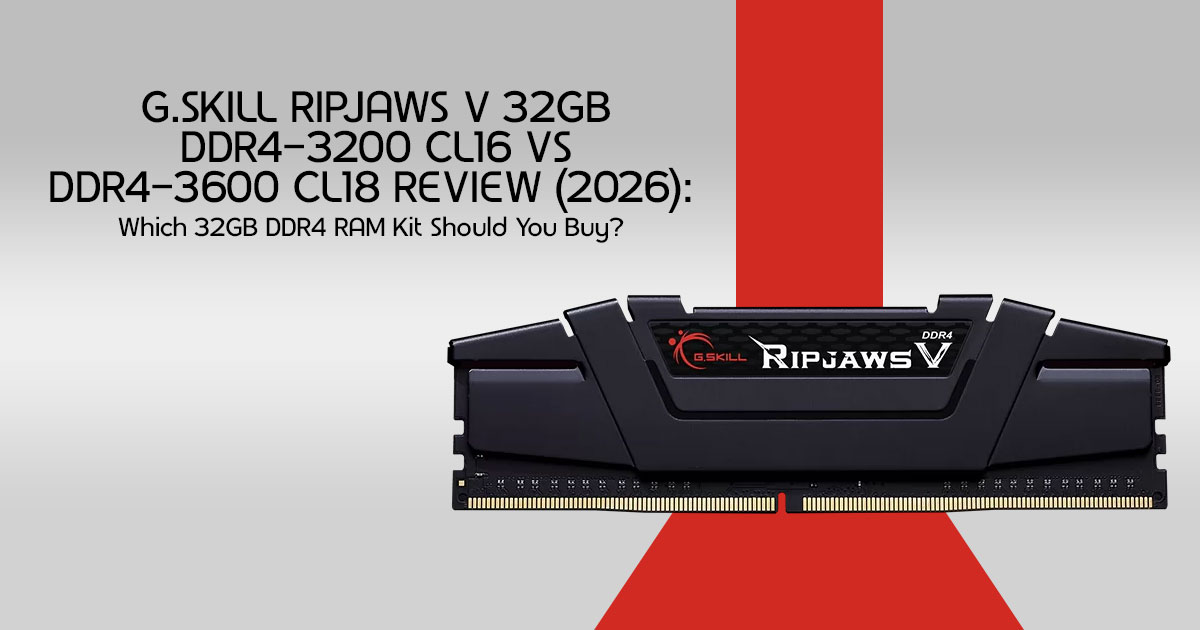
The Ripjaws V series has been one of G.Skill’s most consistent value lines for years. These modules use a low-profile black heat spreader, skip RGB lighting, and focus on compatibility and stable XMP operation.
Models Covered in This Review
| Specification | G.Skill Ripjaws V F4-3200C16D-32GVK | G.Skill Ripjaws V F4-3600C18D-32GVK |
| Capacity | 32GB (2×16GB) | 32GB (2×16GB) |
| Kit Type | Dual-channel | Dual-channel |
| Rated Speed | DDR4-3200 (PC4-25600) | DDR4-3600 (PC4-28800) |
| XMP Timings | CL16-18-18-38 | CL18-22-22-42 |
| XMP Voltage | 1.35V | 1.35V |
| Default SPD Speed | 2133 MT/s | 2133 MT/s |
| Default SPD Voltage | 1.20V | 1.20V |
| ECC / Registered | Non-ECC, Unbuffered | Non-ECC, Unbuffered |
| Lighting | Non-RGB | Non-RGB |
| Profile Support | Intel XMP 2.0 | Intel XMP 2.0 |
| Platform Compatibility | AMD and Intel DDR4 motherboards | AMD and Intel DDR4 motherboards |
Both kits ship as matched pairs. That matters more than many buyers realize. Buying two random 16GB sticks can work, but a dual-channel kit is tested to run together at the advertised XMP speed. That reduces the chance of mismatched modules, boot loops, or one stick refusing to run the same timings as the other.
Key Features That Actually Matter for Buyers
1. Dual-Channel Design and Memory Bandwidth
A dual-channel 32GB kit means the two modules work as a pair. On most consumer motherboards, that doubles the available memory bus width compared with a single stick.
What this means for the buyer:
- Higher effective bandwidth for the CPU
- Better performance for integrated graphics (APUs and iGPUs)
- Smoother multitasking when several apps share memory
- More consistent frame times in CPU-limited games
If the system has only one DIMM installed, the memory controller often runs in single-channel mode.
That can leave both the processor and any onboard graphics short on bandwidth. A dual-channel kit avoids that problem from day one.
2. Non-RGB Design for Clean Builds
These G.Skill Ripjaws V sticks have matte black heat spreaders and no LEDs. Many buyers actually prefer a clean, non-RGB build.
Who benefits:
- Builders who prefer a minimal look
- Users who want a clean build without RGB software
- People tired of RGB software and cable clutter
- Compact cases where flashy lighting is not visible anyway
RGB kits can look great. They also cost more and add software that some users never open. For pure performance value, non-RGB RAM is often the smarter buy.
3. XMP 2.0 Support and Easy Setup
Both kits default to 2133 MT/s out of the box. That is normal for high-speed DDR4. The rated DDR4-3200 or DDR4-3600 speeds only become available after you enable Intel XMP 2.0. On AMD DDR4 motherboards, this feature may appear as DOCP, EOCP, A-XMP, or simply XMP, depending on the motherboard brand.
Practical advice:
- Install both sticks in the recommended dual-channel slots (usually A2 and B2 — check the motherboard manual).
- Enter the BIOS.
- Enable the XMP profile.
- Save and reboot.
- Confirm speed in Task Manager or CPU-Z.
Without that step, the kit runs far below its advertised rating. Many “slow RAM” complaints come from skipping this one setting.
4. 1.35V Operation and Heat Spreader Cooling
Both kits use 1.35V under XMP. That is a common overclock voltage for DDR4 and remains within the range most consumer boards handle well.
The aluminum heat spreaders help keep the modules cool during long gaming sessions or rendering jobs. They also keep the height modest, which helps with large air coolers that hang over the first DIMM slots.
5. Broad AMD and Intel Compatibility
These modules are built for standard 288-pin DDR4 UDIMM desktop boards. They work with both AMD and Intel platforms that support DDR4, provided the board and CPU memory controller can reach the rated speed.
Important limit: They will not fit DDR5 motherboards. The notch position and electrical design are different. Always confirm the board uses DDR4 before buying.
Real-World Performance: What Buyers Can Expect
Raw memory speed numbers do not tell the full story. What matters is how speed and latency combine, and how that combination behaves in actual workloads.
If you’re searching for the best DDR4 RAM for gaming, DDR4 RAM for Ryzen 5000, or a reliable 32GB RAM kit, these two G.Skill Ripjaws V models are among the strongest options still available for DDR4 systems.
Understanding Latency vs Frequency
A simple way to estimate true memory latency is:
- DDR4-3200 CL16 lands near 10 ns
- DDR4-3600 CL18 also lands near 10 ns
So these two kits feel similar in pure latency. The DDR4-3600 CL18 kit still offers higher theoretical memory bandwidth because it transfers more data each second.
The extra bandwidth is most noticeable in:
- Ryzen 3000 and Ryzen 5000 processors often perform best with DDR4-3600, as it usually runs with a 1:1 Infinity Fabric ratio
- Content creation and compression tasks
- Integrated graphics performance
- 1080p gaming when the CPU is the bottleneck
Gaming Performance
At 1080p, moving from DDR4-3200 to DDR4-3600 often yields a few percent higher average FPS and slightly better 1% lows in CPU-sensitive titles. At 1440p and 4K, the gap shrinks because the GPU becomes the main limit.
For most gamers:
- 32GB capacity matters more than the jump from 3200 to 3600
- Dual-channel matters more than RGB or brand prestige
- A stable CL16 3200 kit can feel just as smooth as a looser CL18 3600 kit in many titles
Productivity and Multitasking
Video editors, streamers, software developers, and heavy browser users benefit more from 32GB than from a small speed increase. Opening large projects, virtual machines, or dozens of tabs is where extra capacity prevents stutter and disk thrashing.
Integrated Graphics and APU Builds
Systems that use Ryzen APUs or Intel integrated graphics depend heavily on memory bandwidth. For those builds, the DDR4-3600 kit is usually the better match, as long as the board can run it stably.
Design and Build Quality
The Ripjaws V design is intentionally simple.
Strengths:
- Low-profile black heat spreaders
- No plastic light bars that can crack or yellow
- Solid PCB construction for a mainstream kit
- Easy fit under most tower coolers
Limitations:
- Looks plain next to RGB flagship kits
- Not aimed at extreme overclocking enthusiasts chasing 4000+ MT/s
- Heat spreader is functional, not a showpiece
For most desktop builds, this design makes sense. These modules are built to install, enable XMP, and then stay out of the way.
Click here to buy from Amazon
DDR4-3200 CL16 vs DDR4-3600 CL18: Which Ripjaws V Kit Should Buyers Choose?
This is the decision most shoppers face.
| Comparison Factor | DDR4-3200 CL16 | DDR4-3600 CL18 |
| Memory Bandwidth | Good overall bandwidth for everyday computing and gaming. | Higher theoretical bandwidth, benefiting memory-sensitive workloads. |
| True Latency | Very similar real-world latency. | Very similar real-world latency despite the higher clock speed. |
| Best Platform Fit | Excellent for Intel systems and value-focused AMD builds. | Ideal for AMD Ryzen platforms where 3600MT/s is often the performance sweet spot. |
| Stability on Older Motherboards | Generally easier to run at rated speeds. | May require a stronger memory controller or BIOS tuning. |
| Overclocking Headroom | Can offer moderate overclocking potential depending on the memory IC. | Varies by memory chips, with results depending on the silicon lottery. |
| Typical Use Case | Budget gaming PCs, productivity systems, and office upgrades. | Gaming PCs, Ryzen 5000 systems, and APU-based builds. |
| Value When Discounted | Excellent value at lower prices. | Excellent value when the price premium over 3200 CL16 is minimal. |
Choose the DDR4-3200 CL16 kit if:
- The board is older or has weaker memory support
- The build is mostly Intel and GPU-bound
- The price is clearly lower
- Maximum stability with minimal BIOS tuning is the goal
Choose the DDR4-3600 CL18 kit if:
- The system is AMD Ryzen (especially 3000/5000)
- The PC uses integrated graphics
- The price difference is small
- The buyer wants the better long-term bandwidth option on a DDR4 platform
Buying rule of thumb: If both kits cost about the same, choose the DDR4-3600 CL18 model. If the DDR4-3200 CL16 kit costs noticeably less, it’s usually the better value.
How These Kits Compare With Popular Competitors
A useful review does not stop at one brand. Here is how the G.Skill Ripjaws V 32GB kits generally compare with common alternatives.
| Memory Kit | Speed & Timings | RGB | Key Strengths | Potential Drawbacks |
| G.Skill Ripjaws V 32GB | 3200 CL16 or 3600 CL18 | None | Excellent value, low-profile heatsink, proven stability, and broad motherboard compatibility. | Simple appearance with no RGB lighting. |
| Corsair Vengeance LPX 32GB | Typically 3200 CL16 | None | Widely available, compact low-profile design, and dependable performance. | Pricing can fluctuate significantly during periods of high demand. |
| Kingston Fury Beast 32GB | 3200–3600 options | Optional | Easy XMP setup, reliable performance, and excellent manufacturer support. | Some configurations ship with looser memory timings. |
| G.Skill Trident Z RGB 32GB | Typically 3600 CL16–CL18 | RGB | Premium design, faster kit options, and customizable RGB lighting. | Higher price due to premium styling and RGB features. |
| Crucial Pro / Ballistix-Style 32GB | Varies by model | Usually None | Competitive pricing and dependable everyday performance. | Specific models and configurations may not always be readily available. |
What stands out about Ripjaws V
- Strong track record on both AMD and Intel boards
- Matched dual-channel kits instead of random single sticks
- Lifetime warranty support from Skill in most regions
- No forced RGB tax
If the goal is a clean, reliable 32GB dual-channel kit for a DDR4 machine, Ripjaws V remains one of the safer mainstream choices.
Pros and Cons
Pros
- True 32GB dual-channel kits, not unmatched singles
- Solid DDR4-3200 and DDR4-3600 options for current DDR4 platforms
- Non-RGB design keeps cost and complexity down
- XMP 0 support for one-profile setup
- Low enough height for many large CPU coolers
- Works across a wide range of AMD and Intel DDR4 boards
- Good fit for gaming, office work, streaming, and light creation
Cons
- Not compatible with DDR5 motherboards
- Default speed is only 2133 until XMP is enabled
- 3600 CL18 is not as tight as premium CL16 3600 kits
- Availability and street prices can swing during memory shortages
- Plain aesthetics will not impress RGB-focused builders
Who Should Buy These G.Skill Ripjaws V Kits?
Strong match
- Gamers upgrading from 8GB or 16GB on a DDR4 board
- Ryzen 5000 owners looking for a practical DDR4-3600 memory kit
- Office and study PCs that open many browser tabs
- Streamers who run game + OBS + chat apps together
- Builders who dislike RGB and want a clean black setup
- Anyone refreshing an existing DDR4 system instead of buying a full new platform
Weak match
- Brand-new AM5 or modern Intel builds that require DDR5
- Enthusiasts hunting the absolute lowest latency kit for leaderboard benchmarks
- Users who specifically want addressable RGB memory
- People who only need 16GB for very light tasks and want the lowest possible spend
Pricing, Value, and Market Context
Recent deal snapshots have placed these kits near the $200 range in the US market, with the 3200 CL16 model sometimes dipping lower after promotions and the 3600 CL18 kit often listed around the low-to-mid $200s. Exact numbers change quickly, so current listing prices always matter more than any single article snapshot.
Why prices feel high again
Memory makers have shifted attention toward AI and server demand. That pressure has kept consumer DDR4 RAM from collapsing back to the rock-bottom prices seen in quieter market periods.
In that environment, a known dual-channel kit from a major brand is often safer than chasing the absolute cheapest no-name modules.
DDR4 Buying Guide: What to Check Before You Buy
- Confirm the motherboard is DDR4, not DDR5
- Compare total kit price for 2x16GB, not per-stick pricing
- Check whether the listing is a true dual-channel kit
- Look for authorized or well-rated sellers
- Verify return policy and warranty handling in the local region
Installation and Setup Tips
A good kit can still underperform if it is installed poorly. Follow these steps:
- Power off the PC and unplug the PSU cable.
- Ground yourself before touching components.
- Open the DIMM latches and seat both modules firmly until they click.
- Use the dual-channel slots recommended in the motherboard manual.
- Boot into BIOS and enable XMP / DOCP.
- Save settings and reboot into Windows.
- Confirm capacity and speed under Task Manager → Performance → Memory.
- Run a memory stress tool if the system will be used for critical work.
If the system fails to boot after enabling XMP, try:
- One stick at a time to isolate a bad module
- A lower manual speed such as 3000 or 3200
- A BIOS update for better memory training
- Different DIMM slots
Most modern boards handle these kits without drama, but older chipsets may need a little patience.
Click here to buy from Amazon
Common Buyer Questions Answered
Is 32GB enough for gaming in 2026?
Yes for almost all gaming setups. 32GB handles modern titles plus Discord, browser overlays, and streaming software. 64GB is more relevant for heavy video work, large VMs, or professional workloads.
Is DDR4-3600 always better than DDR4-3200?
Not always. On many Intel systems and GPU-bound games, the difference is small. On Ryzen 3000 and Ryzen 5000, DDR4-3600 often delivers the best balance of speed and stability because it usually runs well with a 1:1 Infinity Fabric ratio.
Do these kits work on laptops?
No. These are full-size desktop UDIMM modules. Laptops need SO-DIMM memory.
Can the sticks be mixed with existing RAM?
Mixing is possible but not ideal. Different speeds, timings, or IC types can force the whole system down to the slowest common settings and may reduce stability. A matched kit is the cleaner path.
Is non-RGB slower than RGB RAM?
No. Lighting has no performance benefit. Speed and timings determine performance, not LEDs.
Final Verdict: Are the G.Skill Ripjaws V 32GB Kits Worth It?
For DDR4 systems still in daily use, yes. The G.Skill Ripjaws V 32GB dual-channel kits remain a practical upgrade that adds modern multitasking performance without paying extra for RGB or replacing the entire platform.
The DDR4-3200 CL16 kit is the sensible value pick when price is the main concern or the motherboard is picky. The DDR4-3600 CL18 kit is the better choice for Ryzen 3000, Ryzen 5000, and systems that rely on integrated graphics, thanks to its higher memory bandwidth.
Neither kit is a flagship overclocking product. That is fine. Most people do not need that. They need enough memory, dual-channel bandwidth, stable XMP behavior, and a brand that has supported desktop memory for years. On those points, Ripjaws V still delivers.
If you’re looking for one of the best 32GB DDR4 RAM kits for an existing DDR4 PC, either of these G.Skill Ripjaws V models is a solid choice.
- Bottom line: If your PC already uses DDR4, upgrading to a 32GB DDR4 RAM kit is one of the easiest ways to improve multitasking without replacing the entire system.
Where to Buy: Check Current Prices and Offers
Prices move quickly, especially during memory supply swings. Use the links below to compare live pricing, seller ratings, and current discounts before ordering.
Amazon Worldwide
Looking for a clean non-RGB 32GB DDR4 kit with dual-channel stability and easy XMP setup? Check today’s Amazon pricing for the G.Skill Ripjaws V models before stock changes or prices increase.
- Check G.Skill Ripjaws V 32GB DDR4-3600 CL18 (F4-3600C18D-32GVK) price on Amazon Worldwide
- Check Skill Ripjaws V 32GB DDR4-3200 CL16 (F4-3200C16D-32GVK) price on Amazon Worldwide
Why check Amazon Worldwide now: Fast shipping options, easy returns on many listings, and frequent third-party price swings that can create short-lived deals on popular DDR4 RAM kits.
Amazon India
Building or upgrading a DDR4 PC in India? Compare local stock, warranty handling, and current offer pricing on Amazon India before buying from unofficial marketplace sellers.
- Check G.Skill Ripjaws V 32GB DDR4 kits on Amazon India
- Browse Skill Ripjaws V DDR4-3200 32GB options on Amazon India
Why check Amazon India now: Local availability can vary by city and seller. Confirm the exact model number, dual-channel kit packaging, and return window before checkout.
Quick Buying Reminder
Before clicking buy:
- Confirm the motherboard supports DDR4
- Choose 2x16GB, not a single 32GB stick, for dual-channel performance
- Enable XMP after installation
- Prefer trusted sellers with clear warranty support
A well-chosen 32GB dual-channel kit can make an older DDR4 PC feel much more responsive without replacing the whole system.
If you found this comparison helpful, let us know which G.Skill Ripjaws V kit you’re planning to buy and why. If you’re already using one of these memory kits, share your experience in the comments—your feedback can help other readers make a better decision.
Have questions about RAM compatibility, XMP settings, AMD EXPO vs. XMP, memory upgrades, or choosing the right kit for your PC? Leave a comment below, and we’ll be happy to help.
For more hardware reviews, PC upgrade guides, buying advice, and technology updates, follow us and check back regularly. We focus on practical testing, clear explanations, and recommendations that help you get the best value from your hardware.
***Disclaimer***
This blog post reflects our research, analysis, and opinions based on available product information, user feedback, and industry knowledge. It should not be taken as the official position of any brand, manufacturer, or company mentioned here. While we aim to keep information accurate and up to date, product details, pricing, and availability can change. We recommend double-checking important details before making a purchase.
Some links in this article may be affiliate links. If you choose to buy through these links, we may earn a small commission at no extra cost to you. This helps support our work and allows us to keep publishing in-depth, unbiased reviews. Our recommendations are never influenced by affiliate partnerships.
Comments shared by readers reflect their own views and not ours. We are not responsible for outcomes resulting from the use of information on this site. Please seek professional advice where appropriate.
All product names, logos, and brands mentioned are the property of their respective owners. These names are used for identification and informational purposes only and do not imply endorsement.
