
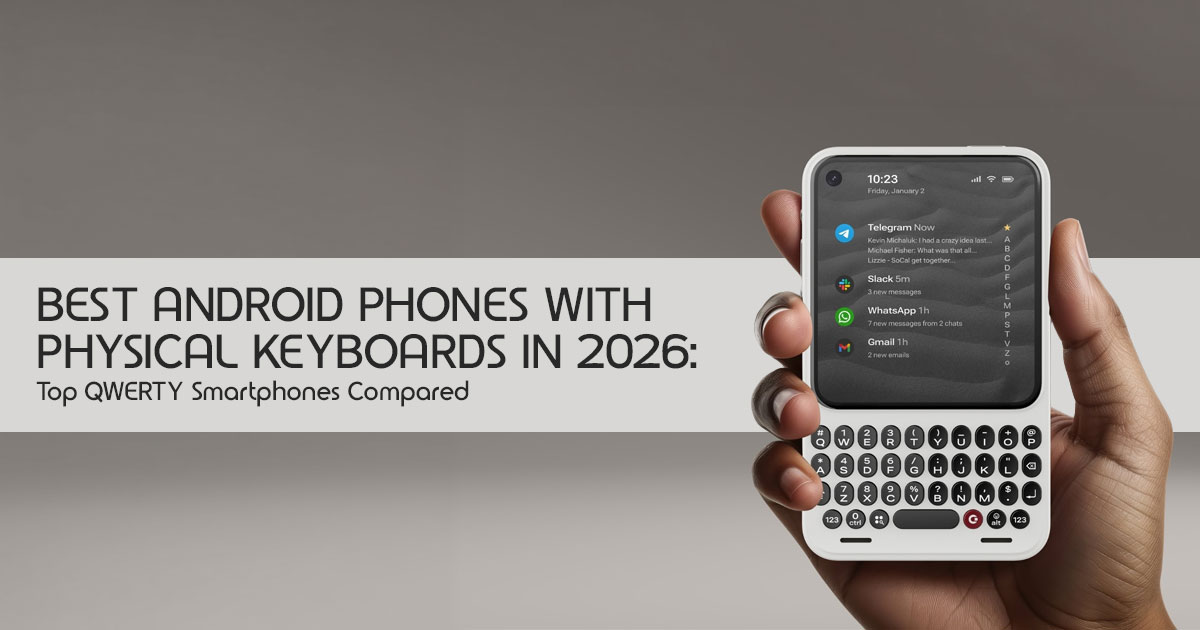
A physical keyboard still does one thing better than a touchscreen: it lets you type longer messages faster and more accurately without constantly looking at the display. For people who spend a lot of time emailing, chatting, or writing documents, that difference still matters.
The market for Android phones with physical keyboards is small in 2026, but it has not disappeared. Instead of relying on nostalgia, today’s devices pair full QWERTY keyboards with modern Android software, 5G connectivity (on supported models), programmable shortcut keys, and hardware designed for productivity. Some even include features like touch-sensitive keyboards or distraction-reduced interfaces to make everyday use more efficient.
These phones are not for everyone. Most have smaller displays than mainstream smartphones,
camera systems that focus on practicality rather than flagship performance, and limited availability outside specialist retailers. Each model also targets a different type of user, so choosing the right one is more important than simply buying the newest device.
This guide compares the best Android phones with physical keyboards available in 2026. We explain where each phone performs well, where it falls short, and which one is best suited for
productivity, business use, heavy messaging, digital minimalism, or everyday use.
Quick answer: For most buyers, the Unihertz Titan 2 Elite is the strongest overall choice. It combines a built-in QWERTY keyboard, 120Hz AMOLED display, 5G connectivity, programmable shortcut keys, and a touch-sensitive keyboard that adds useful navigation features. The Clicks Communicator is a better fit for users who primarily communicate through messaging and email. The Minimal Phone focuses on reducing distractions, while the Ikko MindOne Pro offers more flexibility with its optional snap-in keyboard accessory.
With more than 20 years of experience in hardware and application research and development, we evaluate products based on real-world performance, build quality, long-term reliability, and value for money. Whether you’re a professional, developer, student, journalist, or someone who simply prefers typing on physical keys, our recommendations are based on extensive research, component analysis, real-world usability, and industry expertise. The goal is simple: help you choose the right device based on how it performs in everyday use, not just what the specification sheet says.
| Phone | Best For | Keyboard Design | Display Type | Main Advantage | Main Limitation |
|---|---|---|---|---|---|
| Unihertz Titan 2 Elite | Best overall | Built-in physical QWERTY | AMOLED | Modern hardware with programmable keyboard shortcuts. | Small display and niche software ecosystem. |
| Clicks Communicator | Messaging and communication | Built-in physical QWERTY | AMOLED | Message-focused software with advanced notification features. | Availability may be limited depending on the region. |
| Minimal Phone | Digital detox | Built-in physical QWERTY | E-paper | Exceptional battery life with minimal distractions. | Slow monochrome display is not ideal for media consumption. |
| Ikko MindOne Pro | Flexible keyboard use | Optional snap-in QWERTY keyboard case | Square touchscreen | Can be used with or without the detachable keyboard. | Keyboard accessory is sold separately. |
Why buy an Android phone with a physical keyboard?
A physical keyboard isn’t better than a touchscreen for everyone, but it excels at specific tasks. A physical keyboard smartphone may be useful if you:
- Write long emails or messages
- Use WhatsApp, Telegram, Slack, or Discord frequently
- Prefer tactile feedback
- Make frequent typing mistakes on glass keyboards
- Want programmable shortcuts
- Need a phone that encourages focused communication
- Miss the keyboard layout of a BlackBerry
- Use your phone for notes, documents, or quick replies
- Want a compact secondary or companion device
The main trade-off is simple: these phones sacrifice screen size and mainstream appeal in exchange for a better physical typing experience.
A large-screen Samsung, Google Pixel, or iPhone remains a better choice for gaming, photography, video streaming, and general app compatibility. A QWERTY Android phone makes more sense when typing is the priority.
1. Unihertz Titan 2 Elite: Best overall Android QWERTY phone
The Unihertz Titan 2 Elite is the most complete option in this group. It is designed as a conventional Android smartphone with a built-in, front-facing physical keyboard rather than as a simple feature phone.
Its compact body includes a 4.03-inch AMOLED display with a 120Hz refresh rate. That screen is much smaller than the display on a conventional smartphone, but the high refresh rate should make scrolling and system animations feel smoother.
Key specifications
| Feature | Unihertz Titan 2 Elite |
|---|---|
| Operating System | Android 16 |
| Display | 4.03-inch AMOLED display |
| Refresh Rate | 120Hz |
| Keyboard | Built-in physical QWERTY keyboard |
| Processor | MediaTek Dimensity 7400 |
| Memory (RAM) | 12GB |
| Storage | 256GB |
| Rear Cameras | Dual cameras: 50MP main + 50MP telephoto |
| Front Camera | 32MP |
| Network Connectivity | 5G |
| Battery | Approximately 4,000mAh silicon-carbon battery |
| Listed Price | Approximately $489.99 |
Why the keyboard matters
The Titan 2 Elite’s keyboard does more than reproduce the appearance of a BlackBerry. It includes touch-sensitive functionality that can be used for scrolling through pages and moving the cursor while editing text.
The keys can also be assigned custom actions. A short press could open Gmail, while a long press could launch Google Docs or another frequently used application.
That makes the phone useful for users who prefer a shortcut-driven workflow. Instead of repeatedly opening the app drawer, a few key presses can take users directly to common tools.
The keyboard is also backlit, which helps in low-light environments.
Performance and software
The MediaTek Dimensity 7400 processor and 12GB of RAM place this device well above basic Android keypad phones. It should be capable of handling messaging, browsing, email, navigation, office apps, and ordinary multitasking.
The bigger consideration isn’t raw performance—it’s how well modern Android apps adapt to the phone’s compact display.
Many modern apps are designed for wide, tall displays. On a small, nearly square screen, certain websites, spreadsheets, video apps, and social media interfaces may feel cramped. The phone can run modern Android apps, but the compact display may make some apps less comfortable to use for extended periods.
According to Unihertz, the device launches with Android 16 and is expected to receive updates through Android 20, with security support through 2031. Buyers should verify the latest software support policy on the manufacturer’s website before purchasing.
Camera and battery expectations
The Titan 2 Elite includes a main camera, telephoto camera, and front-facing camera. That is more versatile than the camera setup on many niche keyboard phones.
It should be more than capable of handling everyday photos, document scans, video calls, and social media uploads. However, buyers should not expect it to compete directly with premium camera phones from Samsung, Google, or Apple.
The compact design naturally limits battery capacity compared to larger smartphones. The battery should be sufficient for a full day for many users, but heavy navigation, 5G use, camera recording, and video streaming can reduce endurance.
Who should buy the Titan 2 Elite?
The Titan 2 Elite is the best fit for users who want:
- A modern Android phone with a physical keyboard
- A built-in QWERTY layout
- 5G connectivity
- Programmable keyboard shortcuts
- A smoother AMOLED display
- A device that can work as a primary phone
- A contemporary alternative to the BlackBerry KEY2
It is less suitable for users who prioritize:
- A large display
- High-end photography
- Heavy gaming
- Easy access to local repair centers
- A low-cost phone
Best current use case: A compact productivity and messaging phone for users who type frequently.
2. Clicks Communicator: Best physical keyboard phone for messaging
The Clicks Communicator takes a more focused approach. Rather than trying to replace a large-screen entertainment phone, it emphasizes communication, typing, notifications, and quick access to messages.
It includes a built-in QWERTY keyboard above a compact 4.03-inch AMOLED display. The device is designed to work as a standalone phone, but it can also function as a companion device alongside a larger smartphone.
Key features
- Android 17
- Built-in backlit QWERTY keyboard
- Touch-sensitive keyboard controls
- 03-inch AMOLED display
- 256GB storage
- Expandable storage through microSD
- 4,000mAh silicon-carbon battery
- 50MP rear camera
- 24MP front camera
- Fingerprint sensor integrated into the spacebar
- 5mm headphone jack
- Customizable notification lighting
- Niagara Launcher
- Message hub for selected communication apps
Software and messaging features
The Communicator’s software is designed to make messaging faster and more efficient.
Its Message Hub brings conversations from apps such as WhatsApp, Telegram, and Gmail into a single interface. This could be useful for users who regularly switch between multiple communication apps.
The dedicated side key provides quick access to voice recording and voice-to-text features. That is practical when speaking is faster than typing or when the phone is being used while walking.
The customizable notification lighting adds another layer of glanceable information. Different colors can be assigned to different apps or message types.
These features are useful only if they fit the buyer’s communication habits. Someone who rarely sends messages will gain less from them than a user who handles dozens of chats and emails every day.
Keyboard and everyday use
The backlit, touch-sensitive keyboard is one of the phone’s main selling points. Swiping across the keys can provide trackpad-like control for scrolling and cursor movement.
The fingerprint sensor’s position in the spacebar also keeps the front of the phone visually clean. However, buyers accustomed to a rear or side fingerprint reader may need time to adjust.
The compact display is well suited to messages, email, notes, and short browsing sessions. It is less comfortable for watching long videos, editing wide documents, or using apps that depend on large touch targets.
Who should buy the Clicks Communicator?
The Clicks Communicator is suitable for users who want:
- A messaging-focused Android phone
- A physical keyboard with modern software
- A headphone jack
- Expandable storage
- A companion phone for communication
- A smaller device that discourages endless scrolling
- Notification tools that reduce the need to open every app It may not be the best option for users who need:
- A proven long-term track record
- Broad retail availability
- A large screen
- A strong camera system
- Heavy gaming performance
Best current use case: Messaging, email, voice notes, and focused communication.
3. Minimal Phone: Best keyboard phone for digital detox
The Minimal Phone is different from the other devices in this comparison. Its main goal is not to deliver the fastest Android experience. Instead, it combines a physical QWERTY keyboard with an e-paper display to reduce visual distractions.
The display resembles the type of screen used on an e-reader. It is designed for reading in different lighting conditions and uses less power than a typical LCD or AMOLED panel.
Key features
- 3-inch e-paper touchscreen
- Physical QWERTY keyboard
- Android 14
- Google Play support
- 6GB or 8GB RAM options
- 128GB or 256GB storage options
- 3,000mAh battery
- Wireless charging
- NFC and Google Pay
- Android Auto
- Text-based Minimal Launcher
- Dedicated display-refresh button
Why the e-paper screen matters
An e-paper display is comfortable for reading and consumes little power when showing static content. It can make articles, messages, notes, and books easier to read for extended periods.
It also naturally discourages video consumption. The screen is not designed to compete with an AMOLED display for color, animation, or refresh speed.
That’s intentional and aligns with the phone’s minimalist design.
The Minimal Phone is better understood as a digital detox phone with Android capabilities than as a conventional premium smartphone. It can provide access to essential applications, but it is not intended for constant video streaming, fast gaming, or visually demanding apps.
Battery life
The lower-power screen and modest hardware can help the battery last longer than expected. The manufacturer and reviews cited by the source material indicate that the phone may provide multiple days of regular use.
Actual battery life depends on screen refresh behavior, wireless connectivity, app activity, and mobile network conditions. Buyers should treat multi-day battery claims as usage-dependent rather than guaranteed.
Software limitations
Android compatibility is useful because it provides access to familiar applications. However, the e-paper display can make some applications feel slow or visually awkward.
Fast-moving content, animated maps, video, and image-heavy social media feeds are not the phone’s strengths. The best experience comes from reading, messaging, notes, calls, navigation, and basic productivity.
Who should buy the Minimal Phone?
The Minimal Phone makes sense for users who want:
- A minimalist phone with a physical keyboard
- An e-paper reading experience
- Fewer digital distractions
- Long battery life
- A phone for messages, calls, notes, and reading
- Android app access without a conventional entertainment-focused display It is not the right choice for users who want:
- Fast animations
- High-quality video playback
- Mobile gaming
- A flagship camera
- The smoothest possible web browsing experience
Best current use case: Reading, focused communication, and reducing screen time.
4. Ikko MindOne Pro: Best flexible Android phone with a keyboard case
The Ikko MindOne Pro uses a different design philosophy. The phone itself does not require a keyboard. It can be used as a compact square-screen Android device, while an optional snap-in keyboard case adds physical QWERTY input.
This makes it more flexible than phones with permanently attached keyboards.
Key features
- 02-inch touchscreen
- 90Hz refresh rate
- Android 15
- 8GB RAM
- 256GB storage
- MediaTek MT8781 processor
- 2,200mAh phone battery
- Optional keyboard case with additional battery
- 50MP rotating camera
- 5mm headphone jack through the keyboard case
- AI-focused tools
- Android and Ikko AI OS
- Listed phone price of approximately $429
- Keyboard case priced separately at approximately $89
The advantage of a detachable keyboard
The optional keyboard gives buyers a choice.
Without the keyboard case, the MindOne Pro is lighter and easier to use as a conventional touchscreen phone. With the case attached, it becomes a more practical device for typing.
That flexibility may appeal to users who do not want a physical keyboard attached all the time.
The downside is the total cost. Once the keyboard case is added, the combined price is higher than the phone alone. Buyers should compare the total cost, including the keyboard, rather than looking only at the phone’s price.
Display and design considerations
The square display can be useful for reading messages and using compact applications. However, many Android apps are designed for taller screens, so some interfaces may have unusual spacing or unused areas.
The screen also provides less room for wide documents and standard web pages. It is a good fit for short communication sessions, not necessarily for long-form visual work.
Camera and AI tools
The rotating camera allows the same sensor to work for front-facing and rear-facing photography. This simplifies the hardware design and may provide better selfie quality than a basic front camera.
According to Ikko, the phone includes AI-related features such as translation, podcast tools, and voice notes. Availability and offline functionality may vary by software version and region.
Who should buy the Ikko MindOne Pro?
The MindOne Pro is suitable for users who want:
- A phone with an optional physical keyboard
- A compact Android device
- A removable keyboard design
- A headphone jack
- A flexible phone-and-keyboard setup
- A square display
- A device that is less conventional than mainstream smartphones
It may not be ideal for users who want:
- The best typing experience immediately out of the box
- A low total cost
- A large display
- The widest accessory ecosystem
- Mainstream carrier and retail support
Best current use case: Buyers who want a compact touchscreen phone but only need a keyboard for selected tasks.
Android phones with physical keyboards: direct comparison
| Category | Titan 2 Elite | Clicks Communicator | Minimal Phone | Ikko MindOne Pro |
|---|---|---|---|---|
| Keyboard Included | Yes | Yes | Yes | No (optional keyboard case) |
| Keyboard Style | Built-in QWERTY | Built-in QWERTY | Built-in QWERTY | Snap-in QWERTY keyboard case |
| Display | AMOLED | AMOLED | E-paper | Square touchscreen |
| Android Version | Android 16 | Android 17 | Android 14 | Android 15 |
| 5G Support | Yes | Product availability should be verified. | Not the primary focus. | Availability varies by region. |
| Best For | General productivity | Messaging and communication | Digital detox and distraction-free use | Flexible everyday use |
| Headphone Jack | No notable advantage stated. | Yes | Not a key selling point. | Available through the keyboard case. |
| Battery Advantage | Efficient compact hardware. | Large silicon-carbon battery. | Low-power E-paper display extends battery life. | Optional keyboard case includes an extra battery. |
| Main Concern | Small display. | Availability and platform maturity. | Slow refresh rate inherent to E-paper. | Keyboard accessory is sold separately. |
| Approximate Price | $489.99 | $499 | $449–$549 | $429 + $89 keyboard case |
Specifications and prices can differ by region, configuration, and time. Verify the product page before ordering.
Which physical keyboard phone has the best typing experience?
The best choice depends on how you use your phone.
- Best for shortcuts and cursor control: Unihertz Titan 2 Elite
The Titan 2 Elite offers touch-sensitive keyboard gestures and programmable key actions. It is the strongest option for users who want to control apps and move through documents without constantly touching the screen. - Best for messaging: Clicks Communicator
The Communicator focuses on chats, email, notifications, and voice notes. Its message hub and side key make it more suitable for communication-heavy use. - Best for distraction-free writing: Minimal Phone
The Minimal Phone’s e-paper display discourages browsing and video consumption. It is useful for notes, messages, and reading, but less suitable for fast visual interaction. - Best for occasional keyboard use: Ikko MindOne Pro
The detachable keyboard case gives the MindOne Pro the most flexibility. It is a practical choice for users who do not need physical keys all day.
Are physical keyboard Android phones worth buying in 2026?
They are worth considering if a physical keyboard genuinely improves the way you use your phone every day.
A physical keyboard phone can be a good purchase if typing accuracy, communication, and reduced distraction matter more than camera quality or screen size.
It may not be worth buying if:
- Most phone use involves video and gaming
- A large screen is essential
- Fast camera performance is a priority
- Local service and repairs matter
- The phone must work with every carrier without checking bands
- The buyer expects flagship-level performance
These phones aren’t intended to replace flagship devices like the Samsung Galaxy, Google Pixel, or Apple iPhone for every user. They are specialized devices for people who value tactile input.
Physical keyboard versus touchscreen keyboard
| Factor | Physical Keyboard | Touchscreen Keyboard |
|---|---|---|
| Tactile Feedback | Strong, with physical key travel and tactile response. | Limited to vibration or haptic feedback. |
| Screen Space While Typing | The keyboard does not block the display. | The on-screen keyboard occupies part of the display. |
| Typing Flexibility | Fixed key layout with dedicated buttons. | Supports multiple layouts, languages, and custom keyboards. |
| Keyboard Shortcuts | Dedicated shortcuts and key combinations are often available. | Shortcuts are generally less direct and rely on software features. |
| Device Size | Devices are usually thicker or have smaller displays. | Allows for larger edge-to-edge displays and slimmer designs. |
| Gaming & Video Experience | Less convenient due to the permanent keyboard. | Better suited for gaming and media consumption. |
| Accessibility | Preferred by users who benefit from tactile keys. | Works well for users comfortable with touch input and accessibility features. |
| Learning Curve | Feels familiar to former BlackBerry and PDA users. | Familiar to the vast majority of modern smartphone users. |
The best option depends on the buyer’s habits. Physical keyboards benefit people who type frequently. Touchscreens remain more versatile for general smartphone use.
What to check before buying a QWERTY Android phone
1. Confirm carrier compatibility
Unlocked does not always mean universally compatible.
Check:
- 4G LTE bands
- 5G bands
- VoLTE support
- Carrier certification
- SIM format
- Regional model number
This is particularly important when importing a niche device.
2. Check software-support promises
Look for a clear statement about:
- Android version at launch
- Number of promised Android upgrades
- Security-patch duration
- Update frequency
- Bootloader and warranty policies
An older BlackBerry KEY2 alternative may provide excellent keyboard hardware but lack current security updates.
3. Evaluate the screen size
A compact phone may feel excellent for typing but inconvenient for:
- Spreadsheets
- Maps
- Video
- Online shopping
- Photo editing
- Social media
- Split-screen multitasking
A smaller display isn’t a drawback if it matches the way you plan to use the phone.
4. Check whether the keyboard is included
The Ikko MindOne Pro requires an additional keyboard case.
Always calculate the complete purchase price, including:
- Keyboard case
- Shipping
- Import taxes
- Protective case
- Replacement accessories
- Warranty costs
5. Consider the phone’s role
Decide whether the phone will be:
- A primary smartphone
- A secondary work phone
- A messaging device
- A travel phone
- A digital-detox device
- A backup phone
The Titan 2 Elite is the most suitable for primary use. The Minimal Phone may work better as a focused secondary device for many buyers.
What about old BlackBerry phones?
Older devices such as the BlackBerry KEY2, KEY2 LE, KEYone, and other BlackBerry-style phones may still be available through used or refurbished sellers.
Their keyboards can remain appealing, but buyers should understand the risks:
- Outdated Android versions
- Missing security patches
- Aging batteries
- Limited carrier support
- Reduced app compatibility
- Difficult repairs
- Uncertain seller condition
A refurbished BlackBerry can be an affordable way to experience a physical keyboard, but it shouldn’t be considered a full replacement for a modern Android phone.
For everyday use in 2026, a newer BlackBerry-style Android phone with active software support is generally the safer option.
Pros and cons of Android phones with physical keyboards
Advantages
- Tactile typing
- Better access to keyboard shortcuts
- Less screen obstruction while typing
- Compact communication-focused designs
- Strong appeal for former BlackBerry users
- Useful for email and messaging
- Potentially lower distraction
- Some models include trackpad-like gestures
Disadvantages
- Smaller screens
- Limited mainstream support
- Fewer cases and accessories
- Usually weaker cameras than flagship phones
- Higher prices for niche hardware
- Possible carrier-compatibility problems
- Fewer repair options
- Some apps may not display well
- Software-update promises may vary by manufacturer
Final verdict: Which Android keyboard phone should you buy?
The best Android phone with a physical keyboard depends entirely on how you plan to use it. While all four devices bring back tactile typing, they target different users and priorities.
Choose the Unihertz Titan 2 Elite if:
- You want the best overall Android phone with a physical keyboard
- You need modern software and 5G
- You want programmable keys
- You plan to use it as your main phone
- You prefer built-in keyboard controls
Choose the Clicks Communicator if:
- Messaging is your main priority
- You want a communication-focused companion phone
- You value a headphone jack and notification features
- You want a modern alternative to the BlackBerry form factor
Choose the Minimal Phone if:
- You want a digital detox phone with a keyboard
- Reading and battery life matter more than screen speed
- You want to reduce video and social-media use
- You prefer an e-paper display
Choose the Ikko MindOne Pro if:
- You want a touchscreen phone that can accept a keyboard
- You prefer a removable accessory
- You only type heavily on certain occasions
- You want a compact and unusual Android design
For most buyers, the Unihertz Titan 2 Elite offers the strongest balance of keyboard functionality, modern hardware, and everyday Android capability. The other three models make more sense for specific needs rather than general smartphone use.
Check prices and availability
Amazon Worldwide
If you’re ready to compare current deals, check the latest prices for Android keyboard phones, BlackBerry alternatives, protective cases, and compatible chargers on Amazon Worldwide.
Before placing an order, always verify the exact model, keyboard layout, storage option, warranty, and carrier compatibility to make sure the device meets your requirements.
Check current Amazon Worldwide prices and offers →
If you found this guide helpful, leave a comment below and let us know which keyboard phone you’re considering or already using.
If you have any questions about compatibility, performance, or choosing the right model, ask in the comments—we’re happy to help. For more in-depth smartphone reviews, buying guides, and ractical tech advice, be sure to follow us so you don’t miss our latest articles.
***Disclaimer***
This blog post reflects our research, analysis, and opinions based on available product information, user feedback, and industry knowledge. It should not be taken as the official position of any brand, manufacturer, or company mentioned here. While we aim to keep information accurate and up to date, product details, pricing, and availability can change. We recommend double-checking important details before making a purchase.
Some links in this article may be affiliate links. If you choose to buy through these links, we may earn a small commission at no extra cost to you. This helps support our work and allows us to keep publishing in-depth, unbiased reviews. Affiliate partnerships never influence our recommendations.
Opinions expressed by readers are their own and do not necessarily reflect ours. We are not responsible for outcomes resulting from the use of information on this site. Please seek professional advice where appropriate.
All product names, logos, and brands mentioned are the property of their respective owners. These names are used for identification and informational purposes only and do not imply endorsement.
