
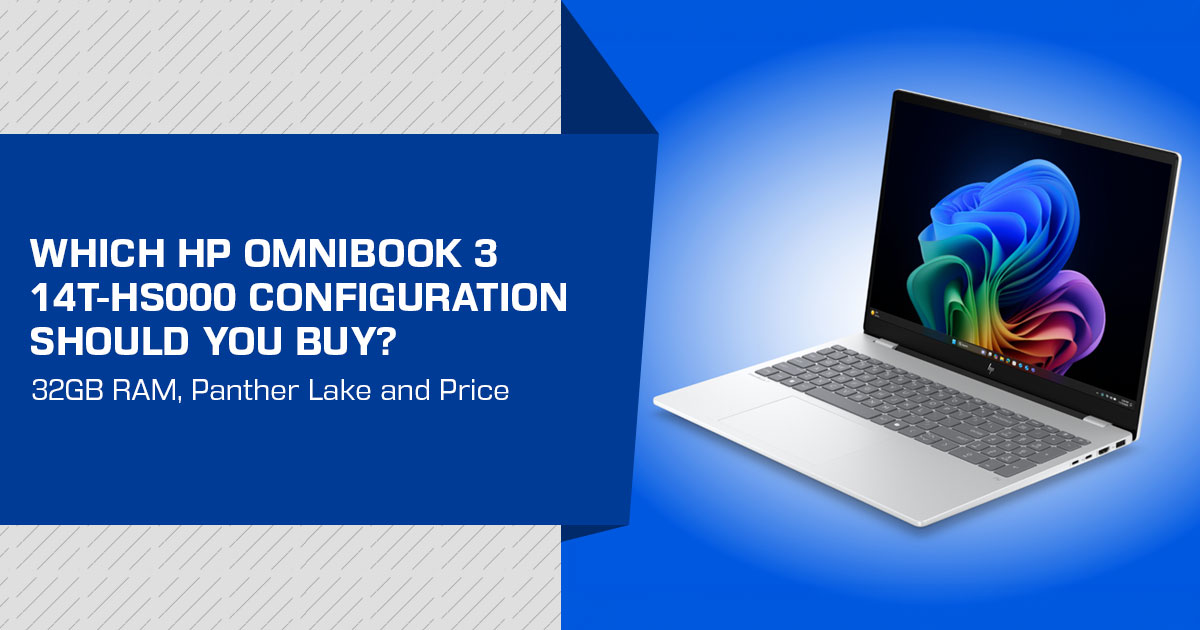
HP’s OmniBook 3 Laptop Next Gen AI 14t-hs000 is a 14-inch laptop built around Intel Panther Lake processors, with configurations offering up to 32 GB of RAM, optional Wi-Fi 7, and a display option with 400 nits brightness and 100% sRGB coverage.
The starting configuration is where the price looks most appealing. In the supplied US configuration report, it comes with 16 GB RAM, a 256 GB SSD, a 300-nit display, and Wi-Fi 6. The 32 GB option uses a 1 × 32 GB memory configuration, so it runs in single-channel mode. The supplied report lists the highest reported configuration at US$1,469 after discount. HP’s current US store pricing varies by configuration and promotion, so these figures should be treated as reported prices, not fixed current prices.
That makes the configuration more important than the headline price. Students and everyday users may have little reason to pay for the higher specifications, while professionals, creators, and users who keep a laptop for several years may prefer more memory, a better display, or faster wireless connectivity.
As technology experts with over 20 years of experience in hardware and application research and development, we assess products based on performance, durability, usability, and value for money. Our recommendations cover different priorities, from budget and performance to reliability and long-term use. For the HP OmniBook 3, we look at what each configuration offers and whether the extra cost is justified. Our recommendations are based on product research, component analysis, real-world usability, and industry experience.
This guide covers the HP OmniBook 3 Laptop Next Gen AI 14t-hs000 specifications, configuration options, display, memory, storage, connectivity, and pricing to help you decide which version is worth buying.
HP OmniBook 3 Laptop Next Gen AI 14t-hs000 specifications at a glance
| Specification | Reported Details |
|---|---|
| Product | HP OmniBook 3 Laptop Next Gen AI 14t-hs000, 14-inch display |
| Processor Options | Intel Core Ultra 5 322, Core Ultra 5 325, or Core Ultra 7 355 |
| Operating System | Windows 11 Home |
| Memory | 16GB, 24GB, or 32GB DDR5-5600 |
| Memory Layout | HP lists 16GB as 1 × 16GB or 2 × 8GB, 24GB as 1 × 24GB or 2 × 12GB, and 32GB as 1 × 32GB. The exact memory layout depends on the selected configuration. |
| Storage | 256GB, 512GB, or 1TB PCIe Gen 4 SSD |
| Base Display | 1920 × 1200 IPS, 300 nits, 62.5% sRGB |
| Optional Display | Up to 400 nits with 100% sRGB; touchscreen configuration also available |
| Wireless Connectivity | Base configuration includes Wi-Fi 6 and Bluetooth 5.4; Wi-Fi 7 and Bluetooth 6.0 options are also listed. |
| Battery | 60Wh |
| Keyboard | Non-backlit keyboard on the base configuration; a backlit keyboard option is also reported. |
| Reported US Starting Price | US$599 after discount at the time of the supplied product report |
| Reported Highest US Configuration | US$1,469 after discount at the time of the supplied product report |
The table describes reported configurations rather than independent test results. Actual battery life, thermals, fan noise, and application performance still need hands-on testing.
What is the HP OmniBook 3 Laptop Next Gen AI 14t-hs000?
The HP OmniBook 3 Laptop Next Gen AI 14t-hs000 is a consumer-oriented HP 14-inch laptop built around Intel’s Panther Lake mobile platform. Some more expensive HP EliteBook models also use Intel Panther Lake processors, while the ZBook models listed here use different processor platforms. The OmniBook 3 Laptop Next Gen AI 14t-hs000 places that processor family in a lower-priced product category.
The product is aimed at everyday computing rather than a specialist workstation role. Its likely use cases include web browsing, office applications, video calls, document work, study, and general Windows software. The available processor, memory, display, and storage choices allow buyers to spend more on the parts that matter most to them.
That flexibility also makes the advertised starting price easy to misunderstand. The reported US$599 configuration is not the same machine as the fully configured version with 32 GB RAM, 1 TB storage, a brighter display, and Wi-Fi 7.
Intel Panther Lake processor options
The laptop is available with three reported processor choices: the Intel Core Ultra 5 322, Intel Core Ultra 5 325, and Intel Core Ultra 7 355. These names identify different performance tiers within the same broader Intel Core Ultra Series 3 platform.
The Core Ultra 5 322 is used in the reported entry configuration. The Core Ultra 5 325 adds a reported US$40 to the configuration, while the Core Ultra 7 355 adds a reported US$220. Those price differences make the processor choice relevant to value, especially when the laptop is also being upgraded with more memory, storage, or a better display.
The supplied product report references benchmark results comparing these Panther Lake processors with
Qualcomm’s Snapdragon X X1P-26-100. That comparison supports interest in the platform, but it should not be treated as a full performance review of the HP laptop. The chassis, cooling system, power limits, and software can affect the result in an actual product.
For buyers, the practical interpretation is straightforward:
- The Core Ultra 5 322 is the sensible starting point for routine productivity if the price difference is the main
- The Core Ultra 5 325 may be worth considering when the complete configuration remains within
- The Core Ultra 7 355 is intended for buyers who want the highest processor tier offered in this model and are prepared to pay for it.
These are configuration recommendations, not independent benchmark conclusions.
32 GB RAM: useful capacity with an important caveat
The OmniBook 3 Laptop Next Gen AI 14t-hs000 can be configured with 32 GB of DDR5-5600 memory. That gives you more working space for many browser tabs, office applications, communication tools, and heavier multitasking.
However, the 32 GB option is listed as 1 × 32 GB, so it operates in single-channel mode. HP also lists 16 GB in both 1 × 16 GB and 2 × 8 GB configurations, and 24 GB in both 1 × 24 GB and 2 × 12 GB configurations. Memory capacity and memory bandwidth are different things. More RAM helps when applications need more working space, while a dual-channel layout can provide higher memory bandwidth in workloads that benefit from it. Check the exact configuration before buying.
This is a buying decision, not an automatic reason to choose 32 GB. Buyers who mainly use documents, browsers, streaming services, and standard productivity software may prefer 16 GB or 24 GB if that configuration offers better value. Buyers who regularly keep many demanding applications open may still prefer 32 GB because capacity is the more important limitation in their workflow.
HP’s configuration page lists different memory layouts, but buyers should not assume that every version can be upgraded in the same way. Check the service documentation for the exact regional model before buying with future memory upgrades in mind.
Display options: the base panel and the better upgrade
The entry HP OmniBook 3 Laptop Next Gen AI 14t-hs000 display is a 1920 × 1200 IPS panel with 300 nits of brightness and 62.5% sRGB coverage. That should be fine for office work and general entertainment, but it is not a wide-gamut panel for color-sensitive work.
HP also offers a 400-nit display with 100% sRGB coverage. The supplied report lists this as a US$30 upgrade. It is the more useful display upgrade for buyers who work near windows, edit images for the web, or want wider color coverage.
A touchscreen option is also listed at an additional US$70 in the supplied report. Touch can help with navigation and some creative or educational tasks, but it does not improve the panel’s brightness or color coverage. Those are separate specifications.
For most buyers, the 400-nit, 100% sRGB display is the more useful upgrade. That recommendation is based on the listed specifications, not on direct testing of the panel.
Storage, wireless connectivity, and keyboard options
The reported HP OmniBook 3 Laptop Next Gen AI 14t-hs000 configurations include 256 GB, 512 GB, and 1 TB PCIe Gen 4 SSD options. The base 256 GB drive may be sufficient for cloud-first users who store large media libraries elsewhere. Buyers who keep photos, games, creative files, or offline video locally should consider 512 GB or 1 TB.
The supplied report lists US$70 more for 512 GB and US$240 more for 1 TB relative to the base storage configuration. Storage pricing should be checked at the time of purchase because promotions can change the value calculation.
The base wireless setup includes Bluetooth 5.4 and Wi-Fi 6. HP also lists a Wi-Fi 7 and Bluetooth 6.0 option for US$20 more. Wi-Fi 7 is most useful when the home or office network supports it; otherwise, the upgrade may have limited immediate value.
The base keyboard is described as non-backlit. A backlit keyboard is reported as a US$10 option. That is a small configuration detail, but it can matter to students and office users who frequently work in dim rooms.
Battery and everyday use: what can and cannot be concluded
The HP OmniBook 3 Laptop Next Gen AI 14t-hs000 has a 60 Wh battery. Battery capacity provides useful context, but it does not establish runtime. Battery life also depends on the processor, display brightness, wireless activity, application load, battery health, and power settings.
For that reason, it would be unsafe to promise all-day battery life without independent testing.
The same caution applies to portability, fan noise, webcam quality, speaker output, keyboard comfort, and chassis durability. Those characteristics are important in a laptop purchase, but they are not established by the supplied source and should be checked in a hands-on review before purchase.
HP OmniBook 3 Laptop Next Gen AI 14t-hs000 versus the Snapdragon X version
HP also offers a comparable laptop using the Snapdragon X X1P-26-100. The Panther Lake model gives buyers a Windows laptop based on Intel’s newer mobile platform, while the Snapdragon version represents a different processor and software platform choice.
The supplied product report cites benchmark evidence showing a substantial performance advantage for the Panther Lake processors over the referenced Snapdragon X chip. That finding is relevant, but performance comparisons should be checked against the exact laptop configuration and workload.
| Buying Consideration | HP OmniBook 3 Laptop Next Gen AI 14t-hs000 (Intel) | Snapdragon X Alternative |
|---|---|---|
| Processor Platform | Intel Panther Lake / Core Ultra processor options | Qualcomm Snapdragon X X1P-26-100 in the cited comparison |
| Main Appeal | Intel-based platform offering several processor and configuration choices. | Provides an alternative Windows-on-ARM platform for buyers considering Snapdragon-based laptops. |
| Reported Performance Comparison | The cited benchmark comparison shows a substantial performance advantage for the Panther Lake processors. | The referenced Snapdragon X configuration trails the Panther Lake systems in the cited comparison. |
| What Buyers Should Still Check | Real-world battery life, thermals, fan noise, and application performance should be verified before buying. | Check application compatibility, performance in your specific software, and current pricing before choosing the ARM-based option. |
The better choice depends on software needs, current price, and the exact model being compared. Buyers should not choose solely from the processor name.
HP OmniBook 3 Laptop Next Gen AI 14t-hs000 versus premium HP laptops
The OmniBook 3 Laptop Next Gen AI 14t-hs000 sits below products such as the EliteBook 8 G2a 14, ZBook 8 G2a, ZBook Ultra G1a 14, and EliteBook X Flip G2i 14. These models target higher price tiers and different user requirements, and they use different processor platforms in their listed configurations.
The OmniBook 3 may be more appropriate for home, education, and general productivity buyers who do not need enterprise features or workstation-class hardware. A premium HP model may be a better fit when business features, professional graphics, higher-end displays, workstation performance, or a convertible design matter more than the starting price.
This is not a direct quality ranking. The products serve different categories, and a higher price does not make every premium feature useful to every buyer.
Which HP OmniBook 3 Laptop Next Gen AI 14t-hs000 configuration makes sense?
| Buyer Profile | Recommended Configuration | Reasoning |
|---|---|---|
| Basic Home & Office Use | Core Ultra 5 322, 16GB RAM, 256GB SSD | Keeps the initial cost lower while providing sufficient hardware for routine workloads. HP’s official listing identifies this as the base configuration. |
| Heavy Multitasking | 32GB RAM, after confirming the exact configuration | Provides additional memory capacity for demanding multitasking, although the supplied product information lists this option as single-channel. |
| Local File Storage | 512GB or 1TB SSD | Provides more space for applications, documents, photos, and other local files while reducing dependence on external drives or cloud storage. |
| Bright-Room or Color-Aware Work | 400-nit, 100% sRGB display | Offers higher reported brightness and wider color coverage than the base display option, making it better suited to brighter environments and color-sensitive work. |
| Wi-Fi 7 Home Network | Wi-Fi 7 option | Makes the most sense when your router and network infrastructure already support Wi-Fi 7. |
| Dim-Room Typing | Backlit keyboard option | Improves key visibility in low-light environments, a convenience the base keyboard does not provide. |
| Highest Available Processor Tier | Core Ultra 7 355 | Consider the higher-tier processor when your workload can benefit from the additional performance and the added processor cost fits your budget. |
The most suitable configuration may not be the one with the most RAM. For many buyers, a Core Ultra 5 processor, 512 GB storage, and the improved display could be more practical than paying for every top-tier option. The value of 24 GB depends on whether the selected configuration uses 1 × 24 GB or 2 × 12 GB memory. Check the exact configuration and price before deciding.
Pros and limitations
| Potential Strengths | Important Limitations |
|---|---|
| ✔ Available with Intel Panther Lake processor options in the HP OmniBook 3 lineup. | ✖ The base display is limited to 300 nits of brightness and 62.5% sRGB color coverage. |
| ✔ Supports configurations with up to 32GB of RAM. | ✖ The 32GB configuration uses a single 1 × 32GB module, resulting in single-channel memory operation. |
| ✔ Optional upgraded display offers 400-nit brightness and 100% sRGB color coverage. | ✖ The higher-quality 400-nit, 100% sRGB panel is not included with the base configuration. |
| ✔ Optional Wi-Fi 7 provides support for the latest generation of wireless networking. | ✖ The benefits of Wi-Fi 7 are limited unless the laptop is paired with a compatible router and network infrastructure. |
| ✔ Multiple SSD configurations are available, including 256GB, 512GB, and 1TB capacities. | ✖ Higher-spec configurations can cost considerably more than the advertised starting price. |
| ✔ A 60Wh battery provides a reasonable capacity for a mainstream productivity laptop. | ✖ Actual real-world battery life is not established by the supplied product information. |
| ✔ Configurable keyboard and touchscreen options allow buyers to tailor the laptop to their requirements. | ✖ Important details including weight, fan noise, webcam quality, port selection, and long-term durability require further verification. |
Frequently asked questions
Does the HP OmniBook 3 Laptop Next Gen AI 14t-hs000 support 32 GB RAM?
Yes. The supplied product information reports 16 GB, 24 GB, and 32 GB DDR5-5600 options. The 32 GB configuration is reported as single-channel. HP lists 16 GB in both 1 × 16 GB and 2 × 8 GB configurations, and 24 GB in both 1 × 24 GB and 2 × 12 GB configurations; the exact layout depends on the selected configuration.
What is the HP OmniBook 3 Laptop Next Gen AI 14t-hs000 starting price?
The supplied product report states a US starting price of US$599 after discount at the time of the supplied product report. Prices can change, and the advertised entry configuration is not the same as the fully configured model.
Which processors are available in the HP OmniBook 3 Laptop Next Gen AI 14t-hs000?
The reported options are the Intel Core Ultra 5 322, Core Ultra 5 325, and Core Ultra 7 355.
Does the HP OmniBook 3 Laptop Next Gen AI 14t-hs000 support Wi-Fi 7?
Wi-Fi 7 is reported as an optional connectivity upgrade. The base configuration uses Wi-Fi 6, and the upgrade price is reported as US$20.
Is the HP OmniBook 3 Laptop Next Gen AI 14t-hs000 display suitable for color-sensitive work?
The base display is reported at 62.5% sRGB coverage. A 400-nit, 100% sRGB option is also reported. Buyers who need reliable color reproduction should verify independent display testing before purchase.
How much storage is available in the HP OmniBook 3 Laptop Next Gen AI 14t-hs000?
The reported storage choices are 256 GB, 512 GB, and 1 TB PCIe Gen 4 SSD.
Is the HP OmniBook 3 Laptop Next Gen AI 14t-hs000 good for gaming?
The supplied source does not provide gaming benchmarks, graphics details sufficient for a gaming recommendation, or thermal testing. Gaming suitability should therefore be determined from independent testing of the exact configuration.
Is the HP OmniBook 3 Laptop Next Gen AI 14t-hs000 a good everyday laptop?
On paper, the processor choices, Windows 11 Home, 14-inch display, multiple memory options, and SSD choices make it relevant for everyday productivity. The right value depends on the final configuration and current price.
HP OmniBook 3 Laptop Next Gen AI 14t-hs000 price and availability
The supplied product report lists a US starting price of US$599 after a discount from an alleged US$1,129 MSRP. It also reports a maximum example at US$1,469, discounted from US$1,999. These figures describe the prices available when the supplied product report was published, not a permanent price guarantee.
The difference between those figures is important. A buyer comparing the advertised starting price with the highest configuration is not comparing like-for-like products. Processor upgrades, memory, storage, display, wireless, keyboard, and color choices can all affect the final total.
Before purchasing, check the exact configuration, return policy, warranty terms, delivery region, and whether the listed price is a temporary promotion.
Where to buy the HP OmniBook 3 Laptop Next Gen AI 14t-hs000
Amazon US
We could not verify an Amazon US product detail page for the Intel Panther Lake HP OmniBook 3 Laptop Next Gen AI 14t-hs000 configuration. The Amazon US product page found during verification is for the Snapdragon X model 14-hz0099nr, not the Intel configuration described in this article.
The Intel configuration was not verified on Amazon US during our check. HP sells the model as a customizable configuration, and retailer listings can use different model codes. The absence of a matching Amazon listing at the time of checking does not prove that the Intel model is permanently unavailable.
The closest Amazon US option available for immediate purchase is the following different processor configuration:
| Listing | What It Matches | Important Difference |
|---|---|---|
| HP OmniBook 3 14-hz0099nr on Amazon US | Part of the HP OmniBook 3 family, featuring a 14-inch 2K display and Windows 11 Home. | This configuration uses the Snapdragon X X1-26-100 processor with 16GB RAM and a 512GB SSD. It is not the Intel Panther Lake model. |
If Intel Panther Lake is essential, use the official HP US product page and check whether the customizable configuration is available for the delivery address.
The HP OmniBook 3 Laptop Next Gen AI 14t-hs000 may also appear under different configuration names on Amazon. Before using an affiliate link, verify that the listing identifies the correct processor, memory, display, storage, regional warranty, and model code. Check the current Amazon US price and configuration before buying.
Amazon India
A regional Intel-based option is listed in India under a different model code. It is not the same US SKU, so the model code and included features should be checked before purchase.
| Listing | Verified Details | Important Difference |
|---|---|---|
| HP OmniBook hs0052TU on Amazon India | Intel Core Ultra 5 322, 16GB DDR5 RAM, 512GB SSD, 14-inch 2K IPS display, Wi-Fi 7, Bluetooth 6, and a 60Wh battery | This is the regional hs0052TU model rather than the US C3ZX7AV_1 product number. The reported listing price was ₹1,19,990 when checked. |
Availability and specifications can differ in India, and the listed model uses a different product code from the US version. Check the RAM, SSD, keyboard layout, display, warranty, model code, and seller information before purchase.
Final verdict
The HP OmniBook 3 Laptop Next Gen AI 14t-hs000 is a configurable budget 14-inch laptop that brings Intel Panther Lake processors and up to 32 GB RAM into a more accessible HP product line. Its strongest potential advantages are the range of processor choices, optional 400-nit display, Wi-Fi 7 option, and 1 TB storage configuration.
The main caution is that the specifications change substantially across the range. The base model has a 300-nit, 62.5% sRGB display, 16 GB RAM, 256 GB storage, and Wi-Fi 6. The 32 GB option is reported as single-channel, and the highest configuration costs far more than the advertised starting price.
For a careful buyer, a useful approach is to compare the full configuration rather than focus on the headline price. The HP OmniBook 3 Laptop Next Gen AI 14t-hs000 is worth further consideration when its current price remains competitive and the chosen version includes the display, memory, and storage needed for the intended workload. It should not be described as a universal best choice until independent testing confirms battery life, cooling, noise, display behavior, and application performance.
Research and verification note
This article was written from the supplied product report and cross-checked against HP’s official product information and the retailer listings described below. No hands-on testing was performed.
HP OmniBook 3 Laptop Next Gen AI 14t-hs000 official product page
Have a question about the OmniBook 3 or unsure which configuration to choose? Leave a comment and tell us what you’re looking for. Follow us for more practical hardware guides, and if you have any doubts about this laptop, ask us—we’ll be happy to help.
Disclaimer

This blog post reflects our research, analysis, and opinions based on available product information, user feedback, and industry knowledge. It should not be taken as the official position of any brand, manufacturer, or company mentioned here. We make every effort to keep this guide accurate, but product specifications, pricing, and availability may change after publication. We recommend double-checking important details before making a purchase.

Some links in this article may be affiliate links. If you choose to buy through these links, we may earn a small commission at no extra cost to you. This helps support our work and allows us to keep publishing in-depth, unbiased reviews. Affiliate partnerships never influence our recommendations.

Opinions expressed by readers are their own and do not necessarily reflect ours. We are not responsible for outcomes resulting from the use of information on this site. Please seek professional advice where appropriate.

All product names, logos, and brands mentioned are the property of their respective owners. These names are used for identification and informational purposes only and do not imply endorsement.
