
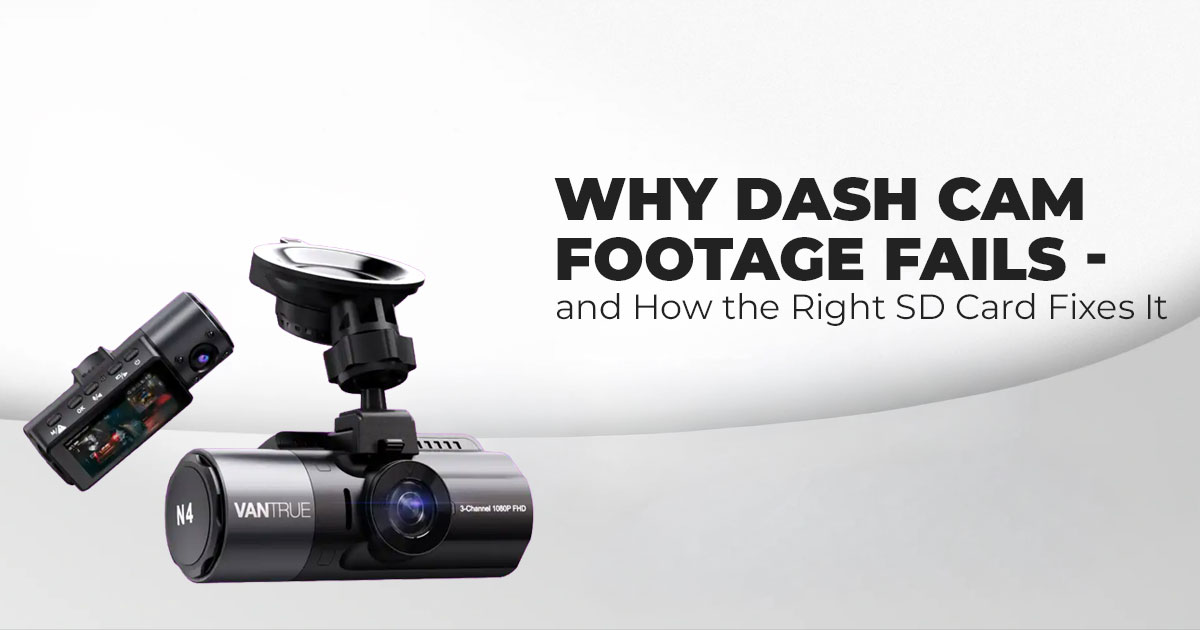
1. Introduction: Why Your Dash Cam Is Only as Reliable as Its SD Card
Every day, dash cams quietly record hours of driving. And yet, when something goes wrong on the road, many drivers discover the same problem: the footage is missing or unusable. In most cases, the dash cam itself isn’t to blame. The issue usually comes down to the dash cam SD card. Dash cams use loop recording, which means they constantly overwrite old footage to save new clips. That nonstop writing puts real strain on storage, and a regular card can wear out far sooner than people expect. When that happens, corrupted dash cam footage or recording gaps can cost you crucial evidence during an accident or dispute.
Offfcial Vantrue Dash Cam Store
US Store | India Store
We’ve spoken with many drivers who learned this lesson the hard way. That’s why choosing the right SD card for your dash cam matters so much. This guide focuses on the basics that actually make a difference—how to pick a reliable SD card for dash cam recording that protects your footage without overspending. If you’re trying to figure out which SD card is right for your dash cam or how to choose an SD card that won’t fail when it counts, this article is built for exactly that question.
Our readers include daily commuters, rideshare drivers, long-haul truckers, and parents monitoring teen drivers. What all of them want is the same thing: dependable recording. That means a dash cam memory card that can handle hours of video, survive heat inside a parked car, and keep recording without errors. The payoff is simple but important—confidence during insurance claims, clarity in road disputes, and peace of mind knowing your drive is properly documented.
Here’s the key point many buyers overlook: the SD card isn’t just an accessory. It’s the core of your dash cam system. Choose the right one, and your footage is there when you need it most. Choose poorly, and even the best dash cam can let you down.
As technology experts with over 20 years of experience in hardware and application research and development, we evaluate each product based on real-world performance, durability, and value for money. Our goal is to help you find the best option in every category—budget, performance, reliability, and long-term use. For commuters, professional drivers, and safety- conscious families, our recommendations are grounded in extensive research, component-level analysis, real-world usability, and industry expertise, not marketing promises.
2. Technical Specifications at a Glance
Here’s a quick rundown of key specs to keep in mind when eyeing a dash cam storage card. This table lays out the basics to help compare what’s out there.
| Specification | Description | Recommended for Dash Cams |
|
Endurance Rating |
How well it stands up to repeated overwrites |
High endurance SD card for dash cam or pro versions; built for thousands of cycles to prevent dash cam footage corruption |
|
Capacity |
How much space it offers | 128GB–256GB for everyday use; 512GB or 1TB for the best SD card for 4K dash cam or extended sessions |
|
Speed Class |
Minimum write speed guarantee | UHS I U3 SD card for dash cam for smooth 4K; Class 10 SD card for dash
cam as a baseline for HD |
|
File System |
Data organization format | FAT32 for smaller cards; exFAT for bigger ones to avoid compatibility
snags |
|
Temperature Range |
Handles heat and cold |
-25°C to 85°C, perfect for car environments to maintain SD card
reliability for dash cams |
- Summary: Go for high endurance with UHS I U3 speed and at least 128GB to cover most
dash cam storage requirements.
3. Why This Review Is Essential
With dash cams becoming common in everyday cars, it’s easy to grab any SD card and assume it’ll work fine. But that’s where many drivers run into trouble. Using the wrong card often leads to dash cam SD card errors, missing clips, or footage that stops recording without warning. This review focuses on the questions most guides gloss over—why dash cam SD cards fail and how long dash cam SD cards last in real driving conditions.
Heat inside a parked car, constant vibrations from rough roads, and nonstop recording all speed up wear. A standard card just isn’t built for that kind of stress. We explain how choosing a dash cam compatible SD card, designed for continuous use, helps prevent these issues and delivers steady, dependable recording. The goal is simple: help you choose an option that holds up over time instead of failing when you need it most.
4. What You Will Learn from This Review
This guide shows you how to match the right SD card for your dash cam to the way you actually drive. You’ll learn why SD card endurance for dash cams matters, how much storage you really need for different video resolutions, and how to spot cards that are likely to cause problems. We also cover practical care tips, side-by-side comparisons, and clear answers to common questions like does a dash cam need a high endurance SD card.
By the end, you’ll know how to avoid data loss, extend the life of your SD card with a few easy habits, and understand how SD card overwrite cycles affect long-term reliability. It’s all about making a smart choice once and not having to think about it again.
5. Why Regular SD Cards Fail in Dash Cams (And Cause Recording Errors)
Dash cams don’t behave like phones or cameras that record once and stop. They record all the time using loop recording, which means old footage is constantly erased to make room for new clips. That creates continuous overwrite cycles, something most regular SD cards were never designed to handle.
Over time, this nonstop writing wears down the memory cells. When that happens, drivers start seeing dash cam SD card errors—missing clips, recordings that suddenly stop, or video files that won’t open. Many people blame the camera first, but in most cases, replacing the dash cam SD card solves the issue.
Real-world conditions make the problem worse. Cars shake on rough roads, power cuts in and out, and temperatures spike when vehicles sit parked in the sun. A standard card struggles under this stress. For daily drivers, that can mean failure in weeks. A proper SD card for continuous recording, on the other hand, is built to last for years.
Why this matters to readers
- Commuters avoid surprise recording gaps
- Fleet managers keep reliable records without downtime
- Rideshare drivers protect their trip history and disputes
6. High-Endurance SD Card for Dash Cam Use (The One Factor That Matters Most)
If there’s one thing you should not compromise on, it’s endurance rating. This is what separates a reliable dash cam memory card from one that fails early.
6.1 What “High Endurance” Means for Dash Cam SD Cards
A high-endurance SD card for dash cam use is built for constant video recording. These cards use higher-quality NAND flash endurance, allowing them to survive thousands of overwrite cycles without breaking down. They also include internal safeguards that reduce write errors before files become corrupted.
This is the difference between footage that’s there when you need it and footage that disappears without warning.
6.2 Labels to Look For When Buying a Dash Cam SD Card
Always check the packaging. Look for:
- High Endurance
- Pro Endurance
- High Endurance Video
These labels indicate the card is suitable for video surveillance memory card use, including dash cams and parking mode recording. Cards without these labels are more likely to lead to corrupt dash cam footage over time.
6.3 How Endurance Rating Prevents Data Loss
High endurance cards maintain stable write speeds, even during long drives or overnight dash cam parking mode recording. This reduces the risk of dash cam file corruption, missed clips, and unreadable videos.
Key takeaway:
A high-endurance SD card for daily driving works like insurance for your footage. It doesn’t make headlines, but it saves you when something goes wrong.
7. SD Card Capacity for Dash Cam: How Much Storage Do You Actually Need?
Choosing the right SD card capacity for dash cam use depends on how you drive, how long you record, and what resolution your camera uses. Bigger is not always better, but too small creates problems fast.
7.1 Dash Cam Storage vs Resolution (Simple Breakdown)
Higher video quality uses more space:
- 1080p @ 30fps: ~6GB per hour
- 1440p @ 30fps: ~9GB per hour
- 4K @ 30fps: ~15GB per hour
Recording at 60fps roughly doubles storage use. This matters if you rely on parking mode or long recording loops.
7.2 Recommended Dash Cam SD Card Sizes by Use Case
- Dash cam SD card 128GB
Best for short daily commutes at 1080p - Dash cam SD card 256GB
Ideal for 1440p recording, dual-channel dash cams, or parking mode - Dash cam SD card 512GB or higher
Best SD card for long recording, 4K dash cams, or frequent long drives
7.3 Why Bigger SD Cards Can Cause Problems
Some dash cams limit the maximum supported SD card size. Using a larger card than supported can cause glitches, recording failures, or formatting errors. Always check your manual before buying, especially when deciding how much storage a dash cam needs.
7.3.1 Dash Cam SD Card Capacity Comparison Table
| Use Case | Resolution | Recommended Capacity | Estimated Recording
Time (Loop Off) |
| Daily Commute | 1080p @ 30fps | Dash cam SD card 128GB | 20–24 hours |
| Dual-Channel Recording | 1440p @ 30fps | Dash cam SD card 256GB | 28–56 hours |
| Long Drives / 4K | 4K @ 30fps | Dash cam SD card 512GB | 32–64 hours |
Summary:
Match the SD card capacity to how you actually drive. Too little storage cuts footage short. Too much storage can cause compatibility issues.
Reader benefits
- Rideshare drivers keep a longer trip history
- Parents retain more footage without swapping cards
- Frequent travelers avoid missed recordings
8. Dash Cam SD Card Speed Class Explained (What Actually Matters)
Speed class determines whether your dash cam SD card can keep up with real-time recording. If the card can’t write data fast enough, footage drops frames, skips moments, or corrupts files.
Speed doesn’t improve image quality—but it does decide whether the video is usable when something happens.
8.1 Why Write Speed Matters for Dash Cam Recording
Dash cams record continuously, often during sudden braking or collisions. A sustained write speed SD card ensures every frame is captured without gaps. Slow cards struggle under pressure, leading to broken clips or unreadable files—especially during high-motion moments.
8.2 Minimum SD Card Speed Ratings You Should Accept
- Class 10 SD card for dash cam
The bare minimum for 1080p recording - UHS I SD card for dash cam (U1)
Works for basic HD, short trips - UHS I U3 SD card for dash cam
Recommended for 1440p, 4K, dual-channel, and parking mode
If your dash cam records at higher resolution or frame rates, U3 is not optional. It maintains stable writing during heavy data flow.
For an SD card for dual channel dash cam, faster speed classes matter even more because two video streams are written at the same time.
8.3 When UHS II SD Cards Are Overkill
UHS II cards are fast on paper, but most dash cams don’t support them. Without compatibility, you gain nothing but a higher bill. Always match speed to what your camera can actually use.
9. Matching SD Cards to Dash Cam Resolution and Frame Rate
Not all dash cam setups stress storage the same way. Resolution, frame rate, and camera count directly affect how hard your SD card works.
- 1080p @ 30fps: modest demand
- 1080p @ 60fps: higher write load
- 1440p and 4K: heavy, constant stress
The best SD card for 4K dash cam use combines a high endurance SD card for dash cam design with UHS I U3 speed. Anything less risks dropped frames and corrupted files.
Dual-channel and interior-facing cameras multiply data writes. This is where loop recording storage cards built for endurance make the difference.
Offfcial Vantrue Dash Cam Store
US Store | India Store
9.1 Dash Cam Parking Mode Storage Needs
Parking mode records quietly for hours, often in low-power states. The best SD card for a dash cam parking mode must handle frequent small overwrites without errors. High endurance cards perform better here because they manage wear evenly across memory cells.
10. Dash Cam SD Card Compatibility Checks That Prevent Errors
Many recording problems come from simple compatibility issues that are easy to avoid.
10.1 Maximum Supported SD Card Capacity
Dash cams often have a maximum supported capacity. Using a larger card than recommended can cause instability, random stops, or formatting failures. Always check the manual before buying, especially when deciding how much storage a dash cam needs.
10.2 File System and Formatting Support
- FAT32: common for cards under 128GB
- exFAT: used for larger capacities
Always format the card inside the dash cam, not on a computer. This prevents dash cam SD card errors and reduces the chance of a dash cam not recording due to an SD card error later.
11. Trusted SD Card Brands for Dash Cam Use
Brand matters more with dash cams than with casual devices. Reputable brands invest in better memory quality, testing, and warranties. This leads to consistent long-term video recording storage and fewer failures over time.
Look for brands with:
- Proven dash cam or surveillance use cases
- Clear endurance ratings
- Reliable warranty support
- Stable availability for replacements
Unknown brands and counterfeit cards are common causes of corrupted footage.
12. How to Maintain Your Dash Cam SD Card and Extend Its Life
Even the best card needs basic care.
12.1 Regular Formatting (Most Users Skip This)
Formatting every 2–4 weeks clears file fragments and keeps performance stable. This single habit prevents many long-term issues.
12.2 Warning Signs You Should Replace Your SD Card
- Error messages on the dash cam
- Missing or incomplete clips
- Slow playback or unreadable files These are signs that the card is wearing
12.3 Replacement Timeline for High-Endurance SD Cards
Even high-endurance cards don’t last forever. Expect 12–24 months of reliable use for daily drivers. Heavy users should track recording hours and replace them sooner.
This is normal wear caused by the SD card for the dash cam’s continuous overwrite cycles.
13. Common Dash Cam SD Card Mistakes (And How to Avoid Them)
- Using a phone or camera SD card
- Ignoring SD card speed class for dash cam requirements
- Buying unverified cards online
- Skipping initial formatting
The best SD card for a dash cam to avoid corruption is one that’s high endurance, properly sized, correctly rated for speed, and recommended for dash cam use.
Bottom line:
Choose a recommended SD card for dash cam recording once, maintain it lightly, and you won’t have to think about it again—until you need the footage.
14. Clearing Common Doubts About Dash Cam SD Cards
Before buying an SD card, most drivers pause at the same set of questions. That’s a good thing. These doubts usually come from real problems—missing footage, card errors, or confusion over specs. This section clears up the most common searches in plain terms, so you know exactly which SD card your dash cam needs, how long it will last, and what actually prevents footage loss.
Q. What SD card does a dash cam need?
- A dash cam needs a high-endurance SD card designed for continuous recording. For 1080p, a Class 10 card is the minimum. For 1440p or 4K, a UHS I U3 SD card for a dash cam is strongly recommended to keep recordings stable and error-free.
Q. Which SD card is best for a dash cam?
- The best SD card for dash cam use is one labeled High Endurance or Pro Endurance. These cards are built to handle constant overwrite cycles, heat inside cars, and long recording hours without failing. Speed rating and endurance matter more than brand names alone.
Q. Does a dash cam need a high endurance SD card?
- Yes. A dash cam writes data nonstop using loop recording. Without a high-endurance SD card for a dash cam, regular cards wear out quickly, leading to corrupted footage, missed clips, or sudden recording stops.
Q. Why do dash cam SD cards fail?
- Most failures happen because standard SD cards aren’t built for overwrite cycles. Add heat, vibrations, and power fluctuations, and memory cells degrade fast. This is why SD card overwrite cycles are the top reason behind dash cam recording errors.
Q. How long do dash cam SD cards last?
- With daily driving, a good high-endurance SD card typically lasts 12 to 24 months. Regular formatting and proper capacity matching can extend its life. Heavy users, such as rideshare or fleet drivers, may need replacements sooner.
Q. What is the best SD card for a dash cam in 2026?
- The best SD card for a dash cam in 2026 will still be a high endurance SD card, preferably UHS I U3, with capacities between 128GB and 512GB, depending on resolution. Prices usually range from $45 to $110, based on size and endurance rating.
Quick Takeaway
- Dash cams need high endurance SD cards, not regular ones
- UHS I U3 is ideal for 1440p, 4K, and parking mode
- Expect 1–2 years of lifespan with daily use
- Most SD card failures come from overwrite stress, not the camera
15. FAQs About Dash Cam SD Cards
These quick FAQs clear up the most common questions drivers have about dash cam SD cards, from compatibility and capacity to lifespan and performance, so you can choose the right card with confidence and avoid recording issues later.
Q: Can I use a normal SD card in my dash cam?
A: You can, but it’s not a good idea. Regular SD cards aren’t built for continuous overwrite recording, so they tend to wear out fast. That often leads to dash cam SD card errors, missing clips, or footage that won’t play when you need it.
Q: What size SD card is best for a 4K dash cam?
A: For an SD card for 4K dash cam recording, 256GB is the practical starting point. If you want longer retention, parking mode coverage, or frequent long drives, 512GB gives you more breathing room without constant overwriting.
Q: How often should I replace my dash cam SD card?
A: Most high-endurance SD cards for dash cams last 12–24 months with daily use. Heavy driving, dual-channel recording, and parking mode can shorten that window, even with good maintenance.
Q: Does a faster SD card improve video quality?
A: A faster card won’t increase resolution or image clarity. What it does is prevent dropped frames, recording gaps, and file corruption, which keeps your footage smooth and usable during sudden events.
Offfcial Vantrue Dash Cam Store
US Store | India Store
16. Conclusion: The Right SD Card Is Cheap Insurance
When it comes down to it, your dash cam is only as dependable as the storage inside it. You can buy the best camera, but without a high endurance SD card for a dash cam that’s built for continuous overwrite recording, the footage you’re counting on might never be there when you need it. Choosing the right capacity, proper speed class, and a card designed for constant writing is what keeps your recordings dependable and gives you peace of mind on the road.
Cutting corners on the SD card might seem like a small choice—but it can lead to corrupted files, missing clips, and endless frustration when it matters most. A properly chosen card protects your footage and makes your dash cam actually worth the investment.
Whether you’re a daily commuter, rideshare driver, long-haul pro, or a parent watching over a new driver, the goal is the same: clear, reliable footage when it counts.
Ready to upgrade? Here are Vantrue SD card options that work with most dash cams:
US / Global Options
- Vantrue 128GB U3 V30 Class 10 MicroSDXC – Great balance of size and performance for everyday use.
- 256 GB Vantrue microSD Card – Ideal for longer 1440p or dual-camera setups (available on Vantrue US accessories).
- 1 TB Vantrue microSD Card – Maximum storage for heavy 4K recording and long drives or parking mode.
- Vantrue 512GB microSDXC UHS-I U3 4K UHD Video SD Card – Huge space for 4K and extended loop recording.(Link to all in-stock memory cards: Vantrue US)
India-Focused Options
Directly from Vantrue India accessories:
64 GB Vantrue microSD Card – Budget choice for standard 1080p recording.
- 128 GB Vantrue microSD Card – More space for daily use and longer
- 256 GB Vantrue microSD Card – Balanced option for high-res video or dual cam
- 512 GB Vantrue microSD Card – Best for frequent long recording or 4K (Link to all in-stock memory cards: Vantrue India)
Pick the card that matches your dash cam’s supported capacity, resolution needs, and recording habits. And if you have questions about compatibility or want help choosing the right SD card for your setup, leave a comment—we’d love to help you find the perfect fit.
***Disclaimer***
This blog post contains unique insights and personal opinions. As such, it should not be interpreted as the official stance of any companies, manufacturers, or other entities we mention or with whom we are affiliated. While we strive for accuracy, information is subject to change. Always verify details independently before making decisions based on our content.
Comments reflect the opinions of their respective authors and not those of our team. We are not liable for any consequences resulting from the use of the information provided. Please seek professional advice where necessary.
Note: All product names, logos, and brands mentioned are the property of their respective owners. Any company, product, or service names used in our articles are for identification and educational purposes only. The use of these names, logos, and brands does not imply endorsement.
