
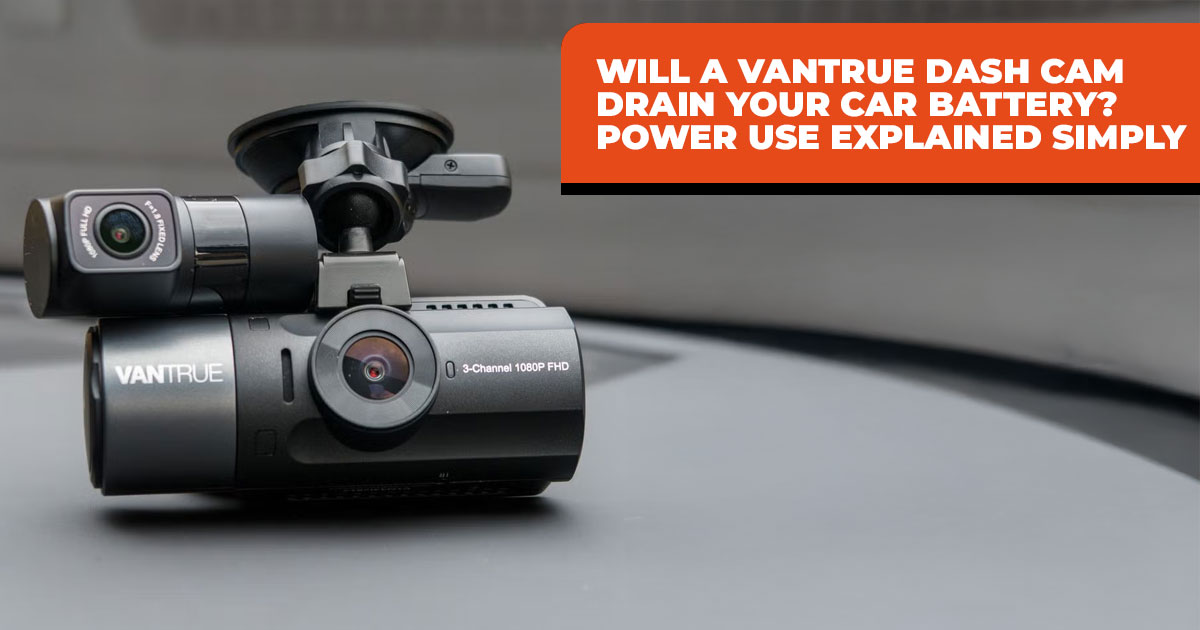
1. Introduction: The Common Worry About Dash Cam Battery Drain
Many people shopping for dash cams pause at the same thought: Do Vantrue dash cams drain the car battery? It’s a fair concern. A car that won’t start can ruin a morning fast, and no one wants a safety device to become a problem. We looked closely at how Vantrue dash cams handle power, where battery issues actually come from, and how simple it is to avoid them when the setup is done right.
Offfcial Vantrue Dash Cam Store
US Store | India Store
Dash cams are built to record what happens on the road and while your car is parked. That means they need power, sometimes even when the engine is off. The real question isn’t whether a dash cam uses power—it’s whether that power use is controlled. This guide focuses on dash cam power consumption, how dash cam parking mode battery usage works, and why the right setup changes everything.
As technology experts with over 20 years of experience in hardware and application research and development, we evaluate products based on real-world performance, durability, and value for money. Our goal is to help you choose the best option across budget, performance, reliability, and long-term use. For daily commuters, rideshare drivers, parents of new drivers, and anyone who wants parking surveillance dash cam coverage without battery worries, our recommendations come from hands-on testing, component analysis, and practical use—not assumptions.
1.1 Why does the dash cam battery drain worry so many buyers
Most concerns start with stories online. Someone installs a dash cam, parks for a few days, and comes back to a dead battery. Those stories spread fast and rarely explain what went wrong. The fear becomes simple: install a dash cam and risk the dash cam draining the car battery.
What usually gets missed is this: when set up properly, Vantrue dash cams are designed to prevent that situation. Battery drain tends to happen when power isn’t managed correctly, not because the camera itself is unsafe.
1.2 Who this guide helps most
This guide is written for people who rely on their cars every day. That includes daily commuters who park outdoors, rideshare drivers who spend long hours on the road, parents who want accountability for new drivers, and anyone who wants parking surveillance dash cam protection without constant worry.
If you want footage while driving and peace of mind when the car is parked, this information removes the uncertainty that stops many people from installing a dash cam at all.
1.3 What we cover here
We explain dash cam power consumption in simple terms, compare driving mode and dash cam parking mode battery usage, break down Vantrue dash cam hardwire kit options, explain dash cam voltage cutoff protection, and share practical steps to avoid a dash cam battery drain issue altogether.
The goal is simple: help you understand what matters so your dash cam protects you without creating new problems.
If you’re already considering a battery-safe setup, it helps to know what proper accessories look like. Official hardwire kits and power cables are designed to manage voltage correctly and avoid drain issues. You can see the full range of compatible options on the Vantrue Accessories – US Store and the Vantrue Accessories – India Store, depending on where you’re based.
Summary
- Vantrue dash cams do not drain car batteries when installed correctly
- Battery problems come from poor power control, not the camera
- A proper hardwire kit with voltage cutoff protection prevents drain
- Parking mode is designed to limit power use
- Setup matters more than the camera itself
2. Dash Cam Power Consumption Breakdown: Real Numbers That Matter
One reason people worry about a dash cam draining a car battery is that power usage feels like a mystery. In reality, Vantrue dash cam power consumption is low and predictable. Most people expect these cameras to behave like security systems that run nonstop. They don’t.
Based on typical Vantrue dash cam models and long-term user measurements, here’s how power usage breaks down in everyday terms.
| Mode | Typical Power Draw | Hourly Impact on 60Ah Battery | Safe Runtime Without Charging |
| Normal driving
recording |
3–5 watts | None (alternator supplies
power) |
Unlimited |
| Parking mode –
motion detection |
1–2 watts | 0.1–0.2% battery loss | 3–5 days |
| Parking mode –
time-lapse |
0.5–1 watt | Less than 0.1% loss | 6–10 days |
| Constant recording
(no protection) |
5–7 watts | 0.5–0.7% loss | 1–2 days |
What stands out is how little power parking mode battery usage actually involves when configured properly. Vantrue parking mode battery safety comes from design choices that limit recording to moments that matter, instead of running the camera at full power all night.
This difference explains why some users report no issues for weeks, while others see battery problems in days. The camera isn’t the variable. The setup is.
3. How Dash Cams Actually Use Power in Real Life
Understanding how dash cams use power removes most of the fear around battery drain. Power behavior changes depending on whether the car is moving or parked.
3.1 Power usage while driving
When the engine is running, the car’s alternator supplies electricity. The dash cam pulls a small amount, roughly the same as a phone charger. During normal driving, dash cam power consumption does not affect the battery at all.
This is why concerns about Vantrue dash cam battery drain never apply while driving. The battery isn’t the power source in this situation.
3.2 Power usage when parked
This is where questions like does Vantrue dash cam drain battery when parked usually come from. Parking mode exists to provide 24/7 parking surveillance dash cam coverage, but it does not mean constant recording.
Vantrue cameras rely on motion detection parking mode and G-sensor dash cam recording. Most of the time, the camera stays in a low-power state. It wakes only when movement or impact is detected, records the event, and then returns to standby.
That approach keeps the dash cam parking mode battery usage low and predictable. Instead of hours of unused footage, you get short clips tied to actual incidents.
3.3 The real risk that causes battery drain
Battery problems happen when a continuous power dash cam setup runs without protection. This usually occurs when a camera is plugged into a power source that stays live after the engine shuts off, with no voltage control in place.
In those cases, the dash cam keeps drawing power with no limit. Over time, even a small draw can lead to a dead battery. This is a setup issue, not a camera flaw.
4. Cigarette Lighter vs Hardwired Dash Cam Battery Protection
How you power a dash cam matters as much as the camera itself. This choice determines whether dash cam battery drain issues appear at all.
Many newer cars cut power to the 12V cigarette lighter port when the ignition turns off. In those vehicles, using the lighter socket is safe for driving-only recording. The camera shuts down with the engine, and the battery stays untouched.
Older vehicles sometimes keep that port powered. In those cases, leaving a dash cam plugged in can cause slow battery drain over several days, especially without monitoring.
Hardwired dash cam battery protection solves this problem. A Vantrue dash cam hardwire kit connects directly to the fuse box and includes dash cam voltage cutoff protection. If battery voltage drops below a safe level, power to the camera stops automatically.
This setup allows parking mode without risking the battery and is the recommended choice for anyone who wants the best dash cam for 24/7 parking surveillance without compromise.
This is why using official accessories matters. Vantrue’s hardwire kits and OBD cables are built with proper voltage cutoff protection, which removes the guesswork from parking mode power use. Drivers can choose the right kit for their vehicle through the Vantrue Accessories – US Store or the Vantrue Accessories – India Store, ensuring compatibility and battery safety.
5. Vantrue Hardwire Kit Options Explained
Vantrue makes three main kits that suit different needs and vehicles.
| Kit Type | Connection Style | Ideal For | Advantages | Things to Note |
| Type-C USB | Fuse box add-a-fuse
taps |
Newer Vantrue models with Type-C
port |
Clean look, full voltage
protection |
Needs access to the fuse panel |
|
Mini-USB |
Fuse box add-a-fuse
taps |
Older Vantrue models | Broad compatibility | Slightly thicker cable |
|
OBD |
Plugs into the OBD-II
port |
Quick installs, renters, no fuse work | Fastest setup, same protection | Uses the diagnostic port |
Every official kit includes the Vantrue hardwire kit voltage cutoff—the key to hardwired dash cam battery protection.
6. Dash Cam Voltage Cutoff Protection Explained (Why Your Battery Stays Safe)
Battery drain concerns usually come down to one thing: voltage. Understanding dash cam voltage cutoff protection makes it clear why Vantrue dash cams are safe when installed correctly.
6.1 Simple explanation of car battery voltage levels
A healthy car battery rests between 12.6V and 12.8V when fully charged. To start reliably, most vehicles need at least 11.8V to 12.0V. When the voltage drops below that range, the starter motor struggles, and cold weather makes it worse.
This is why car battery voltage levels matter more than how long a dash cam runs. The goal isn’t to stop power use entirely—it’s to stop it before the battery reaches a risky level.
6.2 What voltage cutoff protection actually does
A Vantrue dash cam hardwire kit monitors battery voltage at all times. When the voltage drops to the cutoff level you select, the kit cuts power to the dash cam completely. Recording stops, but the battery keeps enough charge to start the car later.
This is the core safeguard behind dash cam battery protection. It removes guesswork and prevents the slow drain that causes most battery complaints.
Vantrue hardwire kits offer three common cutoff settings:
- 0V – Longest parking coverage, best for frequent drivers with new batteries
- 2V – Balanced choice for most vehicles and driving habits
- 4V – Maximum safety for older batteries or cold climates
Choosing the right setting matters more than squeezing extra hours of recording.
6.3 Recommended best voltage cutoff setting for dash cam use
The best voltage cutoff setting for dash cam use depends on how often you drive, battery age, and climate.
| Driving Habit | Battery Age | Climate | Suggested Setting |
| Drive almost every day | Under 3 years | Mild | 12.2V |
| Weekend or occasional use | 3–5 years | Variable | 12.4V |
| Long airport parking or
storage |
Over 5 years | Cold winters | 12.4V |
When in doubt, choose the higher cutoff. Losing a few hours of parking footage beats dealing with a dead battery.
Offfcial Vantrue Dash Cam Store
US Store | India Store
7. Why Vantrue Parking Mode Uses So Little Battery Power
Many people assume parking surveillance dash cam features run constantly. That’s not how Vantrue parking mode works.
Power stays low because recording only happens when something matters. Motion detection parking mode, buffered recording, and G-sensor dash cam recording keep the camera idle until movement or impact is detected. Buffered clips even capture moments before the trigger, without keeping the camera fully active all night.
This design keeps dash cam parking mode battery usage low enough that most daily drivers see no change in battery health over time.
8. Common Reasons People Still Face Dash Cam Battery Drain Issues
When battery problems show up, they almost always trace back to setup choices or battery condition, not the camera.
Common causes of a dash cam battery drain problem include:
- Using cheap third-party kits without proper voltage cutoff protection
- Connecting to always-hot fuses with no safeguards
- Selecting too low a cutoff voltage on an aging battery
- Leaving a cigarette lighter plugged in on vehicles with constant-power ports
- Starting with a weak car battery, often 4–6 years old
A quick battery load test at an auto shop can reveal hidden issues before they cause trouble.
9. Easy Checklist for Battery-Safe Dash Cam Setup
Follow these steps to avoid dash cam draining car battery issues:
- Buy an official Vantrue hardwire kit
- Enable dash cam voltage cutoff protection and set it to 2V or higher
- Connect to the correct fuses or use OBD safely
- Test starting the car after the first overnight park
- Keep the car battery healthy and replace it every 5 years when possible
- Add a dedicated battery pack only if the car sits unused for weeks
This checklist covers nearly every real-world failure point.
10. Final Answer: Is Vantrue Dash Cam Safe for Car Battery?
Yes—Vantrue dash cams are safe for car batteries when installed properly. Their low-power parking modes and reliable voltage cutoff hardwire kit design make Vantrue dash cam power management one of the most practical options available.
Battery issues usually come from incorrect installation or an aging battery, not from the dash cam itself. For daily drivers, the protection outweighs the small power draw. For infrequent use or cold weather, raising the cutoff setting adds an extra layer of safety.
Summary
- Do Vantrue dash cams drain the car battery? No, with proper setup
- An official hardwire kit with voltage protection prevents drain
- Parking mode uses minimal power through motion and impact triggers
- 2V–12.4V cutoff delivers everyday reliability
- Most drain stories trace back to poor installation or old batteries
11. Clearing Common Doubts About Dash Cam Battery Drain
People searching for a dash cam draining a car battery usually want clear, direct answers. This section addresses the most common questions around Vantrue dash cam battery drain, parking mode safety, and hardwire kit protection. Each answer reflects real-world use and matches what drivers experience day to day, not worst-case myths.
Q. Will a dash cam kill my car battery overnight?
- No. A Vantrue dash cam running in smart parking mode typically uses less than 2% of a healthy car battery overnight. Motion detection and low-power standby keep energy use minimal.
Q. How to stop the dash cam from draining the battery?
- Use an official Vantrue hardwire kit and make sure the dash cam voltage cutoff protection is enabled. This setup cuts power automatically before the battery reaches unsafe levels.
Q. Is a hardwire kit safe for a car battery?
- Yes. A hardwired dash cam battery protection setup is safer than using an always-on cigarette lighter port. Voltage monitoring prevents slow drain and protects the battery’s starting reserve.
Q. Is parking mode safe for the car battery?
- Yes. Dash cam parking mode battery usage stays low when paired with motion detection, G- sensor recording, and voltage cutoff. The camera records only when something happens.
Q. Does Vantrue dash cam drain battery when parked?
- Only if installed without safeguards. With proper hardwiring, voltage cutoff, and a healthy battery, Vantrue dash cams do not drain car batteries when parked.
Offfcial Vantrue Dash Cam Store
US Store | India Store
12. Frequently Asked Questions About Dash Cam Battery Usage
These questions reflect what people search for most when deciding whether a dash cam is safe for their vehicle. The answers focus on dash cam battery drain, parking mode safety, and proper power management, using real-world behavior rather than theory.
Q. Do dash cams drain car batteries in general?
- Only when they receive constant power without low-voltage protection. A properly installed dash cam with voltage cutoff protection avoids battery drain and shuts off before the battery reaches unsafe levels.
Q. How do dash cams use power while parked?
- Most modern dash cams switch into low-power standby. They wake up only when motion is detected or the G-sensor registers an impact, which keeps parking mode battery usage low.
Q. How does voltage cutoff work in dash cams?
- A dash cam hardwire kit continuously monitors car battery voltage levels. When the voltage drops to the selected cutoff point, the kit cuts power to the camera, preserving enough charge to start the engine.
Q. How to hardwire a dash cam safely?
- Use add-a-fuse taps on the correct fuse slots—one constant battery fuse and one ignition- switched fuse—or install an OBD hardwire kit. Always enable dash cam voltage cutoff protection after installation.
Q. Dash cam hardwire kit vs cigarette lighter—which is better for battery safety?
- A hardwire kit with voltage protection is better, especially for parking mode use. Cigarette lighter ports may stay powered in some vehicles and lack battery safeguards.
Q. Parking mode vs continuous recording power usage—what’s the difference?
- Motion-based parking mode uses about 70–80% less power than continuous recording. Continuous recording keeps the camera active at all times, which increases battery drain risk.
Q. Can dash cams damage a car battery long-term?
- No, not when power is managed correctly. With daily driving, the alternator fully recharges any small overnight power use, preventing long-term battery damage.
13. Conclusion
If you’ve read this far, here’s the honest bottom line: Vantrue dash cams don’t drain your car battery when they’re installed and configured correctly. Battery problems almost always come from missing voltage protection, poor wiring choices, or an old battery that was already on its way out. The camera isn’t the issue. The setup is.
When you pair a Vantrue dash cam with an official hardwire kit and enable voltage cutoff protection, power use stays controlled. You get the footage you want—while driving and while parked—without worrying about whether the car will start the next morning. That balance is what most people are really looking for.
If you’re ready to build a battery-safe setup or upgrade what you’re already using, these offfcial sources make it easy:
Hardwire kits, OBD cables, and power accessories are designed to protect your car battery.
Compatible accessories tailored for local vehicles and driving conditions.
If you already run a Vantrue dash cam, share your setup in the comments. Which model are you using? What voltage cutoff setting works best for your driving routine? And if you’re unsure about installation or settings, ask. We’re here to help you choose a setup that works for your car—not just on paper, but every day you drive.
***Disclaimer***
This blog post contains unique insights and personal opinions. As such, it should not be interpreted as the official stance of any companies, manufacturers, or other entities we mention or with whom we are affiliated. While we strive for accuracy, information is subject to change. Always verify details independently before making decisions based on our content.
Comments reflect the opinions of their respective authors and not those of our team. We are not liable for any consequences resulting from the use of the information provided. Please seek professional advice where necessary.
Note: All product names, logos, and brands mentioned are the property of their respective owners. Any company, product, or service names used in our articles are for identification and educational purposes only. The use of these names, logos, and brands does not imply endorsement.
