
1. Introduction
More than half of parking-related damage happens when no one is around to see it. That’s the frustrating part. You park, head inside, and come back later to a dent, a scrape, or a cracked mirror. No note. No witnesses. Just a repair bill and unanswered questions.
Recommended Parking Mode Dash Cams by Use Case
Parking lots are more crowded than ever, street parking feels exposed, and cars often sit unattended for hours or days. This is when most hit-and-runs, door dings, and acts of vandalism happen. A parking mode dash cam continues recording after the engine is off, so you have real evidence when something goes wrong. And that’s why it matters to everyday drivers.
1.1 Product / Category Overview: Dash Cams With Parking Mode
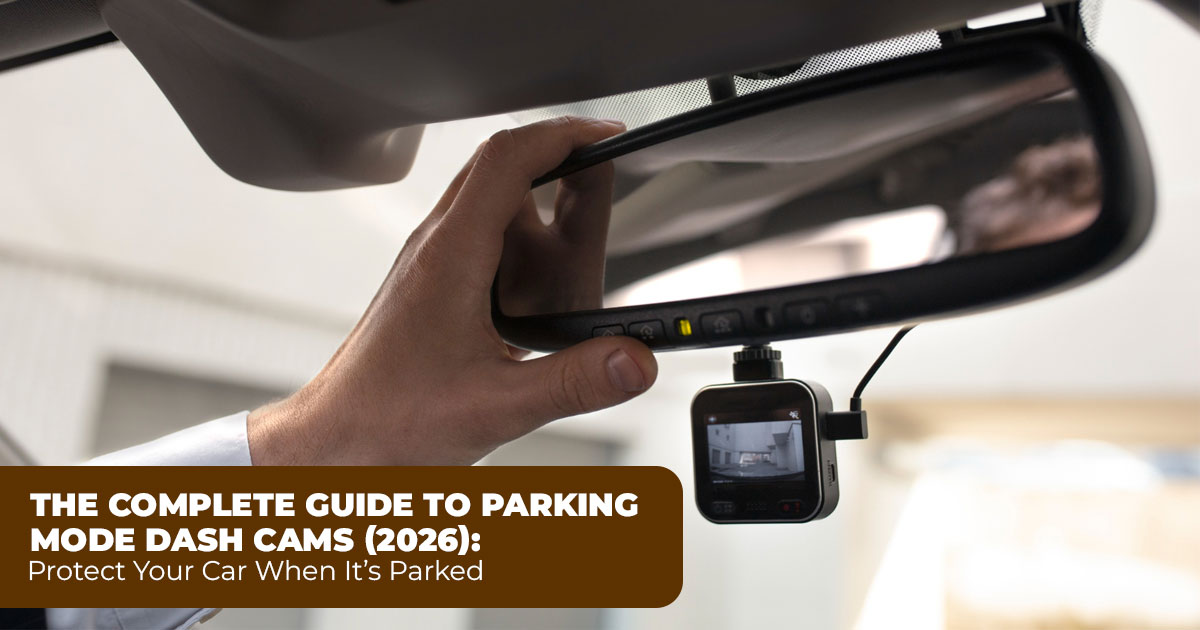
A dash cam with parking mode protects your vehicle even when it’s parked and turned off. Unlike basic dash cams that only work while driving, parking mode dash cameras for cars rely on motion detection, impact detection (G Sensor), or time-lapse recording to capture activity around your vehicle.
These cameras are especially useful for apartment parking, office parking, street parking overnight, and long-term parking. If your car sits in shared or public spaces, a parking surveillance dash cam adds a layer of protection that standard cameras simply don’t provide.
1.2 Why User Reviews Matter More Than Specs
Technical specs won’t tell you how a dash cam for a parked car performs at night, how sensitive the parking mode really is, or whether the setup drains your battery over time. User reviews show how these cameras behave in real life, not just in controlled tests.
This guide focuses on real-world feedback—how well night vision, impact detection, and battery protection hold up after daily use. We look at what helps drivers feel confident and what causes problems once the camera is installed.
1.3 Our Perspective and Who This Guide Is For
As technology experts with over 20 years of experience in hardware and application research and development, we deeply analyze each product based on real-world performance, durability, and value for money. Our goal is to help you find the best product in every category—budget, performance, reliability, and long-term usage.
This guide is built for daily commuters, apartment residents, city drivers, and anyone who regularly parks in shared lots or on the street. Our recommendations are based on extensive research, component analysis, real-world usability, and industry expertise, focusing on dash cams for vehicle security that solve real parking problems without unnecessary extras.
Here’s the key insight many guides skip: the best parking mode dash cam isn’t the one with the most features—it’s the one that fits how and where you actually park.
Summary
- A dash cam with parking mode records when your car is off, capturing hit-and-runs, door dings, and vandalism.
- Hardwiring with voltage protection or using a dash cam battery pack for parking mode provides reliable 24/7 parking protection without draining the car battery.
- Look for strong impact detection, clear night vision, and at least 2K resolution for readable license plates.
- Time-lapse recording or buffered parking mode works best for long parking periods, balancing power use and storage efficiency.
- A dependable parking mode dash cam setup typically costs $150 to $400, depending on dual-channel coverage and feature depth.
If you’ve ever returned to your car and felt that quiet frustration, this guide explains how parking mode dash cams actually help—and how to choose one that fits your real parking situation.
1.4 Technical Specifications at a Glance
Here’s how typical parking mode dash cams compare across different price points in 2026:
| Feature | Entry-Level ($100–
$200) |
Mid-Range ($200–
$300) |
Premium ($300+) |
| Resolution | 1080p–2K front | 2.5K–4K front, 1080p–
2K rear |
4K front + rear, often
3–4 channels |
| Channels | Single or dual | Dual or triple | Triple or quad with full coverage |
| Night Vision | Basic IR LEDs | STARVIS sensors + HDR | Advanced STARVIS, IR,
and emerging thermal |
| Parking
Modes |
Motion + basic impact | Buffered impact + time-
lapse |
Adjustable zones,
buffered, time-lapse |
| Connectivity | Optional Wi-Fi | Wi-Fi + app | Fast Wi-Fi, GPS, remote access |
| Storage Support | Up to 256GB | Up to 512GB | Up to 1TB, high- endurance required |
| Power
Protection |
Basic cutoff | Adjustable low-voltage
cutoff |
Smart monitoring +
alerts |
1.5 Why This Guide Is Essential
Most reviews focus on driving footage, but the majority of fender benders and scratches happen while the car is parked and empty. Regular dash cams stop recording the moment you switch off the ignition, leaving you with no evidence exactly when you need it. We go deeper into the features that matter for parking surveillance—power management, detection accuracy, and especially night vision—so you can avoid common regrets.
1.6 What You Will Learn
- Exactly what parking mode does and how it differs from normal recording
- Real-world examples of how it catches incidents
- Power options and how to avoid battery drain worries
- Why night vision matters and how modern tech delivers clear footage after dark
- Key features for usable evidence, day or night
- Installation tips and frequent mistakes
- How to pick the right setup for your parking habits
1.7 Why Parking Mode Dash Cams Matter More Than Ever
Busy shopping centers, tight residential streets, and overflowing office lots mean more chances for unnoticed damage. Hit-and-runs in parking lots are frustratingly common, and insurance companies often ask for proof before covering repairs. A dash cam for parked car protection gives you that proof automatically, turning frustrating “he-said-she-said” situations into straightforward claims.
The best setups combine reliable power management with sharp recording, so you get coverage that actually holds up when you need it.
2. What Is Parking Mode on a Dash Cam and How It Works
A parking mode dash cam stays alert after the engine is turned off. During normal driving, a dash cam records continuously. Once you park, the camera switches into a low-power standby state and only starts recording when something happens around the vehicle.
This is what allows a dash cam that records when the car is off to capture incidents without draining the battery too quickly. Instead of saving hours of empty footage, the camera reacts to activity near your car.
Most dash cams with parking mode use one or more of the following triggers:
- Motion detection, which starts recording when movement enters the camera’s view
- Impact detection (G Sensor), which records when the car is bumped or shaken
- Buffered parking mode, which saves a few seconds before and after an event
- Time-lapse parking mode, which records continuously at a low frame rate to extend coverage
This setup works best for city commuters, apartment residents, shift workers, and anyone who relies on street parking overnight or leaves a car unattended for long hours.
3. Why a Parking Mode Dash Cam Is Critical for Vehicle Security
This section explains why a parking mode dash cam is essential for vehicle security, especially when cars are left unattended. It highlights how most hit-and-runs, door dings, and vandalism occur while parked, and how parking surveillance dash cams provide timestamped video evidence for insurance claims and police reports. It also covers the deterrent effect of visible dash cams and the need for 24/7 parking protection through proper power management.
3.1 Most Vehicle Incidents Happen While Parked
The majority of damage doesn’t happen on the road. Door dings, shopping cart impacts, minor bumper taps, and parking lot vandalism usually happen when the owner is away. A parking surveillance dash cam fills that gap by recording events no one is there to witness.
3.2 Video Evidence That Actually Helps With Claims
Clear, timestamped video footage removes guesswork from insurance claims and police reports. A high-resolution dash cam with parking mode improves the chances of capturing license plates, faces, and vehicle details from a usable distance. That evidence often speeds up claims and reduces disputes.
3.3 Visible Dash Cam = Real Deterrence
A mounted camera sends a simple message: the car is being monitored. In many cases, the presence of a dash cam for vehicle security is enough to stop careless or intentional damage before it happens.
3.4 24/7 Parking Protection, Even When the Car Is Off
True protection requires more than motion alerts. A proper parking mode dash cam setup, paired with stable power, ensures continuous monitoring so critical moments don’t go unrecorded. This is especially important for overnight parking and high-traffic lots.
4. Real-World Situations Where Parking Mode Dash Cams Prove Their Value
This section focuses on real-world situations where a dash cam that records when the car is off proves its value. It covers hit-and-run incidents, vandalism, theft attempts, and false parking accusations, showing how front and rear dash cams with parking mode, night vision, and GPS data provide reliable evidence. The emphasis is on practical use cases that reflect everyday parking risks in streets, apartments, and public lots.
4.1 Hit-and-Run While Parked
A driver backs into your car and leaves without a note. A front and rear dash cam with parking mode captures the impact, the vehicle, and often the license plate, providing solid hit-and-run evidence.
4.2 Vandalism and Property Damage
Acts like keying, broken mirrors, and smashed windows often happen at night. Wide-angle lenses combined with low-light car recording capture details that basic cameras miss, even in dim parking areas.
4.3 Theft and Break-In Attempts
Suspicious activity near doors or windows is recorded automatically. A dash cam that records when parked adds another layer of security in garages and poorly lit lots.
4.4 False Claims and Parking Disputes
If someone claims you hit their car while parked, timestamped footage and optional GPS dash cam data can show your vehicle never moved. This protects you from false accusations and unnecessary costs.
5. What Buyers Should Know Before Choosing a Parking Mode Dash Cam
This section guides readers through the most important buying considerations for a parking mode dash cam, including power sources, hardwiring, OBD-II cables, and external battery packs. It explains voltage protection, battery safety, and different parking mode recording types such as motion detection, impact detection, time-lapse, and buffered parking mode. The goal is to help users choose a setup that matches their parking habits while avoiding battery drain and missed recordings.
5.1 Parking Mode Power Source and Installation Options
| Power
Option |
How It Works | Pros | Cons | Best For |
|
Hardwiring |
Connects to the fuse box |
Reliable 24/7 parking protection, clean
setup |
Requires basic electrical knowledge | Drivers wanting true always-on coverage |
| OBD-II
Cable |
Plugs into the diagnostic port | Fast, removable installation | Not supported by all vehicles | Renters or
temporary setups |
| External
Battery Pack |
Dedicated power for the dash cam | No risk to the car battery | Added cost and space | Long-term
parking or leased vehicles |
For most users, hardwiring with a quality kit remains the most dependable way to run parking mode dash cams without daily concerns.
5.2 Battery Protection and Voltage Management
A proper hardwire kit with voltage protection monitors the car battery and shuts the camera off before the voltage drops too low. Cutoff levels are often adjustable between 11.8V and 12.4V, preventing dead batteries and cold-start issues.
This feature is essential for anyone using overnight parking mode or leaving the car parked for days.
5.3 Parking Mode Recording Types Explained
| Recording Type | Trigger Method | Strengths | Limitations | Best Use Case |
| Motion Detection | Movement in camera view | Saves power and storage |
Can false-trigger |
Quiet parking areas |
| Impact Detection (G Sensor) |
Physical jolt |
Reliable for actual hits | Misses non- contact damage | Any parking environment |
| Time-Lapse Parking Mode | Continuous low- frame recording | Efficient long- term coverage | Less frame detail | Street parking, busy lots |
| Buffered Parking Mode | Saves pre-event footage | Captures moments before impact | Higher power use |
High-risk areas |
Many advanced parking mode dash cams allow users to combine modes, making it easier to tailor recording based on where and how the car is parked.
5.4 Mapping Parking Mode Dash Cam Types to Real User Parking Habits
Not all parking situations are the same, and using the wrong parking mode dash cam setting often leads to missed footage, false alerts, or battery drain. The key is matching the parking mode type to how and where your car is parked most of the time.
Here’s how different drivers should choose.
5.4.1 Motion Detection Parking Mode
Best for quiet, low-traffic parking areas
If you usually park in a private driveway, gated apartment complex, or low-traffic residential area, motion detection parking mode works well. The camera stays in standby and only records when movement enters the frame.
Why does it fit this habit?
- Minimal background movement
- Lower chance of false triggers
- Efficient power and storage usage
Watch out for:
In busy areas, passing headlights, rain, or tree shadows can trigger unnecessary recordings.
Best match for:
- Home driveways
- Reserved apartment parking
- Office parking with limited traffic
5.4.2 Impact Detection (G Sensor) Parking Mode
Best for any environment where physical contact is the main concern
Impact detection parking mode activates when the car is physically bumped. This is one of the most reliable settings for capturing hit-and-run incidents and door dings.
Why does it fit this habit?
- Records real contact events
- Minimal false triggers
- Works consistently in all locations
Limitations:
It won’t record non-contact vandalism like keying unless the car is shaken.
Best match for:
- Grocery store parking
- Mall parking lots
- Daily city commuting
Recommended Parking Mode Dash Cams by Use Case
5.4.3 Time-Lapse Parking Mode
Best for long parking periods and busy surroundings
If your car sits parked for hours or overnight in street parking, airport parking, or busy apartment complexes, time-lapse parking mode offers consistent coverage without filling storage too fast.
Instead of recording a full video, it captures frames at intervals, allowing long-term monitoring.
Why does it fit this habit?
- Covers long durations efficiently
- Reduces storage use
- Less affected by constant motion
Trade-off:
Each frame has slightly less detail than the full video, but events are still clearly documented.
Best match for:
- Overnight street parking
- Long work shifts
- Travel or airport parking
5.4.4 Buffered Parking Mode
Best for high-risk or unpredictable parking locations
Buffered parking mode dash cams continuously record short loops in memory and permanently save footage before and after an event. This ensures the critical seconds leading up to an incident are never missed.
Why does it fit this habit?
- Captures the full context of incidents
- No missed moments before impact
- Strong evidence for insurance claims
Consideration:
Uses more power, so hardwiring with voltage protection or an external battery pack is strongly recommended.
Best match for:
- High-crime areas
- Street parking in busy cities
- Areas with repeated damage incidents
5.4.5 Combining Parking Modes for Real-Life Use
Many advanced parking mode dash cams allow users to mix modes. This flexibility matters because parking habits often change.
Common smart combinations:
- Impact detection + time-lapse for overnight street parking
- Motion detection + impact detection for apartment parking
- Buffered mode + voltage protection for high-risk zones
Matching the mode to the environment reduces false alerts and improves battery efficiency while still capturing useful footage.
6. Video Quality and Storage for Parking Mode Dash Cams: Why It Matters
When a car is parked, footage quality matters more than when driving. Incidents are brief, often happen at a distance, and usually occur in low light. A parking mode dash cam only has one chance to capture usable evidence.
6.1 Dash Cam Resolution and Clarity for Parking Mode Recording
Anything below 1080p Full HD struggles with ffne details like license plates or faces. For real parking protection:
- 5K or 4K front cameras capture sharper details from realistic distances
- At least 1080p rear cameras help identify vehicles backing in or passing behind
- Higher resolution improves the chance of readable plates during hit-and-run incidents
A high-resolution parking mode dash cam reduces guesswork during claims and disputes.
6.2 Night Vision Technology in Dash Cams With Parking Mode
Night parking creates challenges most cameras fail at—poor lighting, harsh headlights, deep shadows, or complete darkness.
Strong dash cam night vision relies on multiple technologies working together:
- High-sensitivity image sensors such as Sony STARVIS models (for example, IMX675) capture more light with less noise
- Infrared (IR) LEDs illuminate areas invisible to the eye, useful for cabins or close-range recording
- Automatic IR-cut filters switch between day and night modes to preserve color accuracy
- Wide Dynamic Range (WDR) or High Dynamic Range (HDR) balances headlights against dark surroundings
A newer addition emerging in 2026 is thermal imaging on select high-end models. These cameras detect heat instead of visible light, allowing people or animals to be seen even in total darkness. This is useful in poorly lit street parking or remote areas where traditional night vision struggles.
Strong night vision means clearer license plates, better facial detail, and more reliable overnight evidence, especially for night-shift workers, street parkers, and apartment residents.
6.3 Storage Capacity and Video Compression for Parking Mode
Parking mode creates many short clips over long periods. Storage quality matters as much as capacity.
- Use high-endurance SD cards, rated specifically for dash cam use
- 256GB or larger cards reduce overwrite frequency
- 265 video compression keeps file sizes smaller without losing usable detail A parking mode dash cam is only reliable if the storage survives constant writing.
6.4 Cloud Storage vs Local SD Card Storage
Some dash cams offer cloud storage for alerts and remote viewing. While useful, local SD card storage remains the most dependable source of evidence.
- Cloud features depend on connectivity and subscriptions
- Local storage works even without a signal
- Most insurance claims rely on locally stored footage
For parking incidents, local storage is still the backbone of evidence.
7. Additional Dash Cam Features That Improve Parking Protection
Beyond recording basics, certain features strengthen parking surveillance:
- Multi-channel recording for front, rear, and cabin coverage
- Wi-Fi and app connectivity to review clips without removing the SD card
- Built-in GPS to log location and vehicle status during disputes
These features help drivers access footage faster and provide better context when incidents occur.
8. Best Dash Cams for Parking Mode: Choosing the Right Level
Not every driver needs the same level of protection.
- Entry-level dual-channel dash cams work for occasional parking incidents
- Mid-range parking mode dash cams add buffered recording, better night vision, and app control—ideal for daily city or apartment parking
- Premium multi-channel systems with 4K resolution, advanced buffering, and emerging thermal options suit overnight street parking or higher-risk environments
Choose based on how many sides of the vehicle need coverage and how long the car stays unattended.
9. Essential Accessories for Reliable Parking Mode Dash Cam Use
A parking mode setup is only as strong as its accessories:
- Hardwire kits with adjustable voltage cutoff prevent battery drain
- External battery packs provide power without touching the car battery
- High-endurance SD cards ensure long-term reliability
Skipping accessories often leads to missed recordings or dead batteries.
10. Installation Tips for Consistent Parking Mode Performance
Correct placement and setup make a noticeable difference:
- Mount the camera high and centered for wider motion detection
- Route cables cleanly through the headliner and trim
- Test voltage cutoff settings after installation
If fuse boxes feel unfamiliar, professional installation is usually worth the small cost.
11. Common Parking Mode Dash Cam Mistakes to Avoid
Many problems come from avoidable choices:
- Using regular SD cards that fail under constant writing
- Skipping voltage protection
- Mounting cameras too low
- Relying only on motion detection in busy areas
Avoiding these mistakes improves reliability and footage quality.
12. Is a Parking Mode Dash Cam Worth It?
For anyone who parks in public spaces regularly, yes. The cost of a parking mode dash cam is far lower than one uninsured repair or denied claim. Beyond money, it provides something harder to replace—proof and peace of mind when your car is unattended.
13. Clearing Common Doubts About Parking Mode Dash Cams
This section answers the questions drivers search for most when considering a parking mode dash cam. It clears up confusion around battery drain, recording when the car is off, and night vision performance, helping readers quickly decide whether a dash cam with parking mode fits their parking habits and security needs.
Q. How does parking mode work on a dash cam?
- A parking mode dash cam switches into a low-power standby mode once the engine is turned off. It stays alert and begins recording when it detects motion near the vehicle or a physical impact, depending on the selected parking mode setting.
Q. Does parking mode drain the car battery?
- A properly installed dash cam with parking mode does not drain the car battery. Using a hardwire kit with voltage cutoff protection or an external battery pack ensures the camera shuts off before the battery drops too low.
Q. Do dash cams record when the car is off?
- Yes. A dash cam that records when the car is off works through parking mode, provided it has a continuous power source such as hardwiring or a dedicated battery pack.
Q. How important is night vision in a parking mode dash cam?
- Night vision is critical. Most parking lot incidents, hit-and-runs, and vandalism happen in low light or at night, and a dash cam with strong night vision captures clearer license plates and faces when lighting conditions are poor.
Q. Is a parking mode dash cam worth it?
- For drivers who rely on city parking, street parking, or shared parking lots, a parking mode dash cam is worth it. The cost is often far less than a single uninsured repair, and the footage provides clear evidence when something goes wrong.
Recommended Parking Mode Dash Cams by Use Case
13. Frequently Asked Questions (FAQ) About Parking Mode Dash Cams
These FAQs address the most common search-driven questions people ask before buying a parking mode dash cam. They’re written to match real user intent, answer concerns quickly, and provide clear, practical guidance without fluff.
Q. What is parking mode in a dash cam?
- Parking mode is a low-power monitoring state that allows a dash cam to record when the car is parked and the engine is off. The camera activates recording when it detects motion, a physical impact, or based on a selected time-lapse or buffered setting.
Q. How to install the dash cam parking mode?
- Parking mode is installed by hardwiring the dash cam to the fuse box, using an OBD cable, or connecting an external battery pack. Hardwiring is the most reliable option and should always include voltage cutoff protection, followed by testing the settings after installation.
Q. Does parking mode drain the car battery?
- A parking mode dash cam does not drain the car battery when installed correctly. A hardwire kit with low-voltage protection automatically shuts the camera off before the battery drops to an unsafe level.
Q. How to prevent dash cam battery drain?
- To prevent battery drain, use a high-quality hardwire kit, set the cutoff voltage correctly, and avoid running parking mode without proper power management. External battery packs are another safe option for long parking periods.
Q. How to catch a hit-and-run in a parking lot?
- A dual-channel parking mode dash cam with impact detection, buffered recording, and strong night vision provides clear hit-and-run evidence, including vehicle movement and license plate details.
Q. What is the best dash cam for overnight parking?
- The best dash cam for overnight parking includes buffered parking mode, reliable night vision, and stable power management through hardwiring or a battery pack. These features ensure coverage throughout the night.
Q. Which dash cam works best for apartment parking or street parking security?
- Multi-channel dash cams with parking mode, using both motion detection and impact detection, work best for apartment parking and street parking security, where activity and risk are higher.
Q. How to monitor a car when parked outside?
- To monitor a car when parked outside, use a dash cam with parking mode that is properly powered and configured for event-based recording or time-lapse surveillance, depending on traffic and lighting conditions.
14. Final Thoughts: Choosing the Right Parking Mode Dash Cam
The best parking mode dash cam is the one that fits how you actually park—not how a spec sheet says you should. If you park daily in busy city areas, shared apartment lots, or on the street overnight, you’ll benefit most from multi-channel coverage, strong night vision, and reliable parking mode power management. These setups give you usable evidence when incidents happen after dark or when traffic is constant around your car.
If your parking is quieter or less frequent, a simple dual-channel dash cam with parking mode can still cover the basics without extra cost or complexity. Either way, the right camera turns a basic recorder into real vehicle security—one that works even when you’re nowhere near your car.
Below are trusted buying options, matched to the use cases covered in this guide, with direct links for easy comparison and checkout.
Recommended Parking Mode Dash Cams by Use Case
For daily city parking, apartment complexes, and overnight street parking
- Vantrue N4 (3-Channel, 4K Front) – Best for wide coverage and strong night performance –
Explore now on Vantrue US
For office parking, shopping lots, and regular daytime use
- Vantrue Nexus 2X (Dual-Channel) – Balanced features with reliable parking mode –
Explore now on Vantrue US | India
For quieter areas or budget-focused users
- Vantrue Element Series (Dual-Channel recording) – Simple, dependable parking protection –
Explore now on Vantrue US | India
If you’re ready to secure your car while it sits unattended, you can also explore a broader list of top-rated parking mode dash cams here.
If you’ve dealt with a hit-and-run, battery drain worries, or confusing installs, share your experience in the comments. Questions about hardwiring, night vision, or choosing the right Vantrue dash cam are always welcome—we’re happy to help you narrow it down.
Comment to us what concerns you most when your car is parked and unattended?
***Disclaimer***
This blog post contains unique insights and personal opinions. As such, it should not be interpreted as the official stance of any companies, manufacturers, or other entities we mention or with whom we are affiliated. While we strive for accuracy, information is subject to change. Always verify details independently before making decisions based on our content.
Comments reflect the opinions of their respective authors and not those of our team. We are not liable for any consequences resulting from the use of the information provided. Please seek professional advice where necessary.
Note: All product names, logos, and brands mentioned are the property of their respective owners. Any company, product, or service names used in our articles are for identification and educational purposes only. The use of these names, logos, and brands does not imply endorsement.
