
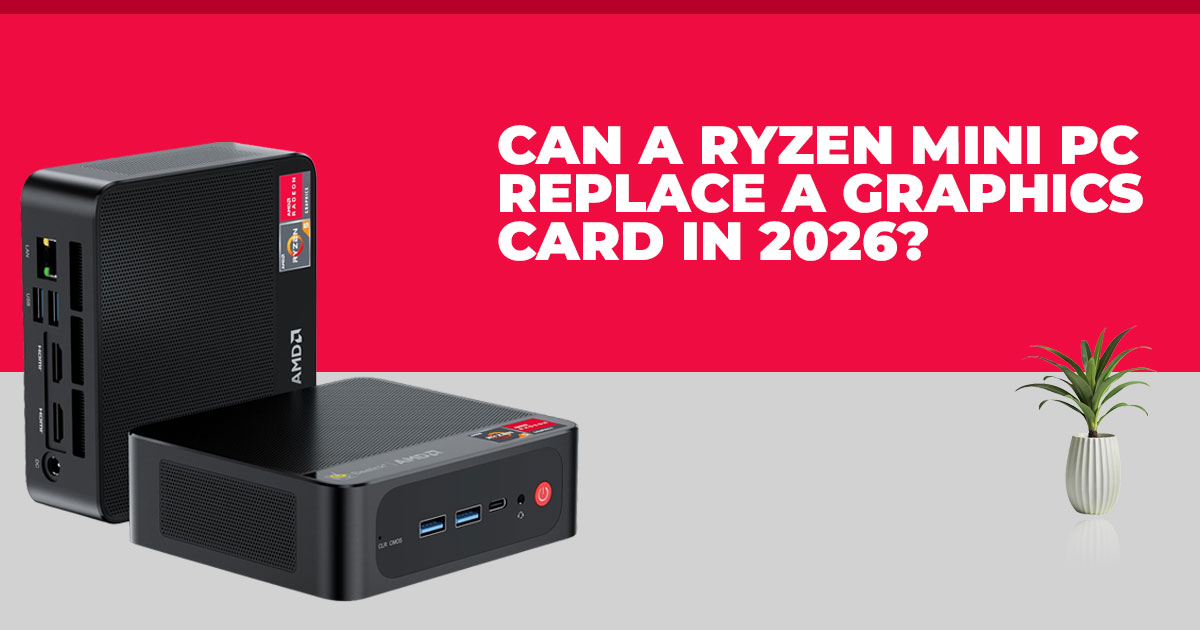
Mini PCs have reached a point where many people no longer need a separate graphics card. The Minisforum X1 Lite shows how far things have come. With a 65 W Ryzen processor and Radeon 780M integrated graphics, it handles everyday work and 1080p gaming better than most expect.
It stays compact, quiet, and flexible, with OCuLink eGPU support for future upgrades. It isn’t built for high-end gaming, but for the right user, it can replace a much larger system.
Click here to buy on Amazon
Introduction: The Big Question People Are Really Asking
Desk space is limited. Power bills keep rising. And not everyone wants a noisy tower just to get through work and unwind with a game at night. That’s why more people are asking whether a small PC without a dedicated graphics card can finally do enough on its own.
The Minisforum X1 Lite brings that question into focus. This Mac mini-sized PC runs a 65 W AMD Ryzen processor paired with Radeon 780M integrated graphics. In many real-world situations, it performs close to an RTX 2050 equivalent at 1080p, without needing a separate GPU. That doesn’t mean maxed-out settings or ray tracing, but it does mean smooth everyday use and playable games with sensible settings.
For readers who already know they’re looking for a compact Ryzen mini PC, the Minisforum X1 Lite lineup is available in multiple configurations, including barebone and fully equipped models. Click here to explore the current Minisforum X1 Lite lineup and see what options are available.
There’s also a practical safety net. If more graphics power is ever needed, OCuLink eGPU support allows an external graphics card later on. That makes this system less of a dead end than most compact PCs.
As technology experts with over 20 years of experience in hardware and application research and development, we evaluate products based on real-world performance, durability, and value for money. The aim is to help readers choose what fits their needs—whether that’s budget efficiency, stable performance, or long-term reliability.
This review is written for remote workers, students, casual gamers, developers, and anyone considering a powerful mini PC without a discrete GPU. The analysis is based on component behavior, everyday usability, and long-term ownership considerations.
By the end, it should be clear whether a Ryzen mini PC with strong integrated graphics can cover work and play—or whether a different setup makes more sense.
Product / Category Overview
Mini PCs are no longer limited to basic office tasks. Modern AMD Ryzen-based systems benefit from higher power limits, faster memory, and much stronger integrated graphics than older designs.
The Minisforum X1 Lite fits squarely into this newer generation. It’s small enough to disappear behind a monitor, quiet enough for a shared space, and capable enough for demanding daily workloads. The key difference is its 65 W power budget, which allows both the CPU and GPU to run without the heavy restrictions found in thin laptops.
Add Radeon 780M graphics and OCuLink support, and this mini PC sits somewhere between a laptop, a budget desktop, and a traditional compact system—without fully replacing any one of them.
Technical Specifications at a Glance
The hardware choices here focus on balance rather than chasing peak numbers.
| Component | Typical Details | Practical Impact |
|
Processor |
AMD Ryzen 7 255 (8 cores / 16 threads, boost up to ~5 GHz) | Handles multitasking, light editing,
and virtual machines without slowing down |
| Integrated
Graphics |
Radeon 780M (RDNA 3) | Delivers reliable 1080p gaming
and strong media performance |
|
Memory |
Dual DDR5-5600 slots, up to 64 GB+ | Faster memory improves graphics
output and keeps the system responsive |
| Storage | Dual M.2 SSD slots | Easy storage expansion as needs
grow |
| Connectivity | USB4, HDMI, DisplayPort, OCuLink (adapter) | Supports multiple displays and external GPUs |
| Form Factor | Mac mini-sized, VESA mount
support |
Fits neatly on or behind a desk |
| Power Use | Around 65–100 W under load | Keeps heat, noise, and energy use under control |
Why This Review Is Essential
Many reviews lean heavily on charts and benchmark scores. Those numbers don’t always explain what it’s like to live with a system every day.
What matters more is whether the Radeon 780M stays consistent under load, how quiet the system remains during long work sessions, and whether the OCuLink eGPU option is practical or just theoretical. This review focuses on those everyday details so readers can decide with confidence rather than guesswork.
What You’ll Learn From This Review
This review breaks down:
- How the Minisforum X1 Lite performs in real work and daily use
- Where integrated graphics gaming feels smooth and where limits appear
- Whether using an external GPU through OCuLink is worth the cost and effort
- How this AMD Ryzen mini PC compares with laptops, used desktops, and other compact systems
- Who benefits most from a high-power mini PC without a dedicated graphics card
Small PCs are no longer just about saving space. For many people, they’re becoming the simpler and more sensible choice—and understanding where they fit makes all the difference.
1. What Makes This Ryzen Mini PC Different
Most compact PCs and laptops restrict performance with tight power limits. The Minisforum X1 Lite doesn’t. Its 65 W Ryzen processor gives the system enough thermal headroom for the CPU and Radeon 780M integrated graphics to sustain higher clocks during longer workloads.
Memory plays a bigger role than many realize. The use of DDR5-5600 RAM matters because integrated graphics share system memory. Faster RAM feeds the GPU better, which shows up as higher frame rates and fewer dips in games.
There’s also a mindset shift happening. Integrated graphics are no longer just for email and browsing. A well-cooled Zen 4 APU now handles modern games, creative tools, and multitasking workloads that once demanded a dedicated GPU.
Why this matters: This is not a low-power office box. It’s a high-power Ryzen mini PC built to stay consistent under load.
2. Real-World Performance That Matters (Not Charts)
Benchmarks are useful, but they don’t explain how a system feels day to day. Here’s what stands out in actual use.
Office Work and Heavy Multitasking
Large spreadsheets, dozens of browser tabs, video calls, and two or three monitors run smoothly. The 8-core / 16-thread CPU keeps background tasks from slowing active work. For home offices and remote jobs, responsiveness stays steady through long sessions.
Light Content Creation
Photo editing, short 4K video timelines, and lighter design work run well as long as expectations stay reasonable. This isn’t a workstation replacement, but for casual creators, exports and edits feel predictable rather than frustrating.
Casual and Esports Gaming at 1080p
Competitive games like Valorant, CS2, and Rocket League regularly pass 100 FPS at high settings. Input feels responsive, which matters more than visual polish in esports titles.
Real Game Examples
- Forza Horizon 5: ~70–85 FPS at 1080p high
- God of War Ragnarök: ~50–65 FPS at 1080p medium with FSR frame generation
Works well: productivity, streaming, esports, older AAA titles, console emulation
Needs tuning: new demanding games at high or ultra settings
Not realistic: steady 4K gaming or heavy professional rendering without help
- Takeaway: for 1080p gaming with sensible settings, performance feels natural and stable.
3. Gaming Without a Dedicated GPU: Where the Line Is
The Radeon 780M vs RTX 2050 comparison comes up often. In many 65 W TDP scenarios, the integrated option lands closer than expected, especially when cooling is handled properly.
At 1080p medium to high, most modern games sit around 50–60 FPS, often higher with upscaling like FSR.
Runs well:
- Forza Horizon 5
- Elden Ring
- Cyberpunk 2077 (with FSR)
- All major esports titles
Needs compromise:
Ray tracing and ultra presets push the limits quickly.
The advantage here is consistency. Unlike thin laptops, this compact gaming mini PC avoids sharp drops during longer play sessions.
4. External GPU Support: When OCuLink eGPU Makes Sense
One of the biggest advantages of the Minisforum X1 Lite is real eGPU support. Using an OCuLink connection (via an included M.2 adapter) alongside USB4, the system offers better bandwidth than USB4 alone.
With OCuLink, performance loss typically stays around 15–25% compared to a desktop GPU slot. That’s far better than older Thunderbolt-only solutions.
Real Cost of Adding an External GPU
A quality eGPU enclosure plus a used or mid-range graphics card often totals $500–900. When eGPU Makes Sense
- You want a small, quiet PC most of the time
- You occasionally need extra GPU power for gaming or creative projects choice.
When It Doesn’t
- Daily high-end gaming
- GPU-heavy workloads where simplicity matters
In those cases, a larger desktop becomes the more practical choice.
Context: OCuLink eGPU support adds flexibility, not magic. It’s best viewed as an option, not a requirement.
Click here to buy on Amazon
5. Mini PC vs Real Alternatives
Choosing the best compact PC means understanding trade-offs, not just specs.
| Option | Typical Price | Core Strengths | Main Drawbacks | Best Suited For |
|
Minisforum X1 Lite |
$350–550 |
Small size, strong integrated graphics, OCuLink
support |
Some configs need RAM upgrades |
Space-saving work and casual gaming |
| Entry-Level Gaming
Laptop |
$700– 1,100 | Portable, built-in display | Runs hot, louder fans | Users who travel often |
| Used GPU Desktop |
$450–750 |
Better raw GPU power | Larger size, higher power use | Maximum performance on a
budget |
| Mac Mini | $600– 1,200 | Smooth macOS experience | Limited gaming support | Creative work in
Apple’s ecosystem |
| Intel-Based Mini PCs |
$400–800 |
Stable office performance |
Weaker graphics |
Business and
legacy software needs |
For many users, the Minisforum X1 Lite lands in the middle as the best budget mini PC or the best compact gaming PC that avoids major sacrifices in size, noise, or power use.
Here’s where the Minisforum X1 Lite ffts compared to common options:
- Entry-level gaming laptop: portable, but louder and hotter
- Used GPU desktop: more raw power, but larger and less efficient
- Mac mini: strong for macOS workflows, weak for gaming
- Intel mini PCs: solid office machines, weaker graphics
For many readers, this system lands as the best budget mini PC or the best compact gaming PC when space, noise, and power use matter.
At this point, many readers start comparing memory, storage, and price tiers. The Minisforum X1 Lite lineup includes both barebone and pre-configured options, which makes it easier to match the system to specific needs. Click here to explore the Minisforum X1 Lite lineup and compare current configurations.
It’s not built for ultra settings or 4K ambitions, but for many 2026 setups, it replaces the need for a dedicated graphics card.
6. Power Consumption, Heat, and Noise in a 65W Ryzen Mini PC
Small PCs live or die by thermals. Here, the Minisforum X1 Lite gets the basics right.
- Power draw: idle stays low; sustained load rarely pushes past ~100 W
- Heat management: the 65 W TDP leaves enough headroom to avoid sharp throttling
- Noise: fans ramp during games but remain controlled and easy to live with
In practice, long workdays and extended gaming sessions feel consistent. There are no sudden drops after a few minutes, which is common with thinner laptops. For shared rooms or home offices, this quiet mini PC behavior matters as much as frame rates.
Why this matters: steady clocks, lower heat, and reasonable noise make the system comfortable for daily use—not just short benchmarks.
7. Long-Term Ownership Reality: Using This Mini PC for 2–3 Years
Specs fade; usability lasts. Over time, flexibility decides whether a compact PC still feels right.
- Storage upgrades: simple, thanks to dual 2 SSD slots
- Memory: user-replaceable DDR5 lets you start modest and grow later
- Drivers: AMD’s Ryzen APU support remains dependable across OS updates
- Placement: compact size with VESA mount support keeps desks clear
- Resale: popular Ryzen APU models tend to hold value
Common friction points to plan for:
- USB ports can feel tight with many peripherals
- Choosing enough RAM up front saves a reopen later
Summary: This is a low-maintenance mini PC that ages well when configured thoughtfully on day one.
8. Who This Ryzen Mini PC Is (and Isn’t) For
Clarity saves money. This system shines when expectations match its strengths.
Choose this setup if you:
- Want a Mac mini–sized Windows PC with real gaming support
- Play mostly at 1080p, medium to high settings
- Balance office work with light creative tasks or emulation
- Prefer a quiet, low-power desk setup
- Want a budget-friendly system that still feels current
Look elsewhere if you:
- Expect 1440p or 4K high-refresh gaming every day
- Run heavy GPU-accelerated professional workloads
- Want full internal GPU upgrades without adapters
This fits especially well as a mini PC for 1080p gaming without a dedicated GPU or a compact PC with an external GPU option for occasional boosts.
9. Mini PC Buying Checklist: Decide in 60 Seconds
Use this to move from interest to confidence.
Ask yourself:
- Is 1080p gaming with small setting tweaks acceptable?
- Do you value a small, quiet system over maximum GPU power?
- Will dual DDR5 slots cover your needs long term?
- Do you want OCuLink eGPU support as a safety net?
Watch out for:
- Very low prices tied to older APUs
- Single-channel RAM builds
- Unclear cooling details
Focus on:
- Latest Ryzen generation
- Enough RAM at purchase
- Confirmed OCuLink compatibility if future upgrades matter
A Ryzen mini PC with Radeon 780M graphics won’t replace a mid-range GPU—but it doesn’t need to. For many setups in 2026, it replaces the need for a dedicated graphics card.
Click here to buy on Amazon
10. Clearing Common Questions About the Minisforum X1 Lite (Quick, Real Answers)
People searching for a Ryzen mini PC without a dedicated GPU usually want clear answers, not theory. The questions below come up again and again from parents, home users, and casual gamers trying to decide if a compact system like the Minisforum X1 Lite is actually practical. These answers focus on real-world use, not spec-sheet promises.
Q. Does the Radeon 780M really match an RTX 2050 for gaming?
- In many 1080p gaming tests at a 65W power limit, the Radeon 780M integrated graphics come surprisingly close to RTX 2050–level performance, especially when FSR is enabled. It won’t match ray tracing or high-end settings, but for medium to high presets, the gap is smaller than most people expect.
Q. Is OCuLink eGPU support worth it on the Minisforum X1 Lite?
- OCuLink eGPU support makes sense if extra graphics power is needed once in a while—for a project, a game, or future-proofing. For daily heavy gaming, the added cost and setup effort often make a larger desktop the better choice.
Q. What’s the best resolution for this Ryzen mini PC?
- 1080p is the sweet spot. It keeps frame rates stable, visuals clean, and thermals under control. Higher resolutions work in lighter titles, but 1080p gaming on a mini PC delivers the most consistent experience.
Q. Is the Minisforum X1 Lite a good Mac mini alternative for Windows users?
- Yes. As a Mac mini alternative Windows PC, it makes sense for users who want gaming support, upgradeable RAM and storage, and external GPU options—features Apple doesn’t offer in the same form factor.
11. Frequently Asked Questions About the Minisforum X1 Lite
These are the questions readers most often ask when deciding whether a Ryzen mini PC without a dedicated GPU can really handle daily work and gaming. The answers below focus on real- world performance, long-term usability, and practical buying concerns—not lab-only results.
Q. How does the Minisforum X1 Lite perform in modern games?
- It performs very well for 1080p gaming. Expect 70+ FPS in Forza Horizon 5 on high settings and smooth, playable frame rates in God of War Ragnarök at medium settings with FSR enabled. Esports titles run even faster.
Q. Can you add an external graphics card to the Minisforum X1 Lite?
- Yes. You can connect an external GPU using OCuLink or USB4. This works best for occasional performance boosts rather than daily high-end gaming, where a full desktop setup is usually more practical.
Q. Is the Minisforum X1 Lite future-proof for the next few years?
- For productivity, office work, and moderate gaming, it should hold up well for 2–3 years. Newer games released later will likely require lower graphics settings, which is normal for integrated graphics systems.
Q. Does this mini PC stay cool and quiet during use?
- Yes. Under light work, it stays quiet. During gaming or heavy tasks, the fans become audible but remain controlled. The 65W design and cooling system handle heat well without sudden throttling.
Q. What is the real-world price range for the Minisforum X1 Lite?
- Barebone versions often start under $400, while fully configured models typically fall in the
$500–700 range, depending on RAM and storage. Pricing varies by region and configuration.
12. Final Verdict: Smart Innovation or Niche Curiosity?
The Minisforum X1 Lite settles a question many people still hesitate over: can a compact Ryzen mini PC really replace a system with a dedicated graphics card? For many users, the answer is yes. Everyday work feels smooth, 1080p gaming runs well with sensible settings, and power use stays low enough to keep heat and noise in check. The option to add more graphics power later through OCuLink eGPU support means the system doesn’t feel limiting over time.
What makes this mini PC easy to recommend is the balance. The Mac mini-sized footprint works well in small rooms and clean desk setups, while the hardware delivers enough performance to avoid frustration. It’s not built for constant 1440p or 4K gaming, and it isn’t meant to replace a full desktop for GPU-heavy professional work. But that’s not the goal here.
For casual gamers, remote workers, students, and anyone who wants a single, compact machine for work and play, the Minisforum X1 Lite feels like a practical choice rather than a niche experiment.
Where to Buy
- Minisforum X1 Lite lineup – Click here to explore
- MINISFORUM X1 Lite-255 (Ryzen 7 255, 32GB RAM, 1TB SSD) – Click here to explore
- MINISFORUM X1 Lite-255 Barebone (Ryzen 7 255) – Click here to explore
Amazon India
- MINIS FORUM X1 Lite-255 (Ryzen 7 255, 32GB RAM, 1TB SSD) – Click here to explore
- Alternative Minisforum options – Click here to explore
If you’re weighing configurations or wondering how it would handle specific games or workloads, share your setup ideas. We’re happy to help you figure out what fits best.
***Disclaimer***
This blog post reflects our own research, testing, and personal opinions. It should not be taken as the official position of any brand, manufacturer, or company mentioned here. While we aim to keep information accurate and up to date, product details, pricing, and availability can change. We recommend double-checking important details before making a purchase.
Some links in this article may be affiliate links. If you choose to buy through these links, we may earn a small commission at no extra cost to you. This helps support our work and allows us to keep publishing in-depth, unbiased reviews. Our recommendations are never influenced by affiliate partnerships.
Comments shared by readers reflect their own views and not ours. We are not responsible for outcomes resulting from the use of information on this site. Please seek professional advice where appropriate.
All product names, logos, and brands mentioned are the property of their respective owners. These names are used for identification and informational purposes only and do not imply endorsement.
