
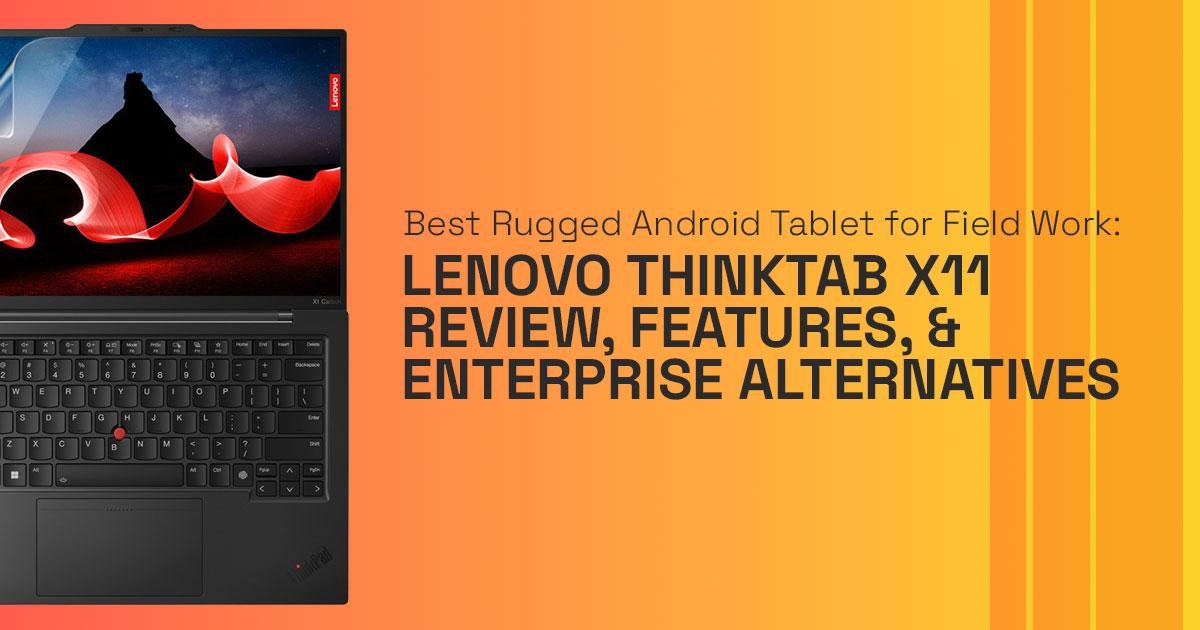
If your team works in harsh environments and keeps breaking laptops or consumer tablets, a rugged Android tablet can solve that problem. The Lenovo ThinkTab X11 is built for frontline work with a removable battery, MIL-STD-810H rugged durability, and IP68 dust and water protection. It keeps crews connected during long shifts and reduces downtime caused by damaged devices. For businesses searching for the best rugged Android tablet for field workers, this review explains how the Lenovo ThinkTab X11 rugged tablet performs in real operations.
Introduction
Teams working in construction, logistics, warehouses, and utilities often ask the same question: What is the best rugged Android tablet for field work that won’t fail during the job?
Regular laptops and consumer tablets break easily in these environments. Dust, rain, drops, and long shifts quickly expose their limits. When a device fails mid-task, work stops, data gets delayed, and repair costs add up.
That’s why companies are turning to rugged Android tablets built specifically for field operations. These industrial Android tablets are lighter than laptops, easier to carry across job sites, and strong enough to survive tough conditions.
One of the latest examples is the Lenovo ThinkTab X11, introduced at Mobile World Congress 2026. This enterprise Android tablet is designed for frontline workers who need reliable equipment throughout the day. It includes a glove-friendly display, removable battery, IP68 waterproof protection, and MIL-STD-810H rugged certification—features that matter when devices are used outdoors or in warehouses.
The demand for rugged computing devices continues to grow as more companies adopt enterprise mobility solutions. Businesses want devices that support Android Enterprise device management, run logistics and inspection apps smoothly, and reduce downtime in the field.
But specifications alone don’t tell the whole story.
Why User Reviews Matter
Manufacturers often highlight features like Snapdragon 7s Gen 3 performance, Wi-Fi 6E connectivity, and 5G rugged Android tablet support. Those numbers sound impressive, but real users want to know something simpler:
- Does the device survive rough environments?
- Can the rugged tablet battery last through a full shift?
- Does it work smoothly with warehouse or inspection apps?
- Will it actually reduce downtime compared with laptops?
Real-world testing and user feedback answer these questions. A rugged tablet for construction workers or a rugged tablet for warehouse operations must perform reliably every day—not just look tough on paper.
This review focuses on how the device performs in real work environments.
Our Testing Approach
As technology experts with over 20 years of experience in hardware and application research and development, we evaluate each device based on real-world performance, durability, and value for money.
Our goal is to help readers find the best rugged Android tablet for their needs—whether the priority is budget, performance, reliability, or long-term usage.
Our recommendations come from:
- detailed research
- component-level analysis
- real-world usability evaluation
- industry experience with enterprise mobility devices and rugged computing hardware
Who This Review Is For
This guide is written for professionals who rely on durable technology every day, including:
- IT managers planning enterprise tablet deployment
- construction site supervisors
- warehouse and logistics operators
- field engineers and utility technicians
- organizations comparing rugged tablet vendors or industrial tablet solutions
If you are comparing rugged tablets vs. laptops for industrial use or searching for the best rugged tablets for businesses, this review will help you decide.
What This Review Will Show
In the following sections, you will learn:
- Why rugged Android tablets are replacing laptops in many field operations
- How the FIELD framework helps evaluate an enterprise rugged tablet
- The real impact of device downtime on productivity and costs
- Key strengths and limitations of the Lenovo ThinkTab X11 rugged Android tablet
- Accessories that turn a field service tablet into a practical mobile workstation
If your team works outdoors, in warehouses, or across delivery routes, choosing the right industrial Android tablet can improve efficiency and reduce repair costs.
1. Technical Specifications at a Glance
Here is a quick overview of the Lenovo ThinkTab X11 specifications. This 10.95-inch industrial Android tablet is designed for durability and everyday usability in enterprise environments.
| Feature | Details |
| Processor | Snapdragon 7s Gen 3 tablet chipset |
| Display | 10.95-inch IPS, 2560×1600 resolution, 600 nits brightness, 90Hz refresh, glove and wet touch support |
| Battery | 10,200 mAh removable battery, screwless swap, battery-less
mode when plugged in |
| Durability | MIL-STD-810H rugged tablet certification, IP68 waterproof tablet protection |
| Connectivity | Wi-Fi 6E rugged tablet, optional 5G rugged Android tablet, NFC reader, dual USB-C ports |
| Memory / Storage | Up to 12GB LPDDR5 RAM, up to 512GB UFS 3.1 storage |
| OS & Updates | Android 16, upgrade support to Android 18, 4 years of security patches |
| Weight | Lightweight design for all-day carry |
| Other | Stylus support, rugged hardshell protection |
These features solve many problems seen with consumer tablets. A rugged Android tablet with removable battery, bright display, and IP68 durability keeps teams working through long shifts without constant charging or repairs.
2. Why This Review Is Essential
Many articles simply repeat specifications or promotional claims. But companies searching for the best rugged Android tablet usually have practical concerns.
For example:
- A warehouse inventory tablet device must support NFC inventory scanning.
- A rugged tablet for field engineers must stay readable outdoors.
- A construction site tablet device must survive drops and dust.
Managers often search for terms like best rugged tablet for construction workers, rugged Android tablet for logistics, or enterprise Android tablet for warehouse management because device reliability affects productivity.
When a device fails, work stops immediately.
This review looks at how the Lenovo ThinkTab X11 enterprise rugged tablet performs in real work situations—durability, deployment, and long-term usability.
With the rugged computing device market growing steadily, understanding these factors helps companies invest in equipment that supports field teams instead of slowing them down.
3. What You Will Learn from This Review
By the end of this guide, you will understand:
- Why rugged Android tablets often replace laptops in field environments
- How the FIELD evaluation framework helps choose the right enterprise Android tablet
- The operational costs caused by device downtime
- The strengths and trade-offs of the Lenovo ThinkTab X11 rugged tablet
- Accessories that transform a field service tablet into a mobile workstation
You will also see how features such as NFC inventory scanning, glove-touch display, and removable battery systems support teams that rely on rugged tablets for frontline workers.
Choosing the right industrial Android tablet is not only about specifications. It is about reliability, compatibility with work processes, and long-term value.
4. Rugged Android Tablets for Field Work: The Shift from Paper and Laptops
Many crews still start the day with clipboards, paper logs, or aging field laptops that struggle in dust, heat, or rain. That slows work and forces teams to enter data later.
A rugged Android tablet for field work puts digital tools directly in workers’ hands. They can scan barcodes, open blueprints, review work orders, and log updates on-site.
This shift is visible across several industries:
- Logistics teams use a rugged tablet for logistics tracking to monitor shipments in real time.
- Utility crews rely on a rugged tablet for utilities workers to record faults during inspections.
- Construction supervisors check drawings and mark progress using a rugged tablet for construction workers.
- Emergency responders map incidents and coordinate teams instantly.
The result is faster data flow and fewer errors.
- Key Takeaway: Rugged tablets for frontline workers replace paperwork and fragile laptops with reliable digital workflows.
5. Why Consumer Tablets Fail in Industrial Environments
Consumer tablets perform well in offices but struggle in harsh environments.
Typical issues include:
- screens are hard to read in sunlight
- batteries draining mid-shift
- fragile frames cracking after drops
- dust or moisture damaging ports
- limited security for company data
Field teams need durable Android tablets for industrial use that handle gloves, rain, vibration, and temperature changes.
Devices designed for rugged computing environments use stronger frames, sealed ports, and support Android Enterprise device management.
- Key Takeaway: Consumer tablets focus on Industrial Android tablets focus on durability, uptime, and security.
6. FIELD Framework: Evaluating the Best Rugged Android Tablet
Selecting the best rugged Android tablet becomes easier with a clear framework.
F — Field Durability
Look for proven standards:
- MIL-STD-810H rugged tablet certification
- IP68 dust and water protection
- reinforced drop resistance
I — Integration with Business Systems
A rugged enterprise tablet must connect with company tools.
- compatibility with MDM platforms
- integration with ERP systems
- API support for custom apps
E — Energy Endurance
Field workers need a long battery life.
- extended battery capacity
- removable or hot-swap batteries
- vehicle charging support
L — Lifecycle Serviceability
Enterprise fleets require long device life.
- accessible replacement parts
- simple repairs
- extended warranty coverage
D — Data Capture Tools
Field work depends on fast data collection.
- NFC reader support
- barcode scanning compatibility
- inspection sensors
Bottom Line: The FIELD framework for evaluating rugged Android tablets focuses on durability, system integration, battery endurance, lifecycle support, and data capture.
7. Enterprise Rugged Tablet Deployment for Business Operations
Companies deploying enterprise rugged tablets need devices that scale across large teams while staying secure.
A strong enterprise tablet deployment strategy includes:
- centralized device management
- strong security layers
- reliable hardware for long service life
The Lenovo enterprise tablet ecosystem supports encrypted storage, remote management, and enterprise software integration.
Examples:
- Fleet management teams sync routes using enterprise mobility devices, reducing idle time.
- Warehouse operations use NFC-enabled rugged tablets to speed inventory checks.
- Field service teams receive work orders directly on a field service tablet.
These systems turn industrial Android tablets into dependable operational
8. Lenovo ThinkTab X11 Rugged Android Tablet: Features That Matter
The Lenovo ThinkTab X11 rugged tablet focuses on practical functionality for field environments.
The Snapdragon 7s Gen 3 processor runs enterprise apps smoothly while maintaining stable performance.
Its 10,200 mAh removable battery allows quick swaps, which supports continuous operation during long shifts. The device also supports battery-less mode for vehicle-mounted setups.
The 600-nit display with glove and wet touch support remains usable in rain, dust, or cold weather.
Other useful features include:
- front-facing NFC reader for inventory and access control
- dual USB-C ports for docks and peripherals
- stylus support for inspections and signatures
Key Takeaway: The Lenovo ThinkTab X11 rugged Android tablet focuses on real field needs—
removable battery, glove-friendly display, and rugged durability.
9. Rugged Android Tablet vs Laptop for Field Workers
For field work, mobility and durability often matter more than raw computing power.
| Feature | Rugged Android Tablet | Laptop |
| Portability | Light, easy to carry | Heavier, needs flat surface |
| Battery Swap | Removable battery common | Rare |
| Drop Resistance | MIL-STD-810H and IP68
protection |
Easily damaged |
| Vehicle Mounting | Simple docking | Bulky adapters |
| Touch Input | Glove and wet touch support | Limited |
| Outdoor Visibility | 600+ nit displays | Often difficult outdoors |
| Long-Term Cost | Lower repair costs | Higher downtime |
For many frontline roles, rugged tablets for field workers provide better uptime and mobility.
10. Rugged Tablet Market Growth and Enterprise Adoption
Demand for rugged computing devices is rising as more industries move to mobile workflows.
Growth drivers include:
- expansion of the mobile workforce
- increased digital inspection and tracking
- improvements in enterprise Android tablets
- demand for reliable devices in logistics and utilities
Businesses adopting enterprise rugged tablet solutions often see fewer device failures and lower repair costs.
- Summary: The rise of rugged tablets for businesses reflects real operational needs— durability, mobility, and connected workflows.
11. Industries Using Rugged Android Tablets Instead of Laptops
Many sectors now rely on rugged tablets for frontline workers.
- Construction: A rugged tablet for construction workers provides digital plans and inspection reports.
- Logistics and Delivery: An Android tablet for logistics operations improves scanning and shipment tracking.
- Utilities and Energy: A rugged tablet for utilities workers supports inspections and diagnostics.
- Manufacturing Plants: A rugged tablet for manufacturing inspections helps record equipment data and maintenance logs.
- Warehouse Operations: The best tablet for warehouse management helps track stock and manage orders.
Expert Insight:
“Frontline teams need hardware that stays reliable, connected, and easy to manage,” says a logistics operations manager involved in fleet deployments.
12. The Cost of Device Failure in Field Work
A broken device during a shift disrupts the entire workflow.
Consequences include:
- delayed inspections or deliveries
- incomplete data capture
- repair and replacement costs
In industries like construction and utilities, even short downtime affects productivity. Using rugged Android tablets for industrial use reduces these disruptions.
13. Accessories That Turn a Rugged Tablet into a Mobile Workstation
Accessories expand the capability of a rugged enterprise tablet.
Common additions include:
- vehicle docking stations for charging and mounting
- external barcode scanners for faster inventory work
- rugged keyboards for detailed reporting
- shoulder straps or harness mounts for hands-free use
Combined with these tools, the Lenovo ThinkTab X11 rugged Android tablet becomes a reliable mobile workstation for field teams.
14. Contrarian Insight: Rugged Android Tablets Still Have Limitations
Even the best rugged Android tablets have trade-offs.
Android update cycles vary by device and vendor. Some enterprise Android tablets receive updates faster than others.
Processing power can matter for enterprise deployments that run heavy engineering or analytics software. A rugged Android tablet for field work handles inspections, scanning, and reporting well. But heavy engineering software, data modeling, or complex analysis still run better on laptops or workstations.
Some enterprise apps also need adjustment to work smoothly on industrial Android tablets, especially legacy tools built for desktop systems.
These limits rarely affect everyday field tasks such as inventory scanning, inspection reporting, or logistics tracking.
Key Point: For most frontline operations, rugged tablets for businesses reduce downtime, simplify mobility, and outperform fragile laptops in harsh environments.
Expert Insight:
“Rugged devices are not perfect, but the right enterprise rugged tablet reduces downtime far more than it creates problems,” explains an enterprise IT consultant specializing in mobile workforce technology.
15. Future of Rugged Computing: AI, 5G, and Connected Field Devices
The next generation of rugged computing devices will combine AI processing, 5G connectivity, and industrial IoT integration.
Several technologies are shaping this shift:
- Edge computing allows rugged Android tablets to process data directly on-site.
- 5G rugged tablets enable faster real-time communication across fleets.
- IoT-connected equipment sends sensor data to enterprise mobility devices instantly.
- Augmented reality tools help technicians perform guided repairs using a field service tablet.
These improvements will transform the rugged enterprise tablet into a central hub for field teams.
Technicians will receive alerts before equipment fails. Logistics teams will track assets in real time. Inspection reports will sync instantly with company systems.
- Key Point: Future industrial Android tablets will move beyond data entry and become intelligent decision tools for frontline workers.
Expert Insight:
“Rugged mobile hardware is moving toward always-connected, AI-assisted systems that detect problems before they disrupt operations,” says a rugged computing technology analyst.
16. Frequently Asked Questions (FAQ) About Rugged Android Tablets for Field Work
Businesses comparing the best rugged Android tablets for field workers often look for quick answers about durability, enterprise use, and real-world performance. These short FAQs address common questions around enterprise rugged tablets, industrial Android tablets, and rugged tablet vs laptop for field work.
Q. What is the best rugged Android tablet for ffeld workers?
- The best rugged Android tablet for field workers depends on the job. The Lenovo ThinkTab X11 rugged tablet stands out with a removable battery, glove-touch display, IP68 protection, and enterprise Android tablet support, making it suitable for construction, logistics, and warehouse operations.
Q. How durable are MIL-STD-810H rugged tablets?
- A MIL-STD-810H rugged tablet passes tests for drops, vibration, and extreme temperatures. This certification means the rugged Android tablet can handle harsh environments such as construction sites and industrial facilities.
Q. Are rugged Android tablets worth it for enterprise fieets?
- Yes. Enterprise rugged tablets often reduce downtime, repair costs, and device replacements. They also support Android Enterprise device management, which helps companies manage large fleets.
Q. Can Android tablets replace laptops in industrial environments?
- For inspections, inventory scanning, and field reporting, a rugged Android tablet for industrial environments works well. For heavy software like CAD or complex spreadsheets, laptops still perform better.
Q. What features should companies look for in a rugged Android tablet?
- Look for MIL-STD-810H certification, IP68 protection, removable battery, glove-touch display, NFC or barcode scanning, MDM compatibility, and a strong enterprise warranty for reliable rugged tablet deployment.
17. Conclusion
Field teams need devices that survive real work conditions. Dust, rain, drops, and long shifts quickly expose the limits of consumer laptops and tablets. That’s where a rugged Android tablet becomes a practical tool.
The Lenovo ThinkTab X11 rugged tablet was officially introduced at MWC 2026 (Mobile World Congress). It brings features designed for demanding environments, including MIL-STD-810H durability, IP68 protection, a removable battery, and NFC data capture. These capabilities make it appealing for industries such as construction, logistics, utilities, and warehouse operations that rely on reliable enterprise Android tablets.
However, while the device has been announced, it is not yet available for purchase. The
ThinkTab X11 is expected to reach the market around April 2026.
If you need a rugged tablet for field workers right now, several enterprise rugged tablets are already available and widely used in industrial environments.
Best Rugged Tablet Alternatives Available Today
Samsung Galaxy Tab Active5 (Android Rugged Tablet)
A widely used rugged Android tablet for enterprise mobility with replaceable battery support, durable design, and strong Android Enterprise compatibility.
- Check price on – Amazon Worldwide | Amazon India
Panasonic Toughbook G2 (Industrial Rugged Tablet)
One of the most trusted rugged computing devices used in utilities, defense, and field engineering, with strong modular expansion options.
Check price on – Amazon Worldwide | Amazon India
Dell Latitude 7230 Rugged Extreme (Rugged Windows Tablet)
A powerful, rugged enterprise tablet for teams that need Windows applications, heavy field software, or engineering tools.
Check price on – Amazon Worldwide | Amazon India
The demand for rugged tablets for businesses continues to grow as more companies adopt enterprise mobility devices. These tools help teams collect data faster, stay connected in the field, and reduce downtime caused by fragile hardware.
When the Lenovo ThinkTab X11 becomes available, it will likely join this group as another strong option for organizations building rugged tablet deployments for field operations.
If your team already uses rugged Android tablets in construction sites, warehouses, or ffeld service work, share your experience. Real feedback helps others choose the best rugged tablet for ffeld work.
***Disclaimer***
This blog post reflects our own research, testing, and personal opinions. It should not be taken as the official position of any brand, manufacturer, or company mentioned here. While we aim to keep information accurate and up to date, product details, pricing, and availability can change. We recommend double-checking important details before making a purchase.
Some links in this article may be affiliate links. If you choose to buy through these links, we may earn a small commission at no extra cost to you. This helps support our work and allows us to keep publishing in-depth, unbiased reviews. Our recommendations are never influenced by affiliate partnerships.
Comments shared by readers reflect their own views and not ours. We are not responsible for outcomes resulting from the use of information on this site. Please seek professional advice where appropriate.
All product names, logos, and brands mentioned are the property of their respective owners. These names are used for identification and informational purposes only and do not imply endorsement.
