
1. Introduction
Most laptops still struggle once your project gets heavy—4K timelines start lagging, AI models crash halfway, and memory runs out right when you need it most. That’s the pain point a lot of creators deal with every day. And then suddenly, you see a 13-inch ASUS convertible laptop claiming 96 GB VRAM. Sounds huge. But is it actually useful, or just a number that looks good on paper?
If you’ve been searching for ASUS 13-inch laptop 96GB VRAM or a high memory laptop 96GB, you’re probably trying to figure out one thing—can this replace a bigger, more powerful machine for real work?
This new system, built on the AMD Strix Halo APU with the Radeon 8060S iGPU, takes a different route. Instead of separate memory for CPU and GPU, it uses unified memory architecture, meaning everything shares the same fast pool. That changes how performance works—sometimes for the better, sometimes not.
Now here’s the part most spec sheets won’t tell you. Numbers alone don’t show how a laptop behaves when you’re editing a long video, running a local AI model, or juggling multiple heavy apps. That’s where real user experience matters. Looking at customer reviews, early impressions, and real-world usage patterns helps you understand what actually works—and what breaks under pressure.
As technology experts with over 20 years of experience in hardware and application research and development, we deeply analyze each product based on real-world performance, durability, and value for money. Our goal is to help you find the best product in every category—budget, performance, reliability, and long-term usage.
Whether you’re a video editor on the move, an AI enthusiast exploring local large language model execution, or a content creator who needs power in a compact setup, our recommendations are based on extensive research, component analysis, real-world usability, and industry expertise.
In this guide, we’ll break down what the 96 GB VRAM claim really means, how this Ryzen AI laptop ASUS performs in everyday work, and whether this compact AI laptop ASUS is actually worth your money in 2026.
2. Quick Summary
The 96 GB VRAM is not traditional dedicated GPU memory. It comes from up to 128 GB LPDDR5X RAM, shared between the CPU and the Radeon 8060S iGPU using unified memory architecture.
This setup gives you more flexibility for AI workloads, large video editing projects, and local large language model execution without hitting memory limits too quickly.
But raw GPU power still matters. A laptop with a NVIDIA RTX 4060 laptop GPU or NVIDIA RTX 4070 laptop GPU will still win in heavy rendering and GPU-intensive tasks.
–− Best for: portable creators, AI users, and multitaskers
–− Not ideal for: maximum GPU rendering performance or high-end gaming
In short, the ASUS ProArt PX13 is a strong option if you want a small laptop with powerful integrated GPU performance and flexible memory—but it’s not a full replacement for high-end dedicated GPUs.
If you’re already considering this setup, it helps to check how different configurations are priced right now.
In the United States, you can explore current options here:
ASUS ProArt PX13 AI Gaming 2-in-1 Laptop 13.3″ Touchscreen AMOLED 2.8K Display (AMD Ryzen AI 9 HX 370, 32GB LPDDR5X, 2TB SSD)
And for India, the ASUS ProArt PX13 (HN7306WU) is available as a Copilot+ PC for creators, with pricing typically starting around ₹1,59,990.
3. What Does 96GB VRAM Mean in a Laptop? (Unified Memory vs Dedicated VRAM Explained)
Many people search “what does 96GB VRAM mean in a laptop” or “is shared memory the same as VRAM”. The short answer is simple.
This is not traditional dedicated VRAM like you get with a NVIDIA RTX 4060 laptop GPU or RTX 4070 laptop GPU. Instead, this ASUS creator laptop 2026 uses shared GPU memory from system RAM.
You get up to 96 GB allocated to the Radeon 8060S iGPU, pulled from a total pool of LPDDR5X RAM.
In most setups, LPDDR5X memory bandwidth sits around 120–200 GB/s, which helps move large files quickly between CPU and GPU.
Think of it as one large memory pool instead of separate CPU and GPU memory. That’s what
unified memory architecture does.
Why it matters:
- Less data copying between CPU and GPU
- Better handling of large files and AI models
- Fewer crashes from memory limits
Where it falls short:
- Not the same bandwidth as dedicated VRAM
- Performance can drop during long heavy workloads
3.1 The 3-Layer Compute Reality Model (How Performance Actually Works)
Most reviews stop at specs. Here’s a better way to understand real performance:
Memory Access (Uniffed Memory vs VRAM)
With unified memory vs dedicated VRAM, large projects stay loaded in one place. This helps in video editing, AI inference, and multi-app workflows.
Raw GPU Power (Radeon 8060S iGPU Performance)
The Radeon 8060S iGPU delivers solid compute, often close to mid-range GPUs in memory- heavy tasks.
But it still lacks the full strength of dedicated GPUs in specialized workloads.
Sustained Performance (Thermals and Power Limits)
This is where things change. A 13-inch ASUS convertible laptop has limited cooling. Under long loads, performance can drop.
Key takeaway:
High VRAM does not equal high performance. It helps when your workload is memory-heavy, not compute-heavy.
4. ASUS ProArt PX13 vs MacBook Pro M3/M4 vs RTX 4060/4070 Laptops
People often search:
- ASUS ProArt PX13 vs Apple MacBook Pro M3 comparison
- Radeon 8060S vs NVIDIA RTX GPUs
Here’s the real difference:
Unified Memory vs Apple Silicon (MacBook Pro M3/M4)
- Both use unified memory architecture
- Apple wins in efficiency and battery life
- ASUS allows higher memory allocation (up to 96GB for GPU tasks)
- More flexibility with Windows + open tools
Integrated GPU vs RTX 4060 / 4070 Laptop GPUs
- RTX GPUs dominate in CUDA, ray tracing, and pro rendering tools
- Radeon 8060S iGPU performs well when memory size matters more than raw power
- Dedicated GPUs still lead in long 8K rendering and heavy workloads
Quick Comparison Context
- Best for AI models: ASUS (large memory pool)
- Best for battery + optimization: Apple
- Best for raw GPU power: RTX laptops
5. Real-World Performance: Video Editing, AI Workflows, 3D Rendering
Video Editing (4K / 8K Workflows)
People searching for: “is ASUS ProArt PX13 good for video editing”
- Smooth 4K timelines and multi-layer edits
- Large memory keeps assets loaded
- Fewer slowdowns from memory limits
But:
- Long exports can heat the system
- Dedicated GPUs still finish faster in heavy 8K work
Strong choice for best compact laptop for video editing 2026 AI Workflows (Local Models and Stable Diffusion)
Users looking for:
- “Can this laptop run AI models locally?”
- “Laptop for running Stable Diffusion ”
This is where it stands out:
- Runs large language models (13B–34B range, depending on optimization and memory allocation). In real use, smaller models can generate around 10–25 tokens per second, depending on settings.
- Supports local AI workflows without cloud cost
- Uses Neural Processing Unit + iGPU + shared memory Ideal as an AI inference laptop and AI laptop processor setup 3D Rendering (Blender and Creative Workflows)
- Smooth viewport performance
- Large textures stay in memory
- Great for modeling and previews
But:
- Final renders are slower than RTX-based systems in long renders, especially with complex 8K projects.
Best suited as a creative workflow laptop, not a render machine.
At this point, if you’re comparing setups or planning a purchase, it helps to see how different versions are configured and priced in real listings.
For global buyers, you can check current conffgurations here:
ASUS ProArt PX13 AI Gaming 2-in-1 Laptop 13.3″ Touchscreen AMOLED 2.8K Display (AMD Ryzen AI 9 HX 370, 32GB LPDDR5X, 2TB SSD)
In India, the ASUS ProArt PX13 (HN7306WU) is positioned as a creator-focused Copilot+ PC, with pricing usually starting around ₹1,59,990 depending on the variant.
6. The Hidden Use Case: Local AI Laptop with Large Memory
This is not just a creator laptop.
It works as a local large language model execution laptop.
- Run AI models offline
- No cloud cost
- No data privacy concerns
For developers and researchers, this compact AI laptop ASUS gives real freedom.
- One of the strongest use cases for AI workloads 2026
7. Tradeoffs: What You Need to Know Before Buying
- Thermal limits in a 13-inch chassis
- Shared memory bandwidth is not equal to GDDR6
- Battery drops under heavy load
- No upgrade path (soldered memory)
These matter if you plan long, heavy sessions daily
8. Should You Buy ASUS ProArt PX13? (Decision Framework)
People searching for:
- “Is ASUS ProArt PX13 worth it in 2026”
- “Should I buy a laptop with unified memory?”
Buy if:
- You run AI models locally
- You work with large media files
- You need portability + power
Avoid if:
- You need maximum GPU rendering performance
- You focus on gaming
- You want best price-to-performance
9. Common Mistakes Buyers Make
- Thinking 96GB VRAM = dedicated GPU performance
- Ignoring thermal limits of a small laptop
- Expecting perfect scaling just from high memory
10. Edge Use Cases (Where This Laptop Shines Most)
- Developers running multiple containers or VMs
- AI researchers testing models locally
- Travel creators editing on the move
Strong fit for the best small laptop for video editing 2026 and AI workflows
11. Future Trend: Unified Memory vs VRAM in 2026
People looking for: “Is VRAM becoming obsolete?”
- Shift toward unified memory architecture
- Better integration of CPU + GPU + Neural Processing Unit
- Less need for constant data transfer
But:
- NVIDIA RTX GPUs still lead in specialized workloads The gap is closing, especially for memory-heavy tasks
12. Frequently Asked Questions (ASUS 13-inch Laptop 96GB VRAM, Unified Memory, AI Laptop Use Cases)
Before buying an ASUS 13-inch laptop 96GB VRAM, most people search for clear answers around unified memory vs dedicated VRAM, AI workloads, and real-world performance. Here are short, direct answers based on actual usage, not just specs.
Q. Is 96GB VRAM real in a laptop?
- Yes, but it’s shared GPU memory from unified memory architecture, not separate chips like dedicated VRAM. The Radeon 8060S iGPU can use up to 96GB from system RAM.
Q. Can integrated GPU replace dedicated GPU in 2026?
- For AI workloads, video editing, and memory-heavy tasks, yes. For ray tracing, CUDA apps, and gaming, NVIDIA RTX GPUs still perform better.
Q. How powerful is AMD Strix Halo APU for creators?
- The AMD Strix Halo APU offers strong CPU performance and a capable Radeon 8060S iGPU, can approach mid-range GPU performance in some memory-heavy tasks, but not consistently across all workloads.
Q. How much VRAM do you need for video editing 4K/8K?
- 32GB+ VRAM or shared memory helps smooth editing. A 96GB VRAM allocation removes most limits for complex 4K and 8K timelines.
Q. How do you get 96GB VRAM on ASUS ProArt PX13?
- Choose the 128GB LPDDR5X RAM version. The system allows up to 96GB shared GPU memory allocation for graphics tasks.
Q. Does ASUS ProArt PX13 run hot under heavy workloads?
- Under load, fans spin up and the chassis warms. In lighter tasks, it stays quiet and stable for daily use.
Q. Is the ASUS OLED creator laptop display good for color work?
- Yes, the 3K OLED display with 100% DCI-P3 offers strong color accuracy. For strict work, manual calibration still helps.
Q. How is battery life on this compact AI laptop ASUS?
- Light use lasts longer, but AI workloads and GPU-heavy tasks drain faster. It’s not built for full-day heavy usage.
13. Conclusion — ASUS ProArt PX13 Real-World Value for Creators and AI Workflows
The biggest shift here is simple. A large unified memory pool removes the constant “out of memory” problem that slows down many laptops. You can keep bigger projects open, run heavier tools, and avoid crashes that usually break your flow.
But performance is not just about 96GB VRAM. What really decides speed is cooling, power limits, and software support. And that’s where this machine shows both its strengths and its limits.
The ASUS ProArt PX13 sits in a space that did not exist clearly before. A 13-inch laptop with high VRAM for creators. It can handle local AI workloads, 4K editing, and multi-app workflows without needing a bulky setup. It does not replace high-end GPUs. It solves a different problem—running heavy workloads in a small, portable system.
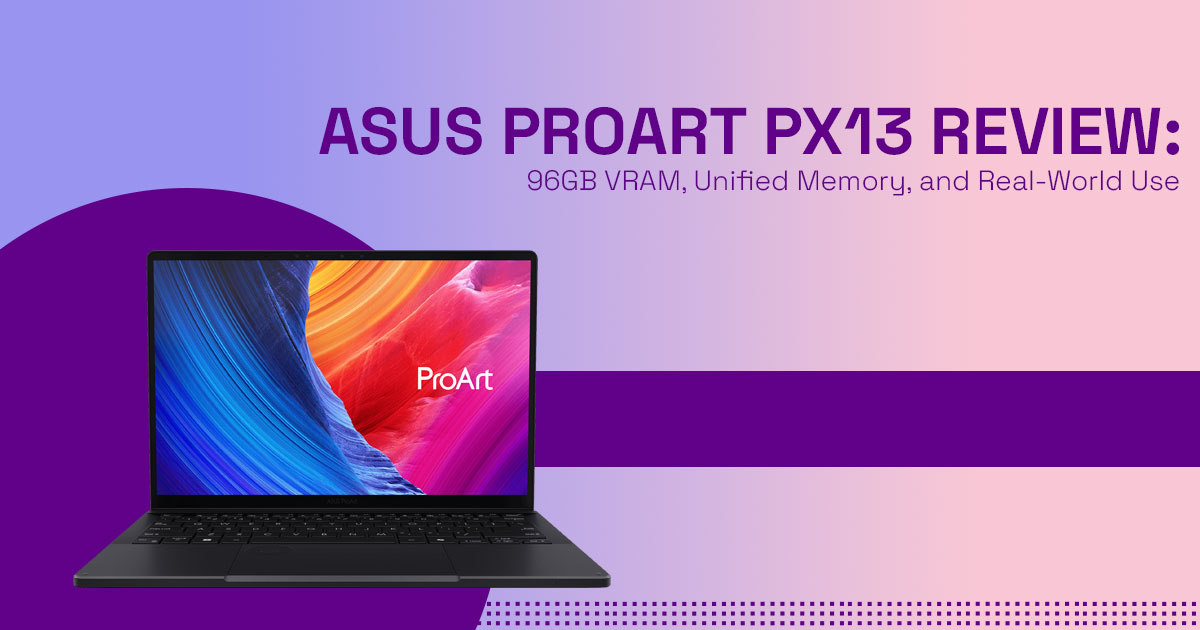
The ASUS ProArt PX13 (HN7306) is a 13.3-inch 2-in-1 convertible laptop built for creators. It comes with a 3K Lumina OLED touchscreen and runs on the latest AMD Ryzen AI processors, designed to balance flexibility, performance, and mobility.
If your work involves AI models, large media files, or constant travel, this setup makes sense. If your priority is maximum rendering speed or gaming, larger systems with dedicated GPUs still do better.
Where to Check Current Pricing and Availability
Stock and pricing change often, so it’s better to check the latest listings directly.
ASUS ProArt PX13 AI Gaming 2-in-1 Laptop 13.3″ Touchscreen AMOLED 2.8K Display (AMD Ryzen AI 9 HX 370, 32GB LPDDR5X, 2TB SSD) – United States (Amazon Worldwide)
ASUS ProArt PX13 (HN7306WU) Copilot+ PC for creators, starting around ₹1,59,990 – India (Amazon India)
Final Thought
If you want a compact AI laptop ASUS that can run local models, handle large creative projects, and still fit in your bag, this is one of the most practical options right now.
And if you’re still unsure, think about your daily work.
- Do you hit memory limits often?
- Do you need power away from your desk?
And that’s where this laptop makes the most difference.
If you’ve used the ASUS ProArt PX13, share how it performs in your workflow—video editing, AI tools, or multitasking setups. Real experiences help others make better decisions.
***Disclaimer***
This blog post reflects our own research, testing, and personal opinions. It should not be taken as the official position of any brand, manufacturer, or company mentioned here. While we aim to keep information accurate and up to date, product details, pricing, and availability can change. We recommend double-checking important details before making a purchase.
Some links in this article may be affiliate links. If you choose to buy through these links, we may earn a small commission at no extra cost to you. This helps support our work and allows us to keep publishing in-depth, unbiased reviews. Our recommendations are never influenced by affiliate partnerships.
Comments shared by readers reflect their own views and not ours. We are not responsible for outcomes resulting from the use of information on this site. Please seek professional advice where appropriate.
All product names, logos, and brands mentioned are the property of their respective owners. These names are used for identification and informational purposes only and do not imply endorsement.
