
1. Introduction
Most gaming PCs don’t get replaced because they’re old. They get replaced because they stop keeping up. Frame rates dip, fans get louder, and new games demand more than the system can deliver. In 2026, that gap shows up fast, especially if you play at 1440p or 4K.
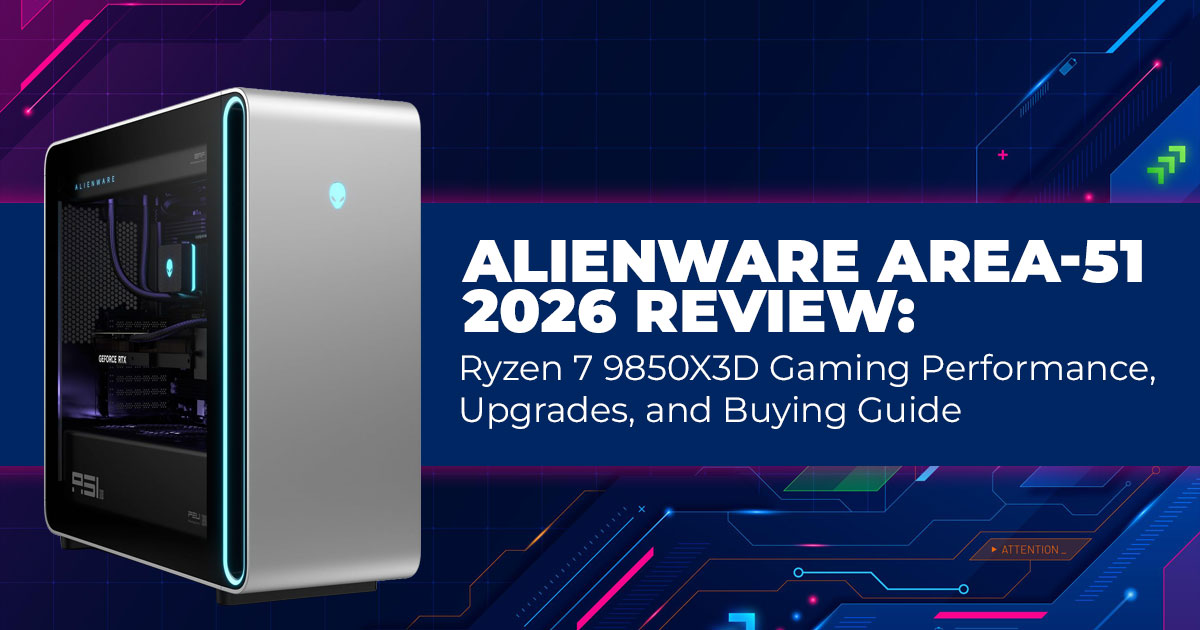
That’s why the Alienware Area-51 2026 matters as a high-end gaming desktop built for modern games.
This update brings a real shift, not a cosmetic one. For the first time, the Area-51 supports AMD’s X3D processors, led by the Ryzen 7 9850X3D. That single change reshapes how this desktop performs in games. More cache means higher and steadier frame rates, especially in modern titles that punish older CPUs.
This system is aimed at people who want their PC to work every time they press the power button. If you game at high resolutions, stream while playing, or edit 4K video without shutting everything else down, the Alienware Area-51 gaming desktop fits that reality. It’s built for users who want power without the hassle of building and tuning a system themselves.
As technology experts with over 20 years of experience in hardware and application research and development, we look beyond spec sheets. We judge products on real-world performance, durability, and value for money. Our goal is to help you choose the right system based on how you actually use it, not how it looks on paper. For gamers, streamers, and content creators, our guidance comes from hands-on testing, component-level analysis, and long-term usage insight.
1.1 Why This Review Matters in 2026
Most reviews focus on raw numbers, but buyers looking for a future-proof gaming desktop care more about daily performance and long-term value. They want to know whether the Alienware
Area-51 can handle current games without stutter, stay cool during long sessions, and justify its price when compared to a similar custom build.
This review answers those questions directly. We examine Ryzen 9850X3D gaming performance, how it pairs with RTX 5090 and RTX 5080 GPUs, how the system manages heat, and what noise levels are like under load. We also look at upgrade options and long-term ownership costs using independent benchmarks and real user experiences.
2. What You’ll Learn From This Guide
- How Ryzen 9850X3D performance shows up in real games released in 2026
- Which RTX 5090 or RTX 5080 configuration avoids wasted performance
- What to expect from Alienware Area-51 thermal performance and fan noise
- How practical the upgrade path is over the next few years
- Which configurations offer the best balance of price and performance
- Whether choosing Alienware Area-51 vs a custom PC makes sense for your needs
Quick Summary
The Alienware Area-51 2026 is a strong choice among prebuilt gaming PCs in 2026 for players who want high frame rates without building a system themselves. It costs more than a custom build, but the improved CPU options, better upgrade support, and stable performance make it a dependable long-term machine.
Stick around if you want to know where the premium makes sense, where it doesn’t, and which conffguration actually delivers the best value.
3. Key Specifications at a Glance
| Category | Available Options |
| CPU | Ryzen 7 9850X3D (most builds), Ryzen 9 9950X3D (higher
tiers) |
| GPU | Up to NVIDIA RTX 5090; popular choices include RTX 5080 and RTX 5070 Ti |
| RAM | 32GB to 128GB DDR5-6000 (four slots, easy to add more
later) |
| Storage | Up to 4TB PCIe Gen 5 NVMe SSD primary, plus optional secondary drives |
| Cooling | 360mm liquid-cooled setup standard; supports larger custom loops |
| Motherboard | X870 chipset, standard ATX layout |
| Connectivity | Wi-Fi 7, 2.5Gb Ethernet, multiple USB4 and front USB-C
ports |
| Power Supply | 1000W to 1600W 80+ Platinum modular |
| Chassis | Triangular tower design with tool-less panels and improved airflow |
Almost everything except the case and motherboard uses standard parts, so swapping or adding components later is straightforward. These options cover everything from a strong 1440p gaming desktop to a fully loaded 4K-focused setup.
4. Ryzen 7 9850X3D Gaming Performance: What It Changes in Real Games
The Ryzen 7 9850X3D gaming CPU stands out for one reason: 3D V-Cache. This chip carries 144MB of L3 cache, stacked directly on the processor. That extra cache keeps game data close, so the CPU spends less time waiting and more time doing actual work. In games, that shows up as higher frame rates and fewer dips.
Compared to the Ryzen 9800X3D, the Ryzen 9850X3D performance improves through a small clock increase and a more refined design. These changes do not look dramatic on paper, but they matter in modern games that lean hard on fast cache access. When compared with current Intel gaming CPUs, this chip still leads in most titles, especially at 1080p and 1440p, where the processor has the most influence.
What that means during everyday use is simple:
- AAA games at 1440p ultra-settings with an RTX 5080 often run between 140 and 200 fps, depending on the game
- Open-world titles and flight simulators stay smooth above 100 fps, even in busy areas
- At 4K gaming, the graphics card carries most of the load, but the X3D cache helps avoid sharp drops during heavy scenes
For players using high refresh rate gaming monitors, the Ryzen 7 9850X3D delivers steady frame pacing. That consistency matters as much as peak frame rates, since uneven performance breaks immersion fast.
5. Alienware Area-51 Design and Upgradeability: Built to Last Longer
The Alienware Area-51 gaming desktop keeps its familiar triangular shape, but the bigger change is inside the case. The 2026 model shifts to standard ATX components, which removes many of the limits seen in older versions.
You now get standard power supplies, normal graphics card mounting, and widely supported cooler brackets. The side panel opens without tools, making it easy to replace a GPU, add memory, or install faster storage.
This approach fixes a long-standing issue. Earlier Area-51 systems relied on custom parts that made upgrades difficult. The 2026 design supports next-generation gaming GPUs, PCIe Gen 5 storage, and future memory upgrades without adapters or workarounds.
For long-term owners, this brings clear benefits:
- Better longevity, since parts remain easy to source
- More upgrade flexibility, letting performance grow over time
- Higher resale value, because standard components are easier to maintain
For anyone looking for a future-proof gaming desktop with a clear upgrade path, the Alienware Area-51 2026 feels like a system you can keep and improve rather than replace after a few years.
6. Alienware Area-51 2026 Performance Breakdown: Gaming, Creation, and Daily Use
This section explains how the Alienware Area-51 2026 gaming desktop performs in real situations, not just benchmarks. Performance changes depending on resolution, GPU choice, and workload, so it helps to break it down clearly.
6.1 Gaming Performance by Resolution (RTX 5080 vs RTX 5090)
Gaming performance on the Alienware Area-51 scales well across resolutions, especially when paired with the Ryzen 7 9850X3D. The CPU keeps frame pacing steady, while the GPU determines how far you can push visual settings.
| Resolution | Typical FPS (RTX 5080) | Typical FPS (RTX 5090) | Best Use Case |
| 1080p gaming | 220–350+ FPS | 280–400+ FPS | Competitive esports and high
refresh rate play |
| 1440p gaming | 140–220 FPS | 180–280 FPS | Most players, balanced
visuals, and speed |
| 4K gaming | 90–160 FPS | 120–200 FPS | Max settings with ray tracing |
The RTX 5080 gaming PC configuration hits the best balance for most users. It delivers strong 1440p ultra and solid 4K gaming performance without overspending. The RTX 5090 desktop adds headroom for 4K 120Hz monitors, heavy ray tracing, and future games that demand more GPU power.
6.2 Creative Workloads and Streaming Performance
The Ryzen 9850X3D performance favors gaming, but it still holds up well in creative tasks. Large cache plays a smaller role in rendering, yet everyday creative work stays smooth with the right memory setup.
- 4K video editing in Premiere Pro and DaVinci Resolve runs without timeline stutter when paired with 64GB or more RAM
- Streaming while gaming at 1440p remains stable using NVENC encoding, even with OBS, Discord, and browsers running
- Multitasking workloads benefit from fast cache access and strong single-core performance
Creators who split time between gaming and content creation get a balanced system. If your work centers on heavy 3D rendering or long code builds, a higher-core non-X3D CPU may finish jobs faster. For mixed use, the Alienware Area-51 works well as a gaming PC for streaming and content creation, without forcing you to choose between play and work.
6.3 Thermals and Noise Levels in Daily Use
Thermals and noise matter once the system runs for hours at a time. Independent testing shows the Alienware Area-51 thermal performance remains controlled during extended gaming sessions.
- CPU temperatures stay below 85°C under sustained load with the 360mm liquid cooler
- Fan noise is noticeable during heavy use but stays consistent and non-distracting
- Many users report lower noise than older air-cooled systems with similar power output
For a high-power desktop, the cooling setup keeps performance stable without aggressive fan spikes.
7. Who the Alienware Area-51 2026 Is Actually For (And Who Should Skip It)
The Alienware Area-51 2026 gaming desktop is built for people who want strong performance without turning PC building into a hobby. It’s for users who care more about how the system behaves every day than how many parts they can tweak.
Choose the Alienware Area-51 if you are:
- A serious gamer who wants a desktop for 4K gaming or high refresh rate monitors without tuning BIOS settings
- A streamer who runs games, OBS, Discord, and browsers at the same time and wants it all to stay stable
- A content creator who games and edits on the same machine and needs consistent performance
- Someone who prefers a ready-to-use gaming PC with support, not a weekend build project
You should skip it if:
- Your budget is tight, and saving money matters more than convenience
- You enjoy swapping parts often and fine-tuning every component
- Desk space is limited, and a large tower won’t fit your setup
Here’s the honest trade-off most buyers face when comparing a prebuilt vs custom gaming PC: you pay about 25–35% more than a comparable custom PC. That extra cost covers assembly, testing, warranty, and support. If you value your time and want fewer headaches, that premium makes sense. If not, it won’t.
Decision moment:
If you want a system that works well out of the box and stays reliable for years, this fits. If you enjoy the process of building and optimizing, look elsewhere.
8. Recommended Alienware Area-51 Configurations (What to Buy, Not What to Max Out)
Most people overspend by chasing top specs they won’t fully use. The right configuration depends on how you actually play and work.
Below are the most sensible Alienware Area-51 configurations and the typical Alienware Area- 51 price ranges in 2026.
Solid Start — Best Entry Point
- Ryzen 7 9850X3D
- RTX 5070 Ti
- 32GB RAM
- 2TB SSD
- $2,800–$3,300
Choose this if you play at 1440p, stream occasionally, and want strong performance without paying for headroom you won’t use yet.
Sweet Spot — What Most Buyers Should Choose
- Ryzen 7 9850X3D
- RTX 5080
- 64GB RAM
- 4TB SSD
- $3,700–$4,200
This is the configuration I’d choose for myself. It handles 1440p ultra, strong 4K gaming, streaming, and content creation without feeling overkill. It also ages well.
Top End — Only If You Know You Need It
- Ryzen 9 9950X3D
- RTX 5090
- 128GB RAM
- 4TB SSD plus extra storage
- $5,100–$6,000
Pick this only if you run 4K 120Hz, heavy ray tracing, or demanding creative workloads every day. For most people, this is more power than necessary.
Tip: Prices shift often. Large sales events usually shave a few hundred dollars off. If you’re not in a rush, waiting can pay off.
9. Alternatives You Should Consider Before You Decide
Before spending this much, it’s smart to check the other paths.
Custom DIY PC
- Best if saving money matters most
- You get full control and spend 25–35% less
- Downsides: no single support line, more setup time, more troubleshooting
Other Prebuilt Brands
- Often $500–$900 cheaper
- May offer simpler designs or fewer premium parts
- Support quality and upgrade flexibility can vary
High-End Gaming Laptop
- Best if you need portability
- Similar price or higher for equal performance
- Less upgradeable and louder under load
Why Area-51 still makes sense if you care about gaming desktop longevity:
It balances performance, build quality, upgrade freedom, and support better than most prebuilts. You pay more, but you get fewer compromises.
10. Practical Buying Tips That Actually Save You Money and Stress
Before you click anything, keep these points in mind:
- Seasonal deals matter more than small spec upgrades
- Check Alienware Area-51 benchmark results for the exact games you play
- The GPU, RAM, storage, and PSU are standard parts and easy to upgrade later
- Warranty usually covers three years, with on-site service options
What matters most:
Scroll down to the final verdict to see which configuration makes the most sense for you. You can upgrade parts later, but buying the wrong tier upfront costs more in the long run.
Quick Verdict:
If you want a high-performance gaming desktop that runs smoothly, stays cool, and doesn’t require constant attention, the Alienware Area-51 2026 is a safe, confident choice.
Choose the RTX 5080 configuration unless you have a clear reason not to. If saving money matters more than convenience, build your own instead.
If you’re still thinking, ask yourself one question:
Do I want to spend my time gaming and creating, or building and troubleshooting? Your answer tells you what to do next.
11. Clearing Common Doubts About the Alienware Area-51 2026
Before spending this much on a gaming desktop, most people pause at the same questions. This section clears up the most common concerns buyers have about the Alienware Area-51 2026 gaming desktop, using plain answers based on real use, not marketing claims.
Q. Is the Alienware Area-51 worth buying in 2026?
- Yes, if you want one of the best gaming desktops of 2026 and do not plan to build your own PC. The Ryzen 7 9850X3D benchmarks, strong gaming performance at 1440p and 4K, and improved upgradeability make it a system that should stay relevant for several years.
Q. Can you upgrade the Alienware Area-51 yourself later?
- Yes. The 2026 model uses standard ATX components, which makes upgrading the GPU, RAM, storage, and power supply straightforward. You are not locked into proprietary parts, so future upgrades are practical.
Q. Is the Alienware Area-51 better than a custom-built gaming PC?
- Performance matches a well-built custom PC using the same parts. The difference is cost and convenience. You pay more for the Alienware Area-51 for assembly, testing, design, warranty, and support. If you value time and support, it makes sense. If saving money is the priority, a custom build costs less.
Q. How loud is the Alienware Area-51 during gaming or heavy load?
- Fan noise is noticeable during long gaming sessions, but it stays in line with other liquid- cooled gaming desktops. Most users describe it as steady rather than distracting, even under sustained load.
12. Frequently Asked Questions About the Alienware Area-51 2026
These questions come up often when buyers think about longevity, upgrades, and timing. The answers below focus on real ownership concerns around the Alienware Area-51 2026 gaming desktop, not short-term specs.
Q. Does the Alienware Area-51 2026 support future GPUs and CPUs?
- Yes. The system is built on the X870 platform, which supports upcoming AMD CPU releases. The chassis also has enough clearance and power support for next-generation GPUs, including large flagship cards.
Q. Is the stock cooling enough for the Ryzen 7 9850X3D?
- Yes. The included 360mm liquid cooler handles the Ryzen 7 9850X3D without issue during long gaming or streaming sessions. A custom loop only makes sense if you plan heavy manual overclocking, which most users do not need.
Q. How long will the Alienware Area-51 stay relevant for gaming?
- With future GPU upgrades and optional RAM expansion, the Alienware Area-51 2026 should handle new games at high or ultra-settings through 2029 and beyond, depending on resolution and graphics demands.
Q. Should you wait for next year’s Alienware refresh instead?
- Only if you do not need a system right now. The 2026 model already delivers strong performance and upgrade flexibility, making it a safe long-term purchase rather than something that will feel outdated quickly.
13. Final Verdict — Should You Buy the Alienware Area-51 2026?
The Alienware Area-51 2026 delivers powerful, real-world gaming performance with Ryzen- class gaming chips, strong GPU support, and far better upgradeability than earlier generations. This makes it one of the most capable gaming desktops in 2026 out of the box.
If you want a desktop that runs today’s big games smoothly at 1440p and 4K, handles streaming and video editing without flinching, and lets you swap parts later without hassle, this machine hits those marks. It’s not cheap, but it removes the guesswork of picking parts and building a system yourself.
Here’s where you can check current pricing and conffgurations:
Buy in the US:
- Alienware Area-51 Gaming Desktop Core Ultra 9-285K – Reliable high-end configuration with strong GPU and storage.
- Alienware Area-51 Gaming Desktop Intel Core Ultra 9 Series 2 – Premium build with 64GB RAM and RTX-class graphics for serious 4K gaming.
Buy in India:
- New Ware Area-51 Gaming Desktop 24-Cores Ultra 9 285K – Another strong option with expanded storage and performance.
This PC isn’t just about raw numbers. What matters more in daily use is how smooth and predictable it feels while gaming, streaming, or editing on the same machine. On those fronts, it delivers without quirks or bottlenecks.
Here’s our honest take:
- Choose this if you want a powerful desktop ready to go, with a long life ahead and room to grow.
- Skip this if your top priority is the lowest price or you enjoy building and tuning your own PC.
If you already own one or are comparing setups, feel free to share your experience below. I’m happy to help you weigh options, ffne-tune conffgurations, or suggest tweaks that make sense for how you use your system.
***Disclaimer***
This blog post reflects our own research, testing, and personal opinions. It should not be taken as the official position of any brand, manufacturer, or company mentioned here. While we aim to keep information accurate and up to date, product details, pricing, and availability can change. We recommend double-checking important details before making a purchase.
Some links in this article may be affiliate links. If you choose to buy through these links, we may earn a small commission at no extra cost to you. This helps support our work and allows us to keep publishing in-depth, unbiased reviews. Our recommendations are never influenced by affiliate partnerships.
Comments shared by readers reflect their own views and not ours. We are not responsible for outcomes resulting from the use of information on this site. Please seek professional advice where appropriate.
All product names, logos, and brands mentioned are the property of their respective owners. These names are used for identification and informational purposes only and do not imply endorsement.
