
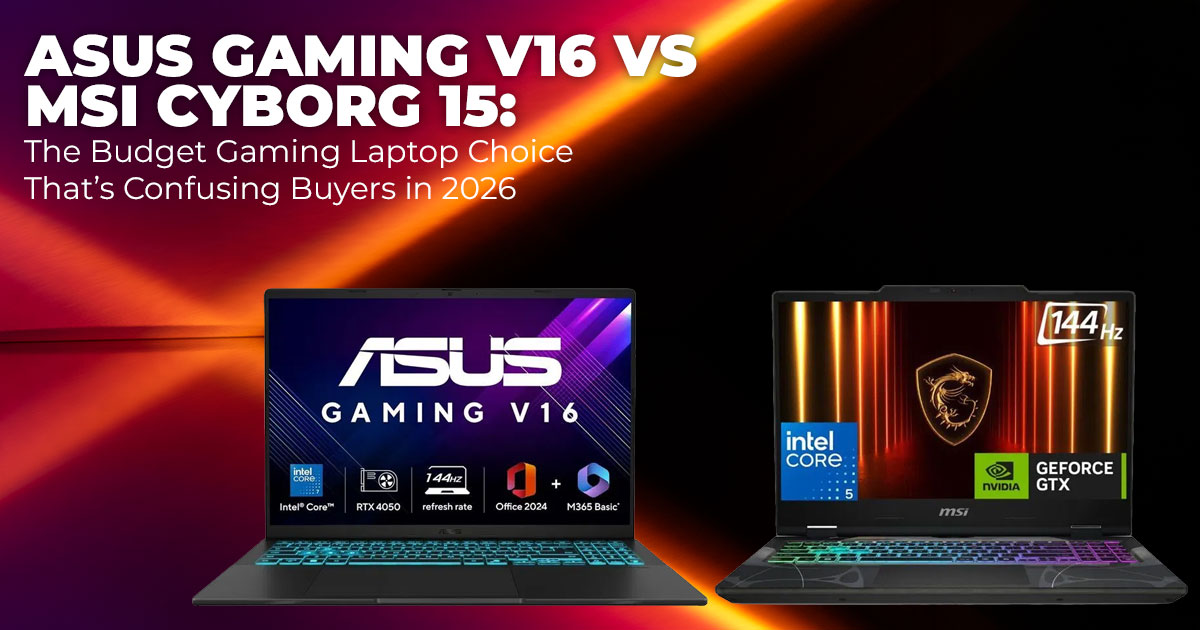
If you’re searching globally for the best gaming laptop under $1,200, this comparison helps you choose based on real use, not just specs. The MSI Cyborg 15 prioritizes gaming performance, while the ASUS Gaming V16 delivers a better balance for gaming, college, and everyday work.
The right pick depends on how you use your laptop day to day.
1. Introduction: Choosing the Right Gaming Laptop in 2026
Buying a gaming laptop in 2026 often feels harder than it should. You compare prices, scan specs, and still wonder if you’re about to overpay or compromise. Most people searching for the best gaming laptop under $1,200 aren’t chasing bragging rights. They want a laptop that runs today’s games smoothly, handles college or work tasks without slowing down, and stays reliable after months of daily use.
What usually gets missed are the details that shape everyday experience. Battery life when you’re not plugged in. Heat and fan noise during long sessions. Screen comfort for hours of reading or editing. And build quality that survives backpacks, desks, and travel.
This head-to-head comparison of the ASUS Gaming V16 vs MSI Cyborg 15 is built around those real concerns. Both laptops appear frequently in searches like budget gaming laptop 2026, gaming laptop for students, and best gaming laptop under $1,200 across the US and India. Both offer smooth 1080p gaming with modern RTX graphics. But they’re designed for different types of users.
As technology experts with over 20 years of experience in hardware and application research and development, we evaluate each laptop based on real-world performance, durability, and value for money. Whether you’re a college student, a casual gamer, or someone looking for a gaming laptop for work and gaming, our recommendations come from hands-on analysis, component-level research, and everyday usability—not marketing promises.
1.1 How to Pick the Right Gaming Laptop for Your Daily Use
Once you move past the price tag, the real decision comes down to how you’ll use the laptop every day.
If gaming is your main focus, GPU power matters most for consistent frame rates in modern AAA titles and competitive shooters. If your laptop also needs to handle assignments, coding, video editing, or office work, CPU balance and screen comfort become just as important. Portability matters too. Carrying a heavy machine between classes or workspaces gets old fast. And long- term value matters more than ever. Good cooling and upgrade options can keep a laptop useful for years instead of months.
This ASUS Gaming V16 vs MSI Cyborg 15 comparison is designed to answer practical buyer questions like which is better, ASUS Gaming V16 or MSI Cyborg 15, is ASUS Gaming V16 better than MSI Cyborg 15, and ASUS Gaming V16 vs MSI Cyborg 15 for gaming. Instead of repeating spec sheets, the focus stays on how each laptop fits real routines.
That difference is what turns a good purchase into one you don’t regret later.
Before getting into performance and real-world differences, it helps to know where these laptops currently stand in terms of availability. Pricing can vary widely depending on region and configuration, so checking current listings early gives useful context for the comparison.
- ASUS Gaming V16 on Amazon (Worldwide & India)
- MSI Cyborg 15 on Amazon (Worldwide & India)
2. Technical Specifications at a Glance
Here’s a clear side-by-side table showing how the ASUS Gaming V16 and MSI Cyborg 15 compare in commonly available global configurations. Prices typically fall in the $1,000 to $1,300 range, depending on region and variant.
| Feature | ASUS Gaming V16 | MSI Cyborg 15 |
| Display | 16-inch WUXGA (1920×1200), 144Hz,
16:10 aspect ratio, matte |
15.6-inch Full HD (1920×1080),
144Hz, 16:9 aspect ratio |
| Processor | Intel Core 7 240H (Core 5 options
available) |
Intel Core 7 240H (Series 2) |
| Graphics
Card |
NVIDIA RTX 4050 or RTX 5060 (6–
8GB GDDR7) |
NVIDIA RTX 5050 or RTX 5060 (up to
8GB GDDR7) |
| Memory
(RAM) |
16GB DDR5, expandable up to 32GB+ | 16GB DDR5, expandable up to 32GB+ |
| Storage | 512GB or 1TB NVMe SSD,
expandable |
512GB or 1TB NVMe SSD,
expandable |
| Battery
Capacity |
63Wh | 53.5Wh |
| Weight | Around 4.3 lb (1.95 kg) | Around 4.4 lb (1.98 kg) |
| Ports | USB-C with charging support, HDMI
2.1, multiple USB-A ports |
USB-C, HDMI, multiple USB-A ports |
| Typical Price
Range |
Around $1,000 – $1,150 |
Around $1,050 – $1,300 |
The 16:10 display on the ASUS Gaming V16 gives extra vertical space, which is useful for reading, multitasking, and editing. The MSI Cyborg 15 often offers slightly higher GPU headroom at similar prices, which can translate into better gaming performance when plugged in.
3. Why This Comparison Matters in 2026
Many reviews stop at benchmark charts, but buyers care more about gaming laptop battery drain, gaming laptop thermals and cooling, and long-session comfort. These factors directly affect daily use and long-term satisfaction, especially for students and remote workers.
4. What You’ll Learn From This Review
- Which laptop suits pure gaming versus mixed school and work use
- Expected performance in popular modern games
- Real battery life for classes, travel, and light productivity
- How heat and fan noise behave during long sessions
- Upgrade options that improve long-term value
- Clear buying advice based on real needs and budget
5. Buyer Profiles — Who Each Laptop Is Built For
Choosing between these two laptops gets easier once you match them to how you actually use your time. Here’s a clear breakdown to help you decide quickly.
5.1 MSI Cyborg 15 — Built for Gaming First
The MSI Cyborg 15 is a strong fit if gaming performance is your top priority.
Best for you if:
- You spend most of your time on competitive esports or demanding AAA games
- You usually game while plugged in and don’t rely much on battery life
- You want the most GPU power possible at this price point
- You like bold styling—the translucent design appeals to many younger gamers
Why it works:
- Stronger MSI Cyborg 15 gaming performance thanks to higher GPU headroom
- Better suited for high frame rates in fast-paced games
- Delivers more performance per dollar if gaming is your main use
5.2 ASUS Gaming V16 — Built for Balance and Daily Use
The ASUS Gaming V16 is designed for people who split their time between gaming and everyday tasks.
Best for you if:
- You’re a college student, remote worker, or casual creator
- You need a gaming laptop for work and gaming
- You value screen space, comfort, and battery life
- You carry your laptop around campus, work, or home often
Why it works:
- Larger 16-inch, 16:10 display makes multitasking easier
- Longer battery life when you’re away from a charger
- More balanced cooling for long study or work sessions
- A solid choice for the best laptop for gaming and productivity
So, Which One Should Students Choose?
That’s where things get interesting.
On paper, both laptops check the right boxes for students. They handle modern games, manage college assignments, and fall into the range that people usually search for when looking for a budget gaming laptop or the best gaming laptop for students. But once you move past the spec sheet, the decision isn’t as clear as it looks.
One of these laptops feels better when you’re gaming late at night, staying plugged in, and chasing higher frame rates. The other feels more comfortable when your day starts with classes, shifts to study and assignments, and ends with a few hours of gaming. The difference shows up in small but important moments—battery life between lectures, gaming laptop thermals and cooling during long sessions, screen comfort for reading and editing, and how naturally the laptop fits into your daily routine.
And that’s why there’s no quick answer here.
The right choice depends on how you balance gaming, college work, and everyday use, and which trade-offs matter most to you. We’ll bring everything together in the conclusion, where the final recommendation becomes clear and helps you decide which option truly fits your life.
6. Head-to-Head Real-World Performance: ASUS Gaming V16 vs MSI Cyborg 15
Specs alone don’t explain how a laptop feels after hours of use. This section focuses on real- world performance—how these laptops behave during gaming, multitasking, and long sessions, not just short benchmark runs.
6.1 CPU Performance and Productivity for Students and Creators
Both laptops use similar Intel Core processors, so everyday tasks feel smooth on either system. Browsing with many tabs open, working in Microsoft Office, attending online classes, or doing light photo editing doesn’t stress either machine.
Where the ASUS Gaming V16 stands out is during long, sustained workloads. Tasks like video rendering, exporting large files, or running background apps while streaming stay more stable. Its cooling system helps maintain performance instead of slowly dialing speeds down under load.
For CPU-heavy esports games such as Valorant, League of Legends, and CS2, both laptops comfortably push well over 200 FPS on high settings. From a pure CPU standpoint, there’s no disadvantage on either side for competitive play or daily productivity.
Key takeaway:
- For short tasks, both feel equally fast
- For longer workloads, ASUS Gaming V16 holds performance more consistently
6.2 GPU and Gaming Performance at 1080p (RTX Gaming Laptop Comparison)
This is where the difference becomes easier to feel.
The MSI Cyborg 15 runs its GPU at a higher power limit, which often translates to 10–15% higher frame rates in demanding games. When looking at RTX gaming laptop performance at 1080p, both laptops handle modern titles well, but the MSI usually pushes a little further. At 1080p with high settings and DLSS enabled where supported, here’s what typical performance looks like:
| Game | ASUS Gaming V16 (Average FPS) | MSI Cyborg 15 (Average FPS) |
| CS2 | 220–300 | 240–320 |
| Fortnite | 130–170 | 140–190 |
| Cyberpunk 2077 | 70–85 | 75–95 |
| Valorant | 300+ | 300+ |
In fast-paced competitive games, the extra frames on the MSI feel noticeable, especially if you’re using a high-refresh-rate display. In story-driven AAA games, both laptops deliver smooth gameplay at high settings without compromises.
If you’re asking, can ASUS Gaming V16 handle AAA games? The answer is yes. It runs modern titles comfortably. The MSI Cyborg 15 simply offers more headroom if maximum frame rates matter to you.
Key takeaway:
- MSI Cyborg 15 favors raw gaming performance
- ASUS Gaming V16 still delivers smooth, enjoyable AAA gaming
6.3 What Gaming Benchmarks Actually Mean in Daily Use
Benchmark charts can be misleading if taken at face value.
The MSI Cyborg 15 often posts higher peak numbers, especially in short tests. The ASUS Gaming V16, however, focuses on sustained performance. During longer gaming sessions, the ASUS tends to stay more consistent instead of ramping down speeds to manage heat.
In real life, that means:
- MSI feels faster in short bursts
- ASUS feels steadier during extended play or work sessions
Neither approach is wrong. It depends on whether you value peak numbers or consistency over time.
7. Display, Keyboard, and Build Quality: Everyday Comfort Matters
This section looks at what you interact with the most—screen, keyboard, and build quality— because comfort matters just as much as performance.
The ASUS Gaming V16 uses a 16-inch 16:10 display, which gives extra vertical space. Reading notes, coding, browsing, and editing videos feel less cramped. Color accuracy is good enough for casual content creation, and the matte finish helps reduce glare in bright rooms.
The MSI Cyborg 15 features a 15.6-inch 16:9 display that’s sharp and responsive for gaming. It works well for fast-paced titles but offers less vertical space for productivity. The cyber-style design stands out, though the plastic surfaces tend to show fingerprints more easily.
Both laptops include RGB keyboards with comfortable key travel. For daily travel and regular handling, the ASUS Gaming V16 feels slightly sturdier and more refined.
Key takeaway:
- ASUS favors comfort and screen space
- MSI favors gaming-first design and style
8. Battery Life and Portability: What to Expect Day to Day
Gaming laptops aren’t built for all-day battery life, but differences still matter—especially for students.
Thanks to its larger battery, the ASUS Gaming V16 lasts longer in real-world use:
- Web browsing and video streaming:
ASUS 5–7 hours, MSI 4–6 hours - Mixed school or office work (documents, Zoom, light apps):
ASUS 4–6 hours, MSI 3–5 hours - Gaming on battery:
Both average 1–1.5 hours
If you move between lectures, workspaces, or commute often, the extra battery life on the ASUS adds flexibility. Neither laptop lasts a full day of heavy use without a charger, but the difference becomes noticeable over a long day.
Key takeaway:
- ASUS Gaming V16 offers better battery life for students
- MSI Cyborg 15 expects more time near a power outlet
9. Thermals and Noise — The Hidden Issues That Affect Daily Use
Thermals and fan noise don’t look important at first, but they shape how a laptop feels after weeks of use.
Under sustained gaming loads, both laptops run warm. Keyboard surface temperatures typically reach 45–50°C during longer sessions. The difference shows up in how each system handles that heat.
The MSI Cyborg 15 pushes performance harder, which means the fans spin up faster. In quiet rooms, the noise is noticeable, especially during demanding games. This suits gamers who wear headsets, but it can feel intrusive during late-night use.
The ASUS Gaming V16 manages heat more evenly on balanced profiles. It still gets warm, but fan noise stays lower, which makes longer gaming or work sessions easier to tolerate.
A laptop stand or cooling pad helps both systems. Lowering temperatures by 5–10°C keeps performance steady and reduces stress on internal components. Airflow plays a bigger role in long-term reliability than many buyers expect.
10. Upgradeability and Long-Term Value for Budget Gaming Laptops
Long-term value matters, especially in the budget gaming laptop range.
Both laptops make upgrades simple. Removing the bottom panel gives access to two RAM slots and at least one extra M.2 SSD slot. Expanding memory to 32GB or more and adding storage later is straightforward.
These upgrades keep the laptop feeling responsive as software and games become more demanding. Extra RAM improves multitasking and game stability, while larger storage avoids constant uninstalling and reinstalling.
This level of gaming laptop upgradeability adds real value. Instead of replacing the laptop after a short time, small upgrades extend its usable life and protect the investment.
11. ASUS Gaming V16 vs MSI Cyborg 15 — Pros and Cons at a Glance
This section sums up the trade-offs in a simple way for quicker decisions.
ASUS Gaming V16 — Pros
- Larger 16:10 display that works well for productivity
- Better battery life for daily carry
- More consistent cooling over long sessions
- Comfortable for mixed gaming and work use
ASUS Gaming V16 — Cons
- Slightly lower peak gaming frame rates
- Often costs more for similar GPU configurations
MSI Cyborg 15 — Pros
- Stronger raw gaming performance
- Often better value for pure gaming use
- Design stands out visually
MSI Cyborg 15 — Cons
- Shorter battery life
- Runs hotter and louder under load
- Smaller screen feels limiting for non-gaming tasks
12. Value Comparison: Price Versus Everyday Experience
Price matters, but experience matters more.
Around the $1,000–$1,200 range, the MSI Cyborg 15 often delivers more gaming performance for the money. For buyers focused mainly on games, that value is clear.
The ASUS Gaming V16 justifies its cost through screen size, battery life, and overall comfort. For users who game, study, and work on the same machine, that balance pays off over time.
Both laptops remain solid choices when looking for gaming laptop deals, such as ASUS Gaming V16 or MSI Cyborg 15 deals. Since prices shift often, checking current listings can change which option makes more sense.
In the end, the better value isn’t just about what you pay. It’s about how the laptop fits into your daily routine long after the excitement of a new purchase fades.
At this point, the value difference often comes down to real-time pricing. Deals shift frequently, and a small price change can tip the balance between these two laptops. It’s worth checking current listings to see which one offers better value right now in your region.
- ASUS Gaming V16 on Amazon (Worldwide & India)
- MSI Cyborg 15 on Amazon (Worldwide & India)
13. Clearing Common Doubts
Before making a final decision, most buyers pause at the same set of questions. This section addresses those concerns in a clear, practical way, using real-world use cases instead of spec- sheet language. It’s designed to match common global search intent and help readers quickly confirm whether these laptops fit their needs.
Q. Best gaming laptop under $1,200 for esports games?
- Both laptops perform very well in esports titles like Valorant, CS2, and League of Legends. If your priority is maximum frame rates while gaming plugged in, the MSI Cyborg 15 usually has a slight edge due to higher GPU power. That said, both easily deliver smooth, competitive-level performance.
Q. Which gaming laptop has better battery life for students and daily use?
- The ASUS Gaming V16 lasts noticeably longer in everyday tasks. For college classes, remote work, web browsing, and video streaming, it offers more usable battery life away from a charger, which matters for students and mobile users.
Q. Which laptop runs cooler during long gaming sessions?
- The ASUS Gaming V16 handles sustained gaming loads more consistently. While both laptops get warm during extended play, the ASUS maintains steadier temperatures and keeps fan noise more manageable over time.
Q. Best budget gaming laptop in 2026 overall?
- In the budget gaming laptop 2026 category, both the ASUS Gaming V16 and MSI Cyborg 15 rank among the strongest options in the under $1,200 price range. The better choice depends on whether you value raw gaming performance or battery life and everyday comfort more.
14. Frequently Asked Questions
These answers usually settle the final doubts. Once you line them up with how you plan to use the laptop each day, the right choice becomes much easier to spot.
Q. Is this the best gaming laptop under $1,200?
- There isn’t a single “best” option for everyone. Both the ASUS Gaming V16 and MSI Cyborg 15 rank among the most practical and reliable choices under $1,200 right now. The better pick depends on how you plan to use the laptop day to day.
Q. Which gaming laptop is better for AAA games?
- The MSI Cyborg 15 has an advantage in modern AAA titles thanks to its higher GPU power. If your focus is on playing demanding games at higher frame rates, it usually performs a bit better.
Q. Can these laptops handle work and school tasks?
- Yes, both can handle schoolwork, office tasks, browsing, and light content creation without issues. The ASUS Gaming V16 feels more comfortable for longer non-gaming sessions because of its larger screen and better battery life.
Q. Is the ASUS Gaming V16 worth the price?
- It is worth it if you care about battery life, screen space, and daily comfort more than squeezing out the highest possible frame rates in games.
Q. Is the MSI Cyborg 15 good for gaming?
- Yes. The MSI Cyborg 15 is very capable for gaming, especially for competitive esports and graphics-heavy games, making it a strong budget-focused option.
Q. Which gaming laptop should I buy overall?
- Choose the MSI Cyborg 15 if gaming performance is your top priority and you’re working within a tight budget. Choose the ASUS Gaming V16 if you want a more balanced laptop for gaming, school, and everyday use.
15. Final Recommendation
By now, the differences between these two laptops should feel familiar. This section ties everything back to the buyer profiles discussed earlier in section 5, and helps turn that understanding into a clear decision. There’s no shortcut answer here, because the better choice depends on how the laptop fits into your daily routine.
Here’s how the decision usually plays out in real life:
- Best for budget gamers focused on higher frame rates: MSI Cyborg 15
If gaming sits at the center of how you use your laptop, this option makes sense. It favors raw graphics performance, rewards time spent plugged in, and handles demanding games with fewer compromises. - Best for students or mixed gaming and productivity: ASUS Gaming V16
If your day moves between classes, assignments, browsing, and gaming, this laptop fits that rhythm better. The larger display and balanced performance support long study sessions just as well as evening playtime. - Best for college carry and longer battery life: ASUS Gaming V16
When you’re away from a desk for hours, battery life and screen comfort matter more than peak performance. This is where the ASUS tends to feel easier to live with. - Best overall value for most buyers: It depends on current pricing
Prices change often. Some weeks favor the MSI for performance per dollar. Other times, the ASUS offers a better balance for the money. Checking both before buying can make a noticeable difference.
Whichever route you take, both options deliver solid RTX gaming laptop performance that holds up well for modern 2026 games, along with everyday school or work tasks.
Ready to Check Current Prices?
Availability and pricing can vary by region, so it’s worth comparing listings before making a call:
- ASUS Gaming V16 on Amazon (Worldwide & India)
- MSI Cyborg 15 on Amazon (Worldwide & India)
If you’ve already picked one up or spotted a strong deal, share your experience in the comments. Real feedback about frame rates, battery life, or cooling behavior helps other readers make smarter choices—and we’re always happy to help with speciffc conffguration questions.
Additional Read
If you’re leaning toward the ASUS model and want a deeper breakdown, you may find this helpful. We’ve already covered its gaming performance, thermals, and everyday usability in detail.
Thinking About the ASUS V16? Read This Before You Buy It for Gaming — a focused review that looks beyond specs and explains what living with the laptop is really like. [Place our article link here]
It’s a good follow-up if you want more clarity before making a final call.
***Disclaimer***
This blog post reflects our own research, testing, and personal opinions. It should not be taken as the official position of any brand, manufacturer, or company mentioned here. While we aim to keep information accurate and up to date, product details, pricing, and availability can change. We recommend double-checking important details before making a purchase.
Some links in this article may be affiliate links. If you choose to buy through these links, we may earn a small commission at no extra cost to you. This helps support our work and allows us to keep publishing in-depth, unbiased reviews. Our recommendations are never influenced by affiliate partnerships.
Comments shared by readers reflect their own views and not ours. We are not responsible for outcomes resulting from the use of information on this site. Please seek professional advice where appropriate.
All product names, logos, and brands mentioned are the property of their respective owners. These names are used for identification and informational purposes only and do not imply endorsement.
