
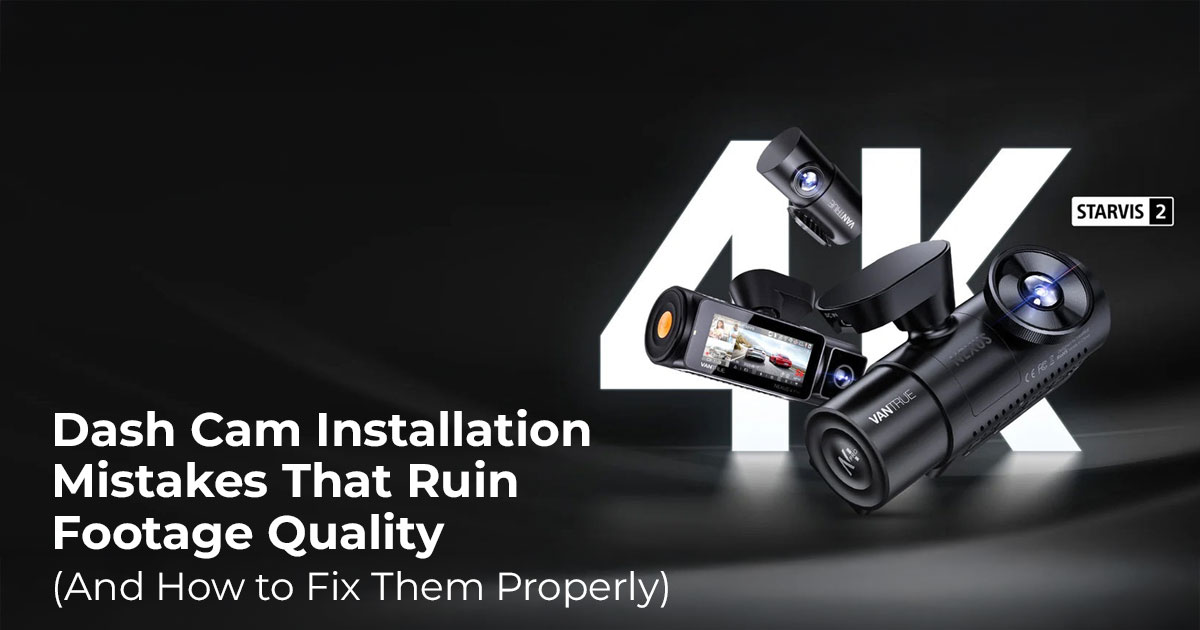
1. Introduction: Why Installation Matters More Than the Camera Itself
Most drivers don’t think about their dash cam until they need it. An accident happens, stress kicks in, and the camera is supposed to tell the story. But when the footage plays back, the road looks dark, the image shakes, or the license plate is unreadable. That moment is when many people realize the real issue wasn’t the camera. It was the setup.
Dash cams promise security, clarity, and peace of mind. That’s why people spend extra on higher-end models. But dash cam installation mistakes often undo all of that, especially when drivers don’t know how to install a dash cam properly from the start. A bad dash cam camera angle, poor dash cam windshield placement, or simple dash cam wiring mistakes can cause serious dash cam footage quality problems. Even the best dash cam for cars can fail if it’s mounted the wrong way.
Offfcial Vantrue Dash Cam Store
Dash cams are no longer niche gadgets. Daily commuters rely on them during traffic disputes. Rideshare drivers depend on clear accident evidence to protect their income. Families use them for reliable video recording during long drives. And yet, many of the issues people complain about in reviews come down to the same few errors. Blurry dash cam footage, tilted video, glare, or random power loss usually trace back to dash cam mounting mistakes, not defective hardware.
That’s why real-world feedback matters. User reviews reveal what happens after weeks of driving, heat exposure, night use, and vibration. Specs don’t show that. Experience does.
As technology experts with over 20 years of experience in hardware and application research and development, we examine products through real usage, not lab promises. We look at performance, durability, and value for money across different driving conditions. Our aim is to help everyday drivers, rideshare professionals, and first-time buyers choose setups that last. Every recommendation comes from hands-on evaluation, component-level understanding, and long-term usability, not guesswork.
Here’s the part most guides skip. When dash cam footage fails, it’s rarely because the camera isn’t capable. It’s because of small setup decisions that add up. Dash cam placement issues, dash cam power issues, and unstable mounting quietly ruin recordings over time. Fixing them doesn’t take special tools or technical knowledge. It takes awareness.
Brands like Vantrue dash cam models help reduce these problems with compact designs, wide- angle dash cam lens coverage, and mounting systems built for vibration-free mounting.
Accessories designed for stable power also support continuous loop recording, which prevents missing clips. But no design can overcome poor installation.
This guide breaks down the most common mistakes that damage footage quality and explains how to avoid them. The changes are small. The impact is not. Once you understand what matters, your dash cam starts doing the job you bought it for.
Summary
Most dash cam failures come from setup errors, not bad hardware. Dash cam installation mistakes like wrong camera angle, poor windshield placement, and unstable wiring lead to blurry dash cam footage and missing evidence. Fixing these basics gives you clear, dependable recordings when they matter most.
2. Dash Cam Camera Angle Mistakes That Ruin Footage Quality
Most dash cam problems start with the angle. You can install a solid camera, power it correctly, and still end up with unusable footage if the dash cam camera angle is off. This is the most common reason behind dash cam exposure problems, especially during night driving when nighttime dash cam clarity matters most.
When the angle is wrong, the video tells the wrong story. The road looks dark. Vehicles lose detail. Important moments fall outside the frame.
2.1 Why Dash Cam Camera Angle Affects Evidence Quality
Dash cams rely on auto exposure adjustment to decide how bright or dark the image should be. The camera adjusts based on whatever takes up most of the frame.
If the lens sees too much sky, the camera lowers the exposure. The road becomes hard to see. If the lens points too low, reflections take over, and distance detail is lost.
Both mistakes reduce license plate readability, which directly affects whether footage can be used as reliable accident evidence.
2.2 Common Dash Cam Camera Angle Mistakes
Capturing Too Much Sky
When the dash cam camera angle points upward, the sky dominates the image. Bright light forces the camera to darken the rest of the scene. The road looks flat, and detail disappears, even during the day.
Pointing the Camera Too Low
A low angle fills the frame with the hood or dashboard. This limits forward visibility and increases dashboard reflection, especially under sunlight.
Unleveled Horizon in Dash Cam Footage
A tilted camera causes the horizon to appear as if it is leaning. The footage looks off-balance and harder to review. During turns or braking, this can appear as shaky dash cam video, even when the mount is stable.
2.3 Best Dash Cam Camera Angle: The 60/40 Rule
A simple way to set the correct angle is the 60/40 rule.
- 60% road
- 40% sky
This balance helps the camera manage light without sacrificing road detail. It keeps vehicles clear and improves visibility during both daytime and nighttime driving.
Dash cams with a wide-angle lens, such as many Vantrue dash cam models, make this setup easier. The wider view gives room for small positioning errors, which helps during the first-time Vantrue dash cam installation.
Angle setup depends on the camera type:
- Single-channel dash cams are the easiest to adjust
- Dual-channel dash cams need care with both front and rear angles
- Triple-channel dash cams require attention to the cabin-facing lens as well
3. Dash Cam Windshield Placement Mistakes That Reduce Clarity
Even with the right angle, poor dash cam windshield placement can ruin footage. These dash cam placement issues are among the most common complaints in user reviews.
3.1 Common Dash Cam Windshield Placement Errors
- Outside windshield wiper coverage
Rain, dirt, and snow stay on the glass, blocking the camera’s view. - Behind dotted tint or frit areas
The camera struggles to focus and loses detail in low light. - Mounted too low on the windshield
This increases dashboard reflection and draws attention away from the road. - Too close to the rearview mirror
Limited space makes dash cam angle adjustment difficult.
3.2 Best Windshield Placement for Dash Cam Recording
The best dash cam mounting position is:
- High on the windshield
- Slightly toward the passenger side
- Fully inside the wiper sweep
- Hidden behind the rearview mirror
This placement keeps the view clear and reduces distraction while driving.
Vantrue adhesive mounts support stable mounting and allow repositioning if adjustments are needed after reviewing test footage.
4. Dash Cam Cable Routing Mistakes That Cause Power and Safety Issues
Wiring is often rushed or ignored, yet these dash cam mounting mistakes and cable errors cause both footage problems and safety risks.
4.1 Common Dash Cam Wiring Mistakes
- Loose or dangling cables
These cause movement and lead to shaky dash cam video. - Routing cables through airbag zones
This creates a serious safety risk during airbag deployment. - Pinched or stressed cables
Damaged wiring leads to dash cam power issues and missed recordings.
4.2 Best Way to Install Dash Cam Wiring Safely
A clean wiring setup follows a simple path:
- Tuck cables into the headliner
- Route them along the A-pillar using weather stripping
- Keep clear of airbag components
- Run the cable down to the power source
This method ensures proper dash cam cable routing, airbag safety, and keeps the interior tidy.
Vantrue hardwire kits support this approach by providing stable power for features like parking mode without exposed plugs or loose wiring.
Getting these details right changes how dependable your dash cam footage is. Small setup choices decide whether the camera captures useful evidence or just records noise.
5. Other Dash Cam Setup Mistakes That Quietly Ruin Footage Quality
Some of the most frustrating dash cam footage quality problems come from small details that are easy to overlook. These issues don’t stop the camera from recording, but they reduce clarity enough to make footage unreliable when it matters.
5.1 Protective Film Left on the Dash Cam Lens
Many users forget to remove the thin plastic film covering the lens. This causes a constant haze across every clip. No setting or resolution upgrade can fix this. If footage looks soft from day one, this is often the cause.
5.2 Dirty Inside Windshield and Camera View
The inside of the windshield collects oil, dust, and residue. When a dash cam records through this layer, light scatters across the glass. The result is glare, flare, and blur, especially at night. A clean windshield is a basic step in proper dash cam setup that directly affects clarity.
5.3 Using Cheap or Low-Endurance SD Cards
Storage issues are a common reason dash cams fail without warning. Low-quality cards struggle with continuous loop recording, which is why storage choice matters as much as the camera itself. A high-endurance microSD card for dash cam use is designed to handle constant writing without breaking down.
Vantrue dash cam SD card options are built for long-term recording and work reliably with front, rear, and cabin cameras.
Offfcial Vantrue Dash Cam Store
6. Best Practices for Sharp and Reliable Dash Cam Footage
Clear footage comes from consistent habits, not complex steps. Following a few proven practices prevents most dash cam installation mistakes and improves long-term performance.
6.1 Quick Dash Cam Installation Guide Checklist for Clear Video
Before ffnalizing your setup, conffrm the following:
- Clean the inside windshield thoroughly
- Remove any protective film from the lens
- Apply the 60/40 dash cam angle adjustment
- Mount the camera within windshield wiper coverage
- Secure and hide all cables safely
- Install a high-endurance microSD card for dash cam recording
This checklist addresses the most common reasons for blurry dash cam footage and missed recordings.
6.2 Ideal Proper Dash Cam Setup for Long-Term Use
A proper dash cam setup follows three core principles:
- A high mount position with a level horizon
- Clear glass and an unobstructed view of the road
- Secure wiring with stable power delivery
When these basics are in place, dash cams deliver clear, consistent footage with minimal maintenance. The goal is simple: dependable recordings that work when you need them, without constant adjustments or troubleshooting.
These ffnal steps close the gap between owning a dash cam and trusting it. Most failures aren’t sudden. They build quietly from small setup mistakes that are easy to prevent.
7. Choosing the Right Vantrue Dash Cam for Easy Installation and Clean Footage
Most dash cam problems don’t start on the road. They start at the buying stage. People choose a camera that looks impressive, then struggle with setup, cables, and angles they never needed in the first place.
The easiest way to avoid dash cam installation mistakes is to choose a model that fits how you actually drive. Not how you might drive one day. Not what looks advanced on a product page. What fits your routine?
Here’s how to make that choice without second-guessing yourself.
7.1 Single-Channel Vantrue Dash Cams for Simple Front Coverage
If you want the least amount of setup and the fewest things to go wrong, single-channel Vantrue dash cams make the most sense.
They record only the front view. That keeps dash cam mounting, dash cam camera angle, and wiring simple. One lens. One cable. One decision.
Choose this if you:
- are buying your first dash cam
- drive short daily routes
- want basic front-road evidence
The Vantrue Element 1 Pro (E1 Pro) fits this use case well. It delivers clear front footage without forcing you to manage extra wiring or camera angles. The setup stays clean, and the Vantrue dash cam mounting guide is easy to follow.
Skip this if rear or interior footage matters to you. A single camera can’t help with rear-end disputes or cabin incidents.
What I’d pick here:
If I wanted something I could install once and forget about, I’d choose a single-channel model every time.
Click here to check now US | India
7.2 Dual-Channel Vantrue Dash Cams for Full Road Protection
If you drive often, front-only footage can feel limiting. Dual-channel dash cams record both the front and a second view, which adds context when something goes wrong.
This setup fits if you:
- Drive daily in traffic
- Spend time on highways
- Want coverage for rear-end incidents
The Vantrue N2X Dual Lens Dash Cam records the front and interior, which gives more complete evidence without becoming difficult to manage. With correct dash cam windshield placement and clean cable routing, installation stays controlled.
Trade-off to know:
Two cameras mean more setup time. Angle checks and wiring matter more here.
What I’d pick here:
If I drove every day and wanted stronger coverage without going all-in, dual-channel is the balance point.
Click here to check now US | India
7.3 Triple-Channel Vantrue Dash Cams for Interior and Exterior Coverage
Some drivers need more than road footage. Triple-channel dash cams record the front, rear, and cabin, which adds protection in passenger-facing situations.
This setup makes sense if you:
- Drive rideshare or taxi
- Deal with passenger disputes
- Need interior incident records
Installation takes planning, but Vantrue dash cam accessories (US | India) help keep things under control. Adhesive mounts and Vantrue hardwire kit options reduce loose cables and power drops.
Skip this if you don’t need cabin footage. Extra cameras add complexity without value for most drivers.
What I’d pick here:
Only if interior recording solves a real problem. Otherwise, it’s more work than needed.
7.4 Why Vantrue Dash Cams Are Easier to Install
Across the lineup, Vantrue dash cam models share practical design choices that matter after installation day:
- Compact bodies that fit behind the mirror
- Wide-angle dash cam lens designs that allow small angle errors
- A solid accessories lineup for stable power and hidden wiring
These details reduce setup friction and help maintain dash cam footage quality over time. Less adjustment. Fewer surprises.
Check Vantrue Dash Cam lineup here, US | India
8. Frequently Asked Questions
These questions come up often when people try to fix dash cam footage quality issues. They reflect what drivers usually search for after noticing blurry video, missing details, or unreliable recordings. The answers below focus on practical fixes, not theory, so you can adjust your setup with confidence.
Q. Does the dash cam angle affect license plate visibility?
- Yes. A poor dash cam camera angle is one of the main reasons license plates look dark or unreadable. If the camera captures too much sky, the exposure shifts, and the road becomes underexposed. If it points too low, plates can fall outside the frame. A balanced angle keeps plates and vehicles clear.
Q. Where should I mount a dash cam on the windshield?
- The best dash cam mounting position is high on the windshield, slightly toward the passenger side, hidden behind the rearview mirror, and fully within windshield wiper coverage. This placement reduces glare, keeps the view clear in bad weather, and avoids driver distraction.
Q. Can dash cam wires interfere with airbags?
- Yes, if routed incorrectly. Poor dash cam cable routing can interfere with side curtain airbags. Always follow dash cam cable routing airbag safety guidelines by running wires along the headliner and weather stripping, not through airbag deployment zones.
Q. Why is my dash cam footage blurry at night?
- Nighttime blur usually comes from setup issues, not the camera itself. Common causes include the wrong dash cam camera angle, a dirty inside windshield, leftover protective film on the lens, vibration from loose mounting, or a low-quality SD card that struggles with low-light data.
Q. How do I fix my dash cam camera angle?
- Adjust the camera while parked and use the live view. Aim for about 60% road and 40% sky in the frame. This dash cam angle adjustment helps the camera balance exposure and keeps road details visible in both day and night driving.
Q. How can I hide dash cam wires safely?
- To hide wires properly, tuck them into the headliner, run them along the A-pillar using weather stripping, and guide them down to the power source. This method keeps the interior clean and supports dash cam cable routing and airbag safety by avoiding sharp edges and airbag areas.
Q. What is the best SD card for dash cam recording?
- Use a high-endurance microSD card for dash cam recording. These cards are designed for continuous loop recording and reduce the risk of corrupted or missing files. Standard cards wear out faster and often fail without warning.
9. Conclusion: Proper Installation Beats Camera Specs
High resolution doesn’t fix a bad setup. Most dash cam problems come from poor angle, wrong placement, or unstable wiring, not weak hardware.
Learning how to install a dash cam properly using a clear dash cam installation guide takes a short amount of effort and pays off every time you drive. With the right setup, footage stays clear and dependable.
Vantrue dash cams make this easier by keeping designs practical and accessories reliable. Choose the model that fits your driving, install it carefully, and move on.
Quick Summary
- Choose single-channel if you want the easiest setup
- Choose dual-channel if you drive daily and want stronger evidence
- Choose triple-channel only if interior recording matters
If you’re unsure, keep it simple. A clean install matters more than extra features.
If this guide helped you make sense of dash cam setup or saved you from a costly mistake, stick with us.
Follow us for practical, no-nonsense advice on tech that actually gets used in real life. If you know someone struggling with dash cam footage or installation, feel free to share this with them—it might save them a lot of frustration later.
And if you’re unsure which dash cam ffts your driving, or you want a second opinion on your setup, ask us. We’re happy to look at your situation and help you ffgure it out. No pressure, no sales talk—just a free consultation and clear answers.
Offfcial Vantrue Dash Cam Store
***Disclaimer***
This blog post reflects our own research, testing, and personal opinions. It should not be taken as the official position of any brand, manufacturer, or company mentioned here. While we aim to keep information accurate and up to date, product details, pricing, and availability can change. We recommend double-checking important details before making a purchase.
Some links in this article may be affiliate links. If you choose to buy through these links, we may earn a small commission at no extra cost to you. This helps support our work and allows us to keep publishing in-depth, unbiased reviews. Our recommendations are never influenced by affiliate partnerships.
Comments shared by readers reflect their own views and not ours. We are not responsible for outcomes resulting from the use of information on this site. Please seek professional advice where appropriate.
All product names, logos, and brands mentioned are the property of their respective owners. These names are used for identification and informational purposes only and do not imply endorsement.
