
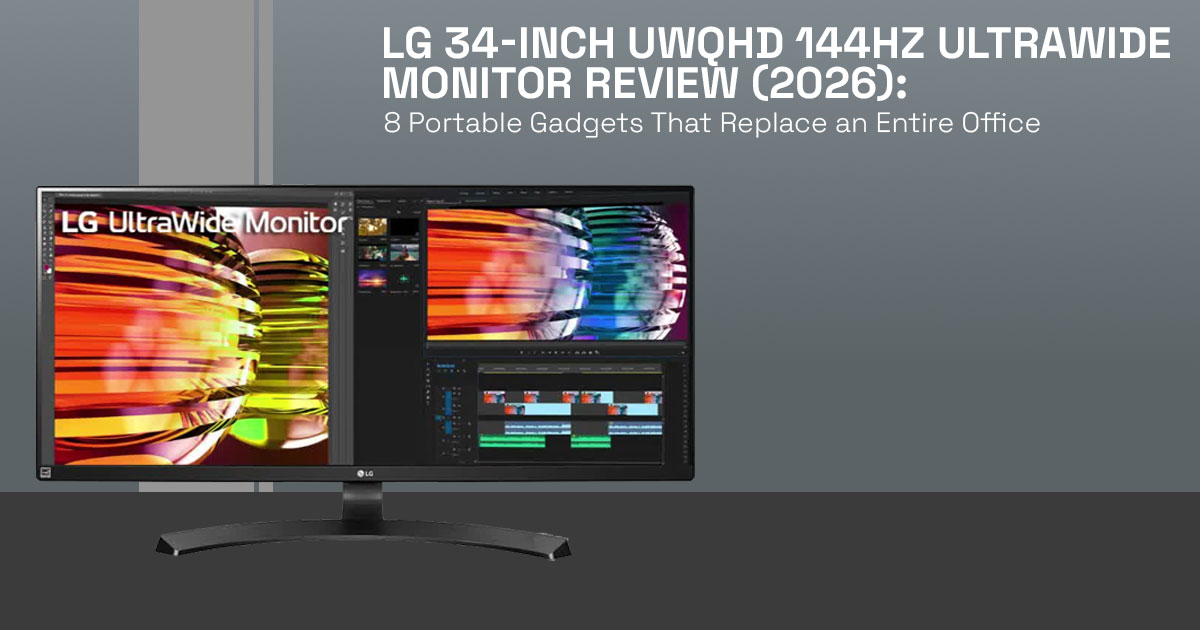
The LG 34-inch UWQHD curved ultrawide monitor is a strong choice if you’re searching for a 34- inch ultrawide monitor for multitasking or immersive gaming. With 3440×1440 pixels, a smooth 144Hz refresh rate, and a wide 21:9 aspect ratio, it can replace dual monitors without the bezel split in the middle. The VA panel delivers deep blacks that work well for games and movies, though it’s not ideal for color-critical work. You’ll need a capable GPU like an RTX 4070 or higher to fully benefit. The Curved display 1800R helps with comfort during long sessions. It’s not built for casual users, but it fits best if your work or gaming setup benefits from wider screen space.
1. Introduction
If you’re searching for the LG 34-inch UWQHD curved ultrawide monitor or wondering whether a 34-inch ultrawide monitor is worth it in 2026, you’re likely dealing with the same problem— your current screen feels too small, and switching between windows slows you down.
This guide answers that directly. No filler, no spec-heavy confusion—just what matters when you actually use a UWQHD 3440×1440 ultrawide monitor for work, gaming, or both.
If you’re already considering an upgrade and want to check current pricing or user feedback, you can take a quick look here:
Buy from Amazon now
Buy on Amazon Worldwide | Buy on Amazon India
1.1 Why this review matters
Most reviews focus on specs, but that doesn’t help when you’re trying to figure out if a 21:9 ultrawide monitor will improve your daily workflow or gaming setup. Real value comes from understanding how it performs over hours of use—how it handles multitasking, how smooth 144Hz ultrawide gaming feels, and whether the wider screen genuinely makes things easier.
1.2 What you’ll get from this review
This article breaks things down in a way that matches what people actually search for:
- How UWQHD resolution 3440×1440 feels in real-world use
- Whether refresh rate 144Hz is worth it on a 34-inch ultrawide monitor
- The strengths and limits of a VA panel ultrawide display
- Who should buy this monitor—and who won’t benefit from it
It also addresses common concerns—like GPU requirements, desk setup, and whether ultrawide replaces dual monitors effectively—so you don’t have to figure it out later.
Based on hands-on testing, research, and real-world usage in hardware and application research and development, we deeply analyze each product based on real-world performance, durability, and value for money. Our goal is to help you find the best product in every category—budget, performance, reliability, and long-term usage.
If you’re a gamer looking for immersive ultrawide gameplay, a trader managing multiple charts, a video editor working on extended timelines, or a professional who needs more screen space without a dual-monitor setup, our recommendations are based on extensive research, component analysis, real-world usability, and industry expertise.
1.3 Technical Specifications at a Glance
| Feature | Details |
| Resolution | 3440×1440 pixels (UWQHD) |
| Aspect Ratio | 21:9 aspect ratio |
| Screen Size | 34 inches |
| Panel Type | VA panel |
| Refresh Rate | Refresh Rate 144Hz |
| Curve | Curved display 1800R |
| HDR Support | HDR10 |
| Adaptive Sync | AMD FreeSync (NVIDIA G-Sync compatible) |
| Response Time | 5 ms (typical) |
| Connectivity | DisplayPort 1.4, HDMI 2.0 |
These specs set clear expectations, but what really matters is how this 34-inch UWQHD curved ultrawide monitor performs when you use it every day—which is exactly what we’ll cover next.
2. LG 34-inch UWQHD curved ultrawide monitor: What It Brings and Why It Matters in 2026
The LG 34-inch UWQHD curved ultrawide monitor gives about 33% more horizontal space than a standard 27-inch display. That extra width turns into real screen real estate ultrawide, so you can run two or three apps side by side without a bezel breaking your view.
If you’re wondering what UWQHD resolution 3440×1440 is, it simply means a wider version of QHD with around 5 million pixels. You get sharp text, clean visuals, and a 21:9 aspect ratio that fits movies and modern games naturally.
The curve—usually Curved display 1800R—pulls the edges toward your eyes. Many users feel this reduces head movement during long sessions. For gaming, it improves immersion. For work, it keeps everything within view. Modern systems like Windows and macOS now handle ultrawide layouts without issues, which makes this format more practical than before.
3. Ultrawide Fit Model (UFM): Should You Buy a LG curved ultrawide monitor for multitasking?
Before buying, use this quick fflter. The Ultrawide Fit Model (UFM) helps match the monitor to your actual needs:
- Do you run multiple apps side by side daily?
- Can your system handle 3440×1440 at 144Hz?
- Is your main use gaming, editing, or office work?
- Do you have enough desk depth and viewing distance?
If most answers are yes, the best LG 34-inch ultrawide gaming monitor 2026 fits well. If not, a smaller or standard monitor may suit you better.
4. Is 3440×1440 good for gaming 144Hz? Real Performance Explained
The common question—is 3440×1440 good for gaming 144Hz—comes down to hardware.
This resolution pushes more pixels than standard QHD, so expect a 20–40% drop in frame rates.
- RTX 4060 → playable with adjusted settings
- RTX 4070 or higher → closer to stable 144Hz gaming
A 144Hz ultrawide monitor LG setup feels smoother than 60Hz, especially in fast games. A wider field of view adds depth in racing, shooters, and open-world titles. This means you may need to lower graphics settings compared to standard QHD.
5. LG ultrawide monitor performance for video editing & multitasking workflow
The biggest gain shows up in daily work.
- Coders keep editor, browser, and terminal open together
- Editors stretch timelines across the screen
- Traders monitor multiple charts at once
The LG ultrawide monitor performance for video editing stands out because longer timelines reduce scrolling. The split-screen workflow monitor replaces dual displays for many users.
The benefits of a curved ultrawide monitor 21:9 become clear here—everything stays within your natural field of view.
6. LG 34-inch ultrawide vs dual monitor setup: Which works better?
| Factor | LG 34-inch ultrawide monitor | Dual monitors |
| View | One continuous screen | Split by bezels |
| Workflow | Clean and simple | More flexible |
| Desk space | Single stand | Two stands |
| Cost | Often balanced | Can add up quickly |
| Gaming | Better immersion | Limited |
The LG 34-inch ultrawide vs dual monitor setup depends on your workflow:
- Traders, creators → ultrawide
- Developers, analysts → dual screens may still help
At this point, if the idea of replacing your setup with a 34-inch ultrawide monitor makes sense, it’s worth checking how this model is priced right now and what real users are saying:
Buy from Amazon now
Buy on Amazon Worldwide | Buy on Amazon India
7. VA vs IPS ultrawide monitor for productivity: Panel Reality Check
This model uses a VA panel, which gives:
- Strong contrast
- Deep blacks for gaming and media
But it comes with tradeoffs:
- Color shift at angles
- Less accurate than IPS
The VA vs IPS ultrawide monitor for productivity choice is simple:
- VA → gaming, movies
- IPS → design, color work
8. 144Hz ultrawide monitor LG connectivity setup: What matters
To get full performance:
- Use DisplayPort for 144Hz refresh rate
- HDMI 0 may limit performance
Mac users should note:
- Limited USB-C support
- May require a USB-C dock
Once connected, most systems auto-detect 3440×1440 at 144Hz without extra setup.
9. Ultrawide monitor tradeoffs: What most buyers overlook
- Long sessions need proper brightness control
- Curve feels odd if you sit too close
- Not all games support 21:9 aspect ratio
- Some videos show black bars
These are standard across ultrawide displays, not just this model.
10. Who should avoid an LG 34-inch UWQHD curved ultrawide monitor
- Casual users with light workloads
- Systems that cannot handle 3440×1440 gaming
- Users needing perfect color accuracy
- Laptop-only setups without proper ports
11. Who should buy an LG 34-inch gaming monitor 144Hz
- Gamers seeking immersion
- Traders managing multiple data streams
- Editors working with timelines
- Professionals handling multiple apps
If your setup supports it, the LG curved ultrawide display becomes a strong upgrade.
12. How to set up a 34-inch ultrawide monitor for best performance
- Use DisplayPort cable
- Set 3440×1440 resolution + 144Hz refresh rate
- Enable AMD FreeSync or NVIDIA G-Sync compatibility
- Adjust brightness to comfortable levels
- Use window snapping tools
- Maintain ~70 cm viewing distance
This ensures you get the full performance the monitor offers.
13. Common mistakes in 3440×1440 144Hz gaming setups
The goal here is simple—avoid wasted money and poor performance when setting up a 3440×1440 144Hz gaming setup. These mistakes show up often and can ruin the experience even with a good monitor.
- Not checking GPU capability
A 3440×1440 resolution needs more power than standard QHD. If your GPU cannot keep stable frame rates, the 144Hz ultrawide monitor won’t feel smooth.
- Ignoring VA vs IPS panel differences
A VA panel gives better contrast, but IPS panels handle color accuracy better. Picking the wrong one leads to disappointment, especially for editing work.
- Sitting too close to the Curved display 1800R
Ultrawide screens need a proper distance. Sitting too close can distort edges and reduce comfort during long sessions.
- Expecting true HDR performance
Most mid-range monitors support HDR10, but have limited HDR performance compared to high-end HDR displays. Expect better contrast, not cinema-level brightness.
- Using incorrect cables for a 144Hz refresh rate
HDMI may limit the refresh rate. Use DisplayPort to unlock full 144Hz performance at 3440×1440.
Get these basics right, and your LG 34-inch UWQHD curved ultrawide monitor will deliver the experience it’s built for—smooth gameplay, wide immersion, and clean multitasking.
14. Best alternatives to the LG ultrawide monitor 34 inch (2026 guide)
- Budget VA ultrawides for value
- QD-OLED ultrawide monitors for premium gaming
- IPS ultrawides for consistent color
The 34-inch UWQHD ultrawide monitor still sits in a balanced position for most users in 2026— strong for both work and play without extreme cost.
Quick Take (AI Overview Optimized)
- Best for: multitasking, gaming, trading
- Resolution: 3440×1440 UWQHD offers a wide workspace
- Refresh rate 144Hz improves smoothness
- Limitations: VA panel, GPU demand, content compatibility
Buy from Amazon now
Buy on Amazon Worldwide | Buy on Amazon India
15. Frequently Asked Questions (FAQ) about the LG 34-inch UWQHD curved ultrawide monitor
Before you decide, these quick answers cover the most common doubts around 34-inch ultrawide monitors, 3440×1440 gaming performance, and real-world usage. This helps you match your setup, budget, and expectations with what the monitor can actually deliver.
Q. Is a 34-inch ultrawide monitor worth it for gaming and work?
- Yes, if you multitask or play immersive games, the LG 34-inch UWQHD curved ultrawide monitor adds real workspace and a wider field of view.
Q. Is 144Hz noticeable over 60Hz on an ultrawide gaming monitor?
- Yes, a 144Hz ultrawide monitor feels smoother in motion, especially in gaming, scrolling, and fast mouse movement.
Q. Can my GPU run 3440×1440 at 144Hz smoothly?
- You need a strong GPU like RTX 4070 or higher for stable 3440×1440 144Hz gaming; mid- range cards need settings adjustment.
Q. Is the VA panel good for gaming and editing on ultrawide monitors?
- A VA panel delivers strong contrast for gaming, but for editing, IPS panels give better color accuracy and consistency.
Q. Do all games support ultrawide 21:9 aspect ratio?
- Most modern titles support 21:9 ultrawide resolution, but some older games may show black bars or need manual tweaks.
16. Final Verdict: LG 34-inch UWQHD curved ultrawide monitor
The LG 34-inch UWQHD curved ultrawide monitor gets the basics right where it matters. You get a wide, uninterrupted view, a smooth 144Hz refresh rate, and enough space to actually reduce window switching during work. For gaming, the added width pulls you into the scene. For daily use, it simply makes your desk feel more efficient.
That said, it’s not built for everyone. The VA panel favors contrast over color accuracy, so it’s not the best pick for design-heavy work. Port options are also limited, which can matter if you rely on USB-C setups.
If your setup includes a capable GPU and your work involves juggling multiple apps or timelines, this monitor feels like a real upgrade—not just a spec bump. It’s one of those changes you notice within a day of using it.
If you want to check current pricing or see what other users are saying, you can explore it here:
If you’re unsure whether it ffts your setup, share what you’re using now or what you plan to upgrade from. It’s easier to guide you when we know your use case.
***Disclaimer***
This blog post reflects our own research, testing, and personal opinions. It should not be taken as the official position of any brand, manufacturer, or company mentioned here. While we aim to keep information accurate and up to date, product details, pricing, and availability can change. We recommend double-checking important details before making a purchase.
Some links in this article may be affiliate links. If you choose to buy through these links, we may earn a small commission at no extra cost to you. This helps support our work and allows us to keep publishing in-depth, unbiased reviews. Our recommendations are never influenced by affiliate partnerships.
Comments shared by readers reflect their own views and not ours. We are not responsible for outcomes resulting from the use of information on this site. Please seek professional advice where appropriate.
All product names, logos, and brands mentioned are the property of their respective owners. These names are used for identification and informational purposes only and do not imply endorsement.
