
1. Introduction
Most people don’t realize how much time they waste switching between tabs on a cramped laptop screen. Emails on one window. Spreadsheet on another. Browser squeezed into a corner. It slows work down and drains focus.
That’s why the demand for a portable external monitor keeps growing. A second screen is no longer a luxury—it’s a practical upgrade for remote workers, business travelers, students, and creators who need more space without carrying bulky gear.
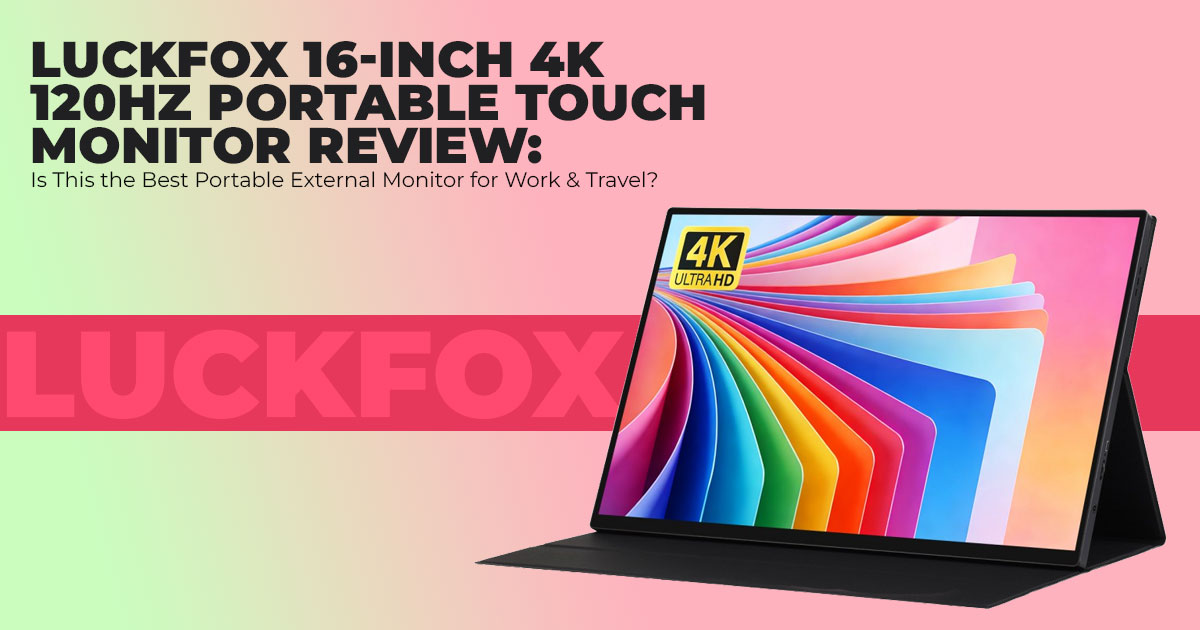
The Luckfox portable monitor enters this space with a 16-inch 4K touch monitor that promises sharp visuals, smooth motion, and flexible connectivity. On paper, it looks strong: 3840 × 2400 resolution, 120Hz refresh rate, 100% sRGB coverage, and USB Type-C connectivity in a thin frame. But numbers only matter if they hold up in daily use.
User reviews matter because they reveal what spec sheets do not. Does plug-and-play actually work? Does the portable touch display respond properly? Is the 350 nits peak brightness enough in a café? Can it handle smartphone screen mirroring, dual-screen work, or projects with Raspberry Pi 5 and Jetson Nano?
As technology experts with over 20 years of experience in hardware and application research and development, we analyze each product based on real-world performance, durability, and value for money. Our goal is to help readers find the best product in every category—budget, performance, reliability, and long-term usage. Our recommendations are based on extensive research, component analysis, real-world usability, and industry expertise.
Click here to buy Now!
This review focuses on what actually impacts daily life:
- Expanding a remote work setup
- Running a clean dual-screen operation
- Using a high-resolution portable screen for editing or coding
- Setting up a 120Hz portable monitor for light gaming on the road
- Connecting single-board systems through USB Type-C or Mini HDMI
If screen space limits productivity, this monitor may solve that problem. If portability matters more than raw power, it may fit well. And if reliability across devices is critical, that deserves close inspection.
This breakdown covers the strengths, the trade-offs, and who will benefit most.
Quick Summary:
The Luckfox 16-inch 4K Portable Touch Monitor delivers sharp resolution, smooth 120Hz performance, and simple USB Type-C connectivity in a travel-friendly design. It suits remote workers, travelers, students, and hobbyists. It is less suited for outdoor use or print-level color work.
2. Technical Specifications at a Glance
Below is a clear overview of what the Luckfox 16-inch 4K Portable Touch Monitor offers. Each specification will be explained in practical terms later in the review.
| Feature | Details |
| Screen Size | 16 inches |
| Resolution | 3840 × 2400 resolution, 4K ultra HD resolution, WQUXGA |
| Refresh Rate | 120Hz high refresh rate, HDR support |
| Panel Type | IPS panel, 178° wide viewing angle |
| Brightness | 350 nits peak brightness (350 cd/m²) |
| Color Gamut | 100% sRGB coverage, high color accuracy |
| Touch Support | 10-point touch, capacitive touchscreen, optical bonding |
| Aspect Ratio | 16:10 aspect ratio |
| Connectivity | Full-featured Type-C port, USB Type-C connectivity, Mini HDMI |
| Audio | Built-in dual speakers, 3.5mm audio jack |
| Design | Matte screen, 6H toughened glass, thin and light body |
| Contrast Ratio | 1200:1 |
| Mounting | VESA 75mm mount, magnetic protective case |
| Battery | No built-in battery |
These specifications suggest a monitor designed for clear image quality, smooth scrolling, and flexible compatibility. The real question is how these features perform in everyday use.
3. Why This Review Is Essential
The market for portable monitors is crowded. Many products advertise 4K resolution, HDR support, or 120Hz refresh rates, yet real-world performance often varies. Compatibility issues, brightness limits, and build quality concerns appear only after purchase.
This review exists to prevent that mistake.
Key evaluation areas include:
- True plug-and-play performance
- Stability of USB Type-C connectivity
- Practical use in a remote work setup
- Performance as a gaming companion monitor
- Compatibility with laptops, smartphones, Raspberry Pi 5, and Jetson Nano
- Value compared to similar 4K portable monitors
The goal is simple: match the monitor to the right user. Not every feature benefits every workflow. The right decision depends on how and where the monitor will be used.
4. What You Will Learn from This Review
After reading this review, readers will understand:
- Whether a 16-inch 4K touch monitor improves productivity in daily work
- If a 120Hz refresh rate provides noticeable gains outside of gaming
- How reliable the portable touch display is across devices
- Whether 100% sRGB coverage meets content creation needs
- How well it integrates into a dual-screen operation
- If the VESA 75mm mount option supports semi-permanent setups
- What limitations come with 350 nits brightness
- How it performs with single-board computers and extended display setups
This clarity helps answer real buying questions, such as:
- Is a 120Hz portable monitor worth it for business travel?
- Can a portable touch monitor replace a second desktop display?
- Does 4K resolution make a difference on a 16-inch screen?
- Is this suitable for Linux-based development boards?
The goal is to provide enough detail for confident decision-making without overwhelming readers with unnecessary technical language.
5. Quick Verdict (For Skimmers)
The Luckfox 16-inch 4K Portable Touch Monitor offers strong visual clarity through its 3840 × 2400 resolution and delivers smoother motion with its 120Hz refresh rate. Setup is straightforward thanks to full-featured USB Type-C connectivity, making it suitable for fast dual- screen operation during travel or remote work.
Where it performs well:
- Sharp text and detailed visuals
- Noticeable smoothness during scrolling and light gaming
- Reliable plug-and-play with compatible devices
- Flexible use across laptops, smartphones, and single-board systems
Where it falls short:
- 350 nits peak brightness limits outdoor visibility
- Not designed for print-grade color accuracy
- No built-in battery, requiring external power
For professionals seeking a high-resolution portable screen that expands workspace without adding bulk, this monitor makes sense. For outdoor-heavy use or professional print editing, alternatives may be more suitable.
- Summary: A solid 4K portable external monitor with 120Hz performance and dependable USB Type-C connectivity. Best for indoor productivity, travel, and flexible multi-device Less suitable for bright outdoor environments or color-critical print tasks.
6. Why a Portable External Monitor Matters in 2026
Laptop performance keeps improving, but screen size does not. Most people still work on 13– 15-inch displays while juggling emails, documents, browser tabs, dashboards, and video calls. That limitation slows real work.
A portable external monitor changes that immediately. Instead of shrinking windows to fit one screen, you expand your workspace. A proper dual-screen setup improves focus, reduces tab switching, and speeds up tasks that require comparison—like spreadsheets, code review, editing timelines, or research.
This is where the Luckfox 16-inch 4K touch monitor becomes relevant.
- Remote workers gain a clean remote work setup anywhere.
- Business travelers avoid unreliable public displays.
- Developers connect Jetson Nano and other Jetson series boards or similar development hardware for on-site testing.
- Creators check visuals on a high-resolution portable screen without returning to a studio.
- Gamers get a smooth gaming experience without packing a full monitor.
The value is not just screen size. It is mobility. A thin display that fits in a backpack can turn a laptop into a functional workstation. And with USB Type-C connectivity, setup takes seconds instead of cables and adapters scattered across a desk.
For people who move often, this is not a luxury accessory. It is a practical tool that expands what a laptop or single-board system can do.
7. Core Specifications Explained: What 4K Resolution, 120Hz, and 100% sRGB Actually Mean
Specifications matter only when they improve real tasks. Here is how the key features translate into daily use.
7.1 4K 3840 × 2400 Resolution on a 16-Inch Portable Monitor
This display uses a 3840 × 2400 resolution, also known as 4K ultra HD resolution, in a 16:10 aspect ratio. On a 16-inch panel, that results in roughly 282 pixels per inch.
What that means in practice:
- Text looks sharper and easier to read.
- Fine details in photos become clearer.
- Spreadsheets show more rows and columns without zooming.
- UI elements appear crisp rather than soft.
For coding, document review, and photo editing, higher pixel density reduces eye strain and improves precision.
There is one consideration: scaling.
Windows handles display scaling smoothly. macOS may require manual adjustment to keep icons and text at a comfortable size. Once set correctly, the extra resolution becomes an advantage rather than clutter.
For most users, 4K on a portable monitor is not overkill. It is a noticeable upgrade over 1080p or 1440p panels, especially on a 16-inch screen.
7.2 120Hz High Refresh Rate on a Portable Monitor
The 120Hz refresh rate means the screen updates twice as fast as a standard 60Hz display.
In real terms:
- Scrolling through long documents feels smoother.
- Cursor movement looks cleaner.
- Motion blur reduces during gaming.
- Fast UI animations appear more natural.
For productivity, the benefit shows during long sessions. Smooth scrolling reduces visual fatigue. For gaming, especially competitive titles, 120Hz portable monitor performance delivers clearer motion.
There is a trade-off. Higher refresh rates increase power usage. Expect the monitor to draw more energy from your laptop compared to 60Hz mode. When working on static tasks like writing or spreadsheets, switching to 60Hz can conserve battery.
For mixed work and light gaming, 120Hz is a meaningful feature—not just a marketing number.
7.3 100% sRGB Coverage for Content Creation
The panel covers 100% sRGB color gamut, which is the standard for web content, YouTube videos, and most online publishing.
This means:
- Colors appear consistent for web-based design.
- Social media graphics match expected tones.
- Video editing for online platforms stays accurate.
- Basic photo correction works reliably.
For print professionals who require wider gamuts like DCI-P3 or Adobe RGB, this monitor may not be sufficient. But for digital creators, students, and content editors, 100% sRGB coverage provides dependable color accuracy.
In short, it is strong for digital work. It is not built for high-end print production.
7.4 10-Point Touch Support: Practical Tool or Extra Feature?
The monitor includes 10-point capacitive touch support with optical bonding.
Where touch adds value:
- Zooming and navigating documents on Windows.
- Quick adjustments in creative apps.
- Presentation control during meetings.
- On-site testing with development boards.
On Windows systems, touch integration feels natural. On macOS, touch support is limited because macOS is not fully designed for touch interaction.
For creative workflows, touch speeds up simple interactions. For basic display extension, it becomes optional rather than essential.
The presence of toughened glass and a matte screen design also adds durability and glare control, which helps during travel and frequent setup changes.
Click here to buy Now!
8. Real-World Use Cases: How a 16-Inch 4K Portable Touch Monitor Performs Outside the Desk
Specifications matter less than daily experience. Here is how the monitor performs in common scenarios.
8.1 Remote Work Setup with Dual-Screen Operation
Using the full-featured Type-C port, setup is straightforward. One cable handles display, data, and power when connected to a compatible laptop.
For productivity:
- Email on one screen, documents on the other.
- Video calls on the laptop, notes on the monitor.
- Research on one side, writing on the other.
This type of dual-screen operation reduces constant window switching. In cafés or hotels, the setup remains clean and quick.
The only drawback is space. While portable, a 16-inch screen still requires desk depth. Slim backpacks may feel the added width.
8.2 Gaming Companion Monitor with HDR and 120Hz
With HDR support and a 120Hz refresh rate, this display works well as a gaming companion monitor.
It supports connections to consoles such as:
- Xbox
- PS4
- Nintendo Switch
- Xbox 360
Motion appears smoother than on standard 60Hz portable displays. For handheld gaming or travel setups, the experience improves noticeably.
It does not replace a full-size gaming monitor with advanced VRR or ultra-high brightness. But for portable use, it offers a solid balance between clarity and smooth motion.
Cable quality matters. Using reliable HDMI or USB-C cables prevents signal delay or flicker.
8.3 Creative Workflow with 4K and Touch Input
Photo editing and video trimming benefit from the 4K resolution and 16:10 aspect ratio. More vertical space helps timeline management and toolbars.
The 100% sRGB color accuracy provides confidence for digital publishing. Touch input allows quick cropping, zooming, and navigation.
For online content creators, this monitor supports efficient mobile editing. It does not replace a calibrated studio monitor, but it performs well for remote adjustments and field work.
8.4 Travel and Power Consumption Reality Check
At approximately 1.5 pounds, the monitor remains portable. The detachable magnetic protective case protects the screen during transit and doubles as a stand.
Important practical points:
- Power draw ranges around 10–15W.
- No built-in battery means it depends on the host device.
- Extended use reduces laptop battery life.
- Cables require organized packing to avoid clutter.
The adjustable viewing angles and VESA 75mm mount support add flexibility. Digital nomads can mount it temporarily in shared spaces or compact workstations.
For frequent travelers, the balance between portability and functionality works well. For outdoor-heavy environments, 350 nits of brightness may limit visibility in direct sunlight.
Final Takeaway from These Sections
The Luckfox 16-inch 4K Portable Touch Monitor stands out because it combines:
- 4K 3840 × 2400 resolution
- 120Hz refresh rate
- 100% sRGB coverage
- USB Type-C connectivity
- 10-point touch support
In a thin, travel-ready form.
It expands limited laptop screens into practical workstations. It supports creative tasks, gaming sessions, and development board projects. It performs best indoors, in structured environments, and during mobile productivity sessions.
For users seeking a reliable portable external monitor that balances resolution, smoothness, and compatibility, this setup delivers strong practical value.
9. What Most Reviews Don’t Tell You About This 4K Portable Monitor
Here are the practical limits buyers should know:
- The 350 nits peak brightness works well indoors but struggles in direct sunlight.
- Built-in speakers are basic. Use headphones for calls or media.
- The magnetic protective case stand is stable on flat desks but shifts if bumped.
- The 10-point touchscreen attracts fingerprints and needs regular cleaning.
- The metal body feels solid but warms during long sessions at a 120Hz refresh rate.
- There is no built-in battery, so the monitor depends on the laptop or console’s power.
For indoor productivity and travel setups, these trade-offs are manageable. For outdoor-heavy use, brightness becomes the main limitation.
10. Luckfox vs Other Portable 4K Monitors
Choosing a portable 4K monitor often comes down to brand trust, refresh rate, price, and touch support. Here is how Luckfox compares with popular alternatives.
10.1 Luckfox vs ASUS ZenScreen Portable Monitors
- Luckfox: Lower price, 120Hz refresh rate, built-in touch.
- ASUS ZenScreen: Stronger brand reputation, longer warranty, mostly 60Hz models.
Best for value and smooth motion: Luckfox
Best for brand reliability: ASUS
10.2 Luckfox vs Uperfect 4K Portable Monitor
- Both use IPS panels with similar resolution.
- Luckfox offers more consistent touch response and metal build.
- Uperfect models vary in calibration and build quality.
Best for touch-focused users: Luckfox
10.3 4K vs 1440p Portable Monitor (16-Inch)
- 1440p: Lower power draw, easier on weaker laptops.
- 4K 3840 × 2400 resolution: Sharper text, better for editing and spreadsheets, higher battery usage.
Choose 4K for detail-heavy work. Choose 1440p for longer battery life.
11. Compatibility: USB Type-C, HDMI, Raspberry Pi 5, Jetson Nano
- Windows: True plug-and-play via USB Type-C connectivity. Touch works smoothly.
- macOS: Works well; manual scaling adjustment recommended.
- Android: Desktop mode supported on compatible Touch depends on phone.
- HDMI: Video only.
- Full-featured Type-C port: Video, data, and power in one cable.
Development Boards
Fully compatible with:
- Raspberry Pi 5
- Jetson Nano
- Jetson series boards
Connection via USB-C or HDMI. Adjust resolution in system settings for best clarity. Ideal for embedded projects and on-site testing.
12. Who This Portable External Monitor Is For
Best suited for:
- Remote professionals needing a dual-screen setup
- Business travelers
- Laptop gamers wanting 120Hz portable monitor smoothness
- Developers using single-board computers
- Digital creators working in 100% sRGB color space
13. Who Should Avoid It
Not ideal for:
- Print professionals needing Adobe RGB or DCI-P3
- Outdoor-heavy users needing higher brightness
- Budget buyers under $200
- Users requiring battery-powered displays
14. Long-Term Ownership
- One-year warranty
- Solid metal build
- Protective magnetic case included
- No internal battery
- Resale value depends on condition and market demand, but well-maintained units typically retain decent value.
15. Final Buying Advice: Is This 16-Inch 4K 120Hz Portable Touch Monitor Worth It?
This monitor combines:
- 4K 3840 × 2400 resolution
- 120Hz refresh rate
- 100% sRGB coverage
- USB Type-C connectivity
- 10-point touch support
It performs well for indoor productivity, travel, development work, and light gaming.
- Buy if: You need sharp detail, smooth motion, and a reliable portable external monitor for multi-device use.
- Wait if: Budget is tight and 120Hz is not essential.
- Skip if: You work outdoors often or require print-level color accuracy.
For mobile professionals and developers, it delivers strong value in a compact form.
Click here to buy Now!
16. Frequently Asked Questions (FAQ) About This 16-Inch 4K Portable Touch Monitor
Before buying a portable external monitor, most readers want clear, direct answers. Below are quick responses to common search questions around 4K resolution, 120Hz refresh rate, color accuracy, and MacBook compatibility. These are written to match real buying intent and help you decide faster.
Q. Is 4K worth it on a 16-inch portable monitor?
- Yes, if you value sharper text, detailed spreadsheets, and precise photo editing. The 3840 × 2400 resolution increases clarity on a 16-inch screen. Just make sure your system handles display scaling properly, especially on macOS.
Q. Does a 120Hz portable monitor drain battery faster?
- Yes, a 120Hz refresh rate uses more power than 60Hz. Expect moderate battery impact when running at full refresh. Switching to 60Hz during basic tasks helps extend laptop battery life. A power bank can also support longer sessions.
Q. Is 100% sRGB good for photo editing?
- For web content, YouTube, and social media design, 100% sRGB coverage is reliable and accurate. For professional print work requiring Adobe RGB or DCI-P3, a wider color gamut monitor is better.
Q. Can this portable 4K monitor replace a second desktop monitor?
- For travel and temporary setups, yes. It works well as a dual-screen setup for productivity. For full-time desk use, larger monitors offer better ergonomics and brightness.
Q. Does this 16-inch 4K portable monitor work with MacBook M-series?
- Yes. It supports MacBook M-series via USB Type-C connectivity with a plug-and-play setup. Display scaling may need adjustment. Touch support works depending on app compatibility, since macOS has limited native touch integration.
17. Conclusion: Should You Buy This 16-Inch 4K 120Hz Portable Touch Monitor?
The Luckfox 16-Inch 4K 120Hz Portable Touch Monitor solves a simple problem: laptop screens feel small. Adding a sharp 4K portable external monitor with 120Hz refresh rate and USB Type- C connectivity turns a basic setup into a practical workstation.
For remote professionals, developers using Raspberry Pi 5 or Jetson Nano, digital creators working in 100% sRGB, and travelers who need a clean dual-screen setup, this monitor makes sense. It delivers clarity, smooth scrolling, and flexible compatibility in a slim form.
It is not perfect. Bright outdoor use is limited by the 350 nits peak brightness, and there is no built-in battery. But for indoor productivity, travel work, coding sessions, and light gaming, it performs well.
Availability & Purchase Links
The Luckfox 16-Inch 4K 120Hz Portable Touch Monitor launched in February 2026. While technically available, it is still rolling out across major retail platforms. Availability on Amazon may be limited.
It is currently sold primarily through:
If stock is limited in your region, checking these sources first is recommended.
Recommended Alternatives (16-Inch Portable Monitor Options)
Finding the exact mix of 4K + 120Hz + Touch in one device is rare. Most models offer two of the three features. If the Luckfox is unavailable, here are strong alternatives:
ViewSonic VX1655-4K-OLED
- 4K resolution
- OLED panel with deep contrast
- Focused on color quality
- Available on Amazon Worldwide and Amazon India
Best for users prioritizing display quality and contrast over touch.
ASUS ROG Strix XG17AHPE
- High refresh rate gaming monitor
- Portable with built-in battery
- Strong for competitive gaming setups
- Available on Amazon Worldwide and Amazon India
Best for users focused on refresh rate and gaming performance rather than 4K resolution.
Arzopa Z1RC
- Budget-friendly portable monitor
- Solid everyday performance
- Easier availability
- Available on Amazon Worldwide and Amazon India
Best for users who need a simple second screen without premium pricing.
Final Word
If you want a 16-inch 4K portable touch monitor with 120Hz refresh rate and wide device compatibility, the Luckfox offers a balanced feature set at a fair price.
If availability is limited, alternatives like the ViewSonic VX1655-4K-OLED, ASUS ROG Strix XG17AHPE, or Arzopa Z1RC cover different priorities—whether that’s OLED color, gaming focus, or budget value.
If you’ve used this monitor or are considering it for your setup, share your experience or questions. Real-world feedback helps others make better choices.
***Disclaimer***
This blog post reflects our own research, testing, and personal opinions. It should not be taken as the official position of any brand, manufacturer, or company mentioned here. While we aim to keep information accurate and up to date, product details, pricing, and availability can change. We recommend double-checking important details before making a purchase.
Some links in this article may be affiliate links. If you choose to buy through these links, we may earn a small commission at no extra cost to you. This helps support our work and allows us to keep publishing in-depth, unbiased reviews. Our recommendations are never influenced by affiliate partnerships.
Comments shared by readers reflect their own views and not ours. We are not responsible for outcomes resulting from the use of information on this site. Please seek professional advice where appropriate.
All product names, logos, and brands mentioned are the property of their respective owners. These names are used for identification and informational purposes only and do not imply endorsement.
