
ORIGINAL PUBLISH DATE: January 9, 2026
Last Updated: March 12, 2026
What’s New in This Update
- Updated compatibility details for Ryzen 9000 processors
- Added comparison with other flagship X870E motherboards
- Expanded build guidance for enthusiast and workstation users
- Added updated FAQs based on real search questions
- Improved analysis of connectivity, storage expansion, and PCIe 5.0 support
1. Introduction
A lot of builders looking at the MSI MEG X870E Godlike motherboard end up asking the same thing: is this flagship AM5 motherboard really worth the price for a Ryzen 9000 build? The specs look impressive on paper, but most people want to know something more practical — does the MSI X870E Godlike motherboard actually improve real builds, or is it just a long list of premium features most systems never use?
The X870E motherboard platform sits at the top of AMD’s AM5 ecosystem, built for modern CPUs like the Ryzen 9000 series. Boards in this category promise PCIe 5.0 expansion, high- speed NVMe storage, DDR5 memory support, Wi-Fi 7 connectivity, and 10 Gb Ethernet networking. But the challenge for many buyers is deciding which of those features actually improves performance, upgrade flexibility, and day-to-day usability.
That’s why reading real user reviews and builder feedback matters. Specifications alone rarely reveal how a motherboard behaves in everyday use. Customer experiences help uncover details like BIOS stability, memory compatibility, thermal behavior, storage expansion limits, and build convenience. These insights give a clearer picture of how the MSI MEG X870E Godlike AM5 motherboard performs outside marketing pages.
As technology experts with over 20 years of experience in hardware and application research and development, we examine every product through the lens of real-world performance, durability, and long-term value. Our goal is to help readers identify the best products across budget, performance, reliability, and long-term usage.
This guide is written for builders planning high-end gaming PCs, content creation workstations, storage-heavy systems, and future-ready Ryzen 9000 builds. Our recommendations come from extensive research, component analysis, real-world usability testing, and industry expertise.
By the end of this MSI MEG X870E Godlike motherboard review, you will clearly understand what this premium X870E motherboard does well, where it might be unnecessary, and whether it truly fits your next AM5 PC build.
Summary
- The MSI MEG X870E Godlike motherboard is one of the most advanced AM5 motherboards available for Ryzen 9000 processors.
- It supports PCIe 5.0 expansion, multiple NVMe SSDs, DDR5 EXPO memory, Wi-Fi 7, and 10 Gb Ethernet.
- The board targets enthusiast builders, workstation users, and high-end gaming systems.
- This review explains real-world usability, expansion flexibility, and whether the price makes sense for most builders.
2. Quick Overview
MSI MEG X870E Godlike AM5 Motherboard at a Glance
| Feature | Details |
| Chipset | X870E |
| CPU Support | AMD Ryzen 7000 / 8000 / 9000 series |
| Memory | 4× DDR5 slots, up to 256 GB, EXPO support |
| PCIe | PCIe 5.0 GPU slot + multiple PCIe 5.0 SSD slots |
| Networking | Wi-Fi 7 + 10 Gb Ethernet |
| Form Factor | E-ATX |
| Special Features | Dynamic Dashboard III LCD, 7× M.2 slots, USB4 connectivity |
This quick summary helps you confirm whether the MSI X870E Godlike motherboard matches the needs of your Ryzen 9000 build before exploring the full X870E motherboard review.
If you want to quickly check the latest price or availability of the MSI MEG X870E Godlike motherboard, you can view the current listings below before continuing with the full review.
Amazon Worldwide – MSI MEG X870E GODLIKE
Amazon India – MSI MEG X870E GODLIKE
3. MSI MEG X870E Godlike AM5 Motherboard Design and Build Quality
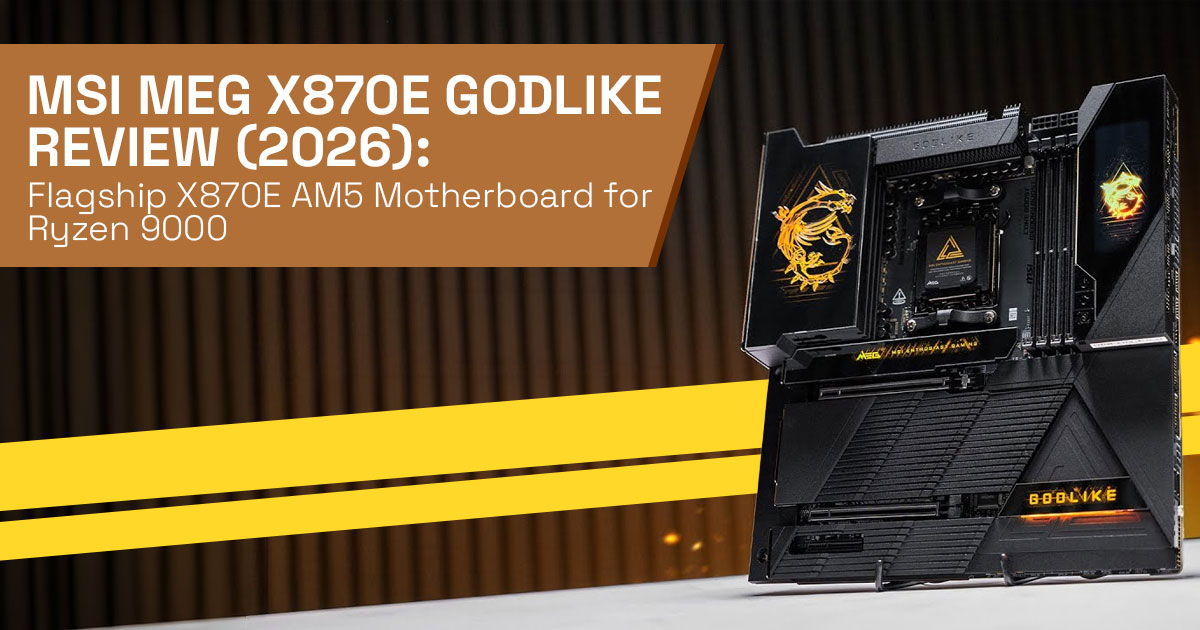
The MSI MEG X870E Godlike AM5 motherboard uses a full E-ATX form factor, so it needs a spacious case. This layout gives the board room for more PCIe 5.0 slots, M.2 storage slots, and larger cooling hardware.
A thick metal backplate reinforces the board and helps reduce flex during installation. The reinforced PCIe 5.0 x16 GPU slot holds heavy graphics cards securely, which is helpful for modern GPUs that weigh well over a kilogram.
Large VRM heatsinks and chipset cooling blocks cover most of the upper board area. These are not only cosmetic. They help maintain steady temperatures during long gaming sessions or heavy workloads.
One of the standout features is the Dynamic Dashboard III LCD. The 3.99-inch display shows system temperatures, status messages, and hardware information directly on the motherboard. It also allows BIOS Flashback updates without a CPU installed, which is useful when preparing the board for new Ryzen 9000 processors.
For builders creating an enthusiast PC build motherboard setup, or a high-end gaming build setup, these small design decisions make the system easier to assemble and monitor.
4. X870E Motherboard Power Delivery and VRM Architecture for Ryzen 9 CPUs
The MSI MEG X870E Godlike motherboard uses a 24+2+1 power stage design built to support high-core AMD processors such as the Ryzen 9 9950X.
During extended workloads, the VRM design on the motherboard maintains stable temperatures even under sustained CPU load. Strong power delivery matters when running demanding tasks like:
- 4K and 8K video editing
- 3D rendering workloads
- Large code compilation workloads
- modern CPU-heavy games
Stable power delivery also benefits users who want motherboard overclocking support. The board includes advanced BIOS tuning options, allowing safe adjustments to CPU voltage, frequency, and memory profiles.
Many users will never push the board to its limits, but having a strong X870E VRM architecture ensures stable performance during demanding workloads.
5. DDR5 Memory Support on the MSI MEG X870E Godlike Motherboard
Memory speed and stability play a big role in how a Ryzen 9000 system performs. This section explains how the MSI MEG X870E Godlike motherboard handles DDR5 memory, EXPO profiles, and optimal RAM speeds for gaming and productivity.
5.1 Best RAM Speed for MSI MEG X870E Godlike with Ryzen 9000
The MSI X870E Godlike motherboard provides four DDR5 DIMM slots supporting up to 256 GB of system memory. The board supports AMD EXPO memory profiles, which allow users to run high-speed memory without manual tuning.
For most Ryzen 9000 builds, memory speeds between 6000 MT/s and 6400 MT/s provide the best balance of latency and stability.
Higher speeds, such as DDR5-8000 or DDR5-8400, are possible with strong memory kits and manual tuning. However, most builders will find the 6000 MT/s range delivers excellent real- world performance for gaming, productivity, and multitasking.
The DDR5 memory support on this Ryzen platform motherboard is stable and easy to configure, reducing the common issues builders face with memory training and system crashes.
6. MSI X870E Godlike PCIe 5.0 SSD Support and Storage Expansion
Modern PCs rely heavily on fast storage for games, editing projects, and large files. Here we look at how the MSI MEG X870E Godlike motherboard supports PCIe 5.0 SSDs, multiple NVMe drives, and flexible storage expansion.
6.1 How Many M.2 Slots Does MSI X870E Godlike Have
One of the strongest features of the MSI MEG X870E Godlike motherboard is its storage capacity.
The board includes seven M.2 NVMe slots, which allows builders to install large amounts of high-speed SSD storage without expansion cards.
Two of these slots connect directly to the CPU and run at PCIe 5.0 x4 speeds. With the fastest PCIe Gen5 SSD motherboard configuration, read speeds can reach 14 GB/s on supported drives.
This layout allows users to build systems with:
- dedicated game storage drives
- scratch disks for video editing
- multiple NVMe project drives
- backup storage within the same system
Many motherboards disable other slots when all storage connections are used. The MSI X870E Godlike motherboard storage layout minimizes those conflicts, which makes it ideal for NVMe storage motherboard builds.
With support for seven M.2 slots and multiple PCIe 5.0 SSD connections, the MSI MEG X870E Godlike motherboard stands out among flagship X870E motherboards for storage-heavy builds.
If you are planning a Ryzen 9000 workstation or high-end gaming PC, you can check the current pricing and availability here:
Amazon Worldwide – MSI MEG X870E GODLIKE
Amazon India – MSI MEG X870E GODLIKE
7. PCIe 5.0 GPU Slot and Expansion Layout
The primary graphics slot runs at PCIe 5.0 x16 bandwidth, which supports modern GPUs without bandwidth limitations.
A second expansion slot operates at PCIe 5.0 x8 when populated. This still provides more than enough bandwidth for devices such as:
- capture cards
- high-speed networking cards
- additional storage controllers
The PCIe lane allocation motherboard design manages bandwidth intelligently. Most users can install multiple expansion devices without disabling critical components.
For anyone building a workstation PC motherboard configuration, this layout allows future upgrades without redesigning the system.
8. Connectivity and Networking on the MSI X870E Godlike Motherboard
Modern systems often rely on external storage and high-speed networking. The MSI MEG X870E Godlike motherboard connectivity options address both.
Rear I/O includes USB4 ports capable of 40 Gbps transfer speeds. These ports support high- speed external drives, docks, and even display output for compatible monitors.
Additional USB-C and USB-A ports provide flexible connections for peripherals and external storage.
For networking, the board combines:
- Wi-Fi 7 connectivity motherboard support
- 10 Gb Ethernet motherboard networking
This setup handles large file transfers, media production workflows, and fast network storage systems with ease.
Content creators who move large video projects or backups across a network will benefit most from this configuration.
9. Cooling Design and Thermal Management
High-performance hardware produces heat, and the MSI MEG X870E Godlike motherboard cooling system addresses this with several design elements.
Large M.2 heatsinks with magnetic covers keep PCIe 5.0 SSDs operating within safe temperature ranges. These covers are easy to remove during installation.
Multiple fan headers and pump headers allow builders to configure air cooling or liquid cooling systems.
The VRM cooling system keeps power components within safe temperatures even when the CPU runs heavy workloads.
For desktop setups where the PC sits near the user, the board’s cooling design helps maintain a quieter system.
10. BIOS Interface and MSI Software Tools
The MSI motherboard BIOS interface is structured for both beginners and experienced builders. Key features include:
- One-click EXPO memory configuration
- Simple CPU tuning presets
- Clear hardware monitoring panels
The BIOS loads quickly and organizes settings in logical menus.
The Dynamic Dashboard III LCD display also provides system information such as CPU temperature, fan speed, and system status without opening monitoring software.
For builders who want control without complicated menus, the BIOS design keeps system tuning straightforward.
11. MSI X870E Godlike Motherboard Build Guide
A flagship E-ATX motherboard requires a bit of planning before installation. This section covers practical tips for building with the MSI X870E Godlike motherboard, including case compatibility, power supply choices, and cooling space.
11.1 Real-World Build Considerations
Before installing the MSI MEG X870E Godlike motherboard, choose a case that supports E-ATX motherboards and offers strong airflow.
A power supply around 850 watts or higher provides safe headroom for modern GPUs and high- core CPUs.
Cable routing is easier if major power cables are placed before mounting the motherboard.
For builders planning a high-end gaming build motherboard setup or extreme overclocking motherboard configuration, ensure the case has room for large radiators or high-capacity cooling systems.
Despite its size, the board layout is practical and does not create unnecessary installation challenges.
12. MSI MEG X870E Godlike vs ASUS ROG Crosshair X870E Extreme
Many buyers compare several flagship X870E motherboards before deciding. This section puts the MSI MEG X870E Godlike, ASUS ROG Crosshair X870E Extreme, and Gigabyte X870E Aorus Xtreme side by side to highlight key differences.
12.1 X870E Motherboard Comparison
The MSI MEG X870E Godlike motherboard, ASUS ROG Crosshair X870E Extreme, and Gigabyte X870E Aorus Xtreme represent the flagship tier of the X870E motherboard platform.
| Feature | MSI MEG X870E Godlike | ASUS ROG Crosshair X870E Extreme | Gigabyte X870E Aorus Xtreme |
| M.2 Slots | 7 | 5 | 6 |
| USB4 Support | Multiple 40 Gbps
ports |
Strong support | Good support |
| Networking | 10 Gb + Wi-Fi 7 | 10 Gb + Wi-Fi 7 | 10 Gb + Wi-Fi 7 |
| Unique Features | LCD monitoring dashboard | OLED display + AI tuning | Automated tuning tools |
| Best For | Storage-heavy builds | AI-assisted tuning | Balanced flagship |
The MSI X870E Godlike motherboard stands out for its storage expansion and USB connectivity. Builders should choose based on which features they actually plan to use.
13. Best Motherboard for Ryzen 9 9950X Builds
When paired with a Ryzen 9 9950X, the MSI MEG X870E Godlike motherboard provides strong
power delivery, PCIe 5.0 expansion, and DDR5 memory support.
Gamers benefit from fast storage load times, while creators benefit from faster exports and project access through high-speed NVMe storage.
Because the VRM design motherboard architecture maintains stable power under heavy loads, the board handles demanding workloads without stability issues.
These characteristics make it a strong candidate for the best motherboard for Ryzen 9 builds.
14. Who Should Buy the MSI X870E Godlike Motherboard
The MSI MEG X870E Godlike motherboard makes the most sense for builders who want:
- Extensive NVMe storage expansion
- Strong workstation PC motherboard capabilities
- Advanced system monitoring tools
- A showcase enthusiast PC build motherboard
Users building premium systems with multiple high-speed drives and modern networking will benefit the most.
15. Who Should Skip This Motherboard
Not every system needs a flagship X870E motherboard.
Many gamers can achieve similar gaming performance using a more affordable AM5 motherboard.
If your build uses:
- One GPU
- One or two NVMe drives
- Standard networking
The MSI MEG X870E Godlike motherboard may offer more features than your build actually needs.
16. Is the MSI MEG X870E Godlike Worth Buying in 2026
A premium motherboard should stay useful for years, not just one upgrade cycle. This section looks at whether the MSI MEG X870E Godlike motherboard still makes sense for Ryzen 9000 builds and long-term AM5 systems.
16.1 Is MSI X870E Godlike Worth Buying
The answer depends on how much of the hardware you plan to use.
The AM5 platform is expected to support future processors, so a premium AM5 motherboard
like this can remain relevant for several years.
Builders who need extensive storage expansion, strong power delivery, and advanced connectivity will find long-term value here.
For simpler systems, a more affordable X870E motherboard will deliver a similar daily experience.
16.2 Pros and Cons of the MSI MEG X870E Godlike Motherboard
Pros
- Seven NVMe slots with PCIe Gen5 SSD motherboard support
- Strong motherboard overclocking support
- Wi-Fi 7 connectivity with 10 Gb Ethernet networking
- Practical layout that simplifies high-end builds
Cons
- High price compared with most X870E motherboards
- E-ATX size requires a compatible case
- Features exceed what many gaming systems require
17. Frequently Asked Questions (FAQ)
Many readers researching the MSI MEG X870E Godlike motherboard have similar questions about Ryzen 9000 compatibility, DDR5 memory support, PCIe 5.0 storage, and gaming performance. The quick answers below address the most common search queries people ask before choosing a flagship X870E motherboard for an AM5 build.
Q. Does the MSI MEG X870E Godlike motherboard support Ryzen 9000 processors?
- Yes. The MSI MEG X870E Godlike AM5 motherboard supports all Ryzen 9000 series CPUs with the latest BIOS installed.
Q. How many M.2 slots does the MSI X870E Godlike motherboard have?
- The MSI MEG X870E Godlike motherboard includes seven M.2 NVMe slots, with multiple slots supporting PCIe 5.0 SSD speeds.
Q. Is the X870E chipset better than the X670E for AM5 builds?
- The X870E motherboard platform adds features like USB4 support, Wi-Fi 7 connectivity, and improved PCIe 5.0 lane availability compared with X670E motherboards.
Q. Is the MSI X870E Godlike motherboard good for gaming PCs?
- Yes. The MSI X870E Godlike motherboard delivers strong performance for high-end gaming builds, though many gamers may not need all its premium features.
Q. What RAM speed works best on the MSI MEG X870E Godlike with Ryzen 9000?
- Most Ryzen 9000 systems perform best with DDR5-6000 to DDR5-6400 memory using EXPO profiles.
Q. Does the MSI MEG X870E Godlike support PCIe 5.0 SSDs?
- Yes. The board supports PCIe Gen5 NVMe SSDs, with two M.2 slots running at full PCIe 5.0 x4 speeds.
Q. Is the MSI MEG X870E Godlike worth buying for a Ryzen 9 9950X build?
- Yes, especially for enthusiast PC builds or workstation setups that need strong VRM power delivery, multiple NVMe drives, and advanced connectivity.
18. Final Verdict
The MSI MEG X870E Godlike motherboard shows what the AM5 platform can do when nothing is held back. It combines strong VRM power delivery, extensive PCIe 5.0 storage expansion, and modern connectivity like Wi-Fi 7, USB4, and 10 Gb Ethernet. For builders planning a Ryzen 9000 workstation, a storage-heavy setup, or a showcase enthusiast PC, this board gives you room to grow without worrying about limits.
That said, it is built for a specific type of user. Many gaming PCs will run just as well on a more affordable X870E motherboard. The real value of the MSI X870E Godlike motherboard shows up when you plan to use the extra M.2 slots, advanced networking, and powerful AM5 motherboard VRM design.
If your build involves a Ryzen 9 processor, multiple NVMe drives, and long-term platform upgrades, this flagship board makes sense. If your needs are simpler, saving money on the motherboard and investing it in the GPU or storage may deliver better overall value.
Either way, the MSI MEG X870E Godlike proves that the Ryzen 9000 motherboard ecosystem
still has plenty of headroom for enthusiasts who want the best hardware available. If you are ready to check current prices or availability, you can ffnd the board here:
Amazon Worldwide – MSI MEG X870E GODLIKE
Amazon India – MSI MEG X870E GODLIKE
Planning a Ryzen 9000 build or deciding between X870E motherboards? Share your thoughts in the comments. Questions and real build experiences help other readers make better choices.
***Disclaimer***
This blog post reflects our own research, testing, and personal opinions. It should not be taken as the official position of any brand, manufacturer, or company mentioned here. While we aim to keep information accurate and up to date, product details, pricing, and availability can change. We recommend double-checking important details before making a purchase.
Some links in this article may be affiliate links. If you choose to buy through these links, we may earn a small commission at no extra cost to you. This helps support our work and allows us to keep publishing in-depth, unbiased reviews. Our recommendations are never influenced by affiliate partnerships.
Comments shared by readers reflect their own views and not ours. We are not responsible for outcomes resulting from the use of information on this site. Please seek professional advice where appropriate.
All product names, logos, and brands mentioned are the property of their respective owners. These names are used for identification and informational purposes only and do not imply endorsement.
