
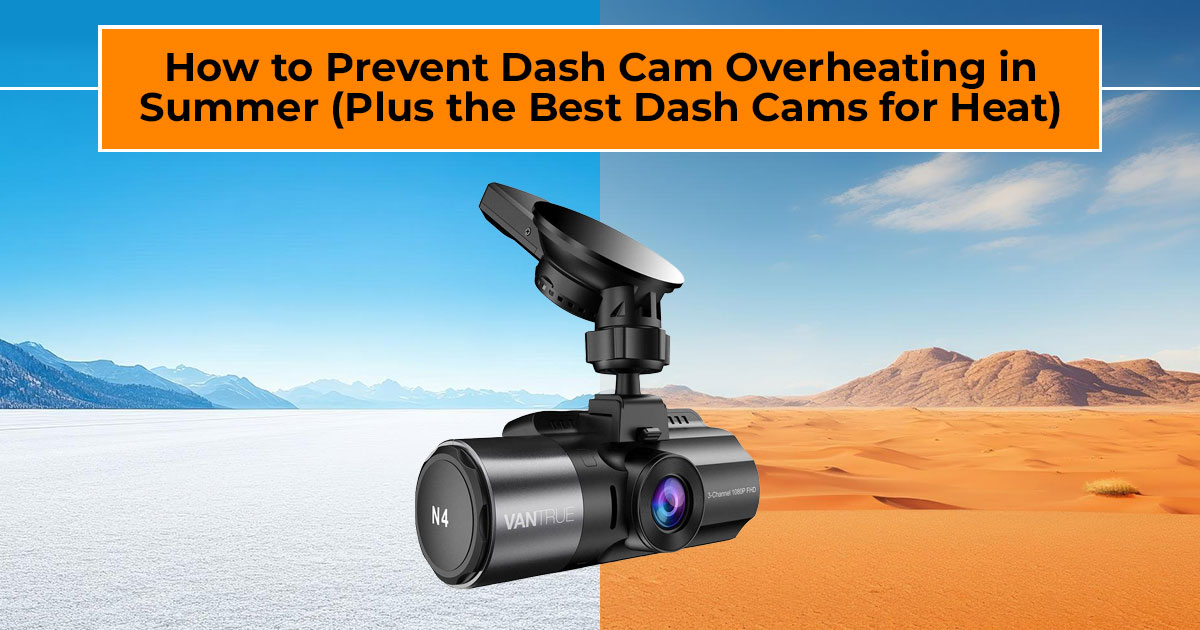
1. Introduction: Why Dash Cam Overheating Is a Real Problem
On a hot afternoon, the inside of a parked car can reach 140°F faster than most people expect. Now picture a small camera stuck to the windshield, sitting in direct sun, trying to record everything without a break. That’s how dash cam overheating starts.
Dash cams are meant to give peace of mind. They capture accidents, protect you during insurance claims, and add a layer of security when you’re on the road. But in hot weather, many drivers run into the same problems: sudden shutdowns, missing clips, or footage that won’t open. Dash cam overheating in summer and dash cam overheating while parked are common, especially in places where heat is part of daily life.
If this sounds familiar, you’re not doing anything wrong. Most dash cams struggle in heat unless they’re set up and built for it. The good news is that preventing dash cam overheating is easier than it sounds. With smarter placement, a few setting changes, and heat-resistant dash cam hardware, your camera can stay dependable even on the hottest days.
And that matters, because a dash cam that fails when you need it most defeats the whole purpose.
As technology experts with over 20 years of experience in hardware and application research and development, we look beyond specs and marketing promises. We focus on real-world performance, durability, and value for money.
This guide is written for daily commuters, rideshare drivers, long-distance travelers, fleet operators, and drivers living in hot climates who rely on their dash cam every single day. Our recommendations are shaped by extensive research, component-level analysis, hands-on usability testing, and long-term industry experience.
The goal is simple: help you choose the best product for your needs—whether that means
budget-friendly, high-performance, reliable in heat, or built for long-term use.
1.1 Why Dash Cams Overheat (and Why It Matters)
Dash cams are compact devices packed with processors, sensors, and power components. Inside a closed car, heat has nowhere to escape. Add direct sunlight, limited airflow, and nonstop video recording, and temperatures rise fast.
When heat builds up, the camera tries to protect itself. That’s when drivers notice:
- Random shutdowns
- Gaps in recordings
- Files that won’t play
- Shortened device lifespan
In regions with long summers or year-round heat, dash cam heat issues aren’t occasional. They’re routine. Many people ask why dash cams overheat, and the answer usually comes down to three things: sun exposure, internal power design, and how hard the camera is working.
Once you understand this, the solutions stop feeling guessy and start making sense.
2. Why This Guide Matters
Most advice online stops at basic tips like parking in the shade. That helps, but it doesn’t solve everything. This guide goes further by breaking down dash cam overheating causes and sharing steps that actually work, especially for dash cam overheating when parked in sun.
We also explain why supercapacitor dash cam designs handle dash cam temperature limits better than older battery-based models. This one choice often decides whether a dash cam lasts years or fails after one brutal summer.
If you’ve dealt with repeated heat problems, this guide gives you dash cam overheating prevention tips you can use without overthinking your setup.
3. What You’ll Learn
- Clear reasons behind dash cam overheating explained in plain terms
- Practical ways to reduce dash cam heat during daily use
- How dash cam ventilation and dash cam airflow design affect stability
- What makes the best dash cam for hot weather and the best dash cam for extreme heat
- Why dash cam resolution heat impact matters more than most people realize
- A simple setup checklist for managing dash cam parking mode heat
- Straight answers to common concerns, like are dash cams safe in hot cars
3.1 Product Category Overview: Dash Cams Built for Heat
Not all dash cams are made for high temperatures. Many older models rely on lithium batteries, which struggle in heat and degrade faster. Supercapacitor dash cams are built differently. They tolerate heat better, last longer, and reduce the risk of failure in extreme conditions.
Choosing the right type of dash cam often matters more than choosing the highest resolution.
This guide combines those real experiences with technical analysis so you can see which models stay reliable and which ones don’t.
Summary
Dash cam overheating is common in hot weather, but it isn’t unavoidable. Heat leads to shutdowns, lost footage, and early device failure. The fix comes down to smarter placement, better settings, and choosing supercapacitor-based dash cams designed for heat. This guide explains why overheating happens, what actually helps, and how to pick the right dash cam for hot weather so your camera works when it matters most.
4. Technical Specifications at a Glance
These models all use supercapacitors for better dash cam temperature tolerance and dash cam heat resistance. They avoid the risks that come with lithium batteries in high heat.
| Model | Channels | Max Resolution | Power Source | Standout Heat Features | Ideal For |
|
N4 Pro |
3 (front + cabin + rear) |
4K front + 1080P others |
Supercapacitor |
Strong thermal handling during long recording |
Rideshare drivers, taxis, and families needing full
coverage |
|
E1 Pro / E2 Series |
1 or 2 |
Up to 4K front |
Supercapacitor |
Small size helps with airflow and cooling |
Drivers who want clear footage without extra heat
buildup |
|
N2 Pro / N2X |
2 (front + cabin) |
Up to 2.7K front |
Supercapacitor |
Simple design keeps processing load low | Commuters and rideshare drivers who focus on
cabin recording |
| Element Series | 1 or
basic setups |
1080P to
2.5K |
Supercapacitor |
Lower specs
mean less internal heat |
Anyone on a
budget in hot areas |
- Summary: Supercapacitors let these models run reliably in higher temperatures than battery-based dash cams, with operating limits that vary by model.
5. What Causes Dash Cam Overheating in Hot Weather?
Dash cam overheating rarely comes from one single issue. In most cases, it’s a mix of heat sources that build up over time. When a camera sits inside a closed car, especially in summer, the conditions are tougher than many people realize. Understanding what causes dash cam overheating makes it easier to prevent it.
5.1 Direct Sunlight Exposure and Windshield Heat
The windshield does more than let light in. It traps and concentrates heat. When a dash cam sits in direct sunlight, the glass can focus heat right onto the device. This leads to direct sunlight dash cam damage and quick temperature spikes.
This is why dash cam overheating while parked is so common. Even a short time in the sun can raise the internal temperature enough to cause shutdowns or recording gaps.
5.2 Power Source Differences: Battery vs Supercapacitor Dash Cams
The way a dash cam stores power matters more than most people think. Traditional lithium batteries don’t handle heat well. At higher temperatures, they lose capacity faster and can swell over time. This is where the difference between a capacitor dash cam vs battery dash cam becomes clear.
A supercapacitor dash cam stores energy in a more heat-stable way, though exact temperature limits still vary by model. This makes it a safer and more reliable choice for anyone using a dash cam in hot climate conditions or leaving their car parked outside during the day.
5.3 Processing Load and Recording Settings
Dash cams work harder when recording at higher settings. Features like 4K video, high frame rates, HDR, and continuous parking mode increase dash cam processor heat. The more data the camera processes, the more heat it generates.
Over long drives or extended parking sessions, this added workload can push the camera past safe limits and trigger thermal protection.
6. 7 Proven Strategies to Prevent Dash Cam Overheating
Once the causes are clear, the solutions are straightforward. These steps focus on reducing heat exposure and keeping the camera within a dash cam safe temperature range.
6.1 Use a Windshield Sunshade
A reflective windshield sunshade blocks direct sunlight and lowers cabin temperature. This helps prevent dash cam overheating while parked and reduces heat stress on the entire interior.
6.2 Mount the Dash Cam Behind the Rearview Mirror
The shaded area behind the rearview mirror offers natural protection. Using this spot for dash cam mounting behind rearview mirror keeps the camera out of direct sun during both driving and parking.
6.3 Choose a Supercapacitor Dash Cam
Switching to a supercapacitor model removes many lithium battery dash cam heat risk issues. These cameras tolerate higher temperatures and stay stable during long periods of heat exposure.
6.4 Lower Recording Resolution During Extreme Heat
Dropping the resolution from 4K to 2.5K or 1080P reduces the camera’s workload. This simple change helps limit dash cam resolution heat impact and keeps internal temperatures lower.
6.5 Remove the Dash Cam During Long Parking Periods
If the car will sit in the sun for hours, removing the camera and storing it somewhere cooler helps protect internal components and extend the device’s lifespan.
6.6 Limit Parking Mode Usage in Hot Weather
Parking mode keeps the camera active and adds dash cam parking mode heat. Using motion- based recording or turning the feature off during the hottest parts of the day reduces strain on the camera.
6.7 Keep Firmware Updated
Firmware updates often improve dash cam power management and fix issues related to overheating. Keeping the camera updated helps maintain stable performance.
- Key takeaway: Using shade, smart mounting, and a supercapacitor dash cam solves most how to stop dash cam overheating problems.
7. Additional Dash Cam Heat Protection Tips Most People Miss
Small details often make a big difference in long-term dash cam reliability in heat.
- Make sure air can move around the Tight mounting against the glass traps heat.
- Use the original or certified power cables. Low-quality cables can cause power issues that create extra heat.
- Choose high-temperature-rated memory cards to reduce the risk of corrupted
- Clean the camera and mount area Dust buildup traps heat and affects cooling.
Taken together, these steps help keep your dash cam working as expected, even during the hottest months.
8. Best Dash Cams for Hot Weather: Model-by-Model Guide
Heat changes how dash cams behave. Some models keep recording without trouble, while others shut down, skip files, or wear out early. The models below are all supercapacitor dash cam options, chosen for dash cam durability in hot weather. They’re built to handle high temperatures without constant issues.
Each option fits a different type of driver, so the best choice depends on how and where you drive.
8.1 Best Overall Dash Cam for Extreme Heat: Vantrue N4 Pro (3-Channel)
The Vantrue N4 Pro records the front, cabin, and rear at the same time, with 4K video on the front camera. Even with three cameras running, it stays steady in hot conditions. The supercapacitor design and internal layout help control heat during long drives and extended parking.
Features like night vision and parking monitoring work without pushing the camera past safe temperature limits. That consistency matters if you rely on your dash cam every day.
Why it works well
- Full vehicle coverage in one setup
- Stable dash cam summer performance
- Fewer shutdowns during long, hot drives
Best for: rideshare drivers, taxi operators, and families in hot climate countries who want full coverage without worrying about overheating.
Click here to explore more US | India
8.2 Best 4K Dash Cam for Hot Climates: Vantrue E1 Pro and E2 Series
The Vantrue E1 Pro is a compact single-camera 4K dash cam, while the E2 series adds rear recording. Their smaller size helps with airflow, and the hardware handles dash cam processor heat better than bulkier designs.
You still get clear footage, voice controls, and app access, but without the heat problems that often come with high-end specs. This balance suits drivers who deal with dash cam overheating in summer but still want sharp video.
Why do these stay cooler
- Compact design reduces heat buildup
- Lower dash cam resolution heat impact compared to larger 4K systems
- Fewer background tasks
Best for: everyday drivers who want dependable front or front-and-rear recording in hot weather.
E1 Pro – Click here to explore more US | India
E2- Click here to explore more US | India
8.3 Best Dual-Channel Dash Cam for Cabin Recording: Vantrue N2 Pro and N2X
These models focus on front and interior views, which makes them a common choice for drivers who need cabin footage. The newer N2X adds faster Wi-Fi and higher resolution, while keeping a simple system design.
That simpler approach limits background activity, which helps control heat during long shifts. This improves Vantrue dash cam summer performance, especially when the camera runs for hours at a time.
Why this setup helps
- Reduced system load
- Steady operation in warm conditions
- Clear cabin recording without excess heat
Best for: Uber and Lyft drivers, professional commuters, and anyone who needs reliable interior monitoring.
Vantrue N2 Pro – Click here to explore more US
N2X – Click here to explore more US | India
8.4 Best Budget Heat-Resistant Dash Cam: Vantrue Element Series
The Vantrue Element Series keeps things simple. These models use supercapacitors and moderate video settings instead of pushing high specs. That choice keeps internal temperatures lower and improves stability.
They don’t try to do everything, but they handle daily driving well and avoid common heat- related failures. This makes them a solid option for long-term dash cam reliability in heat.
Why do they make sense
- Lower heat output
- Simple, steady operation
- Affordable entry into heat-resistant dash cam options
Best for: city drivers and anyone who wants a reliable dash cam for summer driving without extra cost.
Click here to explore more US | India
9. How to Set Up a Dash Cam for Hot Weather (Quick Checklist)
Even a heat-tolerant dash cam needs the right setup. These steps help reduce stress on the camera and support dash cam overheating prevention in everyday use.
- Mount the camera in the shaded mirror area to limit sun exposure
- Use loop recording and turn off features you don’t need
- Lower resolution during the hottest months
- Check for firmware updates to improve dash cam power management
- Use a windshield sunshade for dash cam protection whenever the car is parked
Also, review parking mode settings. Continuous recording adds dash cam parking mode heat, so motion-based recording or limited use often works better in high temperatures.
10. Clearing Common Doubts About Dash Cam Overheating
Before choosing a dash cam or changing your setup, it helps to clear up a few common questions. These are the doubts drivers search for most when dealing with dash cam overheating, especially in summer or hot climates. The answers below focus on real-world use, simple fixes, and what actually holds up over time.
Q. Does heat damage dash cams permanently?
- Yes, repeated exposure to high temperatures can shorten a dash cam’s lifespan. This is more common with battery-powered models, which struggle in heat. Supercapacitor dash cams handle high temperatures better and are less likely to suffer permanent damage.
Q. How to prevent dash cam overheating in summer?
- The most effective steps are keeping the camera out of direct sunlight, mounting it behind the rearview mirror, and lowering recording settings during peak heat. These changes go a long way in preventing dash cam overheating in summer.
Q. What is the best dash cam without a battery for hot weather?
- Any supercapacitor dash cam is a better choice for heat. These models avoid battery swelling and stay stable within a higher dash cam safe temperature range, making them ideal for hot climates.
Q. What are common dash cam overheating symptoms to watch for?
- Early signs include sudden power-offs, warning messages, missing recordings, or files that won’t play. Spotting these dash cam overheating symptoms early helps prevent long-term damage.
11. Frequently Asked Questions About Dash Cam Overheating
These questions come up again and again from drivers dealing with dash cam overheating, especially during summer or in hot regions. The answers below are short, clear, and based on real-world use, so you can quickly understand what matters and what actually helps.
Q. Why do dash cams overheat in the first place?
- Most cases of dash cam overheating come from three things working together: direct sunlight through the windshield, the type of power source used, and high recording demands. Heat builds up faster when all three are present.
Q. Are dash cams safe in hot cars?
- Yes, dash cams are safe in hot cars if you choose heat-resistant dash cam designs, especially
supercapacitor dash cams, and follow basic precautions like shading and proper mounting.
Q. Can parking mode cause more dash cam overheating?
- Yes. Continuous parking mode keeps the camera active and adds dash cam parking mode heat. Switching to motion-only recording or limiting usage during peak heat helps reduce stress.
Q. Is 4K recording a problem in hot weather?
- 4K recording increases processing load and can raise internal temperatures. On capable hardware, it works fine, but lowering the resolution reduces the dash cam’s resolution heat impact if overheating starts.
Q. What is the safe temperature range for most dash cams?
- Many supercapacitor dash cams are rated to operate up to 158°F (70°C) or higher, depending on the model, which makes them better suited for hot climates than battery-based designs.
Q. How can I fix the dash cam overheating quickly?
- Start by using a windshield sunshade, moving the camera out of direct sunlight, and lowering recording settings. These steps often solve dash cam overheating in summer right away.
12. Final Thoughts
Dash cam overheating doesn’t have to be the reason your setup fails. Most heat problems come down to two things: where the camera is mounted and the type of power hardware inside it. Get those right, and many issues disappear.
Using supercapacitor dash cams, mounting them in shaded areas, and making a few smart setting changes can keep recordings steady even during extreme heat. These steps don’t add complexity. They simply help the camera work the way it’s supposed to.
If you drive in warm regions or want a dash cam for hot weather that won’t quit when temperatures rise, the models covered here are built with reliability in mind.
If you’ve noticed how your current dash cam handles heat—or if something isn’t working as expected—leave a comment. And if you have questions about setup or choosing the right model, feel free to ask. We’re always happy to help.
***Disclaimer***
This blog post reflects our own research, testing, and personal opinions. It should not be taken as the official position of any brand, manufacturer, or company mentioned here. While we aim to keep information accurate and up to date, product details, pricing, and availability can change. We recommend double-checking important details before making a purchase.
Some links in this article may be affiliate links. If you choose to buy through these links, we may earn a small commission at no extra cost to you. This helps support our work and allows us to keep publishing in-depth, unbiased reviews. Our recommendations are never influenced by affiliate partnerships.
Comments shared by readers reflect their own views and not ours. We are not responsible for outcomes resulting from the use of information on this site. Please seek professional advice where appropriate.
All product names, logos, and brands mentioned are the property of their respective owners. These names are used for identification and informational purposes only and do not imply endorsement.
