
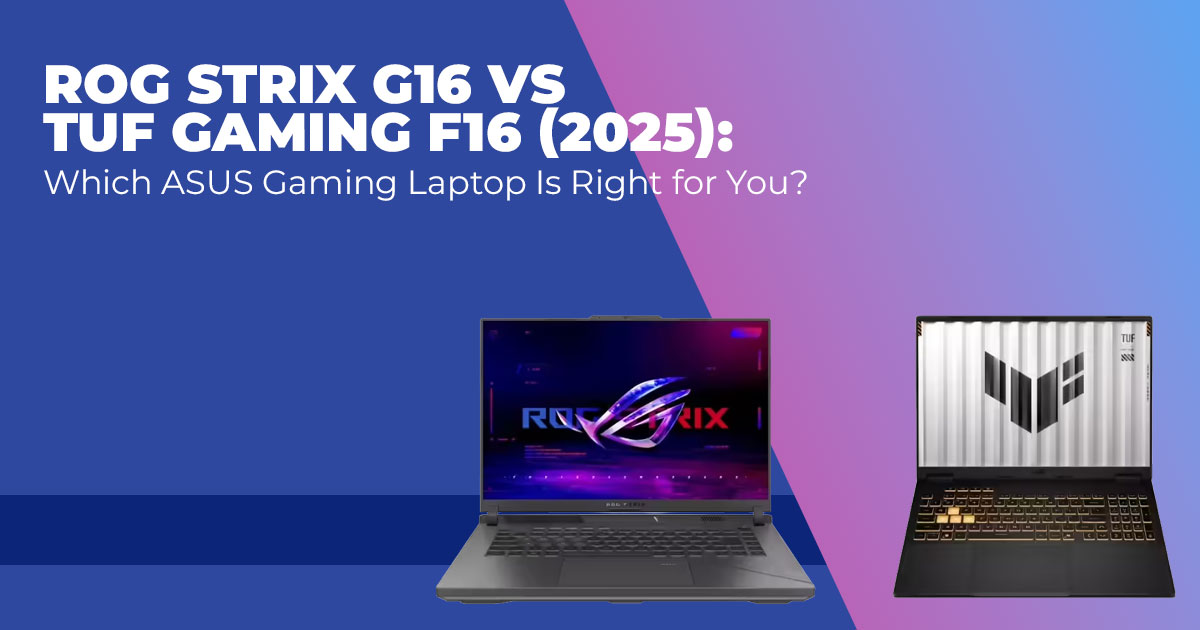
Choosing between the ROG Strix G16 and the TUF Gaming F16 comes down to how you actually play and use your laptop. The ROG Strix G16 is built for higher performance, smoother visuals, and better screens if spending more isn’t an issue. The TUF Gaming F16 focuses on dependable gaming power, tougher construction, and better value for everyday players. Both are capable 16- inch ASUS gaming laptops. The real difference shows up in long sessions, screen quality, and how much headroom you want for
Click here to buy on Amazon
1. Introduction
Most people shopping for a gaming laptop in 2025 aren’t worried about whether it can run games. They’re worried about whether they’ll regret the choice after a few months.
That’s where the decision between the ROG Strix G16 and the TUF Gaming F16 gets confusing. On paper, both look strong. Both handle modern games without trouble. And both come from ASUS’s gaming lineup. But once the excitement fades, small details start to matter—screen smoothness, heat during long sessions, noise, battery limits, and whether the price really makes sense.
This ASUS gaming laptop comparison exists to clear up that confusion. Instead of repeating specs, it explains what changes in real use. How each laptop behaves during extended gaming. How do the displays feel in fast shooters versus story-driven games? And which one fits common setups like dorm rooms, home desks, or mixed work-and-play routines.
As technology experts with over 20 years of experience in hardware and application research and development, we evaluate products based on real-world performance, durability, and value for money. The aim is simple: help readers find the best option for budget, performance, reliability, and long-term use. This guide is written for casual gamers, competitive players, content creators, students, and anyone looking for a dependable ASUS laptop for gaming that will still feel right years from now.
Reviews matter because they show what specs cannot. They reveal how laptops perform after hours of use, how well they hold up over time, and where compromises appear. That’s what this article uncovers—clear differences that help buyers choose with confidence, not guesswork.
2. Who This Comparison Helps
Gaming laptops serve different needs, even when they look similar. Picking the right one depends on how it will be used day after day.
This comparison is most useful for:
- Competitive gamers who care about higher refresh rates, smoother motion, and stable performance in fast-paced games → ROG Strix G16
- Casual gamers or value-focused buyers who want strong performance without paying for features they may never use → TUF Gaming F16
- Content creators who need better screen quality and consistent performance for editing and rendering → ROG Strix G16
- Students and frequent travelers who want durable build quality and easier portability → TUF Gaming F16
- Hybrid users balancing work, streaming, and gaming → both work well, but the Strix G16 offers a better screen experience
If the goal is a gaming laptop that matches real habits instead of just headline specs, this breakdown helps narrow the choice without overthinking it.
3. Specs at a Glance
Here’s a clear side-by-side of typical 2025 configurations you’ll find right now.
| Feature | ROG Strix G16 (2025) | TUF Gaming F16 (2025) |
| Processor | Up to Intel Core Ultra 9 275HX or AMD Ryzen 9 9955HX | Up to Intel Core i7-14650HX or Core Ultra series |
| Graphics | Up to NVIDIA RTX 5080 or RTX 5070 Ti (higher TGP) | Up to RTX 5070 or RTX 5060 |
| Display | 16″ QHD+ (2560×1600) 240Hz Nebula, 100% DCI-P3 | 16″ FHD+ (1920×1200) 165Hz,
some 2.5K options |
| RAM | Up to 32GB or 64GB DDR5 | Up to 32GB DDR5 |
| Storage | Up to 2TB or 4TB PCIe 4.0 SSD (expandable) | Up to 2TB PCIe 4.0 SSD |
| Weight | 2.5–2.7 kg | Around 2.2 kg |
| Battery | 90Wh | 90Wh |
| Typical Price Range | $1,900–$3,000+ | $1,400–$2,200 |
The ROG Strix G16 pulls ahead on screen quality and top-end power, while the TUF Gaming F16 keeps costs down without sacrificing too much.
4. Design and Build Quality — ROG Strix G16 vs TUF Gaming F16
Design matters once the laptop leaves the box and becomes part of daily life. How it feels to carry, type on, and use for hours often matters more than how it looks in photos.
Built with performance as the priority, the ROG Strix G16 uses a mix of metal and high-quality plastic, sharp lines, and full RGB lighting that clearly marks it as a gaming machine. The chassis feels solid, and ports are placed where they make sense for desk use. Some versions include Thunderbolt, which adds flexibility for docks and fast storage.
By contrast, the TUF Gaming F16 focuses on military-grade durability, designed to handle travel, bumps, and everyday wear. It is lighter and cleaner in design, which makes it easier to use in classrooms or work settings without drawing attention.
Both laptops offer comfortable keyboards with good key travel and responsive trackpads. The difference is in customization. The Strix G16 supports per-key RGB lighting, while the TUF Gaming F16 keeps lighting simple with zones.
Cooling design also sets them apart. The Strix G16 uses larger vents and, in some models, vapor chamber cooling, which helps move heat away faster during long gaming sessions.
5. Display Comparison — Gaming Laptop Screen Quality and Refresh Rate
The display is one of the first things users notice and one of the hardest things to upgrade later. It affects gaming, work, and everything in between.
On the higher end, the ROG Strix G16 display usually comes with a QHD+ 240Hz panel, offering sharper images, smoother motion, and wider color coverage. This makes a clear difference in story-driven games, creative work, and any task where color accuracy matters.
The TUF Gaming F16, on the other hand, focuses on speed and efficiency with its FHD+ 165Hz panel, which performs well in fast-paced games. Some configurations offer 2.5K panels, but most models stick with FHD+ to balance performance and battery use.
For players focused on competitive gaming, the TUF screen works well. For richer visuals and creative tasks, the Strix display feels more refined.
6. Real-World Performance — Gaming and Everyday Work
Performance numbers matter less than how a laptop behaves after hours of use. What matters here is how both laptops hold up once games and apps run longer than a short benchmark.
6.1 Gaming Performance
Higher-end ROG Strix G16 models with RTX 5070 Ti or RTX 5080 GPUs deliver noticeably higher frame rates in demanding games. At higher resolutions, the gap often reaches 15–30%, helped by higher power limits and better sustained clocks.
The TUF Gaming F16 runs modern games smoothly at 1080p or 1200p, often crossing 100 FPS on high settings. Features like ray tracing and DLSS work well, though the laptop offers less performance headroom for future titles.
For players chasing higher settings and smoother gameplay over time, the Strix holds an advantage. For steady performance at common resolutions, the TUF remains dependable.
6.2 Productivity and Creation
Both laptops handle daily tasks without trouble. Browsing, multitasking, and streaming feel smooth on each.
The ROG Strix G16 benefits from extra GPU headroom and higher RAM options, which helps with faster rendering and heavier multitasking. Its color-accurate display also supports photo and video work.
The TUF Gaming F16 handles everyday productivity and lighter creative tasks well, making it suitable for mixed-use setups.
Click here to buy on Amazon
7. Cooling, Thermals, and Noise — Long Session Stability
Thermal design affects performance consistency, noise levels, and long-term reliability.
The ROG Strix G16 uses advanced cooling solutions, including liquid metal and vapor chambers in select models. This allows it to hold performance longer during extended gaming sessions. Fans become audible under load, but the noise matches the performance it delivers.
The TUF Gaming F16 relies on a dual-fan cooling system that keeps temperatures under control for its power level. The surface warms sooner, and fan noise increases in higher performance modes, but overall stability remains solid.
Neither laptop shows major throttling in normal use. The Strix simply maintains peak performance for longer stretches.
8. Battery Life and Portability — What Daily Use Looks Like
Battery life and weight shape how practical a gaming laptop feels away from the desk.
Both laptops offer around 5–7 hours of light use, such as browsing or video playback. Gaming on battery reduces runtime to 1–2 hours, which is expected in this category.
The TUF Gaming F16 feels easier to carry thanks to its lighter build, making it a better fit for daily travel. The ROG Strix G16 is heavier and more desk-focused, reinforcing its role as a performance-first system.
Neither replaces a thin laptop for mobility, but the difference is clear. The TUF favors balance, while the Strix leans toward power.
8.1 ROG Strix G16 vs TUF Gaming F16 (Quick Choice Guide)
This decision matrix is designed to answer the most common buyer question fast: which laptop ffts your actual use?
It summarizes real-world priorities in a way that makes decisions easier at a glance.
| Decision Factor | ROG Strix G16 | TUF Gaming F16 |
| Overall Gaming Performance | Higher sustained performance,
better for long sessions and high settings |
Solid and consistent, tuned for mainstream gaming |
| Best Resolution &
Refresh Rate |
QHD+ 240Hz, smoother motion,
and sharper visuals |
FHD+ 165Hz, fast and efficient |
| Competitive / Esports Gaming | Excellent, especially at higher refresh targets | Very good, stable FPS at 1080p |
| Single-Player &
Visual Games |
Stronger choice due to
resolution and color depth |
Good, but visuals feel simpler |
| Content Creation
(Editing, Rendering) |
Better thanks to GPU headroom
and color accuracy |
Suitable for light to moderate
workloads |
| Cooling & Long- Term Stability | Holds peak performance longer
under load |
Runs warmer sooner but remains stable |
| Keyboard & RGB
Customization |
Per-key RGB, more control | Zone lighting, simpler setup |
| Portability & Daily Carry | Heavier, more desk-oriented | Lighter and easier to carry |
| Battery Life (Light
Use) |
Average for the category | Slightly better balance |
| Build Focus | Performance-first design | Durability-focused design |
| Price to Performance
Value |
Higher cost, more headroom | Better value for most buyers |
| Best For | Power users, creators, enthusiasts | Students, casual gamers, value buyers |
Quick takeaway:
- Choose the ROG Strix G16 if performance headroom, screen quality, and long-term stability matter most.
- Choose the TUF Gaming F16 if value, durability, and balanced everyday use matter more than chasing top-end specs.
This table is meant to save time and remove doubt—no specs hunting, no guesswork.
9. Price and Value Comparison — What You Pay vs What You Get
Price is often the final push, but value shows up after months of use.
The TUF Gaming F16 usually costs less while delivering very similar frame rates in many popular games at 1080p or 1200p. For players who want smooth gameplay without paying for extras they won’t use, it stands out as a better value gaming laptop. It covers the basics well and avoids unnecessary upgrades that drive prices up.
The ROG Strix G16 asks for more because it gives more. The higher price reflects a sharper 240Hz QHD+ display, stronger cooling, refined materials, and a higher performance ceiling that stays stable during long gaming sessions. That extra headroom matters for players who push settings higher or plan to keep the laptop for several years.
Prices change often. Watching for TUF Gaming F16 deals or ROG Strix G16 discounts can shift the decision. When the gap narrows, the Strix becomes easier to justify. When it doesn’t, the TUF remains the smarter choice for tight budgets.
10. Pros and Cons — ROG Strix G16 vs TUF Gaming F16
This breakdown focuses on what matters in daily use, not marketing highlights.
Why Choose the ROG Strix G16
- QHD+ 240Hz display that feels smoother and sharper
- Higher sustained performance with stronger GPU options
- Premium build details and deeper RGB control
- More headroom for future games and heavier workloads
Why Choose the TUF Gaming F16
- Lower price and stronger value for most players
- Durable, military-grade build with lighter weight
- Balanced cooling and battery use for everyday routines
- Clean design that fits both work and gaming spaces
Both laptops do their job well. The difference comes down to whether performance headroom or value matters more.
Click here to buy on Amazon
11. Who Should Buy Which — Simple Buying Guidance
If the choice still feels unclear, matching the laptop to real habits makes it easier.
- Competitive gamers who want higher refresh rates and smoother motion → ROG Strix G16
- Budget-focused players who need solid frame rates without overspending → TUF Gaming F16
- Creators who rely on color accuracy and steady performance → ROG Strix G16
- Students or frequent travelers who value toughness and portability → TUF Gaming F16
The better laptop is the one that fits how it will be used every day. Specs fade quickly. Comfort, value, and consistency don’t.
12. Frequently Asked Questions (Real Parent Searches Answered)
This section answers the most common questions people search for before buying an ASUS gaming laptop. These are quick, clear answers based on real-world use, not spec sheets, so readers can confirm their choice without digging through forums or videos.
Q. Which has better cooling, ROG Strix G16 or TUF Gaming F16?
- The ROG Strix G16 generally offers better cooling performance. Its advanced thermal design helps it stay cooler and maintain higher performance during long gaming sessions. The TUF Gaming F16 manages heat well for its class but reaches its limits sooner under sustained load.
Q. Is the ROG Strix G16 vs TUF Gaming F16 price difference worth it?
- It depends on what matters most. If you want the best gaming laptop display, higher performance headroom, and long-term stability, the ROG Strix G16 justifies the higher price. If you want strong gaming performance on a budget, the TUF Gaming F16 saves money without major compromises.
Q. Which ASUS gaming laptop has better battery life?
- Battery life is close on both, but the TUF Gaming F16 can last slightly longer during light tasks. Its lower-resolution display draws less power, which helps in everyday use like browsing or video playback.
Q. How do the displays compare—165Hz vs 240Hz?
- The 240Hz display on the ROG Strix G16 feels smoother in fast-paced competitive games, especially for players sensitive to motion clarity. The 165Hz display on the TUF Gaming F16 is still smooth and more than enough for most gamers.
Q. Which ASUS gaming laptop is better overall in 2025?
- The ROG Strix G16 is better for premium features, display quality, and sustained performance. The TUF Gaming F16 is better for value, durability, and balanced everyday gaming. The better choice depends on how hard you push your games and how much you want to spend.
13. Final Recommendation
This decision becomes much easier once you’re clear about how you’ll use the laptop day to day.
The ROG Strix G16 fits best when performance and screen quality come first. It makes sense for demanding games, longer sessions, and creative work where smoother motion and better visuals matter. It costs more, but that extra spend shows up in the display, cooling design, and how well it holds performance over time.
The TUF Gaming F16 works better for players who want reliable gaming without stretching the budget. It delivers steady frame rates, handles daily travel better, and keeps things simple without cutting corners where it counts.
Both belong among the best ASUS gaming laptops of 2025. The right pick depends on whether you want extra headroom or better value.
- High refresh gaming, creative work, long sessions → ROG Strix G16
- Everyday gaming, students, mixed use → TUF Gaming F16
- Frequent travel, durability, tighter budgets → TUF Gaming F16
- Premium screen, future-ready performance → ROG Strix G16
Check Current Configurations and Prices
ROG Strix G16
- Amazon Worldwide: Explore now
- Amazon India: Explore now
TUF Gaming F16
- Amazon Worldwide: Explore now
- Amazon India: Explore now
If you’re still unsure, share your budget, the games you play most, or how you plan to use the laptop. We’ll help you narrow it down without the guesswork.
***Disclaimer***
This blog post reflects our own research, testing, and personal opinions. It should not be taken as the official position of any brand, manufacturer, or company mentioned here. While we aim to keep information accurate and up to date, product details, pricing, and availability can change. We recommend double-checking important details before making a purchase.
Some links in this article may be affiliate links. If you choose to buy through these links, we may earn a small commission at no extra cost to you. This helps support our work and allows us to keep publishing in-depth, unbiased reviews. Our recommendations are never influenced by affiliate partnerships.
Comments shared by readers reflect their own views and not ours. We are not responsible for outcomes resulting from the use of information on this site. Please seek professional advice where appropriate.
All product names, logos, and brands mentioned are the property of their respective owners. These names are used for identification and informational purposes only and do not imply endorsement.
