
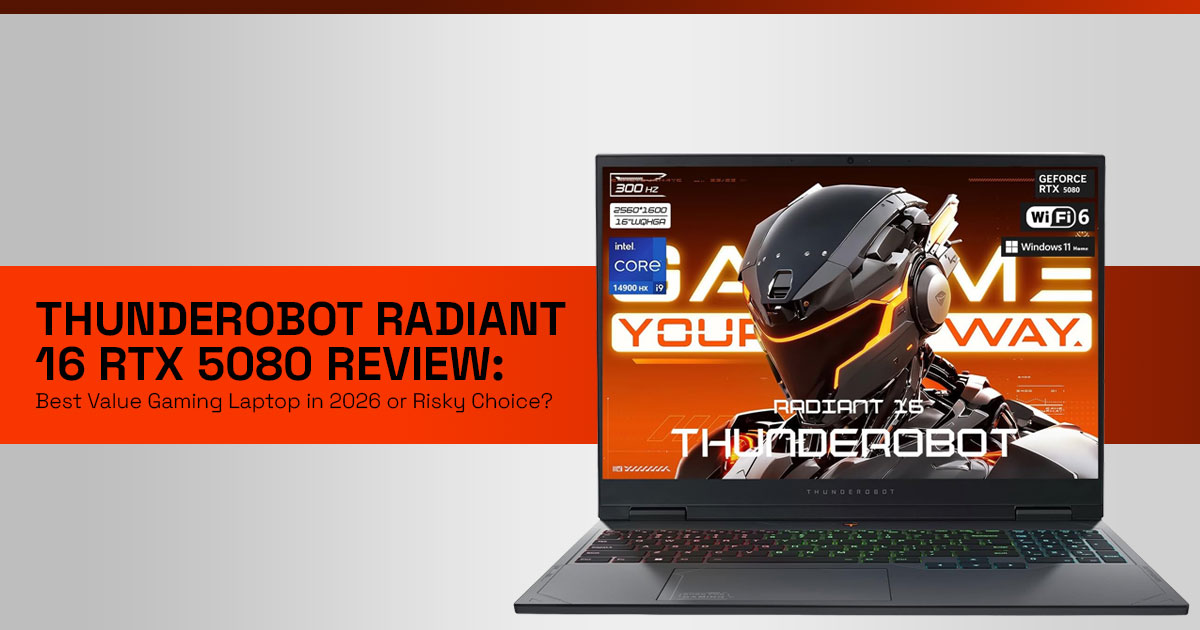
1. Introduction: The RTX 5080 Dream vs. The Budget Reality
Most gamers hit the same wall at some point—you want a high-end gaming laptop that can run AAA games smoothly, but the price tags feel out of reach. A system with the NVIDIA GeForce RTX 5080 should mean top-tier, latest-generation performance, yet many of these laptops cost as much as a small bike or even more. That gap between what you want and what you can afford is where the real frustration begins.
Now, a brand like Thunderobot steps in with something like the Thunderobot Radiant 16—a machine that promises RTX 5080-level power at a lower price. Sounds great on paper. But here’s the real question:
Is this a smart buy—or one of those deals that looks better than it actually is?
This review is here to answer that, without the usual hype.
1.1 Product/Category Overview
The Thunderobot Radiant 16 gaming laptop sits in a very competitive space: premium gaming hardware at a mid-range price. It pairs the Intel Core i9-14900HX with high RAM and fast SSD storage, aiming to deliver desktop-level gaming performance in a portable form.
On paper, it checks all the boxes—high refresh rate display, powerful GPU, and large memory configurations. But specs alone don’t tell the full story. Real-world performance, heat management, and long-term reliability matter just as much.
1.2 The “Why” of User Reviews
Specs can impress. Marketing can convince. But real user reviews tell you what actually happens after a few weeks of use—
- Does it overheat during long gaming sessions?
- Is the build quality solid or fragile?
- Does performance stay consistent, or drop under load?
That’s why reviews like this matter. They help you see beyond the spec sheet and understand how the laptop performs in real life, not just in ads.
As technology experts with over 20 years of experience in hardware and application research and development, we carefully evaluate each product based on real-world performance, durability, and value for money. Our aim is to help you find the best product in every category—budget, performance, reliability, and long-term use.
Our recommendations are based on extensive research, component analysis, real-world usability, and industry expertise.
1.3 Who This Is For
This review is written for:
- Gamers who want RTX 5080 performance without overspending
- Students and professionals looking for a powerful all-round laptop
- Content creators who need strong CPU + GPU performance
- Anyone comparing premium vs budget gaming laptops and unsure where to spend
1.4 A New Perspective (Why You Should Keep Reading)
Most reviews stop at performance numbers. But that’s not enough anymore.
What really matters today is this:
Are you getting long-term value, or just short-term performance?
Because a laptop that looks powerful today but struggles with thermals, upgrades, or support can end up costing more later. And that’s where this review takes a different approach—we focus on what actually affects your experience after the purchase.
1.5 Why This Review Matters: Navigating the RAM Crisis and Hidden Value
The “RAM crisis” has quietly changed how people buy laptops. Upgrading later used to be the smart move. Buy a base model, add RAM and storage, save money. That doesn’t work the same way anymore.
With rising demand from AI workloads and data centers, the price of DDR5 RAM and
PCIe Gen 4 SSDs has gone up. And that changes the equation.
The Thunderobot Radiant 16 often comes with:
- 32GB or 64GB DDR5 RAM
- 1TB or 2TB SSD storage
That sounds like overkill—but right now, it can actually be a smart long-term investment.
This review looks at whether these higher specs:
- Give you real performance benefits, or
- Just inflate the price without practical gains And more importantly—
Does buying more upfront save you money later?
1.6 What You’ll Learn: Performance, Thermals, and the Brand Risk vs.
Reward
By the end of this guide, you’ll have a clear, honest view of what this laptop can and cannot do.
We’ll break down:
- Gaming performance with the RTX 5080 laptop GPU
- Thermal performance with the i9-14900HX under load
- Build quality and daily usability
- The real story behind the “brand risk” of choosing Thunderobot Because yes—price matters. But so do support, durability, and consistency. You’ll be able to decide:
- Is this a budget gaming beast?
- Or are there hidden compromises you should know about?
Quick Summary
- The Thunderobot Radiant 16 offers RTX 5080-level performance at a lower price
- Comes with high RAM and storage, which matters more today due to rising component costs
- Strong on paper—but thermals, build quality, and brand reliability need close attention
- Best suited for gamers and power users who want value, but are okay with some risk
- This review helps you decide if it’s a smart buy or a risky shortcut
2.Gaming Laptop Buying Guide 2026: Budget vs Performance vs Brand Trust (Thunderobot Radiant 16 Analysis)
Choosing a high-performance gaming laptop in 2026 is not just about specs. You’re balancing price, real-world performance, reliability, and brand trust—and that’s where most buyers get stuck.
Established brands like ASUS, Lenovo, and Razer offer better support, stable software, and consistent build quality.
Meanwhile, Thunderobot focuses on top-tier specs at a lower price, especially with the
Thunderobot Radiant 16.
So the real question is simple:
Are you paying for performance—or peace of mind?
This section compares the Thunderobot Radiant 16 RTX 5080 laptop beyond specs— covering performance, usability, durability, and ownership experience.
3. Thunderobot Radiant 16 Review: Real Gaming Laptop Problems and Practical Fixes
High-end laptops often look perfect on paper. But in daily use, common issues appear—
heat, build concerns, and software limitations.
Let’s focus on what actually affects your experience.
3.1 Thermal Performance in Gaming Laptops: i9-14900HX Heating and Undervolting Fix
The Intel Core i9-14900HX delivers strong performance—but also high heat output.
In real use:
- Temperatures rise during long gaming sessions
- Thermal throttling can reduce performance
- Fans get loud
This is where CPU undervolting helps.
What it does:
- Lowers voltage without cutting performance
- Reduces heat
- Improves sustained performance
For many users, this step is key to getting the best performance from the Thunderobot Radiant 16.
3.2 Gaming Laptop Build Quality: Is Thunderobot Radiant 16 Durable Enough?
Lower pricing usually means trade-offs. The question is—where?
Key areas to check:
- Chassis strength
- Hinge durability
- Keyboard feel
- Trackpad quality
The Thunderobot Radiant 16 offers strong internal hardware, but the external finish may not match premium brands.
What you’re trading:
- Lower cost → Slight compromise in fit and finish
- High specs → Less premium feel
Bottom line:
Good for performance-focused buyers, less ideal if you want a premium build.
3.3 Gaming Laptop Software Experience: Thunderobot Control Center Issues and Alternatives
Software plays a big role in daily use.
Most gaming laptops rely on a Control Center to manage:
- Performance modes
- Fan speeds
- RGB lighting
User feedback suggests the Thunderobot Control Center can feel:
- Less intuitive
- Slightly heavy
- Limited in control
Some users prefer lightweight alternatives like G-Helper-style tools (if supported), offering:
- Cleaner interface
- Better tuning
- Lower system load
Why it matters:
Even powerful hardware depends on good software to perform well.
4. RTX 5080 Gaming Laptop Features That Actually Matter (Beyond Specs)
Specs alone don’t define performance anymore. Features like AI upscaling, VRAM, and display tech now play a major role.
4.1 DLSS Frame Generation Explained: Unlocking 300Hz Gaming Performance
The Thunderobot Radiant 16 includes:
- 16-inch WQXGA (2560×1600) display
- 300Hz refresh rate
Running modern AAA games at 300 FPS natively is difficult—even for the NVIDIA GeForce RTX 5080.
This is where DLSS (Frame Generation and AI upscaling) helps.
How it works:
- Renders at lower resolution
- Uses AI to upscale
- Generates extra frames
Result:
- Higher frame rates
- Better use of the 300Hz display
- Smoother gameplay
4.2 16GB GDDR7 VRAM Gaming Laptop: Why It Matters for Future-Proof Performance
The RTX 5080 laptop GPU comes with 16GB GDDR7 VRAM, which matters more now.
Modern games demand more VRAM due to:
- High-resolution textures
- Ray tracing
- Larger environments
Low VRAM leads to:
- Stuttering
- Texture issues
- Performance drops
16GB VRAM gives you:
- Stable performance
- Better support for future games
- Strong capability for content creation and AI tasks
In simple terms:
This is a key reason the Thunderobot Radiant 16 works as a long-term gaming laptop. Quick Summary
Thunderobot Radiant 16 RTX 5080 Gaming Laptop Review Summary
- High value: Strong specs at a lower price
- Thermals need tuning: Undervolting improves stability
- Build quality is decent, not premium
- Software is functional but less polished compared to premium brands
- DLSS (Frame Generation) + 300Hz display improves gameplay
- 16GB VRAM supports long-term use Best for:
- Gamers wanting maximum performance per budget Not ideal for:
- Buyers expecting premium build and polished software
5. Gaming Laptop Recommendations 2026: Best RTX 5080 Laptops by Use Case (Performance, Value, Reliability)
When choosing a gaming laptop in 2026, a simple list doesn’t help. What matters is finding the right laptop for your specific use case—whether that’s maximum performance per budget, premium design, or long-term reliability. The Thunderobot Radiant 16 RTX 5080 laptop stands out for value, but it’s not for everyone. Below are focused recommendations based on real user needs, with clear pros and trade-offs.
5.1 Best Value Gaming Laptop: Thunderobot Radiant 16 RTX 5080 (Performance per Price Leader)
- Best for: Gamers and power users who want maximum performance per rupee, are comfortable with basic tuning (undervolting), and care more about raw specs than brand name or support. Great for high refresh rate 1440p gaming.
Pros:
- Strong price-to-performance ratio for the latest RTX 5080-class gaming laptops
- High RAM and SSD configurations out of the box
- WQXGA high refresh rate display (300Hz)
- Powerful Intel Core i9-14900HX
Cons:
- Lesser-known brand with possible support concerns
- Control Center software is average
- Needs manual undervolting for best thermals
Check latest price on Amazon Worldwide and Amazon India.
5.2 Premium Gaming Laptop Alternative: Razer Blade 16 RTX 5080/5090 (Build Quality and Design Focus)
- Best for: Users who want a premium gaming laptop, with top build quality, sleek design, and high-end display. Ideal if you value experience and aesthetics over price.
Pros:
- Exceptional build quality and materials
- Premium display options (OLED / Mini-LED)
- Clean software and polished experience
- Strong brand reputation from Razer
Cons:
- Much higher price than competitors
- Can run hot under load
- Limited ports for some users
- Performance gain over cheaper options is often small
Check latest price on Amazon Worldwide.
5.3 Reliable Gaming Laptop Choice: Lenovo Legion Pro 7i RTX 5080 (Balanced Performance and Support)
- Best for: Gamers who want a reliable RTX 5080 laptop with strong cooling, stable performance, and dependable after-sales support. Good for buyers who want peace of mind.
Pros:
- Efficient cooling system for sustained performance
- Strong overall performance balance
- Excellent keyboard and trackpad
- Trusted support from Lenovo
Cons:
- Higher price than Thunderobot
- Design is more functional than premium
- Slightly heavier and bulkier
Check latest price on Amazon Worldwide and Amazon India.
Bottom Line – Best RTX 5080 Gaming Laptop Recommendations
- Thunderobot Radiant 16 → Best for value and raw performance
- Razer Blade 16 → Best for premium design and experience
- Lenovo Legion Pro 7i → Best for reliability and balanced performance
Quick takeaway:
- Want best price-to-performance → Go Thunderobot
- Want premium feel → Go Razer
- Want safe and reliable choice → Go Lenovo
6. Comparisons & Tables: Making Informed Decisions
To further aid your decision-making process, here’s a detailed comparison of the Thunderobot Radiant 16 against its closest competitors, focusing on key specifications and suitability for different use cases.
Use this table to quickly decide which laptop fits your needs:
| Feature | Thunderobot Radiant 16 (RTX 5080) | Razer Blade 16 (RTX 5080) | Lenovo Legion Pro 7i (RTX 5080) |
| CPU | Intel Core i9-14900HX | Intel Core i9-14900HX | Intel Core i9-14900HX |
| GPU | NVIDIA RTX 5080 (16GB GDDR7) | NVIDIA RTX 5080 (16GB GDDR7) | NVIDIA RTX 5080 (16GB GDDR7) |
| RAM | 32GB / 64GB DDR5 | 32GB DDR5 | 32GB DDR5 |
| Storage | 1TB / 2TB / 4TB PCIe Gen 4 SSD | 1TB / 2TB PCIe Gen 4 SSD | 1TB / 2TB PCIe Gen 4 SSD |
| Display | 16″ WQXGA 300Hz IPS | 16″ QHD+ 240Hz IPS / OLED | 16″ WQXGA 240Hz IPS |
| Price (Approx.) | $1,999 – $2,299 | $3,500+ | $2,500 – $3,000 |
| Build Quality | Good (plastic/metal mix) | Excellent (aluminum) | Very good (metal/plastic mix) |
| Thermals | Good (may require undervolting) | Good | Excellent |
| Software | Functional (can feel clunky) | Polished | Very good |
| Support | Varies by region and availability | Excellent | Excellent |
7. Gaming Laptop Specs Explained: Real-World Performance Benefits (RTX 5080, i9-14900HX, DDR5 RAM, SSD)
Specs can feel confusing—numbers, acronyms, and benchmarks don’t always show how a laptop performs in real life. What matters is simple:
How does it improve your gaming, work, and daily use?
Here’s what these key components actually do for you.
-
- Intel Core i9-14900HX (24 Cores): Real Gaming and Multitasking Performance
The Intel Core i9-14900HX is built for heavy workloads.- For gamers: stable FPS while running background apps, smoother gameplay, faster load times
- For creators: faster rendering, better performance in video editing and 3D work
- Handles CPU-heavy games and multitasking without slowdowns
- Intel Core i9-14900HX (24 Cores): Real Gaming and Multitasking Performance
What it means: You can game, stream, and work at the same time without performance drops.
-
- NVIDIA GeForce RTX 5080 (16GB GDDR7): Ray Tracing, DLSS (Frame Generation and AI upscaling), and Future Gaming Performance
The NVIDIA GeForce RTX 5080 is more than just high FPS.- Ray Tracing improves lighting, shadows, and reflections
- o DLSS (Frame Generation and AI upscaling) boosts frame rates
- 16GB GDDR7 VRAM supports high-resolution textures and future games
- NVIDIA GeForce RTX 5080 (16GB GDDR7): Ray Tracing, DLSS (Frame Generation and AI upscaling), and Future Gaming Performance
What it means: Better visuals, smoother gameplay, and long-term performance for AAA titles.
-
- 32GB / 64GB DDR5 RAM: Smooth Multitasking and High-End Workloads More RAM directly improves system responsiveness.
- For gamers: smooth switching between games, browsers, and apps
- For professionals: supports CAD, data analysis, virtual machines
- DDR5 offers higher bandwidth and faster performance What it means: No lag when running multiple heavy tasks
- 1TB / 2TB / 4TB PCIe Gen 4 SSD: Faster Load Times and System Speed
- 32GB / 64GB DDR5 RAM: Smooth Multitasking and High-End Workloads More RAM directly improves system responsiveness.
Storage is not just about capacity—it’s about speed.
- Faster game load times and app launches
- Quick file transfers
- More space for games and projects
What it means: A faster, more responsive system with less waiting.
8. Thunderobot Radiant 16 RTX 5080 Quick Take: Performance vs Trade-Offs
If you want maximum performance per price, the Thunderobot Radiant 16 RTX 5080 laptop stands out.
What it does well:
- Delivers strong gaming performance for the price
- Works well with DLSS (Frame Generation) for high frame rates
- Offers high RAM and storage configurations
What to keep in mind:
- Software experience is average
- After-sales support may be limited compared to bigger brands
- Needs thermal tuning (undervolting) for best performance
Final takeaway:
- Great choice if you want raw performance and value
- Not ideal if you expect a premium, polished experience out of the box
8.1 “Best For” Quick Picks
Thunderobot Radiant 16: Best for the value-driven gamer who wants top-tier performance without the premium price tag and is comfortable with some system tweaking.
Razer Blade 16: Best for the premium enthusiast who prioritizes build quality, aesthetics, and a refined user experience, willing to pay significantly more.
Lenovo Legion Pro 7i: Best for the balanced buyer seeking strong performance, reliable support, and excellent thermals from a trusted brand.
9. Frequently Asked Questions (FAQs)
Q: Is Thunderobot a reliable brand?
A: Thunderobot is a Chinese brand known for offering competitive specifications at aggressive price points. While their hardware is generally robust, some users report concerns regarding software refinement and after-sales support outside of China. It’s a brand that offers great value but may require more self-sufficiency from the user.
Q: Does the Thunderobot Radiant 16 overheat?
A: The Intel Core i9-14900HX processor can run hot under heavy loads. However, with proper thermal management techniques, such as CPU undervolting, the laptop can maintain excellent performance without significant thermal throttling. Its cooling system is designed to handle the powerful components, but user optimization can further enhance stability.
Q: Can I upgrade the RAM and storage on the Thunderobot Radiant 16?
A: Yes, the Thunderobot Radiant 16 typically offers upgradeability for both RAM and storage. However, given the current “RAM crisis” and the increasing cost of components, it’s often more cost-effective to purchase a configuration with ample RAM and storage upfront.
Q: What is DLSS, and why is it important for this laptop?
A: DLSS (Deep Learning Super Sampling) is an NVIDIA technology that uses AI to boost frame rates and improve image quality in games.
For the Thunderobot Radiant 16, with its high-refresh-rate 300Hz display, Frame Generation plays a key role. It helps the RTX 5080 reach higher frame rates, so you actually benefit from that 300Hz screen in demanding games.
10. Final Recommendation: Thunderobot Radiant 16 RTX 5080 –
Performance, Value, and Real Trade-Offs
If you’ve been looking at the latest RTX 5080-class gaming laptops, you’ve probably noticed the pattern—great performance, very high prices. That’s exactly where the Thunderobot Radiant 16 stands out. It brings top-tier hardware into a price range that more people can actually consider.
But here’s the honest part. This laptop isn’t built for buyers who want everything perfect out of the box. You may need to spend a little time tuning thermals, getting used to the software, and accepting that support may not match bigger brands.
What you get in return is hard to ignore:
- Strong gaming performance with RTX 5080-class hardware
- Smooth gameplay with DLSS (Frame Generation) support
- 16GB VRAM that holds up well for future games
- A setup that delivers real performance per price advantage
So it comes down to how you think as a buyer.
If you care most about:
- Maximum performance for your budget
- Hardware that can handle modern and upcoming AAA games
- Getting more specs without paying a premium Then the Thunderobot Radiant 16 makes a lot of If you prefer:
- A more refined software experience
- Strong after-sales support and service network
- A premium build and finish
Then it may be worth looking at safer, more established options.
What this laptop really proves is simple:
You don’t always have to spend the most to get high-end gaming performance. But you
do need to be clear about what you’re willing to trade.
Thinking about exploring more? Refer to sections 5.1, 5.2, and 5.3 for the best alternatives based on your needs. [Provide internal hyperlink for each section number]
***Disclaimer***
This blog post reflects our own research, testing, and personal opinions. It should not be taken as the official position of any brand, manufacturer, or company mentioned here. While we aim to keep information accurate and up to date, product details, pricing, and availability can change. We recommend double-checking important details before making a purchase.
Some links in this article may be affiliate links. If you choose to buy through these links, we may earn a small commission at no extra cost to you. This helps support our work and allows us to keep publishing in-depth, unbiased reviews. Our recommendations are never influenced by affiliate partnerships.
Comments shared by readers reflect their own views and not ours. We are not responsible for outcomes resulting from the use of information on this site. Please seek professional advice where appropriate.
All product names, logos, and brands mentioned are the property of their respective owners. These names are used for identification and informational purposes only and do not imply endorsement.
