
Quick Overview
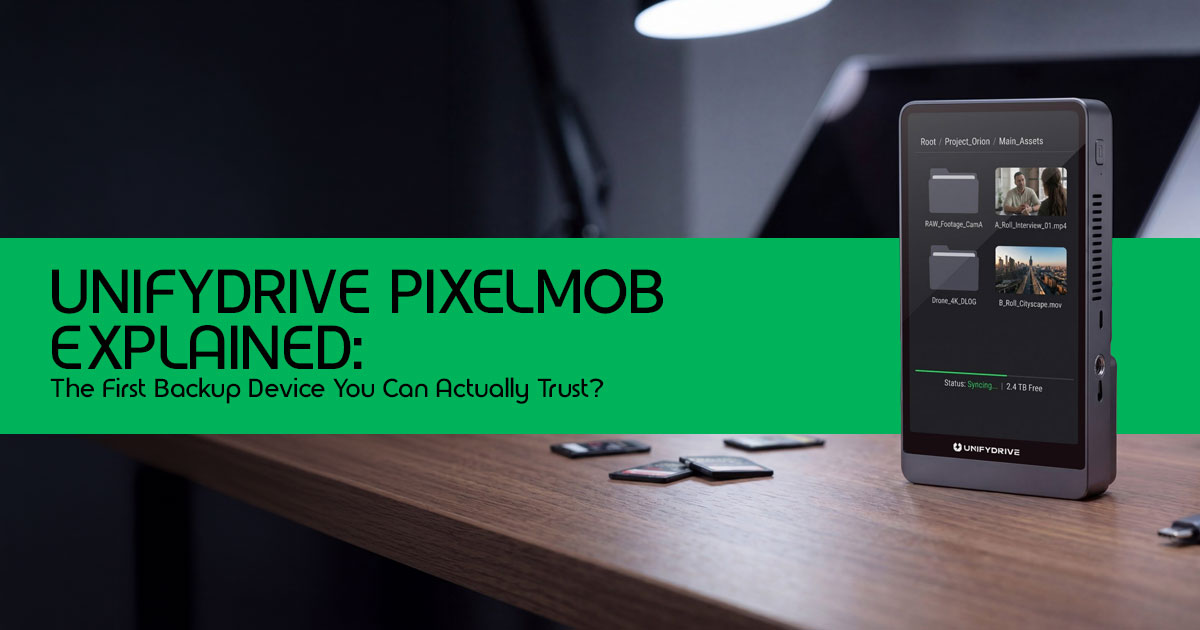
The UnifyDrive PixelMob isn’t just another portable storage device; it’s a comprehensive field workflow system designed for creative professionals. Its biggest value lies in verified backup and irrefutable proof of delivery, addressing critical pain points in data management. While its AI features show promise, we maintain a balanced skepticism regarding their real- world speed and reliability for all scenarios. The PixelMob is ideal for professional photographers, videographers, and DIT workflows, but might be overkill for casual creators.
Introduction: Bridging the 3-Minute Gap That Can Destroy a Shoot
A memory card can fail without warning. A file can get corrupted. And sometimes, it’s just a simple mistake—pulling out the wrong card or missing a backup. These things happen more often than most people admit. And when they do, the damage isn’t just lost footage—it’s lost time, lost money, and lost client trust.
That fragile window between capturing a shot and securing it safely—the “3-minute gap”—
is where most data loss in photography and videography workflows actually happens. And despite all the advances in portable SSDs, high-speed storage, and backup tools, this part of the workflow is still messy, manual, and easy to get wrong.
This is exactly where the UnifyDrive PixelMob steps in. It belongs to a new category of portable workflow devices—not just storage, but tools designed for verified backup, on- device processing, and field-ready data security. The idea is simple: remove uncertainty and give creators a way to prove their data is safe, right there on location.
But here’s the thing—spec sheets don’t tell the full story. And that’s why real user reviews and hands-on analysis matter.
They reveal what actually happens during a shoot:
- Does the device slow you down?
- Can you trust it under pressure?
- Does it really protect your files—or just claim to?
That’s what this guide is here to answer.
As technology experts with over 20 years of experience in hardware and application research and development, we don’t just repeat features. We look at real-world performance, durability, and value for money. Our goal is to help you find the best product for your workflow—whether you care about budget, performance, reliability, or long-term use. Every recommendation here is based on deep research, component-level analysis, and practical usability testing, backed by industry experience.
This guide is built for:
- Professional photographers and videographers handling client work and critical footage
- Content creators and filmmakers working in fast-paced or outdoor environments
- Freelancers and solo creators who need a reliable field backup workflow without a full setup
- And even serious hobbyists who want to avoid the risk of losing their work
And here’s what you’ll get from this article:
- A clear look at how UnifyDrive PixelMob fits into real workflows
- Where it actually helps—and where it might fall short
- Whether it’s worth waiting for, or if current backup solutions are still the safer choice
Because at the end of the day, this isn’t just about storage devices. It’s about trusting your workflow when it matters most.
Quick Summary
- The “3-minute gap” is the most risky part of any shooting workflow
- Most portable SSD solutions don’t offer true backup verification
- UnifyDrive PixelMob aims to fix this with verified backup + on-device workflow tools
- This guide breaks down real-world usability, risks, and value
- Best for professionals and serious creators, not casual users
Why This Review is Essential
In a market flooded with portable SSDs, the UnifyDrive PixelMob stands out by introducing a novel approach to data security and workflow efficiency. This isn’t just about speed or capacity; it’s about trust and accountability. We’ll cut through the marketing hype to provide a human-centric, real-world analysis, focusing on how this device impacts actual creative workflows and addresses the anxieties of professionals in the US.
What You Will Learn From This Review
By the end of this deep dive, you’ll understand:
- The core problem of data vulnerability in the field and how PixelMob addresses it.
- Our unique TRUST Backup Model™ for evaluating field storage solutions.
- A simplified breakdown of what the PixelMob actually does.
- Real-world scenarios demonstrating its impact on professional workflows.
- A critical look at its AI features: useful innovation or clever gimmick?
- The hidden tradeoffs and edge cases nobody talks about.
- Who truly benefits from this technology and who might find it excessive.
- Key insights into the future of field data management.
1. The Real Problem PixelMob Solves: The Vulnerable Workflow
Imagine a wedding photographer, a documentary filmmaker, or a DIT professional on a high- stakes set. Data is constantly being generated, and the pressure to secure it is immense.
The current reality often involves:
- Data Loss Between Shoot and Backup: Cards are swapped, files are transferred, and without immediate verification, there’s no guarantee the data made it safely.
- Human Error: Accidentally formatting the wrong card, overwriting files, or encountering corrupted media are ever-present risks.
- Client Trust Issues: In an industry built on deliverables, proving that data was securely backed up, especially on location, can be challenging.
The PixelMob enters this space and could change how people handle backups in the field.
2. Original Framework: The TRUST Backup Model™
Specs don’t tell you if your data is actually safe.
So instead of just looking at speed and storage, it helps to break things down in a simpler way.
That’s where the TRUST Backup Model™ comes in.
It looks at five things that actually matter when you’re backing up files in the field:
| Layer | Meaning | PixelMob Role |
| T | Transfer Integrity | Checksum verification |
| R | Redundancy | RAID 1 |
| U | Usability | Touchscreen interface |
| S | Security | Encryption |
| T | Traceability | Backup reports |
In simple terms:
- Checksum makes sure your files copy correctly
- RAID 1 keeps a second copy ready
- Reports give you proof the job is done
That’s the difference between hoping your files are safe and actually knowing they are.
Key Takeaways:
- The UnifyDrive PixelMob is a compact, all-in-one solution for field data management.
- It introduces a robust multi-layer data security architecture (including checksum verification and RAID 1, along with verified backup).
- AI features offer potential workflow enhancements but require realistic expectations.
- It targets professional creators seeking reliability and efficiency over casual users.
3. What PixelMob Actually Does: A Simplified Breakdown
Forget the technical jargon for a moment. At its core, the UnifyDrive PixelMob is designed to be your ultimate creative companion in the field.
Think of it as a powerful combination of:
- A Smart Backup Device: It’s not just an external drive; it actively manages and verifies your data transfers.
- A Mini Computer: With its touchscreen and on-board processing, it can handle tasks that typically require a laptop.
- An AI Assistant (with caveats): It offers intelligent features like photo culling and voice-controlled color grading, aiming to streamline your workflow.
Crucially, the PixelMob is built to work without a laptop, creating verifiable backup reports directly on the device. This means less gear to carry and more focus on your craft.
4. Real-World Workflow: Scenarios Where PixelMob Shines
Let’s look at how the UnifyDrive PixelMob could transform typical professional scenarios:
Scenario: The High-Volume Wedding Photographer
- Shoot & Swap: After filling an SD card, the photographer removes it from the camera.
- Instant Ingest: The card is inserted directly into the PixelMob.
- Auto Backup & Verification: The device automatically initiates a verified backup, performing checksums and RAID 1 mirroring in the background.
- Proof of Delivery: A detailed verification report is generated, confirming data integrity. The photographer can even share this report with the client the same day, building immense trust.
Scenario: The Agile Travel Filmmaker
- Tethered Shooting & Live Backup: The filmmaker tethers their camera to the PixelMob, allowing for live, continuous backup as footage is captured.
- On-Device AI Culling: The PixelMob’s AI-assisted culling looks at technical issues like blur or closed eyes—not creative It can save time, but you’ll still need to review your shots yourself.
- Field Monitoring: The device doubles as an HDMI field monitor, providing a larger, clearer view of the shot.
5. Deep Dive: Verified Backup – Why It Matters More Than Ever
The concept of verified backup is central to the PixelMob’s promise. It’s the difference between hoping your data copied correctly and knowing it did.
Here’s how it works:
- Checksum Verification: Think of a checksum as a digital fingerprint for your The PixelMob generates this fingerprint before and after transfer, ensuring every bit is identical. If the fingerprints don’t match, you know there’s an issue.
- RAID 1 Mirroring: This isn’t just one copy; it’s two identical copies written simultaneously to separate NVMe drives within the PixelMob. If one drive fails, your data is safe on the other.
- SMART Monitoring: The device continuously monitors the health of its internal drives, predicting potential failures before they happen.
The PixelMob combines all these layers together.
The goal is simple:
move from “hope it worked” to “prove it worked.”
6. AI Features: Useful Innovation or Clever Gimmick?
The UnifyDrive PixelMob makes bold claims about its AI capabilities. But are they truly useful or just marketing fluff?
What it claims:
- Photo Culling: Automatically identifying and flagging the best shots.
- Voice Color Grading: Applying color grades using voice commands.
- Workflow Automation: Streamlining repetitive tasks.
Reality Check:
- AI Culling Can Miss the Mark: While AI can identify technical flaws (out of focus, eyes closed), it often misses the emotional resonance or creative intent of a It’s a helpful first pass, but human review remains essential.
- Voice Grading is Niche: Voice-controlled color grading might be a fun party trick, but its practical application in a fast-paced professional environment is questionable.
The Verdict: The AI features are helpful additions, but they shouldn’t be the primary reason you buy the PixelMob. The core value remains its robust backup capabilities.
7. PixelMob vs. Traditional Workflows: A Comparison
How does the PixelMob stack up against the tools you’re already using?
| Workflow | The Problem | The PixelMob Solution |
| Laptop + SSD | Slow, fragile, requires a power source, cumbersome in the field. | All-in-one, rugged, battery-powered, eliminates the need for a laptop. |
| Portable SSD | No verification, single point of failure, requires a host device. | Built-in verification, RAID 1 redundancy, operates independently. |
| NAS Devices | Not field-friendly, requires network infrastructure. | Designed for the field, syncs seamlessly with UnifyDrive NAS later. |
8. The Tradeoffs Nobody Talks About
While the UnifyDrive PixelMob offers significant advantages, it’s not without its drawbacks.
Here are the tradeoffs you need to consider:
- The Price Tag: While official pricing hasn’t been announced, a device with this level of technology and dual NVMe drives will likely be a significant investment.
- Battery Limitations: Field usage is inherently limited by battery The 5.5″ model claims 8 hours, but intensive tasks like continuous backup and AI processing will drain it faster.
- The Learning Curve: Transitioning to a new workflow system, especially one with its own OS (UDOS), requires time and effort.
- AI Trust Issues: As mentioned earlier, relying too heavily on AI for culling can lead to missed opportunities.
Edge Cases to Consider:
- What happens if a memory card corrupts during the transfer process?
- How does the device handle power loss during a RAID write?
- Can it efficiently manage massive 8K RAW video files without overheating or slowing down?
9. Who Should Buy the PixelMob
The UnifyDrive PixelMob is a specialized tool, not a mass-market gadget.
⬛ Best For:
- Wedding Photographers: Who need immediate, verified backups and verifiable backup reports for anxious clients.
- Commercial Shooters: Where data loss translates directly to lost revenue and damaged reputations.
- Documentary Filmmakers: Operating in remote locations without access to laptops or reliable power.
- DIT Professionals: Looking to streamline their on-set data management
+ Not For:
- Casual Creators: The features and likely price point are overkill for everyday use.
- Smartphone Shooters: The workflow is designed for dedicated cameras and memory
- Budget-Conscious Users: Traditional SSDs remain a more cost-effective, albeit less secure, option.
10. Beginner Section
What is a “verified backup”?
A verified backup is a system that confirms your files are copied correctly, not just copied. It uses digital fingerprints (checksums) to ensure the copied file is an exact, bit-for-bit replica of the original, providing peace of mind that your data is safe.
Why is NVMe important?
NVMe (Non-Volatile Memory Express) is a storage protocol designed specifically for fast flash memory. In devices like the PixelMob, NVMe drives offer significantly faster transfer speeds compared to older SATA SSDs or traditional hard drives, meaning less time waiting on set and more time creating.
11. Advanced Section
For the tech-savvy professionals, let’s dive deeper into PixelMob’s architecture:
- RAID Checksum Differences: RAID 1 creates a second copy of your data. If one drive fails, the other still has everything. Checksums provide software-level verification, protecting against data corruption during transfer. The PixelMob uses both for comprehensive security.
- Local AI Cloud AI: The PixelMob utilizes an on-board NPU (Neural Processing Unit) for local AI processing. This is crucial for field work, as it doesn’t require an internet connection and ensures data privacy, unlike cloud-based AI solutions.
- NVMe Throughput vs. Bottlenecks: NVMe drives are fast—but your speed is only as fast as the weakest For example, if your SD card is slow, the transfer will still be slow—even if the PixelMob is fast. The PixelMob’s internal architecture must be robust enough to handle the maximum throughput of these cards without bottlenecks.
- On-Device Processing vs. Laptop Workflows: Instead of using a laptop, the PixelMob handles things on its That means fewer cables, less setup, and one less device to worry about during a shoot.
12. The Skeptical Buyer Section
Before investing in a new workflow system, it’s essential to ask the hard questions:
- Is the redundancy actually independent? If both NVMe drives share the same controller, a controller failure could still result in data loss.
- What happens if the device fails? Can the NVMe drives be easily removed and read by a standard computer, or is the data locked within the UnifyDrive ecosystem?
- Is the “verification report” legally reliable? While useful for client peace of mind, the legal standing of these reports in a dispute over lost data remains to be seen.
13. Your Buying Checklist
If you’re considering the UnifyDrive PixelMob, evaluate these factors before making a decision:
- Storage Capacity Needed: How much data do you typically generate on a shoot? Ensure the PixelMob can accommodate your needs, keeping in mind that RAID 1 halves the total available storage.
- Battery Life: Will the projected battery life last through your typical shooting day, or will you need external power banks?
- Workflow Complexity: Are you willing to adapt your current workflow to integrate a new device and operating system?
- Backup Redundancy Level: Does your current workflow already provide sufficient redundancy, or is the PixelMob’s 6-layer architecture a necessary upgrade?
14. Mistakes to Avoid
Even with a device as advanced as the PixelMob, user error can still lead to disaster. Avoid these common pitfalls:
- Trusting a Single Backup Layer: Don’t rely solely on the PixelMob. Always maintain a secondary backup, preferably off-site or in the cloud, once you return from the field.
- Over-Relying on AI Culling: Always review your footage AI is a tool, not a replacement for your creative judgment.
- Ignoring Power Backup: A dead battery means no Always carry sufficient power banks or spare batteries.
- Skipping Verification Reports: The verification report is your proof of Don’t ignore it; review it to ensure the backup was truly successful.
15. The Future of This Category
The UnifyDrive PixelMob represents a significant shift in how we approach field data management.
Here are our predictions for the future of this category:
- Storage Devices → Workflow Systems: We will see a move away from dumb storage drives towards intelligent systems that actively manage, verify, and process data.
- AI → Assistant, Not Replacement: AI will become increasingly integrated into these devices, but its role will remain assistive, streamlining tasks rather than replacing human creativity.
- Verified Backups → Industry Standard: The expectation of verified backups will become the norm, driven by client demands for accountability and the increasing value of digital assets.
16. Final Verdict
The UnifyDrive PixelMob isn’t trying to be just another portable SSD—it’s going after a bigger problem: trusting your backups in the field. It combines robust hardware, on- device AI, and something most tools skip—verified backup with proof of data integrity.
That matters more than it sounds. Anyone who’s dealt with data loss, corrupted files, or even the stress of missing footage knows how fragile that moment is between shooting and backing up. PixelMob is built around that gap—where data security isn’t optional.
But here’s the reality. It’s still early. The device was shown as an engineering prototype at the NAB Show 2026 (April 19–22, 2026). There’s no confirmed price, no release date, and a Kickstarter launch is planned. So the real question is simple: will it hold up in real- world conditions? Long shoots, unpredictable environments, heavy workloads—that’s where it either proves itself or falls apart.
Right now, there’s no direct competitor that combines verified backup, AI photo culling, HDMI monitoring, and camera tethering into one portable workflow device. That’s what makes PixelMob stand out.
If You Need a Reliable Setup Today
If you can’t wait and need a high-performance backup workflow right now, these are proven, no-nonsense options:
◆ SanDisk Extreme Pro Portable SSD
- Amazon Worldwide | Amazon India
–− Best for fast transfers, rugged use, and consistent performance
✔ Ideal if you shoot 4K video or handle large RAW files on the go
◆ Samsung Portable SSD T7 Shield
- Amazon Worldwide | Amazon India
–− Best for durability, heat resistance, and reliable field usage
✔ Great for outdoor shoots, travel, and rough conditions
◆ OWC Express 1M2
- Amazon Worldwide | Amazon India
–− Best for custom setups, maximum NVMe speeds, and flexible workflows
✔ Perfect if you want to build your own high-speed storage setup
So, Should You Wait?
The UnifyDrive PixelMob is ambitious, innovative, and focused on a real pain point in field backup workflows—but it’s still unproven.
If it delivers, it could redefine on-set data management and become a must-have tool for creators who care about data safety and workflow speed. If it doesn’t, most professionals will stick with trusted SSD-based backup setups.
At this point, it’s a choice between:
- Waiting for a smarter all-in-one system, or
- Sticking with reliable tools that already work
Would you trust a device like this with your critical footage and client data?
And how much do AI-powered workflow features actually matter in your setup?
***Disclaimer***
This blog post reflects our own research, testing, and personal opinions. It should not be taken as the official position of any brand, manufacturer, or company mentioned here. While we aim to keep information accurate and up to date, product details, pricing, and availability can change. We recommend double-checking important details before making a purchase.
Some links in this article may be affiliate links. If you choose to buy through these links, we may earn a small commission at no extra cost to you. This helps support our work and allows us to keep publishing in-depth, unbiased reviews. Our recommendations are never influenced by affiliate partnerships.
Comments shared by readers reflect their own views and not ours. We are not responsible for outcomes resulting from the use of information on this site. Please seek professional advice where appropriate.
All product names, logos, and brands mentioned are the property of their respective owners. These names are used for identification and informational purposes only and do not imply endorsement.
