
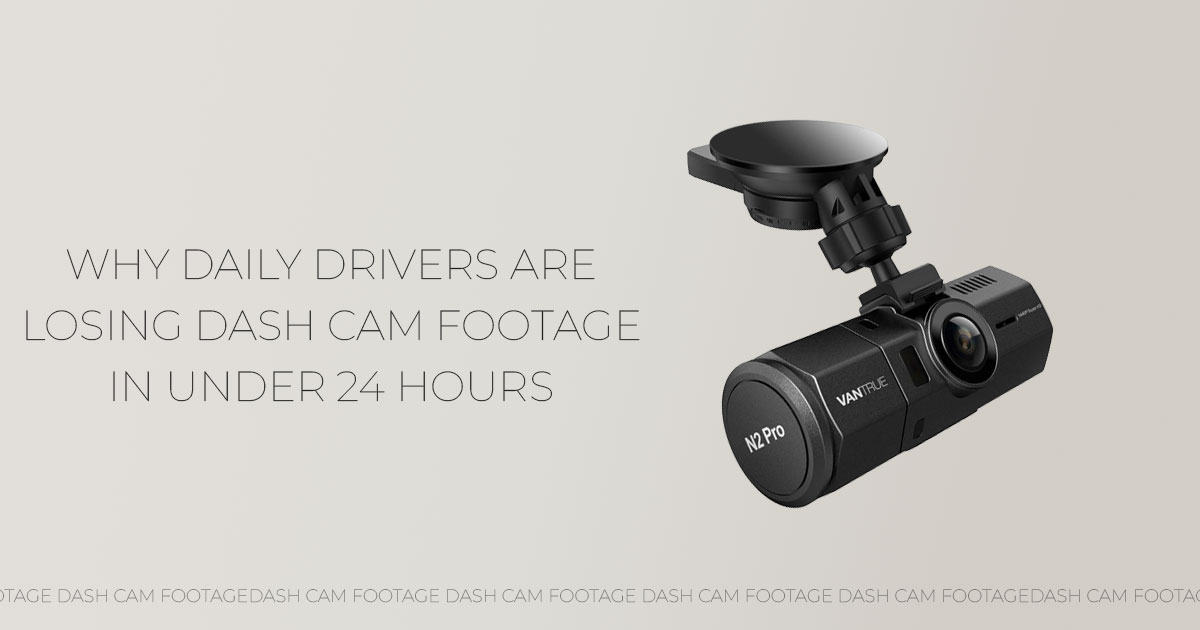
Most dash cam footage lasts only a few hours to a few days before it’s replaced. The exact time depends on SD card capacity, video resolution, and dash cam loop recording behavior. Bigger cards help, but they don’t keep everything forever. Knowing how dash cam footage overwrite works—and planning storage around how you actually drive—keeps important video from disappearing when you need it most.
Click here to buy from Official Vantrue Dash Cam Store
1. Introduction: Why Understanding Dash Cam Recording Duration Matters
Dash cams sit quietly on the windshield and do their job without asking for attention. Then something happens. A scrape in a parking lot. A sudden brake on the highway. An insurance call that comes days later. That’s when the question hits: Is the video still there?
That worry drives people to search for how long dash cam footage lasts and how dash cam footage overwrites. And most drivers are surprised by the answer. A common assumption is that a large SD card stores everything for weeks or months. In reality, dash cams are designed to record nonstop. To keep doing that, they automatically erase older clips once storage fills up.
This is where confusion turns into frustration.
Dash cams rely on dash cam loop recording, which works within fixed dash cam storage limits. It keeps the camera recording at all times, but it also means footage disappears on a schedule most people never calculate. For daily commuters, that schedule can be short. For long trips, it can catch drivers off guard.
As technology experts with over 20 years of experience in hardware and application research and development, we evaluate dash cams based on real-world performance, durability, and value for money. Our goal is to help readers find the right balance between budget, performance, reliability, and long-term use.
For daily commuters, road-trip drivers, rideshare professionals, delivery drivers, and families focused on safety, our recommendations come from hands-on testing, component analysis, real driving conditions, and industry expertise.
Here’s the perspective often missing from dash cam guides: storage problems are rarely technical failures. They’re planning issues. How often you drive, how many cameras are recording, and what resolution you choose shape dash cam recording duration far more than brand names or marketing claims.
And that’s why understanding this matters before something goes wrong.
2. What You’ll Learn From This Guide
This guide focuses on what actually happens inside a dash cam during everyday driving—not just what the box promises.
You’ll come away understanding:
- How dash cam loop recording works and why it removes older files without warning
- Real answers to how long does 128GB dash cam footage last under different driving habits
- How video resolution, camera count, and daily mileage affect dash cam SD card capacityneeds
- Why event locked footage and G-sensor impact detection protect key moments—and how they can quietly reduce available storage
- Simple habits that prevent the stress of dash cam erased my footage
- How to choose the right SD card for dash cam use, whether driving to work, traveling long distances, or driving for a living
Most articles focus on numbers alone. This one focuses on outcomes. Because when a moment matters, the only thing that counts is whether the footage is still there.
And that’s what the rest of this guide helps you get right.
3. Technical Specifications at a Glance
Here’s a clear reference table for a typical front-and-rear setup recording at 30 frames per second.
| SD Card Size | 1080p Retention | 2K/1440p
Retention |
4K Retention |
| 32GB | 2–4 hours | 1.5–3 hours | ~1–1.5 hours |
| 64GB | 4–8 hours | 3–6 hours | 2–4 hours |
| 128GB | 16–20 hours | 10–14 hours | 6–10 hours |
| 256GB | 32–40 hours | 20–28 hours | 12–20 hours |
| 512GB | 60–80 hours | 40–56 hours | 24–40 hours |
Note – Retention times assume standard bitrates used by most consumer dash cams.
These numbers come from typical file sizes in real driving. Stop-and-go city traffic tends to create slightly larger files than steady highway miles, so retention can lean toward the lower end on busy commutes.
- Quick Summary: Daily drivers usually see dash cam footage overwritten within 12–24 hours on a 128GB card unless they use lower resolution or a single camera.
4. Why Dash Cam Videos Get Deleted (And Why Most Drivers Misjudge It)
Many drivers search for why dash cam videos get deleted because they expect weeks of footage to sit safely on the card. That expectation doesn’t match how dash cams are built. A dash cam is a continuous video recording device. It records every drive without stopping, even when storage fills up.
To keep recording, the camera follows a video file overwrite cycle. Older segmented video files are replaced by newer ones in order. Nothing breaks. Nothing fails. The system is working as designed.
This is where the confusion starts. If an incident happened two days ago and nothing triggered the G-sensor, that clip was treated like normal driving footage. By the time you look for it, it has likely been replaced. Understanding dash cam overwrite old footage removes the guesswork and helps match storage size to real driving habits.
5. The Honest Answer: How Long Dash Cam Footage Lasts Before Overwrite
For most real-world setups, dash cam footage lasts between 1 and 40 hours before overwrite begins. There is no single number because retention depends on three practical factors:
- Dash cam SD card capacity
- Video resolution and frame rate
- Whether you use front-only, front and rear dash cam recording, or triple-channel
A common example many drivers fall into: a daily commuter running dual-channel, 1080p, with a 128GB SD card. In this setup, expect 16–20 hours of continuous dash cam recording before older footage is replaced.
That means yesterday’s drive may already be gone by the time you check today.
6. What Is Loop Recording in Dash Cams and Why It Exists
Many searches around what is loop recording in dash cams come from drivers worried their camera is deleting files on its own. Loop recording simply means the camera records in short clips—usually 1, 3, or 5 minutes—and manages storage automatically.
These dash cam segmented clips serve an important purpose. If power cuts suddenly, only the current clip is affected. Everything before it stays intact.
Normal driving clips remain overwritable. Only dash cam event recording triggered by sudden movement is protected. Turning loop recording off makes the camera stop recording once the card fills up, which defeats the point of does dash cam record all the time protection.
Loop recording isn’t a flaw. It’s what keeps the camera reliable.
Click here to buy from Official Vantrue Dash Cam Store
7. How Video Resolution Affects Dash Cam Recording Duration
Resolution plays a larger role in dash cam recording duration than most drivers expect. Higher resolution means larger files and faster overwrite.
On a 128GB SD card using front + rear cameras:
- 1080p: 16–20 hours
- 2K / 1440p: 10–14 hours
- 4K: 6–10 hours
Searches for how long 4K dash cam footage lasts often come from drivers surprised that their storage barely covers a workday. While 4K helps with detail, it cuts retention sharply. For daily commuting, 1080p or 2K often provides enough clarity while keeping more usable history.
An SD card for 4K dash cam setups should be 256GB or larger to avoid constant overwrite.
8. Single vs Dual vs Triple-Channel Dash Cam Storage Differences
Each added camera increases storage use faster than most expect. This is where many setups fall short.
| Setup | Storage Use | Typical 128GB Retention (1080p) |
| Front only | 1× | 24–30 hours |
| Front + rear | 1.8–2× | 16–20 hours |
| Front + rear + interior | 2.5–3× | 10–14 hours |
Multi-channel dash cam recording gives better coverage, but it also shortens retention. Rideshare drivers and parents often choose triple-channel dash cam storage for safety, then discover footage overwrites quickly unless they upgrade dash cam storage.
Coverage and retention must be planned together.
9. G-Sensor Event Recording: What Gets Saved and What Fills the Card
The G-sensor locks clips during impacts, hard braking, or sharp turns. This event locked footage
is what protects you during accidents and close calls.
A common question is, does a dash cam overwrite locked files? The answer is no. Locked clips stay until you remove them. Over time, frequent city driving can stack dozens of locked files, shrinking space for normal recording and speeding up overwrite elsewhere.
The solution is simple. Review the event folder once a month. Keep what matters. Delete what doesn’t. This small habit prevents silent storage loss and keeps the system balanced.
10. Maintenance Habits That Prevent Dash Cam Recording Failures
Dash cams put more strain on memory cards than most electronics. Every drive involves nonstop writing and deleting. Over time, that wear adds up. Regular memory cards often fail quietly, which leads to missing clips or recording that stops without warning.
This is how many drivers end up searching dash cam that didn’t record the accident after the fact.
What consistently works in real use:
- Always use a high-endurance SD card for dash cam Cards labeled high endurance or endurance are built for continuous writing
- Format the SD card inside the dash cam every 4–6 weeks, which answers the common question of how often should I format the dash cam SD card
- Pay attention to warning signs like error messages, skipped clips, or gaps in timelines
These habits reduce the risk of silent failure and help keep the dash cam recording duration predictable. Storage reliability matters more than extra features when something goes wrong on the road.
11. Planning Dash Cam Storage Based on Real Driving Habits
Questions about dash cam storage for daily commuting or dash cam storage for long road trips usually come from drivers who feel their footage disappears too fast. In most cases, the issue isn’t the camera. It’s a mismatch between storage size and driving routine.
Storage planning works best when it reflects how often you drive, how long each trip lasts, and how many clips get locked automatically.
| Driving Style | Best Minimum Card | Expected Retention (1080p dual-channel) | Best Fit For |
| Daily city
commuting |
128GB | 16–20 hours | Office workers,
school runs |
| Weekend or occasional use | 64–128GB | 4–20 hours | Light drivers, basic coverage |
| Long-distance or
road trips |
256GB | 32–40 hours | Vacation travel,
truck drivers |
| Rideshare or delivery | 256–512GB | 32–80 hours | Uber, Lyft, food delivery |
City driving creates more event locked footage because of traffic and braking. Long trips delay overwrite, but don’t eliminate it. Choosing the right dash cam SD card capacity helps footage stay available when it’s needed, without guessing.
12. 128GB Dash Cam Retention: A Quick Reality Check
Many drivers ask how long does 128GB dash cam footage last because 128GB sounds large. Once resolution and camera count are factored in, the usable window is shorter than expected.
| Resolution | Approximate Retention (Dual-Channel, 30 FPS) |
| 1080p | 16–20 hours |
| 1440p / 2K | 10–14 hours |
| 4K | 6–10 hours |
Key takeaway: If footage isn’t reviewed weekly, anything older than a day or two is likely gone. Higher resolution shortens that window further. Storage planning should focus on overwrite timing, not just total capacity.
13. Clearing Common Dash Cam Storage and Overwrite Doubts
Most readers reach this point with one goal: to make sure their dash cam actually keeps the footage that matters. These questions come up again and again because dash cam storage, loop recording, and footage overwrite aren’t explained clearly by most manufacturers. The answers below clear up the confusion in plain terms, so expectations match what happens in real use.
Q. How does dash cam overwrite footage?
- Dash cam overwrite footage works through loop recording. The camera saves video in short, segmented clips. When the SD card fills up, it deletes the oldest unlocked clips first and replaces them with new recordings. Event locked footage stays protected and is not erased unless you remove it manually.
Q. How to stop dash cam from overwriting videos?
- You can stop important clips from being erased by manually locking the video or letting the G-sensor event recording lock it automatically. Some dash cams allow loop recording to be turned off, but doing this means the camera stops recording entirely once the SD card is full, which defeats continuous protection.
Q. How long before dash cam footage is erased?
- How long before dash cam footage is erased depends on SD card capacity, video resolution, and whether you use single, dual, or triple-channel recording. In most setups, footage lasts between 8 and 40 hours before older clips are overwritten.
Q. Is cloud storage better than SD cards for dash cams?
- Cloud storage avoids dash cam footage overwrite, but it requires a constant data connection and a paid subscription. For most drivers, local SD card storage remains more reliable, works without mobile coverage, and records continuously without ongoing costs.
Click here to buy from Official Vantrue Dash Cam Store
14. Frequently Asked Questions About Dash Cam Storage and Overwrite
These are the questions drivers search right after buying a dash cam—or right after realizing footage is missing. Each answer is short, clear, and based on how dash cams behave in everyday use, not ideal conditions.
Q. Dash cam 128GB or 256GB—which is better?
- 128GB is enough for most daily drivers recording at 1080p with one or two cameras. Choose 256GB if you record in 4K, use triple-channel dash cam recording, or take long road trips where overwrite timing matters.
Q. How to increase dash cam recording time?
- To extend dash cam recording duration, lower the video resolution, reduce the number of active cameras, use a larger high endurance microSD card, and regularly delete unnecessary locked event clips.
Q. Why is my dash cam memory full so fast?
- The most common reasons are frequent event locked footage from city driving or using high resolutions like 4K. Check the event folder first—locked clips do not overwrite automatically and reduce usable space.
Q. Best high endurance SD card for dash cams?
- The best high endurance SD card for dash cams is one labeled specifically for dash cam or surveillance recording. These cards are built for constant writing and last much longer than standard memory cards.
Q. Can I prevent the dash cam from overwriting videos I want to keep?
- Yes. Most dash cams let you manually lock footage using a button or app. Locked clips are protected from overwrite until you delete them yourself.
15. Final Thoughts
Dash cams offer peace of mind, but only when the storage side is handled properly. When dash cam storage is planned around real driving habits, the camera stops feeling like a gamble and starts working as a reliable backup. The right SD card capacity, a sensible recording resolution, and routine formatting make a clear difference over time.
Most recording issues don’t come from the dash cam itself. They come from storage that wasn’t chosen or maintained with everyday use in mind. Once that’s fixed, the camera does its job quietly and consistently.
- Vantrue Memory Cards – US Store: Click here to explore
- Vantrue Memory Cards – India Store: Click here to explore
- Vantrue Dash Cams – US Official Store: Click here to explore
- Vantrue Dash Cams – India Official Store: Click here to explore
- Vantrue Valentine’s Deals for US Readers: Click here to explore
If questions remain about a speciffc setup, or if a storage choice has worked well in daily use, share it in the comments. We’re here to help, and real experiences from other drivers add value for everyone reading.
***Disclaimer***
This blog post reflects our own research, testing, and personal opinions. It should not be taken as the official position of any brand, manufacturer, or company mentioned here. While we aim to keep information accurate and up to date, product details, pricing, and availability can change. We recommend double-checking important details before making a purchase.
Some links in this article may be affiliate links. If you choose to buy through these links, we may earn a small commission at no extra cost to you. This helps support our work and allows us to keep publishing in-depth, unbiased reviews. Our recommendations are never influenced by affiliate partnerships.
Comments shared by readers reflect their own views and not ours. We are not responsible for outcomes resulting from the use of information on this site. Please seek professional advice where appropriate.
All product names, logos, and brands mentioned are the property of their respective owners. These names are used for identification and informational purposes only and do not imply endorsement.
