
Introduction
Buying a premium tablet has become more complicated than ever. A few years ago, the choice was simple. If you wanted the best tablet experience, you bought an iPad. Today, things are different.
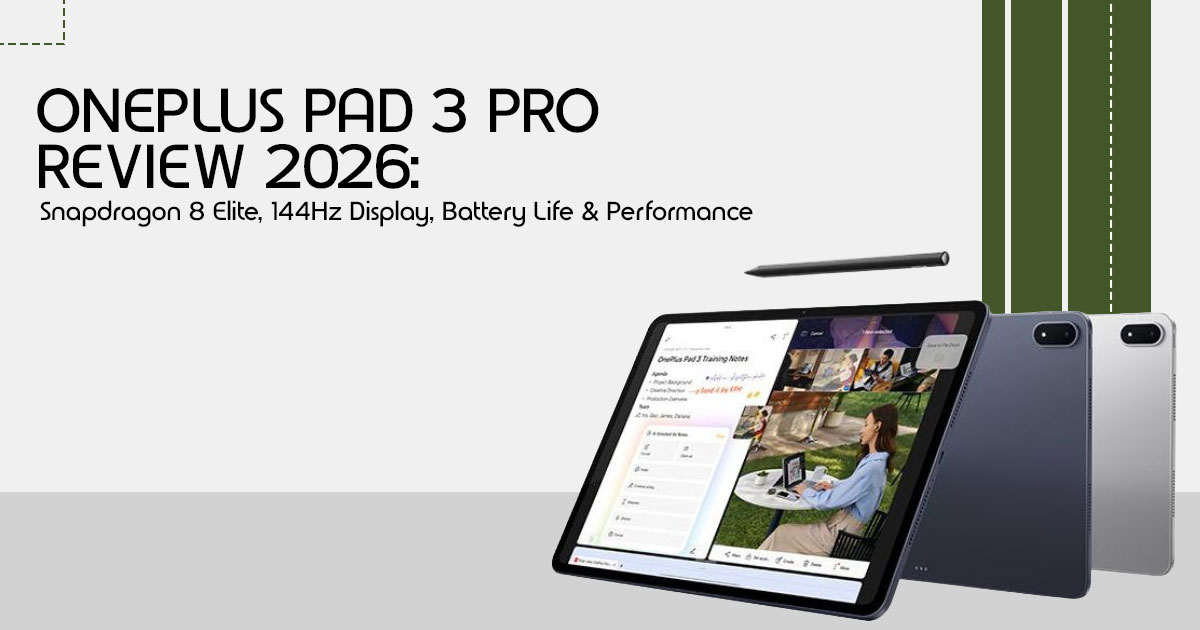
The OnePlus Pad 3 Pro enters a market dominated by expensive flagship tablets from Apple and Samsung, promising desktop-level performance, a massive 13.2-inch 144Hz display, Snapdragon 8 Elite Gen 5 power, and all-day battery life. On paper, it looks like a serious contender. But specifications alone don’t tell the whole story.
The real question is this: Can the OnePlus Pad 3 Pro genuinely replace your laptop, handle demanding games, improve productivity, and still deliver good value for money? Or is it simply another high-end tablet with impressive marketing?
If you’re a student, remote worker, business professional, content creator, digital artist, mobile gamer, or someone looking for a powerful device for both work and entertainment, this review is designed for you.
As technology experts with over 20 years of experience in hardware and application research and development, we analyze every product based on real-world performance, build quality, long-term reliability, and overall value for money. Our goal is simple: help you identify the best products in every category, whether your priority is budget, performance, durability, or long-term ownership. Our recommendations are based on extensive research, component analysis, real-world usability, and industry expertise.
In this review, we’ll look beyond marketing claims and benchmark numbers to answer the questions that matter most. How good is the display in daily use? Does the Snapdragon 8 Elite Gen 5 deliver a noticeable advantage? Is the battery life strong enough for work and travel? And most importantly, is the OnePlus Pad 3 Pro worth your money compared to the iPad Air, iPad Pro, and Samsung Galaxy Tab S series?
Let’s find out whether this is one of the best Android tablets of 2026 or simply another device competing for your attention.
1. OnePlus Pad 3 Pro at a Glance
The OnePlus Pad 3 Pro is a premium Android tablet designed for users who want flagship performance, a large display, and productivity-focused features. Here’s a quick overview of its key specifications and pricing.
Key Specifications
| Feature | Specification |
| Display | 13.2-inch LCD, 3392 × 2400 resolution |
| Refresh Rate | Up to 144Hz |
| Processor | Qualcomm Snapdragon 8 Elite Gen 5 |
| RAM | Up to 16GB LPDDR5X |
| Storage | Up to 512GB UFS 4.0 |
| Rear Camera | 13MP |
| Front Camera | 8MP |
| Battery | 12,140mAh |
| Charging | 80W SUPERVOOC Fast Charging |
| Operating System | OxygenOS based on Android 16 |
| Audio | Eight-Speaker System |
| Connectivity | Wi-Fi 7, Bluetooth 5.4, USB-C |
| Accessories | OnePlus Stylo and Smart Keyboard (sold separately) |
Price & Variants
The OnePlus Pad 3 Pro sits firmly in the premium Android tablet category, competing with flagship offerings from Samsung and Apple. Pricing varies depending on the RAM and storage configuration you choose.
For most users, the 12GB RAM + 256GB storage model offers the best balance of performance and value. Content creators, gamers, and power users may benefit from the 16GB RAM + 512GB storage version.
What’s Included in the Box
- OnePlus Pad 3 Pro
- 80W SuperVOOC Charger
- USB-C Charging Cable
- Quick Start Guide
- Warranty Information
Keep in mind that the OnePlus Stylo and Smart Keyboard are sold separately and can significantly increase the total cost if you’re planning to use the tablet for productivity or creative work.
2. OnePlus Pad 3 Pro Design and Build Quality
A premium tablet needs to feel premium, and the OnePlus Pad 3 Pro largely delivers on this front. It’s a device you’ll want to hold and use daily.
2.1. Thickness, Weight, and Portability
Despite its massive 13.2-inch screen, the OnePlus Pad 3 Pro is surprisingly manageable. It’s incredibly thin, measuring just under 6mm thick, and weighs in at around 675g. While it’s not a device you’ll comfortably hold in one hand for long reading sessions, it’s remarkably portable for its size.
It slips easily into a backpack or messenger bag, making it a viable option for frequent travelers or students moving between classes. However, once you add the Smart Keyboard case, the weight increases significantly, bringing it closer to laptop territory.
2.2. Premium Materials Analysis
The build quality is excellent. The tablet features a sleek, aluminum unibody design that feels solid and durable. The finish is smooth and resists fingerprints reasonably well. The camera module on the back is distinctive, centered along the long edge, which is perfect for landscape use (the primary orientation for a tablet this size). It doesn’t feel cheap or flimsy; it feels like a high-end piece of technology that can withstand the rigors of daily use.
2.3. Daily Carry Experience
Carrying the OnePlus Pad 3 Pro daily is a mixed bag, depending on your setup. Bare, it’s a large but sleek slate. With the keyboard case, it becomes a substantial package. If you’re used to carrying a 13-inch laptop, the transition is seamless. If you’re coming from an 11-inch tablet, you’ll definitely notice the extra bulk.
The key is how you plan to use it. If it’s mostly for home use or moving from desk to couch, the size is a non-issue. If you’re constantly on the move, you’ll need to ensure your bag can accommodate its footprint.
2.4. Durability Expectations
While the aluminum chassis is robust, a device with a 13.2-inch glass screen is inherently vulnerable. A high-quality case and screen protector are highly recommended, especially if you plan to travel with it or use it in environments where it might get bumped or dropped. The build quality suggests it will last for years with proper care, but it’s not ruggedized. Treat it like the premium device it is.
3. OnePlus Pad 3 Pro Display Review
The screen is the most critical component of any tablet, and the OnePlus Pad 3 Pro makes a bold statement with its massive display. But is bigger always better? Let’s break down what this screen actually delivers.
3.1. 13.2-Inch Display Explained
The 13.2-inch display is the defining feature of this tablet. It’s expansive, offering a canvas that rivals many small laptops. The 3.4K resolution (3392 x 2400 pixels) ensures that text is incredibly sharp and images are crisp, even when viewed up close. The 7:5 aspect ratio is a unique choice by OnePlus; it’s squarer than the typical 16:9 or 16:10 ratios found on most media-focused tablets. This ratio is fantastic for productivity—it gives you more vertical space for reading documents, browsing the web, or working in split-screen mode. However, it does mean you’ll see larger black bars (letterboxing) when watching standard widescreen movies.
3.2. Why 144Hz Matters
The 144Hz refresh rate is a huge deal for the overall feel of the device. It makes everything from scrolling through web pages to navigating the UI feel incredibly fluid and responsive. If you’re coming from a standard 60Hz display, the difference is night and day. For gamers, this high refresh rate, combined with the 540Hz touch sampling rate, means lower latency and a smoother, more competitive experience in supported titles. It’s a feature that makes the tablet feel genuinely “Pro.”
3.3. LCD vs OLED Tradeoffs
This is the elephant in the room. The OnePlus Pad 3 Pro uses an IPS LCD panel, not an OLED like the Samsung Galaxy Tab S10 Ultra or the latest iPad Pros.
The Verdict on LCD: While OLED offers perfect blacks and infinite contrast, the LCD on the OnePlus is top-tier. It’s incredibly bright, color-accurate, and doesn’t suffer from the risk of burn-in that can affect OLEDs over time. The 144Hz refresh rate also feels smoother than many 120Hz OLEDs.
However, if you watch a lot of dark, moody movies in a pitch-black room, you will notice that the blacks aren’t as deep as they would be on an OLED screen. It’s a calculated tradeoff by OnePlus to keep the price competitive while still delivering a stunning, high-performance display.
For most productivity and gaming tasks, the LCD is more than sufficient and often preferable due to its brightness and lack of PWM flickering (which can bother some users on OLED screens).
4. Snapdragon 8 Elite Gen 5 Performance Explained
At the heart of the OnePlus Pad 3 Pro is Qualcomm’s flagship Snapdragon 8 Elite Gen 5 processor. This isn’t just another annual upgrade. It’s a major step forward in performance, efficiency, and AI capabilities, giving the tablet enough power to handle demanding tasks that were once reserved for laptops.
4.1 What Makes This Chip Different?
The Snapdragon 8 Elite Gen 5 is built using Qualcomm’s latest architecture, delivering faster processing speeds, improved graphics performance, and better power efficiency. Whether you’re editing videos, running multiple apps, playing graphics-intensive games, or working with large files, the chip is designed to keep everything running smoothly.
4.2 Real-World Performance Benefits
What matters most isn’t benchmark numbers but how the tablet performs in everyday use. The Snapdragon 8 Elite Gen 5 delivers noticeably faster app launches, smoother multitasking, and excellent responsiveness across the entire system.
For gamers, the upgraded Adreno GPU handles demanding titles with high frame rates and detailed graphics. Games feel fluid on the 144Hz display, while the powerful graphics engine helps maintain stable performance during longer gaming sessions.
Content creators also benefit from the extra power. Tasks such as photo editing, video rendering, digital illustration, and working with large creative projects feel faster and more responsive than on previous-generation tablets.
The chipset also includes an advanced AI Engine that powers features such as image enhancement, voice recognition, predictive text, and intelligent system optimization. These features work quietly in the background to improve the overall experience without requiring additional apps or cloud processing.
Just as important, the processor is designed for exceptional efficiency. It delivers high performance while managing heat and battery consumption effectively, helping the OnePlus Pad 3 Pro maintain consistent performance during extended gaming, multitasking, and productivity sessions.
5. Real-World Performance Testing Scenarios
Benchmarks only tell part of the story. Based on the hardware specifications, software features, and performance capabilities of the Snapdragon 8 Elite Gen 5 platform, here’s how the OnePlus Pad 3 Pro is expected to perform in common real-world scenarios.
5.1. Running 50 Browser Tabs
For many of us, a browser with countless open tabs is the ultimate test of a device’s multitasking prowess. With up to 16GB of LPDDR5X RAM and a flagship Snapdragon processor, the OnePlus Pad 3 Pro should have no trouble managing dozens of browser tabs, multiple windows, and demanding web applications simultaneously.
Combined with up to 16GB LPDDR5X RAM, the Snapdragon 8 Elite Gen 5 should provide plenty of performance for heavy multitasking and demanding workloads.
5.2. Editing 4K Video
Based on its flagship hardware, the OnePlus Pad 3 Pro should handle 4K video editing comfortably. Tasks such as timeline scrubbing, applying effects, exporting projects, and basic color correction are expected to run smoothly in popular mobile editing applications.
5.3. Graphic Design Projects
For digital artists and designers, the OnePlus Pad 3 Pro appears well-suited for graphic design workflows. The large display, high resolution, and stylus support provide plenty of space for sketching, illustration, note-taking, and creative work.
5.4. Multitasking With Three Apps
OnePlus’s Open Canvas feature is one of the strongest productivity tools available on an Android tablet. It allows multiple applications to remain visible and accessible on screen at the same time, making research, document editing, online meetings, and project management much more convenient.
5.5. Large PDF Research Workflow
For researchers and students dealing with extensive academic papers or technical manuals, the ability to navigate and annotate large PDFs is crucial. The large display and high-resolution screen should make the OnePlus Pad 3 Pro a strong option for reading research papers, technical documents, eBooks, and large PDF files. The additional screen space is especially useful when reviewing lengthy documents or taking notes alongside reference materials.
6. OnePlus Pad 3 Pro Gaming Performance
The OnePlus Pad 3 Pro is one of the most powerful Android tablets for gaming. Powered by the Snapdragon 8 Elite Gen 5, paired with a 144Hz display and an advanced cooling system, it delivers smooth and responsive gameplay across both casual and demanding titles.
Popular games such as Genshin Impact, PUBG Mobile, and Call of Duty Mobile run comfortably at high settings with stable frame rates and minimal lag. The large 13.2-inch display enhances immersion, while the high refresh rate makes movement, aiming, and gameplay feel exceptionally smooth.
The tablet is also well-suited for console emulation, handling older and modern emulator titles with ease. Even during extended gaming sessions, thermal management remains effective, helping maintain consistent performance without significant throttling.
For gamers looking for a large-screen Android tablet that combines power, display quality, and sustained performance, the OnePlus Pad 3 Pro is an excellent choice.
7. Productivity Features That Actually Matter
The OnePlus Pad 3 Pro isn’t just built for entertainment. Its large display, powerful hardware, and productivity-focused software make it a capable alternative to a laptop for many users.
Key Productivity Features
- Open Canvas Multitasking – Run multiple apps side by side, resize windows freely, and switch between tasks with ease.
- External Monitor Support – Connect the tablet to a larger display for a desktop-like
- Smart Keyboard Compatibility – Optional keyboard and trackpad accessories make typing, editing, and document work more comfortable.
- Mouse & Trackpad Support – Works seamlessly with Bluetooth peripherals for precise navigation and improved workflow.
- Office App Performance – Handles Google Workspace, Microsoft Office, web browsing, presentations, and multitasking without noticeable slowdowns.
Whether you’re a student, remote worker, or business professional, the OnePlus Pad 3 Pro offers enough flexibility and performance to handle everyday productivity tasks with ease.
8. Stylus Performance Analysis
The OnePlus Stylo (sold separately) is more than just an accessory; it’s an extension of the OnePlus Pad 3 Pro‘s creative and productivity capabilities. Its performance is crucial for tasks like note-taking, drawing, and precise navigation.
Based on OnePlus’s specifications, the OnePlus Stylo is designed to deliver a responsive writing and drawing experience. Features such as pressure sensitivity, tilt support, and magnetic attachment make it a useful accessory for note-taking, sketching, and creative work.
9. Battery Life Tested by Use Case
The OnePlus Pad 3 Pro packs a large 12,140mAh battery, delivering excellent endurance for both entertainment and productivity. Whether you’re streaming videos, attending online meetings, gaming, or working throughout the day, battery life is unlikely to be a concern.
| Usage | Estimated Battery Life |
| Video Streaming | Expected to deliver all-day battery life under typical media consumption, making it ideal for movies, YouTube, and OTT streaming. |
| Heavy Gaming | Strong endurance for extended gaming sessions thanks to the efficient Snapdragon 8 Elite platform and large battery. |
| Reading & Web Browsing | Excellent battery efficiency, easily supporting hours of reading, browsing, and social media use. |
| Video Calls | Designed to comfortably handle long online meetings, classes, and collaborative work sessions. |
| Mixed Productivity | Expected to last a full workday for most users while multitasking, document editing, note-taking, and web browsing. |
For most users, the OnePlus Pad 3 Pro can comfortably get through a full day of work, study, or entertainment on a single charge.
10. Charging Speed
The OnePlus Pad 3 Pro supports 80W SuperVOOC fast charging, helping reduce downtime between work, study, and entertainment sessions.
Actual charging speeds may vary depending on battery level, charger compatibility, temperature, and usage conditions. To achieve maximum charging performance, you’ll need the official SuperVOOC charger and cable.
11. Software Experience
Hardware is only half the story; the software dictates how you interact with the device. The OnePlus Pad 3 Pro runs on OxygenOS, based on Android 16, offering a clean, responsive, and feature-rich experience.
11.1. OnePlus Productivity Enhancements
OnePlus has layered its own productivity features on top of Android. The standout is Open Canvas, which we discussed earlier, revolutionizing multitasking on Android tablets.
Additionally, features like a persistent taskbar, easy drag-and-drop between apps, and customizable gestures make navigating the large screen intuitive and efficient.
11.2. AI Features
Leveraging the Snapdragon 8 Elite Gen 5‘s AI capabilities, OxygenOS includes several smart features. These range from AI-enhanced photo editing tools (like object eraser and smart cropping) to intelligent battery management that learns your usage patterns to optimize power consumption. We also expect to see more advanced AI writing assistants and summarization tools integrated into the system.
11.3. Software Update Policy
OnePlus typically offers a solid software update policy for its flagship devices. While exact details for the Pad 3 Pro should be confirmed, you can generally expect at least 3 years of major Android updates and 4 years of security patches. This ensures the tablet remains secure and receives new features for a significant portion of its lifespan.
11.4. Security Support Expectations
Regular security updates are crucial for a device used for work or personal finance. OnePlus’s commitment to providing timely security patches is reassuring, ensuring your data remains protected against emerging threats.
12. OnePlus Pad 3 Pro vs Competitors
To truly understand the value of the OnePlus Pad 3 Pro, we need to see how it stacks up against the heavyweights in the premium tablet market.
12.1. OnePlus Pad 3 Pro vs Samsung Galaxy Tab S10 Ultra
This is the most direct comparison in the Android world. Both are massive, powerful tablets.
| Feature | OnePlus Pad 3 Pro | Samsung Galaxy Tab S10 Ultra |
| Display | 13.2-inch LCD, 144Hz, 7:5 aspect ratio | 14.6-inch Dynamic AMOLED 2X, 120Hz, 16:10 aspect ratio |
| Processor | Qualcomm Snapdragon 8 Elite Gen 5 | MediaTek Dimensity 9300+ |
| Stylus | Optional stylus (sold separately) | S Pen included |
| Software | OxygenOS with Open Canvas multitasking | One UI with Samsung DeX desktop mode |
| Entertainment | Smooth 144Hz experience with a productivity-focused 7:5 display. | Outstanding AMOLED panel for movies, HDR content, and media consumption. |
| Productivity | Excellent multitasking with Open Canvas and Android ecosystem integration. | Excellent multitasking with DeX, S Pen, and Samsung’s productivity features. |
| Best For | Users wanting flagship performance, a smoother 144Hz display, and strong value. | Professionals and creators who want an AMOLED display, bundled S Pen, and desktop-like productivity. |
| Price | Generally lower | Premium pricing |
The Verdict: The Samsung Galaxy Tab S10 Ultra wins on display technology (OLED) and includes the stylus, making it a slightly better out-of-the-box creative tool. However, the OnePlus Pad 3 Pro often offers superior raw processing power with the Snapdragon 8 Elite Gen 5 and a faster 144Hz refresh rate, usually at a more accessible price point. If you prioritize performance and value over an OLED screen, OnePlus is the way to go.
12.2. OnePlus Pad 3 Pro vs iPad Air
The iPad Air is the default choice for many, but the OnePlus Pad 3 Pro offers a compelling alternative.
| Feature | OnePlus Pad 3 Pro | Apple iPad Air (M2) |
| Display | 13.2-inch LCD, 144Hz | 11-inch or 13-inch Liquid Retina LCD, 60Hz |
| Processor | Qualcomm Snapdragon 8 Elite Gen 5 | Apple M2 |
| Storage (Base) | 256GB (expected) | 128GB |
| Gaming | Excellent Android gaming with a 144Hz refresh rate. | Excellent performance, though limited by the 60Hz display. |
| Multitasking | Open Canvas multitasking and Android productivity features. | Stage Manager with strong iPadOS productivity tools. |
| Ecosystem | Android ecosystem with excellent Windows integration. | Seamless Apple ecosystem integration. |
| Best For | Users wanting a larger display, smoother 144Hz experience, and flagship Android performance. | Apple users seeking long-term software support and tight ecosystem integration. |
The Verdict: The OnePlus Pad 3 Pro offers a larger display and higher refresh rate than the iPad Air. It also typically offers more base storage. However, the iPad Air benefits from the M2 chip’s incredible efficiency and Apple’s unmatched tablet app ecosystem. Choose OnePlus for hardware value and display fluidity; choose Apple for app optimization and ecosystem integration.
12.3. OnePlus Pad 3 Pro vs iPad Pro
Comparing the OnePlus Pad 3 Pro to the iPad Pro is a battle of the titans.
| Feature | OnePlus Pad 3 Pro | Apple iPad Pro (M4) |
| Display | 13.2-inch LCD, 144Hz refresh rate | 11-inch or 13-inch Tandem OLED, 120Hz ProMotion |
| Processor | Qualcomm Snapdragon 8 Elite Gen 5 | Apple M4 |
| Gaming Performance | Excellent Android gaming with high-refresh-rate support. | Industry-leading performance with exceptional optimization for iPadOS games. |
| Biometrics | Fingerprint sensor and Face Unlock | Face ID |
| Operating System | OxygenOS (Android) | iPadOS |
| Multitasking | Open Canvas multitasking with Android ecosystem integration. | Stage Manager with seamless Apple ecosystem features. |
| Best For | Android users seeking flagship performance at a more competitive price. | Professionals, creatives, and users deeply invested in the Apple ecosystem. |
| Price | Premium | Ultra-Premium |
The Verdict: The iPad Pro remains one of the most capable premium tablets available today. However, it comes with an ultra-premium price tag. The OnePlus Pad 3 Pro offers perhaps 85-90% of the experience for a significantly lower cost. If budget is no object and you want the absolute best display, get the iPad Pro. If you want flagship performance without the Apple tax, the OnePlus is the smarter buy.
12.4. OnePlus Pad 3 Pro vs Xiaomi Pad 7 Ultra
(Note: Because specifications may vary by region and release date, buyers should verify the latest Xiaomi Pad 7 Ultra specifications before making a direct comparison.)
Both are high-end Chinese tablets aiming to disrupt the market. They often share similar specs, including high-refresh-rate displays and top-tier Snapdragon processors. The choice here usually comes down to software preference (OxygenOS vs. HyperOS) and regional availability, as Xiaomi tablets are often harder to find in the US market compared to OnePlus.
12.5. OnePlus Pad 3 Pro vs Lenovo Legion Tab
The Lenovo Legion Tab is primarily focused on gaming, often featuring a smaller, more portable form factor (around 8.8 inches) and aggressive cooling. The OnePlus Pad 3 Pro is a much larger, more versatile device. If you only want a handheld gaming tablet, the Legion might be better. But for a device that handles gaming and productivity, the OnePlus Pad 3 Pro is likely the better choice for users who want a balance of productivity, entertainment, and gaming in a single device.
13. Common Mistakes Buyers Make
Don’t fall into these traps when purchasing a premium tablet.
13.1. Buying More Storage Than Needed
It’s tempting to buy the 512GB or 1TB model “just in case.” However, with cloud storage so prevalent and affordable, most users will be perfectly fine with 256GB. Unless you are downloading dozens of large games or storing hours of 4K video locally, save your money and opt for the lower storage tier.
13.2. Ignoring Accessory Costs
The advertised price of the OnePlus Pad 3 Pro is just for the tablet. To unlock its full potential, you need the Smart Keyboard (often around $150) and the Stylo (around $100). Factor these into your total budget before making a decision. A $600 tablet quickly becomes an $850 investment.
13.3. Choosing Based Only on Benchmark Scores
Benchmarks are useful for comparing raw power, but they don’t tell the whole story. A tablet with a slightly lower benchmark score might offer a better software experience, longer battery life, or a superior display. Focus on how the tablet performs in the tasks you actually do, rather than chasing the highest numbers.
13.4. Overestimating Laptop Replacement Potential
While the OnePlus Pad 3 Pro is incredibly powerful, it runs Android, not Windows or macOS. If your workflow relies on specific desktop software (like full Adobe Creative Cloud, complex Excel macros, or specialized engineering tools), a tablet will not replace your laptop. It’s a laptop alternative for many, but not a replacement for all.
14. Frequently Asked Questions (FAQ)
Q1: What operating system does the OnePlus Pad 3 Pro run?
A1: The OnePlus Pad 3 Pro runs on OxygenOS, which is based on Android 16. This provides a clean, responsive, and feature-rich experience with OnePlus-specific productivity enhancements like Open Canvas multitasking.
Q2: Is the display on the OnePlus Pad 3 Pro OLED or LCD?
A2: The OnePlus Pad 3 Pro features a high-quality 13.2-inch IPS LCD panel with a 144Hz refresh rate. While not OLED, it offers excellent brightness, color accuracy, and a smooth visual experience, making a calculated tradeoff for competitive pricing.
Q3: How fast does the OnePlus Pad 3 Pro charge?
A3: The OnePlus Pad 3 Pro supports 80W SuperVOOC fast charging. Actual charging times may vary depending on battery level, charger compatibility, temperature, and usage condition
Q4: Are the keyboard and stylus included with the OnePlus Pad 3 Pro?
A4: No, the OnePlus Smart Keyboard and OnePlus Stylo (stylus) are typically sold separately. It’s important to factor these accessory costs into your total budget if you plan to use the tablet for productivity or creative tasks.
Q5: Can I use the OnePlus Pad 3 Pro with an external monitor?
A5: Yes, the OnePlus Pad 3 Pro supports external monitor output, allowing you to connect it to a larger display for an expanded workspace. This enhances its versatility for presentations, complex work, or simply a bigger screen experience.
Q6: Is the OnePlus Pad 3 Pro suitable for heavy gaming?
A6: Absolutely. With the powerful Snapdragon 8 Elite Gen 5 processor, a 144Hz display, and robust thermal management, the OnePlus Pad 3 Pro delivers an exceptional gaming experience, handling graphic-intensive titles like Genshin Impact and PUBG Mobile with ease.
Q7: How does the OnePlus Pad 3 Pro handle multitasking?
A7: The OnePlus Pad 3 Pro excels at multitasking, thanks to its Snapdragon 8 Elite Gen 5 and the Open Canvas feature. This allows users to freely resize and arrange multiple app windows on the large 13.2-inch display, providing a fluid, desktop-like experience for enhanced productivity.
15. Should You Buy the OnePlus Pad 3 Pro?
Buy It If:
- You want a large Android tablet for productivity and entertainment.
- You regularly play demanding mobile games.
- You plan to use a stylus for note-taking or creative work.
- You want a premium alternative to the iPad Air or Samsung Galaxy Tab S Series.
Skip It If:
- You prefer compact and lightweight tablets.
- Most of your devices are already part of the Apple ecosystem.
- Your work depends on desktop-only Windows or macOS software.
- You need a tablet that is currently available worldwide.
16. Final Verdict
The OnePlus Pad 3 Pro is an impressive premium Android tablet that combines a large 13.2-inch 144Hz display, powerful Snapdragon 8 Elite Gen 5 processor, long battery life, and productivity-focused features into a single package. Whether you’re a student, professional, content creator, or gamer, it offers the performance needed to handle demanding everyday tasks.
However, there is one important detail buyers should know before searching for purchase links.
The OnePlus Pad 3 Pro has been officially released, but currently it is a China-exclusive model. It was announced on June 18, 2026, and is presently available through Oppo’s official sales channels in China. Because of this limited regional release, direct purchase options for the OnePlus Pad 3 Pro are not currently available through Amazon India or Amazon US.
Available Alternatives You Can Buy Today
If you’re looking for a similar experience and want a device you can purchase immediately, consider these alternatives:
Amazon India
OnePlus Pad 4
- Snapdragon 8 Elite Gen 5 Platform
- 2-inch 3.4K Display
- 144Hz Adaptive Refresh Rate
- 8-Speaker Audio System
- AI-Powered Productivity Features
- 13,380mAh Battery
- 8GB RAM + 256GB Storage
Note: The OnePlus Pad 4 is currently the closest globally available alternative to the OnePlus Pad 3 Pro, offering similar positioning, flagship performance, and productivity-focused features.
Amazon Worldwide
OnePlus Pad 2
Click here to purchase now
Our Recommendation
If the OnePlus Pad 3 Pro becomes available globally, based on its specifications and feature set, it appears positioned to compete with the best premium Android tablets released in 2026.
Until then, the OnePlus Pad 4 and OnePlus Pad 2 remain excellent alternatives that deliver many of the same strengths and are readily available today.
If global availability is announced in the future, the OnePlus Pad 3 Pro could become one of the most attractive premium Android tablets for users seeking flagship performance without stepping into ultra-premium pricing.
Have questions about which OnePlus tablet is right for your needs? Leave a comment below and we’ll help you choose the best option based on your budget, workload, and usage requirements.
***Disclaimer***
This blog post reflects our research, analysis, and opinions based on available product information, user feedback, and industry knowledge. It should not be taken as the official position of any brand, manufacturer, or company mentioned here. While we aim to keep information accurate and up to date, product details, pricing, and availability can change. We recommend double-checking important details before making a purchase.
Some links in this article may be affiliate links. If you choose to buy through these links, we may earn a small commission at no extra cost to you. This helps support our work and allows us to keep publishing in-depth, unbiased reviews. Our recommendations are never influenced by affiliate partnerships.
Comments shared by readers reflect their own views and not ours. We are not responsible for outcomes resulting from the use of information on this site. Please seek professional advice where appropriate.
All product names, logos, and brands mentioned are the property of their respective owners. These names are used for identification and informational purposes only and do not imply endorsement.
