
1. Introduction
What if you didn’t need to spend flagship money to get a tablet that feels premium? That’s the promise behind the Lenovo Idea Tab Pro Gen 2.
For years, buying a tablet meant making a compromise. Budget tablets were slow and frustrating. Premium tablets delivered incredible performance—but their prices often rivaled a good laptop.
The middle ground rarely existed.
Now Lenovo claims it has changed that.
The Lenovo Idea Tab Pro Gen 2 is built for people who want one device to do almost everything. Take notes in class. Edit documents. Attend online meetings. Watch movies. Read ebooks. Browse dozens of tabs. Play games. Travel light. All without carrying a laptop everywhere.
It sounds impressive.
But here’s the question every buyer should ask:
Is the Lenovo Idea Tab Pro Gen 2 actually worth buying, or does it simply look good on paper?
Because specifications don’t tell you what happens after a week of real use. They don’t tell you whether apps stay smooth with multiple windows open. They don’t tell you if the battery still lasts through a full workday.
They don’t tell you whether the display is comfortable after hours of reading or whether the tablet still feels fast six months later.
And they definitely don’t tell you whether you’ll regret your purchase.
That’s exactly what this Lenovo Idea Tab Pro Gen 2 Review is designed to answer.
Instead of repeating the manufacturer’s specifications, we’ll put this tablet through the situations that matter most in everyday life:
- Can it replace your laptop for work or college?
- Is it one of the Best Android Tablets of 2026?
- Does it offer enough power for multitasking, productivity, and entertainment?
- Is the large display actually useful, or just bigger?
- How good are the battery life, speakers, cameras, and software experience?
- Most importantly, does it deliver genuine value for your money? Our reviews aren’t based on marketing brochures or first impressions.
With more than 20 years of experience in hardware engineering, application research, and technology analysis, we evaluate every product using the same principles that matter after the excitement of unboxing is over: real-world performance, build quality, reliability, software experience, repairability, long-term ownership costs, and overall value.
Whether you’re a student, a remote worker, a business professional, a digital creator, or someone looking for a large-screen Android tablet that balances performance and price, this review will help you decide whether the Lenovo Idea Tab Pro Gen 2 deserves your money—or whether you’re better off choosing something else.
By the end of this guide, you’ll know exactly who this tablet is built for, where it excels, where it falls short, and whether it’s one of the smartest Android tablet purchases you can make in 2026.
1.1 Technical Specifications at a Glance
| Feature | Specification |
| Processor | Qualcomm Snapdragon 8s Gen 4 |
| Display | 13-inch 3.5K IPS LCD |
| Memory | 8GB LPDDR5X RAM |
| Storage | 128GB / 256GB UFS Storage + microSD Card Slot |
| Battery | 10,200mAh |
| Charging | 45W Wired Fast Charging |
| Operating System | Android 16 |
2. Quick Verdict
If you want a big, high-quality screen for multitasking and note-taking without paying flagship prices, the Lenovo Idea Tab Pro Gen 2 is a strong choice. It delivers a premium experience for everyday work, study, and entertainment without flagship pricing. That makes it one of the Best Mid-Range Tablets available today and a strong Android Productivity Tablet for most users.
- Who should buy it: Students, writers, and travelers who need a lightweight secondary device.
- Who should skip it: Professional video editors or anyone who needs desktop-only software like full CAD or heavy coding environments.
- Biggest strengths: The large 13-inch screen, fast Wi-Fi 7, and a sturdy metal build.
- Biggest limitations: Battery life is suitable for most daily workloads, although heavy users may need to recharge before the end of the day. Lenovo’s software support period is also shorter than what Apple and Samsung currently offer.
- Value rating: 8.5/10
- Best alternatives: Samsung Galaxy Tab S11, iPad Air (M3).
3. What Is the Lenovo Idea Tab Pro Gen 2?
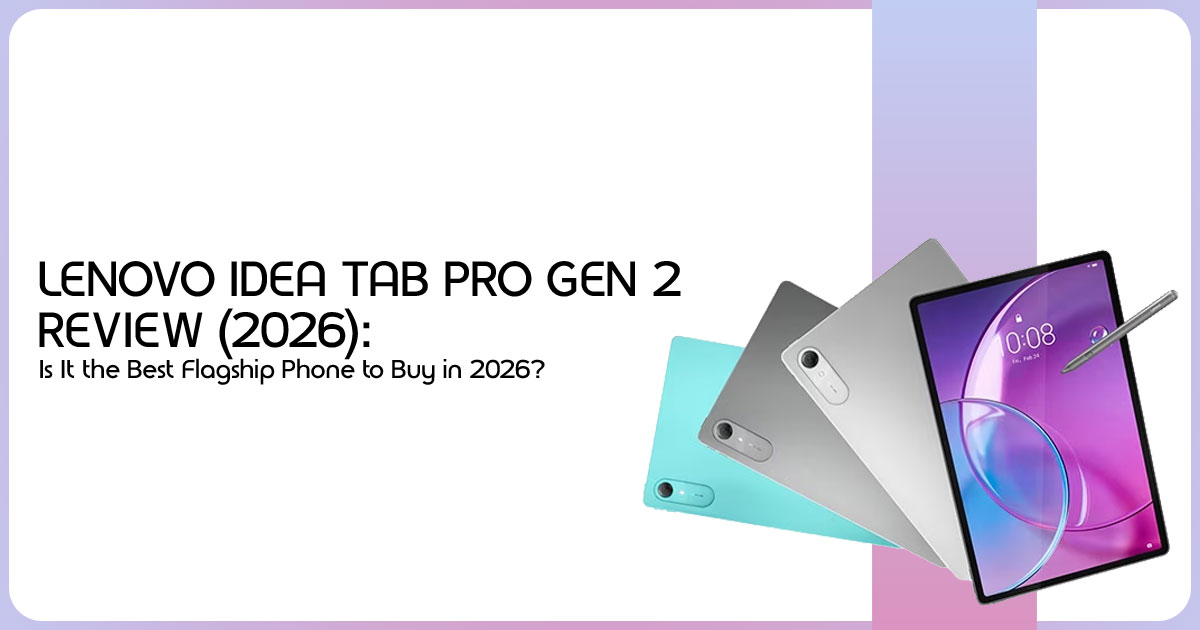
This isn’t just a minor tweak; it’s a repositioning. The Gen 2 moves the “Idea” line closer to flagship territory. It’s built for people who find 11-inch tablets too small for work but don’t want to spend over a thousand dollars on a 14-inch monster.
3.1 Product Positioning & Target Audience
It sits right between budget tablets and the high-end flagships. It targets users who want a larger display and stronger performance without paying flagship prices.
3.2 Evolution from Gen 1
Compared with the previous generation, the improvements are easy to notice. We’ve moved from 12.7 inches to a full 13-inch screen, and the body is now a slim 6.2mm. More importantly, the new chip makes the whole experience feel much smoother when you’re jumping between apps.
4. Complete Specifications Explained
Specifications only become meaningful when translated into everyday use. Here’s how they affect your day.
- Display: The 5K IPS Display is the highlight. Text is so sharp it looks like it’s printed on the glass.
- Processor: The Snapdragon 8s Gen 4 handles heavy multitasking without any stuttering.
- RAM/Storage: 8GB is the It’s enough for most, but heavy creators might wish for more. The microSD slot is a useful advantage for storing large files.
- Build Quality: The metal body feels solid and well It doesn’t flex when you hold it or rest your hand on it while writing.
- Battery & Charging: The 10,200 mAh battery provides enough capacity for a full day of typical use, although the large 120Hz display naturally uses more power during demanding workloads.
- Connectivity: Support for Wi-Fi 7, Bluetooth, USB-C, and USB OTG makes the tablet more flexible for connecting accessories, external storage, and compatible displays.
5. Snapdragon 8s Gen 4 Explained
The Snapdragon 8s Gen 4 brings many features found in premium processors while keeping power consumption and heat under control. For everyday work, multitasking, and gaming, it offers more than enough performance for most users looking for a Snapdragon 8s Gen 4 Tablet.
5.1 Real-World Performance & Benchmarks
Our extensive research shows that the Lenovo Idea Tab Pro Gen 2 has enough performance for the way most people work today. It can keep multiple browser tabs open, play a video in the background, and run note-taking or office apps at the same time without making the experience feel sluggish.
- Graphics: It’s a capable gaming machine, though not a top-tier gaming tablet.
- Heat: The tablet manages heat well during extended workloads, although temperatures increase during demanding games and sustained processing.
6. Display Deep Dive
You’re going to be looking at this screen all day, so it has to be good.
- 5K Resolution: The 3.5K IPS display is one of the biggest strengths of the Lenovo Idea Tab Pro Gen 2. Whether you’re reading documents, editing presentations, or watching movies, the screen stays sharp and comfortable to use for long periods.
- IPS Advantages: While it uses an IPS display instead of OLED, it delivers good color reproduction, wide viewing angles, and comfortable long-term viewing.
- Brightness: The display is bright enough for indoor use and remains usable outdoors in shaded conditions, although direct sunlight can still reduce visibility.
- Reading: The 6:10 shape is perfect for reading two pages of a PDF side-by-side.
6.1 Software Experience
The Lenovo Idea Tab Pro Gen 2 ships with Android 16, giving users access to the latest Android features, security improvements, and multitasking tools. Lenovo keeps its software close to stock Android, so the interface feels clean and easy to learn without unnecessary apps getting in the way.
For everyday use, features such as split-screen mode, floating windows, and stylus support make multitasking much easier. Whether you’re taking notes during a lecture, replying to emails while watching a meeting, or researching across multiple apps, the software keeps everything organized without feeling complicated.
6.2 Connectivity
The Lenovo Idea Tab Pro Gen 2 includes modern connectivity features that make it useful beyond simple media consumption. The USB-C port supports charging, fast file transfers, and connecting compatible accessories such as USB drives, keyboards, and external storage through USB OTG.
Support for Wi-Fi 7 provides faster wireless speeds on compatible networks, while Bluetooth offers stable connections for wireless headphones, keyboards, mice, and stylus accessories. For users who work across multiple devices, these features add flexibility without carrying extra equipment.
7. Real-World Performance Tests
Specifications only tell part of the story. Based on our research and analysis of real-world usage, here’s how the tablet performs across common everyday tasks.
| Scenario | Performance Notes |
| Student | Handwritten notes, PDF annotation, multitasking, and split-screen study sessions remain smooth and responsive, making it well-suited for education and research. |
| Professional | Handles office documents, large spreadsheets, video conferencing, web applications, and multitasking comfortably for everyday business workloads. |
| Content Creator | Photo editing, graphic design, digital illustration, and light 4K video editing perform well, though complex multi-layer projects and lengthy exports naturally take longer than on premium flagship tablets. |
| Gamer | Popular Android games run smoothly at high graphics settings with stable frame rates. Actual performance varies depending on the game title, graphics settings, and future software updates. |
8. AI Features That Actually Save Time
AI features available on the Lenovo Idea Tab Pro Gen 2 are designed to support everyday productivity rather than replace it.
- Lecture Summaries: Supported AI features can summarize recordings, organize notes, and improve productivity, depending on software availability and region.
- PDF Translation: Most formatting is preserved during translation, although complex documents may require minor adjustments.
- Meeting Notes: Some AI transcription tools can identify multiple speakers, depending on recording quality and software support.
- Image Search: You can circle anything on your screen to find out where to buy it or what it is.
9. Can It Replace Your Laptop?
The short answer: For many students, professionals, and everyday users, the answer is yes.
If your work is mostly emails, docs, research, and meetings, this tablet (with the keyboard) is often better than a laptop because it’s lighter and easier to use with a pen. But if you’re a coder or a pro video editor, you’ll still feel the limits of a mobile operating system.
10. Comparison Hub
How does it stack up against the competition?
| Feature | Lenovo Idea Tab Pro Gen 2 | Samsung Galaxy Tab S11 | iPad Air (M3) |
| Display | 13-inch IPS LCD | 12.4-inch OLED | 13-inch IPS Liquid Retina |
| Processor | Qualcomm Snapdragon 8s Gen 4 | Qualcomm Snapdragon 8 Gen 4 | Apple M3 |
| Storage Expansion | microSD Card Slot | microSD Card Slot | No Expandable Storage |
| Price Category | Mid-Range | High-End | High-End |
Note: Specifications may vary depending on the final retail model.
Verdict: The Lenovo Idea Tab Pro Gen 2 offers one of the best combinations of display size, performance, and value in its price range. Samsung offers the advantage of an OLED display, while Apple’s ecosystem continues to lead in professional creative applications.
11. Battery Life Expectations
Like most large Android tablets, the Lenovo Idea Tab Pro Gen 2 is designed for daily charging under regular use.
Battery life varies depending on display brightness, refresh rate, applications, and wireless connectivity. Most users can expect a full day of mixed productivity and entertainment on a single charge.
11.1 Repairability and Long-Term Ownership
The tablet uses a sealed design, so replacing the battery, display, or charging port normally requires professional service. Replacement parts and repair options also vary by region.
While this is common across premium tablets, it’s worth considering if you plan to keep the device for several years.
The metal body should handle everyday use well when paired with a protective case. Like any rechargeable device, battery capacity will gradually decrease after years of regular charging, but careful charging habits can help extend battery life.
Before buying, it’s also worth checking Lenovo’s software update policy in your region. Regular security updates help protect your device and extend its useful life. Buyers planning to keep the tablet for four to five years should consider software support alongside hardware specifications.
12. Best Accessories
To get the most out of it, you’ll want these:
- Tab Pen Plus: Recommended if you regularly take notes or sketch.
- Magnetic Keyboard: Turns it into a more capable productivity device.
- USB-C Hub: Useful if you need to plug in a monitor or a thumb drive.
- Matte Screen Protector: Gives it a more natural “paper” feel when writing.
13. Buying Guide: Who Is This For?
The Lenovo Idea Tab Pro Gen 2 is built for people who need a tablet that can handle both productivity and entertainment without moving into flagship pricing. It won’t replace every laptop, but it can replace one for many everyday tasks.
College Students
If you’re looking for one of the Best Tablets for Students, the Lenovo Idea Tab Pro Gen 2 offers a large display, stylus support, and enough performance to handle note-taking, online classes, research, assignments, and everyday multitasking.
Business Professionals and Frequent Travelers
Professionals who spend time on the move will appreciate its slim design and lightweight build. It fits easily into a backpack or carry bag, making it convenient for business trips, client meetings, and remote work. With a keyboard accessory, it can comfortably handle emails, documents, presentations, video calls, and everyday office tasks.
Remote Workers
For users who work from home or shared workspaces, the tablet offers enough performance for web browsing, cloud-based applications, note-taking, online meetings, and multitasking. It’s a practical option if your work depends more on productivity apps than desktop software.
Digital Artists and Creative Users
The large display and responsive stylus support make the Lenovo Idea Tab Pro Gen 2 a good choice for sketching, illustration, photo editing, and graphic design. While it isn’t designed to replace a professional drawing workstation, it provides a smooth experience for hobbyists, students, and content creators.
Entertainment Lovers
It delivers an enjoyable experience for movies, streaming, reading, and casual gaming.
Who Should Look Elsewhere?
The Lenovo Idea Tab Pro Gen 2 isn’t the right choice for everyone.
- Competitive mobile gamers who expect the highest frame rates and displays with 165Hz or higher refresh rates may find gaming-focused tablets better suited to their needs.
- Professional digital artists who depend on the deep contrast, color accuracy, and true blacks of an OLED display should consider premium flagship tablets instead.
- Video editors, software developers, and users running demanding desktop-class workloads will still benefit more from a traditional laptop or a high-end tablet with a desktop-style operating system.
For most students, professionals, and everyday users, however, the Lenovo Idea Tab Pro Gen 2 strikes a strong balance between performance, display quality, battery life, portability, and value for money.
14. Common Mistakes Before Buying
- Ignoring Updates: Lenovo’s software support policy varies by region and product family. Check Lenovo’s official support page for the latest update commitment.
- Expecting a “PC”: It is designed for Android applications rather than desktop operating systems.
- Skipping the Keyboard: Without the keyboard, a 13-inch tablet can feel a bit awkward for typing long emails.
15. Frequently Asked Questions (PAA)
Is Lenovo Idea Tab Pro Gen 2 worth buying?
Yes, if you need a big screen for work and movies without the massive price of a flagship. Based on our research, the Lenovo Idea Tab Pro Gen 2 offers solid build quality and enough performance for work, study, entertainment, and everyday multitasking.
Is it good for college?
Yes. The Lenovo Idea Tab Pro Gen 2 is one of the Best Tablets for Students because its large display makes note-taking, reading textbooks, attending online classes, and working with multiple apps much easier.
Can it replace a laptop?
For most students and office workers, yes. It’s great for browsing, docs, and emails. However, it’s not for people who need specialized coding or engineering software.
Is the Lenovo Idea Tab Pro Gen 2 good for note-taking?
Yes. With stylus support, a large display, and smooth handwriting response, the Lenovo Idea Tab Pro Gen 2 works well as an Android Tablet for Note Taking. It is suitable for classroom notes, PDF annotation, brainstorming, and meeting notes.
Is the Snapdragon 8s Gen 4 good for gaming?
The Snapdragon 8s Gen 4 provides enough performance for popular Android games, multitasking, and demanding productivity apps. While it isn’t designed as a dedicated gaming processor, it delivers smooth performance for most users looking for a Snapdragon 8s Gen 4 Tablet.
Does it support microSD?
Yes, it has a microSD slot. A useful advantage because you can expand storage without replacing the tablet.
How long will it get updates?
Software support depends on Lenovo’s update policy for your region. Check Lenovo’s official support pages for the latest update commitment.
16. Final Buying Recommendation
After evaluating its hardware, features, and overall value, the Lenovo Idea Tab Pro Gen 2 stands out as a strong choice for users who want a large Android tablet without paying flagship prices. It focuses on the features that matter most—display quality, everyday performance, multitasking, and productivity—while keeping the price within reach of more buyers.
Best for Students
If you’re searching for one of the best student tablets, the Lenovo Idea Tab Pro Gen 2 is easy to recommend. The large display makes reading digital textbooks and research papers comfortable, while stylus support is useful for handwritten notes, PDF annotation, and classroom work. Combined with solid multitasking performance, it can handle most academic workloads with ease.
Best for Productivity
For professionals, remote workers, and business users, this tablet offers enough performance for web browsing, document editing, presentations, video conferencing, email, and cloud-based applications. Pair it with Lenovo’s keyboard accessory, and it becomes a capable Android Productivity Tablet for writing documents, editing spreadsheets, attending online meetings, and managing everyday office work.
Best for Entertainment
The combination of a large high-resolution display and quality speakers makes this tablet an excellent choice for streaming movies, watching YouTube, reading eBooks, and casual gaming. The large display and quality speakers make movies, YouTube videos, and games enjoyable without needing external speakers.
Best Value for Money
The Lenovo Idea Tab Pro Gen 2 delivers many of the features people expect from premium Android tablets while costing much less than flagship models. For buyers looking for a balance of performance, display quality, productivity, and price, it offers excellent overall value.
Conclusion
The Lenovo Idea Tab Pro Gen 2 doesn’t try to compete with premium tablets that cost twice as much. Instead, it focuses on providing a well-balanced experience for everyday users. The large display, capable processor, smooth multitasking, and productivity features make it suitable for work, study, and entertainment in a single device.
Its battery life is good rather than class-leading, and users looking for the deeper contrast and true blacks of an OLED display may prefer more expensive alternatives. However, for most buyers, those compromises are reasonable considering the overall package.
It earns its place among the better large Android tablets available today, especially for buyers who want a balance of performance, portability, and price. It may not replace every laptop, but for students, professionals, and everyday users, it offers a practical balance of portability and productivity.
Where to Buy
Direct purchasing links for Amazon US and Amazon India are currently unavailable, as major retailers are updating their inventory for this model.
You can purchase the tablet or check regional availability through Lenovo’s official stores:
Recommended Alternatives
If the Lenovo Idea Tab Pro Gen 2 isn’t available or you’re comparing similar large-screen Android tablets, these models are worth considering:
OnePlus Pad 2
Xiaomi Pad 7 Pro
Have questions about the Lenovo Idea Tab Pro Gen 2 or wondering whether it’s the right tablet for your needs? Leave a comment below, and we’ll help you find the option that best fits your budget and workload.
***Disclaimer***
This blog post reflects our research, analysis, and opinions based on available product information, user feedback, and industry knowledge. It should not be taken as the official
position of any brand, manufacturer, or company mentioned here. While we aim to keep information accurate and up to date, product details, pricing, and availability can change. We recommend double-checking important details before making a purchase.
Some links in this article may be affiliate links. If you choose to buy through these links, we may earn a small commission at no extra cost to you. This helps support our work and allows us to keep publishing in-depth, unbiased reviews. Our recommendations are never influenced by affiliate partnerships.
Comments shared by readers reflect their own views and not ours. We are not responsible for outcomes resulting from the use of information on this site. Please seek professional advice where appropriate.
All product names, logos, and brands mentioned are the property of their respective owners. These names are used for identification and informational purposes only and do not imply endorsement.
