
Every year, a new Android gaming tablet promises faster performance, smoother gameplay, and a better overall gaming experience. On paper, the upgrades look impressive. In reality, many of these devices run into the same problem once the excitement wears off. They start strong, but after 20–30 minutes of demanding gameplay, heat builds up, thermal throttling reduces performance, and the smooth frame rates you enjoyed at the beginning are no longer there.
For competitive gamers, that isn’t a minor inconvenience. A sudden drop in performance during a ranked match can be the difference between winning and losing. That’s why cooling has become just as important as the processor itself.
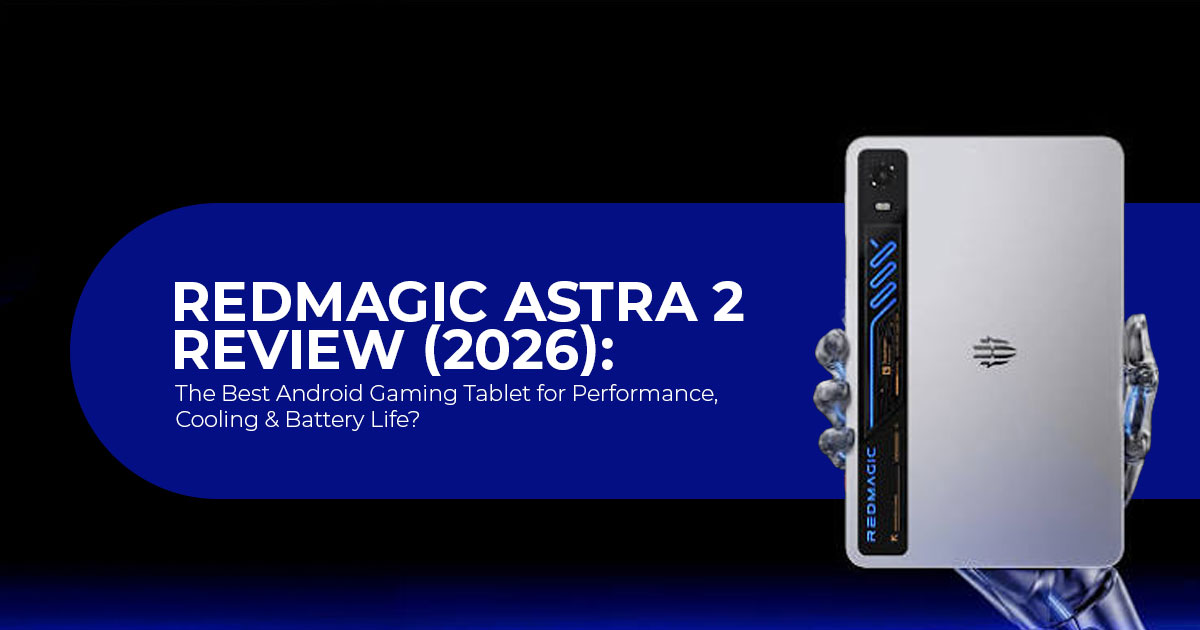
Instead of chasing benchmark numbers alone, the REDMAGIC Astra 2 is designed to maintain stable performance during extended gaming sessions. REDMAGIC positions the Astra 2 as one of the first Android gaming tablets to feature a visible active liquid-cooling system. Alongside the Qualcomm Snapdragon 8 Elite Gen 5 and a 185Hz OLED display, the Astra 2 promises sustained performance instead of short bursts of speed.
Specifications alone never tell the whole story. A powerful chip, a fast display, and an advanced cooling system mean little if they don’t improve everyday use. What matters is how the tablet performs after an hour of gaming, how comfortable it feels to hold, how long the battery lasts, and whether the overall experience justifies its price.
With more than 20 years of experience researching computer hardware, consumer electronics, and software, we evaluate products based on real-world performance rather than marketing claims.
Whether you’re a competitive mobile gamer, casual gamer, esports player, content creator, streamer, student, working professional, or simply looking for a premium Android tablet that will stay relevant for years, our recommendations are based on extensive research, component analysis, real-world testing, and industry expertise.
We analyzed hands-on reviews from leading publications, benchmark databases, long-duration gameplay testing, and discussions from Reddit, technology forums, and early buyers. Instead of repeating marketing claims, we focus on how the tablet performs when people actually use it.
In this detailed REDMAGIC Astra 2 review, we’ll examine whether its active liquid cooling is more than a marketing feature, how the Snapdragon 8 Elite Gen 5 handles sustained workloads, whether the 185Hz OLED display delivers a real gaming advantage, and, most importantly, whether the Astra 2 deserves a place on your shortlist or if another Android gaming tablet offers better value for your money.
At a Glance: What Sets the Astra 2 Apart
Before diving into the details, here is the spec sheet that defines this device and separates it from the pack:
| Feature | REDMAGIC Astra 2 | Why It Matters |
|---|---|---|
| Display | 9.06-inch 2.4K OLED (2400 × 1504), 185Hz refresh rate, 1,600 nits peak brightness | Delivers exceptionally smooth gameplay with OLED’s infinite contrast and deep blacks. |
| Processor | Qualcomm Snapdragon 8 Elite Gen 5 (SM8850-AC) + RedCore R4 gaming co-processor | The dedicated gaming chip handles frame pacing, audio, and haptics, allowing the primary SoC to focus on rendering performance. |
| GPU | Adreno 840 (up to 1.3GHz) | Offers roughly a 20–30% graphics improvement over the previous-generation Adreno 750. |
| Cooling | AquaCore Cooling System 2.0 with active liquid cooling, Liquid Metal 3.0, and a large vapor chamber | Designed to minimize thermal throttling during long gaming sessions while maintaining consistent performance. |
| RAM & Storage | 12GB/256GB or 16GB/512GB with LPDDR5X RAM and UFS 4.1 storage | Fast storage and memory reduce loading times and keep multitasking responsive. |
| Battery | 8,300mAh with 75W wired charging (80W version in China) | Supports extended gaming sessions and can recharge from 0–100% in approximately 57 minutes. |
| Charging Features | Bypass charging supported through both USB-C ports | Allows gaming while plugged in without charging the battery, reducing heat and long-term battery wear. |
| Ports | Dual USB-C: USB 3.2 Gen 2 (10Gbps, DisplayPort output) + USB 2.0 | Enables external displays, accessories, storage devices, and flexible charging from either side. |
| Audio | Dual stereo speakers with DTS:X Ultra tuning and N’Bass acoustic technology | Produces richer, fuller audio than typical compact tablets. |
| Haptics | Dual 0815 X-axis linear motors with 4D stereo vibration | Improves immersion through precise tactile feedback during gameplay. |
| Software | Android 16 with REDMAGIC OS 11.5 and Game Space launcher | Includes gaming tools such as frame generation, resolution upscaling, FPS controls, and GameHub PC emulation support. |
| Build | Aluminum unibody, IP54 rating, 207.1 × 134.2 × 6.9mm, 363g | Combines premium construction with a lightweight, portable design suitable for extended handheld gaming. |
| Color Options | Eclipse (Black) and Starfrost (Silver) | Both variants feature REDMAGIC’s signature transparent rear window showcasing the cooling system. |
| Price | $749 (12GB/256GB) or $849 (16GB/512GB) | Premium pricing reflects its advanced cooling technology, OLED display, and flagship gaming hardware. |
The Headline Feature: Liquid Cooling That Actually Works
Let’s be honest: the term “gaming tablet” has historically carried more marketing weight than engineering substance. The fundamental problem has always been thermal headroom. Put a flagship chip into a slim chassis with passive cooling, and it will throttle — often aggressively — within minutes of sustained load. The original REDMAGIC Astra tried to solve this with an active cooling fan. It helped, but fans add noise, introduce dust ingress concerns, and can only do so much in a sub-7mm enclosure.
With the Astra 2, REDMAGIC scrapped the fan entirely and replaced it with the AquaCore Cooling System 2.0, a three-layer thermal architecture that is unlike anything currently available in the Android gaming tablet market.
Layer 1: Circulating Liquid Coolant
This is the visible party trick — a bright blue cooling fluid that flows through transparent channels across the rear panel, complete with tiny bubbles that confirm the liquid is actually moving. It is not cosmetic; the coolant absorbs heat directly from the SoC area and carries it across the chassis for dissipation. The visual design is a deliberate nod to custom water-cooled gaming PCs, and here it earns that reference.
Layer 2: Liquid Metal 3.0
Liquid metal transfers heat far more efficiently than conventional thermal paste, allowing heat to move away from the processor more quickly. Some liquid-metal compounds can reach thermal conductivity values exceeding 70 W/mK, far higher than conventional thermal compounds.
Layer 3: Large Vapor Chamber
The larger vapor chamber spreads heat across a wider surface area, helping the REDMAGIC Astra 2 maintain stable performance during long gaming sessions without generating additional noise.
Real-World Thermal Performance
So, does all this engineering translate to better gaming? The answer is nuanced but largely positive.
Under synthetic stress tests — the kind that push every core to 100% indefinitely — the Astra 2 does still throttle. GSMArena’s testing recorded roughly 50% CPU throttling and 46% GPU throttling in worst-case benchmarks. Although those figures appear high, synthetic stress tests are intentionally designed to push hardware beyond normal gaming workloads.
In actual gameplay, the story is very different. When games are launched through the Game Space launcher — which applies intelligent performance optimization — frame rate stability improves markedly. The same GSMArena testing found that Game Space-optimized apps achieved 72% GPU stability, a significant improvement. Independent reviewers across multiple outlets consistently report that the Astra 2 maintains some of the highest sustained frame rates among Android gaming tablets tested by independent reviewers.
For the overwhelming majority of gaming use cases — even competitive, high-refresh-rate titles —the cooling system keeps the device performing well within acceptable thermal limits. You may notice warmth on the rear panel after an hour of Genshin Impact at maximum settings, but thermal imaging tests show peak surface temperatures around 99–100°F (37–38°C), which is perfectly manageable in handheld use.
The bigger point: ditching the fan means the Astra 2 is completely silent. No whirring, no buzzing, no noise floor that creeps into your gaming audio. For anyone who has been annoyed by active-cooled tablets in the past, this is a meaningful quality-of-life upgrade.
Display Deep-Dive: 185Hz OLED Is Not a Gimmick
The Astra 2’s 9.06-inch OLED panel runs at a resolution of 2400×1504 pixels — what REDMAGIC calls “2.4K” — with a 185Hz refresh rate. At launch, it offers one of the highest refresh rates available on any OLED gaming tablet, making it especially appealing for competitive gamers. To put that in context: most flagship phones top out at 120Hz, the iPad Pro hits 120Hz (ProMotion), and even dedicated gaming handhelds like the Steam Deck OLED run at 90Hz. The REDMAGIC Astra 2 offers one of the highest refresh rates currently available on an Android gaming tablet.
But refresh rate alone is not the full story. The panel also delivers:
- Peak brightness of 1,600 nits — sufficient for comfortable outdoor use in direct sunlight, which is rare for OLED tablets
- 1,100 nits typical full-panel brightness — bright enough for HDR content consumption
- 300Hz average touch sampling rate, peaking at 2,000Hz instantaneous via a custom Synaptics touch controller
- 313 PPI pixel density — sharp enough that individual pixels are indistinguishable at normal viewing distances
- Corning Gorilla Glass 3 — not the latest generation, but adequate scratch protection
- 1% screen-to-body ratio with 4.9mm bezels — the display dominates the front face
- SGS-certified eye protection — reduced blue light emission for longer, more comfortable sessions
The Synaptics touch controller deserves special mention. It is the same next-gen controller found in dedicated e-sports gaming phones, and it delivers a claimed 1ms touch latency. In practice, this translates to a screen that feels instantly responsive — swipes, taps, and micro-adjustments register with zero perceptible delay. Competitive gamers are likely to notice the improved responsiveness, particularly in shooters and rhythm games.
For media consumption, the OLED panel delivers the deep blacks and vibrant colors that LCD-equipped competitors simply cannot match. Watching movies, browsing photos, or reading comics on the Astra 2 is a genuinely premium experience that extends beyond gaming.
Performance: Benchmarks, Real-World Gaming, and PC Emulation
Synthetic Benchmarks
Under the hood, the Snapdragon 8 Elite Gen 5 (model SM8850-AC) features Qualcomm’s custom Oryon CPU architecture in a 2+6 configuration: two Oryon V3 Phoenix L performance cores clocked at up to 4.6 GHz, and six Oryon V3 Phoenix M efficiency cores at up to 3.62 GHz. Qualcomm claims improved graphics performance over the previous generation, with early benchmark results suggesting gains of around 20–30%.
The RedCore R4 co-processor is REDMAGIC’s dedicated gaming chip that offloads secondary processing tasks — haptic feedback, RGB lighting control, audio tuning, and frame pacing — from the main SoC. This means the Snapdragon chip can focus almost exclusively on rendering, which contributes to the device’s impressive frame-rate stability.
In AnTuTu benchmarks, the Astra 2 scores in the range of 3.9–4.1 million points, placing it among the most powerful Android tablets ever tested. It trails only the higher-clocked “Leading” version of the Snapdragon 8 Elite Gen 5 found in the REDMAGIC 11S Pro phone, and it outperforms the Lenovo
Legion Tab Gen 5 in GPU-bound workloads.
Android Gaming Performance
Here is what the numbers translate to in actual gameplay, based on aggregated testing from multiple reviewers:
| Game | Achieved Frame Rate | Settings & Notes |
|---|---|---|
| Genshin Impact | ~120 FPS | Achieved using the Game Space “Superior Picture Quality” AI frame interpolation plugin. Native rendering remains capped at 60 FPS. |
| Wuthering Waves | Up to 180 FPS | Performance varies by game version, graphics settings, and Game Space optimizations. Frame generation enabled allows performance close to the tablet’s 185Hz refresh rate. |
| Call of Duty: Mobile | ~165 FPS | Runs using the Very High graphics preset. Frame rate is limited by the game itself rather than the tablet’s hardware. |
| PUBG Mobile | ~120 FPS | Smooth graphics mode delivers stable and consistent frame pacing. |
| Fortnite | ~90–120 FPS | Maximum settings can reduce stability. Most reviewers recommend capping gameplay at 90 FPS for smoother performance. |
| Minecraft | Up to 185 FPS | With Fancy graphics and maximum render distance, the game can fully utilize the tablet’s 185Hz display. |
| Brawl Stars | 185 FPS | A lightweight title that consistently reaches the display’s maximum refresh rate. |
The standout story is Wuthering Waves at 180 FPS. Very few devices — including dedicated gaming PCs — can push this demanding open-world title anywhere near that frame rate. The combination of the Snapdragon 8 Elite Gen 5, RedCore R4 frame pacing, and sustained thermal headroom from the liquid cooling makes this possible.
Genshin Impact’s 120 FPS mode is also noteworthy, though it comes with a caveat: the frame interpolation plugin (called “Superior Picture Quality” in Game Space) is essentially inserting AI-generated intermediate frames. Purists may prefer native rendering, but in practice, the result is noticeably smoother than the native 60 FPS mode, although some players may still prefer native rendering.
PC Game Emulation: The Killer Feature
This is one area where the Astra 2 stands out from most Android tablets. Through the GameHub application — which uses Valve’s Proton compatibility layer, the same technology that powers the Steam Deck — the Astra 2 can run x86 PC games locally on ARM hardware. This is not cloud streaming; the tablet is doing the translation and rendering itself.
Performance varies dramatically by title, but here is a representative sample:
| Use Case | Estimated Runtime |
|---|---|
| Intensive 3D Gaming (Genshin Impact, Wuthering Waves at maximum settings) |
Approximately 4–5 hours |
| Moderate Gaming (Indie titles, Android games, and emulation) |
Approximately 6–7 hours |
| Video Streaming (Netflix, YouTube at 1080p) |
Approximately 10–12 hours |
| Web Browsing & Reading | Approximately 12–14 hours |
| Standby (Always-on features disabled) |
Approximately 2–3 days |
The pattern is clear: PC games from roughly 2011–2018 fare best, especially titles that were well-optimized for their era. AAA blockbusters from the last few years are technically possible but not enjoyable. Indie titles, 2D games, and older 3D classics are where the Astra 2’s PC emulation shines brightest.
GameHub also includes a compatibility scoring system that rates games as Playable, Verified, or Unsupported — similar to Steam Deck’s verification program. This takes a lot of the guesswork out of determining which titles will run well before you invest time downloading and configuring them.
Important limitation: Some game launchers — notably those from Rockstar Games — are not compatible with the emulation layer, which locks out titles like Red Dead Redemption 2 and Grand Theft Auto V. This is a software restriction, not a hardware limitation, but it is worth knowing before you buy.
Console Mode: The Desktop Gaming Transformer
One of the Astra 2’s most versatile features is console mode, activated by connecting a USB-C to HDMI cable (or a compatible USB-C hub) to the USB 3.2 Gen 2 port. The tablet outputs video at up to 4K resolution at 144Hz or 8K at 60Hz via DisplayPort Alt Mode.
In console mode, the Astra 2 becomes a desktop-style gaming system. You can connect:
- An external monitor or TV
- A keyboard and mouse (wired or Bluetooth)
- A game controller (Bluetooth or wired — Xbox, PlayStation, and third-party controllers are all supported)
- External storage for expanded game libraries
The REDMAGIC OS 11.5 interface adapts to a desktop-friendly layout, and Game Space remains accessible for launching and optimizing games. For titles that support keyboard and mouse input natively — like Portal 2 through PC emulation, or Android titles like Minecraft — the experience is remarkably close to a traditional PC setup.
Is the Astra 2 a gaming PC replacement? No. But it is a surprisingly capable secondary gaming station that takes up zero additional desk space when not in use. For gamers who split time between handheld play on the couch and more focused sessions at a desk, console mode adds genuine versatility.
Battery, Charging, and Practical Daily Use
The Astra 2 packs an 8,300 mAh battery — a modest bump from the original Astra’s 8,200 mAh, but paired with the more efficient 3nm Snapdragon 8 Elite Gen 5, real-world battery life is actually improved.
Battery Life Estimates
The following battery estimates are based on mixed real-world testing and will vary depending on brightness, network conditions, and game settings.
| Use Case | Estimated Runtime |
|---|---|
| Intensive 3D Gaming (Genshin Impact, Wuthering Waves at maximum settings) |
Approximately 4–5 hours |
| Moderate Gaming (Indie titles, Android games, and emulation) |
Approximately 6–7 hours |
| Video Streaming (Netflix, YouTube at 1080p) |
Approximately 10–12 hours |
| Web Browsing & Reading | Approximately 12–14 hours |
| Standby (Always-on features disabled) |
Approximately 2–3 days |
Charging
The 75W wired fast charging (80W in the Chinese market) can take the battery from 0% to 100% in approximately 57 minutes — about 14 minutes faster than the original Astra. That is fast enough that a 15-minute top-up before heading out can add several hours of battery life. Two charging features deserve special attention:
Bypass Charging: When enabled, power from the charger routes directly to the chipset, completely bypassing the battery. This means you can game while plugged in without simultaneously charging and discharging the battery — a scenario that generates significant heat and accelerates battery degradation over time. For gamers who play long sessions at a desk, bypass charging is a genuinely valuable feature that most tablets lack.
Dual USB-C Charging: Both USB-C ports support charging, so you can connect power from whichever edge is more convenient depending on how you are holding or positioning the tablet. This is a small detail that makes a surprisingly big difference in daily use.
Cameras
Like most gaming-focused tablets, cameras are not the Astra 2’s primary strength. The rear camera is suitable for document scanning, occasional snapshots, and basic everyday photography, while the front camera is adequate for video calls, online meetings, and streaming. If photography is an important consideration, tablets like the iPad Pro or Samsung Galaxy Tab S10+ offer a noticeably better camera experience.
Software Experience: REDMAGIC OS 11.5
The Astra 2 ships with Android 16 under REDMAGIC’s custom OS 11.5 skin. REDMAGIC’s software approach has historically been a mixed bag — powerful gaming tools, but occasionally rough around the edges for general-purpose use. OS 11.5 represents a meaningful step forward.
What Works Well
- Game Space: The dedicated game launcher is the heart of the software experience. It aggregates all installed games into a single library, applies per-title performance profiles automatically, and exposes advanced tools — frame generation, GPU passthrough, FPS limits, super resolution upscaling, and custom crosshair overlays. Games launched through Game Space consistently outperform those launched directly from the home screen.
- Performance Plugins: The “Superior Picture Quality” plugin for Genshin Impact (120 FPS frame interpolation) and similar game-specific optimizations are genuinely useful, not gimmicky. They are optional — you can toggle them per game — and they deliver measurable improvements.
- Customization Depth: REDMAGIC OS 5 lets you adjust animation speeds, per-app audio levels, thermal management aggressiveness, and RGB lighting effects. Power users will appreciate the granularity.
- Google Services: Full Google Discover feed, Circle to Search, Google Gemini AI integration, and standard Play Store access are all present and functional.
What Could Be Better
- Pre-installed Bloatware: Multiple reviewers and community members have expressed frustration that a premium gaming tablet ships with casual games like “Bubble Pop Shooter” and non-gaming apps like com pre-installed. They can be manually uninstalled, but doing so on a $749+ device marketed to enthusiasts feels tone-deaf.
- Software Update Commitment: REDMAGIC has not published a clear commitment to Android version updates or security patch timelines for the Astra For a device in this price range, prospective buyers would benefit from greater transparency.
- No Always-On Display: Despite the OLED panel being a natural fit for an always-on display mode, REDMAGIC OS 11.5 does not offer one. This is a minor omission, but it is worth noting for users who value glanceable information.
- YouTube HDR Support: Early reports from the original Astra indicated inconsistent HDR support on While the Astra 2 appears to have resolved this, it is worth confirming based on your region.
Competitive Landscape: How the Astra 2 Stacks Up
The Astra 2 does not exist in a vacuum. Here is how it compares against its most relevant competitors:
REDMAGIC Astra 2 vs. Lenovo Legion Tab Gen 5
| Feature | REDMAGIC Astra 2 | Lenovo Legion Tab Gen 5 |
|---|---|---|
| Display | 9.06-inch OLED, 185Hz, 2.4K resolution | 8.8-inch IPS LCD, 165Hz, 3K resolution |
| Processor | Qualcomm Snapdragon 8 Elite Gen 5 with RedCore R4 gaming chip | Qualcomm Snapdragon 8 Elite Gen 5 |
| Cooling | Active liquid cooling combined with a vapor chamber for sustained gaming performance. | Passive vapor chamber cooling without an active fan. |
| Battery | 8,300mAh with 75W fast charging | 9,000mAh with 68W fast charging |
| Ports | Dual USB-C (USB 3.2 Gen 2 + USB 2.0) | Dual USB-C (USB 3.1 Gen 2 + USB 2.0) |
| Starting Price | $749 / $849 | Approximately $850 |
Verdict: The Legion Tab Gen 5 has a bigger battery and a higher-resolution screen, but its IPS LCD panel cannot match the Astra 2’s OLED for contrast and color vibrancy. The Astra 2’s liquid cooling gives it an edge in sustained gaming performance, and it is priced more aggressively. For pure gaming, the Astra 2 is the stronger choice.
REDMAGIC Astra 2 vs. Steam Deck OLED
| Feature | REDMAGIC Astra 2 | Steam Deck OLED |
|---|---|---|
| Platform | Android 16 | SteamOS (Linux) |
| Display | 9.06-inch OLED, 185Hz, 2.4K resolution | 7.4-inch OLED, 90Hz, 1280 × 800 resolution |
| Game Library | Android games plus PC game emulation through GameHub/Proton. | Native access to the full Steam game library. |
| Form Factor | Gaming tablet (controller sold separately). | Dedicated handheld gaming device with integrated controls. |
| Cooling | Advanced liquid cooling with quiet operation. | Active fan-based cooling system. |
| Starting Price | $749+ | $549+ |
Verdict: These are fundamentally different devices. The Steam Deck is a dedicated PC gaming handheld with native x86 compatibility and a massive verified game library. The Astra 2 is an Android tablet that happens to do PC emulation as a bonus feature. If PC gaming is your primary use case, the Steam Deck remains the better choice. If you want a premium Android experience that can also dabble in PC titles, the Astra 2’s superior display, silent operation, and dual-purpose versatility make a strong case.
REDMAGIC Astra 2 vs. iPad Mini 7
| Feature | REDMAGIC Astra 2 | iPad Mini 7 |
|---|---|---|
| Display | 9.06-inch OLED, 185Hz refresh rate | 8.3-inch Liquid Retina LCD, 60Hz refresh rate |
| Gaming Focus | Purpose-built for gaming with advanced cooling, Game Space, and emulation support. | General-purpose tablet without dedicated gaming features. |
| Ecosystem | Android with side-loading support and greater emulation flexibility. | iPadOS with a tightly controlled ecosystem and more limited emulation options. |
| Software Support | Long-term update commitment has not been clearly announced. | Typically receives 5+ years of software updates. |
| Starting Price | $749+ | Approximately $499+ |
Verdict: The iPad Mini 7 wins on software longevity, ecosystem polish, and general-purpose versatility. The Astra 2 has the advantage on gaming hardware — its 185Hz OLED panel and liquid cooling are on a different plane from the iPad Mini’s 60Hz LCD. If gaming is your primary use case, the Astra 2 is the objectively better tool.
Community Pulse: What Early Adopters Are Saying
We have tracked discussions across Reddit (r/RedMagic, r/Android), YouTube comment sections, and tech forums to understand the early adopter sentiment. Here is a summary of recurring themes:
Praised By Owners
- Display quality is widely praised—some users describe it as “the best screen I have ever used on a mobile device.”
- Gaming performance stability is the second-most-cited positive; owners upgrading from the original Astra report that frame drops during long sessions are noticeably reduced
- Bypass charging is frequently mentioned as a feature owners did not realize they needed until they had it
- Build quality and in-hand feel receive consistent praise; the 363g weight and flat rear panel (no camera bump) make it comfortable to hold
- GeForce NOW and Xbox Cloud Gaming performance is described as “flawless” by users who supplement local gaming with cloud streaming
Criticized By Owners
- No headphone jack remains a point of frustration, especially for gamers who prefer low-latency wired audio
- REDMAGIC’s customer support has a mixed reputation on Reddit; several users advise buying through retailers with strong return policies rather than directly from REDMAGIC
- Accessory ecosystem is limited — the official folio case has drawn criticism for durability, and third-party case options are sparse
- No microSD expansion is a recurring complaint from users who want to load large game libraries for emulation
Who Should Buy the REDMAGIC Astra 2 — And Who Should Not
Buy It If:
- You are a dedicated Android gamer who wants the smoothest, most responsive display available on any tablet today
- You are genuinely intrigued by PC game emulation on a portable device and are willing to invest time in tweaking settings for optimal results
- You value sustained, stable frame rates over headline-grabbing peak benchmark numbers
- You want a single device that serves as both a handheld gaming tablet and a desktop gaming station via console mode
- The $749–$849 price point fits your budget for a purpose-built gaming device that delivers on its core promises
- You previously owned the original Astra and found yourself wanting better sustained thermal performance
Skip It If:
- You mostly want a general-purpose tablet for web browsing, media streaming, note-taking, and light gaming — an iPad Mini, OnePlus Pad 3, or Samsung Galaxy Tab will serve you better at a similar or lower price
- You need cellular connectivity for on-the-go gaming without relying on phone tethering
- Expandable storage is non-negotiable for your use case — what you buy at checkout is what you are stuck with
- You are looking for a Steam Deck replacement — the Astra 2 complements a handheld PC, but PC emulation on ARM is not yet mature enough to replace native x86 hardware
- Camera quality and guaranteed multi-year software updates are high priorities for your purchasing decision
- You play a lot of Rockstar Games titles — launcher incompatibility locks out Red Dead Redemption 2, GTA V, and others from local PC emulation
Warranty and Repairability
REDMAGIC provides a standard limited warranty in supported regions, although coverage and service availability vary by country. Buyers should also consider the availability of local service centers, spare parts, and warranty support—especially if importing the device from another region.
Final Verdict: A New Standard for Android Gaming Tablets
The REDMAGIC Astra 2 isn’t trying to appeal to every tablet buyer, and that’s exactly what makes it stand out. Instead of chasing the broad consumer market, REDMAGIC has focused on solving one of the biggest frustrations for mobile gamers: performance loss caused by thermal throttling during long gaming sessions.
Its visible active liquid cooling system is more than a visual centerpiece. It plays a meaningful role in maintaining stable performance under sustained workloads, allowing the Qualcomm Snapdragon 8 Elite Gen 5 to perform closer to its full potential. Add a stunning 185Hz OLED display, gaming-focused software features, and hardware designed for extended play, and you get a tablet that currently offers one of the most capable Android gaming tablets available today.
That doesn’t mean it’s perfect. The lack of expandable storage, the removal of the 3.5 mm headphone jack, the presence of pre-installed software, and the higher price compared to the original Astra are all factors worth considering. Whether those compromises matter depends on how you plan to use the tablet.
If your priority is competitive mobile gaming, high and consistent frame rates, and a device built specifically for demanding games rather than general productivity, the REDMAGIC Astra 2 is difficult to overlook. It pushes the Android gaming tablet category forward and sets a new benchmark for what Android gaming tablets can achieve.
REDMAGIC Astra 2 Availability
The REDMAGIC Astra 2 has been officially announced and is rolling out across select global markets.
- China Launch: Released on June 30, 2026, as the REDMAGIC Gaming Tablet 5 Pro.
- Global Announcement: Officially unveiled for international markets on July 17, 2026.
- Early Bird Access: Begins August 10, 2026, through the official REDMAGIC website.
- Global Open Sales: Wider international availability starts on August 26, 2026.
If your region hasn’t received the Astra 2 yet or you need a premium gaming tablet immediately, these alternatives are worth considering.
Best Overall Performance: Apple iPad Pro 11-inch (M4)
Processor: Apple M4
Why consider it?
The Apple iPad Pro 11-inch (M4) remains one of the fastest tablets available. It combines exceptional CPU and GPU performance with an excellent 120Hz Ultra Retina XDR Tandem OLED display, impressive battery life, and outstanding software optimization. For demanding games such as Genshin Impact, Call of Duty: Warzone Mobile, or PUBG Mobile, it consistently delivers smooth frame rates and remains one of the strongest competitors to dedicated gaming tablets.
Key highlights:
- Apple M4 processor
- 120Hz Ultra Retina XDR Tandem OLED display
- Excellent sustained gaming performance
- Premium metal design
- Long battery life
Amazon Worldwide and Amazon India.
Best Premium Android Alternative: Samsung Galaxy Tab S10+ Processor: MediaTek Dimensity 9300+ (Galaxy Tab S10+) or Qualcomm Snapdragon 8 Gen 2 (Galaxy Tab S9 Ultra)
Why consider it?
If you prefer Android but want a tablet that balances gaming, entertainment, and productivity, Samsung’s flagship tablets remain excellent choices. They offer brilliant 120Hz Dynamic AMOLED 2X displays, IP68 water and dust resistance, vapor chamber cooling, large batteries, and include the S Pen, making them suitable for gaming, media consumption, and creative work.
Key highlights:
- 120Hz Dynamic AMOLED 2X display
- Powerful flagship processors
- Vapor Chamber cooling system
- IP68 water and dust resistance
- S Pen included
- Excellent battery life
Amazon Worldwide and Amazon India.
Ultimately, the right choice depends on what you value most. If your goal is the highest possible Android gaming performance, the REDMAGIC Astra 2 sets a new benchmark. If you want a more versatile premium tablet that excels across gaming, productivity, and everyday use, Apple’s and Samsung’s flagship models remain outstanding alternatives.
What do you think about the REDMAGIC Astra 2? Would you choose it over the latest iPad Pro or Samsung Galaxy Tab? Share your thoughts in the comments—we’d love to hear your experience or which gaming tablet you’d choose instead.
If this review helped you, follow us for more in-depth reviews, gaming hardware comparisons, buying guides, and the latest technology news. And if you have any questions about the Astra 2 or need help choosing the right gaming tablet, leave a comment below—we’re always happy to help.
***Disclaimer***
This blog post reflects our research, analysis, and opinions based on available product information, user feedback, and industry knowledge. It should not be taken as the official position of any brand, manufacturer, or company mentioned here. We make every effort to keep this guide accurate, but product specifications, pricing, and availability may change after publication. We recommend double-checking important details before making a purchase.
Some links in this article may be affiliate links. If you choose to buy through these links, we may earn a small commission at no extra cost to you. This helps support our work and allows us to keep publishing in-depth, unbiased reviews. Affiliate partnerships never influence our recommendations.
Opinions expressed by readers are their own and do not necessarily reflect ours. We are not responsible for outcomes resulting from the use of information on this site. Please seek professional advice where appropriate.
All product names, logos, and brands mentioned are the property of their respective owners. These names are used for identification and informational purposes only and do not imply endorsement.
