
Introduction
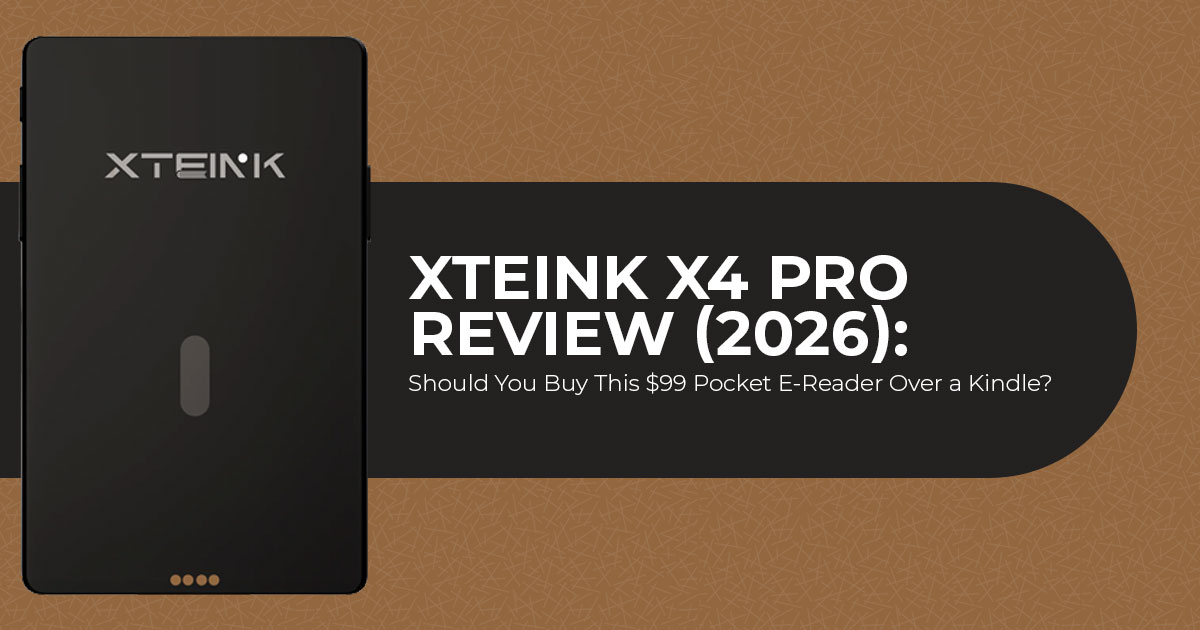
Most e-readers keep getting bigger. The Xteink X4 Pro goes in the opposite direction. With a 4.3-inch E Ink display, a weight of just 72 grams, and a body small enough to disappear into a jeans pocket, it feels more like carrying a small notebook than another gadget. At $99, it undercuts many popular e-readers, making it one of the most affordable dedicated E Ink readers released in 2026.
That sounds like an easy recommendation—until you look a little closer. The Xteink X4 Pro doesn’t include a USB-C port, and it can’t open Kindle books purchased from Amazon. Those aren’t minor omissions. For some buyers, they’re deal-breakers. For others, they won’t matter at all.
That’s what makes this device so interesting. It isn’t trying to replace every e-reader on the market. Instead, it’s built for readers who value portability, simplicity, and focused reading above everything else. If that describes you, the compromises may be easier to accept than you think.
As technology experts with more than 20 years of experience in hardware and software research and development, we evaluate every product from the perspective of real-world performance, build quality, long-term reliability, and overall value for money. Whether you’re a student, daily commuter, frequent traveler, minimalist reader, or simply looking for an affordable secondary e-reader, our recommendations are based on extensive research, component analysis, everyday usability, and industry experience—not marketing promises.
This review also takes a different approach. Rather than relying on a single hands-on session, we’ve compared professional reviews, technical documentation, firmware information, and feedback from early owners to build a clearer picture of how the Xteink X4 Pro performs in everyday use. The goal isn’t to tell you whether it’s a good e-reader in general. It’s to help you decide whether it’s the right e-reader for you.
How We Put This Review Together
We did not test a retail unit ourselves. Instead, we compared official specifications, firmware documentation, professional reviews, and long-term owner feedback to evaluate the Xteink X4 Pro.
Where sources disagreed, we’ve highlighted those differences rather than presenting uncertain information as fact. This approach provides a broader and more transparent assessment than relying on a single review.
Quick Verdict: Who the Xteink X4 Pro Is Actually For
| Reader Type | Our Recommendation |
|---|---|
| You already own an Xteink X4 and often read at night | Buy. The adjustable front light is the biggest reason to upgrade. |
| You own an Xteink X4 and read mostly in daylight | Skip. You’ll lose USB-C charging and the bottom navigation buttons for features you may never use. |
| You want a second e-reader that’s easy to carry everywhere | Buy if your library mainly consists of DRM-free EPUB books. |
| You’re buying your first e-reader | Choose a Kindle instead. It offers a more polished software experience and a built-in bookstore. |
| Most of your books come from Kindle or Libby | Skip. Those ecosystems are not supported on the X4 Pro. |
| You want the smallest possible e-reader and don’t need a front light | Consider the $69 Xteink X4 and save $30. |
What Is the Xteink X4 Pro? Features, Design, and Operating System
Xteink is a Chinese manufacturer that makes tiny e-readers. Not small. Tiny.
The X4 Pro measures 111 × 69 × 5.95 mm and weighs 72 grams. For scale, that is slightly larger than a credit card, smaller than a passport, and thinner and lighter than almost every smartphone on sale. A basic Kindle is roughly twice the size.
The company sells three models. The X3 has a 3.7-inch screen at $79. The base X4 has a 4.3-inch screen at $69. The X4 Pro sits on top at $99.
The bigger distinction is this. The X4 Pro is not a small Kindle. It runs XTOS, Xteink’s own operating system, which is not Android. There is no built-in bookstore. There are no apps. You cannot install Kindle, Kobo, or Libby on it. It reads files you put on a memory card, and that is the whole feature set.
That sounds like a limitation. For a lot of buyers, it is the point.
Xteink X4 Pro Specifications
| Specification | Xteink X4 Pro |
|---|---|
| Display | 4.3-inch E Ink display (4.26-inch measured), 800 × 480 resolution |
| Pixel Density | 219 PPI |
| Front Light | Adjustable front light with brightness levels 1–10 and color temperature levels 1–10 |
| Touchscreen | Yes, with dedicated side page-turn buttons and a physical Home button |
| Dimensions | 111 × 69 × 5.95 mm |
| Weight | 72g |
| Battery | 1,100mAh |
| Storage | 16GB microSD card included, expandable up to 256GB |
| Charging | Magnetic pogo-pin charging with USB-C adapter |
| Connectivity | Wi-Fi 2.4GHz and Bluetooth |
| Supported File Formats | EPUB, TXT, JPG, BMP |
| Operating System | XTOS (not Android) |
| Mounting | Integrated magnetic backplate compatible with MagSafe and Qi2 accessories |
| Price | $99 launch price ($109 regular price) |
| Release Date | Announced 21 July 2026, shipping began 2 August 2026 |
One note on the processor. Lifehacker reports a dual-core ESP32-S3 with 512 KB of RAM. Xteink has not published the chipset. Treat that figure as a single-source report until Xteink officially confirms the chipset.
The Front Light: The Upgrade That Changes What This Device Is For
This is the headline feature, and it deserves the attention.
Earlier Xteink models had no screen lighting at all. Read in a dim room and you needed a lamp or a clip-on book light. That single gap kept the X4 as a daytime-only device for most owners.
The X4 Pro front light fixes it. You get brightness on a 1 to 10 scale and colour temperature on a 1 to 10 scale, adjusted through sliders that appear when you swipe down from the top of the screen.
What the front light means for you
You can read in bed without a lamp. That is the practical change. TechCrunch’s Amanda Silberling reported that the X4 Pro replaced her Kindle in her nightly routine during the review period, running the light at its dimmest setting with the colour tinted warm.
Warm light in the evening is a real feature, not a spec-sheet line. Cooler light reads as blue-white. Warmer light reads closer to paper under a lamp. Being able to shift it manually means the device works at 9 p.m. as well as it does at noon.
The honest limitations
There is no automatic brightness. No light sensor, no scheduling. You adjust it yourself every time conditions change.
The dimmest setting may still feel fairly bright for readers in a completely dark room. Both
TechCrunch and the Spanish outlet Todo eReaders noted this independently. If you read in a fully dark room next to a sleeping partner, the lowest setting may be brighter than you want.
The light is slightly uneven. The Verge reported it is a little brighter at the top of the display. Joshua Lowcock noted some light leakage around the bottom edge on his early unit. Neither described it as a dealbreaker.
A term worth clearing up: many people search for this as a “backlight.” E Ink panels are not backlit. The light sits in a layer at the front of the display and shines down across it. That is why the correct term is front light, and why the screen stays readable in bright sunlight where a phone screen washes out.
The Touchscreen: Better Navigation, With Caveats
The X4 Pro touchscreen is the second major addition. You can tap, swipe through menus, and turn pages by tapping the screen edges.
The physical page-turn buttons stay on both sides. A new capacitive home button sits below the screen. The bottom row of buttons from the base X4 is gone, which is part of why the Pro is 3 mm shorter.
Why this matters more than it sounds
The base X4 was operated entirely by unlabelled buttons, several of which did different things depending on which side you pressed and where you were in the menus. The Verge’s original X4 review described this as frustrating to memorise.
A touchscreen removes that problem for settings and navigation. Keeping the side buttons means you can still turn pages one-handed without reaching across the screen. That combination is the right call.
You can also turn the touchscreen off while reading if you keep triggering accidental page turns. Owner reports confirm the option exists, though Xteink has not documented where the toggle lives.
Where reviewers disagree, and why
This is worth explaining carefully, because a quick search turns up contradictory verdicts.
| Reviewer | Unit Tested | Verdict on Touchscreen |
|---|---|---|
| Joel Cunningham (Lifehacker) | Retail unit | Described the touchscreen as “responsive” and awarded the device a 4.5/5 rating. |
| Andrew Liszewski (The Verge) | Retail unit | Found the touchscreen functional, but less responsive than a Kindle or Kobo. |
| Samantha Mangino (Mashable) | Pre-launch unit | Reported a glitchy experience, including freezes that required device restarts. |
| Joshua Lowcock | Pre-launch early-access unit | Described the touchscreen as laggy and recommended waiting for software improvements before buying. |
The pattern is clear once you sort by unit type. The harshest verdicts came from pre-launch hardware running beta firmware. Lowcock later updated his post to say software updates fixed both the touch lag and a battery-drain bug he had hit.
The fair conclusion: the touchscreen is functional but not as crisp as a modern Kindle. Expect an occasional repeated tap. Do not expect the severe lag reported in the earliest coverage.
Display Quality: The Trade-Off Nobody Advertises
This is the section most launch coverage skipped, and it is the one that should influence your decision most.
The X4 Pro uses the same 219 PPI panel as the base X4. For comparison, current Kindle and Kobo models run 300 PPI. At this screen size, 219 PPI is adequate for reading English text, though fine text shows slightly jagged edges if you look closely.
Here is the part that matters. Text on the X4 Pro looks less crisp than on the base X4, despite identical resolution.
Lifehacker’s Joel Cunningham identified the cause. Adding a touch layer and a front-light layer between the outer glass and the E Ink panel pushes the text further from the surface of the device. There is also a visible gap between the glass and the display around the edges of the screen, and the screen appears slightly darker when the light is switched off.
What this means for you
If you are upgrading from an X4, you will notice it. Placed side by side, the difference is visible.
If the X4 Pro is your first Xteink, you probably won’t. The effect is far less obvious without a direct comparison.
If you read Chinese, Japanese, or Korean text, 219 PPI is a genuine constraint. Owners in the launch discussion threads specifically wanted 300 PPI for ruby characters and did not get it.
This is a real trade-off: you gain lighting and touch, you lose a small amount of clarity. Xteink does not mention it. We think buyers should know before ordering.
Battery Life: Bigger Cell, Bigger Draw
Xteink increased the battery from 650 mAh on the X4 and X3 to 1,100 mAh on the X4 Pro. That is a 69% increase, and it is there to feed the front light.
The company publishes no official runtime figure. The most specific measurement available comes from Lifehacker.
| Usage Pattern | Reported Battery Performance |
|---|---|
| Front Light Off, Touchscreen Disabled | Several weeks between charges under light reading use. |
| About 2 Hours of Reading Daily Front light at approximately 70% brightness |
Battery drops by roughly 10% per reading session. |
| Moderate Mixed Use Regular reading with occasional front-light use and touchscreen navigation |
Typically requires charging once every one to two weeks. |
For context, the X4 Pro includes a larger battery than the current entry-level Kindle. Even so, the Kindle generally lasts longer because its software and hardware are more power-efficient.
Practical takeaway: if you use the front light regularly, plan on charging every week or two. If you read mostly in daylight, you will forget the charger exists.
Charging: The Pogo Pin Decision
Xteink removed the USB-C port. The X4 Pro charges through a magnetic pogo pin connector on the back, using an included USB-C adapter.
This is the most criticised change across every review we examined.
The case for it
Space. At 5.95 mm thick, the Pro is thinner than the 6.4 mm base X4 while carrying a larger battery, a touch layer, and a light layer. A USB-C port has a physical minimum height. Something had to go.
The pogo pins also carry data, so file transfer over the adapter still works.
The case against it
You have to keep track of a small adapter. Lose it and no standard cable will charge the device. Xteink sells a spare for $5.99.
The magnet holding the charger is weak. Cunningham reported setting the device down to charge more than once and finding it had detached without him noticing.
No cable is included in the box. You get the adapter, not the cable. If you do not have a spare USB-C cable, budget for one.
Our view: this is an annoyance rather than a dealbreaker, but it is a genuine downgrade in daily convenience. Buyers who want plain USB-C charging should look at the base X4, which keeps it.
Getting Books Onto It: The DRM Problem
This is the single biggest reason people return this device, and it is barely mentioned in most launch coverage.
The Xteink X4 Pro cannot open books you bought from Amazon.
Not because of a missing app. Because of DRM, the copy protection attached to most commercial e-books, which locks a file to the account and ecosystem that sold it. The X4 Pro has no DRM support at all.
The same applies to Libby and OverDrive library loans, with one exception noted below.
What actually works
| Source | Works on X4 Pro? |
|---|---|
| DRM-free EPUB books from publishers that do not use digital rights management | Yes |
| Public domain books (Project Gutenberg, Standard Ebooks) | Yes |
| Retailers offering DRM-free eBooks (such as bookshop.org, ebooks.com, and selected Kobo titles) | Yes, where the publisher permits DRM-free downloads |
| Plain TXT files | Yes |
| Library Open EPUB loans | Yes, provided the files are not DRM-protected |
| Amazon Kindle purchases | No |
| Standard Libby or OverDrive library loans | No |
| Barnes & Noble Nook purchases | No |
The format confusion, cleared up
Different outlets list different supported formats, which has created real confusion. Xteink’s own spec sheet lists EPUB and TXT for text, plus JPG and BMP for images. Some coverage adds MOBI and PDF.
Lifehacker tested this directly and found the device renders EPUB and TXT reliably. MOBI and PDF files could not be sideloaded directly. Treat EPUB as the format to use.
Three ways to load books
- Pull the microSD card out and copy files from a Most owners say this is the fastest and most reliable method.
- Use the Xteink phone app over Wi-Fi or Multiple reviewers describe this as functional but inconsistent.
- Connect over USB through the pogo pin adapter and use the device’s USB Mode.
Calibre, the free library-management program, handles organising and converting files. It is close to essential for this device.
One thing we will not tell you to do: strip DRM from library loans. A Libby loan is a temporary licence from your library, not a book you own, and removing its protection breaks the return system libraries depend on. If your reading lives in Libby, buy a device built for Libby.
Software and the CrossPoint Community
The stock XTOS software is the weakest part of the X4 Pro.
Reviewers consistently describe it as functional but unpolished. Specific reported issues include a single preloaded font, no italics or bold rendering, no paragraph indents, line breaks landing mid-word, and occasional freezes requiring a restart.
Xteink has improved it steadily since the original X4 launched in December 2025, and the touchscreen prompted a genuine UI overhaul. It is better than it was. It is still behind Kindle and Kobo by a wide margin.
CrossPoint Reader changes the calculation
Here is what makes Xteink devices different from every other budget e-reader.
CrossPoint Reader is open-source community firmware built by the enthusiast community around these devices. The GitHub project has over 2,100 stars. It replaces the stock software entirely and adds better fonts, layout control, reading statistics, UI themes, KOReader sync, and a dedicated Calibre plugin.
Installing it means connecting the device to a computer, opening a website, and clicking one button. Reverting to factory software uses the same process.
Status for the X4 Pro as of 26 July 2026: CrossPoint is not yet available for this model, although support is actively being developed and could arrive through a future firmware release. The touchscreen, front light, and real-time clock are new hardware that developers need to support. The port is in progress. The Verge reported the CrossPoint team planned to have it ready at launch; that has not happened yet.
If custom firmware is the reason you want this device, wait for confirmation that the port has shipped. Do not buy on the promise.
The firmware guarantee worth knowing about
Buried on Xteink’s product page is a commitment the company calls the Unrestricted Firmware Guarantee: units bought directly from the official website are exempt from third-party firmware restrictions, covering past, present, and future models.
Owners buying through third-party sellers previously had no way to know whether a unit shipped locked. This removes that uncertainty, but only for direct purchases. It is a meaningful reason to buy from the official store rather than a marketplace reseller.
Design, Build, and the Magnetic Mount
The X4 Pro has a built-in magnetic backplate compatible with MagSafe and Qi2. It sticks to the back of a phone or a phone case.
Two adhesive metal rings are included in the box for phones and cases without their own magnets.
The reality of the magnetic feature
Reviewers are consistently lukewarm on this.
The Verge found the magnets stronger than on previous Xteink models but still weaker than a magnetic power bank. Lifehacker found the device too large to sit flush on an iPhone 14, with roughly a quarter-inch hanging off the bottom. Owners with newer iPhones have reported alignment issues that Xteink has acknowledged, attributing them to a limited range of test devices during development.
Our read: treat the magnetic mount as a convenient way to keep the reader attached to something in a bag, not as a headline feature. The device works well as a standalone pocket reader. The phone-attachment idea works better in product photos than in daily use.
One genuinely clever detail
E Ink holds its last image without power. The X4 Pro keeps whatever was on screen even when the battery is empty. Owners use this to display boarding passes, a calendar, or a contact card. It costs nothing to use and no other reader in this price range markets it.
Accessories: check before you order
Cases and screen protectors made for the base X4 do not fit the X4 Pro. The Pro is 3 mm shorter, has no bottom buttons, and uses a different charging port. Xteink sells Pro-specific cases at $8.99 for the magnetic version and $3.99 for the protective version. Launch orders included a free magnetic case in a random colour.
Pros and Cons
| Pros | Cons |
|---|---|
| ✔ Adjustable front light with brightness and color temperature controls for comfortable reading day or night. | ✖ Text appears slightly less crisp than the Base X4 because of the additional touchscreen and front-light layers. |
| ✔ Truly pocket-friendly at just 72g and 5.95mm thick. | ✖ No USB-C port; charging requires the included magnetic pogo-pin adapter. |
| ✔ Combines a touchscreen with dedicated physical page-turn buttons. | ✖ No DRM support, so Kindle books and standard Libby loans cannot be read directly. |
| ✔ 1,100mAh battery offers greater capacity than the entry-level Kindle. | ✖ The stock XTOS software still feels unfinished compared with mainstream e-readers. |
| ✔ Thinner and lighter than the Base X4 despite having a larger battery. | ✖ CrossPoint firmware support is not yet available for the X4 Pro. |
| ✔ Expandable storage up to 256GB via microSD card. | ✖ No automatic brightness adjustment or front-light scheduling. |
| ✔ Includes an Unrestricted Firmware Guarantee when purchased from the official store. | ✖ At $99, it is priced close to an entry-level Kindle with a more mature ecosystem. |
| ✔ Active enthusiast community with open-source firmware development. | ✖ Existing X4 accessories are not compatible with the X4 Pro. |
Xteink X4 Pro vs X4 vs X3: Which Model Makes Sense
| Feature | X4 Pro | Base X4 | X3 |
|---|---|---|---|
| Price | $99 | $69 | $79 |
| Display | 4.3-inch E Ink, 219 PPI | 4.3-inch E Ink, 219 PPI | 3.7-inch E Ink display |
| Front Light | Yes | No | No |
| Touchscreen | Yes | No | No |
| Navigation Buttons | Side page-turn buttons + Home button | Side buttons + bottom button row | Side buttons + bottom button row |
| Battery | 1,100mAh | 650mAh | 650mAh |
| Charging | Magnetic Pogo-pin charging | USB-C | Magnetic Pogo-pin charging |
| Weight | 72g | 77g | Lighter than X4 Pro |
| Thickness | 5.95mm | 6.4mm | Thinner than the Base X4 |
| CrossPoint Support | Not supported yet | Yes | Yes |
How to choose
- Buy the X4 Pro if you read in low The front light is worth $30 on its own, and you get a larger battery and a slimmer body with it.
- Buy the base X4 if you read in daylight, want USB-C, or want CrossPoint firmware working You also save $30 and get marginally crisper text.
- Buy the X3 if absolute smallest size is the priority and you accept a 7-inch screen.
Xteink X4 Pro vs Kindle: The Comparison That Matters Most
At $99, the X4 Pro sits just below the entry-level Kindle, which starts at around $110. That closeness is the strongest argument against it, and every reviewer we read raised it.
| Feature | Xteink X4 Pro | Entry-Level Kindle |
|---|---|---|
| Price | $99 | Around $110 |
| Display | 4.3-inch E Ink display, 219 PPI | 6-inch E Ink display, 300 PPI |
| Front Light | Yes, with adjustable warm light | Yes, with adjustable warm light |
| Weight | 72g | Approximately 158g |
| Bookstore | None | Built-in Kindle Store with millions of titles |
| Library Loans | Supports open EPUB files only | Full Libby library borrowing support |
| Software Experience | Basic interface with rougher software polish | Highly polished and mature reading experience |
| Buying Books | Requires sideloading books from a computer | Purchase and download books directly on the device |
| Battery | 1,100mAh battery | Longer real-world battery life |
| Custom Firmware | Supported by design | Not officially supported |
The honest breakdown
- The Kindle is the better e-reader. Sharper screen, larger display, polished software, and a bookstore that works in two For most people buying their first reading device, that is the correct purchase and it is not close.
- The X4 Pro is the better It weighs less than half as much and fits places a Kindle does not. Owners in the Xteink community describe the real benefit as availability rather than quality: a device small enough to read on for two minutes in a queue, which is not how anyone uses a Kindle.
- These are complementary devices, not A meaningful share of X4 owners also own a Kindle. The Xteink handles short reading sessions away from home; the Kindle handles long sessions on the sofa.
If you can only own one reading device, buy the Kindle.
Xteink X4 Pro vs Boox Palma 2: Different Categories
The Boox Palma 2 costs around $280 and is the usual alternative suggested for pocket reading.
| Feature | Xteink X4 Pro | Boox Palma 2 |
|---|---|---|
| Price | $99 | Approximately $280 |
| Display | 4.3-inch E Ink display, 219 PPI | 6.13-inch E Ink display, 300 PPI |
| Weight | 72g | Approximately 170g |
| Operating System | XTOS with no third-party app support | Android 13 with Google Play support |
| Kindle App | Not supported | Supported |
| Libby App | Not supported | Supported |
| Battery Life | Weeks on a charge | Several days, depending on usage |
The Palma 2 runs full Android, so Kindle, Kobo, and Libby all install and work normally. That single difference justifies most of the $181 gap for readers whose libraries are locked in those ecosystems.
The X4 Pro is less than half the weight and roughly a third of the price. If your reading is entirely DRM-free files you already own, the Palma 2’s advantage largely disappears and you are paying for apps you will not open.
Pricing, Availability, and What Indian Buyers Should Know
| Item | Price |
|---|---|
| Xteink X4 Pro | $99 launch price ($109 regular price) |
| Magnetic Case | $8.99 |
| Protective Case | $3.99 |
| Spare Magnetic Charging Adapter | $5.99 |
| Xteink X4 | $69 |
| Xteink X3 | $79 |
Where it sells: the X4 Pro is currently available through xteink.com only. It launched on 21 July 2026 with a 500-unit first batch that sold out on day one, then returned to stock. Orders ship from 2 August 2026. Only one colour is offered, Space Black.
It is not listed on Amazon Worldwide or Amazon India as of 26 July 2026. Xteink does maintain an Amazon storefront where the older X3 and base X4 are sold, and an FCC filing suggests a US retail listing is planned, but no Amazon listing for the Pro exists yet.
For readers in India specifically
Three things to factor in.
Landed cost. At $99, the device converts to roughly ₹8,500 to ₹9,000 before shipping. Import duty and handling on electronics into India can add a meaningful amount on top. Budget realistically above the sticker price.
Warranty and returns. Direct-from-manufacturer purchases mean international shipping for any warranty claim. Factor that risk in.
Charging accessories. With no cable in the box and a proprietary pogo pin adapter, replacing a lost adapter means another international order. Buying a spare with the device is sensible.
A practical alternative: the base X4 is already available on Amazon in some regions at $69, keeps USB-C, and has working CrossPoint firmware today. For Indian buyers who read mainly in daylight, it is the lower-risk purchase.
Frequently Asked Questions
Is the Xteink X4 Pro worth it?
Yes, if you already read DRM-free EPUB files and want a reader small enough to carry constantly. No, if it would be your only e-reader or your library is on Kindle.
Does the Xteink X4 Pro have USB-C?
No. It charges and transfers data through a magnetic pogo pin connector. A USB-C adapter is included, but no cable.
Can you read Kindle books on the Xteink X4 Pro?
No. Amazon’s DRM prevents it, and the device has no DRM support of any kind.
Does the X4 Pro have a front light?
Yes. Brightness and colour temperature each adjust on a 1 to 10 scale. There is no automatic adjustment or scheduling.
How much does the Xteink X4 Pro cost?
$99 at launch, against a $109 list price.
When did the Xteink X4 Pro come out?
It launched on 21 July 2026, with orders shipping from 2 August 2026.
Can the X4 Pro run CrossPoint firmware?
Not yet. The port is in development. Verify current status before buying if this matters to you.
What file formats does the X4 Pro support?
EPUB and TXT for text, JPG and BMP for images. MOBI and PDF appear on some spec sheets but do not reliably render. Although some PDFs can be opened, the 4.3-inch display is too small for comfortable reading of most PDFs, comics, manga, or technical documents. EPUB remains the ideal format.
How long does the X4 Pro battery last?
Weeks with the front light off. Around one to two weeks with regular light use. Roughly 10% drain per two-hour session at 70% brightness.
Do X4 cases fit the X4 Pro?
No. The Pro is 3 mm shorter, has no bottom buttons, and uses a different charging port.
Is the Xteink X4 Pro on Amazon?
Not as of 26 July 2026. It sells through xteink.com only. The older X3 and base X4 are on Amazon.
Is 4.3 inches too small to read a novel?
It fits fewer words per page, so you turn pages more often. Owners generally report adapting within a few days. It is less suited to poetry, technical books, PDFs, and manga, where line breaks and images matter.
Final Verdict
The Xteink X4 Pro improves on its predecessor in the ways that matter most. The addition of an adjustable front light removes the biggest complaint about earlier models, while the touchscreen makes navigation far more intuitive than relying on physical buttons alone. At just 72 grams, it remains one of the smallest and most pocketable dedicated e-readers available today. That said, the trade-offs are impossible to ignore.
The extra display layers make text slightly less crisp than on the standard Xteink X4. The switch away from USB-C feels outdated, especially in 2026 when most devices have standardized around it. The stock software is functional but still lacks the polish and ecosystem found on Kindle or Kobo, and the much-anticipated CrossPoint firmware has yet to arrive for the X4 Pro. The biggest limitation remains DRM support, as it prevents access to Kindle purchases and most public library loans. If your library mainly consists of Kindle books purchased from Amazon or titles borrowed through Libby, this device simply isn’t the right choice.
In the end, your buying decision comes down to one simple question:
Where do your books come from?
If you mainly read DRM-free EPUB files, public-domain classics, or books you’ve built and managed yourself, the Xteink X4 Pro offers excellent value for $99. It stays true to the original idea of an ultra-portable e-reader while fixing its biggest weakness, making it the best version of the Xteink concept so far.
If most of your reading comes from the Amazon Kindle ecosystem, you’ll have a much smoother experience with a Kindle instead.
Where to Buy the Xteink X4 Pro
Buy Direct from Xteink (Currently the Only Channel)
The Xteink X4 Pro is sold through the official Xteink store at $99. Buying direct is also the only way to get the Unrestricted Firmware Guarantee, which matters if you plan to install CrossPoint once the port ships.
[→ Check current X4 Pro pricing and stock at xteink.com]
Stock has moved quickly since launch, so it’s worth checking availability before placing your order.
Xteink X4 Pro Amazon Availability (Worldwide)
The X4 Pro is not yet listed on Amazon Worldwide. A retail listing is expected but has not appeared.
What is available right now:
- Xteink X4 at around $69 — keeps USB-C, has CrossPoint firmware working today, no front light
- Xteink X3 — typically around $79, though discounts often bring it down to about $69 — smaller 3.7-inch screen
- Amazon Kindle at around $110 — the better choice for a first e-reader or a Kindle library
Amazon pricing for the X3 and X4 changes regularly, especially during promotional events such as Prime Day.
Amazon India
The X4 Pro is not listed on Amazon India, and Xteink devices have limited official presence in the Indian market.
Options for Indian buyers:
- If ordering from Xteink directly, remember to factor in shipping, import duties, and warranty logistics before purchasing
- Check Amazon India for the base X4 and X3, which surface through import sellers periodically
- Compare against locally stocked alternatives such as Kindle models, which carry local warranty and support
[→ Check current e-reader listings and prices on Amazon India]
For most buyers in India, a locally purchased Kindle is the lower-risk option unless you specifically want the pocket form factor and already read DRM-free files.
Pricing and availability were accurate at the time of writing (26 July 2026) but may change without notice. Always verify the latest prices and stock with the retailer before placing an order.
What Do You Think?
Are you considering the Xteink X4 Pro, or would you choose a Kindle, Kobo, or another e-reader instead? We’d love to hear your thoughts.
If you already own the X4 Pro, share your experience in the comments—your feedback can help other readers make a more informed decision.
Have questions about e-readers, DRM compatibility, firmware, or whether this device is right for your needs? Leave a comment below, and we’ll do our best to help.
If you found this review useful, follow us for more honest, research-backed technology reviews, buying guides, comparisons, and long-term product analysis. We regularly test, compare, and explain the latest tech to help you spend your money wisely.
***Disclaimer***
This blog post reflects our research, analysis, and opinions based on available product information, user feedback, and industry knowledge. It should not be taken as the official position of any brand, manufacturer, or company mentioned here. We make every effort to keep this guide accurate, but product specifications, pricing, and availability may change after publication. We recommend double-checking important details before making a purchase.
Some links in this article may be affiliate links. If you choose to buy through these links, we may earn a small commission at no extra cost to you. This helps support our work and allows us to keep publishing in-depth, unbiased reviews. Affiliate partnerships never influence our recommendations.
Opinions expressed by readers are their own and do not necessarily reflect ours. We are not responsible for outcomes resulting from the use of information on this site. Please seek professional advice where appropriate.
All product names, logos, and brands mentioned are the property of their respective owners. These names are used for identification and informational purposes only and do not imply endorsement.
