
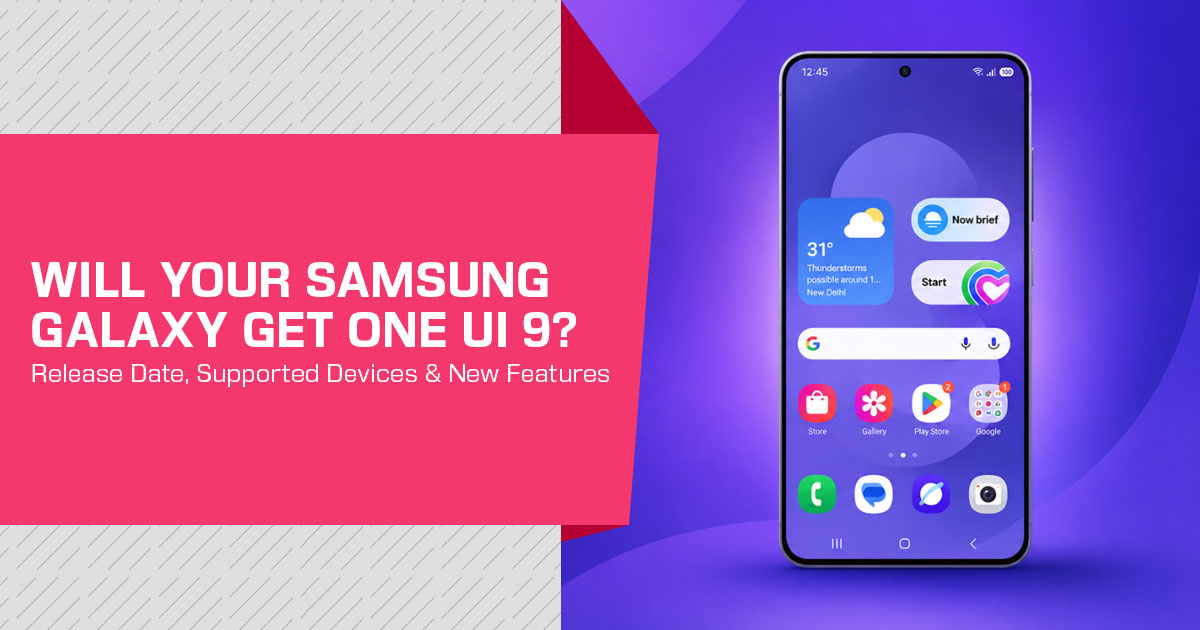
One UI 9 is Samsung’s latest major software update for Galaxy phones and tablets. The official rollout started on September 16, 2026, with the Galaxy S26, Galaxy S26+, and Galaxy S26 Ultra. Samsung had also released the update for the Galaxy Z Fold8 Ultra, Galaxy Z Fold8, and Galaxy Z Flip8. More Samsung Galaxy devices are expected to receive the update as the rollout expands.
If you own a Galaxy device or are planning to buy one, One UI 9 features, supported devices, update availability, and software limitations are worth checking before you make a decision. This guide covers what has changed, which Galaxy devices support One UI 9, and what buyers should know about Samsung’s latest software.
With over 20 years of experience in hardware and application research and development, we assess products based on real-world performance, durability, and value for money. Our focus is on helping Galaxy phone buyers, existing Samsung users, and people comparing phones for long-term use find the right option across budget, performance, reliability, and software support.
Our recommendations come from product research, component analysis, real-world usability, and industry expertise. We have not personally tested One UI 9 on a Galaxy device for this article, so the information is based on Samsung’s official announcement and independent reporting.
Short answer: One UI 9 adds new Galaxy AI tools for video, daily briefings, messaging, translation, scanning, recording, privacy, and device care. Availability is not identical on every phone. Country, carrier, language, device model, app support, network access, and Samsung Account requirements can affect what appears after the update.
What is the One UI 9 update?
The Samsung One UI 9 update is more than a routine security patch. A normal security update may address vulnerabilities or fix specific bugs. One UI 9 also changes how several Galaxy functions help with video editing, daily information, device support, translation, document capture, voice notes, privacy, and scam protection.
That does not mean every Galaxy phone receives every function. The update name identifies the software generation, but the available feature set can depend on the phone’s hardware and the software services supported in its market.
This distinction matters more than the headline feature count.
For buyers, the practical question is not only “Does this phone get One UI 9?” It is also “Which One UI 9 features by device will this phone actually support?” Samsung’s announcement leaves some device-level details subject to regional and model-specific availability.
One UI 9 rollout status and supported devices
The clearest official rollout information currently covers the following devices:
| Galaxy Device Family | Status in the Official Announcement | What Buyers Should Understand |
|---|---|---|
| Galaxy Z Fold8 Ultra | Already rolled out by September 16, 2026 | Part of the initial One UI 9 debut group. |
| Galaxy Z Fold8 | Already rolled out by September 16, 2026 | Feature availability may still vary depending on the market, carrier, and device configuration. |
| Galaxy Z Flip8 | Already rolled out by September 16, 2026 | One UI 9 is designed to adapt its features and interface across different Galaxy form factors. |
| Galaxy S26 | Rollout began on September 16, 2026 | One of the first conventional slab-style Galaxy smartphones specifically named in Samsung’s rollout. |
| Galaxy S26+ | Rollout began on September 16, 2026 | The rollout date does not necessarily mean identical feature availability across every region or carrier. |
| Galaxy S26 Ultra | Rollout began on September 16, 2026 | Users should check Settings > Software update on the device to confirm whether the update is available in their region. |
| Other Galaxy Phones & Tablets | Gradual expansion expected | Samsung’s announcement does not establish a single universal rollout date covering every eligible Galaxy phone and tablet. |
PhoneArena reports a much broader list of expected One UI 9 compatible phones, including earlier Galaxy S, Z, A, and Tab models. That list is useful as a research lead, but it should not replace a model-specific Samsung notification or support page. Forbes reports that later timing can differ by market and cites a Thailand schedule for some devices, which should be labeled as regional rather than worldwide.
This is why searches such as ‘when will my Samsung phone get One UI 9’ can have different answers depending on the exact model, country, carrier, and update channel.
The most important One UI 9 new features
My FanCam: automatic subject tracking for recorded videos
My FanCam is one of the more useful additions in the update. It can follow a selected person in an existing video and reframe the footage so that person remains the focus. This is a form of AI video reframing rather than a new camera mode that tracks someone while the video is being recorded.
The feature could be useful for family performances, sports clips, parties, and other situations where the camera captured a wide scene. It may reduce the need to crop the video manually after recording. The feature tracks a selected person rather than pets or other objects and requires a Samsung Account.
The limitations are important. Samsung does not guarantee the result for every video. If the software cannot identify a subject, there may be no usable tracking result. Buyers who mainly record pets, fast-moving objects, or poorly lit scenes should not assume that My FanCam will work in every case.
Customizable Now Brief cards
Now Brief editable cards give users more control over the information shown in their daily summary. Samsung describes cards covering areas such as health, weather, and video. The company’s consumer page also presents customizable Now Brief content and action buttons for tasks such as opening music or directions.
This is more useful for people who want a compact overview without opening several apps. It is less useful for anyone who prefers a fully manual home-screen setup or does not want software to organize personal information into a daily briefing.
Now Brief features can depend on consented personal information, Samsung Account access, network connectivity, country, language, model, and app support. A buyer should therefore treat it as a configurable service, not a guaranteed identical dashboard on every Galaxy phone.
Warranty and Care: support inside Settings
Warranty and Care brings several support functions into the Settings menu. Depending on the market and device, users may be able to check warranty coverage, run diagnostics, view repair estimates, manage Samsung Care+, or book a service appointment.
The practical value is straightforward: owners may not need to search through separate support pages to find basic device-care information. The limitation is that warranty data, repair estimates, Samsung Care+ eligibility, and service options vary by country and model.
For a buyer comparing two Galaxy phones, this feature is a convenience layer rather than a reason to ignore the fundamentals. Warranty terms, repair availability, and service pricing remain local issues.
Now Nudge: suggestions without leaving a conversation
Now Nudge provides context-aware suggestions Samsung can surface while a user is doing something else. Samsung gives examples such as bringing up reservation details or saving a shared location from a text conversation.
The potential benefit is fewer manual app switches. The trade-off is that the feature depends on the messaging app, the type of content being analyzed, language and region support, and the user’s account settings. Some people may prefer these suggestions; others may want less automated interpretation of conversations and images.
Creative Studio: event-related image prompts
Creative Studio can suggest image-generation ideas based on upcoming events. Samsung’s example is a themed image or greeting for a birthday.
The useful part is the connection between an event and a creative starting point. The feature is not a substitute for checking the final image before sharing it. Generated results can be unsuitable, inaccurate, or visually inconsistent, so users should review them rather than treating the prompt as a finished message.
Interpreter Thread View and faster translation
The updated Interpreter Thread View helps users refer back to earlier translated exchanges. Samsung also describes faster translation in Conversation Mode and quicker playback with compatible Galaxy Buds.
This could make short bilingual conversations easier to follow because context does not disappear after each translated line. Translation quality and supported languages still vary. Samsung notes that some languages may require a downloadable language pack and that availability can depend on country, carrier, and language.
For frequent travelers, language learners, and multilingual households, this may be more useful than a cosmetic interface change. It should not be treated as a replacement for a human interpreter in high-stakes medical, legal, or official situations.
Document Scan and Voice Recorder summaries
The improved Document Scan One UI 9 experience is designed for difficult source material such as curved book pages and corner-folded papers. An improved Finger Eraser and large-screen views may help create cleaner scans on compatible devices.
Voice Recorder summaries now use clearer organization, including headings and tables. That may help students, meeting participants, and journalists review long recordings. A summary is still a convenience tool, not a guaranteed transcript. Important names, figures, or decisions should be checked against the original recording.
One UI 9 privacy and security features
The update adds several features aimed at making security information easier to notice.
Security Brief can place alerts about malware, unknown-source apps, and unnecessary permissions inside Now Brief. Privacy Alerts use on-device AI to flag potential risks such as unnecessary background permission access. Scam Detection expands to additional countries and languages, with Japan, Canada, and India named in Samsung’s footnote.
These features may help users notice issues earlier, but they should not be treated as complete protection. Security tools can miss risks, produce warnings that require context, or depend on regional support. Samsung also states that Privacy Alerts may not account for every relevant factor.
Compared with a conventional security update, this approach gives the user more visible explanations and prompts. It does not remove the need to install future patches, review app permissions, avoid suspicious links, and use judgment before responding to unknown callers or messages.
How to check for the One UI 9 update
To check whether the software is available on a compatible Galaxy phone:
- Open Settings.
- Select Software update.
- Tap Download and install.
- Read the update details before starting the installation.
- Use a reliable Wi-Fi connection and keep the phone sufficiently charged.
If the update does not appear, that does not automatically mean the phone is unsupported. Samsung may be releasing it in stages, or the timing may differ by country, carrier, model, or software channel. Users enrolled in a beta program should distinguish beta builds from the stable release. Forbes notes that beta participants may use Samsung Members for beta information, but beta enrollment is not presented as a requirement for the stable update.
One UI 9 compared with buying an older Galaxy phone
A software update can extend the useful life of an existing phone, but it does not turn an older model into a newer one.
The phone’s processor, cameras, display, battery condition, storage, modem, and repair options remain important.
| Buyer Situation | More Sensible Approach | Reason |
|---|---|---|
| Already owns a device included in the early update rollout | Check whether the software update is available before considering a new device | The update may already provide the desired features without requiring a new purchase. |
| Owns an older Samsung Galaxy phone with uncertain update eligibility | Verify the exact model and region before making a decision | Broad compatibility lists published online may mix confirmed devices with models that are only expected to receive the update. |
| Wants access to the newest Galaxy AI features | Compare the specific AI features supported by each phone, rather than relying only on its One UI version | Individual Galaxy AI features may depend on hardware capabilities, language, Samsung account requirements, or regional availability. |
| Needs long-term software support and newer hardware | Consider a newer Galaxy model after comparing its current price, warranty, and support period | Newer hardware can provide a longer remaining support window, although the higher purchase cost should be considered. |
| Primarily wants the latest security improvements | Continue using the current phone if it remains within its official security-support period | Buying a new phone is not automatically necessary when the existing device continues to receive routine security updates. |
This is the central buying lesson: One UI 9 supported devices and One UI 9 features by device are related questions, but they are not the same question.
Pros and limitations of One UI 9
| Potential Advantages | Important Limitations |
|---|---|
| Adds practical tools for video reframing, briefings, translation, scanning, and recording. | Feature availability may vary by device model, region, language, carrier, app, and account. |
| Makes important device-care and maintenance features easier to locate within Settings. | Warranty information, repair estimates, and Samsung Care+ features depend on market availability. |
| Surfaces security and privacy information more visibly, making potential issues easier to review. | Security and privacy alerts cannot guarantee that every potential risk or issue will be detected. |
| Extends useful software features to supported Samsung Galaxy devices. | A software update cannot replace newer hardware capabilities that require dedicated components. |
| Includes features that can reduce manual app switching and streamline common tasks. | Some users may prefer not to enable features involving automated analysis of personal content or conversations. |
Who should consider a Galaxy phone with One UI 9?
A current or recently released Galaxy phone is a reasonable fit for buyers who want Samsung’s software ecosystem, use Galaxy services, and value features such as My FanCam, Now Brief, Now Nudge, translation tools, and integrated device care.
Existing Galaxy owners should check eligibility before replacing a phone. If the current device receives the update and still meets everyday needs, installing the software may be more economical than buying new hardware.
A newer purchase makes more sense when the current phone has poor battery health, insufficient storage, a damaged display, weak camera performance, limited network support, or no reliable security-update path. One UI 9 alone is not enough reason to overlook those hardware factors.
Amazon US: check current Galaxy phone prices
For readers who already know which Galaxy model they want, the next sensible step is to compare the current price, storage configuration, warranty terms, seller reputation, and return policy. Use the appropriate Amazon US affiliate link here:
Check current Samsung Galaxy prices on Amazon US
Before purchasing, confirm that the listed model matches the intended country and carrier. Imported variants can have different software support, network bands, warranty coverage, or update timing.
Amazon India: compare local Galaxy offers
Indian buyers should check the exact model number, official warranty, seller details, exchange terms, and whether the advertised price includes a bank offer or limited-time promotion. Use the appropriate Amazon India affiliate link here:
Check current Samsung Galaxy prices on Amazon India
The One UI 9 availability by country caveat is relevant here. A phone that receives an update in one market may receive it later in another, and individual functions can also vary by region or language.
One UI 9 FAQ
When did One UI 9 start rolling out?
Samsung announced the broader rollout on September 16, 2026, beginning with the Galaxy S26, Galaxy S26+, and Galaxy S26 Ultra. The Galaxy Z Fold8 Ultra, Galaxy Z Fold8, and Galaxy Z Flip8 had already received the software by that announcement.
Which Samsung phones get One UI 9 first?
The first phones named in the official rollout announcement are the Galaxy S26, Galaxy S26+, and Galaxy S26 Ultra. The Galaxy Z Fold8 Ultra, Galaxy Z Fold8, and Galaxy Z Flip8 were already part of the initial availability. Additional models are expected to follow gradually, but timing can vary.
Is One UI 9 free?
The software update itself is not described as a paid upgrade. However, the phone must be compatible, and services such as Samsung Care+ can have separate eligibility, coverage, pricing, or deductible terms.
What is My FanCam?
It is a video feature that tracks a selected person in a recorded clip and reframes the footage around that person. Results can vary by video, and Samsung says the feature is not supported when there is no subject to track.
Does One UI 9 require a Samsung Account?
Some functions, including My FanCam, Now Brief, and Now Nudge, require a Samsung Account according to Samsung’s stated conditions. Not every function has the same requirement.
Why is the One UI 9 update not showing on my phone?
The rollout may not have reached the device, country, carrier, or software channel yet. Check the exact model, install current available updates, and try Settings → Software update → Download and install again later.
Are all One UI 9 features available in every country?
No. Samsung says functions can vary by country, region, language, carrier, device model, app, network connection, and operating-system version. Scam Detection’s named expansion markets are Japan, Canada, and India.
Does One UI 9 include the same features on every Galaxy model?
No. A phone may receive the software version but not support every feature. Hardware capability, account access, language, region, and app compatibility can change the available experience.
Does One UI 9 include Android 17?
Yes. One UI 9 is based on Android 17. Samsung confirmed this when it announced the One UI 9 beta for the Galaxy S26 series.
Should You Buy a Galaxy Phone for One UI 9?
One UI 9 is a meaningful software update for supported Galaxy phones, particularly for users who want better video reframing, more configurable briefings, context-aware suggestions, improved translation and scanning, and clearer privacy notifications. Its value is strongest when these functions match an existing need.
The update is not a reason to assume that every Galaxy phone will receive the same tools. Buyers should verify the exact model, local availability, warranty, carrier compatibility, and feature requirements before purchasing. Existing owners should check for the update first. New buyers should compare the whole phone—not only the software version—before using the Amazon US or Amazon India purchase links above.
Have you received the One UI 9 update on your Samsung Galaxy device? Tell us your Galaxy model and what you think of the update in the comments. If you have questions about One UI 9 features, supported devices, update availability, or choosing the right Galaxy phone, leave them below and we’ll help where we can.
Follow us for more Samsung updates, phone guides, comparisons, and buying advice that can help you make a better choice before spending your money.
Disclaimer

This blog post reflects our research, analysis, and opinions based on available product information, user feedback, and industry knowledge. It should not be taken as the official position of any brand, manufacturer, or company mentioned here. We make every effort to keep this guide accurate, but product specifications, pricing, and availability may change after publication. We recommend double-checking important details before making a purchase.

Some links in this article may be affiliate links. If you choose to buy through these links, we may earn a small commission at no extra cost to you. This helps support our work and allows us to keep publishing in-depth, unbiased reviews. Affiliate partnerships never influence our recommendations.

Opinions expressed by readers are their own and do not necessarily reflect ours. We are not responsible for outcomes resulting from the use of information on this site. Please seek professional advice where appropriate.

All product names, logos, and brands mentioned are the property of their respective owners. These names are used for identification and informational purposes only and do not imply endorsement.
