
1. Introduction
High-end PC builds have changed. Today’s processors are powerful enough that the motherboard often becomes the deciding factor for stability, boot times, upgrade paths, and long-term reliability. For builders working with AMD’s AM5 platform, the motherboard you choose can either make the system feel solid for years—or turn every update into a gamble.
Buy from Amazon now
Buy on Amazon Worldwide | Buy on Amazon India
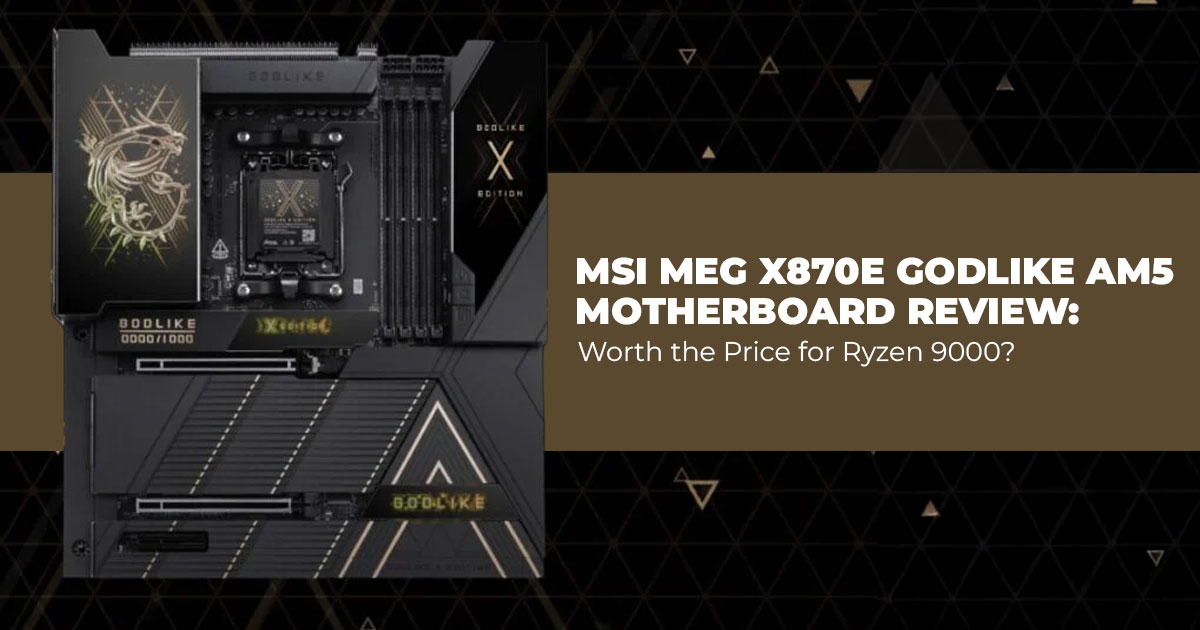
That’s where boards like the MSI MEG X870E GODLIKE come into the picture. It’s one of the most fully loaded AM5 motherboards available in 2026, built around an E-ATX design, packed with PCIe 5.0, advanced power delivery, and more connectivity than most builds will ever use.
The problem is simple: premium boards cost real money, and specs alone don’t tell you if that money is well spent. Many builders have been burned by unstable BIOS updates, memory training issues, USB dropouts, or boards that look impressive but disappoint in daily use.
So, the real question isn’t what this motherboard supports. It’s how it behaves once everything is installed and running.
If you’re already considering this board for a high-end AM5 build, it helps to check current pricing and regional availability while reading. The MSI MEG X870E GODLIKE (E-ATX, AM5) is available through Amazon Worldwide and Amazon India, both listing the full specification set for Ryzen 7000, 8000, and 9000 processors.
- Amazon Worldwide: MSI MEG X870E GODLIKE, E-ATX – Supports AMD Ryzen 9000/8000/7000 Processors, AM5
–− Click here to check more
- Amazon India: MSI MEG X870E GODLIKE, E-ATX – Supports AMD Ryzen 9000/8000/7000 Processors, AM5
–− Click here to check more
This article looks at the MSI MEG X870E GODLIKE motherboard through the lens that matters most: real-world usage. We evaluate how it performs with Ryzen 9000-series CPUs, how stable it remains over time, and whether its premium features translate into practical benefits—or unnecessary excess.
Rather than repeating the spec sheet, the focus here is on usability, stability, and long-term value.
As technology experts with over 20 years of experience in hardware and application research and development, we analyze every product using the same approach:
- Real-world performance, not synthetic hype
- Durability and component quality
- Value for money, not just feature count
- Long-term usability, including BIOS support and platform maturity
Our goal is to help readers find the best motherboard for their specific needs—whether that’s budget efficiency, maximum performance, rock-solid reliability, or a system that stays stable for years.
This review is written for enthusiast PC builders, gamers, content creators, and professional users who care about how their system behaves day after day. If you’re planning a high-end AM5 build and want fewer surprises after installation, this is the audience this guide speaks to.
Customer reviews often reveal what spec sheets hide. They show how a motherboard handles memory training after updates, whether BIOS fixes arrive on time, and how the board holds up after months of use. In this post, we combine hands-on analysis with real user feedback to give a clear picture of where the MSI MEG X870E GODLIKE excels—and where it may be more motherboard than most people actually need.
If you’re spending flagship-level money, clarity matters. And that’s exactly what this review aims to provide.
Summary
The MSI MEG X870E GODLIKE is a top-tier AM5 motherboard designed for Ryzen 9000-series CPUs and high-end builds. This review breaks down real-world performance, user feedback, and long-term value to help you decide whether its premium price delivers meaningful benefits—or if a simpler board would serve you just as well.
1.1 Technical Specifications at a Glance
| Category | Details |
| Socket & Chipset | AM5, AMD X870E |
| CPU Support | Ryzen 9000 / 8000 / 7000 series |
| Memory | 4x DDR5 slots, up to 256GB, validated high-frequency DDR5
support beyond 9000 MT/s (OC) |
| Storage | 5x M.2 onboard (multiple PCIe 5.0), expands to 7x with XPANDER-Z card |
| Expansion Slots | Multiple PCIe 5.0 x16 slots, with intelligent lane sharing |
| Networking | Wi-Fi 7 + 10G LAN + 2.5G/5G LAN |
| Rear I/O | Over 15 USB ports (multiple USB4/USB-C), dual LAN, audio |
| Unique Features | 3.99-inch Dynamic Dashboard III LCD, premium VRM cooling
(110A stages) |
| Form Factor | E-ATX |
| Street Price (2026) | Around $1,100–$1,300 (varies by region and edition) |
1.2 Why This Review Matters in 2026
High-end X870E motherboards flood the market, yet few push boundaries like the MSI MEG X870E GODLIKE. Many reviews focus on unboxing or basic specs, but we dig into practical use— such as managing seven SSDs without slowdowns or stabilizing extreme memory overclocks.
With prices still elevated and Ryzen 9000 builds common, understanding if the premium pays off helps avoid overspending on unused features.
1.3 What You’ll Learn from This Review
- Who actually benefits from the overloaded feature set
- How connectivity and storage perform in real workloads
- Benchmark comparisons against more affordable X870E options
- Setup tips to avoid common pitfalls
- Honest downsides, including size and complexity trade-offs
- Whether the cost justifies the capabilities for gaming, creation, or workstation tasks
2. Who Does This Board Suit Best
This motherboard targets specific builders who maximize every lane and port, especially those looking for an X870E motherboard for gaming and content creation.
2.1 Enthusiasts who benefit most
- Gamers running top-tier GPUs alongside multiple PCIe 0 SSDs for fast loading
- Content creators editing 8K video or managing huge datasets across RAID arrays
- Workstation users needing extensive USB for peripherals or 10G networking for file transfers, making this a strong AM5 workstation motherboard for professional builds
- Overclockers pushing DDR5 beyond 9000 MT/s with robust VRM cooling
2.2 Builders who should look elsewhere
- Anyone on a budget or mid-range build—plenty of solid X870E boards cost half as much
- Users with simple setups (one GPU, 2-3 SSDs) who won’t touch the extras
- Those with standard ATX cases, as E-ATX demands more space and compatible cooling
3. Real-World Feature Breakdown of the MSI MEG X870E GODLIKE Motherboard
High-end motherboards often look impressive on spec sheets, but specs don’t always translate into everyday benefits. In this section, we focus on how the MSI MEG X870E GODLIKE motherboard behaves in real systems—gaming rigs, workstations, and heavy storage builds— where stability, bandwidth, and usability matter more than raw numbers.
3.1 High-End Connectivity on the MSI MEG X870E GODLIKE (Wi-Fi 7, 10G LAN, USB 4)
Connectivity is one of the clearest strengths of this AM5 flagship motherboard.
Wi-Fi 7 support offers multi-gigabit wireless speeds when paired with compatible routers. While most home networks won’t saturate it today, it provides a clean upgrade path for users planning longer system lifespans. For wired setups, the dual LAN configuration—a 10GbE primary port paired with a secondary Ethernet port—stands out. This setup is especially useful for home servers, NAS backups, and large media transfers over local networks.
The rear I/O panel is packed with high-speed USB ports, including USB-C and USB 4 support, positioning it clearly as an AM5 motherboard with USB4 for modern peripherals, making it well- suited for multi-monitor workstations, external SSDs, and docking solutions. For everyday gaming builds, this level of connectivity may feel excessive, but for creators and power users, it removes the need for add-in cards or hubs.
- Key takeaway: This board is built for users who value bandwidth, flexibility, and future- proof networking.
3.2 Massive Storage Expansion with PCIe 5.0 and XPANDER-Z (Real-World Limits Explained)
Storage is where the MSI MEG X870E GODLIKE clearly separates itself from mid-range X870E boards.
You get seven M.2 slots in total—five onboard and two additional slots via the included XPANDER-Z expansion card. This allows for dense NVMe setups without relying on SATA drives. With PCIe 5.0 SSD support, this functions as a true PCIe 5.0 SSD motherboard, with sequential speeds exceeding 14GB/s per drive under optimal conditions.
That said, PCIe lane sharing comes into play when all slots are populated. Some M.2 slots may operate at reduced bandwidth depending on configuration. In real-world gaming and everyday use, this rarely causes noticeable slowdowns. For RAID arrays, content creation, or data-heavy workloads, careful planning is important to avoid unnecessary compromises.
- Key takeaway: Ideal for heavy storage users, but best results come from understanding lane allocation before finalizing your build.
3.3 DDR5 Memory Support and Overclocking Headroom for Ryzen 9000 CPUs
Memory support is another area where this X870E motherboard justifies its flagship status.
The board supports DDR5 speeds beyond 9000 MT/s, which can deliver measurable benefits in rendering, simulation, and other memory-intensive workloads. The robust VRM design and large heatsinks help maintain stability during sustained loads with Ryzen 9000-series processors.
Compared to lower-tier X870E boards that often cap memory speeds earlier or struggle with high-capacity kits, this board offers more headroom for enthusiasts who tune manually rather than relying on automatic profiles.
- Key takeaway: This is a strong choice for builders who care about memory stability, tuning control, and long-term reliability.
3.4 Dynamic Dashboard III and On-Board Diagnostics in Daily Use
The Dynamic Dashboard III, a 3.99-inch onboard LCD, is more useful than it first appears. It provides quick access to system temperatures, POST codes, and diagnostic information without loading software in the operating system. During BIOS tuning or troubleshooting, this saves time and reduces guesswork.
It can also display custom images or system branding, but its real value is practical visibility during setup and maintenance.
Setup note: Updating the dashboard firmware early is recommended to avoid minor display quirks reported on early production units.
- Key takeaway: Helpful for system monitoring and troubleshooting, especially during initial setup.
3.5 Real-World Performance Compared to Other X870E Motherboards
In direct comparisons with other X870E motherboards, the MSI MEG X870E GODLIKE delivers performance where it matters most.
- Gaming performance remains largely CPU- and GPU-bound, with frame rates falling within the margin of error across comparable boards.
- Productivity workloads show small but consistent gains thanks to stable power delivery and improved memory tuning.
- PCIe 0 SSD performance remains strong even with multiple drives installed, provided lane sharing is planned correctly.
This board doesn’t magically outperform cheaper options in raw benchmarks—but it also doesn’t limit high-end components under sustained workloads.
- Key takeaway: You’re paying for consistency, stability, and headroom, not inflated benchmark numbers.
Section Summary: Who This Feature Set Is Really For
The MSI MEG X870E GODLIKE motherboard isn’t designed to chase headline benchmarks. It’s built for users who want:
- Maximum connectivity without add-in cards
- Large, fast NVMe storage configurations
- Stable memory tuning on Ryzen 9000 CPUs
- Predictable performance under long workloads
For builders pushing high-end components, this board stays out of the way—and that’s exactly the point.
4. Real-World Experience With MSI AM5 Motherboards: Why Builders Keep Coming Back
This section is based on real-world feedback from veriffed Amazon customers who have used these motherboards in actual builds over extended periods.
If you’ve built PCs long enough, you stop chasing spec sheets. You start chasing something harder to replace: stability you can trust. That’s the theme that keeps showing up when experienced builders talk about MSI AM5 motherboards.
Many of the users behind this feedback are not first-time builders. These are people who’ve assembled dozens of systems, run workstations for years, and still have MSI boards from a decade ago working without issues. That kind of consistency doesn’t happen by accident.
4.1 Long-Term Reliability That Actually Means Something
One pattern stands out clearly: MSI motherboards last.
Systems built 8, 10, or even 11 years ago are still running today, and some have received BIOS updates long after most manufacturers move on. For builders who don’t upgrade every generation, this matters more than peak benchmark scores.
If you’re searching for the best AM5 motherboard for long-term use or a reliable X870 motherboard, this kind of longevity carries real weight. It’s about building once and trusting the platform for years.
4.2 BIOS Stability and Faster Memory Training on MSI AM5
The BIOS experience is where MSI quietly pulls ahead.
Builders consistently report:
- Shorter boot times
- Faster memory training
- Cleaner BIOS layout
- Quicker BIOS updates after new CPU launches
Many experienced users avoid EXPO and aggressive Precision Boost Overdrive settings. Instead, they manually set DRAM voltage, enable Memory Context Restore, apply thermal limits, and focus on stability. MSI boards support this approach cleanly, without fighting the user.
For anyone looking up easy BIOS motherboard for Ryzen or stable AM5 memory tuning, this feedback points in one direction.
4.3 Built Like Hardware, Not Marketing
Physical build quality comes up again and again.
These boards are heavy. The PCBs don’t flex. Traces are thick and clearly separated. Heatsinks are large, well-mounted, and effective under sustained loads. Even vertically mounted builds with heavy GPUs hold up without stress.
This isn’t a design meant for photos. It’s the quality you notice while installing the board—and years later when it’s still running without issues.
4.4 Builder-Friendly Features That Save Time
Experienced builders care about things that rarely show up in spec charts:
- Clear CMOS button on the rear I/O
- BIOS flashback without a CPU installed
- Tool-free 2 heatsinks on every slot
- EZ connectors that reduce cable hassle
- Included USB flash drive with BIOS and drivers
These details matter when something goes wrong or when you update frequently. It’s why users mention them more often than RGB lighting or logos.
Buy from Amazon now
Buy on Amazon Worldwide | Buy on Amazon India
4.5 Why Many Builders Are Moving Away From ASUS on AM5
A noticeable trend in the feedback is builders leaving ASUS AM5 motherboards after repeated frustrations:
- USB dropouts
- Unstable memory behavior
- Slower BIOS update cycles
- Fixes that arrive late or feel incomplete
By comparison, MSI boards are described as predictable. LAN issues get resolved. Memory compatibility improves. BIOS updates arrive quickly during CPU launches.
For builders who rely on their systems for gaming, production, or daily work, that predictability matters more than branding. Searches like MSI vs ASUS X870E or best AM5 motherboard stability often come down to this exact experience.
4.6 Honest Downsides of MSI AM5 Motherboards — And How to Handle Them
No motherboard is perfect. What matters is whether the downsides are deal-breakers or manageable with planning. In this case, most issues are easy to work around.
4.6.1 CMOS Battery Placement Is Hard to Reach What users notice:
The CMOS battery sits partially under a heatsink.
What works:
- Use the rear Clear CMOS button
- Save BIOS profiles before updates
- Treat the battery as a long-term component
For anyone searching for how to clear CMOS on MSI X870E, the rear button removes most reasons to touch the battery at all.
4.6.2 SATA Ports Can Be Blocked by Large GPUs What users notice:
Big GPUs can obstruct SATA connectors.
What works:
- Connect SATA cables before installing the GPU
- Use right-angle SATA cables
- Prefer NVMe-first storage layouts
This is more about planning than board quality.
4.6.3 M.2 Latch Design Has a Learning Curve What users notice:
The tool-less M.2 latch isn’t obvious at first.
What works:
- Check MSI’s 2 diagram before installing
- Install drives outside the case if needed
- Align carefully—don’t force the latch Once learned, it’s faster than screws.
4.6.4 RGB Settings May Reset After Cold Boot What users notice:
Custom RGB profiles may require software to persist.
What works:
- Use static lighting profiles
- Disable onboard RGB if preferred
- Rely on BIOS lighting options where available Many builders simply turn RGB off and move on.
4.6.5 No Printed Manual Included What users notice:
Documentation is digital only.
What works:
- Download the PDF manual before building
- Keep it open during installation
- Bookmark MSI’s support page This mainly affects first-time
4.6.6 PCIe 5.0 and USB4 Lane Sharing Can Be Confusing What users notice:
Using a second PCIe 5.0 SSD can affect GPU or USB4 bandwidth.
What works:
- Decide early: USB4 or second Gen5 SSD
- Use Gen4 SSDs in secondary slots
- Review lane diagrams before finalizing storage
This is a platform limitation across all X870 and X870E boards, not an MSI-specific issue.
4.7 Bottom Line on the Downsides
Most issues fall into three categories:
- Planning-related (SATA access, PCIe lanes)
- Learning curve (M.2 latch, BIOS options)
- Preference-based (RGB behavior, manuals)
None of them affect system stability, performance, or long-term reliability—which is exactly why experienced builders still rate this board so highly.
For searches like “MSI X870E problems,” “X870E motherboard issues,” or “is MSI X870E worth it, the honest answer is simple:
The drawbacks are real, but they’re predictable—and easy to work around if you know what you’re building.
4.8 PCIe 5.0, USB4, and the Reality of AM5 Lane Sharing
One of the most thoughtful parts of the feedback dives into PCIe lane trade-offs on X870 and X870E motherboards. The reality is simple: you can’t get everything at full speed at the same time.
Depending on the board:
- A second PCIe 0 SSD may reduce GPU lanes
- Or share bandwidth with USB4
- Or require disabling USB4 entirely
MSI is upfront about these trade-offs, and builders who researched beforehand weren’t disappointed. If you need two PCIe 5.0 SSDs or USB4, this platform does as well as AM5 allows—but understanding the compromise is key.
4.9 Final Takeaway: Built for People Who Actually Use Their PCs
What stands out most is confidence. Builders trust these boards for gaming, video production, 3D work, and long uptime systems. They’re not chasing unstable peak performance. They want control, consistency, and hardware that behaves the same tomorrow as it does today.
If you’re searching for:
- Best X870E motherboard for Ryzen
- Best motherboard for Ryzen 9000
- Stable AM5 motherboard for gaming and work
- MSI X870E vs ASUS comparison
- Motherboard with fast BIOS boot and memory training
We get a clear picture from the feedback. Forget the fancy lights and flash. MSI is killing it by focusing on the basics: rock-solid reliability, practical design, and actually backing their products long-term. Anyone who’s built a few PCs knows that’s what really counts.
5. Setup and Optimization Tips
- Enable EXPO/PBO in BIOS for quick gains on Ryzen 9000 CPUs, then fine-tune curves for efficiency.
- Prioritize 2 slot assignments to minimize sharing impacts—check the manual for lane maps.
- E-ATX sizing requires large cases with good airflow; plan VRM cooling if pushing overclocks.
- Use the dashboard for real-time voltage monitoring during stress tests.
6. Price and Value Comparison
| Board | Approx. Price
(2026) |
Key Advantages Over
Carbon |
Drawbacks vs
GODLIKE |
|
MSI MEG X870E GODLIKE |
$1,100–$1,300 |
More M.2, better networking, LCD dashboard, stronger
VRM |
Higher cost, larger size |
| MSI MPG X870E
Carbon WiFi |
$500–$600 | Solid basics, good
value |
Fewer ports/slots,
no extras |
| ASUS ROG
Crosshair X870E Hero |
$700–$900 |
Excellent BIOS tools |
Less storage expansion |
The premium often feels justified only when using most features; otherwise, savings on alternatives fund better GPUs or SSDs.
6.1 Final Verdict
The MSI MEG X870E GODLIKE excels for builders demanding maximum expansion—think storage-heavy workstations or no-compromise enthusiast rigs. It pairs perfectly as a Ryzen 9 motherboard for high-wattage CPUs and multiple Gen5 drives.
Most users find a better balance in mid-tier X870E boards. If your build checklist includes “every port possible” and budget allows, this flagship delivers without compromise.
- Alternatives to consider: MSI’s own Carbon WiFi for value, or ASUS/Gigabyte flagships for different feature priorities.
At this point, most readers have a clear sense of whether the MSI MEG X870E GODLIKE fits their build or budget. If you want to compare current prices or check availability in your region before deciding, both Amazon Worldwide and Amazon India list the board with updated pricing and configuration details for the AM5 platform.
- Amazon Worldwide: MSI MEG X870E GODLIKE, E-ATX – Supports AMD Ryzen 9000/8000/7000 Processors, AM5 – Click here to check more
- Amazon India: MSI MEG X870E GODLIKE, E-ATX – Supports AMD Ryzen 9000/8000/7000 Processors, AM5 – Click here to check more
7. Clearing Common Doubts About the MSI MEG X870E GODLIKE
Before spending flagship-level money on an AM5 motherboard, most buyers want straight answers—not marketing promises. This section addresses the most common questions people ask when researching the MSI MEG X870E GODLIKE motherboard, based on real-world usage, platform limitations, and practical build considerations. The goal here is clarity, so you can decide whether this board fits your build—or if a simpler option makes more sense.
Q. Is the MSI MEG X870E GODLIKE worth the price in 2026?
- It depends on how you plan to use it. The MSI MEG X870E GODLIKE makes sense for builders who need extreme connectivity, multiple PCIe 5.0 SSDs, 10GbE networking, and long-term platform stability. For a standard gaming PC with a single GPU and one or two drives, a lower- priced X870 or X870E motherboard will deliver similar gaming performance for less money.
Q. How many M.2 drives can the MSI MEG X870E GODLIKE handle at full speed?
- The board supports up to seven M.2 NVMe drives, but running all of them at full PCIe 5.0 speed isn’t possible at the same time due to AM5 PCIe lane limits. Full-speed Gen5 performance requires selective slot usage. For most users, mixing PCIe 5.0 and PCIe 4.0 SSDs provides the best balance of speed and flexibility without affecting gaming or daily workloads.
Q. Does Wi-Fi 7 make a real difference right now?
- Only if you already have a Wi-Fi 7 router and a compatible network setup. In most homes today, Wi-Fi 6 or 6E delivers similar real-world speeds. That said, Wi-Fi 7 on the MSI MEG X870E GODLIKE motherboard adds future-proof wireless connectivity, which matters if you plan to keep the system for many years.
8. Frequently Asked Questions About the MSI MEG X870E GODLIKE
These are the most common follow-up questions readers ask when researching a high-end X870E motherboard. The answers focus on real build considerations, value decisions, and long- term usability—so you know what to expect before committing.
Q. What case size do I need for the MSI MEG X870E GODLIKE E-ATX motherboard?
- You’ll need a full-tower case or a large mid-tower that explicitly supports E-ATX motherboards. It’s important to double-check clearance for radiators, large air coolers, and long GPUs, as this board is wide and heavily heatsinked.
Q. Can the MSI MEG X870E GODLIKE run extreme DDR5 overclocks reliably?
- Yes. The board’s power delivery and VRM design handle high DDR5 memory speeds well, especially when paired with proper cooling and manual tuning. Stability improves further when users avoid aggressive auto profiles and set memory parameters manually.
Q. Are there better value X870E motherboards than the MSI MEG X870E GODLIKE?
- Absolutely. Boards like the MSI X870E Carbon WiFi deliver roughly 90% of the real-world performance at a much lower price. The GODLIKE model is best suited for builders who need maximum connectivity, storage expansion, and premium build quality, not for cost-focused gaming builds.
Q. Are there any known issues with the MSI MEG X870E GODLIKE?
- Early BIOS versions had a few minor quirks, which is common with new platforms. Ongoing regular BIOS updates have addressed these issues, and current firmware releases are reported as stable and reliable for daily use, gaming, and workstation workloads.
Buy from Amazon now
Buy on Amazon Worldwide | Buy on Amazon India
9. Conclusion
The MSI MEG X870E GODLIKE isn’t built for everyone—and that’s exactly why it works so well for the right audience. If you’re putting together a high-end AM5 system with Ryzen 7000, 8000, or 9000 processors, want serious storage expansion, rock-solid power delivery, and a board that stays stable long after the build is finished, this one earns its place.
It doesn’t promise miracle performance gains. What it delivers instead is consistency, control, and confidence. The BIOS behaves predictably. Memory tuning doesn’t feel like a gamble.
Connectivity is there when you need it, not added for show. And the build quality makes it clear this board was designed to be used—not just admired.
If your goal is a standard gaming rig, there are cheaper X870E boards that will do the job just fine. But if you’re building a system meant to last, handle upgrades, and run heavy workloads without surprises, the GODLIKE justifies its price in ways that spec sheets don’t always show.
Check Current Pricing and Availability
- Amazon Worldwide:
MSI MEG X870E GODLIKE, E-ATX – Supports AMD Ryzen 9000/8000/7000 Processors, AM5 – Click here to check more
- Amazon India:
MSI MEG X870E GODLIKE, E-ATX – Supports AMD Ryzen 9000/8000/7000 Processors, AM5 – Click here to check more
If you’re already building with this board—or planning to—share your experience in the comments. Whether it’s BIOS tuning, storage layout, cooling choices, or upgrade planning, we’re happy to help fine-tune your setup.
So, what’s your next AM5 build going to look like?
***Disclaimer***
This blog post contains unique insights and personal opinions. As such, it should not be interpreted as the official stance of any companies, manufacturers, or other entities we mention or with whom we are affiliated. While we strive for accuracy, information is subject to change. Always verify details independently before making decisions based on our content.
Comments reflect the opinions of their respective authors and not those of our team. We are not liable for any consequences resulting from the use of the information provided. Please seek professional advice where necessary.
Note: All product names, logos, and brands mentioned are the property of their respective owners. Any company, product, or service names used in our articles are for identification and educational purposes only. The use of these names, logos, and brands does not imply endorsement.
