
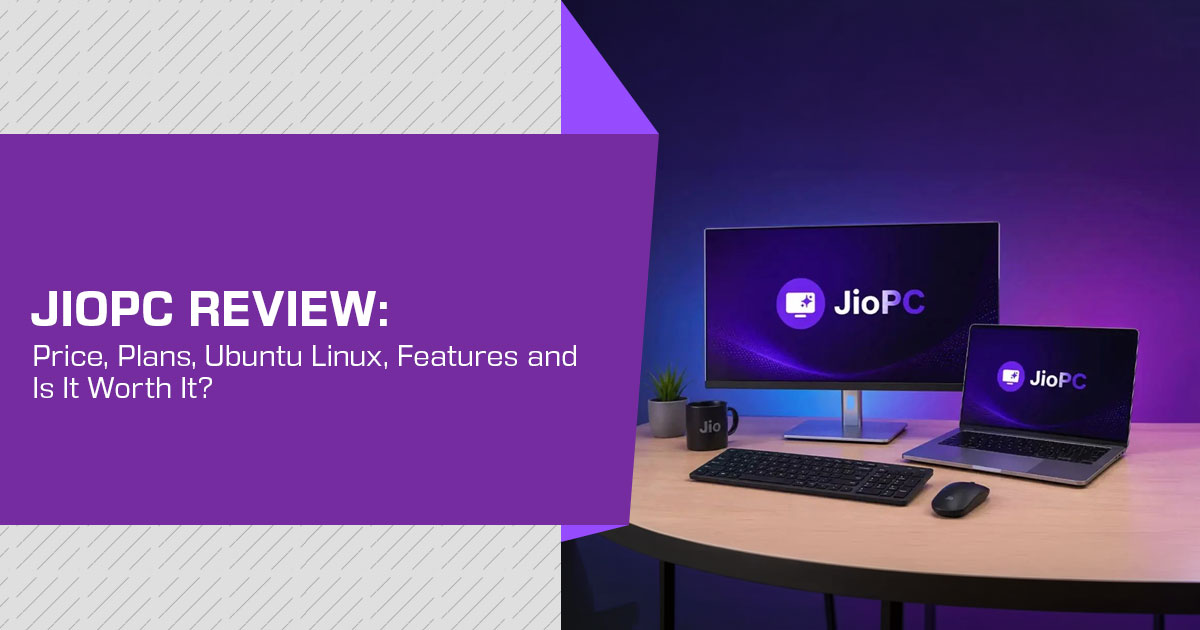
How we work: we review products through published specifications, primary sources and reputable third-party reporting. We have not subscribed to or personally tested JioPC, so nothing below is presented as a benchmark result. Where a figure or feature comes from Reliance Jio’s own materials, we treat it as a Jio claim unless independently verified.
Pricing note: all JioPC prices are in Indian rupees (₹) for the Indian market and were current at the time of writing. The standalone service was expanded in September 2026, and prices or plan terms can change.
Confirm the live rate and terms before subscribing.
The short version
JioPC is a cloud PC service from Reliance Jio that gives you access to a computer hosted in a Jio data centre. Instead of buying a physical desktop or laptop, you connect to the JioPC cloud computer and stream its desktop to a screen you already own.
The standalone service became available to users across India on 2 September 2026, including people who use a non-Jio broadband or mobile connection. Before that expansion, JioPC was tied to JioHome broadband. That wider availability makes JioPC an interesting option for people who want a computer without buying and maintaining new hardware.
But there is one important point that many JioPC reviews may not give enough attention to: JioPC runs Ubuntu Linux, not Windows.
That matters more than the headline memory or storage figures. If you mainly use web browsers, online tools, documents, email, streaming services and Linux-compatible applications, JioPC could be a practical choice. But if you rely on Windows-only software, certain professional applications, games or hardware that needs Windows drivers, JioPC may not meet your needs.
Jio currently offers two tiers: JioPC and JioPC Ultra. Some publications describe the base tier as “JioPC Standard,” but Jio’s own current materials call the base tier simply JioPC.
As technology experts with over 20 years of experience in hardware and application research and development, we look beyond specifications and marketing claims. We evaluate products and services based on real-world performance, reliability, usability, durability and value for money. Our analysis is intended for students, families, professionals, home users, small businesses and anyone looking for an affordable alternative to buying a desktop or laptop.
Our recommendations are based on extensive research, component and platform analysis, real-world usability and industry expertise. For JioPC, that means answering the questions that actually matter before you spend your money: How well is JioPC suited to everyday work? What can you run on Ubuntu Linux? How good is the experience over an internet connection? What are the limitations? And is JioPC more practical than owning a physical PC?
In this JioPC review, we examine JioPC pricing, JioPC Ultra, performance, Ubuntu Linux, software compatibility, internet requirements, everyday use, security, limitations and overall value. Most importantly, we help you decide whether JioPC is worth it for your needs—or whether you would be better off with a traditional Windows PC.
| Specification | JioPC (Base Tier) | JioPC Ultra |
|---|---|---|
| Virtual CPU Allocation | 4 vCPU | 8 vCPU |
| RAM | 8GB | 16GB |
| Cloud Storage | 500GB | 1TB |
| Operating System | Ubuntu Linux | Ubuntu Linux |
| Starting Price | ₹1,000 for 2 months | ₹1,200 for 2 months |
| Effective Monthly Rate (10+2 Plan) | ₹333/month (₹4,000 total) | ₹417/month (₹5,000 total) |
| Best Suited For | Web browsing, documents, online classes, and everyday cloud computing | Heavier multitasking, coding, larger files, and more demanding cloud workloads |
Our assessment: at ₹4,000 for 10+2 months, the base tier is a reasonable way to extend the life of an ageing laptop, provided you can work within Linux and your connection is stable. For work that depends on Windows software, it is not a suitable substitute at any tier.
What JioPC is
JioPC is a cloud computing subscription. Rather than buying a processor, memory and storage and housing them on your desk, you rent them. The machine itself sits in a Reliance data centre, and your laptop, desktop or television becomes the display, while your keyboard and mouse provide the input.
A video call gives a useful comparison: the video arrives over the network and your device displays it. A JioPC cloud desktop works in a similar way, except that what arrives is a full desktop environment — menus, files, browser and applications.
That model carries both the benefit and the limitation. Because the processing happens on Jio’s servers, an old laptop does not need to handle the main computing workload; it mainly needs to run the browser, display the streamed desktop and send your input. And because everything runs remotely, a poor connection interrupts work that a local computer would continue handling.
One point worth stating plainly, because it is easy to misread the marketing: this does not upgrade your machine. Your laptop keeps the processor and memory it already has. You are renting a second computer and using the old one as its terminal.
What changed in September 2026
Reliance Jio launched JioPC on 29 July 2025. The original version was tied to JioFiber and JioAirFiber and was accessed through a Jio set-top box, with a keyboard and mouse connected to the box and a TV or other compatible screen used as the display.
The 2 September 2026 expansion removed the JioHome broadband requirement for browser access. JioPC can now be registered with a Jio or non-Jio mobile number and used over any broadband or internet connection. A Jio SIM or JioFiber/JioAirFiber connection is not required for the browser version.
That is the substantive change, and it matters more than the pricing alone. Jio moved from a cloud desktop tied to its home broadband ecosystem to a standalone browser-based service that can be used over other internet connections.
JioPC price in India: the full plan list
JioPC plans come in two tiers with three durations each. The September 2, 2026 standalone launch and the plan prices below were reported by Business Standard. These are the launch prices reported for the expanded service, so check Jio’s live checkout page before subscribing.
| Plan | Validity | Listed Price | Effective Cost / Month | Approx. Cost / Day |
|---|---|---|---|---|
| JioPC | 2 months | ₹1,000 | ₹500 | ₹16.43 |
| JioPC | 5 months | ₹2,000 | ₹400 | ₹13.14 |
| JioPC | 10+2 months | ₹4,000 | ₹333 | ₹10.95 |
| JioPC Ultra | 2 months | ₹1,200 | ₹600 | ₹19.71 |
| JioPC Ultra | 5 months | ₹2,500 | ₹500 | ₹16.43 |
| JioPC Ultra | 10+2 months | ₹5,000 | ₹417 | ₹13.69 |
The 10+2 plans provide twelve months of service for the price of ten. That is where the effective monthly rate falls furthest.
About the “₹11 per day” figure
Several publications have described JioPC as costing roughly ₹11 a day. The arithmetic applies to one plan only: ₹4,000 over twelve months works out to about ₹10.95 a day. The cheapest entry point is ₹1,000 for two months, or about ₹16.43 a day, while JioPC Ultra on the 10+2 plan works out to about ₹13.69 a day.
We mention this because per-day pricing can hide the commitment behind the lowest advertised rate. The ₹11 figure assumes the full 10+2 month plan rather than the cheapest way to start.
Older JioHome-era prices
Older articles listing JioPC at ₹599, ₹1,499 or ₹4,599 plus GST refer to the earlier JioHome-era plans. Those prices are not the same as the September 2026 standalone plans, so do not use them when comparing the current service.
Free trial
Jio currently advertises a free trial for the browser version and says no credit card is required. The current public page does not clearly state a single trial duration or confirm that every trial uses the Ultra configuration, so check the terms shown at signup before treating the trial as a performance comparison.
The deciding factor: JioPC runs Ubuntu Linux
Both tiers run Ubuntu Linux. Jio’s current public materials confirm Ubuntu but do not consistently state a version or the Cinnamon desktop in the standalone-service documentation. Some reports identify Ubuntu 22.04 with Cinnamon, so we treat those details as reported rather than confirmed by Jio.
Cinnamon, where provided, is arranged to feel familiar: a taskbar along the bottom, an application menu and conventional window controls. Anyone who has used Windows may find the layout easy to pick up.
Familiar layout is not compatibility, though.
| Works on JioPC | Does Not Work / Is Limited |
|---|---|
| Web browsing using the bundled browser | Windows .exe installers |
| LibreOffice — Writer, Calc, and Impress | Windows-only accounting software such as Tally |
| Microsoft 365 through a web browser | Many Windows PC games |
| Adobe Express Premium included with current plans | Adobe Creative Cloud desktop applications |
| Browser-based AI tools | Windows-only hardware drivers |
| Linux-native applications | Some applications that depend on locally connected peripherals may not work as expected. |
Reports on the earlier set-top-box version also listed GIMP and Sublime Text among the pre-installed applications. We have not seen those applications confirmed for the current standalone service, so check the software available in your JioPC session before relying on them.
What this means for the buyer: for coursework, documents, browsing and streaming, this list covers much of the work. For a small business running a Windows-only billing package, or a household expecting existing Windows software to appear in the cloud, the Linux platform is a blocker. Check your one essential application before paying for even the two-month plan.
Performance: what determines it
We have not run JioPC, so we will not attach numbers to its speed. What we can explain is what is likely to shape the experience, because with a virtual desktop the usual rules change.
On a local computer, performance depends on your processor, memory and drive. With JioPC, three factors matter most:
- The tier you choose. Four vCPUs with 8GB of RAM should handle browsing across several tabs alongside a Eight vCPUs with 16GB should leave more room for heavier multitasking and larger files.
- Your network. Latency—the round trip between your keystrokes and Jio’s servers—shapes how responsive the desktop Jio says the service works over broadband and reliable 4G or 5G, while its browser service says it works over any internet connection.
- The nature of the Document editing and browsing are better suited to a remote desktop. Video editing, interactive design work and gaming are more sensitive to delay and may be a poor fit.
One behaviour is worth knowing in advance. Jio says you are logged out after 15 minutes of inactivity, but the virtual desktop remains available for another 15 minutes. If you do not reconnect during that window, the desktop shuts down and unsaved work is lost. Save often.
“AI-ready” is not the same as an “AI PC”
Jio markets JioPC as AI-ready. The useful part of that claim is that cloud-based AI tools can run on remote infrastructure instead of depending on the processor and memory in your old computer.
That is different from what Microsoft means by a Copilot+ PC. Microsoft’s current requirements include a compatible NPU capable of 40+ TOPS, 16GB of RAM and 256GB of storage. “AI PC” is a broader term, but Copilot+ PCs are designed around on-device AI hardware. See Microsoft’s Copilot+ PC requirements.
JioPC does not add an NPU or other compute hardware to your machine. It shifts the computing work to Jio’s cloud. That can help an older computer access cloud-based AI tools, but it does not turn the local hardware into a Copilot+ PC.
Internet requirements
JioPC has no offline mode. When the connection drops, the desktop becomes unreachable. On a local computer, a poor internet connection mainly affects online services; with JioPC, it can make the computer itself unavailable.
- Fibre broadband is the easier case for maintaining a stable connection and consistent
- Jio says the service works on reliable 4G and Mobile networks vary by location and time of day, so treat this as workable rather than guaranteed.
- We could not find a published minimum bandwidth figure from On a shared or marginal connection, the two-month plan is the sensible way to test the service before making a longer commitment.
- Public Wi-Fi can be a poor choice because responsiveness may vary and you are using a remote desktop that contains your files and account session. A trusted connection is the safer choice.
Readers in areas with unstable broadband, those relying on metered mobile data and those who travel to weak-coverage locations should weigh this carefully.
Two ways to access JioPC
In a browser. Go to my.jiopc.in, register with a mobile number and launch the JioPC virtual desktop. Jio describes the browser service as a progressive web application (PWA), which can be installed from a supported browser. The desktop runs through the browser rather than as a traditional Windows or macOS application.
Through a Jio set-top box. Existing JioHome customers can open the JioPC app on their set-top box, connect a keyboard and mouse and use a television as the display. This was the original route and still depends on a JioFiber or JioAirFiber connection.
The set-top-box route is useful for households without a computer, since a television, a set-top box and input devices can provide a computer-like setup without buying a laptop. Jio’s current browser documentation says USB-drive access is not available through the browser, while the set-top-box route has different peripheral support. Verify camera, printer, USB and other peripheral support for your exact setup before relying on it.
Who JioPC suits
| If You Are… | Assessment | Reasoning |
|---|---|---|
| A household with a slow five-year-old laptop | Good Fit | Everyday tasks such as document editing, web browsing, and video streaming are well suited to a cloud-based desktop. |
| A student on a tight budget | Good Fit | LibreOffice and browser-based tools can handle much of the typical coursework and productivity workload. |
| A school or coaching centre refreshing a computer lab | Worth Evaluating | The potentially low per-seat cost could make deployment attractive, while Jio’s AI Classroom may provide additional educational value. |
| A developer comfortable with Linux | Reasonable Fit | An Ubuntu-based environment combined with browser-accessible development tools can provide a practical workspace. |
| A small business dependent on Windows-only software | Not a Fit | Windows-specific applications will not run natively, and moving to a different subscription tier does not solve that compatibility limitation. |
| A gamer | Poor Fit | Jio does not publish a dedicated GPU specification, while network latency can negatively affect responsive gaming workloads. |
| A video editor or graphic designer | Poor Fit | Interactive creative applications are particularly sensitive to latency, remote storage access, and I/O performance. |
| Someone who needs offline access | Not a Fit | There is no offline mode, so an active internet connection is required to access the cloud desktop. |
| Someone with unreliable internet | Higher Risk | Because the desktop depends on cloud connectivity, the working environment becomes unavailable when the internet connection fails. |
For schools, one detail is worth knowing. Jio’s AI Classroom is a free AI foundation course available in 12 languages and designed by Jio Institute. Users who complete the course through the JioPC App receive a Jio Institute certificate and additional learning resources. That may make JioPC more useful to schools already considering the course.
Data and privacy
Jio’s public privacy information gives more detail than the launch coverage suggests, but it does not clearly spell out a user-file deletion schedule tied to the end of a JioPC subscription. That distinction matters.
Jio says JioPC data is stored in its cloud infrastructure and that no data is kept on the device. Its privacy policy says personal information is retained only for the period needed for the stated purposes, subject to legal and regulatory requirements, and is then deleted securely. However, the policy does not give a clear, user-facing schedule for what happens to every file in a JioPC desktop when a paid subscription expires. Export important files before the plan ends rather than relying on an assumed grace period.
Two habits cover most of the exposure:
- Export important files before the plan Do not rely on an assumed grace period for your data.
- Use a strong, unique One credential now protects a whole desktop rather than a single account.
The structure is also worth being aware of. For many users, Reliance Jio is both the internet provider and the company hosting the desktop. That is not a criticism—it is a different arrangement from renting a cloud PC from a company unconnected to your broadband, and some readers will weigh the distinction.
JioPC against the alternatives
Comparing JioPC only with other cloud PCs misses the decision a buyer is actually making. These are the realistic alternatives: a JioPC subscription, an upgrade to an existing machine, a refurbished laptop, a new laptop or another cloud PC such as Windows 365.
| Option | Indicative Cost | What You Get | What You Own Afterwards | Works Offline? |
|---|---|---|---|---|
| JioPC — 10+2 Months | ₹4,000 | 4 vCPU, 8GB RAM, 500GB cloud storage, and Ubuntu | Nothing — access is subscription-based | No |
| JioPC Ultra — 10+2 Months | ₹5,000 | 8 vCPU, 16GB RAM, 1TB cloud storage, and Ubuntu | Nothing — access is subscription-based | No |
| Add an SSD to Your Current PC | Varies by SSD capacity and system compatibility | A significantly faster version of your existing machine while retaining Windows and local applications | Your upgraded PC | Yes |
| Free Upgrade to Windows 11 | ₹0, if eligible | A supported Windows operating system, provided the PC meets Microsoft’s Windows 11 requirements | Your upgraded PC | Yes |
| Refurbished Laptop | Varies widely by model, age, condition, and configuration | A complete physical computer with local storage and locally installed applications | The laptop | Yes |
| New Budget Laptop | Varies by model and configuration; current pricing remains competitive | New hardware with local storage, manufacturer warranty, and no cloud-PC dependency | The laptop | Yes |
| Windows 365 Enterprise — 4 vCPU / 16GB / 128GB | US$66/user/month list price before tax | A full Windows Cloud PC with Microsoft enterprise management capabilities | Nothing — the Cloud PC remains a subscription service | No |
Three points stand out once these sit together.
The cheapest first move is often not JioPC. If a laptop is slow but otherwise sound, an SSD can be a better one-time purchase, especially if the machine still uses a hard drive. It keeps Windows, works offline and remains yours after the upgrade. Storage prices have risen with the wider memory market, so compare current SSD prices with the cost of a JioPC subscription before deciding.
Windows 10 support is another factor. Microsoft ended support for Windows 10 on 14 October 2025. Windows 11 requires TPM 2.0, Secure Boot capability and a supported processor, which many older machines do not have. Eligible consumer PCs can use Microsoft’s Extended Security Updates programme for a limited period, but the longer-term choices are still an upgrade, replacement or moving the work elsewhere.
New hardware has become more expensive at an awkward moment. Moneycontrol, citing IDC India senior market analyst Bharath Shenoy, reported that RAM prices had risen 2.5–3 times and that devices that previously sold in the ₹30,000–₹35,000 range were moving closer to ₹45,000. See Moneycontrol’s report for the reported figures. Against that backdrop, a fixed 12-month fee in rupees is a different proposition than it would have been two years ago.
On the cloud PC comparison specifically, the price gap is wide, but the products are not equivalent. Microsoft currently lists Windows 365 Enterprise at $66 per user per month for 4 vCPU, 16GB of RAM and 128GB of storage. It provides a Windows desktop plus Microsoft management features. JioPC Ultra at
₹5,000 for 10+2 months provides Ubuntu Linux and 1TB of cloud storage. Comparing them on price alone misses the operating-system and service differences. See Microsoft’s Windows 365 pricing.
Pros and cons
| Pros | Cons |
|---|---|
| ✔ Low entry cost of just ₹1,000 for two months. | ✖ Runs Ubuntu Linux rather than Windows. |
| ✔ Effective monthly cost works out to approximately ₹333–₹417 with the 10+2-month plans. | ✖ No offline mode; an active internet connection is required. |
| ✔ The browser version works over any internet connection, including connections from providers other than Jio. | ✖ Windows-only applications cannot run natively on the Ubuntu-based environment. |
| ✔ No physical PC hardware needs to be purchased, maintained, upgraded, or repaired. | ✖ Jio does not publish a specific GPU configuration for these service tiers. |
| ✔ The Ultra tier includes 1TB of cloud storage, providing substantial space for documents and other files. | ✖ Peripheral compatibility can vary depending on the access method and client device. |
| ✔ Includes LibreOffice, while current plans also include Adobe Express Premium. | ✖ The handling and retention of user files after the subscription expires is not fully specified. |
| ✔ The set-top-box option can effectively turn a compatible television into a working computer. | ✖ Because it is a subscription service, you do not own the computing hardware at the end of the plan. |
| ✔ Software updates, infrastructure management, and cloud maintenance are handled centrally. | ✖ Overall responsiveness depends heavily on internet connection quality and network latency. |
Which plan to choose
| Situation | Recommended Plan | Reasoning |
|---|---|---|
| Testing Before Committing | JioPC — 2 months, ₹1,000 | The cheapest way to test latency, connection stability, and software compatibility on your own internet connection before choosing a longer plan. |
| Mostly Browsing, Streaming & Documents | JioPC — 10+2 months, ₹4,000 | 8GB RAM and 500GB storage should be sufficient for everyday browsing, streaming, documents, and other basic productivity tasks. |
| Heavy Multitasking, Coding or Many Open Files | JioPC Ultra — 10+2 months, ₹5,000 | Spending an additional ₹1,000 for the year provides twice the memory and storage, making it better suited to demanding multitasking and development workloads. |
| Need 1TB of Storage | JioPC Ultra | Choose the Ultra tier because the standard JioPC plan is limited to 500GB of storage. |
| Classroom or Small-Office Deployment | JioPC Ultra — 10+2 months, per seat | Provides a predictable per-seat cost while reducing the need to purchase and maintain conventional PC hardware for every user. |
| Unsure Whether Linux Will Work for You | Start with the 2-month JioPC plan | Test your essential applications, browser-based services, peripherals, and workflow before committing to a longer subscription. |
The value case is strongest for JioPC Ultra on the 10+2 month term. It costs ₹1,000 more than the base tier for twice the memory and twice the storage. On the two-month plans, the difference is ₹200. If your work can stay within the base tier, ₹4,000 is enough; otherwise, Ultra is the better long-term choice.
Frequently asked questions
Does JioPC run Windows?
No. Both tiers run Ubuntu Linux. LibreOffice is included, and Microsoft 365 can be used through a browser, but Windows-only applications will not run natively.
Is a Jio SIM or Jio broadband required?
No. Since the 2 September 2026 expansion, the browser version of JioPC can be used with a Jio or non-Jio mobile number and any broadband or internet connection. The set-top-box route still requires the relevant JioHome connection.
Can JioPC be used without internet?
No. There is no offline mode.
What does JioPC cost per month?
The listed plans work out to roughly ₹333–₹600 per month depending on the tier and term. The lowest effective monthly rate is the base tier on the 10+2 month plan at about ₹333 a month.
Is JioPC cheaper than buying a laptop?
It is much cheaper upfront than buying a new laptop, but the comparison changes over time because JioPC is a subscription. A physical laptop costs more at the start, but you own it and can use it offline after the purchase.
Is JioPC suitable for gaming?
It is a poor fit for gaming. Jio does not publish a GPU specification for either tier, and cloud desktops are sensitive to latency.
What happens to your files when the subscription ends?
Jio’s privacy policy explains how personal information is retained and deleted, but it does not give a simple user-facing schedule for every file in a JioPC desktop after a subscription expires. Export anything important before the plan ends.
Is JioPC available outside India?
The September 2026 standalone launch is for users in India. JioPC is billed in Indian rupees and registration uses a mobile number.
How does JioPC differ from JioAICloud?
JioAICloud is a cloud storage service for backing up and accessing files, photos and other content. JioPC is a full virtual desktop. They are separate products despite the similar naming.
Will a printer and webcam work?
Jio’s current public documentation does not clearly guarantee support for every printer or webcam. Verify the specific peripheral and access method before relying on it.
Final verdict
JioPC offers a clear proposition with one significant condition. For ₹4,000 for 10+2 months, the base tier provides 8GB of memory and 500GB of cloud storage; for ₹5,000, the Ultra tier doubles both. Those prices are far below the upfront cost of a new laptop, but JioPC is a subscription and does not give you ownership of the computer.
The condition is Ubuntu. This is a Linux computer with a Windows-like interface, and anyone expecting existing Windows software to carry over will be disappointed. Treat the operating system as the decisive factor rather than a footnote.
Suited to: households stretching an old laptop, students, schools and coaching centres, Linux-comfortable developers and anyone whose machine cannot pass the Windows 11 hardware test.
Less suited to: businesses dependent on Windows-only software, gamers, people doing demanding interactive video or design work, anyone needing offline access or anyone whose internet connection is unreliable.
The plan we would pick: JioPC Ultra on the 10+2 month term at ₹5,000—but only after confirming on the two-month plan that your software works and your connection is stable.
Where to subscribe, and what to buy alongside it
JioPC is a subscription service sold through Jio rather than as a boxed PC. The current standalone service is intended for users in India. If you see a marketplace listing using the JioPC name for a boxed product or unrelated activation code, check it carefully before paying.
Subscribe through Jio’s official JioPC service at my.jiopc.in. Check the live pricing and plan terms before paying, because the service and pricing have changed since the original 2025 launch. For current service details, see Jio’s official JioPC page.
For the set-top-box route: a keyboard and mouse
The television setup needs input devices, and the choice affects usability more than the price suggests.
Amazon India → Search “wireless keyboard and mouse combo.“ Prefer a 2.4GHz combo with a single USB receiver over a Bluetooth-only pair, since set-top box Bluetooth support varies between models.
If JioPC is not the right fit: an SSD is usually the better buy
For a laptop that is slow but otherwise sound, replacing a spinning hard drive with a SATA SSD can be one of the most useful single upgrades, and it keeps Windows working offline.
Amazon India → Search “2.5 inch SATA SSD 500GB.” The Samsung 870 EVO and Crucial MX500 are established options in this segment. Prices have moved upward with the wider memory market, so compare current listings rather than assuming last year’s pricing.
Check the RAM upgrade path first
Adding memory helps only if the laptop has a free slot rather than soldered RAM, which many budget machines from recent years use.
Amazon India → Search “laptop RAM 8GB DDR4 SODIMM“ only after confirming the memory type and maximum supported capacity for the specific model.
Have questions about JioPC, JioPC Ultra, Ubuntu Linux, pricing, software compatibility, or whether it can replace your existing PC? Leave a comment below and tell us what you want to know. We’ll do our best to answer your questions and help you make the right choice.
If you find our honest, research-based technology reviews useful, follow us for more in-depth product reviews, comparisons, buying guides, and practical advice. And if you have already tried JioPC, share your experience in the comments—your feedback could help another reader decide whether it is worth buying.
Disclaimer

This blog post reflects our research, analysis and opinions based on available product information, published reports and industry knowledge. It should not be taken as the official position of any brand, manufacturer or company mentioned here. We make every effort to keep this guide accurate, but product specifications, pricing and availability may change after publication. We recommend double-checking important details before making a purchase.

Some links in this article may be affiliate links. If you choose to buy through these links, we may earn a small commission at no extra cost to you. This helps support our work and allows us to keep publishing in-depth, unbiased reviews. Affiliate partnerships never influence our recommendations.

Opinions expressed by readers are their own and do not necessarily reflect ours. We are not responsible for outcomes resulting from the use of information on this site. Please seek professional advice where appropriate.

All product names, logos, and brands mentioned are the property of their respective owners. These names are used for identification and informational purposes only and do not imply endorsement.
