
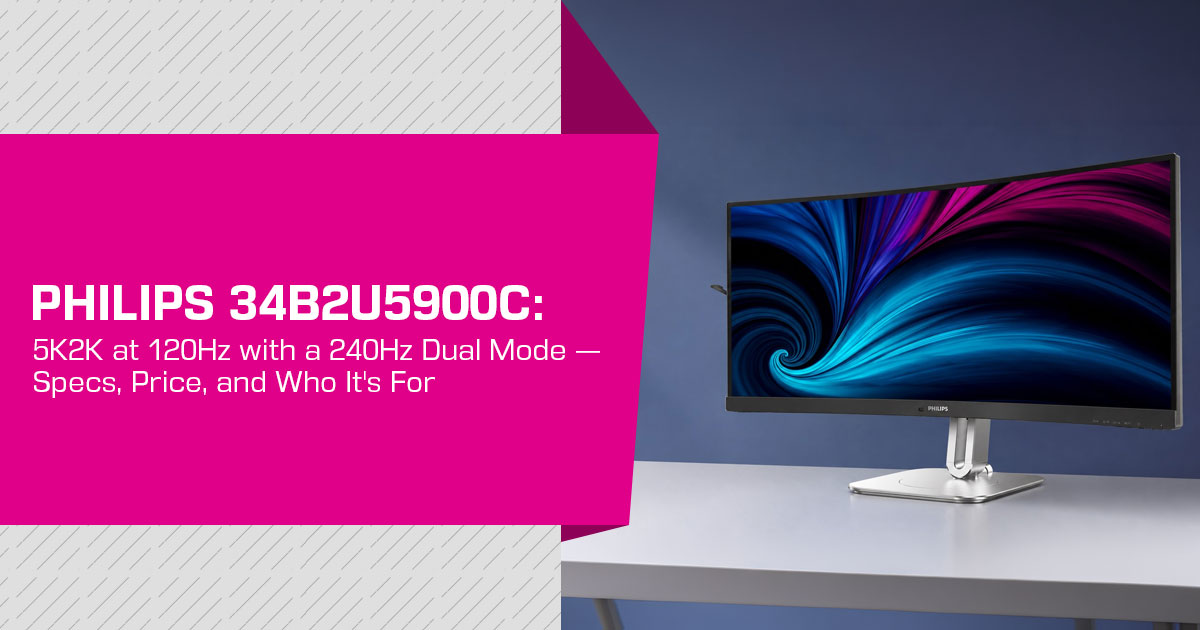
The Philips 34B2U5900C is a 34-inch curved 5K2K monitor built for business use. It runs at 5120×2160 and 120Hz, with a Dual Mode that switches to 2560×1080 at 240Hz. It also includes 140W USB-C power delivery, SmartKVM for two computers, and Calman Ready support.
Philips announced the monitor on June 30, 2026 and lists European availability for September 2026. The UK launch price is £574.99, while European pricing has been reported at €524. Philips describes it as the first curved 34-inch 5K 120Hz business display featuring DLG technology. The Dual Mode concept is more commonly associated with gaming monitors.
The 5K2K 120Hz mode is the main reason to consider this monitor. It provides a wide, high-resolution workspace for development, content creation, data analysis, office work, and multitasking. The 240Hz mode is more specialized and makes the most sense for fast-moving interfaces or occasional gaming.
We assess products from published specifications, technical documentation, available hands-on evidence, and real-world use cases. For this article, the recommendation is based on the documented hardware, connectivity, stated business features, and comparison with competing displays.
In this article, we examine the Philips 34B2U5900C specifications and features, explain Dual Mode and DLG, compare it with other 5K2K monitors and a dual-mode gaming display, and assess where its 240Hz mode makes sense outside gaming.
Testing and sources: We have not physically tested this monitor. This analysis uses Philips’ official specification document and launch material, UK and European launch pricing, and coverage from TFTCentral and other hardware publications. We also checked the comparison models against current manufacturer specifications. Where a claim comes only from Philips, we keep the wording qualified.
At a Glance: Philips 34B2U5900C Key Specs
| Specification | Details |
|---|---|
| Panel | 34-inch curved VA, 1500R curvature, 21:9 aspect ratio |
| Native Resolution | 5120 × 2160 (5K2K / WUHD) at up to 120Hz |
| Dual Mode | 2560 × 1080 at 240Hz, switchable through a dedicated OSD button |
| Pixel Density | 164 PPI |
| Contrast & Brightness | 3000:1 contrast ratio, 350 nits SDR, and 450 nits HDR |
| HDR & Adaptive Sync | VESA DisplayHDR 400 and Adaptive-Sync |
| Response Time | 2ms GtG |
| Color | 95% DCI-P3, 122% sRGB, ΔE < 1 in sRGB mode, and Calman Ready |
| Video Inputs | 2× HDMI 2.1, DisplayPort 1.4, and USB-C with 140W Power Delivery and DisplayPort Alt Mode |
| Hub & Extras | USB 3.2 Gen 2 hub, RJ45 Ethernet with MAPT, PXE and Wake-on-LAN support, plus 2× 5W speakers |
| Business Features | SmartKVM, MultiView (PiP/PbP), PowerSensor, and LightSensor |
| Eye Comfort | TÜV Rheinland hardware Low Blue Light and Eyesafe 2.0 |
| Stand Adjustment | Supports height, tilt, and swivel adjustment |
| Launch Price | £574.99 in the UK and a reported €524 in Europe |
| Availability | European availability scheduled for September 2026, following its 30 June 2026 announcement |
What Is the Philips 34B2U5900C? A 34″ 5K2K Business Ultrawide
The 34B2U5900C belongs to Philips’ 5000 series and uses a 34-inch curved VA panel with a 21:9 aspect ratio and 5120×2160 native resolution. Philips labels the native mode WUHD and rates it at 120Hz, while Dual Mode switches the display to 2560×1080 at 240Hz.
The business-focused hardware includes USB-C with video, data and up to 140W of power delivery, RJ45 Ethernet with MAPT, PXE and WOL support, a USB hub, and SmartKVM. The result is a monitor that can act as the center of a laptop desk rather than just a display.
For most buyers, the 5K2K 120Hz mode is the default. The 240Hz mode is a secondary option with a clear trade-off: resolution falls to 2560×1080.
What Is Dual Mode? (And What Does “DLG Technology” Mean?)
Dual Mode lets the same panel operate in two published display profiles: 5120×2160 at 120Hz and 2560×1080 at 240Hz. The monitor handles the mode change through its controls rather than simply offering another Windows or macOS resolution setting.
That distinction matters because changing the operating-system resolution does not necessarily expose the same refresh-rate profile. Philips does not publish a mode-switching time for this model, so we will not assign a blackout duration or claim that switching takes a specific number of seconds.
Philips describes the 240Hz capability as featuring “DLG technology,” but its public material does not clearly define the acronym for this monitor. The safe, verifiable point is the result: 5120×2160 at 120Hz or 2560×1080 at 240Hz.
Treat Dual Mode as a task-based setting rather than something to switch constantly between individual apps. The 120Hz profile is the sharp productivity mode; the 240Hz profile prioritizes motion and refresh rate.
Why Would a Business Monitor Have a 240Hz Mode?
Philips positions the monitor for mixed professional workflows, including live dashboards, monitoring, training simulations, and occasional gaming. The useful question is where 240Hz adds value beyond the native 120Hz mode.
The 120Hz native mode is the main event
For spreadsheets, documents, code, video editing, and general multitasking, workspace and sharpness matter more than an extreme refresh rate. A 5K2K 120Hz panel already gives smoother scrolling and pointer movement than a typical 60Hz office display.
Where 240Hz at 1080p may help
- Live dashboards and monitoring Fast-updating interfaces can benefit from smoother motion, although text and fine UI elements are less sharp at 2560×1080.
- Training and simulation Higher refresh rates can reduce perceived stutter in applications where motion is a major part of the workflow.
- Two-machine SmartKVM can let two computers share one display and its connected peripherals; the 240Hz mode is a separate feature.
The trade-off
2560×1080 on a 34-inch screen works out to roughly 82 PPI, compared with about 164 PPI in native mode. Text and fine interface elements will look less sharp at 1080p, so this is better treated as a motion-focused mode than a reading mode.
Display Quality: What the 5K2K VA Panel Delivers
Resolution and pixel density. 5120×2160 on 34 inches gives 164 PPI. A 27-inch 4K monitor is around 163 PPI, so the pixel density is familiar to anyone who has used a 27-inch 4K productivity display. It is less dense than a 27-inch 5K panel at roughly 218 PPI.
Panel type. The VA panel is specified at 3000:1 contrast, which can produce deeper blacks and stronger separation in dark scenes. VA panels can show more viewing-angle color shift and slower dark transitions than IPS panels. Philips rates the display at 2ms GtG, but we have not independently measured response time, overshoot, or motion performance.
Brightness and HDR. The monitor is rated at 350 nits in SDR and 450 nits in HDR, with VESA DisplayHDR 400 certification. That is suitable for normal office use but not a strong HDR specification; HDR400 does not imply the local-dimming performance of higher-end HDR monitors.
Color. Philips specifies 95% DCI-P3, 122% sRGB area coverage, and ΔE below 1 in sRGB mode. The monitor is also Calman Ready, but we have not independently measured factory accuracy or calibration results.
Eye comfort. Philips lists TÜV Rheinland Low Blue Light and Eyesafe 2.0 certification, along with LightSensor and PowerSensor features. These can help with long work sessions but do not replace sensible screen positioning and room lighting.
Connectivity and Docking: USB-C 140W, SmartKVM, and Ethernet
The connectivity is one of the monitor’s strongest business features.
- USB-C upstream port — video, data, and up to 140W power delivery over one Philips also specifies 5120×2160 at 120Hz over USB-C; the source device and cable must support the required bandwidth.
- 2× HDMI 1 and DisplayPort 1.4 — additional video inputs for a laptop, desktop, or other source.
- USB 2 Gen 2 hub — keeps connected peripherals at the monitor instead of moving them between computers.
- RJ45 Ethernet with MAPT, PXE, and WOL support — useful for managed business environments and network-boot or wake-on-LAN workflows.
- SmartKVM — one keyboard and mouse can be shared across two computers, with Philips specifying a three-press Ctrl shortcut for switching.
If your desk currently uses a laptop dock, this monitor can replace the dock in many setups: one USB-C connection can carry power, video, data, and network traffic. Check the laptop’s USB-C video capabilities before buying.
Design, Build, and Ergonomics
Philips uses a business-focused design with a three-sided bezel-less front and a stand with height, tilt, and swivel adjustment. The 1500R curve is a moderate curvature on paper.
Two useful details are MultiView for picture-in-picture and picture-by-picture use and a built-in earphone hook on the stand. The two 5W speakers should be fine for calls and meeting audio, but they are not a substitute for dedicated speakers or headphones.
We have not handled the monitor, so weight, stand stability, and panel uniformity remain unverified for this specific model. Those are areas where a hands-on review would add information beyond the published specifications.
The Gaming Crossover Question
Dual Mode is a feature often associated with gaming monitors, so it is fair to ask whether the 34B2U5900C can also handle games. Based on the published specifications, it can work for occasional gaming, but it is not a gaming-first display.
- Adaptive-Sync provides variable refresh rate support for compatible
- The 2560×1080 at 240Hz mode can suit fast-paced games where refresh rate matters more than resolution. At 34 inches, however, 1080p is a low pixel density for a modern gaming display.
- The 2ms GtG rating and DisplayHDR 400 certification are reasonable on paper, but we have not measured input lag, response behavior, overshoot, or HDR performance.
At 5120×2160 and 120Hz, the GPU has to render about 11 million pixels per frame, which is a heavy workload in demanding games. If gaming is the main reason for buying a monitor, a dedicated dual-mode gaming display such as the KTC M27P6 is a better fit. The Philips makes more sense as a work monitor that can handle occasional gaming.
Philips 34B2U5900C vs. Other 5K2K Monitors and a Dual-Mode Gaming Monitor
The table compares three 5K2K productivity monitors with one dual-mode gaming display for context. Figures come from manufacturers’ published specifications and current product listings available at the time of writing; prices are regional and should not be treated as direct like-for-like values.
| Feature | Philips 34B2U5900C | LG 40WP95C | Dell UltraSharp U4025QW | Samsung ViewFinity S8 S85TH (40″) | KTC M27P6 |
|---|---|---|---|---|---|
| Size & Shape | 34″ curved, 21:9, 1500R | 40″ curved, 21:9, 2500R | 40″ curved, 21:9 | 40″ curved, 21:9, 1000R | 27″ flat, 16:9 |
| Resolution | 5120 × 2160 | 5120 × 2160 | 5120 × 2160 | 5120 × 2160 | 3840 × 2160 |
| Panel | VA | Nano IPS | IPS Black | VA | Fast IPS + Mini LED |
| Native Refresh Rate | 120Hz | 72Hz | 120Hz | 144Hz | 160Hz |
| Dual Mode | Yes — 2560 × 1080 at 240Hz | No | No | No | Yes — 1080p at 320Hz |
| USB-C Charging | 140W | 96W via Thunderbolt 4 | 140W via Thunderbolt 4 | 140W via Thunderbolt 5 | 65W |
| HDR | DisplayHDR 400 | HDR10 | DisplayHDR 600 | HDR10+ | DisplayHDR 1400 |
| Contrast Ratio (Spec) | 3000:1 | 1000:1 static | 2000:1 | 3000:1 (per listing) | 1000:1 static |
| KVM | SmartKVM built in | No built-in KVM | Yes, built in | Yes, built in | Yes |
| List Price at Time of Writing | £574.99 UK launch / €524 EU reported | Check current listings | $2,249.99 (Dell.com US) | $1,399.99 (Samsung.com US) | Check current listings |
Reading the table:
- Against the LG 40WP95C, the Philips is smaller and uses VA instead of Nano IPS, but it runs at 120Hz versus 72Hz and adds Dual Mode, SmartKVM and Calman Ready support.
- Against the Dell U4025QW, the Philips is smaller but has the same 120Hz native refresh rate. Dell adds an IPS Black panel, DisplayHDR 600, Thunderbolt 4 and a built-in KVM, making it the more workstation-focused option.
- Against the Samsung ViewFinity S8 S85TH 40-inch, Samsung offers 144Hz, Thunderbolt 5 and a built-in The Philips counters with Dual Mode, 140W USB-C and a smaller 34-inch format.
- Against the KTC M27P6, the comparison shows what a gaming-focused dual-mode monitor looks like: 4K at 160Hz, 1080p at 320Hz, Mini-LED backlighting and HDR1400. It is the better fit if high refresh rate is primarily for gaming.
Pros and Cons
Pros
- 5K2K (5120×2160) at 120Hz with a Dual Mode option is an unusual combination in a business
- 2560×1080 at 240Hz gives the monitor a second high-refresh mode for selected workflows.
- 140W USB-C docking with video, data, and charging in one cable
- Built-in SmartKVM for two-PC desks
- Strong color specifications: 95% DCI-P3, ΔE < 1 in sRGB mode, and Calman Ready support.
- 3000:1 VA contrast for deeper blacks and stronger separation in dark scenes
- Eye-comfort certifications and presence/ambient-light sensors
- £574.99 UK launch pricing is competitive with the larger 5K2K alternatives in the comparison, although currencies and regions differ.
Cons
- The 240Hz mode is 1080p on 34 inches (~82 PPI), so text is noticeably less
- Philips does not publish a mode-switching time, so the exact interruption during a switch is
- DisplayHDR 400 is entry-level; HDR impact will be modest
- 350 nits SDR is average for bright rooms
- VA panel — potential viewing-angle color shift versus IPS in this class
- 5K2K 120Hz requires a source device and cable with enough bandwidth; check the exact output capabilities of your laptop or desktop.
Who Should Buy the Philips 34B2U5900C?
| Your Setup | Recommendation |
|---|---|
| One-cable laptop desk with spreadsheet and document-heavy work | Strong fit. The combination of 5K2K at 120Hz and 140W USB-C docking can replace a separate dock in many laptop-based workspaces. |
| Two PCs (work + personal) sharing one desk | Strong fit. SmartKVM allows two computers to share the display and connected peripherals, simplifying a dual-PC workspace. |
| Trading, NOC, or monitoring dashboards with frequently updating data | Good fit. The optional 240Hz mode can provide smoother motion, while 5K2K mode remains the better choice when maximum sharpness and workspace are priorities. |
| Color work (photo and video) | Good fit on paper. Claimed ΔE < 1, Calman Ready, and 95% DCI-P3 specifications are promising, although independent color measurements are still needed. |
| Primarily a gamer who also works | Weak fit. A dedicated dual-mode gaming monitor is likely the better option when high-refresh gaming performance is the main priority. |
| Mostly 16:9 content with limited desk space | Neutral. The 21:9 ultrawide format requires additional horizontal desk space. A 27–32-inch 16:9 monitor may be more practical for compact setups. |
| Older laptop without DisplayPort 1.4 or HDMI 2.1 output | Check compatibility first. The source device must provide sufficient display bandwidth to drive 5K2K at 120Hz at the intended color depth and settings. |
Price and Availability
Philips lists the 34B2U5900C for European availability in September 2026 at a UK launch price of £574.99. European pricing has been reported at €524. Philips announced the product in Singapore on June 30, 2026. US and Indian availability had not been officially confirmed at the time of writing.
For context, Dell lists the U4025QW at $2,249.99 in the US, while Samsung lists the ViewFinity S8 S85TH at $1,399.99 in the US. These are different regions and currencies, so treat the comparison as directional. The Philips differentiates itself with 5K2K at 120Hz, Dual Mode, 140W USB-C and SmartKVM.
Frequently Asked Questions
Can the Philips 34B2U5900C power a laptop over USB-C?
Yes. Philips specifies USB-C power delivery up to 140W, along with video and data. The laptop, cable and USB-C implementation still need to support the required power and display bandwidth.
Does the Philips 34B2U5900C have built-in KVM?
Yes. SmartKVM lets one keyboard and mouse work across two connected computers, making the monitor suitable for desks that switch between a work system and a personal system.
Can the Philips 34B2U5900C replace a separate laptop dock?
In many setups, yes. Its USB-C connection can carry display, data and power, while the monitor adds USB peripherals and Ethernet. Check your laptop’s USB-C video and power requirements before relying on it as the only dock.
Does the Philips 34B2U5900C support Ethernet and network boot?
Yes. The monitor has an RJ45 Ethernet port with 2.5GbE support, and Philips lists MAPT, PXE and WOL features for managed-network and network-boot workflows.
Final Verdict
The 5K2K 120Hz panel is the main reason to buy the 34B2U5900C. The rest of the package adds useful business features: 140W USB-C docking, SmartKVM, Ethernet, MultiView and Calman Ready support. The 240Hz mode is useful for a narrower set of fast-moving workloads, but it comes with a large drop in resolution.
Buy it if you want a 5K2K 120Hz work display with USB-C docking, need to share one desk between two computers, or have a real use for a high-refresh 1080p mode. Hold off if gaming is your main priority or your laptop cannot drive 5K2K at 120Hz. If 240Hz is the main reason you are interested, remember the trade-off: 2560×1080 on 34 inches is about 82 PPI.
Where to Buy — Check Current Prices
The monitor is listed for European availability in September 2026. Pricing and stock can change, so check the exact model number and regional listing before ordering.
Amazon US
If a US listing appears, verify that it is the exact 34B2U5900C model and review the warranty and return terms before ordering.
👉 Check alternative options and availability on Amazon US
Amazon India
For Indian buyers, verify the exact model number, seller, warranty coverage and import costs if an import listing appears.
👉 Check alternative options and availability on Amazon India
Alternative worth considering if your use case is gaming-first: KTC M27P6 on Amazon India.
Have questions about the Philips 34B2U5900C or want us to check something specific? Leave a comment below and ask us. If you find our hardware reviews useful, follow us for more monitor, PC hardware, and technology reviews based on real-world use rather than just the spec sheet.
Disclaimer

This article reflects our research and analysis based on available product information and industry sources. It is not the official position of Philips or any other manufacturer mentioned here.

Specifications, pricing, availability, firmware and features can change after publication. Check the manufacturer or retailer listing for the latest information before buying.

Some links in this article may be affiliate links. If you buy through them, we may earn a small commission at no extra cost to you. Affiliate relationships do not influence our recommendations.

Opinions expressed by readers are their own and do not necessarily reflect ours. We are not responsible for outcomes resulting from the use of information on this site. Please seek professional advice where appropriate.

All product names, logos, and brands mentioned are the property of their respective owners. These names are used for identification and informational purposes only and do not imply endorsement.
