
Introduction
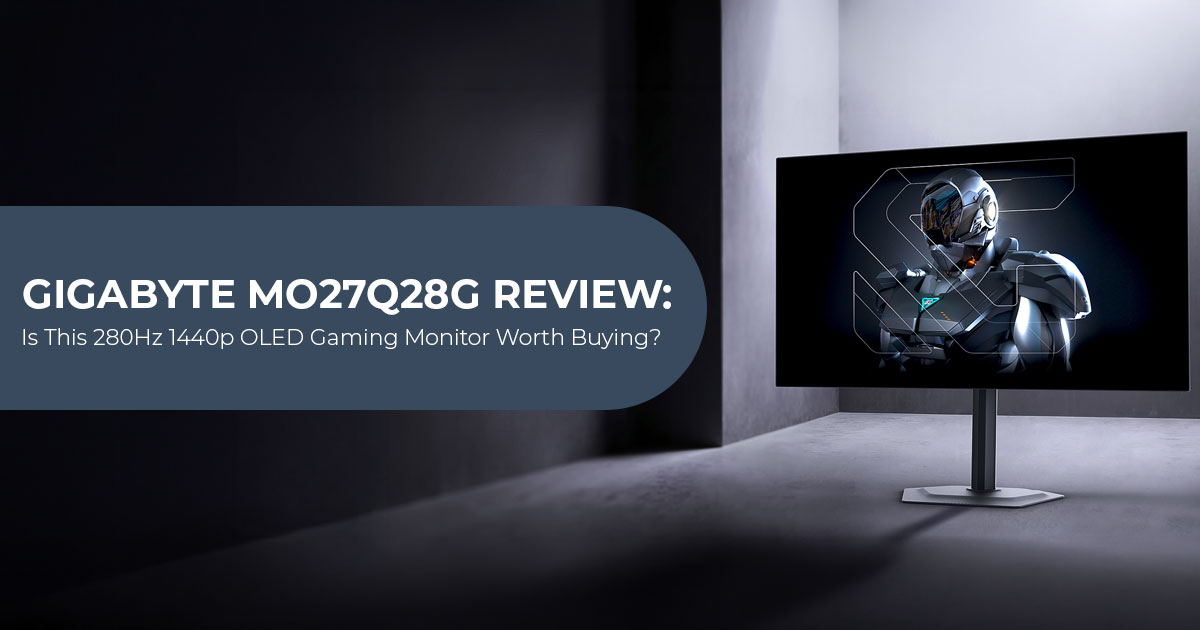
The Gigabyte MO27Q28G is a 27-inch 1440p OLED gaming monitor with a 280 Hz refresh rate and a fourth-generation Primary RGB Tandem WOLED panel. It launched at around $600, although a temporary US price of about $400 makes it much more competitive.
The core specifications are strong. You get OLED’s deep blacks and high contrast, a 280 Hz refresh rate, and 1440p resolution at 27 inches. The more important question is how these features perform in actual use and what compromises Gigabyte made to reach this price.
The MO27Q28G is aimed mainly at PC gamers, competitive gamers, and users upgrading from an IPS or VA monitor to OLED. It also suits buyers who want high-refresh-rate 1440p gaming without the GPU demands of 4K. For office work, however, text clarity and OLED characteristics are worth considering before buying.
With more than 20 years of experience in hardware and application research and development, we evaluate products beyond their specifications. We consider performance, component quality, durability, usability, and value for money. Our recommendations are based on product research, component analysis, real-world usability, and industry experience.
Our research points to a clear conclusion: the Gigabyte MO27Q28G is a strong option for gamers who want OLED image quality, high brightness, and fast 1440p gaming. Its main drawbacks are modest USB-C charging, possible VRR flicker, panel uniformity variation, and less-than-ideal text clarity for some users.
Price is also important. At around $400, its weaknesses are easier to overlook. At $600, they matter more. In this review, we’ll look at its gaming performance, image quality, features, connectivity, everyday usability, and value to see whether it is worth buying.
Testing note: This review combines manufacturer specifications with published independent testing and product research.
Gigabyte MO27Q28G: Quick verdict
The Gigabyte MO27Q28G is a strong value among 280 Hz OLED monitors when discounted, but the price matters. At around $400–$500, its combination of features makes it easier to recommend. At $600, competing OLED monitors deserve a closer look.
Its main strengths are the fourth-generation Primary RGB Tandem WOLED panel, 280 Hz refresh rate, DisplayHDR True Black 500, built-in KVM, matte anti-reflection coating, and three-year warranty with panel burn-in coverage listed by Gigabyte.
Its main limitations are the 18 W USB-C Power Delivery rating, possible VRR flicker, possible grey uniformity or banding issues on some units, and text fringing caused by the panel’s subpixel layout.
Bottom line: check the current price first. At approximately $400–$500, the MO27Q28G becomes easier to recommend. At its full list price, compare it carefully with newer QD-OLED and higher-refresh-rate alternatives.
Gigabyte MO27Q28G specifications
| Feature | Gigabyte MO27Q28G | What It Means for Buyers |
| Screen Size | 27 inches (26.5-inch viewable area) | A practical size for competitive gaming and general desk use |
| Resolution | 2560 × 1440 (QHD / 1440p) | Sharper than 1080p without the GPU demands of 4K |
| Panel | Fourth-generation Primary RGB Tandem WOLED | Combines OLED contrast with a design focused on higher brightness and efficiency |
| Refresh Rate | 280Hz | Provides smoother motion when the computer can produce sufficiently high frame rates |
| Advertised Response Time | 0.03ms GtG | Promises fast pixel transitions, although total gaming latency also depends on input lag, frame rate, and system configuration |
| HDR Certification | VESA DisplayHDR True Black 500 | Certifies deep OLED black levels and HDR performance against VESA requirements |
| Peak HDR Brightness | Up to 1,500 nits at 1.5% HDR APL | Supports bright HDR highlights but does not promise 1,500-nit full-screen output |
| Color Coverage | 99.5% DCI-P3 and 84% BT.2020 | Provides a wide color range for games, video, and general content |
| Adaptive Sync | AMD FreeSync Premium Pro and NVIDIA G-SYNC Compatible | Helps reduce screen tearing and stutter as frame rates change |
| Ports | 2× HDMI 2.1, DisplayPort 1.4, USB-C with DP Alt Mode, USB hub, and 3.5mm audio | Offers flexible connectivity for PCs, consoles, laptops, and peripherals |
| USB-C Charging | 18W standard Power Delivery, with Dynamic 45W Smart PD listed by Gigabyte | Suitable for accessories and light charging but limited for many laptops |
| KVM | Included | Allows one keyboard and mouse to be shared between two connected systems |
| Speakers | 2× 5W | Useful for basic audio but not a replacement for dedicated speakers or headphones |
| Stand | Height, tilt, swivel, and pivot adjustment | Provides better ergonomics without immediately requiring a monitor arm |
| Warranty | Three years, including panel burn-in protection according to Gigabyte | A meaningful consideration for long-term OLED ownership; regional terms should be checked before purchase |
What makes the Tandem WOLED panel different?
The MO27Q28G uses a fourth-generation Primary RGB Tandem WOLED panel. In simple terms, the panel uses stacked light-emitting layers rather than relying on a single emissive layer. The design is intended to improve brightness, colour performance, and efficiency compared with earlier WOLED designs.
The panel technology also has limitations. A Tandem OLED gaming monitor can still show issues with uniformity, text rendering, and variable-refresh behaviour. The panel design is intended to deliver higher brightness and efficiency than earlier WOLED generations, but it does not remove every OLED limitation.
Why 1440p makes sense at 280 Hz
The Gigabyte MO27Q28G 1440p OLED monitor uses a sensible resolution for high-refresh gaming. Running a game at 280 fps in 4K requires far more GPU performance than reaching the same frame rate at 1440p. At 2560 × 1440, a strong mid-range or upper-mid-range GPU has a more realistic path to high frame rates in esports games.
For competitive shooters, racing games, and other fast-paced titles, 1440p and 280 Hz offer a practical balance between image quality and frame rate.
Gigabyte MO27Q28G gaming performance
The biggest benefit of 280 Hz comes when your PC can produce high frame rates. The MO27Q28G is therefore best matched with:
- Competitive shooters where frame rate is prioritised
- Racing and rhythm games with rapid movement
- Gaming PCs capable of producing high frame rates at 1440p
- Players who value low blur and responsive controls more than 4K detail
The OLED panel’s near-instant pixel response helps reduce ghosting. Unlike many LCD monitors, OLED panels do not rely on aggressive pixel overdrive, which can introduce bright or dark trailing artefacts.
The 0.03 ms response time is a manufacturer rating, not a complete measure of gaming latency. Input lag, frame rate, refresh rate, and system performance also affect how responsive the monitor feels.
Tactical Switch 2.0 and Ultra Clear
Gigabyte includes Tactical Switch 2.0, which lets users change selected display modes quickly. The feature is aimed at players who prefer a smaller image area or a different aspect ratio for competitive play.
Ultra Clear can improve motion clarity, but may reduce brightness or introduce flicker. It’s a useful extra, not a reason to buy the monitor.
HDR, brightness, and image quality
The advertised 1,500-nit HDR peak brightness applies to a small highlight area. It does not mean the entire screen can sustain 1,500 nits. This distinction matters because OLED monitors generally reduce output when large portions of the screen become bright.
The MO27Q28G’s DisplayHDR True Black 500 certification is relevant because OLED displays can produce very dark black levels while retaining strong contrast. Bright highlights and deep blacks can make games and films look more dimensional than they do on a conventional IPS display.
The monitor’s wide 99.5% DCI-P3 colour gamut also benefits games and video. However, wide gamut is not the same as perfect accuracy. Content designed for a narrower colour space can appear oversaturated unless the correct picture mode or calibration is used.
Matte coating versus glossy OLED
The standard MO27Q28G uses a matte anti-reflection coating. That makes it easier to use in a bright room with windows or overhead lighting. The trade-off is that a matte surface can look less glossy than a reflective panel in a controlled dark room.
The related Gigabyte MO27Q28GR uses a glossy RealBlack finish. The two models share much of the core specifications, but the coating changes the ownership experience:
| Model | Surface | Better Choice For |
| MO27Q28G | Matte anti-reflection | Bright rooms, mixed work and gaming, and users sensitive to reflections |
| MO27Q28GR | Glossy RealBlack | Controlled lighting and users who prioritize a more vivid glossy appearance |
Choose between them based on your room, not the model suffix. A glossy panel can look excellent in a dark room, but reflections are more obvious under windows and lamps.
Design, stand, and connectivity
The monitor has a four-sided borderless design and a compact metal stand. Height, tilt, swivel, and pivot adjustment are included, which reduces the need for immediate accessory spending.
Connectivity includes two HDMI 2.1 inputs, DisplayPort 1.4, USB-C with DisplayPort Alternate Mode, USB-A ports, a USB upstream connection, and a 3.5 mm headphone jack. It also includes built-in speakers rated at 5W each.
Is the USB-C port powerful enough for a laptop?
The MO27Q28G’s USB-C connection supports video and 18 W of standard Power Delivery, with Gigabyte also listing a Dynamic 45 W Smart PD mode. That’s below the 65 W or higher output available from many laptop docks, so demanding laptop users may still need their own charger.
A laptop can use one USB-C cable for video, but may still need its charger under heavy loads. Buyers seeking a single-cable laptop setup should keep the monitor’s USB-C charging limits in mind, especially when using a laptop that needs more power under heavy workloads.
Why the KVM switch matters
The built-in KVM switch is useful for anyone who uses a gaming desktop and a work laptop at the same desk. A compatible keyboard and mouse can be shared between systems, reducing cable swapping.
KVM matters most if you switch between two computers. For a single-PC setup, it adds little value.
OLED ownership: burn-in, banding, and text clarity
OLED requires more care than a conventional IPS monitor, particularly if the screen displays static content for long periods. Gigabyte provides AI OLED Care and pixel-refresh features intended to reduce burn-in risk. The published three-year panel warranty with burn-in coverage is also relevant, but buyers should read the regional warranty terms before ordering.
Published reviews and owner discussions identify three issues worth checking:
- Grey uniformity: some units may show uneven areas or banding in dark grey
- VRR flicker: brightness can fluctuate when frame rates change, particularly when they are
- Text fringing: the WOLED subpixel arrangement may make small text look less clean than it does on a good IPS panel.
These issues do not affect every unit in the same way. They matter more to office users, content editors, and people who frequently view dark grey interfaces than to users who mainly play games and watch video.
For mixed use, enable OLED Care features, use sensible brightness, allow the monitor’s pixel-refresh routine to run, and avoid leaving static desktop elements displayed for long periods.
Gigabyte MO27Q28G compared with alternatives
| Monitor Category | MO27Q28G Advantage | Alternative May Be Better When |
| 27-inch 1440p QD-OLED | Tandem WOLED brightness and a matte coating | Wider color volume, a glossy coating, or a higher refresh rate is more important |
| 27-inch 1440p IPS | Deeper black levels, faster pixel response, and stronger HDR contrast | Long periods of static office use and crisp text matter more than HDR and motion clarity |
| 27-inch 4K OLED | Easier to achieve high frame rates at 1440p, with lower GPU demand | Productivity, fine-text clarity, and higher pixel density are priorities |
| 480Hz OLED | A more balanced mix of image quality, features, resolution, and price | Competitive esports performance is the top priority and the PC can sustain extremely high frame rates |
| Gigabyte MO27Q28GR | Matte coating is better suited to brighter rooms and reflection control | A glossy appearance and darker perceived blacks in controlled lighting are preferred |
MO27Q28G versus a cheaper IPS gaming monitor
A fast IPS display may provide sharper text, lower ownership concerns, and a lower price. The MO27Q28G justifies its premium through OLED contrast, rapid pixel response, HDR performance, and a high refresh rate.
For a buyer who spends most of the day editing documents and only occasionally games, IPS may be the more practical choice. For someone who plays fast games and wants dark blacks, the OLED model offers a clearer upgrade in contrast, response time, and HDR performance.
Pros and cons
Pros
- 280 Hz refresh rate at a manageable 1440p resolution
- Fourth-generation Tandem WOLED panel technology
- Strong HDR potential with DisplayHDR True Black 500
- Advertised 1,500-nit HDR peak brightness for small highlights
- Wide 5% DCI-P3 coverage
- KVM switch for two-system setups
- Matte anti-reflection finish for bright rooms
- Height, tilt, swivel, and pivot adjustment
- Three-year warranty with panel burn-in coverage listed by Gigabyte
Cons
- USB-C Power Delivery is modest, with 18 W standard PD and Dynamic 45 W Smart PD listed by Gigabyte
- VRR flicker can occur in some frame-rate situations
- Grey uniformity or banding may vary between panels
- WOLED subpixel layout can affect small text clarity
- Matte coating may look less glossy than the MO27Q28GR
- 280 Hz is most useful when the PC can produce high frame rates
- The $399–$400 deal price is time-sensitive and may no longer be available
Who should buy the Gigabyte MO27Q28G?
The Gigabyte MO27Q28G makes sense for:
- PC gamers seeking a 1440p 280 Hz OLED monitor
- Buyers who want OLED contrast without moving to 4K
- Users with bright rooms who prefer a matte panel
- People who switch between a desktop and laptop and need a KVM
- Buyers who can find it around $400–$500
It is less suitable for:
- Office-first users who need the clearest small text
- Laptop users who expect one USB-C cable to provide high-wattage charging
- Buyers who want to avoid OLED-specific maintenance and possible panel uniformity issues
- Gamers whose hardware rarely produces high frame rates at 1440p
- Users who specifically want a glossy panel
Gigabyte MO27Q28G price and deal advice
At the time of our research in August 2026, a temporary $200 discount had reduced the monitor from roughly $600 to about $400 at Newegg. Because the report is time-sensitive, the price should not be treated as permanent.
Our price guide:
| Current Price | Recommendation |
| Around $400 | Strong value, provided the seller is reputable and the warranty is valid |
| Around $450–$500 | Worth considering alongside competing 1440p OLED gaming monitors |
| Around $600 | Compare it carefully with current QD-OLED and higher-refresh alternatives |
| Above $600 | Wait for a sale unless you specifically need its matte finish, KVM switch, or warranty coverage |
Always verify delivery location, return terms, dead-pixel policy, burn-in coverage, and whether the seller is authorised. These details can matter more than a small price difference.
Frequently asked questions about the Gigabyte MO27Q28G
Is the Gigabyte MO27Q28G a 4K monitor?
No. The MO27Q28G is a 2560 × 1440 QHD monitor, not a 4K display. Its lower resolution makes 280 Hz gaming more achievable on current graphics cards.
Is the MO27Q28G good for competitive gaming?
It is well suited to competitive gaming because it combines a 280 Hz refresh rate, fast OLED pixel response, adaptive sync, and a 1440p resolution. The benefit is greatest when the computer can maintain high frame rates.
Does the MO27Q28G support G-Sync and FreeSync?
Gigabyte lists Nvidia G-Sync Compatible and AMD FreeSync Premium Pro support. Actual behavior can vary with the GPU, cable, firmware, and display mode.
Does it have HDMI 2.1?
Yes, the monitor includes two HDMI 2.1 inputs. Buyers should still verify the maximum supported resolution and refresh combination for their particular device, because an HDMI 2.1 label does not guarantee full-bandwidth performance in every implementation.
Is the Gigabyte MO27Q28G worth buying for work?
It can work well for mixed gaming and productivity, especially because of its KVM and ergonomic stand. Buyers who spend many hours reading small text should compare it with a high-quality IPS or a display with a subpixel layout they find clearer.
Does it include burn-in protection?
Gigabyte lists a three-year warranty including panel burn-in protection for this model. Warranty terms vary by market, so confirm the local policy before purchase.
Final verdict
The Gigabyte MO27Q28G is a strong 1440p OLED gaming monitor, but it’s not the best choice for every type of user. Its 1440p resolution, Tandem WOLED panel, HDR performance, matte coating, and KVM make it well suited to gaming, mixed use, and bright-room viewing.
Price is the deciding factor. At around $400, the MO27Q28G is easy to recommend. At $600, the competition becomes much stronger, with QD-OLED and higher-refresh-rate models offering alternatives.
Before buying, check the current price, confirm the local burn-in warranty, and decide whether the USB-C charging limits, text clarity, and possible uniformity issues matter for your use.
Check current prices and availability:
Amazon Worldwide
For readers in the United States, check the latest Gigabyte MO27Q28G price on Amazon US before ordering. Compare the live price with the $400–$500 buying thresholds above, and confirm the seller, return policy, shipping date, and warranty terms.
Check Gigabyte MO27Q28G offers on Amazon Worldwide
Amazon India
Availability and pricing in India may differ substantially from US listings. Check the Gigabyte MO27Q28G price on Amazon India and confirm Indian warranty support, import status, delivery charges, and return conditions before purchasing.
Check Gigabyte MO27Q28G offers on Amazon India
If you’re considering the Gigabyte MO27Q28G or have questions about its performance, features, or limitations, let us know in the comments. Share your experience, ask your questions, or tell us what you’d like us to test next. If you find our reviews useful, follow us for more hardware reviews, comparisons, and buying guides.
***Disclaimer***
This blog post reflects our research, analysis, and opinions based on available product information, user feedback, and industry knowledge. It should not be taken as the official position of any brand, manufacturer, or company mentioned here. We make every effort to keep this guide accurate, but product specifications, pricing, and availability may change after publication. We recommend double-checking important details before making a purchase.
Some links in this article may be affiliate links. If you choose to buy through these links, we may earn a small commission at no extra cost to you. This helps support our work and allows us to keep publishing in-depth, unbiased reviews. Affiliate partnerships never influence our recommendations.
Opinions expressed by readers are their own and do not necessarily reflect ours. We are not responsible for outcomes resulting from the use of information on this site. Please seek professional advice where appropriate.
All product names, logos, and brands mentioned are the property of their respective owners. These names are used for identification and informational purposes only and do not imply endorsement.
