
Introduction
If you travel with your laptop every day, weight matters—but so do battery life, screen quality, performance, and reliability. Finding a business laptop that gets those basics right without becoming heavy or expensive is not easy. The HP EliteBook X G2i is designed to address that balance.
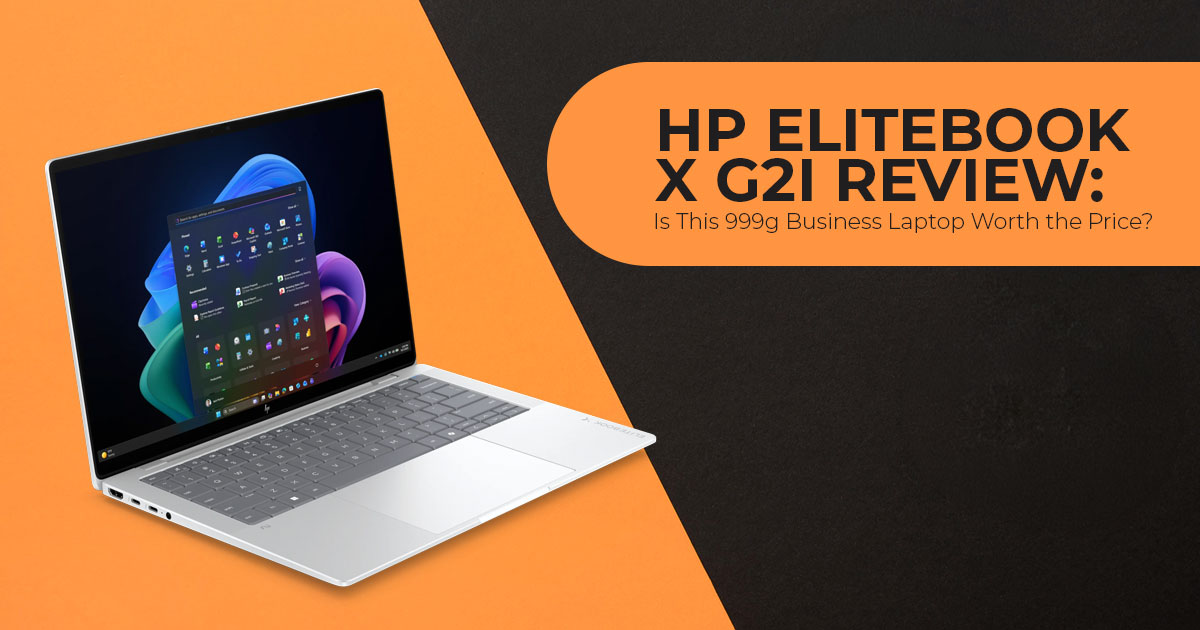
At 999g, the 14-inch HP EliteBook X G2i is built for business professionals, executives, remote workers, frequent travelers, and corporate users who need a full-featured work laptop that is easy to carry. It uses Intel’s Panther Lake platform and includes a 50 TOPS NPU, making it a Copilot+ PC.
The specifications look good, but the buying decision is less straightforward. There are several display configurations, the RAM is soldered, battery life depends on how you use the machine, and the HP EliteBook X G2i price can vary sharply between regions and configurations. A cheaper model is not necessarily the better deal, and paying more does not always mean getting the hardware you need.
We have not tested the HP EliteBook X G2i ourselves. This review combines HP’s published specifications, retail and channel listings from three regions, and independent test results from reviewers who have used production and pre-production units. We identify external test results where relevant.
With more than 20 years of experience in hardware and application research and development, we assess products based on real-world performance, durability, component choices, usability, and value for money. For this laptop, that means looking at more than the specification sheet and focusing on what you actually get for the price.
We will examine HP EliteBook X G2i battery life, performance, display quality, portability, soldered RAM, build quality, pricing, and the different configurations available. Most importantly, we will help you decide which version makes sense for your workload and which one is better left on the shelf.
HP EliteBook X G2i Overview: What You Are Actually Buying
The EliteBook X sits above HP’s EliteBook 8 and ProBook ranges, with a thinner chassis, higher-end display options, and HP’s business security features.
The G2i is the Intel version. HP also sells:
| Model | Silicon | Form Factor |
| HP EliteBook X G2i | Intel Core Ultra (Panther Lake) | Clamshell |
| HP EliteBook X G2a | AMD Ryzen AI | Clamshell |
| HP EliteBook X G2q | Qualcomm Snapdragon | Clamshell |
| HP EliteBook X Flip G2i | Intel Core Ultra (Panther Lake) | 360-degree convertible |
We cover the differences between these in the comparison section below, because HP’s own product pages do not make the trade-offs especially clear.
Full specifications
| Component | Specification |
| Processor options | Processor options vary by region and configuration, including Intel Core Ultra X7 358H, Core Ultra 7 366H, Core Ultra 7 356H, Core Ultra 5 338H, Core Ultra 5 335 and Core Ultra 5 325 |
| Top CPU configuration | 16 cores (4 performance + 8 efficiency + 4 low-power efficiency), 16 threads, 18MB L3, up to 4.8GHz |
| Integrated graphics | Intel Arc B390 (12 Xe3 cores) on X7 SKUs; Intel Graphics on lower SKUs |
| NPU | Intel AI Boost, 50 TOPS, INT8 and FP8 support |
| AI frameworks | OpenVINO, WebNN, WindowsML, ONNX Runtime |
| Memory | 16GB to 64GB LPDDR5x memory, onboard and non-upgradeable; speeds vary by configuration up to 9600 MT/s. |
| Storage | Up to 2TB PCIe Gen 5 NVMe SSD |
| Display options | 14-inch 3K OLED, 120Hz VRR, 500 nits; 14-inch |
| Component | Specification |
| 3K Tandem OLED, 120Hz VRR, 700 nits; and several WUXGA LCD/OLED options, including 300-, 400-, 500- and 800-nit configurations depending on SKU. | |
| Touch | Optional |
| Privacy screen | Optional HP Sure View |
| Weight | From 999g (2.2 lbs) |
| Dimensions | 312.7 × 217 × 7.9–14.3mm |
| Battery | 56Wh (lightweight variant) or 68Wh |
| Charging | 65W or 100W USB-C power adapter, depending on configuration and region |
| Ports | 2 × Thunderbolt 4 / USB4, 1 × USB-C 10Gbps, 1 × USB-A 5Gbps, HDMI 2.1, 3.5mm audio combo jack |
| Wireless | Wi-Fi 7 (Intel BE211), Bluetooth 6.0, optional 5G sub-6 via eSIM |
| Audio | Quad speakers tuned by Poly Studio, dual-array microphone, AI noise reduction |
| Security | HP Wolf Pro Security Edition, Endpoint Security Controller, Sure Click, Sure Sense, Tamper Lock, BIOSphere, vPro on selected SKUs |
| Operating system | Windows 11 Pro (Home available) |
| Colours | Atmospheric Blue, Eclipse Grey, Glacier Silver |
| Platform and certifications | Copilot+ PC; TCO Certified Generation 10; ENERGY STAR on selected configurations |
Design and Build: Why 999g Is the Headline Specification
Weight is the clearest thing the HP EliteBook X G2i has going for it. At 999g, it is lighter than many 14-inch business laptops.
The useful part is that HP keeps a good selection of full-size ports. Many lightweight laptops reduce the number of full-size ports to save space and weight. This one keeps two Thunderbolt 4 ports, a USB-A port, HDMI 2.1, and a headphone jack.
You can connect a projector, USB-A device or security key without carrying a hub. The two USB-C ports also let you charge from either side of the laptop. For people who move between offices or client sites, that makes the port selection useful.
The chassis measures 312.7 × 217mm and tapers from 7.9mm at the front to 14.3mm at the hinge. HP finishes it in Atmospheric Blue, Eclipse Grey, or Glacier Silver depending on the SKU and region.
HP says the EliteBook X line undergoes MIL-STD testing. We have not found enough independent testing of the G2i to make a firm judgment about long-term chassis rigidity. If you are moving from a heavier EliteBook, the sub-1kg design will feel different in the hand.
Display Options: 3K OLED, Tandem OLED and WUXGA
HP offers several display configurations, and this is one of the most important choices to make when ordering the laptop.
| Main display options | Resolution | Refresh rate | Brightness | Practical trade-off |
| 3K OLED | 2880 × 1800 | 120Hz VRR | 500 nits | Best balance of sharpness and motion; higher power draw than IPS |
| 3K Tandem OLED | 2880 × 1800 | 120Hz | up to 700 nits | Brightest option for well-lit rooms; glossy finish reflects more; highest power draw |
| WUXGA options | LCD and OLED configurations are available, depending on SKU | Best suited to buyers who prioritise lower cost or battery life; refresh rate and panel type vary by configuration | ||
For most buyers, the 3K 120Hz OLED is the best balance of resolution, refresh rate and image quality. It provides a sharp 2880 × 1800 image and smoother scrolling than the 60Hz WUXGA option.
Choose the Tandem OLED only if you regularly work near windows or outdoors, and accept both the reflections and the battery cost.
Choose the 60Hz WUXGA IPS configuration if runtime is your highest priority and you can live with a lower refresh rate.
One counterpoint worth reading before you commit: in its published review, Digit.in rated the machine 7/10 overall and described the display as the area where the laptop left the reviewer wanting more, relative to the price. That is a subjective assessment from one outlet, but it is a reasonable prompt to view the panel in person if you can, particularly if you are buying at Indian retail pricing.
Adding HP Sure View changes the picture again. The integrated privacy filter narrows viewing angles on demand, which is useful on a plane or in an open-plan office. It also reduces perceived brightness and colour accuracy when engaged. Reviewers covering the previous-generation EliteBook X Flip listed Sure View as a con on configurations where it was not needed. Order it only if your work genuinely requires shoulder-surfing protection.
Performance: What Panther Lake and Intel Arc B390 Change
The top configuration uses the Intel Core Ultra X7 358H, part of Intel’s Core Ultra Series 3 family. It has 16 cores—four performance cores, eight efficiency cores and four low-power efficiency cores—and 16 threads, with up to 4.8GHz boost clock and 18MB of L3 cache.
Two things stand out from the published technical material.
First, the multi-core gain is larger than the single-core gain. Based on TechRadar’s hands-on coverage, single-threaded performance is not dramatically ahead of the previous-generation Core Ultra 7 265H, but multi-core throughput is significantly improved. For workloads that use multiple cores, the difference should be more noticeable in tasks such as code compilation, large spreadsheet calculations and sustained content creation.
Second, the integrated GPU is one of the biggest changes in this generation. The Intel Arc B390 iGPU is a substantial step up from the previous Arc 140V and, according to TechRadar’s early assessment, outperforms AMD’s Radeon 890M. Intel rates the graphics block at up to 122 TOPS for AI work.
What this means for the buyer: The Intel Core Ultra X7 358H and Arc B390 make the laptop suitable for light photo editing, productivity graphics work and casual gaming. It is still not designed for sustained workstation-class workloads.
Intel’s Own HP EliteBook X G2i Benchmark Results
Intel has published benchmark results for an HP EliteBook X G2i configured with the Core Ultra X7 358H, 32GB LPDDR5x-9600 memory, a 1TB SSD and a 2.8K OLED display. In Intel’s testing, the system delivered up to 16% better single-core and 38% better multi-core performance than an HP EliteBook Ultra G1q with the Qualcomm Snapdragon X Elite X1E-78-100, based on Cinebench 2024 results.
Intel’s battery testing on the same HP EliteBook X G2i recorded up to 11.7 hours of Office Productivity, 16.7 hours of 4K YouTube streaming, and 7.9 hours during a 10-person Teams video call with Windows Studio Effects enabled. These are Intel’s own test results, so they should not be treated as independent review measurements. Intel’s comparisons also use different systems, memory configurations, display resolutions and power settings, so the results should be viewed as vendor-reported benchmark comparisons rather than universal performance differences.
Making sense of the TOPS numbers
The AI performance figures for this laptop are quoted in different ways, which can make the specifications confusing.
| Figure | What It Refers To |
| 50 TOPS | The Intel AI Boost NPU alone. This is the figure that meets Microsoft’s Copilot+ PC requirement. |
| Up to 122 TOPS | Intel’s stated AI-performance figure for the Arc B390 integrated GPU. |
| Up to 180 TOPS | Combined platform AI performance across the CPU, GPU, and NPU. |
| 85 TOPS | HP’s maximum NPU figure for the Qualcomm-based EliteBook X G2q, not the Intel-based G2i. |
For Copilot+ PC requirements, the 50 TOPS NPU is the key figure. Copilot+ features including Recall, Live Captions with translation, Windows Studio Effects, and Cocreator require a 40+ TOPS NPU, and the G2i clears that threshold. The higher combined figures are relevant only for applications that explicitly distribute AI workloads across the GPU as well.
Practical AI use cases
The NPU handles background blur, portrait lighting, eye contact correction, voice levelling, and AI noise reduction during video calls. HP layers its own Studio Mode and audio processing on top of the Windows Studio Effects baseline.
Moneycontrol made a useful observation in its review: because these video effects run on the NPU rather than the CPU, they consume less power during long meetings than the equivalent software-based processing would. For people who spend several hours a day on video calls, this is one of the more useful applications of the NPU.
Local AI model inference is possible, but the practical workload depends on the model, available memory, software support and whether the CPU, GPU or NPU handles the task.
HP EliteBook X G2i Battery Life: The Independent Numbers
HP lists battery capacity and charging specifications, while independent reviews provide a better indication of real-world runtime.
| Source | Test Method | Result | Configuration Notes |
| Digit.in | PCMark battery test at 50% brightness in best-efficiency mode | Approximately 12 hours | Indian retail unit |
| Moneycontrol | Mixed real-world use at 50% brightness with the keyboard backlight enabled | Approximately 9 hours | 68Wh battery |
| Sellup (Singapore) | Productivity loop at 50% brightness with Wi-Fi enabled | Approximately 12 hours | 2.8K OLED touchscreen configuration |
| Sellup | Sustained Microsoft Teams video calls | Approximately 18% battery drain per hour | Implies roughly 5.5 hours of continuous video calls under similar conditions |
| TechRadar | Pre-production hands-on evaluation | Not disclosed | Battery life described as excellent for its class |
The independent results we found range from about 9 to 12 hours, depending on the workload and configuration. The lower result came from mixed real-world use, while the higher results came from lighter productivity tests.
Intel’s own testing of a 68Wh HP EliteBook X G2i with the Core Ultra X7 358H recorded up to 11.7 hours in its Office Productivity test. Because Intel’s test method differs from those used by independent reviewers, we do not treat the figure as a direct comparison with the 9–12-hour independent results above.
The panel and battery capacity have a major effect on runtime. HP ships either a 56Wh cell in the lightest variant or a 68Wh cell in standard configurations. If runtime matters, confirm which battery is in the SKU you are ordering, because the lighter build trades capacity for grams.
Charging is quick. HP rates Fast Charge at up to 50% in 30 minutes when the system is off or in standby and the supplied adapter is used.
One caution from TechRadar’s hands-on: the review unit was occasionally particular about which third-party 65W chargers and power banks it would draw full power from. That may be pre-production behaviour rather than a shipping issue, but it is worth knowing if you plan to travel with a single multi-device charger.
Connectivity: Wi-Fi 7, Bluetooth 6.0, and Optional 5G
Wireless connectivity includes Wi-Fi 7 and Bluetooth 6.0, with an Intel BE211 module on supported configurations.
The other major connectivity option is 5G. 5G is available on selected configurations, with sub-6GHz support and eSIM. Availability varies by SKU and region.
What this means for the buyer: if you regularly work from trains, airports, hotels, or client offices with restrictive guest networks, built-in cellular removes the tethering step and the security exposure of public Wi-Fi. It also adds cost and a small amount of weight, and it requires a data plan.
For anyone who mostly works from one or two fixed locations, it is an option to skip. For frequent travelers, built-in 5G can be more convenient than relying on phone tethering or public Wi-Fi.
Security: HP Wolf, Sure View, and the Post-Quantum Firmware Claim
Security is one of the main areas where business laptops can justify a higher price than consumer models, and this is the part of the specification that is hardest to evaluate from a spec sheet.
The HP EliteBook X G2i ships with HP Wolf Pro Security Edition and a hardware Endpoint Security Controller. The controller is a discrete chip that sits below the operating system and helps monitor firmware integrity. It works with HP’s BIOS protection and recovery technologies.
The broader HP Wolf Security stack includes:
- HP Sure Click — isolates browser tabs and untrusted documents in hardware-enforced containers
- HP Sure Sense — machine-learning malware detection
- HP Sure Recover — network-based OS recovery from a clean image
- HP Tamper Lock — detects physical chassis intrusion
- HP BIOSphere — automated firmware protection and update management
- HP Sure Admin — certificate-based BIOS management
vPro is available on selected SKUs, which matters for organisations that need out-of-band remote management for machines that will not boot.
The quantum-resistant firmware point
HP has stated that the firmware protections on this generation are designed to resist attacks from future quantum computing capability. This refers to post-quantum cryptographic signing of firmware, rather than any change to how the laptop performs today.
HP’s post-quantum protection applies to firmware signing. It uses cryptography designed to withstand future quantum attacks, which could help extend the security life of machines that remain in service for several years.
What this means for the buyer: for individual buyers, this is close to irrelevant in daily use. For organisations with long refresh cycles or specific security requirements, post-quantum firmware protection may become more relevant over time. It is not a reason to buy the laptop on its own, but it is a legitimate differentiator against machines that have not made the change.
Software: Windows 11 Pro and HP’s Utility Stack
The laptop ships with Windows 11 Pro on business SKUs. Windows 11 Pro is standard on many business configurations, while Windows 11 Home is available on some regional SKUs. Buyers who need BitLocker, domain join or Group Policy should choose Windows 11 Pro.
HP includes a set of utilities: HP Support Assistant, HP Power Manager, Battery Health Manager, HP Privacy Settings, HP AI Companion, Poly Camera Pro, and Poly Lens.
Reviewers of the previous-generation G1i noted the number of preinstalled utilities. Most are aimed at device management, security, support or battery control rather than consumer entertainment.
Power Manager and Battery Health Manager in particular are useful, letting IT teams cap charge thresholds to extend long-term battery health on machines that spend most of their life docked.
Pros and Cons
| Strengths | Limitations |
| 999g weight with a practical port selection | LPDDR5X memory is soldered, leaving no upgrade path after purchase |
| Intel Arc B390 represents a significant improvement in integrated graphics | Fan noise has been reported as noticeable during sustained workloads |
| 50-TOPS NPU meets the Copilot+ PC requirement with some headroom | The WUXGA IPS display option is limited to 60Hz |
| Approximately 9–12 hours of battery life in the independent tests reviewed | US pricing varies considerably between configurations |
| Fast charging provides approximately 50% charge in 30 minutes | Integrated graphics are not ideal for sustained 3D rendering or heavy video exports |
| Comprehensive HP Wolf Security suite with a hardware root of trust | OLED configurations may consume more power than the low-power WUXGA LCD option |
| Optional 5G connectivity with eSIM support | Premium pricing across regions |
| Wi-Fi 7, Bluetooth 6.0, Thunderbolt 4, and HDMI 2.1 | HP Sure View reduces brightness and color accuracy when enabled |
How the HP EliteBook X G2i Compares
Against the Lenovo ThinkPad X1 Carbon Gen 14
This is the direct competitor, and the comparison is closer than the weight numbers suggest.
| Feature | HP EliteBook X G2i | Lenovo ThinkPad X1 Carbon Gen 14 |
| Weight | 999g | 996g |
| Platform | Intel Panther Lake | Intel Panther Lake with Core Ultra X7 option |
| Starting Price | $3,189 for the listed US configuration at the time of research | From $1,999 through Lenovo US at the time of research |
| Memory | Up to 64GB LPDDR5X, soldered | Up to 64GB |
| Repairability | Serviceable components, but the memory is soldered | iFixit-rated 9/10, with Space Frame design and a tool-free battery |
| Display | Up to 3K OLED at 120Hz | Up to 2.8K OLED at 120Hz |
| Ports | 2× Thunderbolt 4, USB-A, and HDMI 2.1 | Comparable selection; confirm the exact configuration |
| Keyboard | HP Premium keyboard | Traditional ThinkPad keyboard layout |
Assessment: At the listed US prices, the ThinkPad offers a stronger value proposition, particularly for buyers who prioritize repairability. A 9/10 iFixit rating with tool-free battery replacement is a genuine advantage for organisations managing fleets over four or five years.
The EliteBook X G2i counters on display options, the port selection, HP’s security stack, and the Arc B390 graphics on X7 configurations. Outside the US — and particularly in the UK, where the G2i starts around £1,595 — the price gap narrows considerably, and the decision becomes closer.
Against the Apple MacBook Air M5
| Feature | HP EliteBook X G2i | Apple MacBook Air M5 |
| Starting Price | From £1,595 / $2,599 at the time of research | From $1,099 for the 13-inch model through Apple US at the time of research |
| Weight | 999g | 1.23kg for the 13-inch model |
| Operating System | Windows 11 Pro | macOS |
| Enterprise Management | Intel vPro, HP Wolf Security, and HP BIOSphere | Apple Business Manager and mobile-device management |
| Battery Testing | Approximately 9–12 hours in reviewed independent tests | Up to 18 hours according to Apple |
| Touchscreen | Optional | Not available |
| Cellular Connectivity | Optional 5G | Not available |
Assessment: Apple’s rated battery life is higher, although the figures come from different test methods and should not be treated as a direct head-to-head result.
Against the previous-generation HP EliteBook X G1i
| Feature | G2i (2026) | G1i (2025) |
| Platform | Intel Panther Lake, Core Ultra Series 3 | Intel Lunar Lake, Core Ultra Series 2 |
| CPU Cores | 16 cores (4P + 12E) on the X7 configuration | 8 cores (4P + 4LPE) |
| Integrated GPU | Intel Arc B390 | Intel Arc 140V |
| NPU Performance | 50 TOPS | 48 TOPS |
| Weight | 999g | Approximately 1.18kg |
| Display | Up to 3K OLED at 120Hz | Up to WUXGA IPS or 2.8K OLED |
| Battery Life (Independent Testing) | Approximately 9–12 hours | PCMag measured 25 hours and 40 minutes on the IPS configuration |
Assessment: The G2i is lighter and uses a newer platform with substantially stronger integrated graphics than the previous-generation G1i. Intel’s own testing also shows higher graphics performance compared with the Core Ultra 7 268V used in the G1i comparison system, although the two systems were tested with different display configurations and power limits.
If maximum runtime is your priority and you do not need the graphics improvement, a discounted EliteBook X G1i remains a reasonable purchase. Refurbished units have appeared at significantly lower prices. For anyone buying new and planning a long service life, the G2i is the better platform.
G2i vs G2a vs G2q: which silicon?
HP offers the EliteBook X G2 platform with Intel, AMD and Qualcomm processor options, although configurations and features vary by model and region.
| Model | Silicon | Strongest For | Consider Carefully If |
| G2i | Intel Panther Lake | Broad software compatibility, strong integrated graphics, Thunderbolt 4, and Intel vPro | Maximum battery life during light workloads is your priority |
| G2a | AMD Ryzen AI | Multi-core performance and strong performance per dollar | Your organization standardizes on Intel management tools |
| G2q | Qualcomm Snapdragon | Long battery life and quiet or potentially fanless operation | You rely on legacy x86 software, specialized VPN clients, drivers, or peripherals |
Our recommendation: the G2i is the safer choice for organizations that depend on Intel-specific management tools, legacy Windows software or broad peripheral compatibility.
Choose the G2q only after verifying that every application in your stack runs on ARM. Windows on ARM has improved considerably, but VPN clients, endpoint agents, and older line-of-business software remain the common failure points.
Who Should Buy the HP EliteBook X G2i
This laptop suits:
- Executives and consultants who travel The 999g weight and optional 5G are two of the features that may justify the higher price for this group.
- Professionals who present or work on-site HDMI 2.1 and USB-A mean no adapter hunting in unfamiliar meeting rooms.
- Organisations with strict security The Wolf stack, hardware Endpoint Security Controller, and post-quantum firmware signing are relevant to regulated industries and government contracting.
- Anyone spending several hours a day on video NPU-accelerated effects and Poly audio tuning are useful for people who spend much of the day on video calls.
Consider something else if:
- You want The ThinkPad X1 Carbon Gen 14 is the better choice, with a 9/10 iFixit rating and tool-free battery access.
- Value is the If price is the priority, compare the ASUS ExpertBook P5 and Lenovo ThinkPad T-series before choosing the EliteBook X G2i.
- You need discrete Sustained 3D work, CAD rendering, or long video exports require a mobile workstation.
- You are buying at US list price without a channel The pricing can make some retail configurations difficult to justify against competing business laptops.
Frequently Asked Questions
Is the HP EliteBook X G2i a Copilot+ PC?
Yes. The Intel AI Boost NPU delivers 50 TOPS, above Microsoft’s 40 TOPS threshold for Copilot+ features including Recall, Windows Studio Effects, Cocreator, and Live Captions with translation.
How long does the HP EliteBook X G2i battery last?
Independent testing puts it between 9 and 12 hours. Digit.in measured close to 12 hours in PCMark’s battery test at 50% brightness. Moneycontrol recorded around 9 hours in mixed real-world use. The OLED panels draw more power than the WUXGA IPS option.
Can you upgrade the RAM in the HP EliteBook X G2i?
No. The LPDDR5x-9600 memory is soldered to the mainboard. Configurations run from 16GB to 64GB and must be selected at purchase.
Does the HP EliteBook X G2i have 5G?
It is available as an option on selected SKUs, using sub-6GHz 5G with eSIM support. It is not standard on all configurations.
How much does the HP EliteBook X G2i cost?
Pricing varies widely by region and configuration. At the time of research, UK listings started around
£1,595 including VAT, while a US configuration with the Core Ultra X7 358H, 32GB RAM, 1TB SSD and 3K OLED was listed at $3,189. HP India listings for the EliteBook X G2 series started around ₹2,50,000. Check the exact configuration before buying because prices change frequently.
Is the HP EliteBook X G2i good for video editing?
It handles light editing and 1080p timelines reasonably, helped by the Arc B390 iGPU. Sustained 4K work and long exports are better suited to a machine with discrete graphics.
What is the difference between the EliteBook X and EliteBook 8?
The EliteBook X is HP’s higher-end commercial line, with lighter designs and higher-end display and security options. The EliteBook 8 series sits below it and offers different configurations and pricing.
Is the HP EliteBook X G2i worth it?
At UK or channel pricing, it is a reasonable purchase for buyers who specifically need sub-1kg weight combined with enterprise security. At some US list prices, the EliteBook X G2i becomes difficult to recommend against the ThinkPad X1 Carbon Gen 14, especially for buyers who value repairability and price.
Final Verdict
The HP EliteBook X G2i gets the balance between low weight and business-class connectivity right. Getting a 14-inch business laptop down to 999g while keeping Thunderbolt, USB-A and HDMI is one of the EliteBook X G2i’s strongest features.
The drawbacks are clear. The memory is soldered, so the configuration decision is permanent. Reviewers have reported noticeable fan noise under sustained load. And the pricing structure — particularly in the US — requires careful SKU-by-SKU comparison to avoid paying more for less hardware.
For buyers whose work depends on portability, cellular connectivity, and enterprise security, this is a credible option. For buyers primarily comparing price and serviceability, the Lenovo ThinkPad X1 Carbon Gen 14 presents the stronger case, particularly in the US market.
Our preferred configuration is the Core Ultra X7 358H with 32GB RAM, 1TB storage and the 3K OLED display. Because the RAM is soldered, 32GB is a safer long-term choice than 16GB. At US list pricing, however, we would look for a channel discount or HP promotion before buying.
Where to Buy the HP EliteBook X G2i
Pricing on this model changes frequently, and configurations vary significantly between listings. We recommend comparing the exact processor, memory, storage, and panel before ordering — two listings at similar prices can contain quite different hardware.
Buy on Amazon Worldwide
If you need a sub-1kg Copilot+ business laptop with Thunderbolt 4, HDMI 2.1, and the option of 5G, the HP EliteBook X G2i is one of the few machines that combines all three. Stock, sellers and configurations can change frequently on Amazon.
→ Check the current price and available configurations on Amazon
Before ordering, confirm the listing specifies 32GB RAM or higher, since memory cannot be upgraded later.
Buy on Amazon India
At the time of research, Indian listings started around ₹2,50,000, while HP India’s store listed
configurations near ₹2,89,875. Prices and stock can change, so check the exact configuration before ordering.
→ Check the latest offers and pricing on Amazon India
For buyers in India, it is worth comparing against the EliteBook X G2a and EliteBook 8 G2i, both of which appear at lower price points on HP’s India store with different trade-offs in weight and specification.
Have you used the HP EliteBook X G2i, or are you considering buying one? Share your experience or questions in the comments. If there’s a specific configuration or feature you want us to cover, let us know. Follow us for more laptop reviews, comparisons, and practical buying advice.
***Disclaimer***
This blog post reflects our research, analysis, and opinions based on available product information, user feedback, and industry knowledge. It should not be taken as the official position of any brand, manufacturer, or company mentioned here. We make every effort to keep this guide accurate, but product specifications, pricing, and availability may change after publication. We recommend double-checking important details before making a purchase.
Some links in this article may be affiliate links. If you choose to buy through these links, we may earn a small commission at no extra cost to you. This helps support our work and allows us to keep publishing in-depth, unbiased reviews. Affiliate partnerships never influence our recommendations.
Opinions expressed by readers are their own and do not necessarily reflect ours. We are not responsible for outcomes resulting from the use of information on this site. Please seek professional advice where appropriate.
All product names, logos, and brands mentioned are the property of their respective owners. These names are used for identification and informational purposes only and do not imply endorsement.
