
Introduction
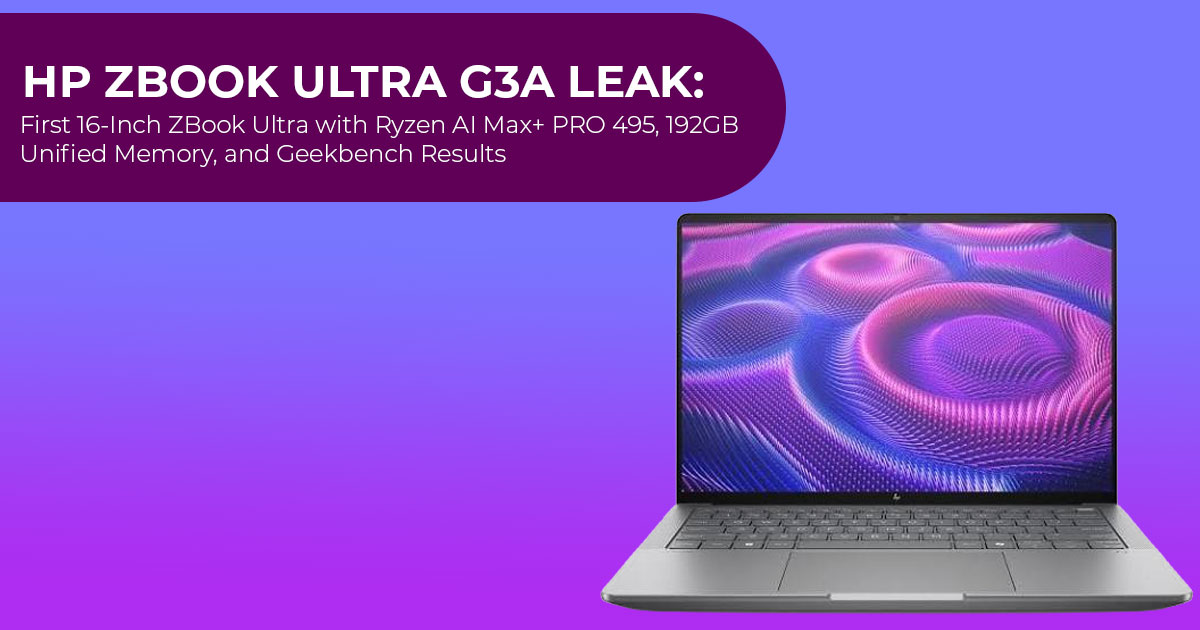
If you’ve been waiting for a thin mobile workstation that doesn’t force you to choose between portability, raw performance, and massive memory, the newly leaked HP ZBook Ultra G3a deserves your attention. A fresh Geekbench listing suggests HP is making one of the biggest changes to the ZBook Ultra lineup yet: moving from a 14-inch design to a 16-inch chassis while pairing it with AMD’s flagship Ryzen AI Max+ PRO 495 processor and an astonishing 96GB of RAM in the tested configuration.
That combination immediately raises an important question: Is this finally the Windows mobile workstation that can replace a desktop for engineers, AI developers, content creators, and professionals who push their hardware every day? Or is it simply a bigger version of the previous model?
Click here to buy from Amazon
As technology experts with over 20 years of experience in hardware and application research and development, we carefully evaluate every product based on real-world performance, durability, repairability, thermal design, and long-term value for money. Our goal is to help you find the best product in every category—whether your priority is budget, performance, reliability, AI workloads, content creation, engineering, or long-term professional use.
This article is written for engineers, architects, software developers, AI researchers, data scientists, video editors, 3D artists, CAD professionals, business users, and anyone considering a premium Windows workstation. Instead of focusing only on benchmark numbers, we look at how the hardware is likely to perform in everyday professional workloads and whether it’s worth waiting for.
The HP ZBook Ultra G3a hasn’t been officially announced yet, but the leak already reveals enough to paint a clear picture of HP’s direction. We’ll explain what the Geekbench listing tells us, what remains unknown, how it compares with the previous ZBook Ultra G1a, and whether this could become one of the best mobile workstations of 2026 for professionals who need serious computing power without carrying a bulky desktop replacement.
What Is the HP ZBook Ultra G3a?
HP’s ZBook lineup splits into tiers: Firefly (light), Power (mainstream), Studio (thin-and-light creators), and Ultra (the halo). The Ultra is the flagship, and until now it only existed at 14 inches.
The G3a changes that. A 16-inch chassis gives HP room to do three things the 14-inch model could not:
- Provide room for a larger battery.
- Cool a chip that can draw up to 120W under load.
- Scale memory beyond the G1a’s 128GB limit.
None of this is confirmed by HP. The product has not been announced. What we have is a single benchmark listing, and benchmark listings have historically been reliable indicators of upcoming hardware. The processor identified in the benchmark is an official AMD product, which makes the listing more credible.
Key Features: What the Geekbench Leak Confirms
The listing, result 63677 on the Geekbench browser, identifies the machine as the “HP HP ZBook Ultra G3a 16 inch Mobile Workstation PC.” These are the details it recorded:
| Detail | Value |
| CPU | AMD Ryzen AI Max+ PRO 495, 16 cores / 32 threads |
| Base Clock | 3.1GHz |
| Peak Clock Observed | 5,207MHz |
| Memory Listed | 95.78GB (quad-channel DDR5) — marketed as 96GB |
| Geekbench 7 Single-Core | 2,593 |
| Geekbench 7 Multi-Core | 26,816 |
| Upload Date | July 30, 2026 |
Three numbers stand out: 16 cores, 96GB, and a peak boost of 5.2 GHz. Everything else in the listing is consistent with AMD’s official specifications for the chip, which we will break down next.
The Gorgon Halo Chip: Ryzen AI Max+ PRO 495 in Plain English
Gorgon Halo is the codename for AMD’s Ryzen AI Max PRO 400 series, announced on May 20, 2026. Think of it as a refined version of Strix Halo, the architecture inside the ZBook Ultra G1a. Like Strix Halo, it uses 16 Zen 5 CPU cores and RDNA 3.5 graphics, but with slightly higher clock speeds, a faster integrated GPU, and a larger unified memory ceiling.
| Specification | AMD Ryzen AI Max+ PRO 495 |
| Cores / Threads | 16 / 32 (Zen 5) |
| Base / Boost Clock | 3.1GHz / up to 5.2GHz |
| Cache | 80MB total |
| Integrated GPU | Radeon 8065S, 40 compute units |
| NPU | XDNA 2, up to 55 TOPS |
| Unified Memory | Up to 192GB (up to 160GB usable as graphics memory) |
| Configurable TDP | 45–120W |
| Platform Features | PCIe 4.0, USB4, LPDDR5X memory |
Why unified memory matters
Unified memory means the CPU and the GPU share one pool of RAM instead of carrying separate ones. On a normal workstation, the graphics card has its own memory and the system has its own, and moving data between the two is slow. With unified memory, there is nothing to move. A model that needs 100GB simply loads into the pool, and the GPU reads it directly.
This is why the memory number is the real story. A 192GB unified memory ceiling means a machine like this can hold very large AI models entirely in memory. AMD states that the platform can run 300B+ parameter LLMs locally, and that up to 160GB of the pool can be assigned to graphics. For anyone running local AI, that is the headline feature. No other Windows laptop at this size offers that today.
How it differs from the previous chip
The Ryzen AI Max+ PRO 495 replaces the Ryzen AI Max+ PRO 395 (Strix Halo). The differences are modest because this is a refresh, not a new architecture:
- Base clock: 3.0 → 1 GHz.
- Boost clock: 1 → 5.2 GHz.
- Integrated GPU: Radeon 8060S → Radeon 8065S (same 40 compute units, higher clocks).
- Memory ceiling: 128GB → 192GB.
- NPU: 50 → 55 TOPS.
The practical takeaway: the CPU improvements are modest, while the increase in unified memory is the most significant upgrade.
Real-World Performance: Reading the Geekbench Scores Honestly
A single benchmark result should never be treated as a review, and we are not treating it as one. Here’s what the benchmark scores suggest.
The single-core score of 2,593 is about 6.6% higher than the Geekbench ranking average for the PRO 395 (2,432). The multi-core score of 26,816 is about 31.3% higher than the 395’s ranking average (20,431). That multi-core gap is large, and it deserves a caveat: ranking averages mix results from different laptops with different power limits and cooling. Some of that 31% likely comes from the HP chassis, not the chip alone. A controlled head-to-head could easily show a smaller difference.
In real terms, these scores suggest a machine that handles the heavy stuff without drama:
- Software compilation across 16 cores: fast, with sustained multicore performance depending on cooling.
- 3D rendering and simulation: strong for an integrated-graphics platform, aided by 40 compute units and high memory bandwidth (LPDDR5X-8533 on a 256-bit interface).
- Local AI inference: the workload this machine was clearly built Big memory plus direct GPU access beats a smaller dGPU in tasks where the model has to fit in VRAM.
- Office productivity is A processor of this class has far more performance than typical office applications require.
One point is worth emphasizing: this is not a gaming laptop and not a replacement for a workstation with a certified discrete GPU. If your software requires a specific NVIDIA GPU for certification, or if you chase high frame rates, this is the wrong machine. If your bottleneck is memory and bandwidth, it is very much the right one.
Design and Build Expectations
HP has not shown the G3a, so anything about the physical machine is an expectation based on the G1a and the 16-inch class. Here is what we expect, and why.
The larger 16-inch chassis gives HP more room to solve one limitation of the 14-inch model: cooling a processor that can draw up to 120W. A 16-inch case has more surface area, more airflow, and room for a bigger vapor chamber. That should mean higher sustained performance under long loads, which matters more than peak scores for workstation work.
Expect a heavier machine than the G1a. The G1a weighs about 3.4 pounds, which is light for what it carries. A 16-inch version with a bigger battery will land in the 4–5 pound range. That is normal for the category, and it is the price of the extra screen and cooling.
Based on previous ZBook models, we expect USB4, HDMI, USB-A, and possibly an Ethernet port, although HP has not confirmed the final port selection. The chip supports PCIe 4 and USB4 natively. Based on previous ZBook models, we expect support for multiple external displays, although HP has not confirmed the final specifications.
Display, Battery, Connectivity, and Software: What We Expect (and What We Don’t Know)
Display
The G1a uses a 2.8K OLED touch panel, and it was well received. A 16-inch model should match or exceed that: likely OLED options around 3.2K or 4K, with factory color calibration. Display size is the single clearest reason to choose a G3a over a G1a, because 16 inches is the practical size for side-by-side code, large CAD assemblies, and long video timelines.
Battery
This is an open question. The G1a’s battery life was decent but not class-leading in reviews. A bigger chassis usually means a bigger cell, and the 495’s configurable TDP means HP can tune power draw. A larger chassis could allow a bigger battery, but real battery life will depend on HP’s final design and power tuning.
Connectivity
The Ryzen AI Max+ PRO 495 platform supports USB4 and PCIe 4, while wireless connectivity will depend on HP’s final configuration. From the class: expect modern Wi-Fi, Bluetooth, at least two USB-A ports, HDMI, and Ethernet. None of this is confirmed.
Software
Workstations in this class ship with Windows 11 Pro, HP’s Wolf Security stack, and ISV certifications for the major CAD and engineering suites. The PRO variant of the chip adds enterprise management and security features. The G1a already follows this template, and the G3a should too. This matters mainly to IT departments, but anyone running certified engineering software will want the ISV validation.
Click here to buy from Amazon
What we do not know
HP has not confirmed the display, the battery capacity, the port layout, the weight, or the price. Any article that claims to know these is guessing. We clearly separate what is confirmed, what is expected, and what remains unknown.
Pros and Cons of the HP ZBook Ultra G3a
| Pros | Cons |
| First 16-inch ZBook Ultra; more screen space for professional work | Not officially announced; no confirmed release date |
| Up to 192GB unified memory, with up to 160GB available as VRAM | Based on a single Geekbench leak, not a reviewed retail unit |
| 16 Zen 5 cores with a boost clock of up to 5.2GHz | Refresh silicon; expected CPU gains over the 395 are modest |
| No discrete GPU could mean lower cost, heat, and weight | No discrete GPU may limit certified professional GPU workflows |
| Radeon 8065S handles graphics and AI acceleration | Likely to cost more than the already-premium G1a |
| PRO processor includes enterprise management and security features | Initial availability may be limited |
How It Compares: ThinkPad P1, Dell Precision, and MacBook Pro
The G3a’s real competition is the current crop of 16-inch pro laptops. Here is how it stacks up on paper:
| Model | Screen | CPU | Memory | GPU | Availability |
| HP ZBook Ultra G3a (leaked) | 16-inch | Ryzen AI Max+ PRO 495 | Up to 192GB | Radeon 8065S (integrated) | Expected after AMD’s Q3 2026 partner rollout (not officially confirmed) |
| HP ZBook Ultra G1a | 14-inch | Ryzen AI Max+ PRO 395 | Up to 128GB | Radeon 8060S (integrated) | On sale now |
| Lenovo ThinkPad P1 | 16-inch | Intel Core Ultra 2-series | Up to 64GB | NVIDIA RTX Pro (discrete) | On sale now |
| Dell Precision / Pro Max 16 | 16-inch | Intel Core Ultra | Up to 128GB (CAMM2) | NVIDIA RTX Pro (discrete) | On sale now |
| Apple MacBook Pro (M5 Max) | 14-inch / 16-inch | Apple M5 Max | Up to 128GB | Integrated Apple GPU | On sale now |
The short version: Lenovo ThinkPad P1 and Dell Precision win if you need certified discrete-GPU performance. The MacBook Pro wins on memory bandwidth and efficiency. The G3a’s argument is capacity: 192GB in a Windows machine, with 160GB available to the GPU. For local AI and memory-hungry engineering work on Windows, nothing else in this list matches that.
As a MacBook Pro alternative, the G3a is credible for a specific buyer: someone who wants Apple-level unified memory but needs Windows x86 software. That is a real group, and until now it has had no good answer above 128GB.
Who Should Buy the ZBook Ultra G3a (and Who Should Not)
Buy it if:
- You run local AI models and the model size is limited by For local AI workloads, more memory means larger models can run entirely in memory.
- You work in engineering, data science, or video where 16 inches of screen and heavy compute go together.
- You need a Windows machine with workstation-class memory and do not depend on a discrete GPU.
- Your company buys PRO-tier hardware for management, security, and ISV support.
Do not buy it if:
- You need certified NVIDIA graphics for your Look at ThinkPad P1 or Dell Precision instead.
- You mostly browse, write, and use office A 16-core workstation with 96GB of RAM is wasted on you, and the price shows it.
- You want the best gaming performance per This is not a gaming machine.
- You need a laptop this It is not available yet.
Pricing and Release Date: What to Expect
HP has not announced the G3a, so there is no official price and no official date. Here is what the surrounding facts suggest.
AMD states that systems using the Ryzen AI Max PRO 400 series arrive from partners (ASUS, HP, Lenovo) starting in Q3 2026. The G3a fits that window. HP has a history of shipping first-mover Halo laptops close to AMD’s chip launches, so an unveiling in the coming weeks or months would match the pattern.
For price, use the G1a as the floor. The G1a launched from around $2,599, while higher-end configurations reached roughly $4,049. A 16-inch G3a with a larger chassis, bigger battery, and up to 192GB of memory will almost certainly start higher. Expect the 96GB test configuration to sit in the $3,000–$4,500 range if it reaches retail, and expect the 192GB top config to go beyond that. These are estimates. HP controls the actual numbers.
Buying Advice: Wait for the G3a or Buy Now?
This is the question most readers actually have, so here is a direct answer.
If you can wait until Q3–Q4 2026 and you need 16 inches plus more than 128GB of memory, wait for the G3a. It is the only Windows laptop on the horizon that offers 192GB of unified memory, and that capability does not exist in the current market.
If you need a workstation today, the HP ZBook Ultra G1a is the closest available match: same idea, 14 inches, up to 128GB, on sale now. It is the machine that proved this concept, and it remains the most practical way to get 128GB of unified memory in a Windows laptop.
If you need certified discrete graphics, skip both ZBooks. The Lenovo ThinkPad P1 and Dell Precision lines are the right answer, and they are available today.
If your workflow depends on NVIDIA RTX acceleration for CAD certification, GPU rendering, or AI frameworks optimized for CUDA, a traditional workstation from Lenovo or Dell will still be the better choice. The ZBook Ultra G3a is designed for professionals whose workloads benefit more from massive unified memory than from a dedicated graphics card.
Ask yourself one question before buying: does your work hit the 128GB ceiling? If it does, the G3a is worth waiting for. If it does not, there is no reason to pay a premium for memory you will not use.
Click here to buy from Amazon
Final Verdict
We are not scoring this laptop, because it does not exist yet. What we can say, based on the leak and AMD’s official specifications, is that the HP ZBook Ultra G3a is the most significant Windows workstation launch of 2026 if it ships as configured.
The strengths are concrete: a 16-inch chassis, 16 Zen 5 cores, a 5.2 GHz boost, and a 192GB unified memory ceiling that no current Windows laptop matches. The limitations are concrete too: it is a refresh chip, it has no discrete GPU, it is unannounced, and it will be expensive.
Our recommendation: if you need the memory and the screen, wait for the official announcement and compare final configurations. If you need a machine now, the G1a remains a strong choice. Choose the workstation that fits your workload, not the one with the biggest specifications.
Frequently Asked Questions
What is the HP ZBook Ultra G3a? The HP ZBook Ultra G3a is an unannounced 16-inch HP mobile workstation spotted in the Geekbench 7 database on July 30, 2026, with an AMD Ryzen AI Max+ PRO 495 processor and 96GB of RAM.
When will the HP ZBook Ultra G3a be released? HP has not announced a date. AMD says Ryzen AI Max PRO 400-series systems arrive in Q3 2026, and HP’s launch history suggests an announcement within that window.
What is AMD Gorgon Halo? Gorgon Halo is the codename for AMD’s Ryzen AI Max PRO 400 series — a refresh of the Strix Halo architecture with higher clocks, a faster Radeon 8065S integrated GPU, and support for up to 192GB of unified memory.
Is the Ryzen AI Max+ PRO 495 better than the 395? Yes, but modestly on the CPU side: about 6.6% higher single-core and 31.3% higher multi-core in Geekbench ranking averages, with a much larger memory ceiling. Part of the multi-core gap likely reflects the host laptop’s cooling, not the chip alone.
Does the ZBook Ultra have a discrete GPU? No. Like the G1a, the G3a uses AMD’s integrated Radeon 8065S graphics, which shares the system’s unified memory. Up to 160GB of the pool can be assigned to graphics.
Which is better for local AI workloads: the HP ZBook Ultra G3a or the MacBook Pro? For capacity, the G3a wins: 192GB unified memory versus 128GB on the M5 Max MacBook Pro. For speed per token and efficiency, the MacBook Pro wins on memory bandwidth. Choose by operating system and workload.
Check Current Prices on Amazon Worldwide
The HP ZBook Ultra G3a has not reached retailers yet, so it is not available on Amazon Worldwide. If you’re looking for the closest alternative today, the HP ZBook Ultra G1a is the model to consider. This 14-inch mobile workstation offers the same platform philosophy with AMD Ryzen AI Max PRO processors and configurations with up to 128GB of unified memory, making it the nearest available option while you wait for the G3a.
–− Check the latest price for the HP ZBook Ultra G1a on Amazon Worldwide
–− Browse the latest deals on 16-inch mobile workstations on Amazon Worldwide
Laptop prices change frequently, especially during seasonal sales and limited-time promotions. Always check the latest listing before purchasing, and revisit this page once HP officially announces the HP ZBook Ultra G3a for updated pricing and feature comparison.
Check Current Prices on Amazon India
For readers in India, the situation is the same. The HP ZBook Ultra G3a has not launched yet, so the HP ZBook Ultra G1a remains the closest model you can purchase today. It’s also worth comparing it with competing Lenovo ThinkPad and Dell Precision workstation laptops currently available on Amazon.in.
–− Check the latest price for the HP ZBook Ultra G1a on Amazon India
When buying a high-end workstation laptop, don’t compare price alone. Verify the seller, official warranty, return policy, and the final price after taxes or import duties, as these can make a significant difference.
What Do You Think?
Are you planning to wait for the HP ZBook Ultra G3a, or would you buy the ZBook Ultra G1a today?
Leave a comment below and let us know which workstation you’re considering and what you’ll use it for. If you’re unsure which laptop is the right fit, ask your questions in the comments—we’re happy to help.
If you found this guide useful, follow us for more in-depth laptop reviews, workstation comparisons, buying guides, and hardware news. We regularly test and analyze the latest devices to help you make informed buying decisions with confidence.
***Disclaimer***
This blog post reflects our research, analysis, and opinions based on available product information, user feedback, and industry knowledge. It should not be taken as the official position of any brand, manufacturer, or company mentioned here. We make every effort to keep this guide accurate, but product specifications, pricing, and availability may change after publication. We recommend double-checking important details before making a purchase.
Some links in this article may be affiliate links. If you choose to buy through these links, we may earn a small commission at no extra cost to you. This helps support our work and allows us to keep publishing in-depth, unbiased reviews. Affiliate partnerships never influence our recommendations.
Opinions expressed by readers are their own and do not necessarily reflect ours. We are not responsible for outcomes resulting from the use of information on this site. Please seek professional advice where appropriate.
All product names, logos, and brands mentioned are the property of their respective owners. These names are used for identification and informational purposes only and do not imply endorsement.
