
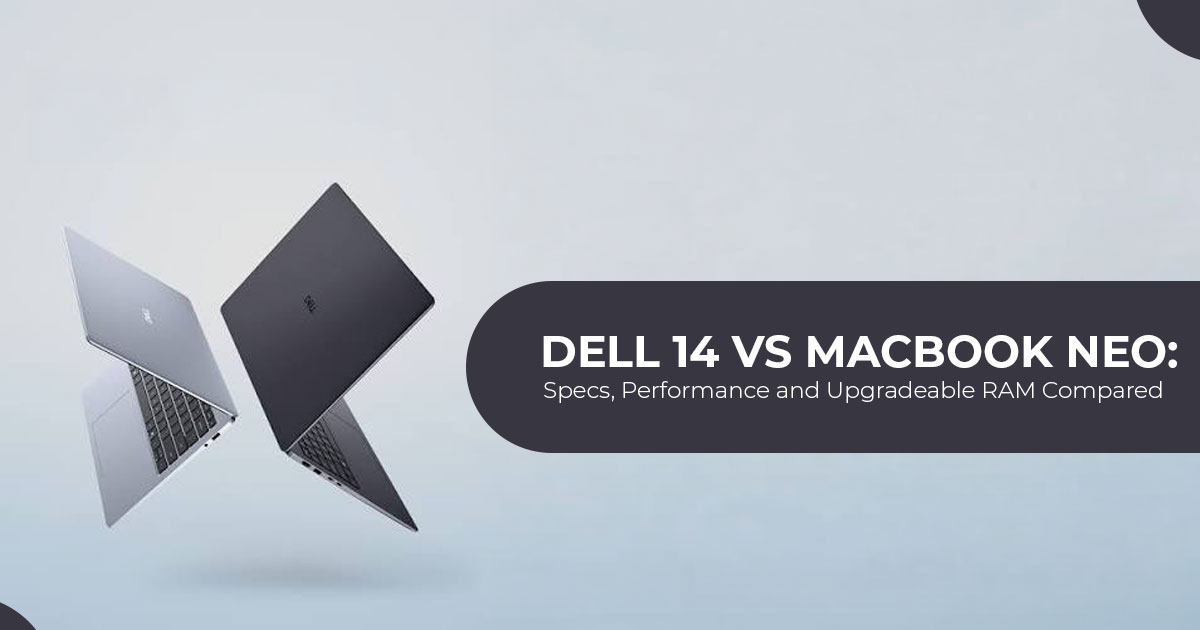
Apple’s MacBook Neo changed the conversation around affordable laptops when it launched at $599 in March 2026. Now, Dell’s 14 (D14261) is taking a different approach. It is a 14-inch Windows laptop built around Intel’s Wildcat Lake platform, with a starting price of £649 in the UK, €749 in the Eurozone, and AUD 1,149.50 in Australia.
There are two things that stand out. The Dell 14 supports user-upgradeable RAM up to 32GB, something the MacBook Neo does not offer. But Dell’s laptop also costs much more at the starting point. If you are shopping for an affordable laptop, that price gap matters.
So, which one makes more sense? The Dell 14 is aimed at Windows users who want a lightweight 14-inch laptop, a good selection of ports, and the option to add more memory later. The UK configuration also includes a backlit keyboard. The MacBook Neo is a better fit for buyers who want a lower starting price, strong single-core performance, and an aluminum build. Neither is the better choice for every buyer; the right pick depends on whether you value upgradeability and connectivity or price and single-core performance.
As technology experts with over 20 years of experience in hardware and application research and development, we carefully assess each product based on real-world performance, durability, and value for money. Our goal is simple: to help you choose the right product based on budget, performance, reliability, and long-term use. That makes this comparison useful if you’re a student, work from home, need Windows for school or work, or simply want an affordable laptop you can keep for several years. Our recommendations are based on extensive research, component analysis, real-world usability, and industry expertise.
In this Dell 14 vs MacBook Neo comparison, we look at the price, performance, build quality, display, battery life, upgradeability, ports, keyboard, and long-term value to help you decide which laptop is worth your money.
What Is the Dell 14 (D14261)? Product Overview
The Dell 14 (D14261) sits in Dell’s reorganized consumer lineup below the Dell 14S, the May 2026 model that uses the same Core Ultra 7 355 processor as the XPS 14. Where the 14S targets premium performance, the Dell 14 targets affordability, using Intel’s entry-level Wildcat Lake platform (officially “Series 3 Intel Core” processors).
Dell introduced the laptop in mid-August 2026 alongside a 15-inch sibling, the Dell 15 (D15261). Notebookcheck’s launch coverage describes it as a MacBook Neo alternative and notes it undercuts Dell’s own XPS 13 pricing in launch markets.
A naming note before we go further: Dell also sells a different 14-inch model, the Dell 14 D14265, in parts of Oceania and Southeast Asia — that one carries a 120 Hz display, a 54 Wh battery, and a 1.2 kg chassis. This article covers the D14261 only. Check the model number on any product page before buying.
Dell 14 Specs at a Glance (Verified)
The table below comes from Dell’s official product page (Dell UK, verified at the time of writing) and Notebookcheck’s launch coverage.
| Specification | Dell 14 (D14261) |
|---|---|
| Processor Options | Intel Core 3 304 (5 cores, up to 4.3GHz, 15 TOPS NPU), Core 5 320 (6 cores), or Core 7 350 (6 cores) |
| Graphics | Intel Graphics |
| Display | 14-inch 16:10, 1920 × 1200, anti-glare non-touch display, 400 nits, 45% NTSC, WVA panel with ComfortView |
| Memory | 8GB DDR5-5600 base configuration; user-upgradeable to 32GB |
| Storage | 512GB M.2 PCIe NVMe SSD as standard; configurable with up to 1TB |
| Battery & Charging | 41Wh on the UK configuration; 54Wh on the Australian listing checked; 65W USB-C charger on the UK and Australian configurations checked |
| Ports | 2× USB 3.2 Gen 2 (10Gbps, Power Delivery + DisplayPort), 2× USB 3.2 Gen 1, 1× HDMI 2.1, headset jack, and lock slot |
| Wireless | Intel Wi-Fi 6E (AX211), 2×2 802.11ax + Bluetooth |
| Keyboard & Touchpad | Backlit keyboard on the UK configuration; US and Australian listings checked feature non-backlit keyboards; precision touchpad; no fingerprint reader on the base configuration |
| Camera | 720p HD camera as standard, with a 1080p FHD IR camera available as an option |
| Chassis | Plastic construction with dark blue or silver finishes |
| Dimensions & Weight | 313.3 × 222 × 11.35–17.70mm; starting at 1.28kg in the UK and up to 1.40kg in US/Australian configurations |
| Operating System | Windows 11 Home |
| Starting Price | £649 (UK) · €749 (Eurozone) · AUD 1,149.50 (Australia) · $849.99 (US) |
Panel type note: Dell officially lists the display as WVA (wide viewing angle); the panel as IPS-class. Either way, viewing angles for this category are adequate.
Design and Build: Light, Plastic, and Practical
At 1.28 kg, the Dell 14 lands in the same weight class as the MacBook Neo (measured at 1.235 kg for Apple’s machine). The chassis tapers from 17.7 mm at its thickest point to 11.35 mm at the front edge, which helps it feel slim in a bag.
The honest material note: Dell’s spec sheet lists the lid, base, bezel, and palmrest as plastic. The MacBook Neo uses an aluminum chassis, which Notebookcheck’s hands-on review judged solid for the price. Buyers who care about chassis materials should weigh that difference; buyers who care about weight and price may not.
Connectivity is where the Dell 14 makes its strongest case. The verified port list includes two 10 Gbps USB-C ports with Power Delivery and DisplayPort, two USB-A ports, a full-size HDMI 2.1 output, and a headset jack. For comparison, the MacBook Neo ships with only two USB-C ports, one of which is limited to USB 2.0 speeds. A student connecting a projector via HDMI, or an office user adding a monitor without a dongle, will notice this daily.
Also worth noting: the UK configuration has a backlit keyboard, while the US and Australian configurations we checked use non-backlit keyboards. The MacBook Neo lacks a backlit keyboard, called one of the Neo’s biggest flaws.
What this means for the buyer: portability is on par with the Neo; the Dell uses a plastic chassis, while the MacBook Neo uses aluminum; keyboard backlight on the UK configuration, and the included charger are genuine practical advantages.
Display: What 400 Nits and 45% NTSC Mean in Daily Use
The Dell 14 uses a 14-inch, 1920 × 1200 (16:10) anti-glare panel rated at 400 nits brightness and 45% NTSC color coverage, with Dell’s ComfortView blue-light feature.
Translated to daily use:
- 16:10 aspect ratio — the taller screen shows more vertical content, useful for documents and web pages.
- 400 nits, anti-glare — suitable for indoor work and reasonably bright Independent measurements put the MacBook Neo’s panel in the same general range: Tom’s Guide recorded 452 nits (SDR) and Notebookcheck measured more than 500 nits, so brightness alone does not separate the two.
- 45% NTSC — this is the clear Fine for text, browsing, and calls, but not suited to color-critical photo or design work. Notebookcheck, by contrast, found the Neo’s panel very color-accurate for its class, though limited to sRGB without P3.
- 60 Hz — standard for this price bracket.
What this means for the buyer: the Dell 14’s panel is a productivity screen, not a creative one. Buyers who edit photos should plan on an external display or step up to the Dell 14S, which offers higher-grade display options.
Performance: Intel Wildcat Lake Explained
The Dell 14 runs on Intel’s Wildcat Lake platform with three chip options. Dell’s UK store ties each to a configuration price (all with 8 GB RAM and a 512 GB SSD):
| Chip | Cores | UK Configuration Price (List, at Time of Writing) |
|---|---|---|
| Intel Core 3 304 | 5 cores (up to 4.3 GHz, 15 TOPS NPU) | £649 |
| Intel Core 5 320 | 6 cores | £778.99 |
| Intel Core 7 350 | 6 cores | £898.99 |
The Core 7 350 is the fastest processor available in the Dell 14. Independent testing of Core 7 350-powered laptops puts the chip behind the A18 Pro in single-core performance. For broader category context, Tom’s Guide measured the Neo around 3,535 in Geekbench 6 single-core against roughly 2,100–2,700 for the budget Windows laptops it tested, while those Windows machines pulled ahead in multi-core scores. The pattern: the Neo responds quicker in light, single-core tasks; multi-core results vary by chip configuration.
For documents, browsing, video calls and streaming, all three processor options should be more than adequate. Buyers who multitask heavily should select the Core 7 350, but the A18 Pro remains faster in single-core work.
The Upgradeable RAM Advantage
This specification changes the buying decision for many people. The Dell 14 uses DDR5-5600 memory that users can upgrade themselves, up to 32 GB, and its M.2 SSD is likewise replaceable. Notebookcheck confirmed the upgradeable design in its launch coverage.
The MacBook Neo, by contrast, ships with 8 GB of soldered memory and a non-upgradeable SSD
- confirmed in Notebookcheck’s hands-on Apple does not offer a higher-RAM Neo configuration at all.
What this means for the buyer:
- A Dell 14 bought with 8 GB today can take 16 GB or 32 GB later, at component cost rather than at-purchase upgrade pricing.
- For anyone keeping a laptop several years, that headroom is a practical hedge as apps and browsers get more memory-hungry.
- For buyers whose workloads genuinely fit within 8 GB, the advantage matters less — and the Neo’s lower price may matter more.
Battery Life: What We Know, and What We Don’t
Dell has not published runtime estimates for the Dell 14, so we will not quote any. The verified hardware facts include a 41 Wh integrated battery in the UK configuration, 60–65 W charging, and a 65 W USB-C adapter on the UK and Australian configurations checked; the US configuration checked includes a 45 W Type-C adapter.
For context, the MacBook Neo carries a smaller 36.5 Wh battery, and Notebookcheck recorded long runtimes at moderate brightness but a significant drop at high brightness, along with slow charging. Whether the Dell 14’s larger battery translates into longer real-world runtime depends on the efficiency of the specific Wildcat Lake chip fitted — independent tests will need to confirm that.
Until independent runtime tests are available, buyers should treat battery life as an open question rather than assume the 41 Wh battery will deliver all-day use. We will update this section when verified data is published.
Software and Everyday Use
The Dell 14 ships with Windows 11 Home, giving it broad compatibility with productivity, education, and business software — a real consideration for students whose institutions depend on Windows-only tools. The MacBook Neo runs macOS 26 (Tahoe), which is polished but tied to Apple’s ecosystem.
The camera is worth a mention: the base Dell 14 configuration lists a 720p HD webcam, with a 1080p FHD IR option available. The MacBook Neo includes a 1080p FaceTime HD camera standard. Buyers who spend hours on video calls should check which camera option the specific configuration they are buying includes.
Dell 14 vs MacBook Neo: The Direct Comparison
Verified specifications, side by side:
| Feature | Dell 14 (D14261) | MacBook Neo |
|---|---|---|
| Entry Price | £649 / €749 / AUD 1,149.50; $849.99 in the US | $599 list price; ₹79,900 in India or ₹69,900 with education pricing |
| Higher Configuration | £778.99 with Core 5 320 or £898.99 with Core 7 350 | $699 with 512GB SSD and Touch ID |
| Processor | Intel Core 3 304 / Core 5 320 / Core 7 350 | Apple A18 Pro |
| Single-Core Performance | Trails the A18 Pro in single-core performance; results vary depending on the Windows configuration | Leads this price class in single-core performance |
| RAM | 8GB–32GB, user-upgradeable | 8GB, soldered and not user-upgradeable |
| Storage | 512GB / 1TB | 256GB / 512GB, not user-upgradeable |
| Display | 14-inch 1920 × 1200 WVA, 400 nits, 45% NTSC, anti-glare | 13-inch 2408 × 1506 IPS, approximately 452 to over 500 nits measured, with color-accurate sRGB coverage |
| Ports | 2× USB-C at up to 10Gbps, 2× USB-A, HDMI 2.1, and audio jack | 2× USB-C (one limited to USB 2.0 speeds) and audio jack |
| Keyboard | Backlit on the UK configuration; US and Australian listings checked specify a non-backlit keyboard | Non-backlit |
| Chassis | Plastic | Aluminum |
| Battery & Charging | 41Wh on the UK configuration and 54Wh on the Australian listing checked; 65W USB-C charger on the UK and Australian configurations checked | 36.5Wh battery |
| Wireless | Wi-Fi 6E via Intel AX211 | Wi-Fi 6E and Bluetooth 6 |
| Weight | 1.28kg in the UK; up to 1.40kg in US and Australian configurations | 1.235kg |
| Operating System | Windows 11 Home | macOS 26 |
Where the Dell 14 comes out ahead
- Memory ceiling: up to 32 GB, upgradeable after purchase; the Neo stops at 8 GB.
- Port selection: two USB-C ports, two USB-A ports and HDMI 1, versus two USB-C ports with one at USB 2.0 speed.
- Backlit keyboard on the UK configuration and larger anti-glare screen.
- More base storage: 512 GB at the entry price versus the Neo’s 256 GB.
Where the MacBook Neo comes out ahead
- Price: $599 list ($499 education) while the Dell 14 starts at £649 in the UK and $849.99 in the US.
- Single-core performance: the A18 Pro leads this class in published benchmarks.
- Display quality: higher resolution and accurate color coverage.
- Build: aluminum chassis versus plastic.
- Availability: the MacBook Neo is available in many markets, including India, while the Dell 14 is now listed in the US and several other markets. India availability for the Dell 14 remains unconfirmed at the time of writing.
The bottom line: the “rival” label fits on features and configuration headroom, but not on price. The Dell 14 is the stronger fit for Windows users who need more than 8 GB of RAM or a richer port selection; the MacBook Neo remains the stronger value for budget-first buyers.
Other MacBook Neo Alternatives Worth Considering
The budget category is crowded in 2026. Verified alternatives, with what each offers:
| Laptop | Known Strengths | Things to Know |
|---|---|---|
| Dell XPS 13 | $699 list price ($599 student launch price, according to Reuters); lightweight 2.2 lb design; 2.5K touchscreen; backlit keyboard; Wi-Fi 7 | Dell claims up to 17 hours of video streaming; independent battery-life testing is still pending. |
| Lenovo IdeaPad Slim 3 (14IWC11) | Intel Wildcat Lake platform with configurations offering up to 32GB RAM | Lenovo claims up to 21 hours of battery life. Availability is expanding to additional countries from August 2026. |
| Acer Aspire 16 AI | Named by Mashable as its best MacBook Neo alternative, particularly on battery life and overall value. | The larger 16-inch form factor makes it less portable than compact 13-inch and 14-inch alternatives. |
| Dell 14S | Intel Core Ultra 7 355 performance with access to higher-quality display configurations | Significantly more expensive than the Dell 14, with US build-to-order configurations starting at $1,319.99 at the time of writing. |
Buying advice: if your budget is around $600–700, shortlist the XPS 13 and MacBook Neo first. If upgradeable memory is the priority and you are in a Dell 14 launch market, the Dell 14 (D14261) is one of the few options in this segment offering user-replaceable RAM. If battery life drives your decision, wait for independent runtime tests of the IdeaPad Slim 3 before relying on the 21-hour figure.
Dell 14 (D14261) Pros and Cons
| Pros | Cons |
|---|---|
| ✔ User-upgradeable DDR5-5600 RAM with support for up to 32GB. | ✖ The US starting price of $849.99 places it well above the $599 MacBook Neo. |
| ✔ Strong connectivity with 2× USB-C, 2× USB-A, and HDMI 2.1. | ✖ The 45% NTSC display is unsuitable for color-critical photo, video, and design work. |
| ✔ The checked UK configuration includes a backlit keyboard, while the UK and Australian configurations checked include a 65W USB-C charger. | ✖ Intel Core 7 350 benchmark results trail Apple’s A18 Pro in single-core performance. |
| ✔ Lightweight 1.28kg chassis makes it practical for commuting and everyday portability. | ✖ Uses a plastic chassis, while the MacBook Neo uses aluminum. |
| ✔ 14-inch anti-glare display with ComfortView helps improve viewing comfort during extended work sessions. | ✖ The base configuration includes only a 720p webcam, although a 1080p camera is available as an option. |
| ✔ Ships with Windows 11 Home, providing broad compatibility with mainstream Windows applications and peripherals. | ✖ Starts at $849.99 in the US; India availability remains unconfirmed, and no official battery-runtime figure has been published. |
Who Should Buy the Dell 14 — and Who Shouldn’t
The Dell 14 (D14261) makes sense if you:
- Live in a market where the Dell 14 is currently listed, including the UK, Eurozone, Australia, and the US.
- Need a Windows 11 laptop for school or workplace software.
- Value upgradeable RAM and plan to keep the laptop several years.
- Regularly use HDMI displays or multiple USB peripherals without dongles.
Consider the MacBook Neo instead if you:
- Are shopping with a strict budget around $599–700 (or qualify for the $499 education price).
- Prioritize single-core performance, display quality, or an aluminum build.
- Already use Apple devices and services.
Consider the Dell XPS 13 or Lenovo IdeaPad Slim 3 if you:
- Want to compare other Windows options available in North America, where pricing and configurations differ by market.
- Want a premium-feeling Windows build (XPS 13) or the longest claimed battery life in the group (IdeaPad Slim 3 — pending independent tests).
Dell 14 Price and Availability
Labeled pricing as verified at the time of writing:
- United Kingdom: listed at £649.00 on Dell UK for the Core 3 304 configuration (8 GB RAM, 512 GB SSD); £778.99 with the Core 5 320; £898.99 with the Core 7350.
- Eurozone: entry price of €749 (Notebookcheck launch coverage).
- Australia: entry price of AUD 1,149.50 (Dell Australia listing). The Australian configuration we checked has a 54 Wh battery, 1.40 kg maximum weight, and a non-backlit keyboard.
- United States: listed from $849.99 on Dell’s US store at the time of writing.
- India: the MacBook Neo is currently listed in India at ₹79,900, with education pricing from ₹69,900. We advise checking Dell India directly rather than relying on importers.
Configurations with 16 GB or 32 GB of RAM and 1 TB of storage are available through Dell’s configurator. Dell had not published the upgrade surcharges at the time of writing, so use the live configurator for exact totals — and note that listed prices can change with promotions.
Final Verdict
The Dell 14 (D14261) is a practical budget 14-inch laptop with three verified strengths over the MacBook Neo: memory upgradeable to 32 GB, a much fuller port selection with two USB-C ports, two USB-A ports and HDMI 2.1, and a backlit keyboard on the UK configuration. Against those, the Neo keeps a lower entry price, strong single-core benchmark results, an aluminum chassis, and a sharper, color-accurate display.
Our recommendation, based on the research: choose the Dell 14 if you are a Windows buyer in a market where it is listed who wants a machine that can grow to 32 GB of RAM over its lifetime. Choose the MacBook Neo if price drives the decision. Neither is the wrong buy — they answer different questions.
FAQs
Is the Dell 14 better than the MacBook Neo? On memory capacity and upgradeability, port selection, the UK configuration’s keyboard backlight, and base storage, yes. On entry price, single-core performance, display quality, and chassis material, the MacBook Neo leads. The better pick depends on which of those groups matters more to your workflow.
How much does the Dell 14 D14261 cost? It is listed at £649 in the UK, €749 in the Eurozone, and AUD 1,149.50 in Australia at the time of writing. In the UK, the Core 3 304 configuration has 8 GB RAM and a 512 GB SSD, while higher chip options are listed at £778.99 (Core 5 320) and £898.99 (Core 7 350).
Is the Dell 14 available in the US or India? The Dell 14 is listed in the US from $849.99, but there is no confirmed India listing yet.
Is the RAM on the Dell 14 user-upgradeable? Yes. The Dell 14 uses DDR5-5600 memory, upgradeable up to 32 GB according to Notebookcheck’s launch coverage — a meaningful difference from the MacBook Neo’s soldered 8 GB.
What processors does the Dell 14 offer? Three Intel Wildcat Lake (Series 3 Intel Core) options: Core 3 304 (5 cores), Core 5 320 (6 cores), and Core 7 350 (6 cores), with the Core 7 350 as the top performer.
Dell 14 vs Dell 14S — what is the difference? The Dell 14S is the premium model with the Core Ultra 7 355 (XPS 14-class performance) and higher-grade display options. The Dell 14 is the lower-cost Wildcat Lake model aimed at everyday workloads.
Which are the main MacBook Neo alternatives in 2026? The Dell 14 (D14261), Dell XPS 13, Lenovo IdeaPad Slim 3 (14IWC11), and Acer Aspire 16 AI — each suited to different priorities: upgradeability, premium build, claimed battery life, and value respectively.
Where to Buy: Check Current Prices and Offers
Availability for the Dell 14 changes as Dell expands the rollout, so the links below point to live search pages. Where the Dell 14 is not yet listed in your region, we have included the closest alternatives that are.
🛒 Amazon US
The Dell 14 (D14261) is now listed in the US from $849.99. US buyers comparing this machine are looking at:
- MacBook Neo — the $599 rival itself. Amazon US listings for the 256 GB model have fluctuated between roughly $650 and $690 in August 2026, depending on color and
👉 Check the current MacBook Neo price on Amazon US - Dell XPS 13 — $699 list at launch, the closest US-market Dell in this
👉 Check Dell XPS 13 offers on Amazon US - Lenovo IdeaPad Slim 3 — Wildcat Lake with up to 32 GB
👉 Check IdeaPad Slim 3 offers on Amazon US - Dell 14 (D14261) — check current availability and offers on Amazon US:
👉 Check Dell 14 availability on Amazon US
🛒 Amazon India
The Dell 14 (D14261) has no confirmed India listing yet. Until Dell India adds it, these are the sensible picks in the same segment:
- MacBook Neo — current India pricing starts at ₹79,900; education pricing starts at ₹69,900.
👉 Check the current MacBook Neo price on Amazon India
- ASUS Vivobook 14 — a strong RAM-to-price option for
👉 Check ASUS Vivobook 14 offers on Amazon India
- Lenovo IdeaPad Slim 3 — the other Wildcat Lake MacBook Neo rival to
👉 Check IdeaPad Slim 3 offers on Amazon India
- Dell 14 (D14261) — keep this search saved to catch an India listing if it appears:
👉 Check Dell 14 availability on Amazon India
All prices in this article were checked in August 2026 and are labeled by market and configuration. Street prices change frequently — verify the live offer before ordering.
Have you used the Dell 14 or MacBook Neo? Share your experience or questions in the comments
- we’d love to hear what you think. If you found this comparison useful, follow us for more honest laptop reviews, comparisons, and buying guides. And if you still have any doubts about which laptop is right for you, drop your question below and we’ll help you figure it out.
***Disclaimer***
This blog post reflects our research, analysis, and opinions based on available product information, user feedback, and industry knowledge. It should not be taken as the official position of any brand, manufacturer, or company mentioned here. We make every effort to keep this guide accurate, but product specifications, pricing, and availability may change after publication. We recommend double-checking important details before making a purchase.
Some links in this article may be affiliate links. If you choose to buy through these links, we may earn a small commission at no extra cost to you. This helps support our work and allows us to keep publishing in-depth, unbiased reviews. Affiliate partnerships never influence our recommendations.
Opinions expressed by readers are their own and do not necessarily reflect ours. We are not responsible for outcomes resulting from the use of information on this site. Please seek professional advice where appropriate.
All product names, logos, and brands mentioned are the property of their respective owners. These names are used for identification and informational purposes only and do not imply endorsement.
