
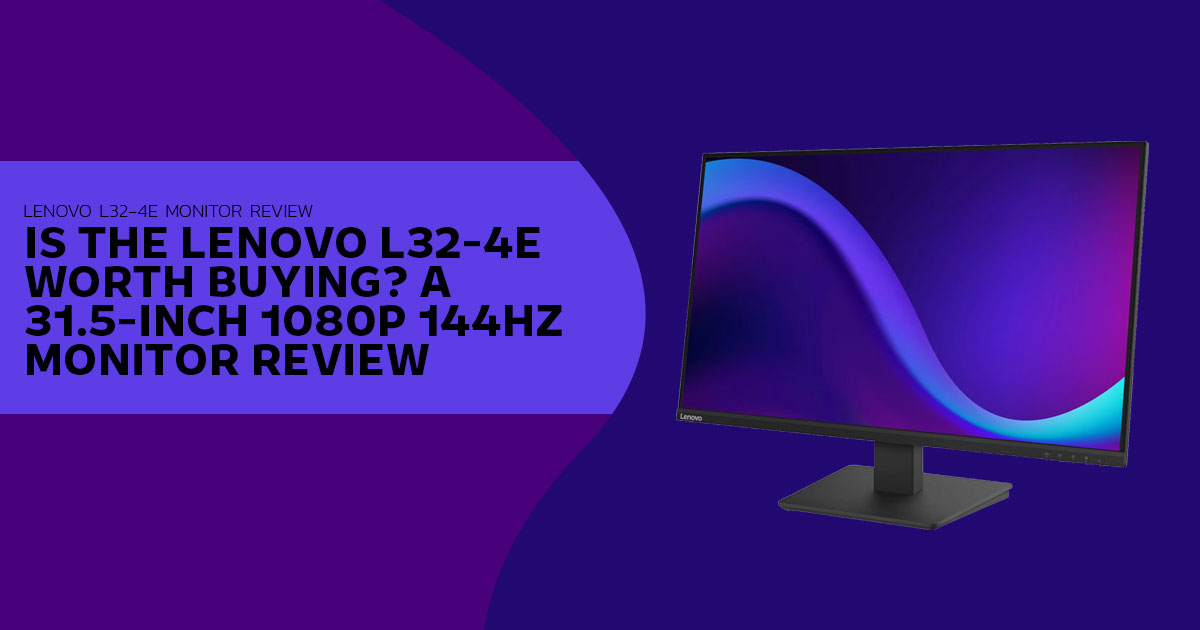
The Lenovo L32-4e combines a 31.5-inch Full HD VA panel, a 144Hz refresh rate and AMD FreeSync. This review explains what the larger screen offers, where 1080p can look soft, and which buyers may be better served by a smaller or higher-resolution monitor.
|
◍ Verified: 31.5″ VA • 1920 × 1080 • 70 PPI ◐ 144Hz • AMD FreeSync • 4ms Extreme / 6ms Normal ▣ 300 cd/m² • 4000:1 • 99% sRGB ⊡ 1 × HDMI 1.4 + 1 × VGA |
|
| Our 30-Second Assessment | What This Article Covers |
|---|---|
|
For video viewing from 90–120 cm away or casual controller gaming where size matters more than fine text sharpness, the Lenovo L32-4e Monitor offers useful value. For close-up reading, coding, or colour-critical work at arm’s length, a 23.8-inch IPS model or a 27-inch 1440p panel is generally the more suitable choice. |
|
|
Price pending — value score withheld until pricing is confirmed. ✓ 144Hz + FreeSync ✓ 4000:1 VA contrast ⚠ No audio output ℹ 70 PPI — distance-sensitive |
We did not handle or test a retail unit. All specifications below were verified against Lenovo Product Specifications Reference (PSREF) and, for competitors, their official spec pages or datasheets. |
How we verified this article: Core specifications were checked against Lenovo PSREF (Lenovo L32-4e Monitor, Lenovo L24-4e Monitor, Lenovo L24-4C Monitor and Lenovo L27-4C Monitor) and official product information for the LG 32MR50C-B and Samsung Odyssey G3 LS32AG320N series. Samsung specifications can vary by regional model code, so confirm the full SKU before buying.

Pricing is identified by region, currency and verification status. We do not infer missing specifications and label estimates clearly.

Primary sources: Lenovo PSREF Official Repository • Lenovo L32-4e Monitor PSREF Product Page
01. OVERVIEW
What the Lenovo L32-4e Monitor is designed to offer
The Lenovo L32-4e Monitor pairs a 31.5-inch Full HD VA panel with a 144Hz refresh rate and AMD FreeSync. It is aimed at buyers who want a large screen for everyday work, video streaming and casual gaming. The key question is how its display, features and limitations fit those needs.
Lenovo’s official PSREF lists a 1920 × 1080 resolution, 300 cd/m² brightness, a 4000:1 typical contrast ratio and 99% sRGB coverage. Connectivity includes HDMI 1.4 and VGA, and the supplied stand offers tilt adjustment only.
With over 20 years of experience in hardware and application research and development, we assess products based on performance, durability, usability, and value for money. This review is aimed at home-office users, students, everyday PC users, and budget-conscious buyers looking for a large monitor that can handle work, streaming, and casual gaming.
This review examines the Lenovo L32-4e’s specifications, practical limitations and expected value. It also explains the trade-offs of choosing a 32-inch Full HD monitor and what to check before buying one.
| ⟡ The Core Trade-off in One View | ⚡ At-a-Glance Verified Specs |
|---|---|
|
You gain roughly 75% more screen area than a 23.8-inch 1080p panel and smoother motion at 144Hz. You give up text sharpness up close — ~70 PPI on the 31.5-inch panel versus ~92 PPI on a 23.8-inch 1080p panel — and built-in audio options. View area: 698.4 × 392.8 mm active area (31.5″) Pixel density: 70 PPI (0.3638 mm pitch) Power consumption (typical / max): 23.5W / 26W; internal power supply Source: Lenovo L32-4e Monitor PSREF platform specifications. |
Size / Panel: 31.5″ Vertical Alignment VA, flat, anti-glare, 178°/178° Resolution: 1920 × 1080, 16:9, 70 PPI Refresh / Sync: 144Hz, AMD FreeSync Brightness / Contrast: 300 cd/m², 4000:1 typical Color: 99% sRGB, 16.7M colors, 8-bit (6-bit + FRC) Response: 4ms GtG Extreme Mode / 6ms GtG Normal Mode Ports: 1 × HDMI 1.4, 1 × VGA — no DisplayPort, no USB hub, no 3.5mm Stand / Mount: Tilt -5° to +22°, VESA 100 × 100 mm Case: Raven Black, side bezel 1.8 mm |
| View on PSREF → PSREF Home |
|
The 31.5-inch VA panel offers high stated contrast and a 144Hz refresh rate. The main trade-off is pixel density: text and fine details can look softer than on a smaller 1080p screen, especially at a typical close desk distance.
02. SPECIFICATIONS, TRANSLATED
Key specifications and what they mean in practice
These figures are taken directly from Lenovo PSREF. The right column explains the practical effect rather than repeating the number.
| Specification | Lenovo L32-4e Monitor (31.5″ VA) | Lenovo L24-4e Monitor (23.8″ IPS) — Sibling | Practical Implication |
|---|---|---|---|
| Display Size / Panel | 31.5″ Vertical Alignment, WLED, flat | 23.8″ In-Plane Switching, WLED, flat | Larger canvas for side-by-side windows; VA trades slightly narrower off-angle consistency for deeper blacks vs IPS. |
| Resolution / Density | 1920 × 1080, 70 PPI (0.3638 mm pitch) |
1920 × 1080, 92 PPI (0.2745 mm pitch) |
Same pixel count stretched larger; fine text looks softer up close on the 31.5″ panel. |
| Refresh Rate | 144Hz | 48–100Hz (supports 1920 × 1080 @ 100Hz via HDMI 1.4) |
Higher frame ceiling makes scrolling and casual gaming motion appear more fluid than 60–75Hz panels. |
| Adaptive Sync | AMD FreeSync | None — Sync Technology: None per PSREF | FreeSync can reduce tearing when frame rate varies within the refresh window. |
| Contrast | 4000:1 typical | 1300:1 typical | Higher static contrast helps dark scenes and dark-mode UIs look less washed out. |
| Brightness | 300 cd/m², anti-glare | 250 cd/m², anti-glare | 300 cd/m² is sufficient for moderately bright indoor rooms; not an HDR brightness level. |
| Color Gamut / Depth | 99% sRGB, 16.7M, 8-bit (6-bit + FRC) |
99% sRGB, 16.7M, 8-bit (6-bit + FRC) |
Suitable for web/video; 6-bit + FRC is typical in this price class, not native 8-bit per channel. |
| Response Time | 4ms GtG Extreme / 6ms GtG Normal | 4ms GtG Extreme / 6ms GtG Normal | Adequate for casual play; Extreme Mode can introduce overshoot on budget VA. |
| Ports | 1 × HDMI 1.4, 1 × VGA | 1 × HDMI 1.4, 1 × VGA | One digital + one legacy input; no DisplayPort, no USB hub, no audio output. |
| Stand / Mount | Tilt -5° to +22° VESA 100 × 100 mm |
Tilt -5° to +22° VESA 100 × 100 mm |
Basic tilt only; VESA allows third-party arm or wall mount. |
| Power | Typ./Max 23.5W / 26W, internal; 0.5W sleep, 0.3W off |
Typ./Max 16W / 19W, internal; <0.5W sleep, <0.3W off |
Low typical draw; both use integrated power supply and 100–240V input. |
All values above are manufacturer-rated typical figures from Lenovo PSREF product pages (accessed October 2026). Dynamic contrast (3,000,000:1 typical) is listed in PSREF but omitted here because it has limited real-world relevance.
03. DISPLAY ANALYSIS
Contrast, brightness and the 1080p trade-off at 31.5 inches
| VA Contrast & Brightness | The 70 PPI Reality at 31.5 Inches |
|---|---|
| The Lenovo L32-4e Monitor uses a VA panel rated at 4000:1 typical static contrast. Budget IPS panels in this class typically list 1000:1–1500:1. In dim viewing conditions, the higher contrast allows black backgrounds and letterboxed video bars to appear darker rather than silvery-grey from backlight bleed. |
At 90–120 cm (3–4 ft), pixel structure may be less noticeable to many viewers, and large interface elements are easier to read. Close (<60 cm): Small text can look soft or slightly pixelated. Distance (90–120 cm): Image looks clean; size becomes an advantage. |
| Brightness is rated at 300 cd/m² with an anti-glare surface. That is higher than the 250 cd/m² rated for the Lenovo L24-4e Monitor and similar to the Samsung Odyssey G3 32″ (250 cd/m² typical) and LG 32MR50C-B (250 cd/m² typical). In bright indoor rooms, 300 cd/m² provides more headroom, but this is not an HDR display and we do not describe it as HDR-capable. |
🎨 Colour Coverage — Suitable for Everyday Use PSREF lists 99% sRGB coverage, 16.7 million colors, and 8-bit depth via 6-bit + FRC. This configuration is common for budget monitors and is suitable for web, office and streaming. It is not a substitute for factory-calibrated displays used for professional photo or print work — PSREF does not list Delta E or uniformity data for this model. |
Whether 1080p looks sharp enough at 31.5 inches depends on viewing distance, eyesight, scaling and workload. If you sit farther back or mainly watch video and use larger interface elements, the size may suit you. If you sit close to the screen and spend long sessions reading dense text, working in spreadsheets or coding, a 23.8-inch 1080p display or a 27-inch 1440p model will generally look sharper. These are practical guidelines, not a fixed distance rule.
04. MOTION AND GAMING CONTEXT
What 144Hz, FreeSync and the response-time rating actually mean
We did not measure motion performance. The discussion below is based on Lenovo’s published response-time ratings and known characteristics of VA panels, not hands-on testing.
| 🎮 144Hz at 1080p — Practical Effect | ⏱ Response Time — Read the Modes |
|---|---|
|
The 144Hz refresh rate means the Lenovo L32-4e Monitor can refresh its image up to 144 times per second with a compatible signal. Refresh rate and game frame rate (FPS) are related but not the same: the monitor does not make a game render 144 FPS. In everyday use, a higher refresh rate can make cursor movement, window dragging and scrolling look more fluid. In games, the benefit depends on the title, settings and graphics hardware. At 1080p, a wider range of graphics cards can reach higher frame rates than at 1440p or 4K because they have fewer pixels to render. The GTX 1650, RTX 3050, RTX 4060 and Radeon RX 6600 span different performance tiers, so they should not all be described as entry-level. Actual FPS varies by game, graphics settings, CPU, driver and the specific card. 🔄 AMD FreeSync PSREF lists AMD FreeSync support for the Lenovo L32-4e Monitor. FreeSync can synchronize the monitor’s refresh rate with frame output within its supported range, which may reduce tearing when frame rates fluctuate. Lenovo documents support with compatible AMD Radeon graphics; compatibility and available adaptive-sync features can depend on the GPU, driver and connection. Check the graphics card and system documentation before buying |
Lenovo rates the Lenovo L32-4e Monitor at 4ms GtG in Extreme Mode and 6ms GtG in Normal Mode — the same dual rating used for the Lenovo L24-4e Monitor and Lenovo L24-4C Monitor family. PSREF does not list an MPRT figure for the L32-4e Monitor, unlike the L24-4C Monitor (1ms MPRT) and Samsung Odyssey G3 (1ms MPRT). |
05. DESIGN AND ERGONOMICS
Understated Raven Black chassis built for a VESA arm
| Verified PSREF Details | ▦ What to Plan for Ergonomics |
|---|---|
|
Design: Raven Black case, 1.8 mm side bezel, 3-side NearEdgeless front. Dimensions with stand: 713.8 × 235.2 × 512.0 mm (28.10 × 9.26 × 20.16 in). Dimensions, head only: 713.8 × 47.2 × 421.1 mm. Weight: 6.4 kg (14.1 lbs) with stand / 5.0 kg (11.0 lbs) head only. |
Tilt: -5° forward to +22° back — helps with glare control. Height: Not included — a low-cost VESA arm is a practical upgrade if your desk is shallow. |
| The included stand supports tilt only: -5° to +22°. There is no height, swivel or pivot adjustment on the factory stand — consistent with the Lenovo L24-4e Monitor and most entry-level models in this price band. For height flexibility, the rear VESA 100 × 100 mm mount allows use of a third-party desk arm or wall mount. |
Weight: Budget for an arm rated above 5 kg head-only weight. Bezels: 1.8 mm sides help multi-monitor setups. |
| VA panels typically maintain 178°/178° viewing angles at CR≥10:1 per PSREF, but off-angle color and contrast shift can be more noticeable than on IPS when viewed from the side by multiple people. | Dimensions and weight are PSREF platform figures and can vary slightly by production batch, per Lenovo’s own notes. |
06. CONNECTIVITY AND AUDIO
Two video inputs and no audio output — verify this before you buy
| 🔌 Verified Ports — Lenovo L32-4e Monitor | 🔇 No Built-in Speakers and No 3.5mm Output |
|---|---|
| 1 × HDMI 1.4 — PSREF lists support for 1920 × 1080 at the full 144Hz via HDMI 1.4. No DisplayPort is included. | PSREF lists Speakers: None and Audio-out: Not included for the Lenovo L32-4e Monitor. The monitor cannot pass audio from HDMI to headphones or speakers. |
| 1 × VGA (D-Sub) — analog; supported resolution and refresh rate depend on the source device and signal. It is retained for legacy desktops, DVRs and older office PCs. |
Workarounds Desktop/laptop: Connect speakers or headphones directly to the computer’s audio output or via Bluetooth. |
| PSREF also lists no USB hub, no USB-C and no DisplayPort for this model. | Console or streaming stick: Use the controller’s headphone jack, a USB headset to console, or a separate HDMI audio extractor (sold separately). |
⚡ Pre-purchase check — If your setup depends on monitor speakers or a single 3.5mm jack on the display, budget for external audio or consider the Lenovo L24-4C Monitor or Lenovo L27-4C Monitor, which PSREF lists with integrated 2×3W speakers and a 3.5mm audio-out port.
07. STRENGTHS AND LIMITATIONS
Where it adds value, where it compromises
| Advantages Indicated by Verified Specs | Limitations to Weigh |
|---|---|
| 144Hz refresh with AMD FreeSync — higher motion ceiling than 60–75Hz office panels | 1080p at 31.5″ (~70 PPI) — less sharp for close-up text work than 23.8″ 1080p (~92–93 PPI) |
| 4000:1 typical static contrast (VA) — darker blacks vs 1000:1–1500:1 IPS | No speakers, no 3.5mm audio output — audio must be handled at the source device |
| 300 cd/m² brightness + anti-glare — suitable for moderately bright rooms | No DisplayPort, no USB hub — HDMI 1.4 + VGA only |
| 99% sRGB coverage — broad sRGB gamut for web, office and streaming; not a colour-accuracy measurement | Tilt-only stand — no height, swivel or pivot |
| VESA 100×100 — allows flexible mounting | VA-type motion behaviour — some VA panels show dark-scene smearing; independent testing of this model would be needed to quantify it |
| Low integrated power draw (23.5W typical) |
08. COMPARISONS
Lenovo L32-4e Monitor against common alternatives
We selected monitors that buyers may compare against the L32-4e. Specifications were checked against official product pages: Lenovo PSREF for Lenovo models, LG’s official specifications for the 32MR50C-B, and Samsung’s official specifications for the Odyssey G3 LS32AG320 series.
| Model (Exact Official Name) | Size & Panel | Resolution / Density | Refresh / Sync | Contrast / Brightness | Verified Ports & Audio | Use Note |
|---|---|---|---|---|---|---|
| Lenovo L32-4e Monitor | 31.5″ Flat VA | 1920 × 1080 70 PPI |
144Hz AMD FreeSync |
4000:1 300 cd/m² |
1 × HDMI 1.4, 1 × VGA No speakers, no 3.5mm |
Large-screen media & casual 1080p gaming |
| Lenovo L24-4e Monitor | 23.8″ Flat IPS | 1920 × 1080 92 PPI |
48–100Hz No sync |
1300:1 250 cd/m² |
1 × HDMI 1.4, 1 × VGA No speakers, no 3.5mm |
Budget office, sharper text at close distance |
| Lenovo L24-4C Monitor | 23.8″ Flat IPS | 1920 × 1080 93 PPI |
144Hz AMD FreeSync |
1500:1 250 cd/m² |
1 × HDMI 1.4, 1 × VGA, 1 × 3.5mm 2 × 3W speakers |
Close-up desk with built-in audio |
| Lenovo L27-4C Monitor | 27″ Flat IPS | 1920 × 1080 82 PPI |
144Hz AMD FreeSync |
1500:1 300 cd/m² |
2 × HDMI 1.4, 1 × VGA, 1 × 3.5mm 2 × 3W speakers |
All-in-one desk with speakers |
| LG 32MR50C-B (31.5″ Curved) | 31.5″ Curved VA 1500R |
1920 × 1080 70 PPI |
100Hz AMD FreeSync |
3000:1 250 cd/m² |
2 × HDMI, 1 × D-Sub, 1 × headphone No speakers |
Curved + headphone output at 100Hz |
| Samsung Odyssey G3 LS32AG320N-series (32-inch; regional suffix varies) | 32″ Flat VA | 1920 × 1080 70 PPI class |
165Hz FreeSync Premium |
3000:1 250 cd/m² |
1 × DP 1.2, 1 × HDMI 1.4, 1 × headphone Height-adjustable stand |
Gaming with height-adjustable stand; verify the exact regional SKU before purchase |
09. WHO IT SUITS
Recommendations tied to use case — not superlatives
These recommendations are based on published panel specifications, likely viewing distance and available ports. They are not claims that one monitor is best for every buyer.
|
Suitable — with context Bedroom & dorm-room media viewing At around 90 cm or farther, depending on eyesight and scaling, the 31.5-inch size and 4000:1 contrast may be useful for streaming and light PC use, especially wall-mounted or on a deep desk. |
Suitable — with audio plan Casual 1080p gaming 144Hz and FreeSync are relevant if your GPU and games reach higher frame rates. Plan audio at the PC or console side because the monitor has no audio output. |
Suitable CCTV / dashboard / secondary display HDMI 1.4 + VGA on a large anti-glare VA panel is practical for monitoring feeds from across a room. |
|
Not ideal — consider alternatives Close-up reading, coding, accounting At ~70 PPI, small fonts may look soft at close desk distances, especially within about 60 cm; the effect varies by eyesight and scaling. A 23.8-inch 1080p IPS (L24-4e Monitor or L24-4C Monitor) or a 27-inch 1440p panel will generally appear sharper. |
Not ideal — consider alternatives Competitive fast-paced shooters Competitive titles that benefit from fast pixel transitions may be better served by a monitor with independently measured response performance. The Samsung Odyssey G3 is a 165Hz VA alternative with a height-adjustable stand; check independent testing for its motion behaviour. |
Unsure about distance? Measure your eye-to-screen distance If you sit close (around 60 cm or less), prioritise pixel density. At around 90 cm or more, the L32-4e Monitor’s larger image may be an advantage, depending on preference and eyesight. |
10. PRICING AND AVAILABILITY
What pricing information is verified and what is estimated
Official launch price — Lenovo L32-4e Monitor: Lenovo has listed the L32-4e in its global PSREF database for multiple regions. Prad.de reported on 24 October 2026 that PSREF showed an announcement date of 23 October 2026. We could not verify a confirmed retail price from the sources checked, so this review does not present a launch price as fact.
| Sibling-Model Prices — Verification Status | L32-4e Price Status — Not Announced |
|---|---|
|
Lenovo L24-4e Monitor: reported at about $108 on Amazon US by Notebookcheck on 24 October 2026; this is a dated price snapshot, not a guaranteed current price. Our research notes also recorded an India listing around ₹7,839, but we could not independently verify that price during this review. Lenovo L27-4C Monitor: our research notes recorded a listing around ₹10,999 on Amazon India; this dated price snapshot was not independently re-verified for this review. |
Lenovo has not announced a confirmed retail price, and we could not verify a reliable published estimate for the L32-4e. Treat any pre-launch price range as speculative and check local listings once stock becomes available. |
| These are sibling-model prices, not official launch prices for the L32-4e. The US figure is a dated report from Notebookcheck; the India figures are unverified research notes. All figures can change and should be checked against live listings before publication. | EU labelling: Prad.de notes EU Energy Label class C and EPREL registration; warranty per PSREF is typically 3-year limited (varies by country). |
11. QUICK ANSWERS
Frequently asked questions — verified responses
Q: Does the Lenovo L32-4e Monitor have built-in speakers or a 3.5mm jack?
A: No. PSREF lists Speakers: None and no audio-out port for the Lenovo L32-4e Monitor. Connect speakers or headphones directly to your PC, laptop or controller, or use a separate HDMI audio extractor.
Q: Can it display 144Hz over HDMI?
A: Lenovo lists a 144Hz refresh rate and one HDMI 1.4 input. Prad.de’s report on the model states that HDMI supports 1920 × 1080 at 144Hz. This describes the monitor’s supported refresh rate; the frame rate you see in a game depends on the computer, graphics hardware, game and settings. DisplayPort is not required for Full HD at 144Hz on this monitor, according to the cited report.
Q: Is the panel IPS or VA?
A: VA (Vertical Alignment) with WLED backlight, per PSREF. This is why PSREF lists 4000:1 typical static contrast — higher than the 1300:1 listed for the Lenovo L24-4e Monitor (IPS) and the 1500:1 listed for the Lenovo L24-4C and L27-4C Monitors (IPS).
Q: Is it VESA mountable?
A: Yes. PSREF lists VESA mounting at 100 × 100 mm. You can remove the tilt-only stand and attach a compatible desk arm or wall mount rated to support the monitor’s 5 kg weight without the stand.
Q: Will text look blurry compared with a 24-inch 1080p monitor?
A: At a close viewing distance, text will generally look softer than on a 23.8-inch 1080p panel (about 70 PPI versus 92–93 PPI). How noticeable this is varies with viewing distance, eyesight and display scaling. If you mainly read or work with small text at a desk, a 23.8-inch 1080p model or a 27-inch 1440p display is usually the sharper option.
Q: What response-time figures are official?
A: PSREF lists 4ms GtG in Extreme Mode and 6ms GtG in Normal Mode for the Lenovo L32-4e Monitor. No MPRT figure is listed for this model in PSREF.
12. VERDICT
Our verdict on the Lenovo L32-4e Monitor — balanced, not absolute
| Our Verdict — Balanced, Not Absolute | Assessment by Use Case (Based on Verified Specs) | ||||||||||
|---|---|---|---|---|---|---|---|---|---|---|---|
|
The Lenovo L32-4e Monitor may suit buyers who want a large screen, a 144Hz refresh rate and AMD FreeSync, provided they can accept its limitations. Its value will depend on the final retail price. We recommend it for buyers whose main uses are video streaming, relaxed gaming from a deep desk or couch distance (around 90 cm or more), and general use where VA contrast is useful. Buyers will need a separate audio solution and must be comfortable with the tilt-only stand or plan to use a VESA mount. It is not our first choice for close-up work with small text, spreadsheets or code, where a 23.8-inch 1080p display or a 27-inch 1440p monitor will generally look sharper. For colour-critical work, seek independent colour-accuracy and uniformity measurements before choosing any display. The Lenovo L24-4C and L27-4C also list integrated 2×3W speakers in PSREF. Our conclusion reflects verified specifications and seating-distance logic — not a hands-on performance measurement. We did not test a retail unit. |
*Gaming suitability depends on the GPU and game reaching higher frame rates. Value cannot be rated until pricing is confirmed. This is not a lab test score. |
13. WHERE TO VERIFY
Verify specifications and check live listings
Lenovo L32-4e Monitor model numbers and availability can vary by region. Use Lenovo’s official PSREF repository to verify specifications, then check the retailer links for current pricing and stock for the L32-4e and related models.
| Official Source | Amazon US — Listed Price | Amazon India — Listed Price |
|---|---|---|
| Lenovo PSREF — Official Specifications | Check US Listings | Check India Listings |
| View platform specifications for the Lenovo L32-4e Monitor and siblings on Lenovo’s official PSREF site. | See live availability for the Lenovo L32-4e Monitor and Lenovo L24-4e Monitor on Lenovo’s US storefront. | See launch listings for Lenovo L32-4e Monitor, L24-4e Monitor and L27-4C Monitor on Amazon India. |
| Open Lenovo PSREF → |
Check US Listings → |
Check India Listings → |
Prices for sibling models are included for context, not as official launch prices for the L32-4e. Retail prices and availability can change, so check the live listing before buying.
Before you buy, compare the current price with similar monitors and check whether the lack of audio output and height adjustment fits your setup.
Have a question about the Lenovo L32-4e Monitor? Leave it in the comments. If you own this monitor or a similar 31.5-inch 1080p model, tell us how text clarity, gaming and viewing distance work in your setup. Follow us for more monitor reviews and buying guides, and ask away if anything in this review needs clarification.
***Disclaimer***

This article is based on our research, analysis, available product information, user feedback, and industry knowledge. It is not an official statement from any brand or manufacturer mentioned in the article. Product specifications, prices, software features, and availability can change. We do our best to keep the information up to date, but please check the latest details with the manufacturer or retailer before making a purchase.

Some links in this article may be affiliate links. If you buy something through one of these links, we may earn a small commission at no extra cost to you. These commissions help support the site and our work. They do not affect how we assess or discuss products. Comments and opinions shared by readers belong to the people who post them and do not necessarily represent our views. Information on this site is provided for general purposes, and we cannot guarantee a particular result from using it. Where professional advice is needed, consult a qualified professional.

All product names, logos, and trademarks belong to their respective owners. We use them only to identify the products and companies discussed and do not imply endorsement or affiliation.