
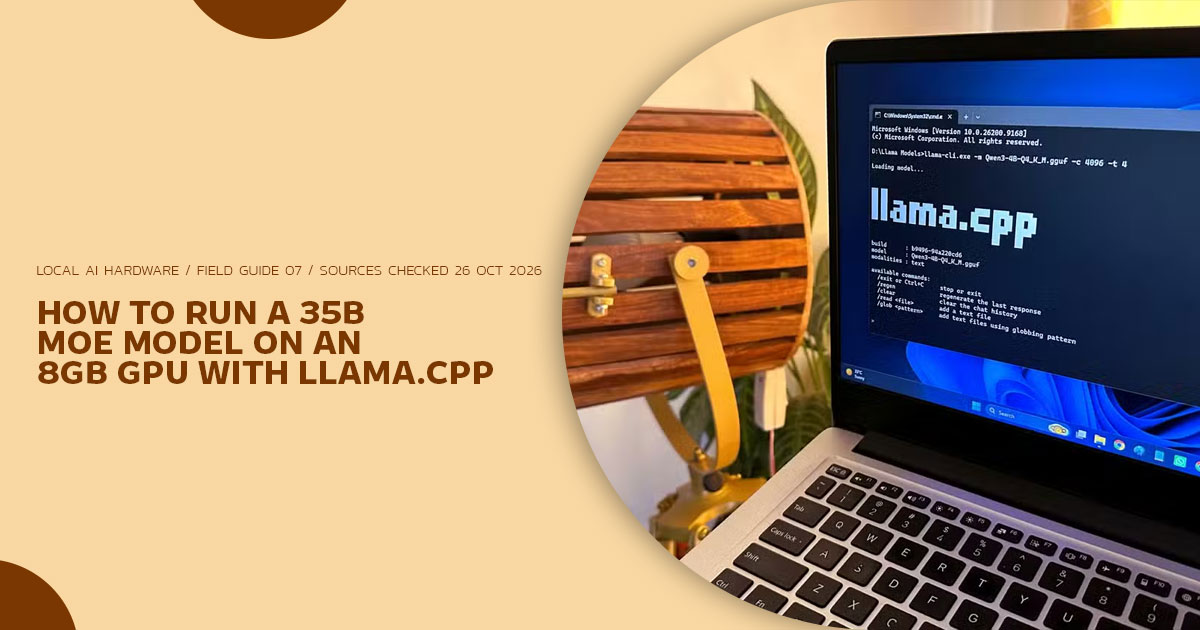
Can an 8GB graphics card run a large Mixture-of-Experts (MoE) model without a costly hardware upgrade? The answer depends on more than VRAM capacity. Model size, memory placement, system RAM, and software settings all affect what your PC can handle.
This guide looks at MoE model offloading in llama.cpp, the role of system RAM, and community-reported results from 8GB GPUs. We also examine October 2026 hardware prices to help you judge whether to work with your current PC or invest in an upgrade.
With over 20 years of experience in hardware and application research and development, we assess technology through component analysis, published test results, real-world usability, and value for money. This guide is for local AI users, developers, PC builders, and enthusiasts who want to run large language models on limited hardware without spending more than they need to.
The sections below explain how to configure expert offloading, measure the trade-offs, and decide whether a hardware upgrade is worth the cost.
How to read the evidence: model and GPU specifications come from the model providers and NVIDIA. llama.cpp option names and defaults follow the upstream llama-server README retrieved in October 2026. Every speed figure is another publisher's measurement on stated hardware — we did not run these benchmarks, and section 07 labels the method behind each row. Prices are dated listing checks, not fixed street prices.
8 GBVRAM budget |
35B / 3BQwen3.6-35B-A3B |
21.2–22.29 GBQ4_K_M file, |
32.82 tok/sOne laptop llama-bench run (§07) |
5 groupsllama.cpp options to tune (§04) |
// THE 30-SECOND ANSWER
How do you offload MoE layers to system RAM on an 8GB GPU without giving up too much speed?
Start by requesting all layers on the GPU with -ngl all, then keep only routed expert feed-forward weights in system RAM with --n-cpu-moe N (short form -ncmoe N), or place tensors explicitly with -ot, --override-tensor. The aim is to keep attention-path weights, shared experts and the KV cache in VRAM while the much larger routed-expert pool is split between VRAM and RAM.
Qwen3.6-35B-A3B activates 3B of its 35B parameters per token (8 routed experts plus 1 shared expert per MoE layer), so the per-token working set is far smaller than the full file.
In one published llama-bench run on a Lenovo Legion 5 with an NVIDIA GeForce RTX 3070 Laptop GPU (8GB), generation on Qwen3.6-35B-A3B UD-IQ4_XS rose from 4.02 tok/s without expert offload to 32.82 tok/s with -ncmoe 28. That is a single-machine short benchmark, not a promised result for every 8GB system — section 07 gives the full context.
§ Names used in this guide
To avoid mixing different products that share part of a name, the first mention of each item uses the provider’s full name. Short forms after that point refer only to that item. Quantization labels such as Q4_K_M, UD-IQ4_XS and UD-IQ4_NL_XL are file variants from different GGUF providers, not interchangeable names for the same file; file sizes state the provider and unit (GB or GiB) as listed.
| Full Name (Provider) | Short Form Later | Do Not Confuse With |
|---|---|---|
| Qwen3.6-35B-A3B (Qwen) | Qwen3.6-35B-A3B | Qwen3.5-35B-A3B (predecessor) |
| Qwen3.6-27B (Qwen, dense) | Qwen3.6-27B | Qwen3.5-27B (predecessor) |
Gemma 4 26B A4B (Google DeepMind; repo google/gemma-4-26B-A4B) |
Gemma 4 26B A4B | Gemma 4 31B (dense) |
| NVIDIA GeForce RTX 3070 Laptop GPU, 8GB GDDR6 | RTX 3070 Laptop GPU | Desktop GeForce RTX 3070, 8GB GDDR6 — 5,120 vs 5,888 CUDA cores per NVIDIA; laptop power limits vary |
| NVIDIA GeForce RTX 3090, 24GB GDDR6X | RTX 3090 24GB | — |
| NVIDIA GeForce RTX 3060 12GB GDDR6 (desktop) | RTX 3060 12GB | GeForce RTX 3060 8GB — NVIDIA lists both sizes; only the 12GB card is a purchase option here |
| NVIDIA GeForce RTX 4060 Ti 16GB GDDR6 (desktop, board-partner cards) | RTX 4060 Ti 16GB | GeForce RTX 4060 Ti 8GB |
| NVIDIA GeForce RTX 4090 (desktop) | RTX 4090 | Cited only for the expert-cache test in §04 |
| Intel Arc B390 integrated graphics (Intel Core Ultra X7 358H) | Arc B390 integrated graphics | Discrete Intel Arc desktop cards — the cited run uses unified memory |
01. Why 8GB stopped being a wall for this model class
Advice for running a model larger than VRAM often amounts to buying a larger-VRAM card. For a dense model that no longer fits, the reasoning is sound: a dense transformer uses its feed-forward weights on each token, so weights placed in system RAM sit on the per-token path. The published laptop comparison in section 07 makes the contrast concrete — its dense reference model generated at under 1 tok/s in that test, while the MoE model with expert offload generated more than thirty times faster on the same laptop.
An MoE model separates weights by how often they are used:
- Attention-path weights — attention projections (including the gated linear-attention blocks in 6), norms, embeddings, the output head, the router, and the shared expert.
- Routed expert weights — the large pool of expert feed-forward The router selects a small subset per token per MoE layer; the rest are not computed for that token.
The two open-weight models used as examples throughout this guide, with specifications from their providers’ model cards:
| Model | Total / Active | Experts | Layers | Native Context | Announced |
|---|---|---|---|---|---|
| Qwen3.6-35B-A3B | 35B / 3B | 8 routed of 256, +1 shared |
40 | 262,144 tokens |
17 Apr 2026 (Qwen blog), Apache 2.0 Source: |
| Gemma 4 26B A4B | 25.2B total* / 3.8B active |
8 active of 128, +1 shared |
30 | 256K tokens | 2 Apr 2026 (Google), Apache 2.0 |
* Google markets the family member as “26B A4B”; its Hugging Face model card lists 25.2B total parameters. Both figures are shown so the label is not mistaken for the exact count.
Offloading does not shrink the model file. For Qwen3.6-35B-A3B at Q4_K_M, listed GGUF file sizes vary by provider — 21.2 GB (lmstudio-community), 22.1 GB for the Unsloth UD-Q4_K_M file, and 22.29 GB (bartowski) at the time of writing. The smaller Unsloth Dynamic UD-IQ4_XS file used in the 8GB laptop benchmark is listed by that test at 16.50 GiB. Those are different quantizations with different size and quality trade-offs, and this guide does not treat their speeds as interchangeable. Where a provider ships vision support as a separate projector file (mmproj), that file and its memory use are additional to the text-model figures here.
What expert offload changes is how much data must be read from fast memory to produce each token, and how much of the file must reside in VRAM at all. That distinction — capacity versus per-token traffic — is the reason the technique helps MoE models far more than dense models of similar file size.
02. Two models, two memory problems
| Comparison | Dense Model Larger Than VRAM (e.g. Qwen3.6-27B) | MoE Model Larger Than VRAM (Examples Above) |
|---|---|---|
| Feed-forward weights used per token | The dense feed-forward weights in each layer | Shared expert plus routed experts selected for that token |
| Effect of part of the model in system RAM | RAM-resident feed-forward weights stay on the per-token path | Only selected RAM-resident routed experts are computed from RAM for that token |
| llama.cpp control | -ngl moves whole layers; --n-cpu-ffn N for dense FFN (see FAQ) |
--n-cpu-moe N / --cpu-moe — routed experts only |
| Measured illustration | Paired same-laptop results in section 07 (methods labelled there) |
Lowering -ngl on its own moves entire transformer blocks, attention included, toward the CPU. Expert offload is narrower: it leaves the attention path where it is and moves only routed-expert tensors. Confirm actual placement in the buffer map llama.cpp prints at load time, because embedding and output handling can vary by architecture and build.
03. Where each tensor belongs
The sizes below are planning estimates for Qwen3.6-35B-A3B Q4_K_M-class GGUF files, included to show how to derive a starting value for N. They are not provider specifications. The load log from a reader’s own build and file supersedes every estimate in this table.
| Component | Planning Estimate (Q4_K_M Class) | Target Placement | Why |
|---|---|---|---|
| Attention-path weights & projections | ~1.5–2.5 GB | GPU VRAM | On the per-token path; even the RTX 4060 Ti’s 288 GB/s specified peak is several times practical dual-channel RAM throughput |
| KV cache | Grows with -c, batch, cache type |
GPU VRAM, optionally quantized | Read during attention; read the size for your context from the load log |
| Shared expert, router, norms, embeddings, output head | ~0.5–1 GB combined (estimate) | GPU VRAM under -ngl all |
On the per-token path (embeddings are looked up per token, not read in full) |
Routed expert FFN (ffn_*_exps) |
~0.45 GB/layer × 40 ≈ 18 GB (estimate; varies by quant) | Split VRAM / system RAM by N | Largest component; only selected experts computed per token |
Worked starting estimate — replace each line with your load log
VRAM Budget — Qwen3.6-35B-A3B Q4_K_M Class on an 8.0 GB Card (Estimates)
Non-expert weights:~2.4 GB
KV cache @ 16K tokens, q8_0: ~1.0–2.0 GB ← read yours from the load log
Compute buffers (-b / -ub): ~0.5–1.5 GB
Desktop / display overhead:~0.3–0.8 GB (0 if the card drives no display)
Left for routed experts: ~1.3–3.8 GB → roughly 3 to 8 layers of experts in VRAM
Qwen3.6-35B-A3B has 40 layers, so that estimate points to a starting –n-cpu-moe value in the low 30s for a Q4_K_M-class file at 16K context. A smaller quant such as UD-IQ4_XS, a shorter context, or a headless card changes the arithmetic, which is why the laptop benchmark in section 07 used 28. In the RTX 3090 sweep cited in section 07, each additional offloaded layer added roughly 0.53 ms per token on that system; the same time penalty per token translates into a larger drop in tok/s when the starting speed is higher. Treat the last few hundred megabytes of VRAM as worth measuring with llama-bench.
// CONTEXT IS A QUALITY SETTING, NOT ONLY A FIT SETTING

Qwen's model card advises maintaining at least 128K context to preserve the model's thinking behaviour on extended tasks. A 16K context is a fit-driven starting point for an 8GB card, not a recommendation for answer quality. Longer context requires a larger KV cache and usually a higher N, smaller batches, or a more heavily quantized KV cache — re-run the estimate above for the context actually needed.
04 Five option groups that do the work
Option names, short forms and defaults follow the upstream llama.cpp llama-server README retrieved in October 2026. Builds change quickly; llama-server –help on the installed build is the deciding reference.
01 / REQUEST ALL LAYERS FIRST
-ngl all
The README lists -ngl, --gpu-layers, --n-gpu-layers N as accepting an exact number, auto (default) or all. Older tutorials use -ngl 99 or -ngl 999 for the same “as many as possible” request; the benchmarks in §07 used -ngl 99 where stated.
02 / ALL EXPERTS, OR N LAYERS’ WORTH
--cpu-moe vs --n-cpu-moe N
-cmoe, --cpu-moe keeps all MoE weights in the CPU. -ncmoe, --n-cpu-moe N keeps, in the README’s wording, “the Mixture of Experts (MoE) weights of the first N layers in the CPU”. N at or above the layer count is therefore equivalent in effect to --cpu-moe for placement. Start with --cpu-moe to confirm the load, then tune N downward to use spare VRAM.
03 / PER-TENSOR PLACEMENT
-ot, --override-tensor
Overrides the buffer type for tensors matching a name pattern. Community guides use patterns such as exps=CPU for routed-expert tensors, optionally combined with per-layer patterns pinning chosen blocks to a named device (for example CUDA0 on a CUDA build). Verify device names and matching against the installed build’s help and load log.
04 / AUTOMATIC ADJUSTMENT OF UNSET OPTIONS
--fit on --fit-target 512
-fit, --fit [on|off] defaults to on and adjusts unset arguments to fit in device memory. -fitt, --fit-target sets the target margin per device (default 1024 MiB). Reducing it to 512 MiB can free space on an 8GB card, at the cost of less headroom. Readers who set context, batch and offload values explicitly should check the load log to see what was applied.
// A DOCUMENTED DISAGREEMENT — AND HOW THIS GUIDE RESOLVES IT
The upstream README (October 2026) says --n-cpu-moe N covers the first N layers. A Hugging Face community article (not official HF documentation), published 30 January 2026, states counting starts from the highest-numbered layers, and its examples still use --no-mmap. Where they conflict, this guide follows the current upstream README as the more authoritative and recent source. Because builds and forks differ, the deciding test remains local: load with verbose logging and read the per-tensor buffer assignment your build prints.
// A DOCUMENTED DISAGREEMENT — AND HOW THIS GUIDE RESOLVES IT
The upstream README (October 2026) says --n-cpu-moe N covers the first N layers. A Hugging Face community article (not official HF documentation), published 30 January 2026, states counting starts from the highest-numbered layers, and its examples still use --no-mmap. Where they conflict, this guide follows the current upstream README as the more authoritative and recent source. Because builds and forks differ, the deciding test remains local: load with verbose logging and read the per-tensor buffer assignment your build prints.
// A DOCUMENTED DISAGREEMENT — AND HOW THIS GUIDE RESOLVES IT
The upstream README (October 2026) says --n-cpu-moe N covers the first N layers. A Hugging Face community article (not official HF documentation), published 30 January 2026, states counting starts from the highest-numbered layers, and its examples still use --no-mmap. Where they conflict, this guide follows the current upstream README as the more authoritative and recent source. Because builds and forks differ, the deciding test remains local: load with verbose logging and read the per-tensor buffer assignment your build prints.
05 The command line we’d start from
The filename follows the common GGUF naming pattern; the exact filename depends on the provider and variant downloaded (Unsloth prefixes dynamic quants with UD-). Adjust -t to the system’s physical performance-core count rather than copying 8.
# Qwen3.6-35B-A3B, Q4_K_M-class GGUF, 8GB GPU + 32GB or more system RAM
# Text weights only — add the provider's mmproj file separately for vision input.

./llama-server \
  -m Qwen3.6-35B-A3B-Q4_K_M.gguf \
  -ngl all \
  --n-cpu-moe 32 \
  --fit on --fit-target 512 \
  -c 16384 \
  -ctk q8_0 -ctv q8_0 \
  -b 1024 -ub 512 \
  -t 8

# Then sweep N instead of treating 32 as universal
# (confirm comma form in llama-bench --help)

./llama-bench -m Qwen3.6-35B-A3B-Q4_K_M.gguf \
  -ngl all -ncmoe 28,30,32,34 \
  -p 512 -n 128 -r 3 -ctk q8_0 -ctv q8_0
If the model fails to load or the driver reports shared-memory use (§06), raise N, shorten -c, or restore the default –fit-target 1024 before changing anything else. Change one variable at a time and keep the bench output.
06. Three ways this setup falls over
Prefill collapse
Generation speed alone can hide poor prompt processing. In the laptop run in section 07, prompt processing improved alongside generation when expert placement changed (109.66 to 341.37 tok/s in that short bench), because the comparison there is between an overflowing layout and an explicit expert split. The reverse pattern — acceptable generation with very slow prompt processing — points first to tensor placement, batch settings and context size. Check long-prompt behaviour with a prompt length resembling real use; a 512-token bench prompt does not represent a 28K-token coding session.
The silent VRAM spill (Windows shared GPU memory)
On Windows, exceeding dedicated VRAM does not always produce an immediate out-of-memory error; the driver can use shared system memory over PCIe. Watch dedicated GPU memory for the llama.cpp process rather than relying on the absence of an error. This guide does not put a fixed percentage on the resulting slowdown, because the runs below were not designed to isolate it. Leave explicit headroom with –fit-target, and where integrated graphics provide a display output, consider driving displays from there. Desktop VRAM use varies — measure it on the target machine.
Bandwidth starvation
Once routed experts are computed from system RAM, system-memory bandwidth and CPU throughput share the ceiling with the GPU. Specified peaks and practical throughput are different kinds of figure; the panel keeps them separate.
Bandwidth hierarchy — peaks labelled by type
// Manufacturer-specified peaks are not sustained-throughput measurements
- GeForce RTX 3090, 384-bit GDDR6X — 936 GB/s specified peak
- GeForce RTX 4060 Ti, 128-bit GDDR6 — 288 GB/s specified peak (8GB and 16GB variants)
- Dual-channel DDR5-6000 — 0 GB/s theoretical; sustained lower
- Dual-channel DDR4-3200 — 2 GB/s theoretical; sustained lower
- Single-channel at the same speed — half the dual-channel theoretical peak
- PCIe 0 x16 — ~31.5 GB/s per direction (theoretical). Desktop RTX 4060 Ti cards are PCIe 4.0 x8, at roughly half that link peak.
// Use the hierarchy to reason about bottlenecks. Use llama-bench on your machine to measure them.
Four checks follow. Confirm two sticks in the board’s recommended slots and the trained speed (sudo dmidecode -t memory | grep -E “Speed|Configured” on Linux; CPU-Z Memory tab on Windows). Kit labels such as “DDR5-6000” describe the rated XMP/EXPO profile, not a guarantee for every CPU, board and population (§08). On Intel hybrid CPUs, A/B test performance-core-only thread settings; results depend on CPU, scheduler, build and workload, so treat community-reported penalties as a reason to test rather than a universal percentage. Treat four-DIMM populations as a separate configuration needing its own verification. Re-check configured speed after any BIOS change.
07. What the numbers actually look like
We did not run the benchmarks in this section. Each row names publisher, hardware, model file and method as reported, because results with different quantizations, contexts, backends and tools (llama-bench vs llama-server sessions) are not directly comparable. Where a source did not report an item, the table says so.
| Hardware (As Reported) | Model File & Configuration | Prompt | Generation | Source & Method |
|---|---|---|---|---|
|
Lenovo Legion 5, RTX 3070 Laptop GPU 8GB. CPU/RAM/build/power mode not reported |
Qwen3.6-35B-A3B UD-IQ4_XS (16.50 GiB),-ngl 99 -ncmoe 0 |
109.66 tok/s | 4.02 tok/s |
Source: |
| Same laptop | Same file,-ngl 99 -ncmoe 28 |
341.37 tok/s | 32.82 tok/s | Same bench. Short bench only; no long-context/thermal result |
| Same laptop | Qwen3.6-27B IQ4_XS dense reference (14.37 GiB) | 38.83 tok/s | 0.75 tok/s | Same bench. Same-laptop dense contrast only |
| RTX 3090 24GB, headless | Qwen3.6-35B-A3B, -ncmoe 0, peak 21,652 MiB incl. 8K KV (context test) |
3,674 tok/s | 157.66 tok/s |
InsiderLLM, 16 Oct 2026. llama-bench sweep, 5 reps, empty-context figure, default KV Source: |
| Same RTX 3090, headless | Same model, -ncmoe 40, peak 3,022 MiB |
341 tok/s | 36.11 tok/s | Same sweep |
| Same RTX 3090 with desktop session (~4.4 GiB in use) | Same model, -ncmoe 0 / 4 |
Not stated for desktop rows | Would not load at 0; 107.12 tok/s at 4 |
Same source. Headline above required a headless card |
| RTX 3090 24GB (host spec in source) | Qwen3.6-35B-A3B UD-IQ4_NL_XL, 12/40 FFNs offloaded, full 262,144 context | Vulkan 607; CUDA 1,008.1 tok/s |
Vulkan 66; CUDA 84.9 tok/s |
Giles Thomas, 24 Jul 2026. Both backends; full-context goal Source: |
| Kept Out of the Comparison Table: Unified Memory Is a Different Category |
|
On a Xiaomi Book Pro 14 (Intel Core Ultra X7 358H, Arc B390 integrated graphics, 30 GiB unified memory) running
Because that GPU addresses system RAM directly, the result argues for full GPU placement on that machine class; it does not predict speeds for discrete 8GB GPUs. |
What can responsibly be inferred. The same-laptop pair supports a narrow claim: on that Legion 5, with that UD-IQ4_XS file and short-bench method, explicit expert offload was much faster than letting the oversized model overflow without it (32.82 vs 4.02 tok/s, about 8.2×). The RTX 3090 sweeps support a second narrow claim: each additional RAM-resident expert layer cost additional time per token on those systems, and full residency — where VRAM and context allow — was fastest for generation. Broader expectations by memory type at Q4_K_M and 16K context would be interpolations from single-machine results, not measurements, so this guide does not quote a promised range for untested CPU/RAM/quant/context combinations. Generate that range locally with the §05 sweep. As a subjective reference only, community tuning guides commonly describe roughly 10–25 tok/s as workable for interactive chat.
|
The limiting factor shifts rather than disappears: with routed experts in RAM, speed depends on the CPU–RAM path alongside GPU work
—WHY LOCAL MEASUREMENT REPLACES BORROWED RANGES IN THIS GUIDE |
For Gemma 4 26B A4B, Google lists approximately 14.4 GB for Q4_0 weights including 20% loading overhead, explicitly excluding KV-cache/context memory. That figure is for Q4_0; check Q4_K_M file sizes on the provider listing actually downloaded. The smaller total means fewer expert layers in RAM on an 8GB card than with the 35B example — compare model quality in the providers’ benchmark tables, not by file size.
08. The 2026 plot twist: RAM is not the low-cost upgrade it was in 2025
Older versions of this advice depended on inexpensive DDR5: add system RAM, offload experts into it, defer a larger-VRAM GPU. That cost relationship no longer describes US listings checked in October 2026.
This section quotes dated, market-specific listed prices with the exact configuration attached, distinguishes launch prices from current listings, and declines to quote a single Indian range where listings checked did not support one. Listed (asking) prices are not sold prices, exclude tax where applicable, and vary by brand, board partner, seller and stock.
Current US listings checked 20–24 October 2026 — examples, not market averages
| Item (Exact Configuration) | Listed Price (US$) | Basis — Read Before Comparing |
|---|---|---|
| 64GB (2×32GB) DDR5-6000 CL30 kits, major brands | $1,199.97–$1,299.99 |
Amazon US buy-box snapshot, 20 Oct 2026 (six named kits; mostly third-party sellers). Wider listings included lower value-brand kits and higher asks — match part number + full timings. Corsair US listed Vengeance 64GB DDR5-6000 CL30 (CMK64GX5M2B6000C30/Z30) at $1,274.99. |
| 32GB (2×16GB) DDR5-6000 CL30 kit | From $472.99 | Lowest CL30 kit in a Newegg US check dated 24 Sep 2026 (Klevv KD5AGU880-60A300L). September starting listing — recheck before budgeting. |
| Desktop GeForce RTX 3060 12GB | Used from $319.99; new $409.99 / $479.99 |
Lowest-tracked-offer snapshot, 20 Oct 2026 (eBay used low; Amazon US; Newegg US). Lows are not typical sold prices. |
| Desktop GeForce RTX 4060 Ti 16GB (board-partner cards) | Most Newegg US listings found: ~$671–$1,066; tracker low $853 (3 Oct) |
New, US. Widely dispersed; search mixes 8GB variant + out-of-stock. Launch reference: NVIDIA announced 16GB as starting at $499 (Jul 2023) — launch starting price, not current. |
| Desktop GeForce RTX 3090 24GB, used | Asking examples ~$1,400–$1,700 | US eBay asking examples, late Oct 2026, before shipping/tax ($1,358–$1,699; tracker “used from $1,439” 23 Oct). One sold-listing tracker: ~$1,500 typical (mid-Oct). |
| India: Why No Single Matched-Kit Price Range Is Quoted |
|
The Amazon India search linked in §12, checked 25 October 2026, returned a 32GB (2 × 16GB) kit under a 64GB query, CL32/CL40 kits under a CL30 query, and M.R.P. figures alongside lower selling prices. Averaging these into a “64GB DDR5-6000 CL30 India price” would mix capacities, timings and price types. Indian readers should use an exact kit part number, ideally from the motherboard QVL, then compare the selling price for that part number across sellers on the day of purchase. Distinguish the selling price from M.R.P. and confirm the following on the product page:
GPU listings also need checking: the GPU search returns both memory variants of each card. |
For industry context, TrendForce reported conventional DRAM contract prices up approximately 93–98% quarter-over-quarter in Q1 2026, with DRAM industry revenue up 81% QoQ to US$97 billion (1 June 2026). These are contract-market figures, not retail DDR5 prices, and should not be read as a direct estimate of consumer kit prices. The dated retail listings above are illustrative snapshots; verify the exact part number, seller, stock status, and price immediately before publication. TrendForce’s January 2026 releases also described capacity being redirected toward server and HBM products. TrendForce report (1 June 2026)
- Buying 64GB of DDR5 solely to offload experts is difficult to justify at October 2026 US A major-brand 2×32GB kit around $1,200 sits in the same budget region as used 24GB asking examples around $1,400–$1,700. RAM is easier to justify when the capacity also serves editing, compilation, VMs or large datasets.
- Fully resident 24GB inference and hybrid 8GB offload are different regimes — compare them using the methods reported alongside each result. The RTX 3090 fully resident figure in §07 is headless, empty-context llama-bench; the same source is slower with a desktop session, and the full-context study slower again at 262K. Hybrid offload’s strongest case is that readers who already own the hardware can try §05 with no purchase.
| If More RAM Is Needed Anyway: Population Matters |
|
A second 2 × 16GB kit in empty slots can cost less upfront than replacing it with 2 × 32GB, but four-DIMM DDR5-6000 XMP/EXPO operation is not guaranteed by the kit label, and mixing kits adds compatibility risk. AMD’s official specifications illustrate the baseline; check your exact CPU page. Ryzen 9000-series lists DDR5-5600 with two DIMMs and DDR5-3600 with four. Ryzen 7000-series examples list DDR5-5200 with two DIMMs and DDR5-3600 with four. DDR5-6000 either way is an overclocking profile. Verify the configured speed after installation and consult the motherboard QVL by exact part number. |
09. Verdict: who should do what
| Our Recommendation — Conditional, as Established Above |
For readers who already own an 8GB discrete GPU and 32GB or more of system RAM, expert offload with Qwen3.6-35B-A3B or Gemma 4 26B A4B is worth trying before any hardware purchase—with a quant and context that fit, and with N tuned and measured on the target machine. |
1. 8GB GPU with 32GB or more of RAM
Start with §05 at no hardware cost. Strongest support is the same-laptop comparison in §07; desktop results vary with CPU, RAM, quant and context — the sweep matters more than any borrowed number.
2. 8GB GPU with 16GB of RAM
A 21–22 GB-class Q4_K_M file plus OS, KV cache and desktop apps exceeds comfortable headroom alongside 8GB VRAM; expect paging without a smaller quant and short context. Smaller files (e.g. 16.50 GiB UD-IQ4_XS) or Gemma 4 26B A4B reduce, not eliminate, that pressure. At Oct 2026 US listings, added RAM is easier to justify with second uses.
3. DDR4 system where experts in RAM feel slow
Bandwidth is a plausible contributor (§06) — confirm channel population and configured speed before blaming DDR4 itself. Compare the full platform cost (CPU + board + RAM) against a larger-VRAM card using current listings in your own market at purchase time.
4. Buying a first GPU for local MoE inference
8GB can work with offload, but 12GB/16GB reduces RAM-resident layers and leaves context room. Verify exact memory size per listing — RTX 3060 and RTX 4060 Ti searches return both variants. For RTX 4060 Ti, 8GB and 16GB share 288 GB/s specified bandwidth and PCIe 4.0 x8; the 16GB advantage here is capacity, not link or memory speed.
5. Considering a 24GB card
A new 24GB flagship bought solely for this workload needs justification beyond §07–08 while used RTX 3090 asking examples remain as shown. Check the exact card’s dimensions, connectors and condition. Reference: NVIDIA Founders Edition RTX 3090 lists 350W card power, 750W required system power, 3-slot/313 mm — board-partner models differ.
10. Frequently asked questions
| Can we use Ollama or LM Studio instead of llama.cpp?
Separate answers as of October 2026. LM Studio added MoE expert placement in version 0.3.23 (12 August 2025) as “Force Model Expert Weights onto CPU”, described in its notes as the same underlying technology as llama.cpp’s Ollama did not expose an equivalent control at the time of writing. Request Readers needing explicit |
Does PCIe 3.0 versus 4.0 bottleneck --n-cpu-moe?
It depends on the mode. In basic PCIe matters more for large-batch prompt-processing paths, |
| How much system RAM do we need for Qwen3.6-35B-A3B on an 8GB GPU?
Plan from the actual file size plus OS and application headroom; part of the model resides in VRAM. 64GB provides more room for larger quants (check provider listings), longer context, a vision projector and other applications. These are guidelines, not guarantees. Confirm free RAM and paging during a representative session. |
| Does this work for dense models?
The economics differ because dense FFNs are used for every token. Benchmark |
11. What we could not verify
| Evidence Notes: Checkable Claims & Open Questions |
| Unverified Configuration Setting
|
| Layer-Counting Direction
Layer-counting direction differs between sources. This guide follows the upstream README (“first N layers”) over the January 2026 HF community article (“highest-numbered”), per §04. Your build’s load log decides on your machine. |
| Performance Evidence & Interpolations
No §07 figure was measured by us, and several useful combinations—desktop 8GB by RAM type at |
| Prices & Download Sizes
US prices are dated listing examples; Indian prices are intentionally not summarised (§08). Recheck by exact part number, seller and market on purchase day. GGUF sizes change on re-upload—the downloaded file’s listing decides. |
12. Official software & where to check current pricing
| Open-Source Software (Free) | Amazon US | Amazon India |
|---|---|---|
|
→ github.com/ggml-org/llama.cpp → llama.cpp releases (pre-built binaries) |
Search returns multiple brands/sellers and both GPU memory variants. Confirm model + memory size on the product page. |
Read the §08 India note first. Distinguish selling price from M.R.P.; verify capacity + timings per listing. |
Have you managed to run an MoE model on an 8GB GPU? We’d like to hear about your experience. Which model did you test, how much system RAM did you use, and what kind of performance did you get? Share your setup, settings, and any problems you encountered in the comments. Your experience could help another reader get more out of their hardware.
Follow us for more technology reviews, hardware research, and practical buying advice. Have questions about GPU memory, llama.cpp settings, or hardware upgrades? Leave them in the comments, and we’ll do our best to help.
***Disclaimer***

This article is based on our research, analysis, available product information, user feedback, and industry knowledge. It is not an official statement from any brand or manufacturer mentioned in the article. Product specifications, prices, software features, and availability can change. We do our best to keep the information up to date, but please check the latest details with the manufacturer or retailer before making a purchase.

Some links in this article may be affiliate links. If you buy something through one of these links, we may earn a small commission at no extra cost to you. These commissions help support the site and our work. They do not affect how we assess or discuss products. Comments and opinions shared by readers belong to the people who post them and do not necessarily represent our views. Information on this site is provided for general purposes, and we cannot guarantee a particular result from using it. Where professional advice is needed, consult a qualified professional.

All product names, logos, and trademarks belong to their respective owners. We use them only to identify the products and companies discussed and do not imply endorsement or affiliation.