
Introduction
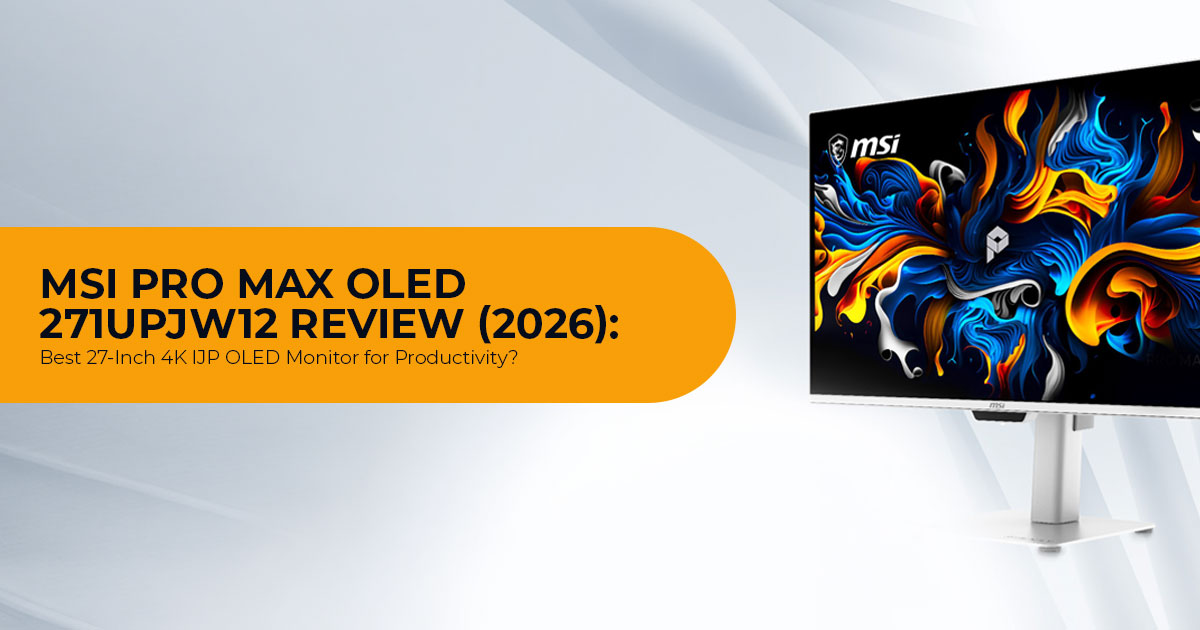
Buying an OLED monitor has traditionally meant accepting a few compromises. You’d get incredible contrast and rich colors, but you also had to live with concerns about text clarity, burn-in, and long-term durability. The MSI PRO MAX OLED 271UPJW12 is trying to change that. Instead of using the same OLED technology found in most desktop monitors, MSI has introduced IJP OLED (Inkjet-Printed OLED) with an RGB Stripe sub-pixel layout, a design that directly addresses one of the biggest complaints about OLED displays—blurred or fringing text during everyday work.
That’s what helps the MSI PRO MAX OLED 271UPJW12 stand out from today’s OLED desktop monitors. The bigger question is whether this new manufacturing process finally makes OLED a practical choice for both productivity and entertainment—or simply introduces a different set of trade-offs.
If you’re looking for a single display that can handle professional work, coding, content creation, photo editing, video editing, media consumption, light gaming, and multi-device desk setups, the MSI PRO MAX OLED 271UPJW12 deserves a closer look. On paper, its combination of a 27-inch 4K display, 120Hz refresh rate, IJP OLED technology, and RGB Stripe sub-pixel layout promises sharper text, outstanding image quality, and a more comfortable experience for people who spend hours in front of a screen.
As technology experts with over 20 years of experience in hardware and application research and development, we evaluate every product based on real-world performance, durability, reliability, and long-term value for money. Whether you’re a software developer, designer, creative professional, office user, student, remote worker, or someone looking for a premium display that balances productivity and entertainment, our recommendations are built on extensive research, component analysis, practical usability, and industry expertise—not marketing claims.
Like any monitor, the PRO MAX OLED 271UPJW12 has a few trade-offs. The 120Hz refresh rate is lower than the 240Hz offered by many gaming-focused OLED monitors. The USB-C port provides only 15W charging, which is not enough for most laptops. Pricing also varies by region, and because this is among the first commercially announced IJP OLED monitors, independent long-term testing will be important to verify brightness consistency, burn-in resistance, and panel uniformity.
Even with those unanswered questions, the MSI PRO MAX OLED 271UPJW12 remains one of the most interesting 27-inch 4K OLED monitors announced for 2026. If independent testing confirms MSI’s claims, IJP OLED could redefine buyer expectations for productivity-focused OLED monitors.
Quick Verdict on the MSI PRO MAX OLED 271UPJW12
For most buyers, the MSI PRO MAX OLED 271UPJW12 is best suited to productivity, creative work, and everyday use.
It is not the best fit for competitive gamers who want 240Hz or higher. It is also not ideal for laptop users who expect one-cable charging, because USB-C 15W Power Delivery is too low for most modern laptops.
Best fit: creators, programmers, office users, Mac/PC desk setups, and buyers who want OLED contrast with better text clarity.
Think twice if: you need 240Hz gaming, strong USB-C laptop charging, or proven long-term panel data.
MSI PRO MAX OLED 271UPJW12 Specs
| Feature | MSI PRO MAX OLED 271UPJW12 Specs | What It Means for Buyers |
| Screen Size | 27-inch | A good balance for desk work, coding, editing, and gaming |
| Resolution | 3840 × 2160 (4K UHD) | Produces very sharp text and detailed images |
| Refresh Rate | 120Hz | Smooth enough for work and casual gaming, but not esports-focused |
| Panel Type | IJP OLED / inkjet-printed OLED | A new OLED manufacturing approach with potential cost and efficiency benefits |
| Subpixel Layout | RGB stripe | Potentially better text clarity than many nonstandard OLED layouts |
| Pixel Density | 164 PPI | Provides strong sharpness for a 27-inch screen |
| Color Gamut | 99% DCI-P3 | Useful for wide-gamut creative work |
| Color Accuracy | Delta E ≤ 2 | A good target for factory color accuracy |
| HDR Certification | DisplayHDR True Black 500 | Combines OLED-level black depth with HDR support |
| Peak HDR Brightness | Up to 1,000 nits | Provides strong highlight brightness in HDR scenes |
| Burn-In Protection | OLED Auto Care with Data Counting Compensation | Background OLED maintenance designed to reduce interruptions |
| Eye Comfort | TÜV low blue light, flicker-free, and Eyesafe 3.0 | Helpful during long work sessions |
| Coating | Anti-glare 3H coating | Reduces reflections and improves scratch resistance |
| Productivity Features | KVM and PiP/PbP | Useful for people working with multiple devices |
| USB-C | USB-C with 15W Power Delivery | Useful for video and light device power, but inadequate for charging most laptops |
What Is IJP OLED? Why It Matters to Buyers
IJP OLED stands for Inkjet-Printed OLED.
Instead of producing OLED layers using more traditional deposition methods, inkjet-printed OLED uses a printing-style process to place organic light-emitting materials onto the panel.
For buyers, the possible benefits are:
- lower production waste
- potentially better manufacturing efficiency as production matures
- a native RGB Stripe sub-pixel arrangement
- potentially better text rendering
- more competition against QD-OLED and WOLED
The key point is that these advantages are expected to become more apparent as production scales, not at launch.
Early IJP OLED monitor models may not immediately become cheaper. New panel production usually starts at lower volume, and early products often carry launch pricing. So buyers should not assume the MSI PRO MAX OLED 271UPJW12 price will be low just because inkjet-printed OLED can be more cost-efficient in theory.
The more immediate benefit is display structure.
The TCL CSOT OLED panel used in this type of product is built around an RGB Stripe sub-pixel layout. That is important for anyone who reads text all day.
Why RGB Stripe OLED Text Clarity Matters
Text clarity is one of the most practical reasons to care about the MSI PRO MAX OLED 271UPJW12.
Many OLED monitors use sub-pixel layouts that do not match the standard RGB layout used by most operating systems. That can cause:
- colored edges around text
- softer-looking letters
- eye strain during long reading sessions
- worse results for coding, spreadsheets, and documents
The biggest advantage of the RGB Stripe sub-pixel layout is its ability to produce cleaner-looking text during everyday desktop use.
The RGB Stripe sub-pixel layout more closely matches the standard RGB rendering expected by Windows, macOS, and Linux, helping produce cleaner-looking text.
This matters most if the buyer uses the monitor for:
- programming
- writing
- spreadsheets
- UI design
- browser-based work
- productivity apps
- long reading sessions
For an OLED monitor for programming, this may be more important than a higher refresh rate.
A higher refresh rate may sound more appealing on paper, but if the text looks worse for eight hours a day, that spec does not help the buyer.
Display Quality: 4K, OLED Contrast, and 120Hz
The MSI PRO MAX OLED 271UPJW12 uses a 27-inch 4K OLED monitor format. This combination strikes an excellent balance between workspace and sharpness.
At 27 inches, 4K UHD produces sharp text, detailed images, and enough workspace for multitasking without feeling oversized on a normal desk. The 164 PPI pixel density puts it in a high-sharpness category for desktop use.
The 120Hz refresh rate is also practical.
It makes scrolling, cursor movement, and window animations smoother than 60Hz. It also supports casual gaming well. But it is not designed to replace a 240Hz or 360Hz esports monitor.
What 120Hz means in real use
| Use Case | Is 120Hz Enough? | Buyer Note |
| Office Work | Yes | Smoother scrolling and better responsiveness than 60Hz |
| Programming | Yes | Text clarity matters more than an ultra-high refresh rate |
| Photo Editing | Yes | Color accuracy and pixel density matter more |
| Video Editing | Yes | Suitable for smooth timelines and HDR previews |
| Console Gaming | Yes | A strong fit for consoles supporting 4K at 120Hz |
| Competitive PC Gaming | Maybe | Serious esports players should consider a 240Hz or faster monitor |
The monitor’s OLED panel should also deliver the usual OLED strengths:
- pixel-level dimming
- deep black levels
- high perceived contrast
- fast response behavior
- clean motion compared with many LCDs
But independent testing is still important. Buyers should wait for reviews that measure sustained brightness, uniformity, HDR accuracy, and burn-in mitigation behavior.
Color Accuracy: Who Benefits from 99% DCI-P3 and Delta E ≤ 2?
The MSI PRO MAX OLED 271UPJW12 specs include 99% DCI-P3 color coverage and Delta E ≤ 2 color accuracy.
That matters for creative users.
99% DCI-P3 means the display can show a wide color range. This helps with:
- video editing
- digital art
- photography
- content creation
- HDR content review
- brand design work
Delta E ≤ 2 means the factory calibration target is accurate enough that most users should see color differences as very small.
This does not replace a professional calibration tool for high-end color work. If color accuracy affects paid client delivery, calibration is still recommended.
But for most creators, the announced color specs make the MSI PRO MAX OLED 271UPJW12 a strong candidate for an OLED monitor for content creators.
HDR Performance: DisplayHDR True Black 500 and 1000 Nits HDR
The monitor carries DisplayHDR True Black 500 certification and claims up to 1000 nits HDR peak brightness.
This combination matters because OLED HDR is not only about brightness. It is also about black levels.
LCD monitors often need very high brightness to create strong HDR impact. OLED panels can create strong contrast because each pixel can turn off individually.
That means dark scenes look darker, bright highlights stand out more, and black areas do not glow the way they can on many edge-lit LCD monitors.
What this means in practice
DisplayHDR True Black 500 means the monitor is built for OLED-style HDR contrast.
1000 nits HDR means small highlights can get bright enough to create visible HDR impact.
But buyers should understand the difference between peak brightness and full-screen brightness.
A monitor may hit high brightness in small areas while being lower on full-screen white or bright desktop scenes. That is normal for OLED. Independent testing will show the real sustained brightness behavior.
OLED Auto Care and Burn-In Protection
Burn-in is still one of the main concerns with OLED monitors.
The MSI PRO MAX OLED 271UPJW12 uses OLED Auto Care with Data Counting Compensation.
In simple terms, this system is designed to manage panel wear in the background. The goal is to reduce interruptions from OLED maintenance cycles and help preserve panel consistency over time.
That is useful for productivity users because static desktop elements are common:
- taskbars
- browser tabs
- menu bars
- coding editors
- spreadsheets
- design tool panels
- dashboards
It’s important to remember:
OLED Auto Care does not mean burn-in is impossible.
It means the monitor includes protection features designed to reduce risk. Buyers should still use practical OLED habits:
- enable screen sleep
- hide static taskbars when possible
- avoid leaving static windows open for hours
- use dark mode when useful
- vary content
- run manufacturer-recommended panel care routines
For an OLED monitor for productivity, this is a key area to evaluate once independent long-term reviews become available.
Design and Build: Productivity First, Not Gaming First
The PRO MAX OLED 271UPJW12 is part of MSI’s productivity-focused monitor line rather than its typical gaming-first lineup.
This distinction is important because the design focuses on desk ergonomics, multi-device productivity, and professional workflows rather than gaming aesthetics.
The monitor includes an ergonomic stand and an anti-glare 3H coating. The coating should reduce reflections and improve surface durability compared with softer coatings.
Anti-glare trade-off
The anti-glare 3H coating is practical for bright rooms.
But some users prefer glossy OLED screens because glossy surfaces can look clearer in controlled lighting. Matte or anti-glare coatings can reduce reflections, but they may also change perceived image clarity depending on the coating quality.
Buyers who are sensitive to screen coatings should wait for hands-on reviews or see the monitor in person if possible.
Connectivity: KVM, PiP/PbP, and USB-C 15W Power Delivery
The MSI PRO MAX OLED 271UPJW12 includes several productivity features that matter more than raw refresh rate.
The built-in KVM lets users control multiple computers with one keyboard and mouse. That is useful if a desk includes:
- a work laptop
- a personal desktop
- a Mac mini
- a gaming PC
- a creator workstation
PiP/PbP lets you view two video sources simultaneously. This is useful for:
- comparing two systems
- monitoring a second PC
- working with a laptop and desktop together
- stream setups
- IT/admin workflows
The weak point is USB-C 15W Power Delivery.
That is not enough for most laptops. It may power small devices or slow-charge certain lightweight hardware, but many modern laptops need 45W, 65W, 90W, or more.
The bottom line is simple:
If the goal is a clean one-cable laptop setup, USB-C 15W Power Delivery is a limitation. If the goal is USB-C display input plus a separate laptop charger, it is fine.
IJP OLED vs QD-OLED vs WOLED
The most important comparison is not only between MSI and another brand. It is between panel technologies. Here is the practical buyer breakdown.
| Panel Type | Strengths | Possible Limitations | Best For |
| IJP OLED | Native RGB-style structure, strong text-clarity potential, and a new manufacturing approach | Early-generation technology with limited long-term monitor data | Productivity, creators, and users who prioritize text clarity |
| QD-OLED | Strong color volume, excellent contrast, and numerous high-refresh gaming models | Some subpixel layouts can affect text clarity; raised blacks may appear in bright rooms on certain models | Gaming, media consumption, and wide-color content |
| WOLED | Mature OLED ecosystem, deep black levels, and numerous product options | Some subpixel layouts may affect fine text; brightness behavior varies by model | Mixed use, media consumption, and gaming |
| IPS LCD | No OLED burn-in concern, often more affordable, and strong text clarity | Lower contrast, weaker black levels, and slower pixel response | Office work, static dashboards, and budget productivity |
| Mini-LED LCD | Higher sustained brightness with no OLED burn-in concern | Blooming, higher prices, and no pixel-perfect dimming | HDR work, bright rooms, and static professional use |
IJP OLED vs QD-OLED
IJP OLED vs QD-OLED comes down to priorities.
If the buyer wants proven high-refresh gaming options, QD-OLED has more established choices.
If the buyer wants OLED contrast with better desktop text behavior, the MSI PRO MAX OLED 271UPJW12 is more interesting because of RGB Stripe OLED text clarity.
IJP OLED vs WOLED
IJP OLED vs WOLED is also about structure and maturity.
WOLED is more established in consumer OLED monitors. IJP OLED is newer in this segment and may become more important if production scales well.
For buyers, the safe approach is simple:
- choose WOLED or QD-OLED if proven availability and reviews matter most
- consider IJP OLED if text clarity and new OLED panel technology matter more
Direct Buying Comparison: Where the MSI PRO MAX OLED 271UPJW12 Fits
| Buyer Need | Better Choice | Why |
| Best text clarity on OLED | MSI PRO MAX OLED 271UPJW12 | RGB-stripe subpixel layout is its main advantage |
| Competitive PC gaming | 240Hz or higher OLED monitor | 120Hz is smooth but not esports-focused |
| One-cable laptop desk setup | USB-C monitor with 65W or higher Power Delivery | USB-C 15W Power Delivery is limited |
| Static office dashboards | IPS or mini-LED monitor | Lower risk of image retention or burn-in |
| Creator work + OLED contrast | A 27-inch 4K OLED monitor such as this MSI | 99% DCI-P3, Delta E ≤ 2, and OLED contrast support creative workflows |
| Console gaming + work | 4K 120Hz OLED monitor | A strong match for 4K gaming at 120Hz |
Real-World Use Case Analysis
For productivity
The MSI PRO MAX OLED 271UPJW12 is clearly designed as an OLED monitor for productivity. The reasons are practical:
- 27-inch size is desk-friendly
- 4K resolution keeps text sharp
- RGB Stripe helps readability
- KVM supports multiple computers
- PiP/PbP helps split workflows
- OLED contrast improves visual comfort in dark interfaces
The main productivity limitation is burn-in risk from static elements. Buyers who keep spreadsheets or dashboards open all day should weigh that carefully.
For programming
As an OLED monitor for programming, this model is more convincing than many OLED displays because of RGB Stripe OLED text clarity.
The 4K resolution helps code density. The 27-inch size avoids the neck movement that can come with very large displays. The contrast is useful in dark IDE themes.
The main question is long-term panel behavior with static UI elements.
For creators
As an OLED monitor for content creators, the strongest points are:
- 99% DCI-P3
- Delta E ≤ 2
- OLED black levels
- DisplayHDR True Black 500
- 1000 nits HDR peak brightness
- 4K detail
Based on the announced specifications, it should suit video editors, designers, photographers, and content teams who want a compact high-quality display.
For professional color grading, independent calibration and reference-monitor expectations still apply.
For gaming
The 4K 120Hz OLED monitor format is good for console gaming and casual PC gaming.
OLED response behavior should make motion look clean. 4K resolution improves image detail. HDR support helps in supported games.
Competitive esports players will likely be better served by a 240Hz or higher OLED monitor.
Pros and Cons of the MSI PRO MAX OLED 271UPJW12
| Pros | Cons |
| The 27-inch 4K 120Hz IJP OLED monitor format is ideal for mixed desk use | 120Hz is insufficient for serious competitive gamers |
| RGB-stripe OLED text clarity targets a genuine OLED weakness | This early IJP OLED monitor generation requires independent testing |
| 99% DCI-P3 coverage and Delta E ≤ 2 support creator workflows | USB-C 15W Power Delivery is inadequate for charging most laptops |
| DisplayHDR True Black 500 and 1,000-nit HDR support deliver strong HDR contrast | OLED burn-in remains a potential risk |
| KVM and PiP/PbP improve multi-device productivity | Pricing and availability may vary by region |
| OLED Auto Care with Data Counting Compensation helps reduce maintenance interruptions | The anti-glare coating may not appeal to users who prefer glossy screens |
Who Should Buy the MSI PRO MAX OLED 271UPJW12?
Based on its announced specifications, the MSI PRO MAX OLED 271UPJW12 is worth shortlisting if the buyer wants:
- a sharp 27-inch 4K OLED monitor
- better OLED text rendering
- a screen for work and media
- wide color support
- OLED contrast
- built-in KVM
- multi-device desk features
- a clean productivity-focused design
It is especially relevant for:
- programmers
- content creators
- hybrid workers
- Mac and PC users
- designers
- editors
- console gamers
- users upgrading from 4K IPS monitors
Who Should Not Buy It?
Skip or wait if the buyer needs:
- 240Hz or higher refresh rate
- strong USB-C laptop charging
- a proven long-term OLED panel track record
- a screen for static dashboards
- the lowest possible OLED price
- glossy OLED presentation
- confirmed local availability before purchase
For those buyers, a different OLED model, IPS display, or mini-LED monitor may be safer.
MSI PRO MAX OLED 271UPJW12 Price and Availability
The official MSI PRO MAX OLED 271UPJW12 price may vary by region and retailer. At the time of writing, buyers should verify:
- local launch date
- warranty terms
- burn-in policy
- return window
- current Amazon availability
- regional model naming
- included cables
- USB-C limitations
- panel care terms
The MSI PRO MAX OLED 271UPJW12 release date and retail rollout may not be identical across the US, India, Europe, and Asia. Early listings may appear in one region before another.
Buying advice: do not buy only because this is the world’s first 27-inch IJP OLED monitor. Buy it if the final price makes sense against 4K QD-OLED, WOLED, IPS, and mini-LED alternatives.
Best Alternatives to Consider
Before buying the PRO MAX OLED 271UPJW12, compare it against these categories:
1. 27-inch 4K QD-OLED gaming monitors
Choose this if high refresh rate matters more than text clarity. Best for:
- PC gaming
- high-refresh use
- media
- users who already know they like QD-OLED
2. 27-inch or 32-inch 4K IPS productivity monitors
Choose this if static work is the priority. Best for:
- spreadsheets
- business dashboards
- office use
- long workdays
- budget-conscious buyers
3. Mini-LED creator monitors
Choose this if sustained brightness matters more than pixel-level OLED blacks. Best for:
- HDR work
- bright rooms
- static professional apps
- users concerned about burn-in
4. 5K IPS displays
Choose this if text sharpness is the highest priority and OLED contrast is not required. Best for:
- macOS users
- writers
- developers
- designers who value pixel density
FAQ: MSI PRO MAX OLED 271UPJW12
What is the MSI PRO MAX OLED 271UPJW12?
The MSI PRO MAX OLED 271UPJW12 is a 27-inch 4K 120Hz IJP OLED monitor designed for productivity, creative work, entertainment, and mixed desk use.
What is IJP OLED?
IJP OLED means inkjet-printed OLED. It uses a printing-style process to apply OLED materials to the panel. The technology may improve manufacturing efficiency and supports an RGB-style pixel structure.
Is the MSI PRO MAX OLED 271UPJW12 good for programming?
Yes, based on the announced specifications, it is a strong candidate as an OLED monitor for programming because it combines 4K resolution, 164 PPI, and RGB Stripe OLED text clarity.
Is IJP OLED better than QD-OLED?
IJP OLED vs QD-OLED depends on the use case. IJP OLED may be better for text clarity because of RGB Stripe structure. QD-OLED has more established gaming monitor options, especially at higher refresh rates.
Is IJP OLED better than WOLED?
IJP OLED vs WOLED is not a simple better-or-worse comparison. WOLED is more established. IJP OLED is newer and may offer better text structure depending on implementation.
Does the MSI PRO MAX OLED 271UPJW12 have burn-in protection?
Yes. The MSI PRO MAX OLED 271UPJW12 includes OLED Auto Care with Data Counting Compensation. This helps manage OLED wear, but it does not remove burn-in risk completely.
Does the MSI PRO MAX OLED 271UPJW12 support HDR?
Yes. The monitor supports DisplayHDR True Black 500 and up to 1000 nits HDR peak brightness.
Does it have USB-C charging?
Yes, but only USB-C 15W Power Delivery. That is not enough for most laptops, so many users will still need a separate charger.
Does the MSI PRO MAX OLED 271UPJW12 have KVM?
Yes. The monitor includes KVM, which helps control multiple devices with one keyboard and mouse setup.
Should gamers buy the MSI PRO MAX OLED 271UPJW12?
Casual gamers and console players may like the 4K 120Hz OLED monitor format. Competitive PC gamers should consider higher-refresh OLED monitors instead.
What is the MSI PRO MAX OLED 271UPJW12 price?
The MSI PRO MAX OLED 271UPJW12 price depends on region and retailer. Buyers should check current Amazon US, Amazon India, and local MSI listings before deciding.
Buying Recommendation
The MSI PRO MAX OLED 271UPJW12 should be treated as a focused productivity OLED, not a gaming-first OLED.
That is the right lens.
The strongest reason to consider it is not just OLED contrast. It is the combination of:
- 4K resolution
- 27-inch size
- RGB Stripe OLED text clarity
- 99% DCI-P3
- Delta E ≤ 2
- KVM
- PiP/PbP
- OLED Auto Care
The biggest reason to hesitate is also clear:
Because this is a first-generation IJP OLED monitor, independent reviews will be especially valuable for assessing long-term performance.
If reviews confirm good brightness stability, clean text, reliable uniformity, and sensible pricing, the MSI PRO MAX OLED 271UPJW12 could become one of the most practical OLED monitors for work-focused buyers.
Amazon Worldwide: Check Current Price and Availability
If buying in the United States, check whether the MSI PRO MAX OLED 271UPJW12 is listed and compare its price against other 27-inch 4K OLED monitor options.
Recommended:
Check the latest MSI PRO MAX OLED lineup on Amazon Worldwide
Before buying, verify:
- return policy
- warranty coverage
- seller reputation
- delivery date
- exact model name: MSI PRO MAX OLED 271UPJW12
- included cables
- regional plug type
Amazon India: Check Current Price and Launch Status
For Indian buyers, availability may arrive later than US or Taiwan listings. Check the MSI PRO MAX OLED 271UPJW12 price on Amazon India and compare it with imported OLED monitors, local MSI models, and creator-focused 4K displays.
Recommended:
Check the latest MSI PRO MAX OLED lineup on Amazon India
Before buying in India, confirm:
- official MSI India warranty
- GST invoice availability
- service-center support
- panel warranty terms
- replacement policy
- whether burn-in coverage is included
Final Verdict: Is the MSI PRO MAX OLED 271UPJW12 Worth It?
The MSI PRO MAX OLED 271UPJW12 stands out as one of the most promising productivity-focused OLED monitors announced for 2026.
Its biggest advantage isn’t the “world-first” IJP OLED (Inkjet-Printed OLED) branding. The real story is the combination of IJP OLED technology, an RGB Stripe sub-pixel layout, and a 27-inch 4K display. Together, these features are designed to solve one of the biggest complaints about traditional OLED monitors—text clarity. If MSI’s claims hold up in independent testing, this could become a compelling choice for professionals who spend long hours reading, writing, coding, or creating content.
That said, it’s not the perfect monitor for everyone. The 15W USB-C Power Delivery is too limited for charging most laptops, the 120Hz refresh rate won’t satisfy competitive esports gamers looking for 240Hz or higher, and because this is an early IJP OLED monitor, buyers should wait for independent reviews to evaluate long-term brightness stability, burn-in resistance, and panel uniformity.
For content creators, software developers, designers, remote professionals, and anyone looking for a premium 27-inch 4K OLED monitor focused on productivity as much as entertainment, the MSI PRO MAX OLED 271UPJW12 deserves a place on any shortlist for buyers considering a premium productivity-focused OLED monitor.
Our recommendation is simple: wait for official pricing, read trusted independent reviews, and compare it with competing QD-OLED, WOLED, IPS, and Mini-LED monitors in the same price range before making your final decision.
Would you choose the MSI PRO MAX OLED 271UPJW12—or another IJP OLED display—over a QD-OLED, WOLED, or Mini-LED monitor for productivity, gaming, or content creation? Let us know your thoughts in the comments below.
If you have any questions about this monitor—or you’re unsure which display is right for your needs—leave a comment, and we’ll be happy to help. Follow us for in-depth reviews, buying guides, and the latest technology news to make smarter buying decisions.
***Disclaimer***
This blog post reflects our research, analysis, and opinions based on available product information, user feedback, and industry knowledge. It should not be taken as the official position of any brand, manufacturer, or company mentioned here. We make every effort to keep this guide accurate, but product specifications, pricing, and availability may change after publication. We recommend double-checking important details before making a purchase.
Some links in this article may be affiliate links. If you choose to buy through these links, we may earn a small commission at no extra cost to you. This helps support our work and allows us to keep publishing in-depth, unbiased reviews. Affiliate partnerships never influence our recommendations.
Opinions expressed by readers are their own and do not necessarily reflect ours. We are not responsible for outcomes resulting from the use of information on this site. Please seek professional advice where appropriate.
All product names, logos, and brands mentioned are the property of their respective owners. These names are used for identification and informational purposes only and do not imply endorsement.
