
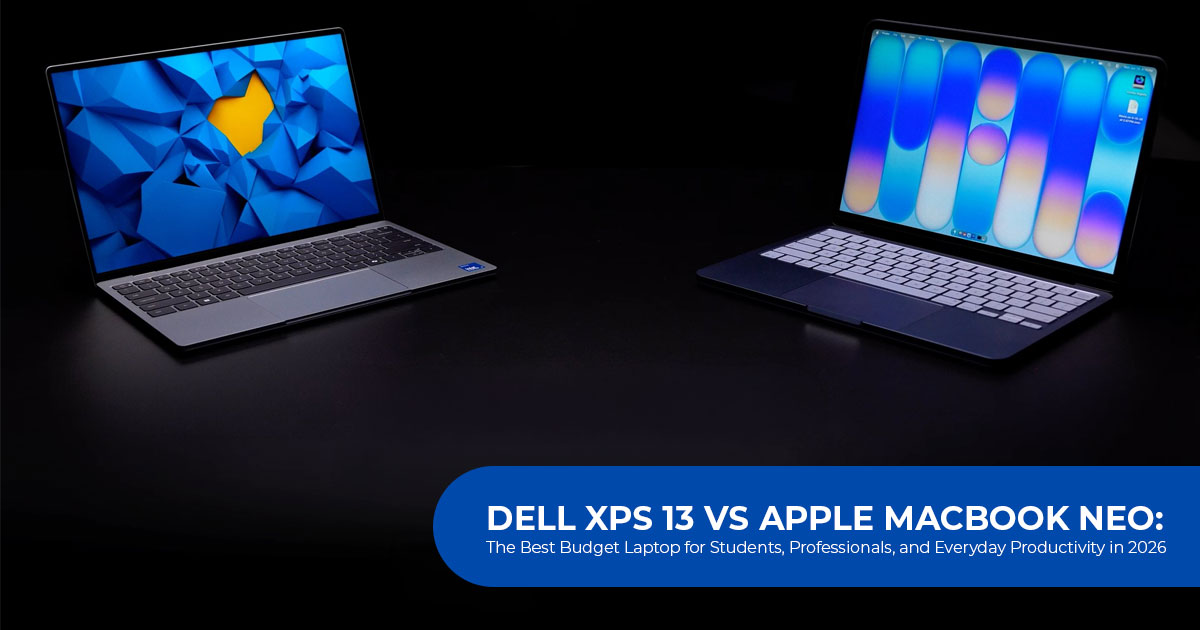
Introduction: The New Battleground for Affordable Flagship Laptops
For years, buying an affordable laptop meant making compromises. A lower price often came with a dull display, average battery life, a plastic build, or performance that started to struggle once your workload became demanding. Students, professionals, and everyday users had to decide which feature they were willing to give up.
That is no longer the case.
The affordable laptop market has changed dramatically in 2026. More efficient processors, better displays, and falling component costs have allowed manufacturers to bring premium features into a price range that was once reserved for entry-level machines. Apple shook up the market with the MacBook Neo, proving that an affordable Mac no longer had to feel like a stripped-down experience. Dell answered with a refreshed XPS 13, bringing its premium design and engineering to buyers who want flagship quality without paying flagship prices.
This is more than another laptop launch. It marks a shift in what buyers should expect from a modern notebook. Instead of asking, “Which laptop fits my budget?” the smarter question is, “Which laptop gives me the best long-term value?” That is where this comparison becomes important.
In this detailed Dell XPS 13 vs Apple MacBook Neo comparison, we go beyond marketing claims and specification sheets to evaluate how both laptops perform in everyday life. We examine design, display quality, performance, battery life, software experience, portability, and overall value to help you understand which device deserves your investment.
Whether you are searching for the best budget laptop for students, a dependable machine for remote work, a lightweight laptop for travel, or the best laptop for college students in 2026, this guide is designed to answer the questions that actually matter before you spend your money.
As technology experts with more than 20 years of experience in hardware and application research and development, we believe that a great laptop is not defined by benchmark numbers alone. Real value comes from how well it performs over months and years of daily use. That is why every product we review is assessed for real-world performance, build quality, durability, thermal efficiency, battery longevity, repairability, and overall value for money.
Our audience includes students, working professionals, remote workers, business users, content creators, and anyone looking for a reliable laptop that will remain fast and dependable for years. Every recommendation in this review is based on extensive research, component-level analysis, real-world usability, and industry expertise, helping you choose the right laptop based on your budget, performance needs, reliability expectations, and long-term ownership costs.
By the end of this comparison, you will know not only which laptop is faster or lasts longer on a single charge, but more importantly, which one is the smarter investment for the way you work, study, and live.
Editorial Research Note: This comparison is based on the latest official product specifications, manufacturer announcements, and industry research available at the time of writing. Performance observations and buying recommendations are derived from component analysis, real-world usage expectations, and relevant benchmark data where available. Actual performance may vary depending on configuration, software updates, and individual workloads.
Product Overview & Market Context
The landscape for affordable premium notebooks shifted dramatically following industry-wide supply chain adjustments. With component costs fluctuating globally, both manufacturers converged on an aggressive starting price point of $699 / ₹79,900 for their base models.
- Dell XPS 13: Dell positions the XPS 13 as a premium Windows alternative to Apple’s lightweight
- Apple positions the MacBook Neo as a more affordable way to enter the macOS ecosystem while maintaining the company’s focus on efficiency and portability.
With both laptops starting at similar prices, your choice ultimately depends on the hardware features you value, your preferred operating system, and how you plan to use the laptop.
Design and Build Quality: Portability Meets Practicality
When choosing a lightweight laptop, size and build quality directly affect how comfortable it is to carry between classes, meetings, or daily commutes.
Portability and Weight
- Dell XPS 13: Weighing just 0 kg (2.2 lbs) with a 0.50-inch profile, the XPS 13 is roughly half a pound lighter than its Apple rival. Despite its ultra-compact dimensions, it manages to house a slightly larger 13.4-inch screen.
- Apple MacBook Neo: Built with a sturdy aluminum unibody, weighing 23 kg (2.7 lbs). While still portable, the extra weight is noticeable during all-day campus sprints.
The Keyboard and Usability Factor
One of the most critical daily differentiators lies in keyboard illumination.
- The Dell XPS 13 includes a backlit keyboard, making it much easier to work in dim classrooms, libraries, flights, or late-night study sessions.
- According to Apple’s published specifications, the base MacBook Neo does not include a backlit keyboard, which may make typing in darker environments less convenient.
If physical fatigue and night-time productivity are top priorities, the XPS 13 delivers a clear structural advantage.
Display Comparison: 120Hz Touchscreen vs. Liquid Retina
Screen real estate and panel technology directly impact eye comfort during long reading and writing sessions.
- Dell XPS 13 Display: Features a 4-inch 2.5K InfinityEdge LCD boasting 100% DCI-P3 color coverage, interactive touchscreen support, and a 30–120Hz variable refresh rate. The higher refresh rate provides noticeably smoother scrolling and animations during everyday use.
- Apple MacBook Neo Display: Equipped with a bright 0-inch Liquid Retina panel peaking at 500 nits with crisp color calibration out of the box. However, it is strictly capped at a standard 60Hz refresh rate and lacks touch capabilities.
For users who value fluid motion, rich color gamuts, and interactive touch controls, the Dell XPS 13 120Hz touchscreen sets a high benchmark.
Performance & Memory Analysis: Intel Wildcat Lake vs. Apple A18 Pro
Processing architecture defines how snappy a machine feels under heavy multi-tab workflows.
Processor Architecture
- Apple MacBook Neo is powered by the Apple A18 Pro chip. Early benchmark results indicate excellent single-core performance and quick application launch times. For writing papers, web browsing, and media consumption, macOS feels exceptionally responsive.
- Dell XPS 13 relies on Intel’s efficient Intel Core Series 3 (‘Wildcat Lake’) processors paired with an integrated NPU for localized AI While Apple holds an edge in single-core throughput and raw graphics efficiency, Intel’s architecture may offer an advantage in certain multi-threaded workloads, particularly when several demanding applications run simultaneously.
The RAM Bottleneck: 8GB vs. 16GB Headroom
Memory capacity is a pivotal consideration for modern buyers:
- The base MacBook Neo includes 8GB of unified While this is sufficient for everyday tasks, heavier multitasking or memory-intensive applications may benefit from higher memory capacities.
- Dell XPS 13 starts at 8GB for the base tier but offers configurations with 16GB or 32GB of RAM. Because Windows 11 benefits from additional memory during heavier workloads, the option to configure 16GB or 32GB of RAM gives higher-end Dell XPS 13 models more flexibility for multitasking and demanding applications.
Battery Life and Wireless Connectivity
For students spending entire days away from power outlets, endurance and connection stability matter immensely.
Battery Endurance
- Dell XPS 13 packs a 52Wh battery rated for up to 17 hours of continuous video playback.
- Apple MacBook Neo features a smaller 5Wh battery claiming up to 16 hours of video streaming.
Both laptops support fast USB-C charging. Based on the published specifications, Dell rates the XPS 13 for slightly longer battery life, although real-world endurance will vary depending on brightness, workload, and system settings.
Wireless Connectivity
- Dell XPS 13 integrates Wi-Fi 7 (via the Intel BE213 adapter), which is designed to deliver faster speeds and more reliable connections on compatible networks.
- Apple MacBook Neo relies on Wi-Fi 6E.
For users with access to compatible Wi-Fi 7 networks, the Dell XPS 13 offers greater networking potential than the MacBook Neo, especially in busy environments such as universities, offices, and public workspaces.
Head-to-Head Specification and Feature Comparison Matrix
| Feature / Specification | Dell XPS 13 (Base Model) | Apple MacBook Neo | What This Means for You |
| Base Price | $699 / ₹79,990 | $699 / ₹79,900 | Nearly identical upfront pricing; student discounts reduce both to approximately $599 / ₹69,990. |
| Weight & Thickness | 1.0kg (2.2lb) / 0.50″ | 1.23kg (2.7lb) / 0.50″ | The XPS 13 is approximately half a pound lighter, potentially reducing shoulder strain during commutes. |
| Display Specs | 13.4″ 2.5K touchscreen, 30–120Hz | 13.0″ Liquid Retina, 60Hz, non-touch | The XPS offers smoother motion, touch navigation, and slightly more screen space. |
| Processor | Intel Core Series 3 (Wildcat Lake) | Apple A18 Pro | Apple generally leads in single-core performance, while Intel may perform better in certain multithreaded workloads. |
| RAM Options | 8GB base, configurable with 16GB or 32GB | Fixed at 8GB unified memory | The XPS 13 provides more memory headroom for demanding multitasking. |
| Keyboard | Backlit keys included | Non-backlit keys | Backlighting is useful when working in dim lecture halls, offices, or aircraft cabins. |
| Wireless | Wi-Fi 7 (BE213) | Wi-Fi 6E | Wi-Fi 7 can deliver higher speeds and lower latency when connected to compatible networks. |
| Battery Life | Up to 17 hours (52Wh) | Up to 16 hours (36.5Wh) | Both promise all-day battery life, with Dell claiming slightly longer runtime under its published test conditions. |
Pros and Cons: Dell XPS 13 vs. Apple MacBook Neo
Dell XPS 13
- Featherlight 0 kg aluminum chassis
- High-quality 120Hz touch-enabled display
- Backlit keyboard for low-light productivity
- Higher RAM configuration options (up to 16GB/32GB)
- Next-gen Wi-Fi 7 connectivity
- Base model restricted to 8GB RAM
- Integrated graphics trail Apple’s GPU in select creative pipelines
Apple MacBook Neo
- Exceptional single-core CPU efficiency and snappy app launch times
- Seamless integration within the Apple ecosystem (AirDrop, iPhone Mirroring, iCloud sync)
- Clean, silent performance and strong color calibration out of the box
- Fixed 8GB memory cannot be upgraded
- Lacks keyboard backlighting in the base tier
- No touchscreen support and capped at 60Hz
Pricing, Student Discounts, and Value Breakdown
For many buyers, price is one of the biggest deciding factors when choosing a laptop. Both systems launch at an identical MSRP of $699 (approx. ₹79,900).
Furthermore, both companies also offer education discounts for eligible buyers.
- Dell XPS 13 student discount offers seasonal back-to-school price cuts, dropping the entry barrier to $599 for eligible students.
- Apple MacBook Neo also extends education pricing to $599, applicable broadly across students and academic staff.
For buyers looking for the best laptop under ₹80,000 with excellent battery life, both models represent compelling options. However, Dell XPS 13 packs more hardware features into the same price, making it the stronger value for many Windows users.
Who Should Buy Which Laptop? Practical Buying Advice
To make an informed purchase, match your primary daily requirements to the strengths of each machine.
Buy the Dell XPS 13 If:
- You need a Windows laptop with a backlit keyboard and touch screen for comfortable typing in dim environments and quick scrolling.
- You require upgrade flexibility—choosing a 16GB configuration ensures your machine handles heavy research tabs and multi-app multitasking without stuttering.
- You want state-of-the-art wireless networking via Wi-Fi 7 for campus environments.
- Maximum physical portability (1.0 kg) is a priority for daily transit.
Buy the Apple MacBook Neo If:
- You are deeply embedded in the Apple ecosystem and rely on features like Universal Clipboard, AirDrop, and iPhone Mirroring for daily productivity.
- You prioritize macOS efficiency, silent operation, and long-term battery stability for word processing, streaming, and light web tasks.
- You prefer a locked-down, streamlined operating system that requires minimal configuration.
Final Verdict
The days when buying an affordable laptop meant settling for poor build quality, weak displays, or disappointing performance are quickly becoming a thing of the past. Both the Dell XPS 13 and Apple MacBook Neo prove that premium experiences are no longer limited to premium prices.
If you’re already invested in the Apple ecosystem, the Apple MacBook Neo is an excellent choice. It offers a smooth macOS experience, impressive battery efficiency, and dependable everyday performance that will satisfy students, professionals, and casual users alike.
However, when we look at the complete package, the Dell XPS 13 comes out ahead for most buyers. Its 1.0 kg ultralight design, 120Hz touchscreen display, backlit keyboard, broader connectivity, and greater RAM upgrade potential make it a more flexible laptop for both today’s workloads and tomorrow’s demands. For most Windows users, Dell offers more features at the same price and represents the better overall value. Buyers already invested in the Apple ecosystem, however, may still find the MacBook Neo the better fit.
If your priority is getting the best value for money, greater versatility, and a laptop that can comfortably handle years of study, work, and entertainment, the Dell XPS 13 earns our recommendation for most buyers.
Check Latest Prices & Where to Buy
Planning to upgrade your laptop? Compare the latest prices, student discounts, seasonal offers, and financing options from trusted retailers before making your purchase.
🇺🇸 For Buyers in the United States
- Dell XPS 13: View the latest pricing, student offers, and available configurations on Amazon Worldwide.
- Apple MacBook Neo: Check current prices, color options, and education discounts on Amazon Worldwide.
🇮🇳 For Buyers in India
- Dell XPS 13: Explore the latest pricing, bank offers, and back-to-school deals on Amazon India.
- Apple MacBook Neo:Check current pricing, EMI options, and eligible student discounts on Amazon India.
We’d Love to Hear From You
Which laptop would you choose—the Dell XPS 13 or the Apple MacBook Neo? Share your thoughts, experiences, or questions in the comments below. We’d love to hear about your experience and help you choose the laptop that best fits your needs.
If you found this comparison helpful, follow us for more in-depth reviews, buying guides, and the latest technology news. We regularly test new devices, compare the latest products, and publish practical advice to help you make smarter buying decisions.
Still deciding? Leave your question in the comments, and we’ll help you choose the laptop that best fits your needs.
***Disclaimer***
This blog post reflects our research, analysis, and opinions based on available product information, user feedback, and industry knowledge. It should not be taken as the official position of any brand, manufacturer, or company mentioned here. We make every effort to keep this guide accurate, but product specifications, pricing, and availability may change after publication. We recommend double-checking important details before making a purchase.
Some links in this article may be affiliate links. If you choose to buy through these links, we may earn a small commission at no extra cost to you. This helps support our work and allows us to keep publishing in-depth, unbiased reviews. Affiliate partnerships never influence our recommendations.
Opinions expressed by readers are their own and do not necessarily reflect ours. We are not responsible for outcomes resulting from the use of information on this site. Please seek professional advice where appropriate.
All product names, logos, and brands mentioned are the property of their respective owners. These names are used for identification and informational purposes only and do not imply endorsement.
