
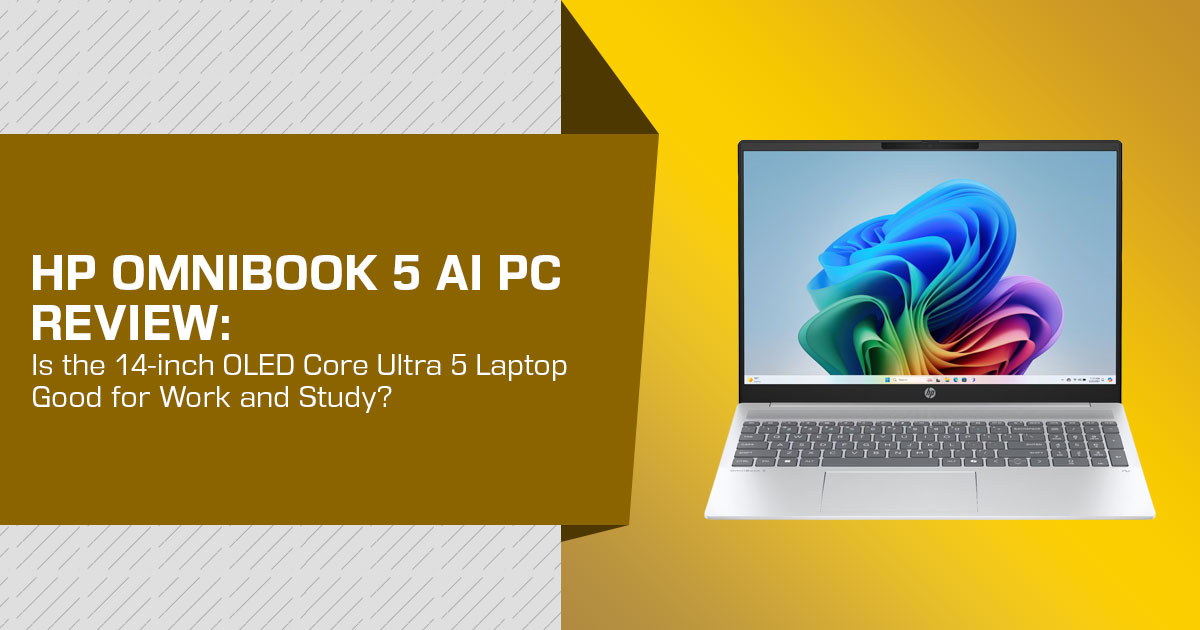
The HP OmniBook 5 AI PC is a 14-inch Windows laptop for buyers who want a light machine for work, study, video calls, browsing, entertainment, and everyday productivity. The configuration covered here combines an Intel Core Ultra 5 Processor 322, 16GB LPDDR5x memory, 512GB SSD, and a 14-inch 1920 × 1200 OLED display, with a listed weight of 1.33 kg.
The OLED display, 16GB memory, and 1.33 kg weight make the HP OmniBook 5 relevant to students, office users, remote workers, and frequent travellers. Its integrated Intel Graphics are suited to everyday workloads, but this configuration is not aimed at demanding 3D work, heavy GPU workloads, or modern AAA gaming.
As technology experts with over 20 years of experience in hardware and application research and development, we assess products through real-world performance, durability, value for money, component quality, and long-term use. For the HP OmniBook 5 AI PC, we focus on what matters to students, professionals, remote workers, home users, and buyers who want portability and a good display. Our recommendations are based on extensive research, component analysis, real-world usability, and industry expertise.
If you are comparing HP laptops for work or study, or looking for a lightweight OLED laptop, this review explains what the HP OmniBook 5 AI PC offers and where its limitations matter.
Which HP OmniBook 5 AI PC is covered here?
The HP OmniBook 5 AI PC is the product name used in the supplied HP India video. The OmniBook 5 family includes multiple screen sizes, processors, display types, and form factors. This guide covers the 14-inch Intel configuration shown in the supplied material and identified by Croma as model HH0099.
Croma’s product title describes the item as an HP OmniBook 5 Intel Core Ultra 5 Thin & Light Notebook Laptop. The listing identifies Intel Core Ultra 5 322, 16GB LPDDR5x memory, 512GB SSD storage, Windows 11 Home, and a 14-inch OLED display.
The distinction matters. Specifications from an AMD or Qualcomm OmniBook 5 should not be treated as specifications for this Intel configuration. Independent reviews of other OmniBook 5 models are included only as clearly labelled context.
HP OmniBook 5 AI PC specifications
| Specification | Covered Configuration |
|---|---|
| Product Name | HP OmniBook 5 AI PC |
| Retail Model | HH0099 |
| Processor | Intel Core Ultra 5 Processor 322 |
| Processor Family | Intel Core Ultra Series 3 |
| CPU Configuration | 6 cores, 6 threads |
| Maximum Turbo Frequency | Up to 4.4GHz |
| Cache | 12MB Intel Smart Cache |
| NPU | Intel AI Boost, rated at up to 46 NPU TOPS |
| Graphics | Integrated Intel Graphics |
| Memory | 16GB LPDDR5x RAM |
| Storage | 512GB M.2 PCIe NVMe SSD |
| Display | 14-inch OLED UWVA, 1920 × 1200 pixels |
| Aspect Ratio | 16:10 |
| Refresh Rate | 60Hz |
| Color Coverage | 100% DCI-P3 listed |
| Brightness | 300 nits listed |
| Weight | 1.33kg |
| Battery | 59Wh, 3-cell lithium-ion polymer battery listed |
| Charging | 65W USB-C GaN adapter; approximately 50% charge in 30 minutes listed |
| Wireless Connectivity | Wi-Fi 7 and Bluetooth 6.0 listed |
| Camera | 1080p FHD IR webcam listed |
| Ports | 2 × Thunderbolt 4 USB-C, 2 × USB-A, HDMI 2.1, and 3.5mm audio jack listed |
| Operating System | Windows 11 Home |
The table combines Intel’s processor documentation with Croma’s configuration listing. Croma supplies the laptop-specific details for model HH0099 because the accessible HP India shop page exposes a different configuration.
Buyers should check the final manufacturer or retailer page for the exact SKU before purchase.
Design and portability
The listed 1.33 kg weight is the key practical feature of this configuration. It suits buyers who carry a laptop between home, office, college, meetings, or travel. The 14-inch screen also keeps the device smaller than most 15-and 16-inch productivity laptops.
Croma lists an aluminium chassis and open dimensions of 31.20 × 21.75 × 1.36 cm. These details come from the retailer and match the dimensions listed by HP for another 14-inch Core Ultra 5 322 configuration, but the exact HH0099 listing should remain the reference for the 512GB model.
A compact chassis leaves less room than a larger performance laptop for high-power processors, dedicated graphics, and large cooling systems. Buyers who need sustained rendering or gaming should prioritise the GPU and cooling design over weight alone.
2K OLED display: what the buyer receives
The supplied HP video calls the screen a 2K OLED display. Croma gives the technical resolution as 1920 × 1200 pixels, with a 16:10 aspect ratio and 60Hz refresh rate. In this article, “2K OLED” follows the product’s published marketing and retail language, while 1920 × 1200 is used as the technical resolution.
OLED panels can produce deep blacks because individual pixels can switch off. That can improve films, photographs, dark interfaces, and other high-contrast content. The 16:10 aspect ratio also provides more vertical space than 16:9, which can reduce scrolling in documents and web pages.
Croma lists 100% DCI-P3 colour coverage and 300 nits brightness for this configuration. DCI-P3 covers a wider colour space than standard sRGB, which can appeal to photographers and creators who want a broad-gamut display. It does not, on its own, prove professional colour accuracy; calibration, panel uniformity, software, and the individual unit still matter.
The 300-nit brightness is better suited to indoor use than bright outdoor work. A glossy OLED panel can also reflect surrounding light. If you often work outdoors, check independent measurements or view the panel in person. The 60Hz refresh rate may also disappoint buyers looking for a high-refresh gaming display.
Intel Core Ultra 5 Processor 322 and on-device AI
Intel identifies the Intel Core Ultra 5 Processor 322 as a mobile processor in the Intel Core Ultra Series 3 family. Its official specifications include six cores, six threads, up to 4.4GHz, 12MB of cache, and 25W processor base power. Intel also lists Intel Graphics with 18 GPU TOPS and an NPU peak rating of 46 TOPS.
For ordinary use, the listed processor and 16GB memory should cover documents, web research, presentations, spreadsheets, video calls, media playback, and moderate multitasking. This is a specification-based assessment, not a benchmark result for the finished laptop. Sustained performance depends on cooling, power limits, firmware, memory behaviour, and the workload.
What does 46 NPU TOPS mean?
TOPS means trillions of operations per second. The 46-TOPS figure describes the NPU’s peak hardware capability for supported AI calculations. It is not a universal application-speed score.
An NPU can help compatible software process selected tasks locally, such as camera effects, audio processing, image features, and other AI functions. The real benefit depends on software support. A high NPU rating does not make every application faster and does not replace a dedicated GPU for 3D rendering or demanding games.
When comparing an AI laptop for work, ask which applications use the NPU, whether the feature runs locally, and whether it improves a real daily task. The AI label alone does not establish value.
Battery life and charging
The supplied HP video states up to 29 hours of battery life and presents lower power consumption and improved everyday performance as product claims. “Up to” describes a maximum under a particular test method, not guaranteed runtime. Battery claims should therefore be treated as configuration- and test-specific rather than applied to every OmniBook 5.
Croma lists a 59Wh battery, 65W USB-C GaN power adapter, and approximately 50% charge in 30 minutes for model HH0099. These are retailer-listed specifications for the covered configuration.
A PCMag review measured 34 hours 48 minutes on a different Snapdragon-based HP OmniBook 5 14 configuration. That result should not be applied to the Intel Core Ultra 5 322 model because the processor, operating-system architecture, memory, battery configuration, and test unit were different.
The safe conclusion is that this configuration is designed for mobile use and supports fast charging, but its actual battery runtime for HH0099 requires a test of the same SKU under a stated method.
Ports, wireless connectivity, and camera
Croma lists two Thunderbolt 4 USB-C ports, two USB-A ports, HDMI 2.1, and a 3.5mm headphone/microphone combo jack. It also lists Wi-Fi 7 and Bluetooth 6.0.
Thunderbolt 4 can support compatible docks, external displays, and high-speed storage. HDMI 2.1 provides a direct connection for a compatible monitor or TV. USB-A remains useful for older accessories and receivers. Confirm the exact port layout and charging behaviour on the final listing because regional configurations can differ.
The retailer lists a 1080p FHD IR camera with HDR auto switch, temporal noise reduction, and a dual-array digital microphone. An IR camera can support Windows Hello facial sign-in where the software and setup allow it. These specifications do not guarantee studio-quality video; room lighting, background brightness, and sound still matter.
Keyboard, software, and warranty notes
Croma lists a backlit keyboard and a camera privacy shutter. It also lists Windows 11 Home, a one-month Microsoft 365 trial, a 30-day McAfee trial, and 100GB of Dropbox storage for three months. Trial periods should not be counted as permanent value, and renewal terms should be checked before payment details are entered.
Croma’s current page shows 1 Year Onsite in its key features, but the detailed warranty section lists Carry-In service for the same listing. Because the page contains conflicting warranty information, the article should not describe the service type as confirmed. Buyers should verify the warranty type and service location at checkout.
Suitability for different workloads
Office work and study
The combination of a 14-inch 16:10 screen, 16GB memory, 512GB SSD, Windows 11 Home, and 1.33 kg weight suits documents, presentations, browser research, online classes, and ordinary multitasking. Buyers with large local media libraries or extensive creative software should consider whether 512GB is enough.
Photo and video work
The OLED panel and listed 100% DCI-P3 coverage may benefit creators who value contrast and a broad colour space. Integrated Intel Graphics limit sustained effects work, 3D acceleration, and demanding exports. This is better suited to light or moderate creative work than workstation-level graphics.
Video calls and hybrid work
The listed 1080p IR camera, privacy shutter, microphone array, Wi-Fi 7, and 1.33 kg weight are useful for hybrid work. The specifications support a capable call setup, but they do not remove the effects of poor lighting or a noisy room.
Casual gaming
HP presents the OmniBook 5 family as suitable for casual gaming. That is consistent with an integrated-graphics laptop, but it should not be read as a promise of strong performance in modern AAA games at high settings. Buyers whose main priority is gaming should look for a dedicated GPU and cooling designed for sustained graphics loads.
Professional 3D work
The covered configuration is not suited to advanced CAD, 3D rendering, simulation, or other GPU-heavy workloads. Intel Graphics are integrated, and no dedicated GPU is listed for the target configuration.
Comparison with relevant alternatives
The alternatives below are included for context, not as a controlled benchmark ranking. Their configurations and prices can vary by market and SKU, so compare the exact models before buying.
| Product | Published Information Relevant to Comparison | What to Verify Before Buying |
|---|---|---|
| HP OmniBook 5 AI PC – Intel Core Ultra 5 322 Configuration | Listed at 1.33 kg with a 14-inch 1920 × 1200 OLED display, 46-TOPS NPU, 16GB RAM, 512GB SSD, Wi-Fi 7, and Thunderbolt 4. | Confirm the exact model number, current price, warranty and service type, display brightness, and independent real-world battery-life results. |
| ASUS Zenbook 14 OLED UX3405 | ASUS India lists a 1.28 kg design, 3K 120Hz OLED display, more than 18 hours of claimed battery life, extensive I/O, Intel AI Boost NPU, and configurations with up to 32GB RAM and 1TB SSD. | Verify the exact processor, RAM and storage configuration, current retail price, and the specific display fitted to the selected SKU. |
| ASUS Vivobook S14 (M3407KA) | ASUS India’s AI laptop guide lists a 1.4 kg chassis, AMD Ryzen AI 7 350, up to 50 NPU TOPS, and up to 23 hours of claimed battery life. | Confirm the exact display specification, storage capacity, retail price, battery-test methodology, and SKU available in your market. |
The ASUS Zenbook 14 OLED UX3405 is a category comparison because it is also a lightweight 14-inch OLED laptop. ASUS lists configurations with a 3K 120Hz OLED display, while the HP configuration here uses 1920 × 1200 at 60Hz. Compare the two at the same price and with matching processor, memory, storage, and display configurations.
The ASUS Vivobook S14 (M3407KA) is a separate AMD configuration. ASUS lists up to a Ryzen AI 7 350, 50 NPU TOPS, 1.4 kg weight, and up to 23 hours of claimed battery life. These figures are not directly comparable to Intel’s NPU rating or HP’s battery claim without a shared test method.
A PCMag review of a Snapdragon-based HP OmniBook 5 14 is useful only as family-level context. Its processor and operating-system architecture differ from the covered Intel model, so its performance and battery results should not be transferred to HH0099.
Advantages and limitations
Advantages
- 33 kg listed weight supports daily carrying and travel.
- 14-inch OLED panel provides deep contrast and a 16:10 workspace.
- 16GB LPDDR5x memory and 512GB SSD fit common productivity requirements.
- Intel Core Ultra 5 322 includes a 46-TOPS NPU for compatible on-device AI tasks.
- Two Thunderbolt 4 ports, two USB-A ports, HDMI 1, and Wi-Fi 7 are listed.
- A 1080p IR camera and privacy shutter are listed.
- A 65W USB-C GaN adapter and fast-charge figure are listed by the retailer.
Limitations
- Integrated graphics are not intended for demanding gaming or heavy 3D work.
- The 60Hz display may not suit high-refresh gaming.
- The 300-nit brightness listed by the retailer may be limiting outdoors.
- HP’s up-to-29-hour battery figure is a claim, not a guaranteed result.
- The OmniBook 5 family contains multiple configurations, so model matching is essential.
- Trial software should not be treated as a permanent included value.
- Warranty service type should be confirmed because the retailer listing contains different service wording.
Who should consider this configuration?
The covered HP OmniBook 5 AI PC configuration is relevant to:
- Students who need a portable Windows laptop for documents, research, calls, and media.
- Hybrid workers who carry a laptop between home and office.
- Professionals who value a 14-inch OLED screen and modern ports.
- Travellers who prefer a listed 33 kg device over a larger laptop.
- Creators who need light or moderate photo and video work rather than workstation-level graphics.
It is less appropriate for:
- Buyers seeking a dedicated gaming laptop.
- Users who need sustained 3D rendering, advanced simulation, or professional GPU workloads.
- People who frequently work in direct sunlight and need a brighter matte display.
- Buyers who specifically want a high-refresh screen.
- Organisations that require Windows 11 Pro without confirming the available edition.
HP OmniBook 5 price in India: what to check
No stable current price is stated in this article because the accessible research pages did not provide a reliable, consistently exposed price for the exact HH0099 configuration. Any price shown by a retailer should be labelled as a current listed price for the specific configuration, not as the standard price for the entire HP OmniBook 5 family.
Before ordering, verify:
- The listing identifies Intel Core Ultra 5 322, not an AMD or Qualcomm processor.
- The display is the 14-inch 1920 × 1200 OLED configuration.
- Memory and storage match the 16GB and 512GB configuration discussed here.
- The warranty type and service location are clear.
- The charger, battery, camera, and port details match the listing.
- The seller’s return and replacement terms are suitable.
- The price is labelled in Indian rupees and applies to the exact model rather than a “starting from” configuration.
Is the HP OmniBook 5 AI PC worth considering?
Whether the HP OmniBook 5 AI PC makes sense depends on the buyer’s workload and the price of the exact SKU. The covered configuration combines a 1.33 kg design, OLED display, 16GB memory, 512GB SSD, modern connectivity, and Intel NPU support.
The AI hardware should be judged by supported applications and useful tasks, not the TOPS number alone. The integrated graphics also limit gaming and heavy 3D work. Buyers who need those capabilities should compare laptops with a dedicated GPU.
For readers searching for a lightweight laptop in India, this model is worth comparing when portability, OLED contrast, and everyday productivity matter more than dedicated graphics. It becomes less attractive if the final price approaches a laptop with a brighter high-refresh display, more storage, or a dedicated GPU.
Frequently asked questions
Is the HP OmniBook 5 AI PC suitable for students?
The covered configuration should suit students who need Windows for research, writing, presentations, online classes, video calls, and entertainment. Students using engineering, architecture, 3D, or game-development software should check the software’s GPU and operating-system requirements first.
Does the HP OmniBook 5 AI PC have an OLED display?
The covered Croma listing identifies a 14-inch OLED UWVA display at 1920 × 1200 pixels. Other OmniBook 5 configurations can use different screens, so the exact model should be checked before purchase.
How much does the covered configuration weigh?
Croma lists model HH0099 at 1.33 kg. The charger and accessories are not included in that laptop weight.
What processor does this HP OmniBook 5 AI PC use?
The covered configuration uses the Intel Core Ultra 5 Processor 322. Intel lists six cores, six threads, up to 4.4GHz, 12MB cache, and a 46-TOPS NPU peak rating.
Is it a gaming laptop?
No. It is a thin-and-light productivity laptop with integrated Intel Graphics. It may handle some lighter games at suitable settings, but the listed configuration is not designed as a replacement for a dedicated-GPU gaming laptop.
How long does the battery last?
HP’s supplied video states up to 29 hours, but that is a manufacturer maximum under a particular test method. Croma lists a 59Wh battery. Actual runtime for HH0099 should not be inferred from either figure without a like-for-like test.
What are the main alternatives?
The ASUS Zenbook 14 OLED UX3405 and ASUS Vivobook S14 M3407KA are relevant alternatives in the thin-and-light AI-laptop category. Their processor, display, battery, and price specifications vary by exact SKU, so compare like-for-like listings.
Where to check current offers
Amazon India
Use the exact processor, display, memory, and storage terms when checking Amazon India. Confirm the model number, seller, warranty, delivery estimate, and return policy before ordering.
Check current HP OmniBook 5 offers on Amazon India
Amazon US
US listings can use different processors, model numbers, display panels, and warranty terms. The Indian HH0099 configuration should not be assumed to match a US listing.
Check current HP OmniBook 5 offers on Amazon US
Final verdict
The HP OmniBook 5 AI PC configuration covered here is aimed at buyers who prioritise portability, an OLED display, everyday Windows performance, and current connectivity. The listed 1.33 kg weight, 16GB memory, 512GB SSD, and Thunderbolt 4 ports suit common mobile work and productivity tasks.
The decision should remain configuration-specific. HP’s supplied 29-hour battery figure is a claim, Croma supplies many of the HH0099 specifications, and the detailed Croma page contains conflicting warranty-service wording.
The integrated graphics also limit demanding gaming and 3D work. Confirm the exact HH0099 listing, current price, warranty service type, and return terms before purchasing.
Have questions about the HP OmniBook 5 AI PC or want to know how it compares with another laptop? Leave a comment below and we’ll be happy to help. If you found this review useful, follow us for more laptop reviews, buying guides, and hardware updates. You can also share your questions or doubts about the HP OmniBook 5, and we’ll cover them in the comments.
Disclaimer

This blog post reflects our research, analysis, and opinions based on available product information, user feedback, and industry knowledge. It should not be taken as the official position of any brand, manufacturer, or company mentioned here. We make every effort to keep this guide accurate, but product specifications, pricing, and availability may change after publication. We recommend double-checking important details before making a purchase.

Some links in this article may be affiliate links. If you choose to buy through these links, we may earn a small commission at no extra cost to you. This helps support our work and allows us to keep publishing in-depth, unbiased reviews. Affiliate partnerships never influence our recommendations.

Opinions expressed by readers are their own and do not necessarily reflect ours. We are not responsible for outcomes resulting from the use of information on this site. Please seek professional advice where appropriate.

All product names, logos, and brands mentioned are the property of their respective owners. These names are used for identification and informational purposes only and do not imply endorsement.
